

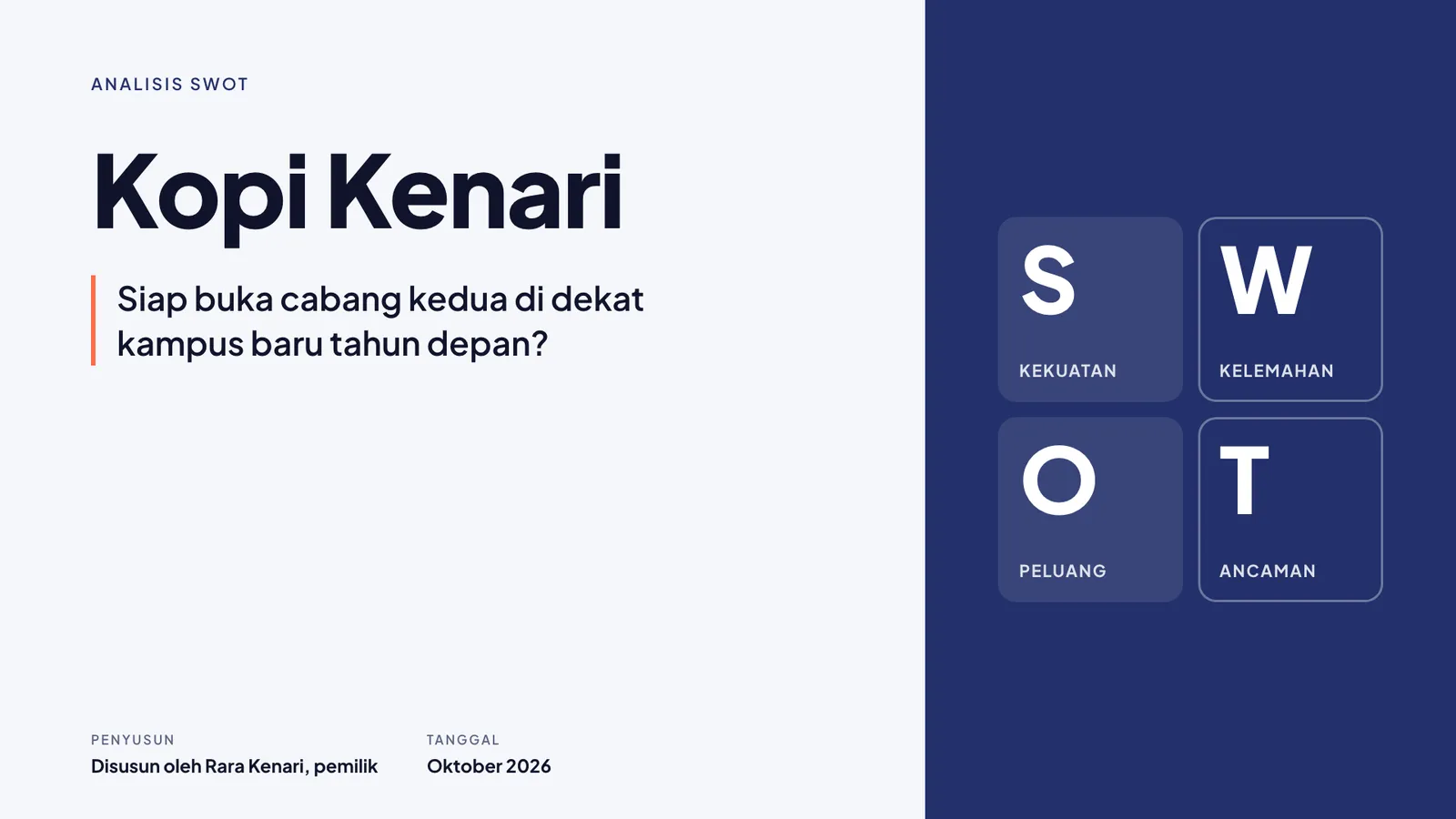
Cover: business name, the decision question, and the four quadrants
SKILL.md contents
Premium subscribers can read, copy, and install this skill.
Unlock with Premium Sign inSWOT Analysis
Description
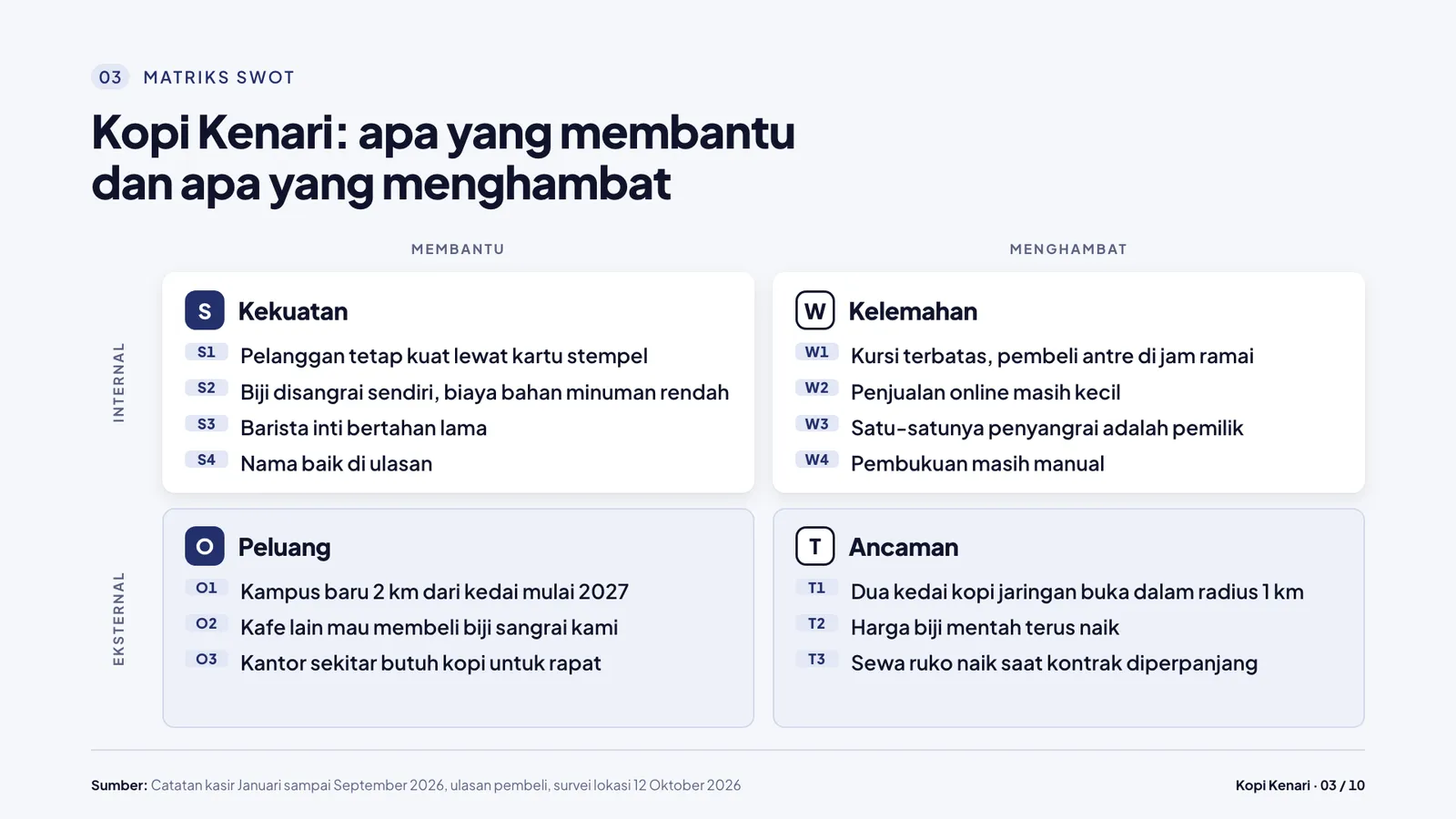
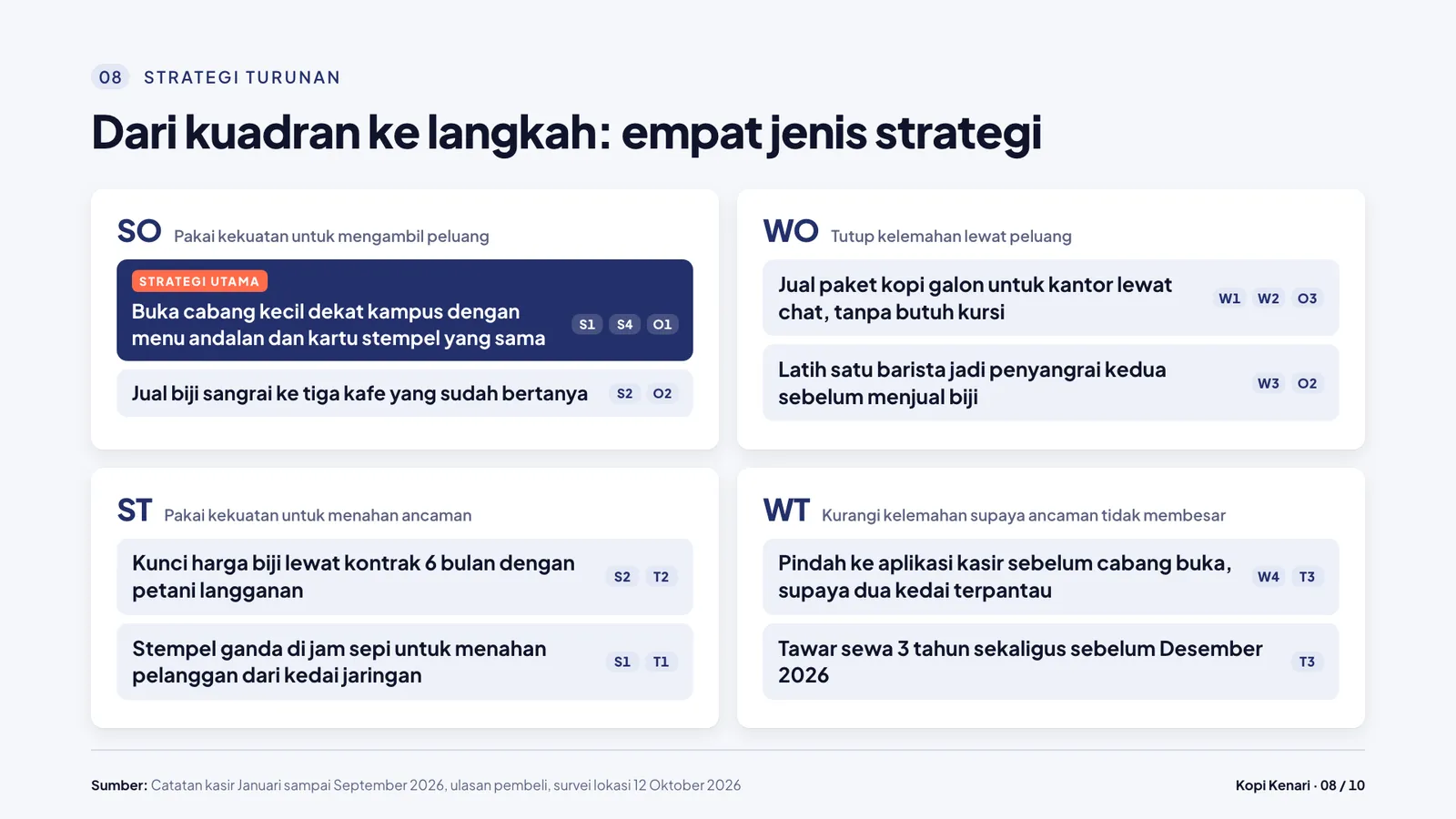
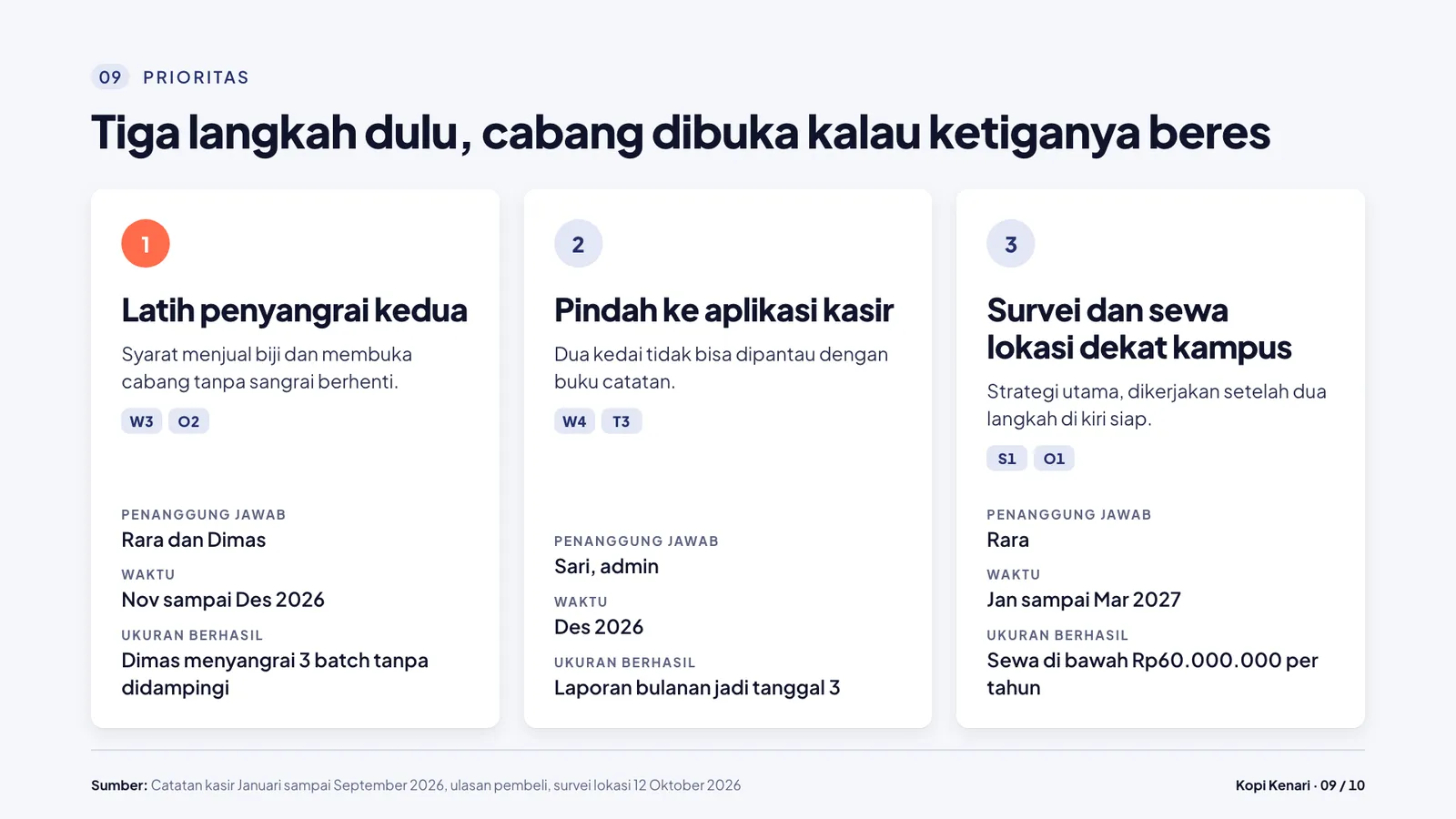
A 16:9 SWOT analysis deck built around one real decision (e.g. opening a branch, launching a product, raising prices): a cover with the question being answered, the current situation in numbers, a four-quadrant matrix of strengths, weaknesses, opportunities, and threats with automatic codes S1 to T5, one detail slide per quadrant with evidence and impact, a derived SO, WO, ST, WT strategy matrix that cites the source points, three priorities with owners and success measures, and a closing slide that answers the cover question. A single-file HTML deck that exports straight to PDF.
Verified by SkillFlow
We checked every file in this skill automatically: no command that downloads and runs a program, no hidden code, no instruction telling your AI to ignore you.
- Loads from outside
- Fonts: Google Fonts
See the 5 files inside
skill.json8 KBSKILL.md7 KBprompt.md5 KBprompt.en.md5 KBfiles/deck.html27 KB
Checked 14 Nov 2026
Included in Basic and Pro
Basic copies the prompt. Pro also downloads the ZIP, sends to AI, installs into agents, and opens every category.
Get Pro Get Basic Already subscribed? Sign inWhat you get
- A SWOT script: the decision question, 2-4 situation numbers, 3-5 points per quadrant with evidence and impact
- A four-quadrant SWOT matrix with automatic point codes (S1, W2, O1, T3)
- One detail slide per quadrant, ordered by biggest impact
- A derived SO, WO, ST, WT strategy matrix citing source point codes, with one main strategy
- Three priorities with owner, timing, success measure, and a closing slide that answers the question
- A single-file 1920x1080 HTML deck with arrow navigation and PDF export, 3 palettes
Good fit
- Owners weighing one big decision such as opening a branch or raising prices
- Consultants and students building evidence-backed SWOT analyses for clients or coursework
- Teams wanting SWOT to end in priorities with owners
Not for
- It does not research markets or competitors; evidence and numbers come from your data
- Not a full business plan or financial projection
- One deck per decision question
About this skill
/analisis-swot Make a SWOT analysis deck for Gunung Sari Coffee with the question: should we open a second branch near the campus next year?
Show more
A 16:9 SWOT analysis deck built around one real decision (e.g. opening a branch, launching a product, raising prices): a cover with the question being answered, the current situation in numbers, a four-quadrant matrix of strengths, weaknesses, opportunities, and threats with automatic codes S1 to T5, one detail slide per quadrant with evidence and impact, a derived SO, WO, ST, WT strategy matrix that cites the source points, three priorities with owners and success measures, and a closing slide that answers the cover question. A single-file HTML deck that exports straight to PDF.
User reviews
FAQ
Why does each point get a code like S1 or T3?
So the SO, WO, ST, and WT strategy matrix can cite its source points. Readers can trace every strategy back to the evidence in the quadrants.
How many points per quadrant?
Three to five, each with evidence such as a figure, event, or source, ordered by biggest impact on the detail slide.
Which AI can I use it with?
Copy the prompt into a chat AI (ChatGPT, Claude, Gemini, DeepSeek); or download the ZIP and install it in an AI agent (Claude Code, Codex, Antigravity, Hermes Agent, Cursor, GitHub Copilot, Gemini CLI, OpenCode, Kimi Code, Trae), which then builds the files for you.
What is in the ZIP?
One folder named analisis-swot with SKILL.md (the instructions an AI agent reads) and the prompt, 5 files in all. Extract it into your agent's skills folder, or install it with npx skillflow-ai add analisis-swot. Pro only.
Is there a per-use fee or credits?
Not from SkillFlow. The skill runs on the AI you already use, so any cost follows that plan.
Which plan includes it?
Basic and Pro. Basic copies the prompt; Pro also downloads the ZIP, sends to AI, installs into agents and shares results by link.
Can I use my own colours and brand?
Yes. Pick a colour theme on this page, or fill in your brand profile once; both go into the prompt you copy and into the ZIP.
Can I share what I made?
Pro members can upload the result and get a page at share.skillflow.ai.id to send to anyone. The page carries a small "Made with SkillFlow AI" mark.
Is there a download limit?
Yes, per day: 50 skills on Pro, 10 on other plans. Downloading a skill again on the same day does not count.



