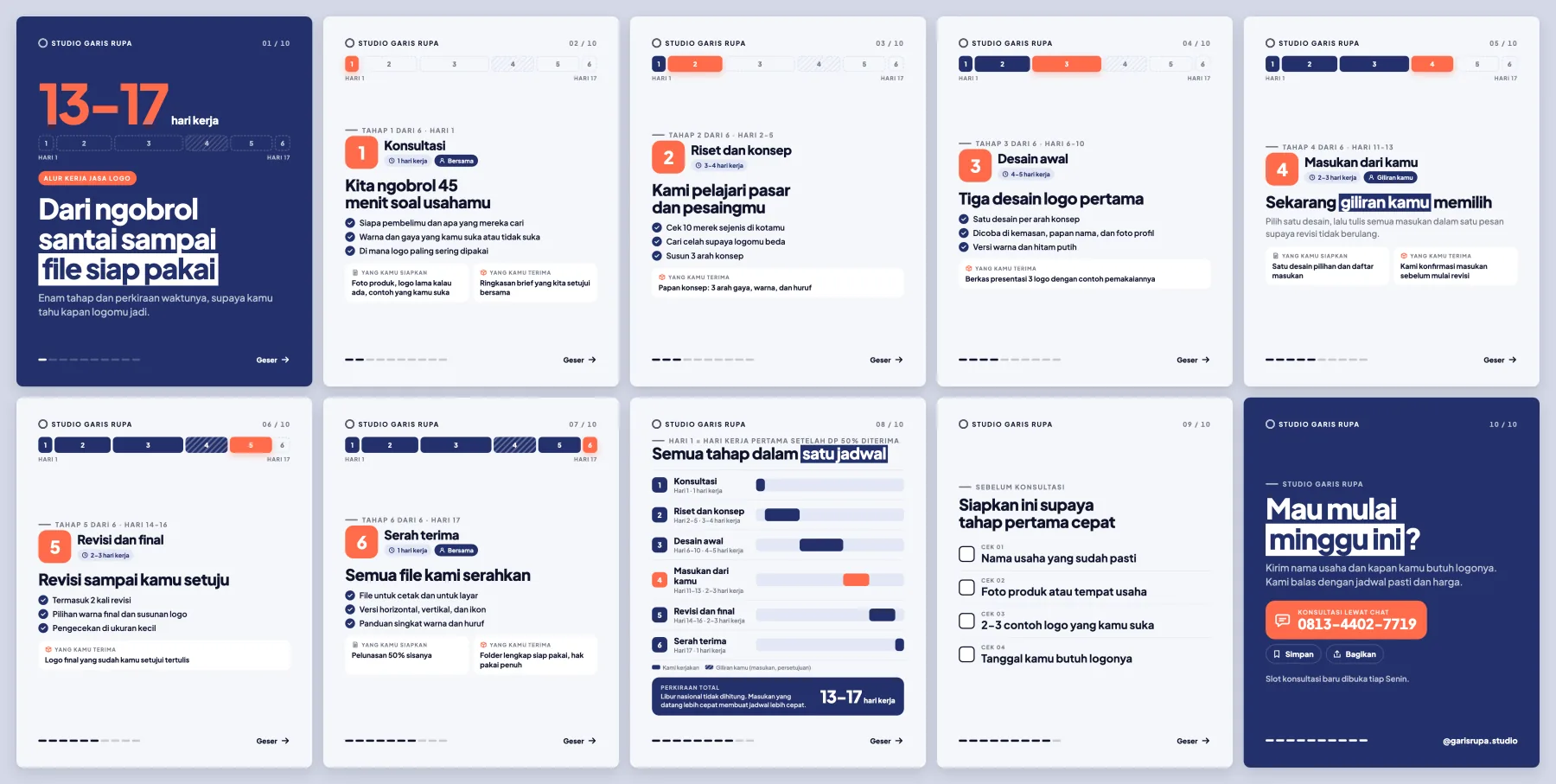
Ten slides: cover, six numbered stages with a schedule strip, the full schedule, preparation, and closing
SKILL.md contents
Premium subscribers can read, copy, and install this skill.
Unlock with Premium Sign inService Process Flow Carousel with Time Estimates
Description
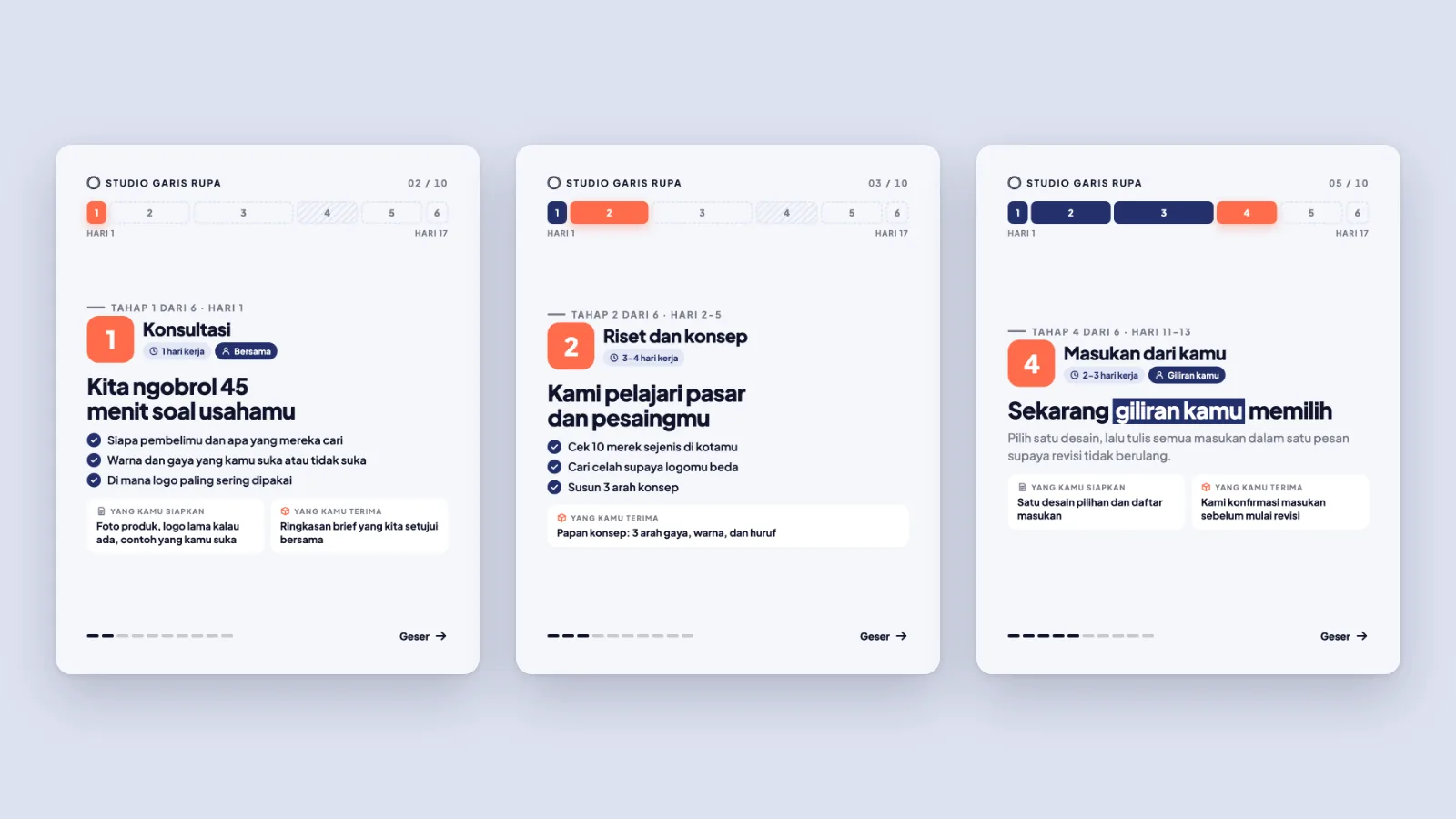
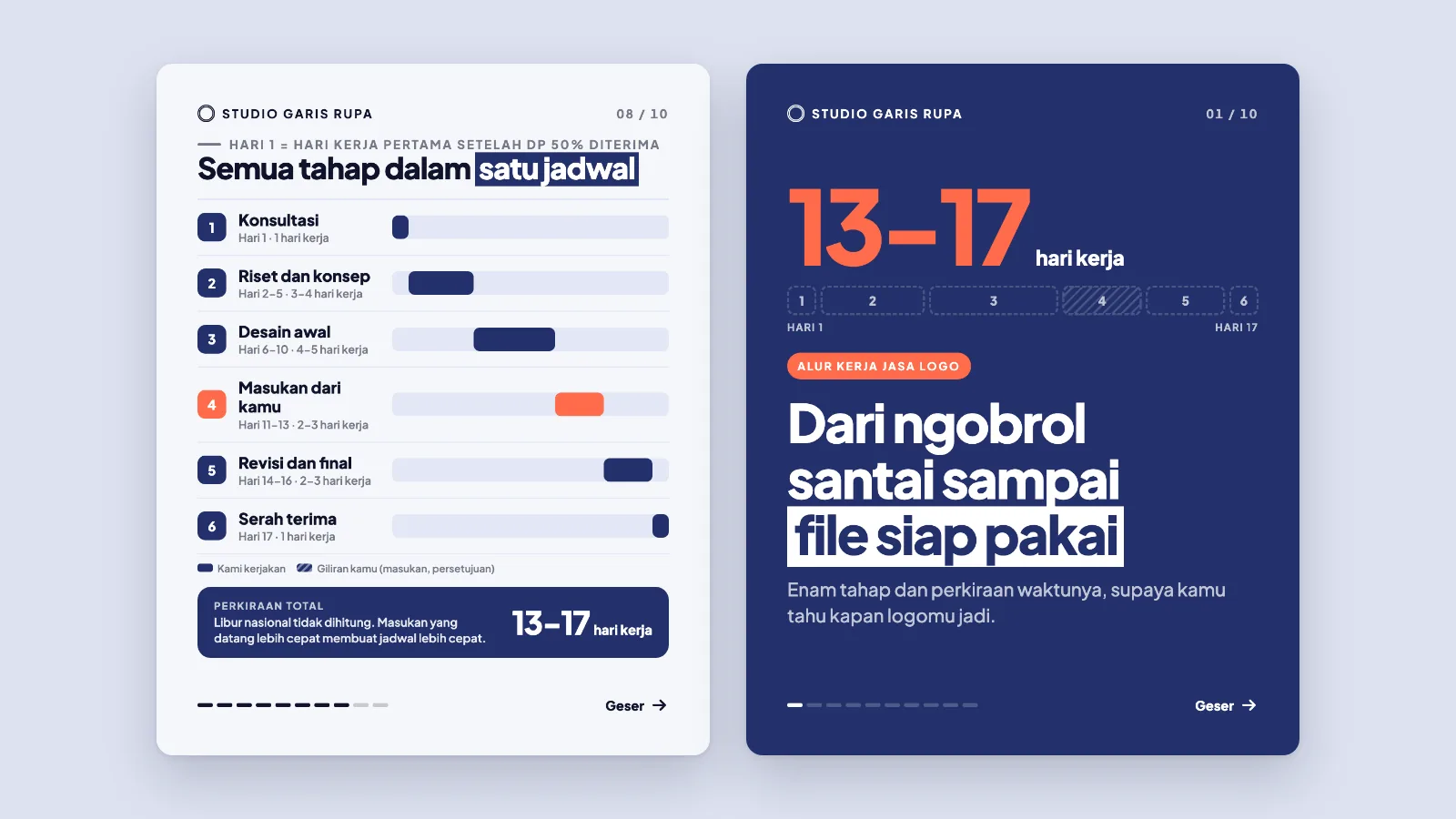
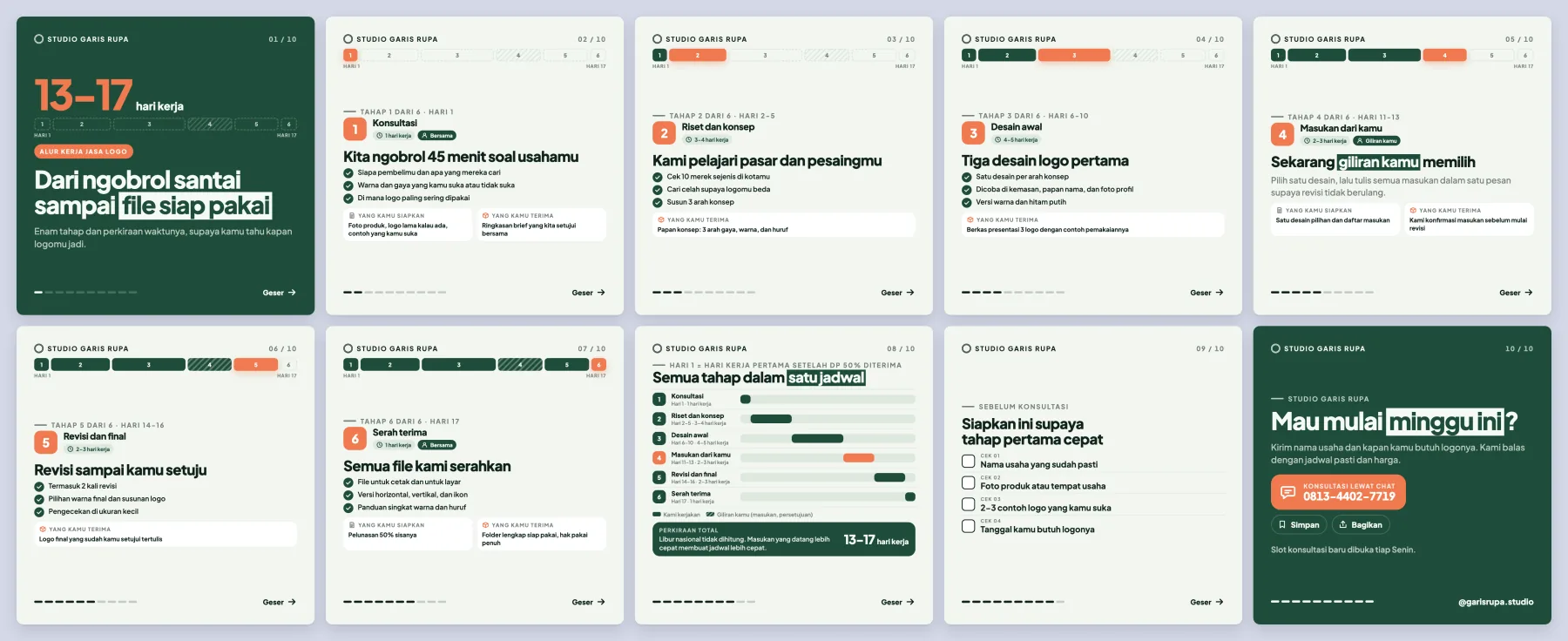
A carousel for service providers who want clients to know what happens after they pay: from consultation to handover in 3 to 7 numbered stages. Each slide is one stage with a schedule strip at the top that fills in step by step, start and end days worked out automatically from the time estimates, the stage length, the client's turns shown hatched, what the team does, what the client prepares, and what the client receives. Plus a cover with the total estimate, a full bar-chart schedule, a preparation checklist, and a closing slide with a chat button. 1080x1350 or 1080x1080, exported as PNG.
Verified by SkillFlow
We checked every file in this skill automatically: no command that downloads and runs a program, no hidden code, no instruction telling your AI to ignore you.
- Loads from outside
- Fonts: Google Fonts
See the 5 files inside
skill.json10 KBSKILL.md6 KBprompt.md5 KBprompt.en.md5 KBfiles/carousel.html383 KB
Checked 14 Nov 2026
Part of SkillFlow Pro
Pro opens every skill in every category: copy, ZIP, Send to AI, install, save, and request new skills.
Get Pro Already subscribed? Sign inWhat you get
- A 3-7 stage flow script: name, time estimate, what the team does, what the client prepares, what the client receives
- An HTML carousel template driven by one config object, 4 palettes
- A schedule strip on each slide with start and end days worked out automatically
- A full schedule slide as a bar chart with the total time estimate
- A cover with the total time, a pre-consultation checklist, and a closing slide with a chat button
- PNG per slide at 1080x1350 or 1080x1080, plus a combined sheet
Good fit
- Design, photo, video, website, and agency services that keep hearing "when will it be done?"
- Contractors, interior designers, event caterers, and wedding organisers with long stages
- Consultants and private tutors who want clients to know the order of sessions
- Service providers who want to show when it is the client's turn to give feedback
Not for
- Not how to order or pay; use the How to Order carousel for that
- Not an app tutorial with screenshots
- Time estimates come from you; the skill does not guarantee deadlines or count public holidays
- At most 7 stages; longer processes need to be grouped into bigger stages
About this skill
/carousel-alur-layanan Make a carousel of my logo design process: consultation, research, first designs, client feedback, revisions, handover, with working days for each stage
Show more
A carousel for service providers who want clients to know what happens after they pay: from consultation to handover in 3 to 7 numbered stages. Each slide is one stage with a schedule strip at the top that fills in step by step, start and end days worked out automatically from the time estimates, the stage length, the client's turns shown hatched, what the team does, what the client prepares, and what the client receives. Plus a cover with the total estimate, a full bar-chart schedule, a preparation checklist, and a closing slide with a chat button. 1080x1350 or 1080x1080, exported as PNG.
User reviews
FAQ
How are each stage's start and end days worked out?
The first stage starts on day 1. Each next stage starts the day after the longest estimate of the stage before it. So if research takes 3 to 4 days, design starts on day 6, not day 5. The total is shown as a range from fastest to longest.
What is the your turn mark for?
Stages that wait on the client, such as giving feedback or approving a design, are hatched on the schedule strip. Clients see that the faster they reply, the sooner the work is done.
Can I count in weeks instead of days?
Yes. Change the unit to weeks and fill in each stage's estimate in weeks. The labels on the strip and schedule change with it.
Which AI can I use it with?
Copy the prompt into a chat AI (ChatGPT, Claude, Gemini, DeepSeek); or download the ZIP and install it in an AI agent (Claude Code, Codex, Antigravity, Hermes Agent, Cursor, GitHub Copilot, Gemini CLI, OpenCode, Kimi Code, Trae), which then builds the files for you.
What is in the ZIP?
One folder named carousel-alur-layanan with SKILL.md (the instructions an AI agent reads) and the prompt, 5 files in all. Extract it into your agent's skills folder, or install it with npx skillflow-ai add carousel-alur-layanan. Pro only.
Is there a per-use fee or credits?
Not from SkillFlow. The skill runs on the AI you already use, so any cost follows that plan.
Which plan includes it?
SkillFlow Pro. It opens every skill in every category.
Can I use my own colours and brand?
Yes. Pick a colour theme on this page, or fill in your brand profile once; both go into the prompt you copy and into the ZIP.
Can I share what I made?
Pro members can upload the result and get a page at share.skillflow.ai.id to send to anyone. The page carries a small "Made with SkillFlow AI" mark.
Is there a download limit?
Yes, per day: 50 skills on Pro, 10 on other plans. Downloading a skill again on the same day does not count.