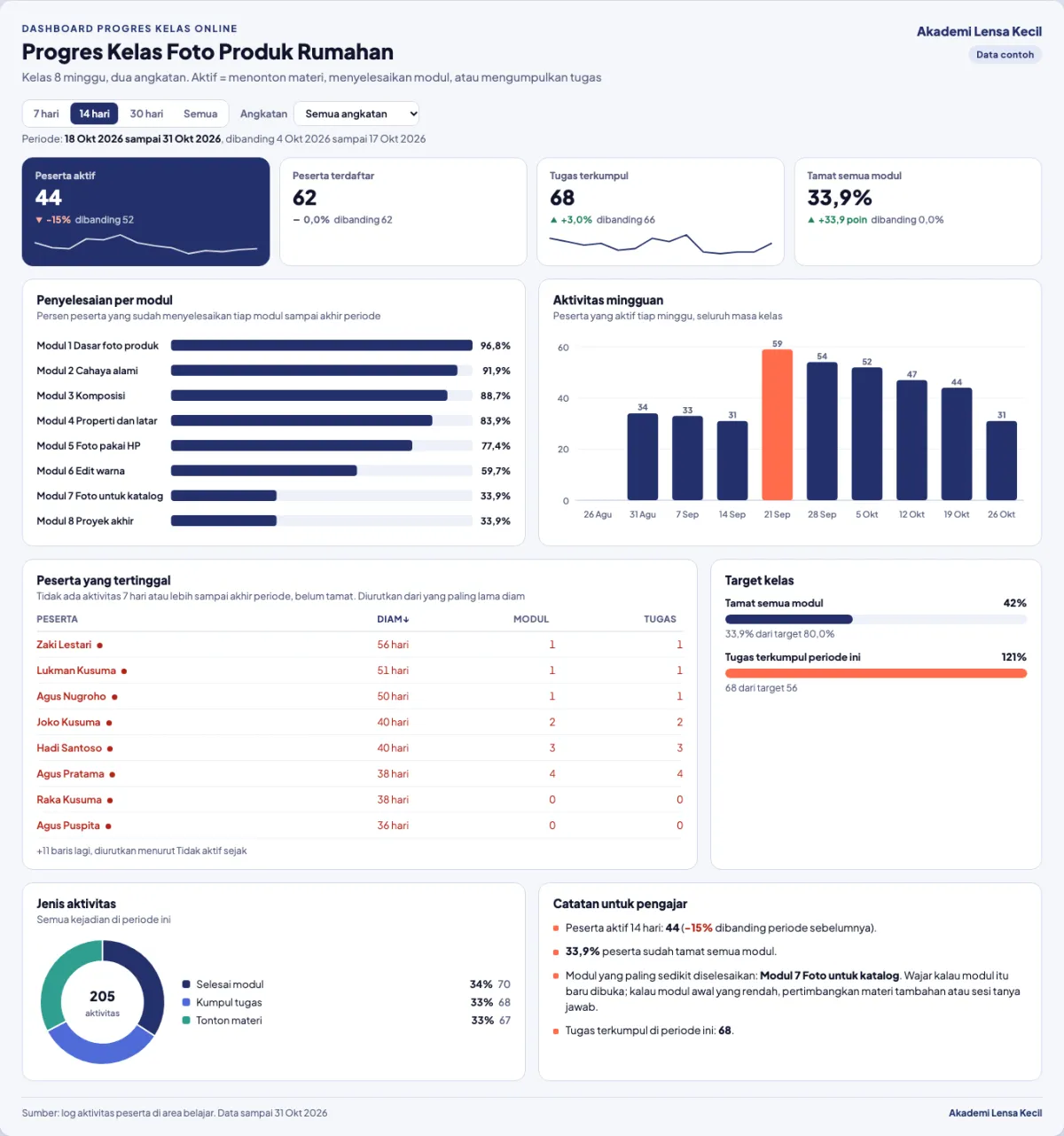
Last 14 days: KPIs, completion per module, weekly activity, learners behind
SKILL.md contents
Premium subscribers can read, copy, and install this skill.
Unlock with Premium Sign inOnline Course Progress Dashboard
Description
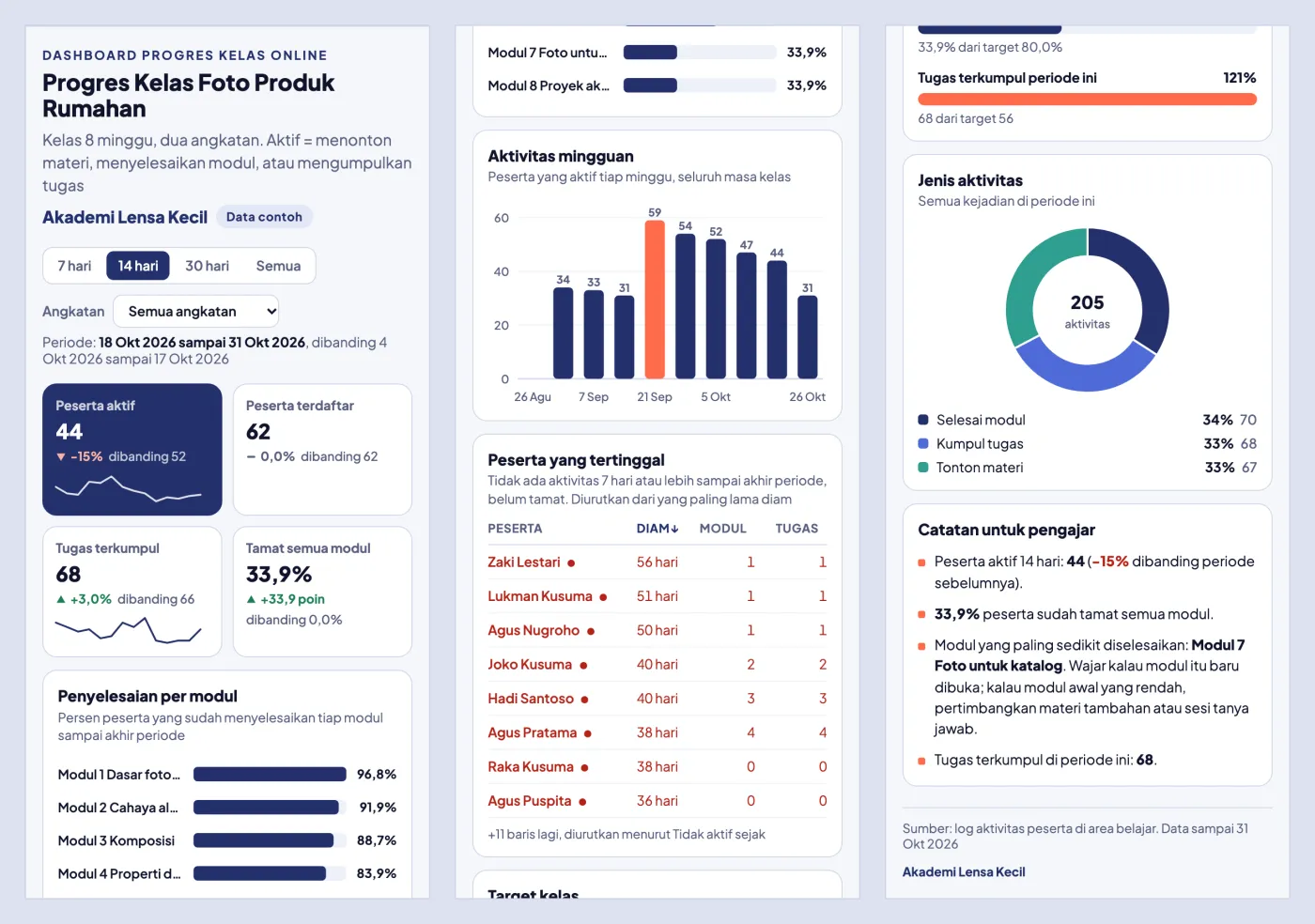
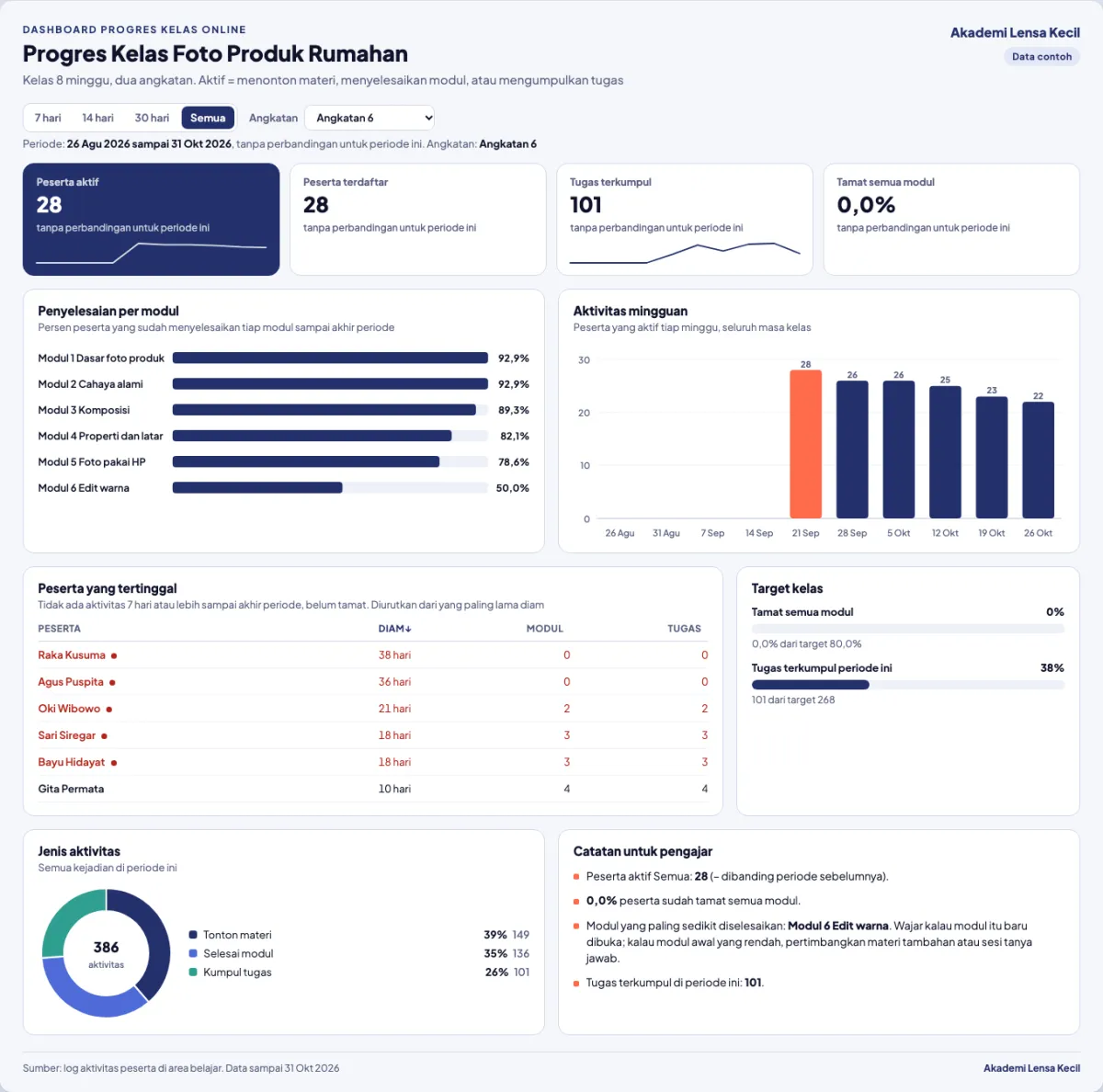
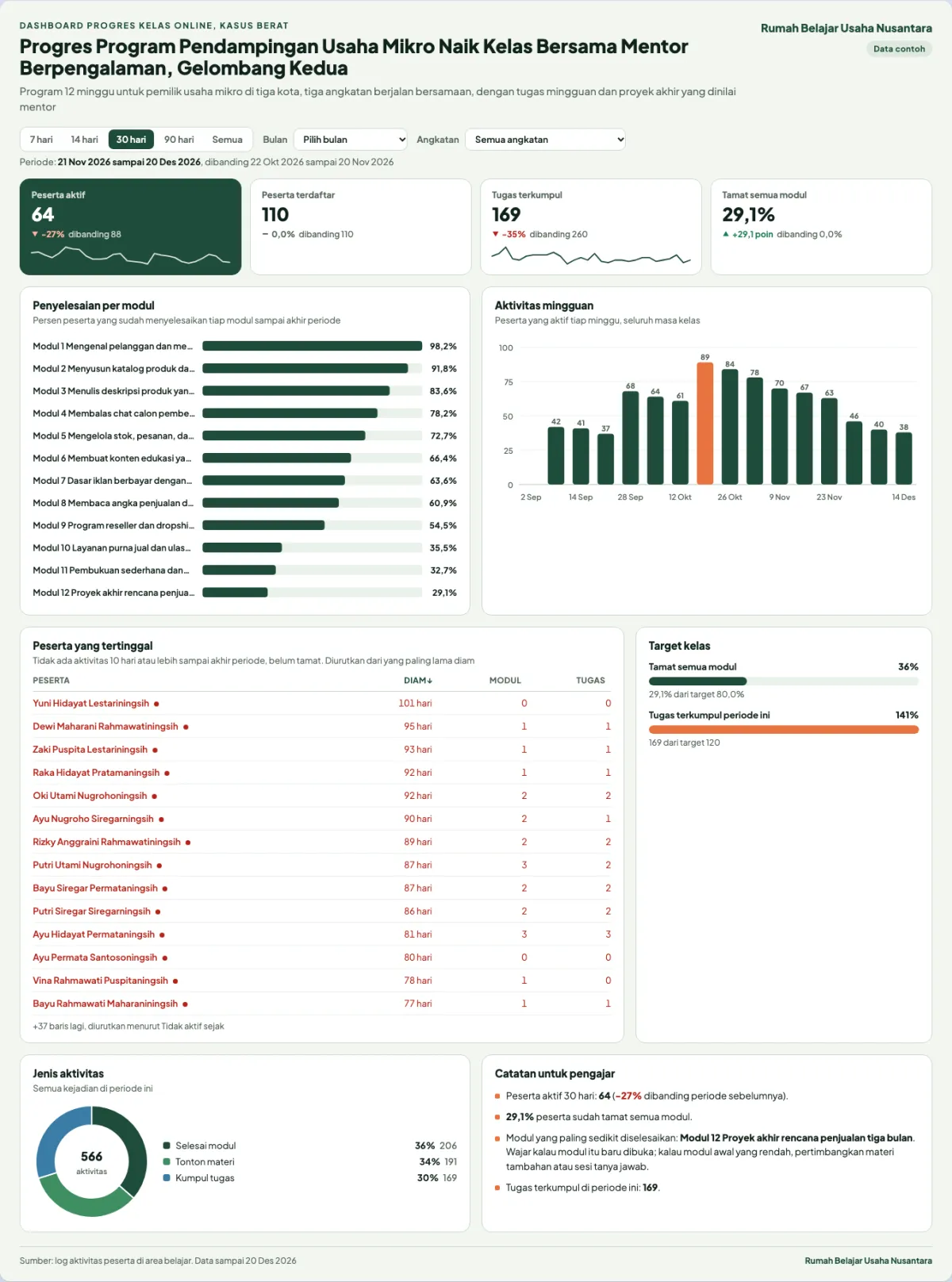
An online course progress dashboard on one screen for the teacher, from the learner activity log: active learners, enrolled learners, assignments submitted, and the share who finished every module against the previous period, completion per module, weekly activity, a list of learners falling behind (inactive for a while and not finished), progress toward the course targets, activity types, and automatic notes. Filter by period and cohort, every number is recalculated in the browser, then download that view as PDF, PNG, or Excel.
Verified by SkillFlow
We checked every file in this skill automatically: no command that downloads and runs a program, no hidden code, no instruction telling your AI to ignore you.
- Loads from outside
- Fonts: Google Fonts SkillFlow: directory.skillflow.ai.id
See the 6 files inside
skill.json9 KBSKILL.md9 KBprompt.md6 KBprompt.en.md5 KBfiles/contoh/kelas-besar-banyak-modul.html468 KBfiles/dashboard.html158 KB
Checked 14 Nov 2026
Part of SkillFlow Pro
Pro opens every skill in every category: copy, ZIP, Send to AI, install, save, and request new skills.
Get Pro Already subscribed? Sign inWhat you get
- Four KPIs: active learners, enrolled, assignments submitted, share who finished every module, with comparison
- Completion per module (divided by every enrolled learner) and weekly activity across the course
- A falling-behind list: days inactive, modules and assignments done, longest inactive first
- Progress toward the finish and assignment targets, activity types
- Period and cohort filters, teacher notes recalculated on every change
- Download PDF, PNG, and Excel with the filtered log; reads well on a phone
Good fit
- Online teachers and mentors checking progress every week
- Course admins sending reminders to learners who fall behind
- Training programme owners reporting completion to partners or sponsors
Not for
- It does not grade assignments or store marks
- It does not connect to your learning platform; you export and paste the log
- It does not send reminders; use the falling-behind list to send them yourself
About this skill
/dashboard-progres-kelas-online Make a progress dashboard for my product photography course. Here is the activity log for two cohorts: date, learner name, cohort, module, activity. Seven days inactive counts as falling behind.
Show more
An online course progress dashboard on one screen for the teacher, from the learner activity log: active learners, enrolled learners, assignments submitted, and the share who finished every module against the previous period, completion per module, weekly activity, a list of learners falling behind (inactive for a while and not finished), progress toward the course targets, activity types, and automatic notes. Filter by period and cohort, every number is recalculated in the browser, then download that view as PDF, PNG, or Excel.
User reviews
FAQ
What counts as active?
Watching material, finishing a module, or submitting an assignment in the period. Enrolling alone does not count.
My data is a progress table per learner, not a log. Does that work?
Yes, as long as each finished module has a date: the agent or AI turns it into one row per event. Without dates, weekly activity and days inactive cannot be worked out.
Why is completion divided by every enrolled learner?
So learners who never opened that module still count. Dividing only by those who opened it makes later modules look good while many stopped halfway.
Which AI can I use it with?
Copy the prompt into a chat AI (ChatGPT, Claude, Gemini, DeepSeek); or download the ZIP and install it in an AI agent (Claude Code, Codex, Antigravity, Hermes Agent, Cursor, GitHub Copilot, Gemini CLI, OpenCode, Kimi Code, Trae), which then builds the files for you.
What is in the ZIP?
One folder named dashboard-progres-kelas-online with SKILL.md (the instructions an AI agent reads) and the prompt, 6 files in all. Extract it into your agent's skills folder, or install it with npx skillflow-ai add dashboard-progres-kelas-online. Pro only.
Is there a per-use fee or credits?
Not from SkillFlow. The skill runs on the AI you already use, so any cost follows that plan.
Which plan includes it?
SkillFlow Pro. It opens every skill in every category.
Can I use my own colours and brand?
Yes. Pick a colour theme on this page, or fill in your brand profile once; both go into the prompt you copy and into the ZIP.
Can I share what I made?
Pro members can upload the result and get a page at share.skillflow.ai.id to send to anyone. The page carries a small "Made with SkillFlow AI" mark.
Is there a download limit?
Yes, per day: 50 skills on Pro, 10 on other plans. Downloading a skill again on the same day does not count.