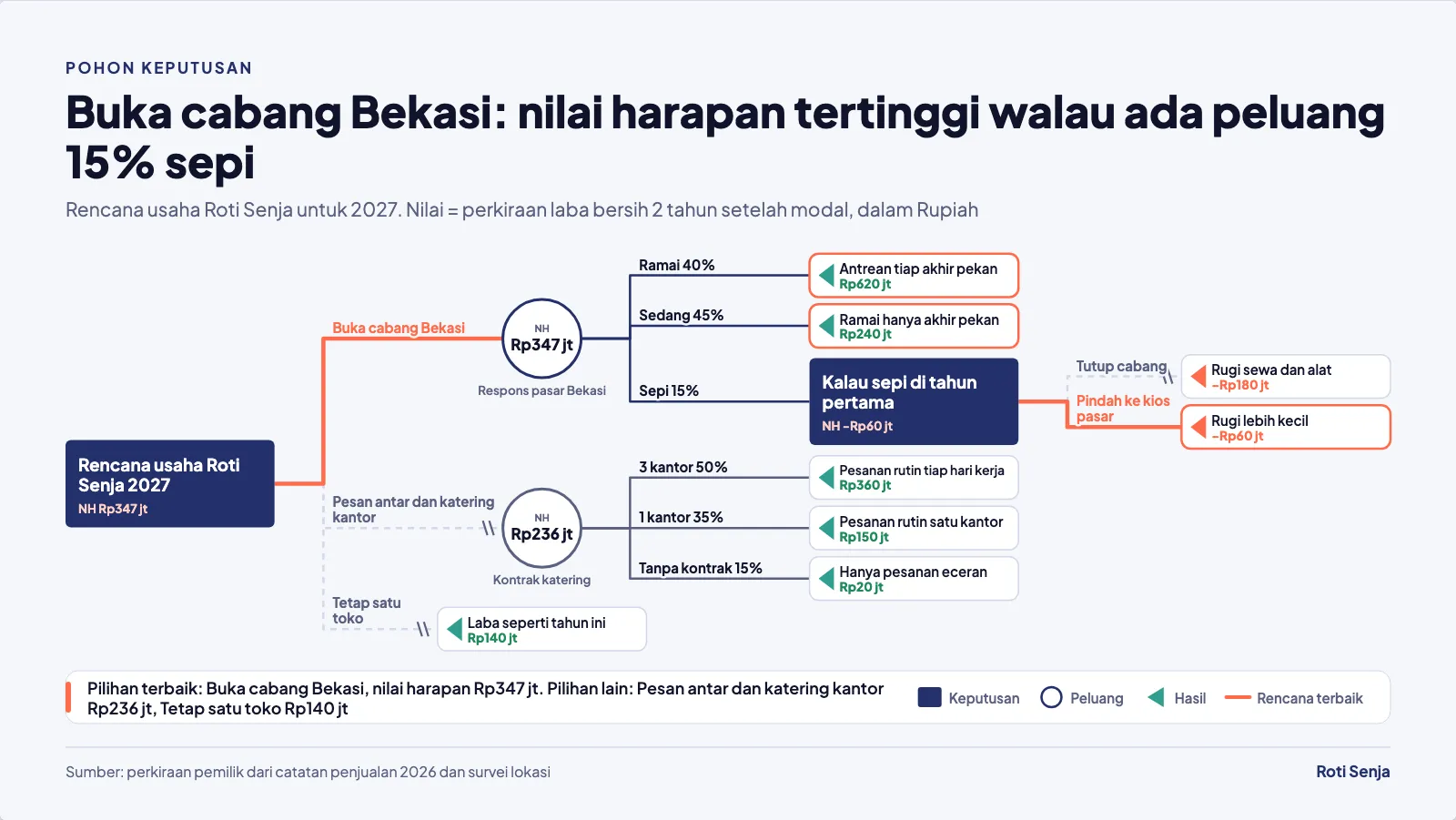
A bakery: open a branch, add delivery, or keep one shop, with expected values and the best choice
SKILL.md contents
Premium subscribers can read, copy, and install this skill.
Unlock with Premium Sign inDecision Tree Diagram
Description
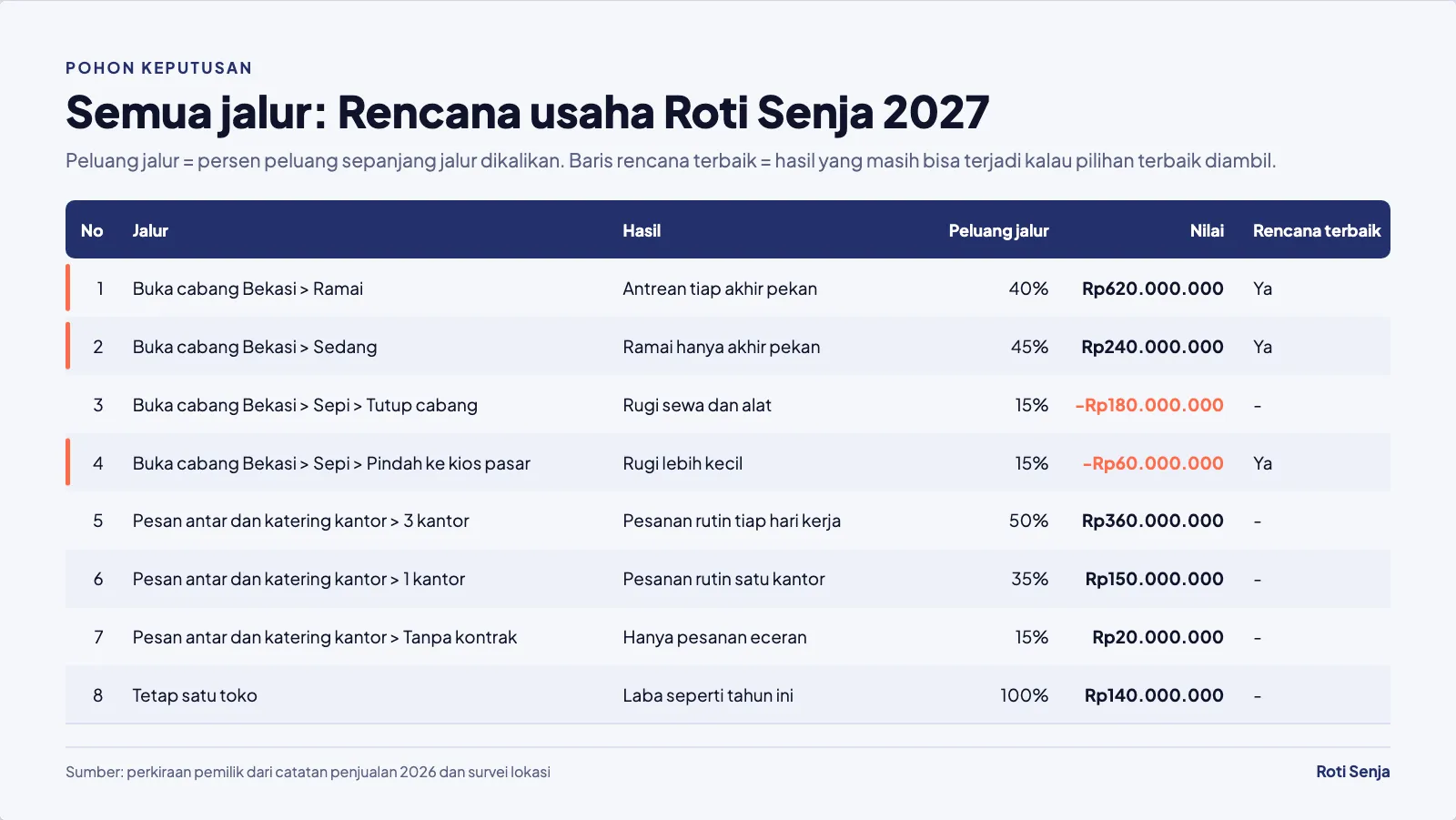
A decision tree diagram from a pasted text outline (indentation or If yes / If no lines): boxes for decisions, circles for uncertain events with a percentage on each branch, outcomes at the ends with optional values. Expected values are worked out automatically, the best choice gets a coral line and losing branches are struck through, the layout runs left to right or top to bottom, large trees split per main choice, plus a table of every path with its probability. Downloads as PDF, PNG, Word, or Excel.
Verified by SkillFlow
We checked every file in this skill automatically: no command that downloads and runs a program, no hidden code, no instruction telling your AI to ignore you.
- Loads from outside
- Fonts: Google Fonts SkillFlow: directory.skillflow.ai.id
See the 7 files inside
skill.json10 KBSKILL.md9 KBprompt.md6 KBprompt.en.md6 KBfiles/contoh/retur-ya-tidak-4x5.html43 KBfiles/contoh/stok-lebaran-dipecah-per-pilihan.html44 KBfiles/diagram.html43 KB
Checked 14 Nov 2026
Part of SkillFlow Pro
Pro opens every skill in every category: copy, ZIP, Send to AI, install, save, and request new skills.
Get Pro Already subscribed? Sign inWhat you get
- An SVG decision tree from a text outline: decision boxes, chance circles, outcome cards, branch labels on the lines
- Expected value of every node and the best choice worked out automatically, losing branches struck through
- Automatic left-to-right or top-to-bottom layout, 16:9 or 4:5, large trees split per main choice
- A table of every path: outcome, path probability, value, and a best-plan mark
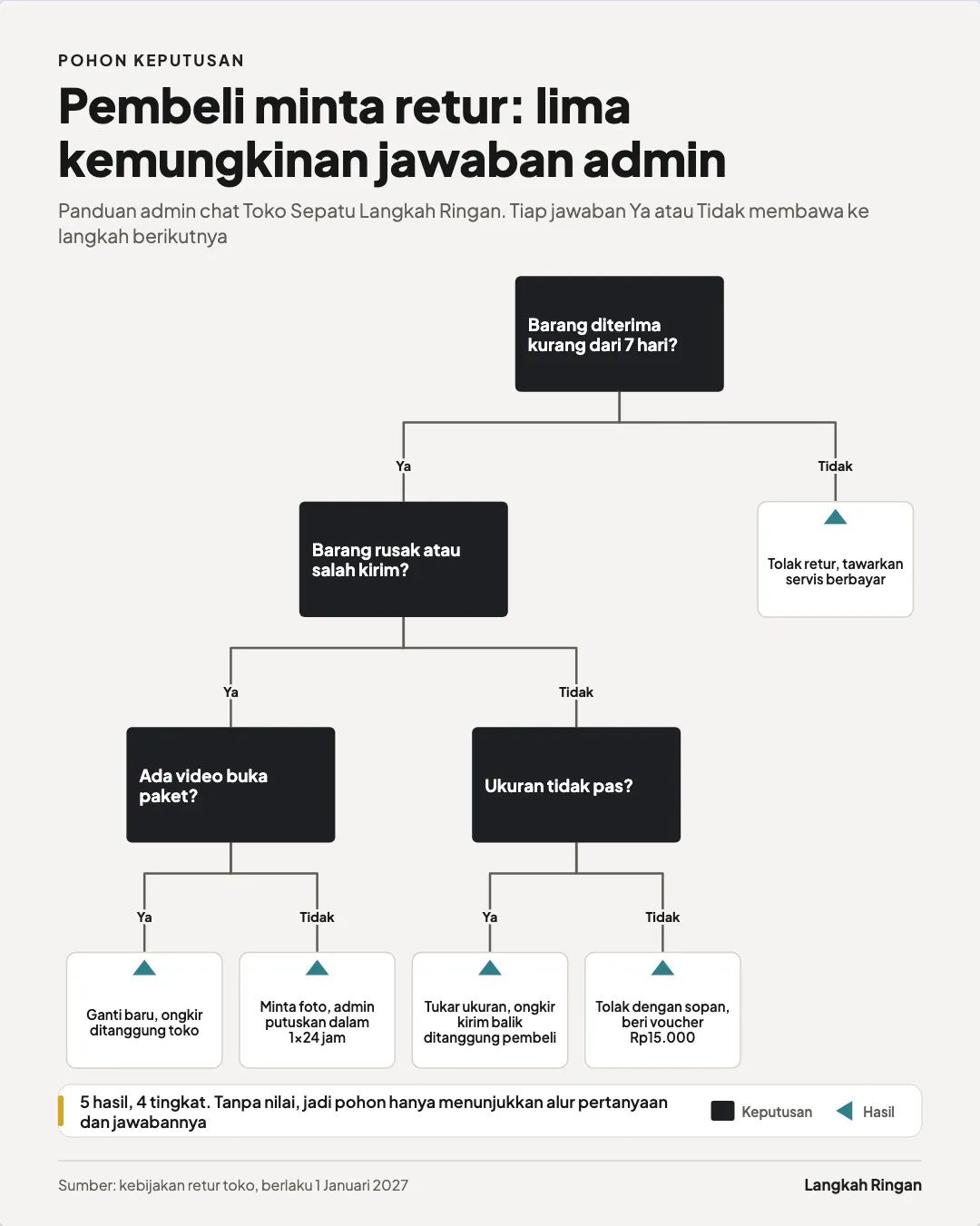
- Also works for a yes-no question flow without numbers
- An HTML template with one DIAGRAM object, 3 palettes, download PDF, PNG, Word, and Excel
Good fit
- Business owners weighing 2-4 options with uncertain results (expansion, seasonal stock, pricing)
- Consultants and business mentors who want to show expected value working clearly
- Management or entrepreneurship teachers who need a decision tree teaching aid
- Customer service teams who need a yes-no question guide
Not for
- It does not predict probabilities; the percentages and values are the user's estimates
- Not a process flowchart with loops and swimlanes
- Not a statistical or machine learning model trained on data
- Not a drag-and-drop app; you change the content through the text outline in the file or through the AI
About this skill
/diagram-pohon-keputusan Make a decision tree for my bakery: open a branch in Bekasi, add delivery and office catering, or keep one shop, with the chances of busy or quiet trade and the estimated 2-year profit
Show more
A decision tree diagram from a pasted text outline (indentation or If yes / If no lines): boxes for decisions, circles for uncertain events with a percentage on each branch, outcomes at the ends with optional values. Expected values are worked out automatically, the best choice gets a coral line and losing branches are struck through, the layout runs left to right or top to bottom, large trees split per main choice, plus a table of every path with its probability. Downloads as PDF, PNG, Word, or Excel.
User reviews
FAQ
How do I write the outline?
One line per node, indentation for the level. Write Branch label: node text. A percentage in the label (Busy 40%) makes the node above it a chance node, and = value at the end of an outcome line gives its number (Rp620M is fine). If yes and If no lines become Yes and No branches.
What does expected value mean here?
A weighted average of each choice's outcomes using the probabilities you fill in. It is a way to compare choices, not a promised result. That is why the AI's answer also names the worst outcome that can still happen under the best choice.
What if the tree is large?
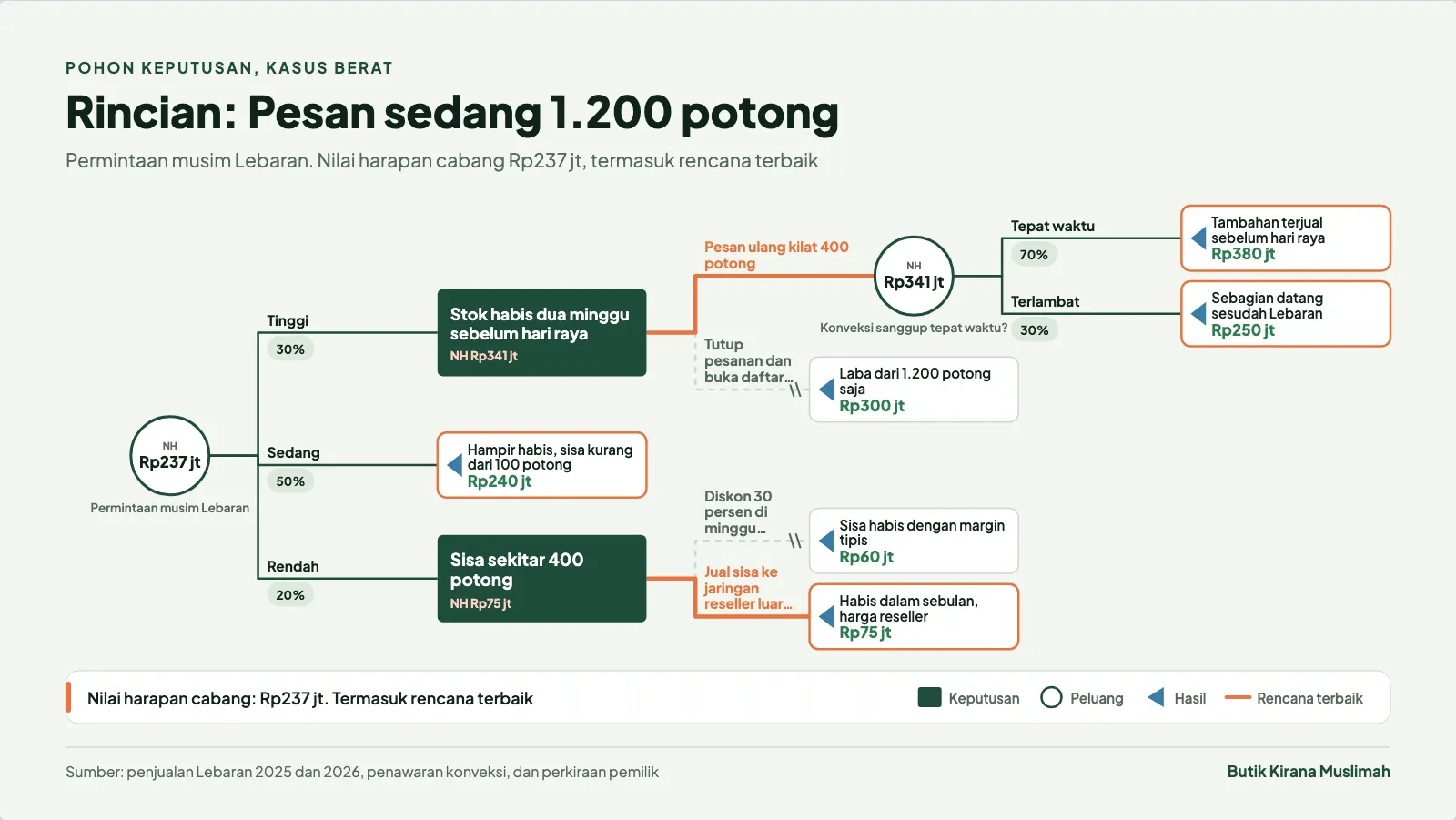
If it is too dense for one page, the diagram splits automatically: a summary page of the main choices with each choice's expected value, then one detail page per choice. The path table spreads over several pages.
Which AI can I use it with?
Copy the prompt into a chat AI (ChatGPT, Claude, Gemini, DeepSeek); or download the ZIP and install it in an AI agent (Claude Code, Codex, Antigravity, Hermes Agent, Cursor, GitHub Copilot, Gemini CLI, OpenCode, Kimi Code, Trae), which then builds the files for you.
What is in the ZIP?
One folder named diagram-pohon-keputusan with SKILL.md (the instructions an AI agent reads) and the prompt, 7 files in all. Extract it into your agent's skills folder, or install it with npx skillflow-ai add diagram-pohon-keputusan. Pro only.
Is there a per-use fee or credits?
Not from SkillFlow. The skill runs on the AI you already use, so any cost follows that plan.
Which plan includes it?
SkillFlow Pro. It opens every skill in every category.
Can I use my own colours and brand?
Yes. Pick a colour theme on this page, or fill in your brand profile once; both go into the prompt you copy and into the ZIP.
Can I share what I made?
Pro members can upload the result and get a page at share.skillflow.ai.id to send to anyone. The page carries a small "Made with SkillFlow AI" mark.
Is there a download limit?
Yes, per day: 50 skills on Pro, 10 on other plans. Downloading a skill again on the same day does not count.