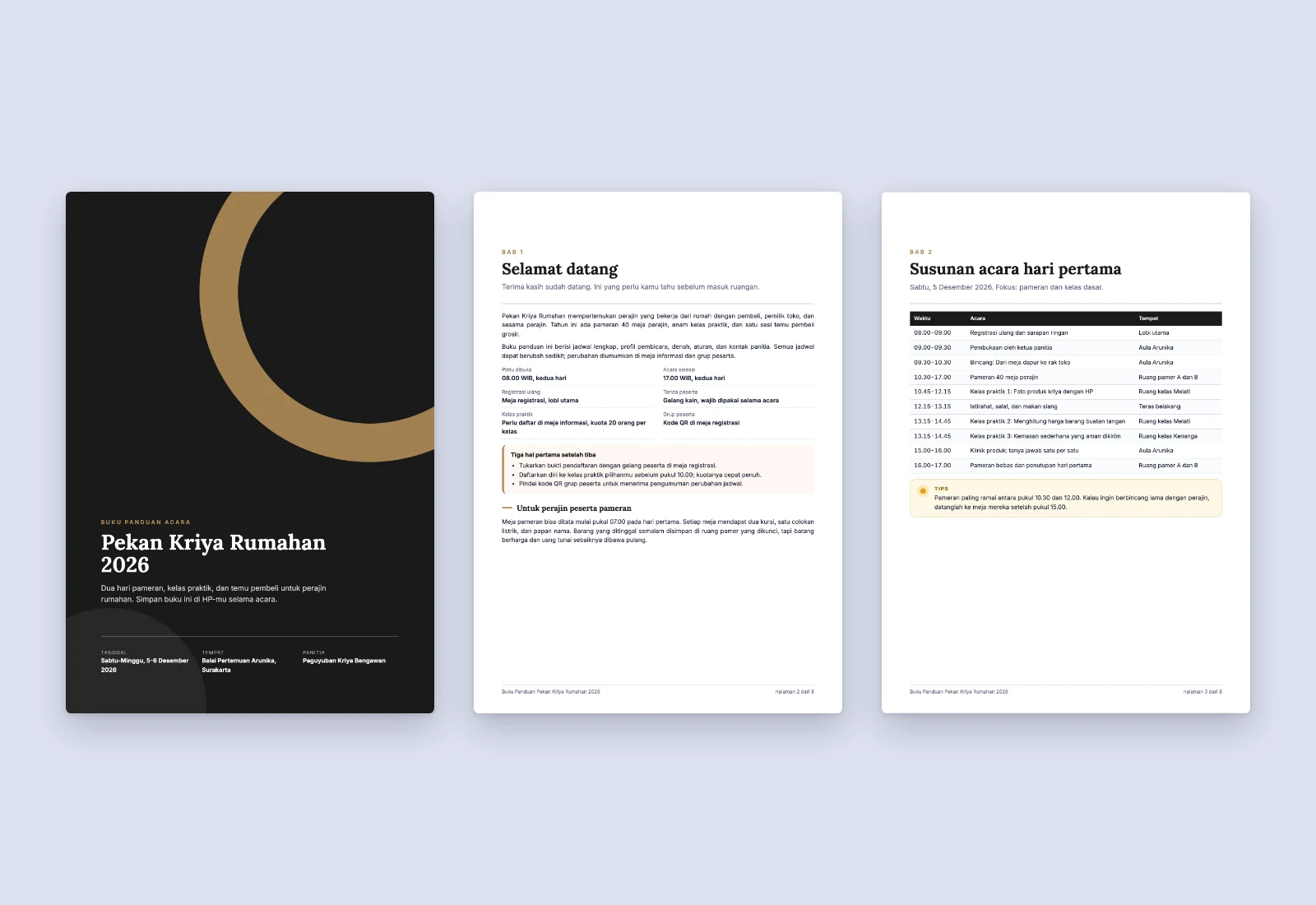
Event book cover, key arrival info, and day one's rundown in a table
SKILL.md contents
Premium subscribers can read, copy, and install this skill.
Unlock with Premium Sign inEvent Guidebook
Description
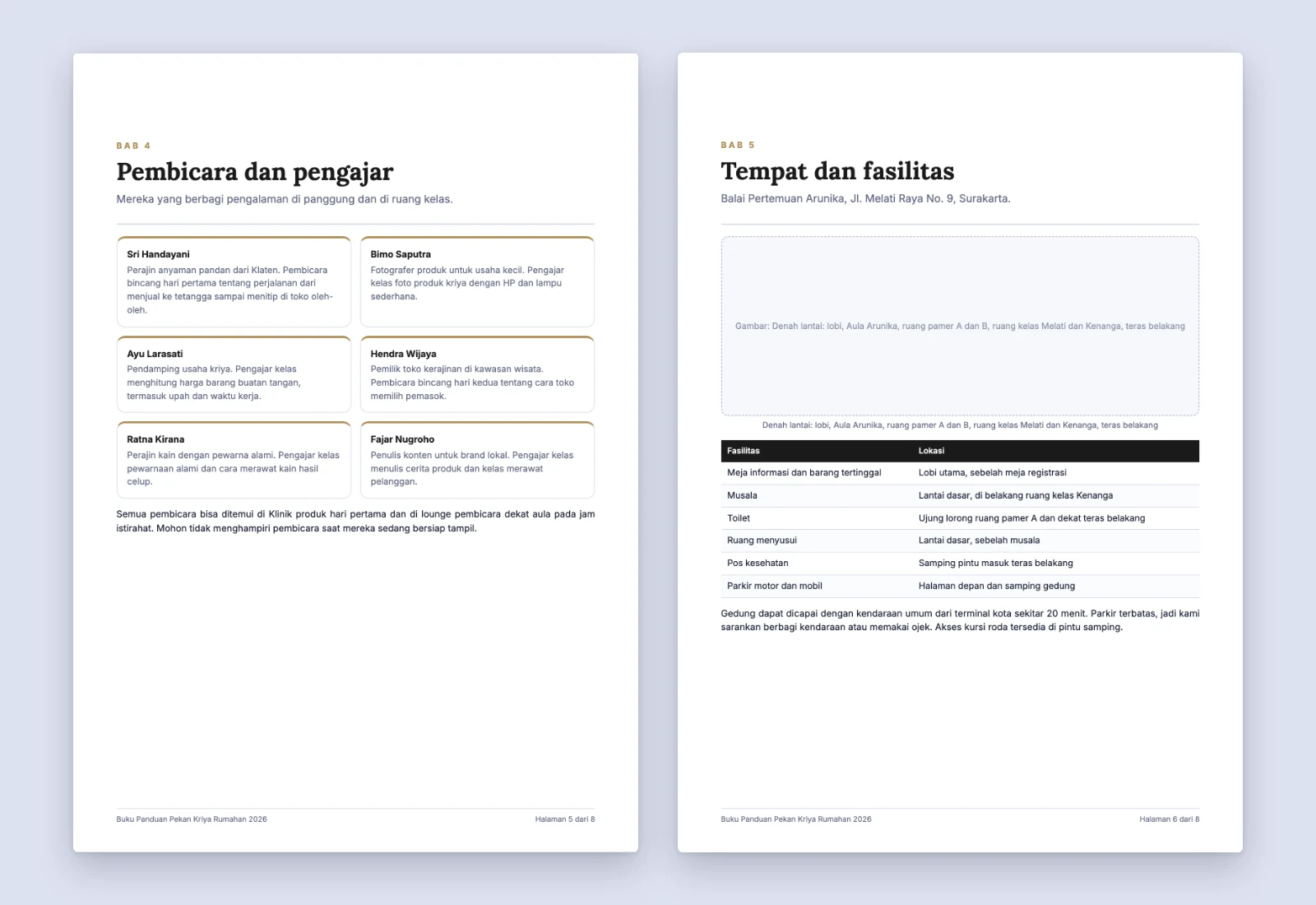
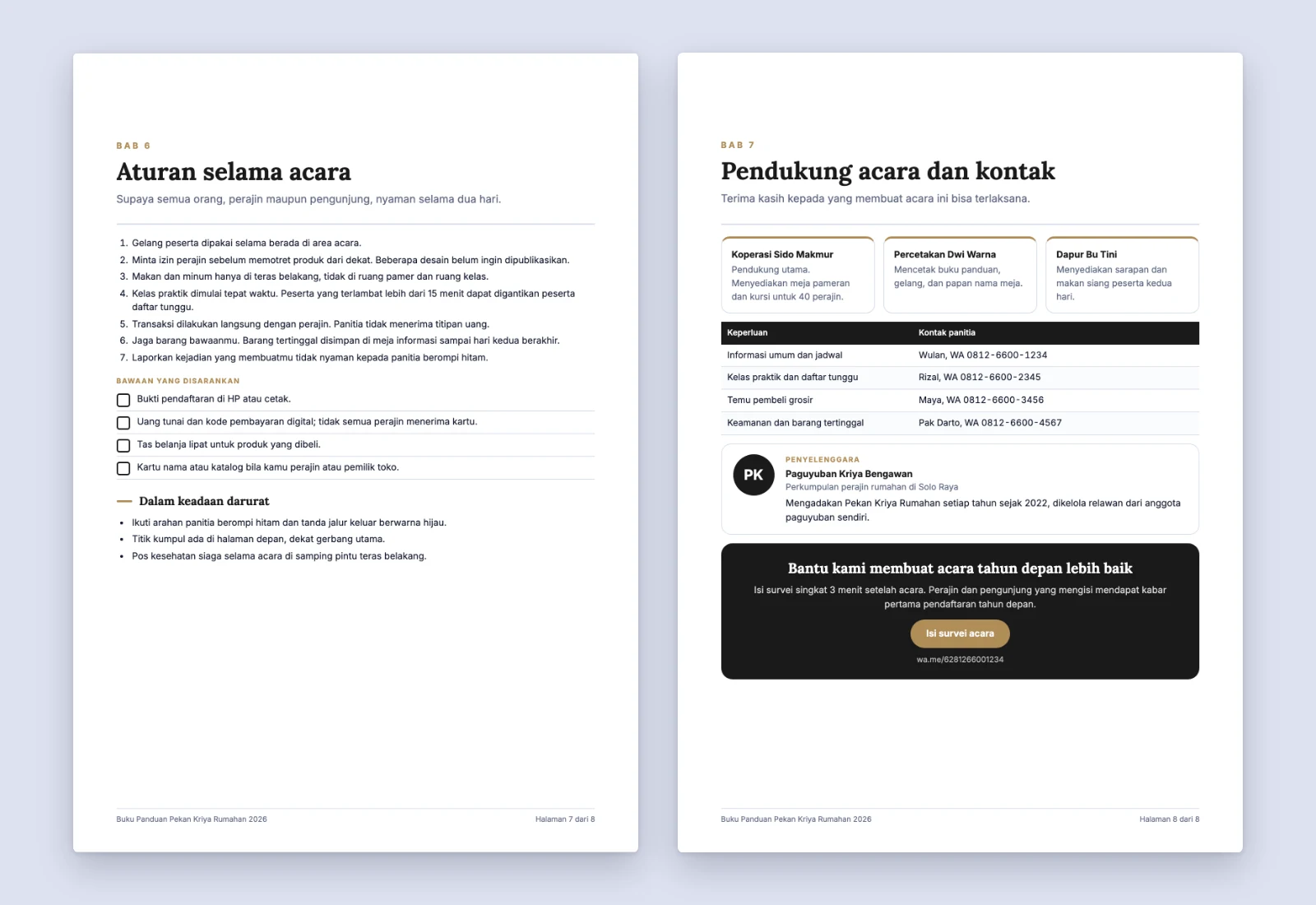
An A4 event guidebook for seminar, workshop or festival attendees: cover, automatic contents, key arrival info, the rundown per day in tables, speaker cards, a floor plan placeholder and facilities table, event rules, what to bring, supporters, organiser contacts and a call-to-action button clickable in the PDF.
Verified by SkillFlow
We checked every file in this skill automatically: no command that downloads and runs a program, no hidden code, no instruction telling your AI to ignore you.
- Loads from outside
- SkillFlow: directory.skillflow.ai.id
See the 5 files inside
skill.json5 KBSKILL.md6 KBprompt.md5 KBprompt.en.md5 KBfiles/dokumen.html70 KB
Checked 16 Nov 2026
Part of SkillFlow Pro
Pro opens every skill in every category: copy, ZIP, Send to AI, install, save, and request new skills.
Get Pro Already subscribed? Sign inWhat you get
- A cover, automatic contents and key arrival info
- The rundown per day in time, session and room tables
- Speaker cards, a floor plan placeholder and a facilities table
- Event rules, supporters, organiser contacts and a clickable call-to-action button
- A PDF from the Print / Save as PDF button and a PNG of every page
Good fit
- Seminars, workshops, festivals, fairs or community conferences
- Shared with attendees before the event or at registration
- A handbook for volunteers so everyone gives the same info
Not for
- It does not draw the venue map; you add your own floor plan image
- It does not handle registration or tickets
- It does not place sponsor logos; supporters are listed as text
About this skill
/ebook-buku-acara Make an event guidebook for a two-day home crafts fair: the rundown per day, six speakers, floor plan and facilities, rules, supporters, organiser contacts, a call to fill in the survey
Show more
An A4 event guidebook for seminar, workshop or festival attendees: cover, automatic contents, key arrival info, the rundown per day in tables, speaker cards, a floor plan placeholder and facilities table, event rules, what to bring, supporters, organiser contacts and a call-to-action button clickable in the PDF.
User reviews
FAQ
How do I add the venue floor plan?
Put the https address of your floor plan image in `src` on the image block. Without it, the engine shows a placeholder box with the caption, ready to replace.
Is the PDF sharp and the button clickable?
Yes. The Print / Save as PDF button uses the browser's print dialog, so the text stays text (sharp and copyable) and the call-to-action button stays clickable in the PDF.
Which AI can I use it with?
Copy the prompt into a chat AI (ChatGPT, Claude, Gemini, DeepSeek); or download the ZIP and install it in an AI agent (Claude Code, Codex, Antigravity, Hermes Agent, Cursor, GitHub Copilot, Gemini CLI, OpenCode, Kimi Code, Trae), which then builds the files for you.
What is in the ZIP?
One folder named ebook-buku-acara with SKILL.md (the instructions an AI agent reads) and the prompt, 5 files in all. Extract it into your agent's skills folder, or install it with npx skillflow-ai add ebook-buku-acara. Pro only.
Is there a per-use fee or credits?
Not from SkillFlow. The skill runs on the AI you already use, so any cost follows that plan.
Which plan includes it?
SkillFlow Pro. It opens every skill in every category.
Can I use my own colours and brand?
Yes. Pick a colour theme on this page, or fill in your brand profile once; both go into the prompt you copy and into the ZIP.
Can I share what I made?
Pro members can upload the result and get a page at share.skillflow.ai.id to send to anyone. The page carries a small "Made with SkillFlow AI" mark.
Is there a download limit?
Yes, per day: 50 skills on Pro, 10 on other plans. Downloading a skill again on the same day does not count.