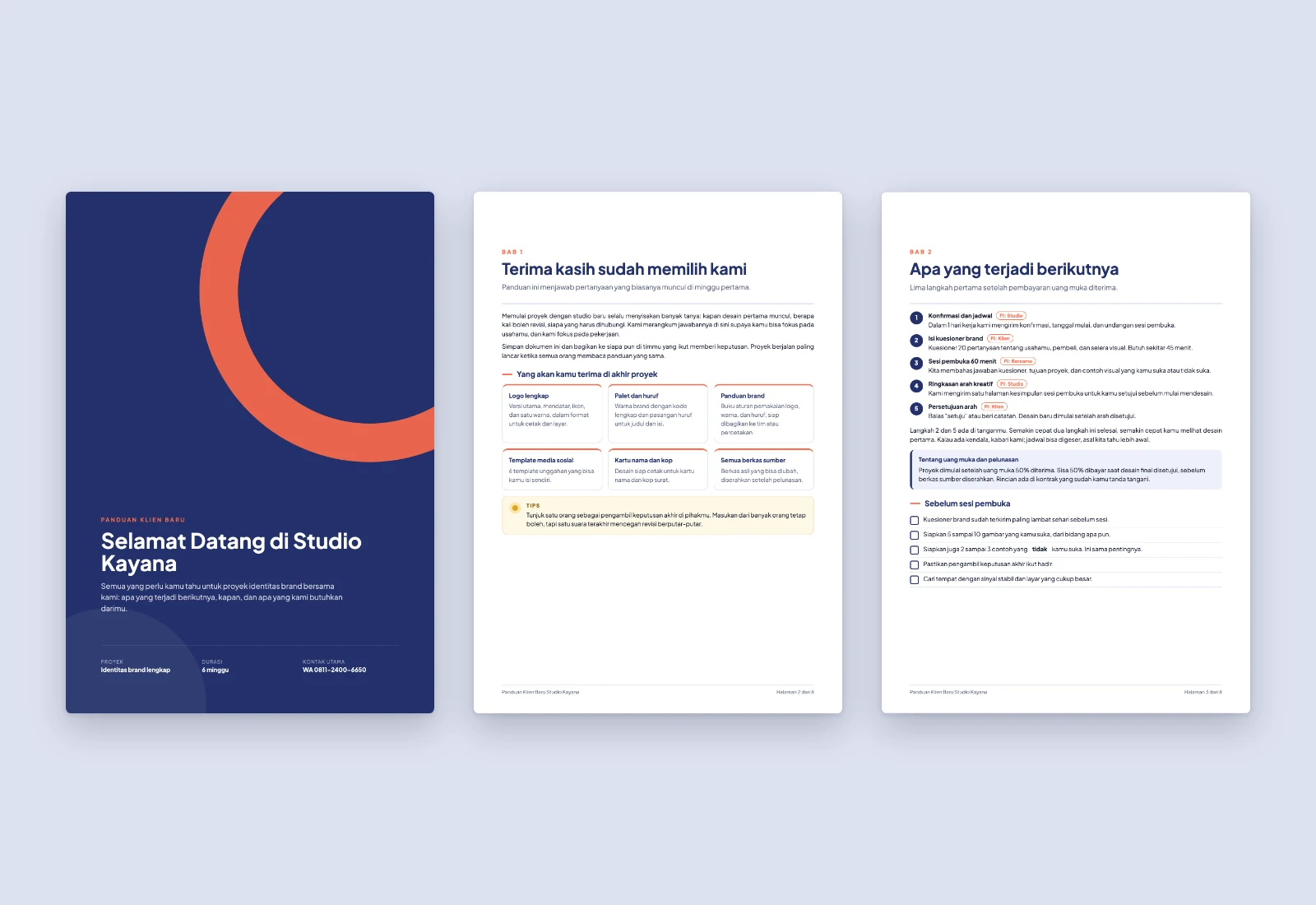
Welcome cover, what the client receives, and the next steps with who owns each one
SKILL.md contents
Premium subscribers can read, copy, and install this skill.
Unlock with Premium Sign inNew Client Welcome Guide
Description
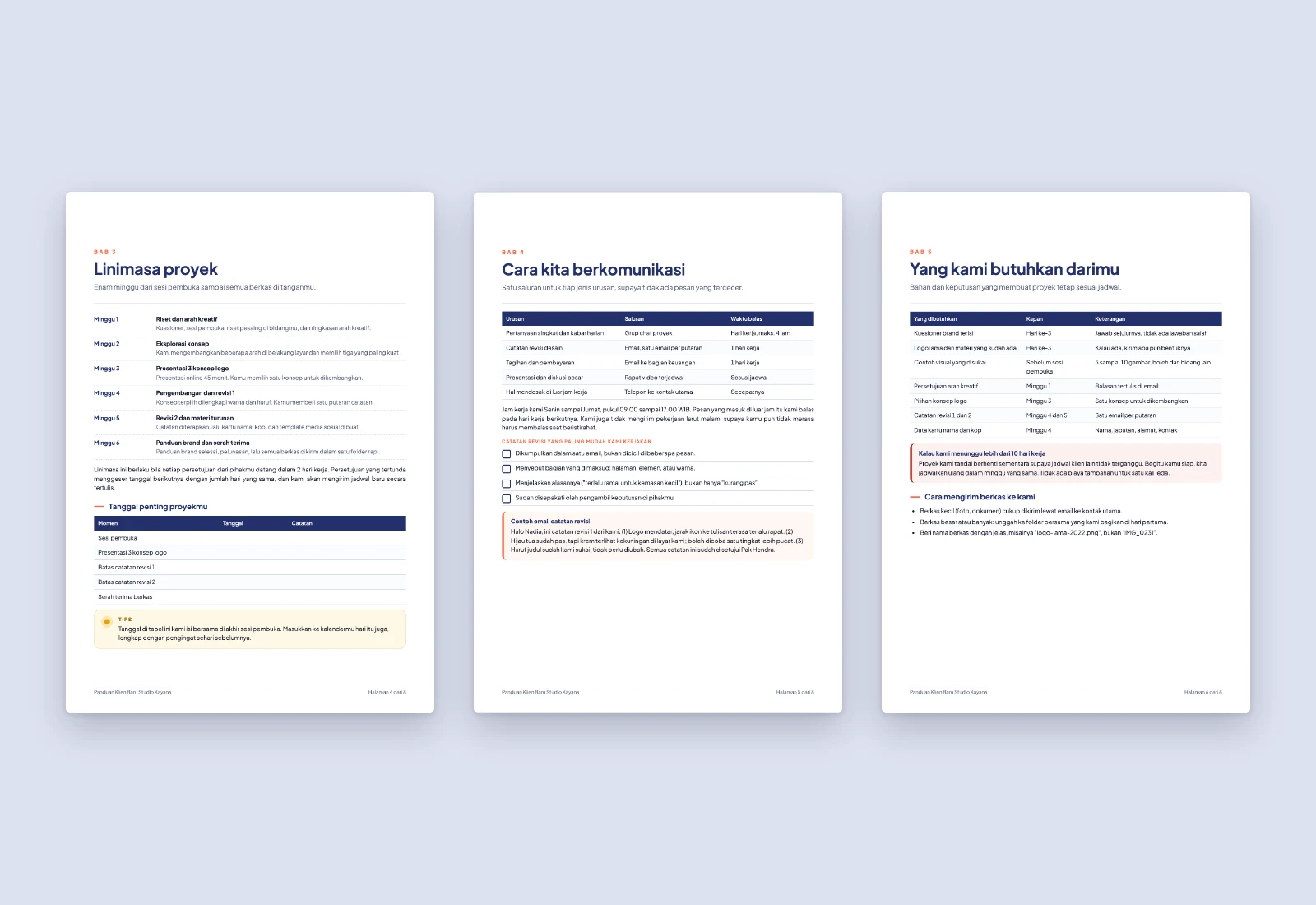
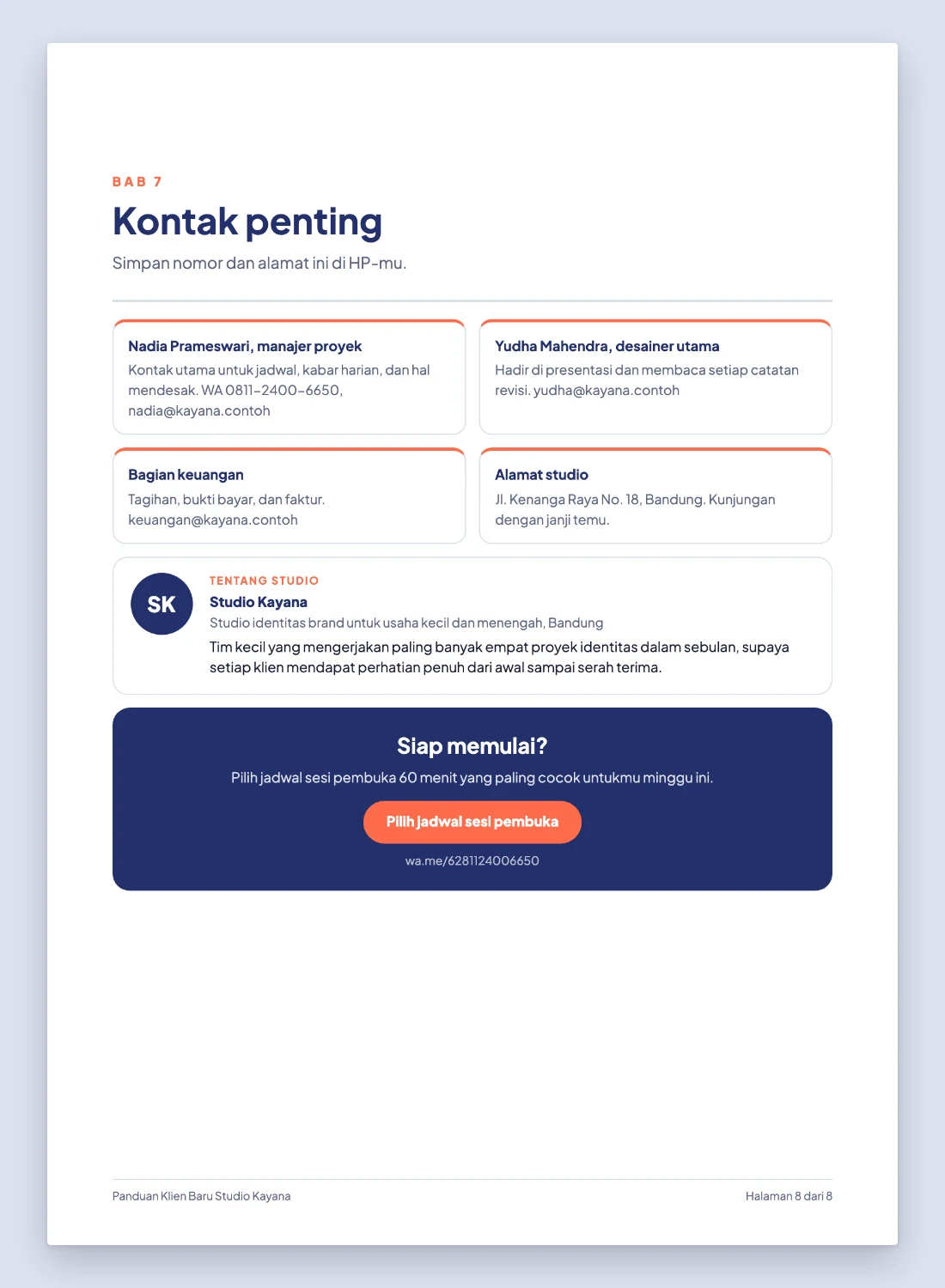
An A4 new client welcome guide for service businesses: a welcome cover, automatic contents, what the client receives, next steps with owners, the project timeline, channels and reply times, what you need from the client with deadlines, FAQ, contact cards and a call-to-action button clickable in the PDF.
Verified by SkillFlow
We checked every file in this skill automatically: no command that downloads and runs a program, no hidden code, no instruction telling your AI to ignore you.
- Loads from outside
- SkillFlow: directory.skillflow.ai.id
See the 5 files inside
skill.json5 KBSKILL.md5 KBprompt.md5 KBprompt.en.md5 KBfiles/dokumen.html72 KB
Checked 16 Nov 2026
Part of SkillFlow Pro
Pro opens every skill in every category: copy, ZIP, Send to AI, install, save, and request new skills.
Get Pro Already subscribed? Sign inWhat you get
- A welcome cover, automatic contents and cards of client deliverables
- Next steps with owners and a project timeline
- Tables of channels, reply times and what you need from the client
- FAQ, key contact cards and a clickable call-to-action button
- A PDF from the Print / Save as PDF button and a PNG of every page
Good fit
- Sent as soon as a client pays the deposit or signs the contract
- Studios, agencies, freelancers and project-based services
- Making every team member onboard clients the same way
Not for
- It is not a contract; revision and payment terms still follow the signed contract
- It does not send schedules or reminders to clients automatically
About this skill
/ebook-panduan-klien-baru Make a new client welcome guide for our design studio, a 6-week brand identity project: deliverables, next steps, timeline, how we communicate, what we need, FAQ on revisions and payment, team contacts, a call to book the kickoff call
Show more
An A4 new client welcome guide for service businesses: a welcome cover, automatic contents, what the client receives, next steps with owners, the project timeline, channels and reply times, what you need from the client with deadlines, FAQ, contact cards and a call-to-action button clickable in the PDF.
User reviews
FAQ
Does it work for services other than design?
Yes. The structure is the same for photographers, web builders, consultants, small contractors or event caterers; only the deliverables, stages and materials change.
Is the PDF sharp and the button clickable?
Yes. The Print / Save as PDF button uses the browser's print dialog, so the text stays text (sharp and copyable) and the call-to-action button stays clickable in the PDF.
Which AI can I use it with?
Copy the prompt into a chat AI (ChatGPT, Claude, Gemini, DeepSeek); or download the ZIP and install it in an AI agent (Claude Code, Codex, Antigravity, Hermes Agent, Cursor, GitHub Copilot, Gemini CLI, OpenCode, Kimi Code, Trae), which then builds the files for you.
What is in the ZIP?
One folder named ebook-panduan-klien-baru with SKILL.md (the instructions an AI agent reads) and the prompt, 5 files in all. Extract it into your agent's skills folder, or install it with npx skillflow-ai add ebook-panduan-klien-baru. Pro only.
Is there a per-use fee or credits?
Not from SkillFlow. The skill runs on the AI you already use, so any cost follows that plan.
Which plan includes it?
SkillFlow Pro. It opens every skill in every category.
Can I use my own colours and brand?
Yes. Pick a colour theme on this page, or fill in your brand profile once; both go into the prompt you copy and into the ZIP.
Can I share what I made?
Pro members can upload the result and get a page at share.skillflow.ai.id to send to anyone. The page carries a small "Made with SkillFlow AI" mark.
Is there a download limit?
Yes, per day: 50 skills on Pro, 10 on other plans. Downloading a skill again on the same day does not count.