

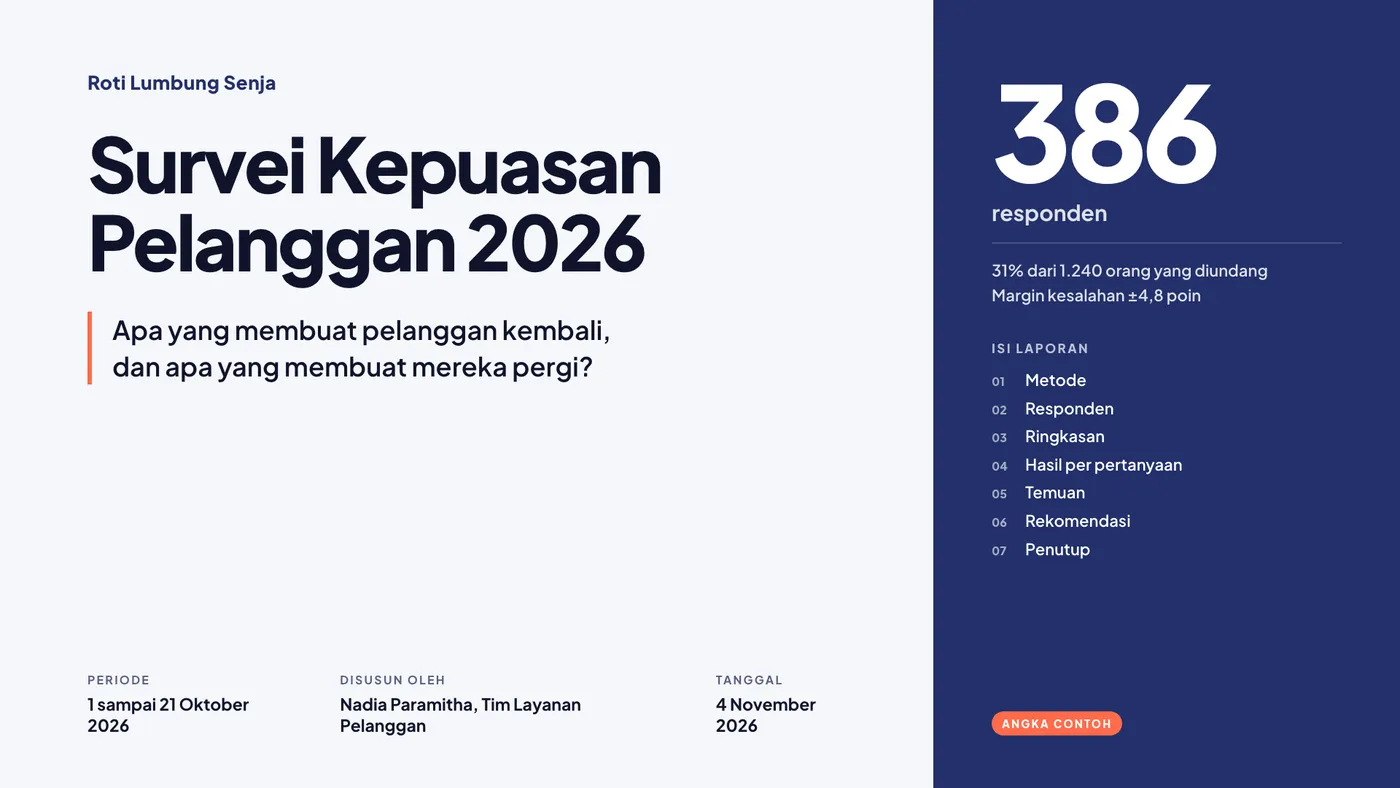
Cover: respondent count, response rate, margin of error, and the list of sections
SKILL.md contents
Premium subscribers can read, copy, and install this skill.
Unlock with Premium Sign inSurvey Results Report
Description
A 16:9 survey results deck for customer, participant, or employee surveys: a cover with the respondent count, goals and method with a calculated response rate and margin of error, respondent profile, a key numbers summary, one slide per question (multiple choice, 1-5 scale with average and percent satisfied, NPS from 0-10 scores, open answers by theme with quotes), key findings, and recommendations. Data goes in as head counts per answer; every percentage and numeric title is calculated by the template. Exports PDF, PPTX, images.
Verified by SkillFlow
We checked every file in this skill automatically: no command that downloads and runs a program, no hidden code, no instruction telling your AI to ignore you.
- Loads from outside
- Fonts: Google Fonts SkillFlow: directory.skillflow.ai.id
See the 6 files inside
skill.json12 KBSKILL.md7 KBprompt.md6 KBprompt.en.md6 KBfiles/contoh/survei-karyawan-palet-hutan.html48 KBfiles/deck.html47 KB
Checked 14 Nov 2026
Included in Basic and Pro
Basic copies the prompt. Pro also downloads the ZIP, sends to AI, installs into agents, and opens every category.
Get Pro Get Basic Already subscribed? Sign inWhat you get
- Data check: answers vs respondents, 5-number scales, 11-number NPS, percentages turned into head counts
- Percentages, scale averages, percent satisfied, NPS, response rate, and margin of error calculated from one object
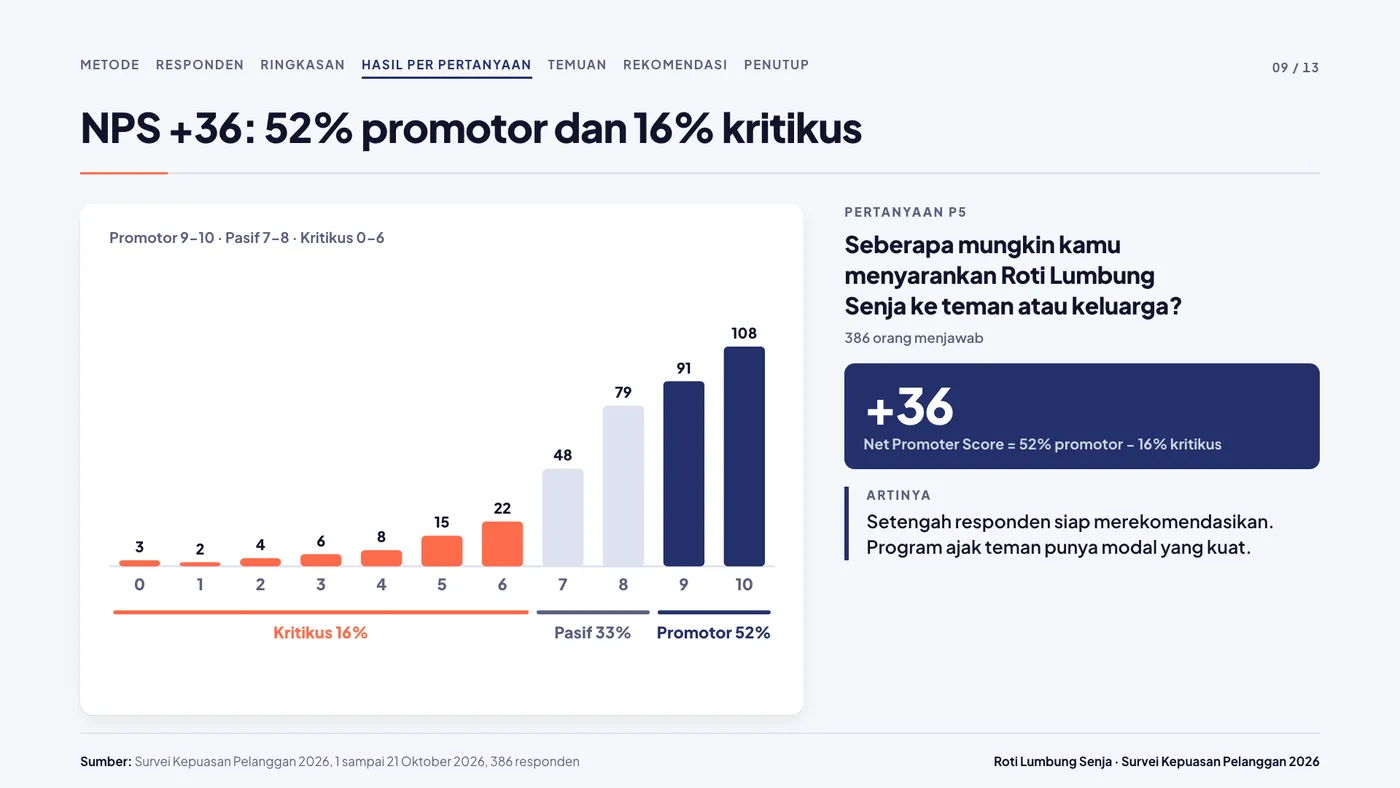
- One slide per question with a chart per type: choice, 1-5 scale, 0-10 NPS, or open-answer themes
- Question slide titles written automatically from the numbers when left empty
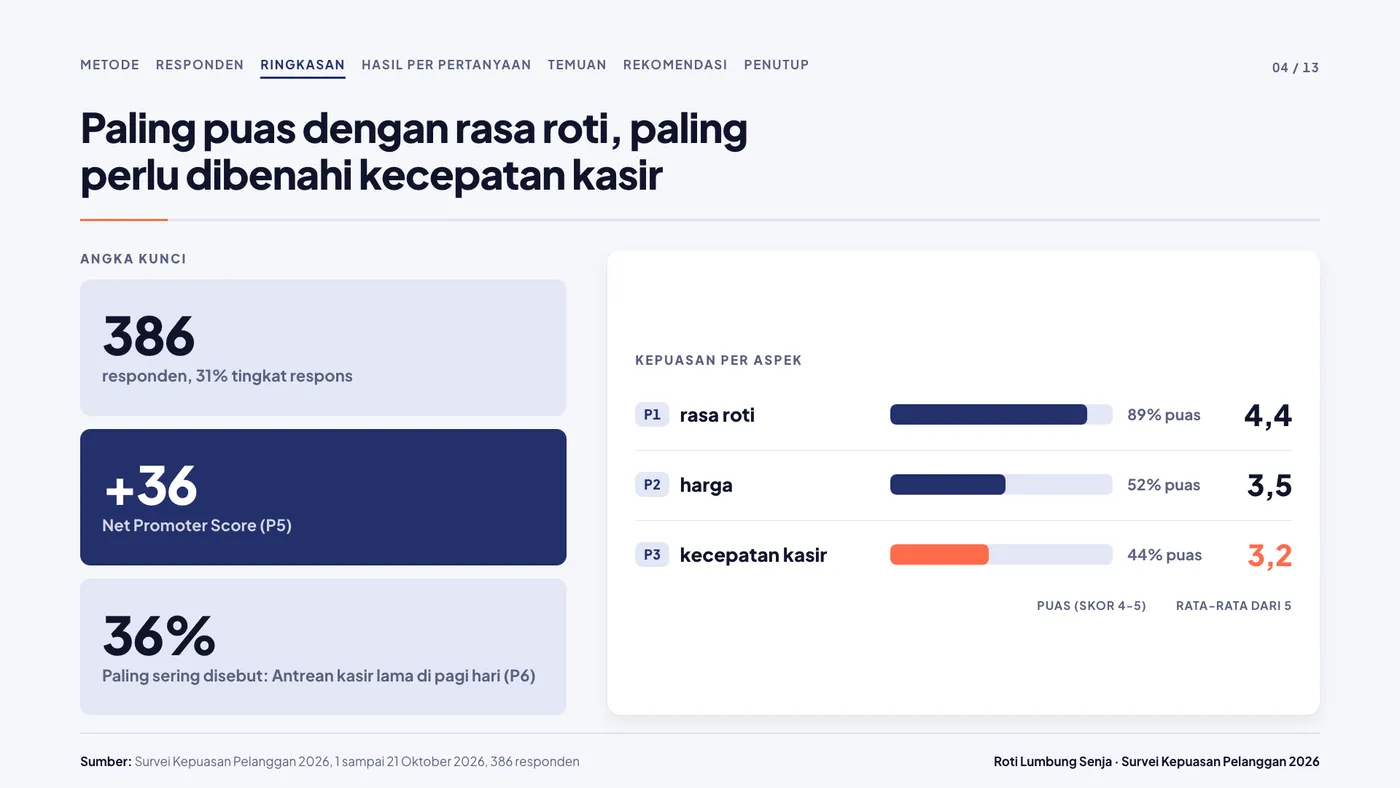
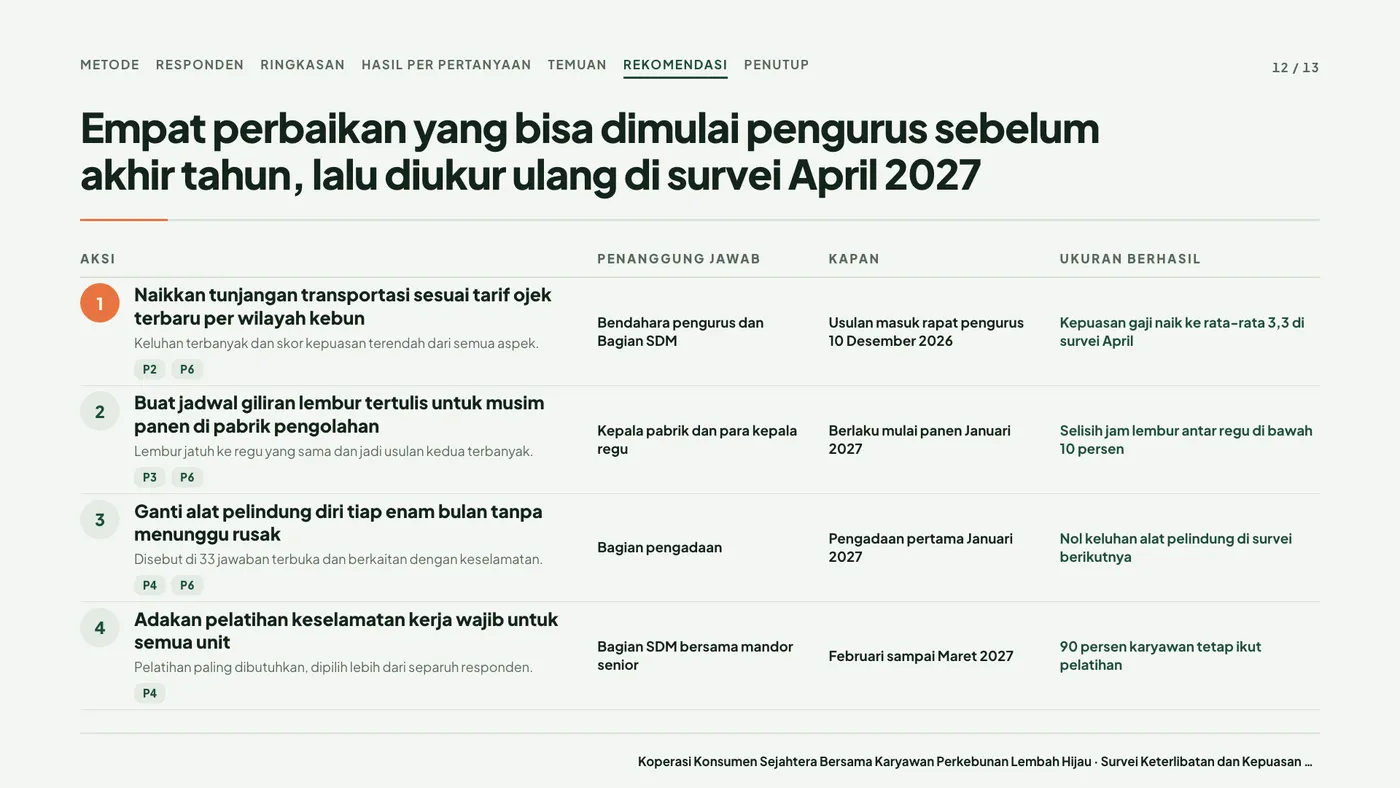
- A key numbers summary, findings citing question codes, and recommendations with success measures
- A 1920x1080 HTML deck with PDF, PPTX, and image download buttons, and 3 palettes
Good fit
- Owners who just ran a customer satisfaction or NPS survey
- Training providers and event organisers evaluating participants
- HR teams or boards reporting an employee or member survey
Not for
- It does not design questionnaires; it reports a finished survey
- No advanced statistics such as regression or significance tests
- Data must be head counts per answer; from percentages alone the numbers cannot be checked
- Not market research from secondary data
About this skill
/laporan-hasil-survei Make a results deck for our bakery's customer satisfaction survey: 386 people completed it out of 1,240 invited, with scale questions, NPS, and one open question
Show more
A 16:9 survey results deck for customer, participant, or employee surveys: a cover with the respondent count, goals and method with a calculated response rate and margin of error, respondent profile, a key numbers summary, one slide per question (multiple choice, 1-5 scale with average and percent satisfied, NPS from 0-10 scores, open answers by theme with quotes), key findings, and recommendations. Data goes in as head counts per answer; every percentage and numeric title is calculated by the template. Exports PDF, PPTX, images.
User reviews
FAQ
Why head counts instead of percentages?
From head counts the template calculates percentages, averages, NPS, and the margin of error itself, and flags answers that exceed the respondent count. Hand-typed percentages often disagree between the chart, the title, and the summary.
How is NPS calculated?
Scores 9 and 10 count as promoters, 7 and 8 as passives, 0 to 6 as detractors. NPS is percent promoters minus percent detractors, so it runs from minus 100 to plus 100.
Is the margin of error always right?
It is an estimate at 95 percent confidence and only holds if respondents represent the group. When people chose to take part themselves, the deck adds a bias note so readers do not treat it as exact.
Which AI can I use it with?
Copy the prompt into a chat AI (ChatGPT, Claude, Gemini, DeepSeek); or download the ZIP and install it in an AI agent (Claude Code, Codex, Antigravity, Hermes Agent, Cursor, GitHub Copilot, Gemini CLI, OpenCode, Kimi Code, Trae), which then builds the files for you.
What is in the ZIP?
One folder named laporan-hasil-survei with SKILL.md (the instructions an AI agent reads) and the prompt, 6 files in all. Extract it into your agent's skills folder, or install it with npx skillflow-ai add laporan-hasil-survei. Pro only.
Is there a per-use fee or credits?
Not from SkillFlow. The skill runs on the AI you already use, so any cost follows that plan.
Which plan includes it?
Basic and Pro. Basic copies the prompt; Pro also downloads the ZIP, sends to AI, installs into agents and shares results by link.
Can I use my own colours and brand?
Yes. Pick a colour theme on this page, or fill in your brand profile once; both go into the prompt you copy and into the ZIP.
Can I share what I made?
Pro members can upload the result and get a page at share.skillflow.ai.id to send to anyone. The page carries a small "Made with SkillFlow AI" mark.
Is there a download limit?
Yes, per day: 50 skills on Pro, 10 on other plans. Downloading a skill again on the same day does not count.



