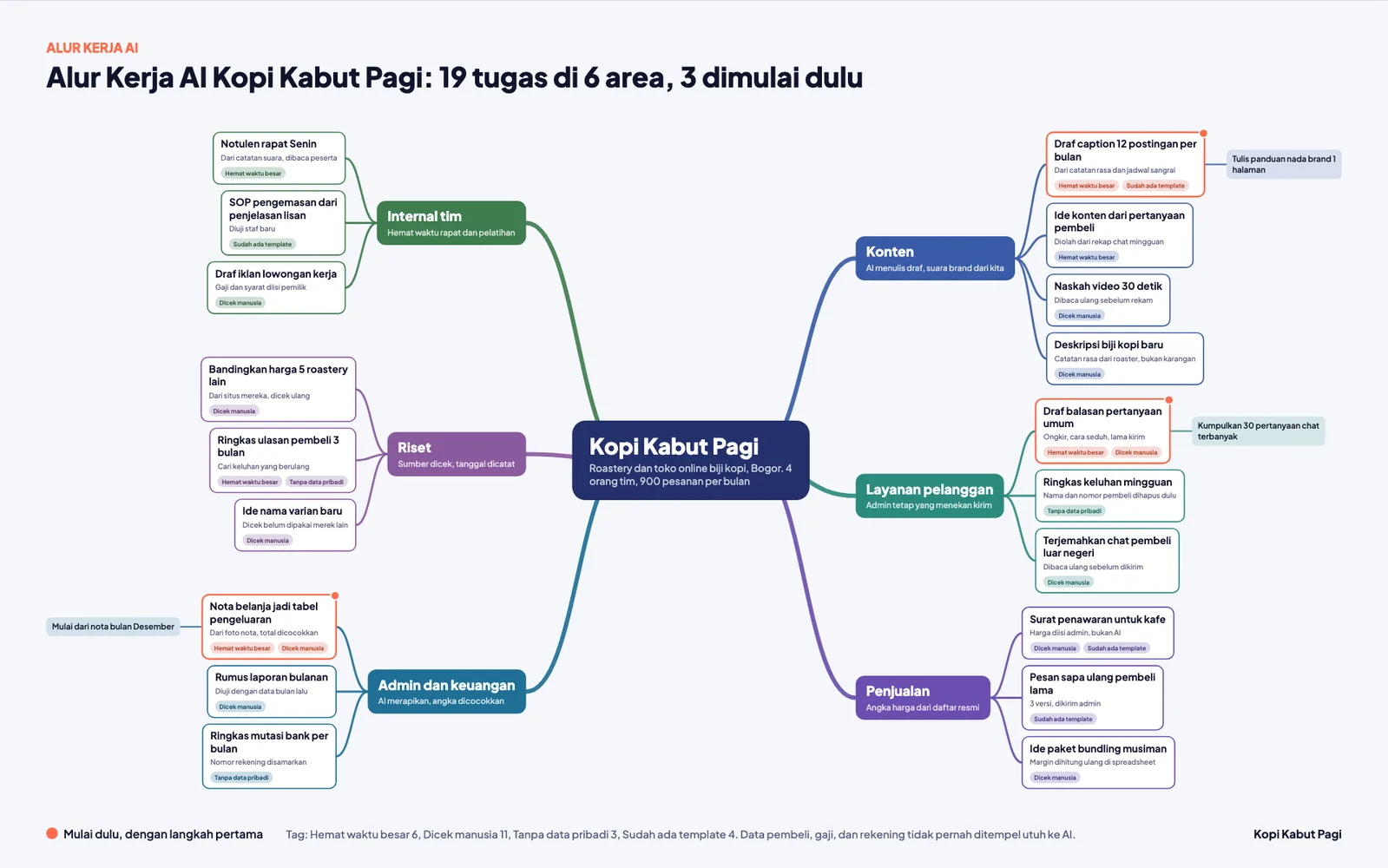
A coffee roastery: 6 areas, 19 tasks for AI, 3 to start first with their first step
SKILL.md contents
Premium subscribers can read, copy, and install this skill.
Unlock with Premium Sign inAI Workflow Mind Map
Description
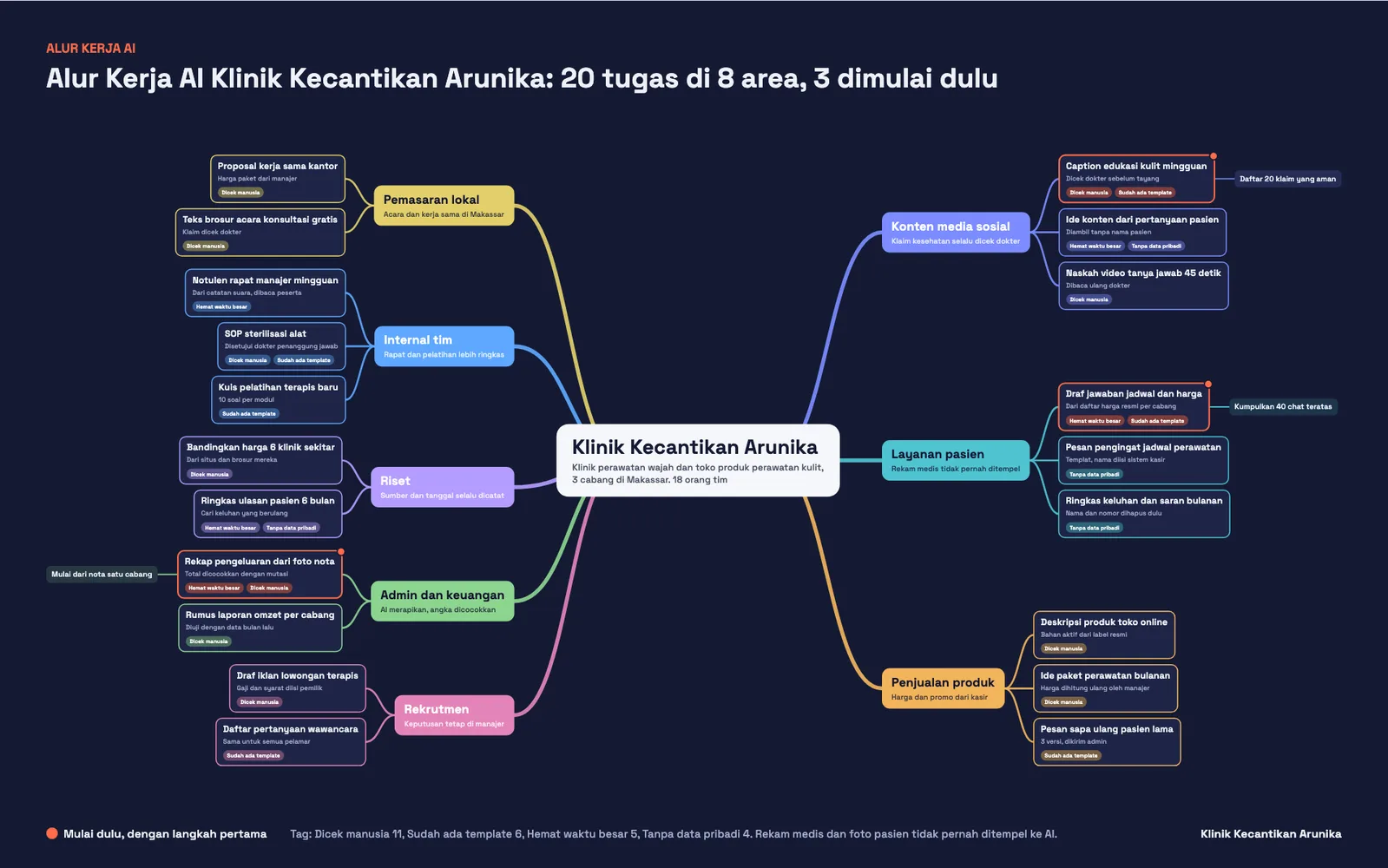
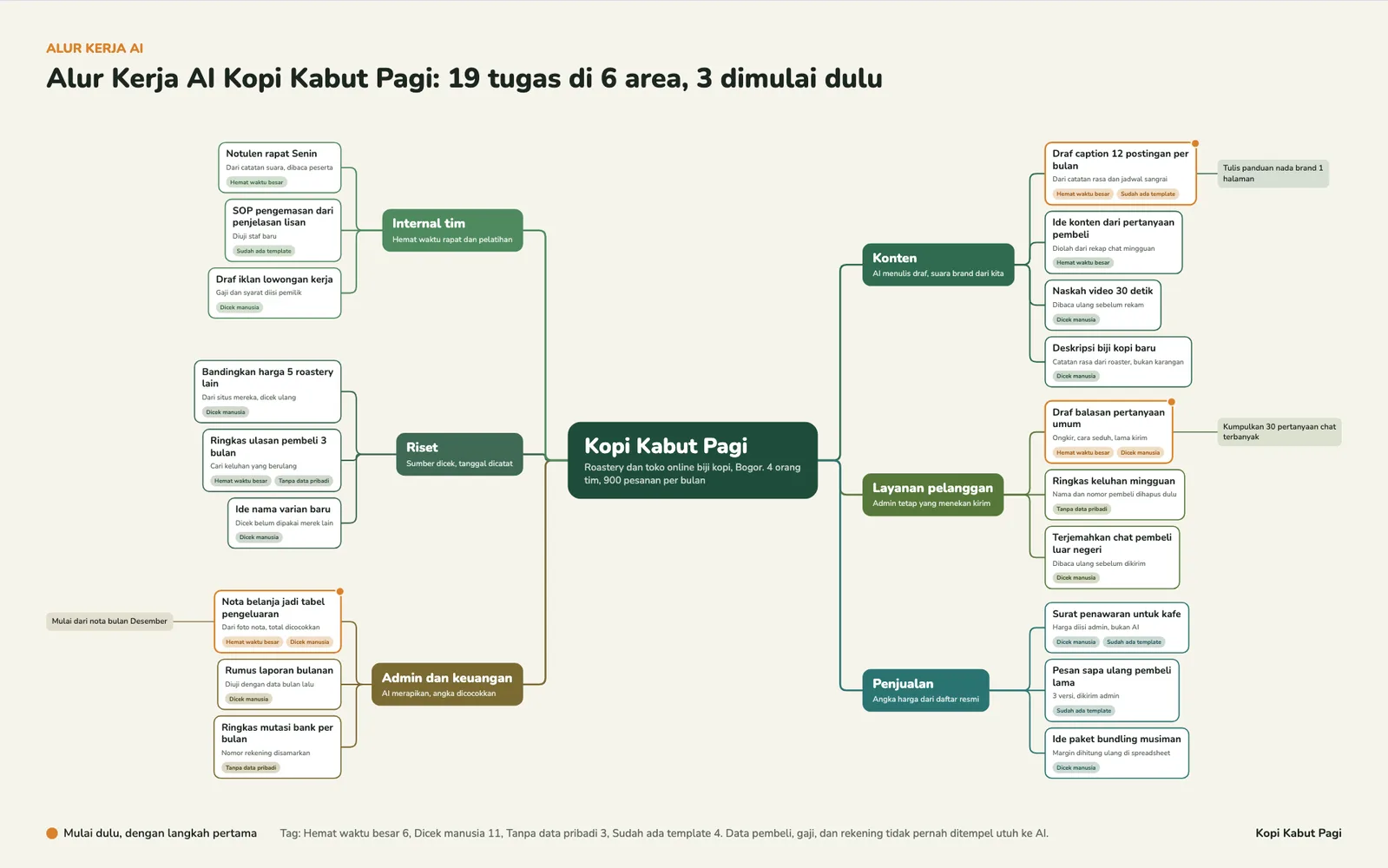
A one-page mind map for deciding which work in your business gets help from AI and which part stays with people: the business in the centre, branches for work areas (content, customer service, sales, admin and finance, research, internal team), tasks handed to AI with the split of work as leaves, a Big time saver, Human checked, No personal data, or Template ready tag, and a coral mark on the 3 tasks to start first with their first step. No specific AI service is named. Downloads as PDF and PNG.
Verified by SkillFlow
We checked every file in this skill automatically: no command that downloads and runs a program, no hidden code, no instruction telling your AI to ignore you.
- Loads from outside
- Fonts: Google Fonts SkillFlow: directory.skillflow.ai.id
See the 6 files inside
skill.json9 KBSKILL.md10 KBprompt.md6 KBprompt.en.md7 KBfiles/contoh/klinik-8-area.html30 KBfiles/mindmap.html30 KB
Checked 14 Nov 2026
Part of SkillFlow Pro
Pro opens every skill in every category: copy, ZIP, Send to AI, install, save, and request new skills.
Get Pro Already subscribed? Sign inWhat you get
- An AI usage map: the business in the centre, one branch per work area, tasks handed to AI as leaves
- The split of work between AI and people for each task: what is given and who checks it
- Big time saver, Human checked, No personal data, and Template ready tags, with a count per tag
- The three tasks to start first marked in coral, each with a first step for this week
- An HTML template with one MINDMAP object, 3 palettes, landscape or portrait, curved or right-angle lines
- Download PDF and PNG straight from the page
Good fit
- Small business owners who want to start using AI but do not know where to begin
- Small teams that need shared rules about customer data and which AI output must be checked
- Consultants and business mentors mapping AI opportunities for a client
Not for
- It does not pick or compare specific AI services
- It does not build automations or connect apps; it is a planning map
- Not a privacy policy or legal document about data
- It does not measure hours saved; the time saver tag comes from your own judgement
About this skill
/mind-map-alur-kerja-ai Make a mind map of the work at my coffee roastery that AI could help with, which parts a person must still check, and the 3 tasks worth starting first
Show more
A one-page mind map for deciding which work in your business gets help from AI and which part stays with people: the business in the centre, branches for work areas (content, customer service, sales, admin and finance, research, internal team), tasks handed to AI with the split of work as leaves, a Big time saver, Human checked, No personal data, or Template ready tag, and a coral mark on the 3 tasks to start first with their first step. No specific AI service is named. Downloads as PDF and PNG.
User reviews
FAQ
Why does it not say which AI to use?
So the map still holds if you switch tools. What gets mapped is the work, what is given, and who checks it; whatever tool you use follows the same rules.
How are the 3 tasks to start first chosen?
Those with a big time saving and low risk: usually drafts a person reads before use, such as replies to common chat questions or a receipt summary. Each one gets a first step that can be done this week.
What about customer and staff data?
Tasks that touch personal data get the No personal data tag, and the note says how it is masked, for example removing names and numbers before complaints are summarised. Data such as salaries, bank accounts, and medical records is never pasted in full into AI.
Which AI can I use it with?
Copy the prompt into a chat AI (ChatGPT, Claude, Gemini, DeepSeek); or download the ZIP and install it in an AI agent (Claude Code, Codex, Antigravity, Hermes Agent, Cursor, GitHub Copilot, Gemini CLI, OpenCode, Kimi Code, Trae), which then builds the files for you.
What is in the ZIP?
One folder named mind-map-alur-kerja-ai with SKILL.md (the instructions an AI agent reads) and the prompt, 6 files in all. Extract it into your agent's skills folder, or install it with npx skillflow-ai add mind-map-alur-kerja-ai. Pro only.
Is there a per-use fee or credits?
Not from SkillFlow. The skill runs on the AI you already use, so any cost follows that plan.
Which plan includes it?
SkillFlow Pro. It opens every skill in every category.
Can I use my own colours and brand?
Yes. Pick a colour theme on this page, or fill in your brand profile once; both go into the prompt you copy and into the ZIP.
Can I share what I made?
Pro members can upload the result and get a page at share.skillflow.ai.id to send to anyone. The page carries a small "Made with SkillFlow AI" mark.
Is there a download limit?
Yes, per day: 50 skills on Pro, 10 on other plans. Downloading a skill again on the same day does not count.