A yarn shop SOP: 7 work areas with owners and deadlines, Weak spots at the top left
SKILL.md contents
Premium subscribers can read, copy, and install this skill.
Unlock with Premium Sign inOnline Store SOP Mind Map
Description
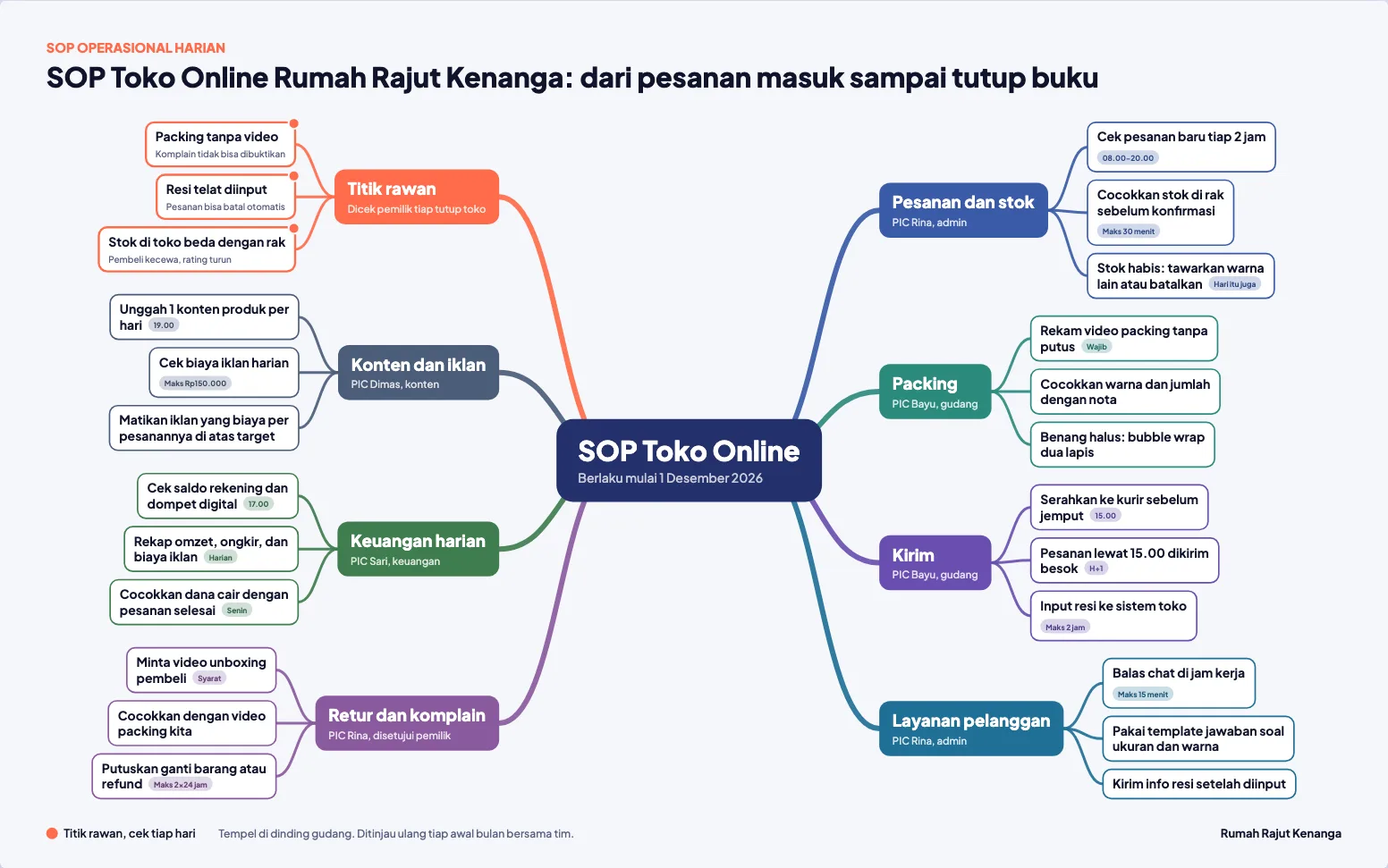
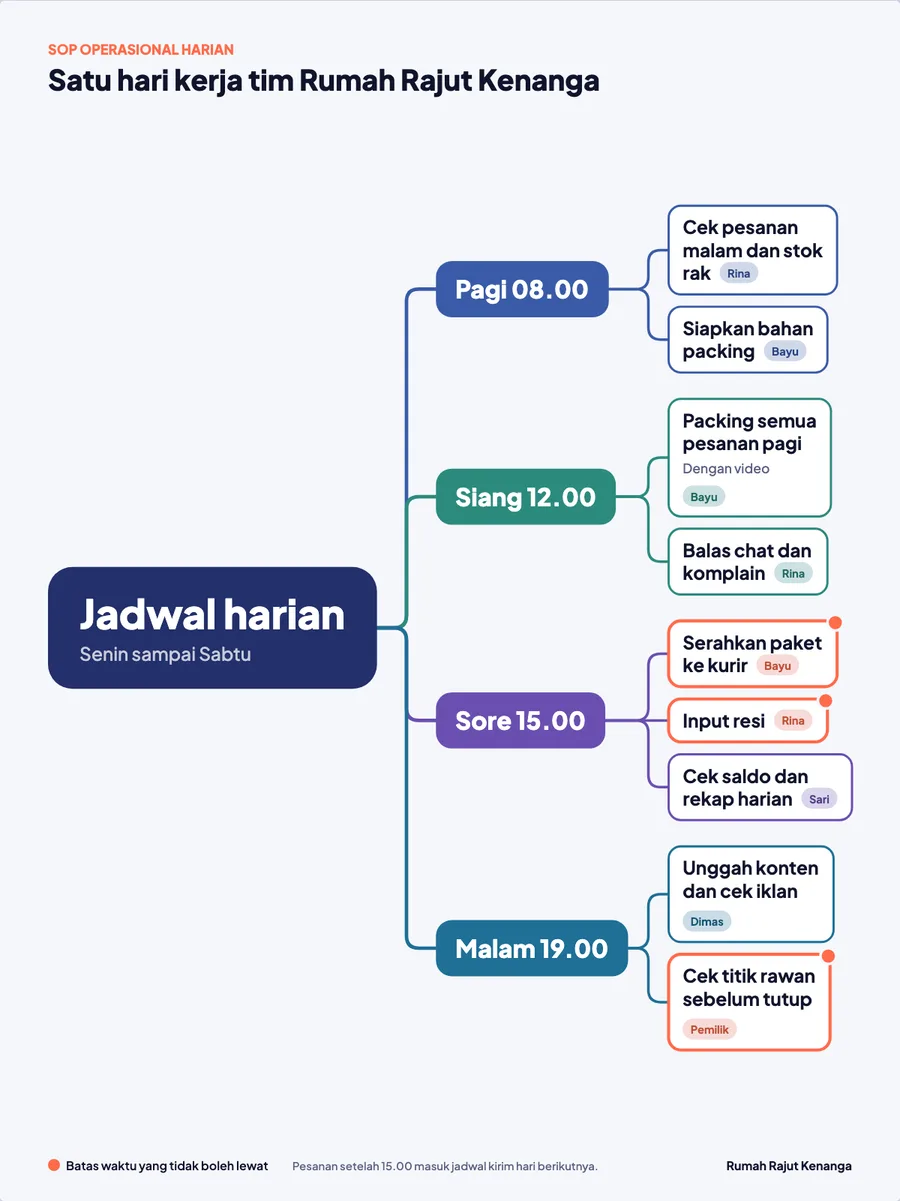
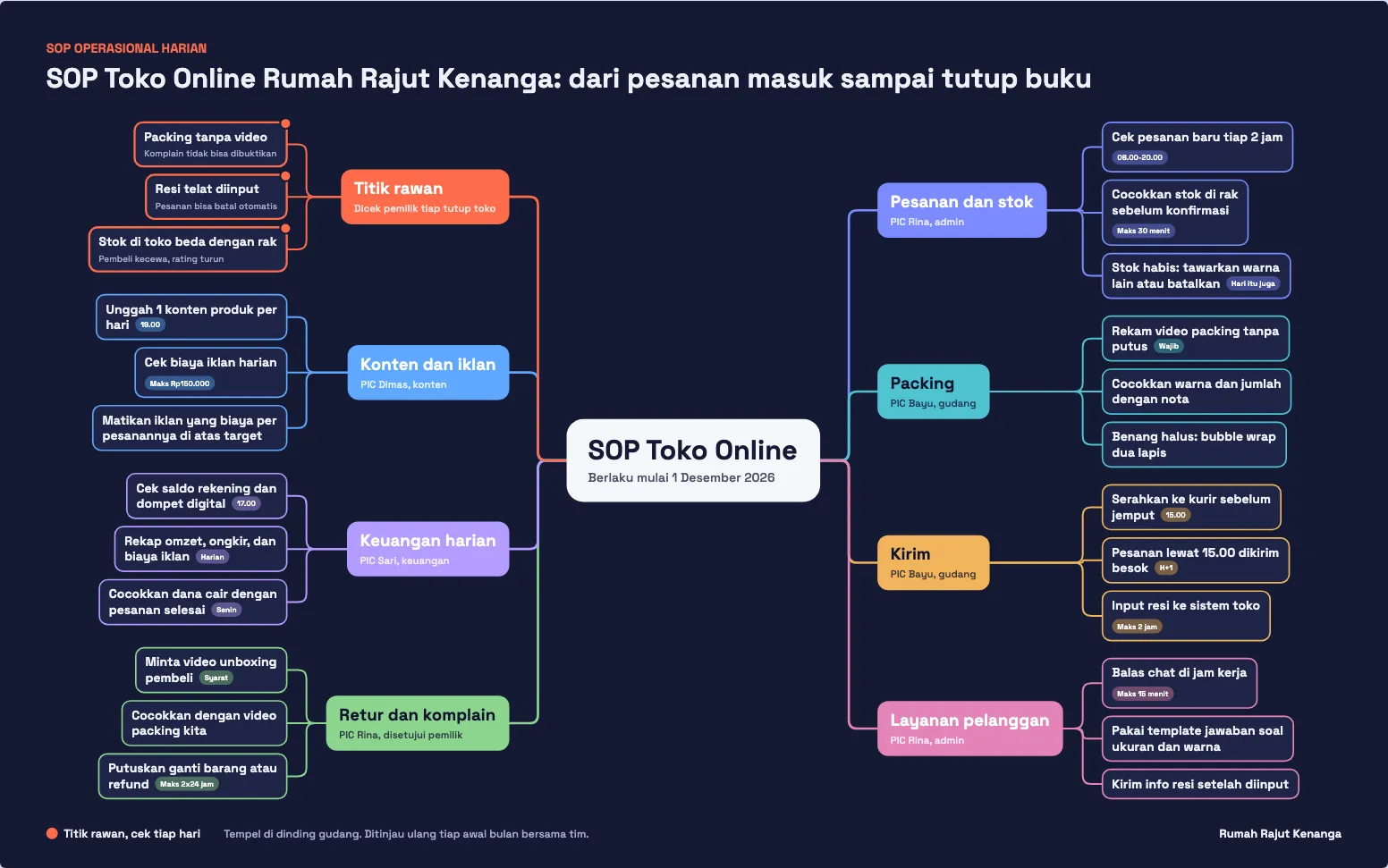
A one-page online store SOP mind map downloaded as PDF and PNG: the shop in the centre, a branch per area of work (orders and stock, packing on video, shipping, customer service, returns and complaints, daily finance, content and ads) each with an owner, leaves holding short steps with deadlines as tags (ship next day, reply within 15 minutes), and one Weak spots branch in the accent colour. A second map shows one working day by the hour. The layout is calculated automatically, ready to pin on the warehouse wall.
Verified by SkillFlow
We checked every file in this skill automatically: no command that downloads and runs a program, no hidden code, no instruction telling your AI to ignore you.
- Loads from outside
- Fonts: Google Fonts SkillFlow: directory.skillflow.ai.id
See the 5 files inside
skill.json8 KBSKILL.md10 KBprompt.md5 KBprompt.en.md5 KBfiles/mindmap.html29 KB
Checked 14 Nov 2026
Part of SkillFlow Pro
Pro opens every skill in every category: copy, ZIP, Send to AI, install, save, and request new skills.
Get Pro Already subscribed? Sign inWhat you get
- A landscape 1920x1200 SOP map: 6-8 work areas with owners, steps and deadlines
- A Weak spots branch in the accent colour with the consequence of each mistake
- An optional second map: one working day by time block with owner names
- Download PDF and PNG buttons (two maps become a ZIP)
- A one-object MINDMAP HTML template, 3 palettes, curved or right-angle lines
- The SOP as a plain text list
Good fit
- Online shops with a team of 2-6 whose duties are not clearly split yet
- Owners handing daily operations to an admin or covering a leave
- Small warehouses that need one reference sheet on the wall
Not for
- Not a detailed single-process SOP with yes or no branches; use a flow diagram for that
- Not step-by-step training material for new staff
- Deadlines and owners come from you; the skill does not judge whether targets are realistic
- One map stays readable up to about 40 items; more is split into several maps
About this skill
/mind-map-sop-toko-online Make an SOP mind map for my online shop: printed t-shirts, a team of 4, courier pickup at 4 pm, tracking numbers often entered late
Show more
A one-page online store SOP mind map downloaded as PDF and PNG: the shop in the centre, a branch per area of work (orders and stock, packing on video, shipping, customer service, returns and complaints, daily finance, content and ads) each with an owner, leaves holding short steps with deadlines as tags (ship next day, reply within 15 minutes), and one Weak spots branch in the accent colour. A second map shows one working day by the hour. The layout is calculated automatically, ready to pin on the warehouse wall.
User reviews
FAQ
Why is there a Weak spots branch?
So the most costly mistakes, such as packing without video or entering tracking numbers late, are seen first and can be checked by the owner at closing time. Each weak spot carries a note on its consequence.
Can I add more steps or areas?
Yes, up to 8 branches and 8 children per branch. If the map gets crowded (more than about 40 items) a warning appears and it is better to split it into two maps, for example one just for the warehouse.
Which AI can I use it with?
Copy the prompt into a chat AI (ChatGPT, Claude, Gemini, DeepSeek); or download the ZIP and install it in an AI agent (Claude Code, Codex, Antigravity, Hermes Agent, Cursor, GitHub Copilot, Gemini CLI, OpenCode, Kimi Code, Trae), which then builds the files for you.
What is in the ZIP?
One folder named mind-map-sop-toko-online with SKILL.md (the instructions an AI agent reads) and the prompt, 5 files in all. Extract it into your agent's skills folder, or install it with npx skillflow-ai add mind-map-sop-toko-online. Pro only.
Is there a per-use fee or credits?
Not from SkillFlow. The skill runs on the AI you already use, so any cost follows that plan.
Which plan includes it?
SkillFlow Pro. It opens every skill in every category.
Can I use my own colours and brand?
Yes. Pick a colour theme on this page, or fill in your brand profile once; both go into the prompt you copy and into the ZIP.
Can I share what I made?
Pro members can upload the result and get a page at share.skillflow.ai.id to send to anyone. The page carries a small "Made with SkillFlow AI" mark.
Is there a download limit?
Yes, per day: 50 skills on Pro, 10 on other plans. Downloading a skill again on the same day does not count.