

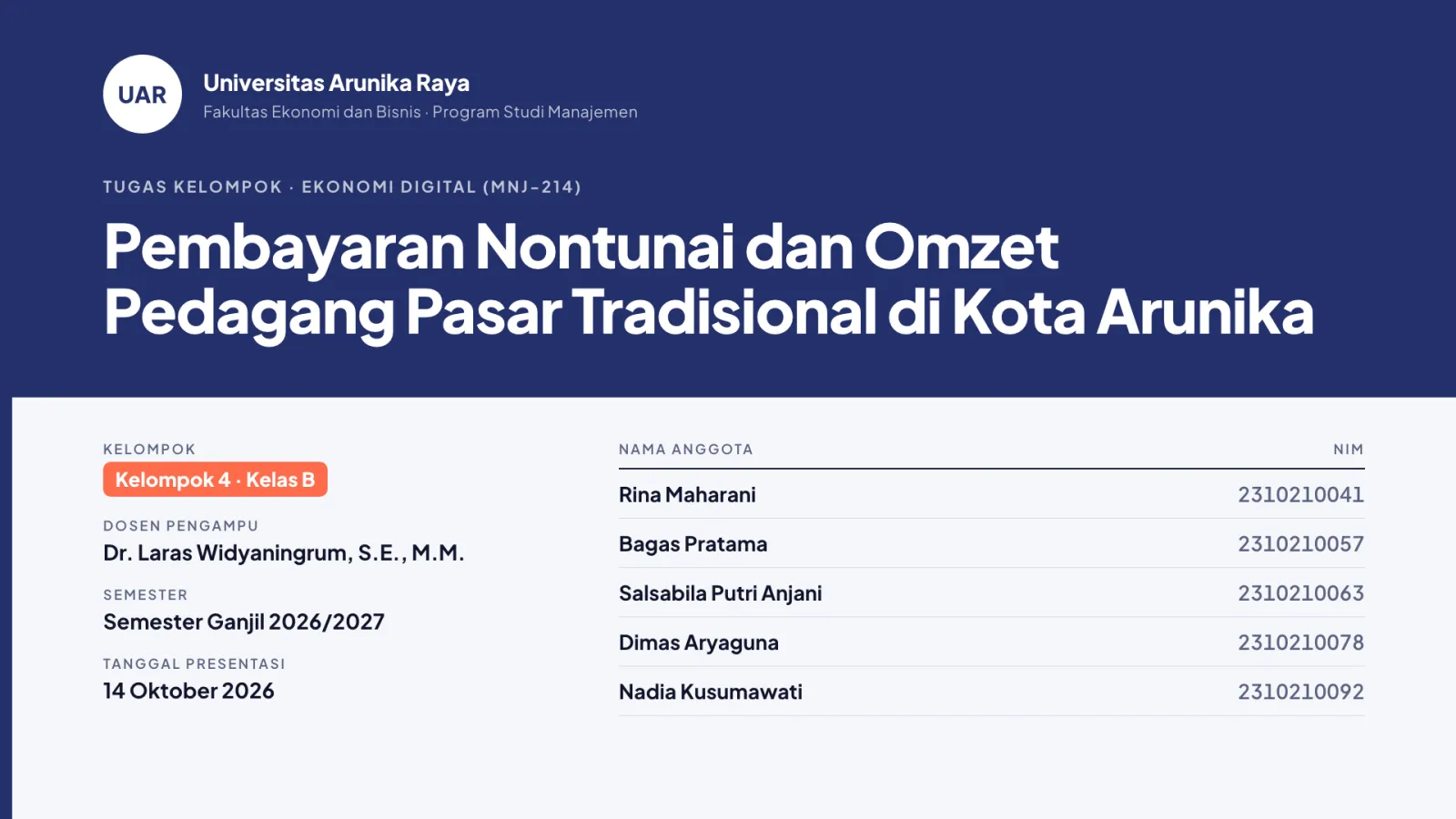
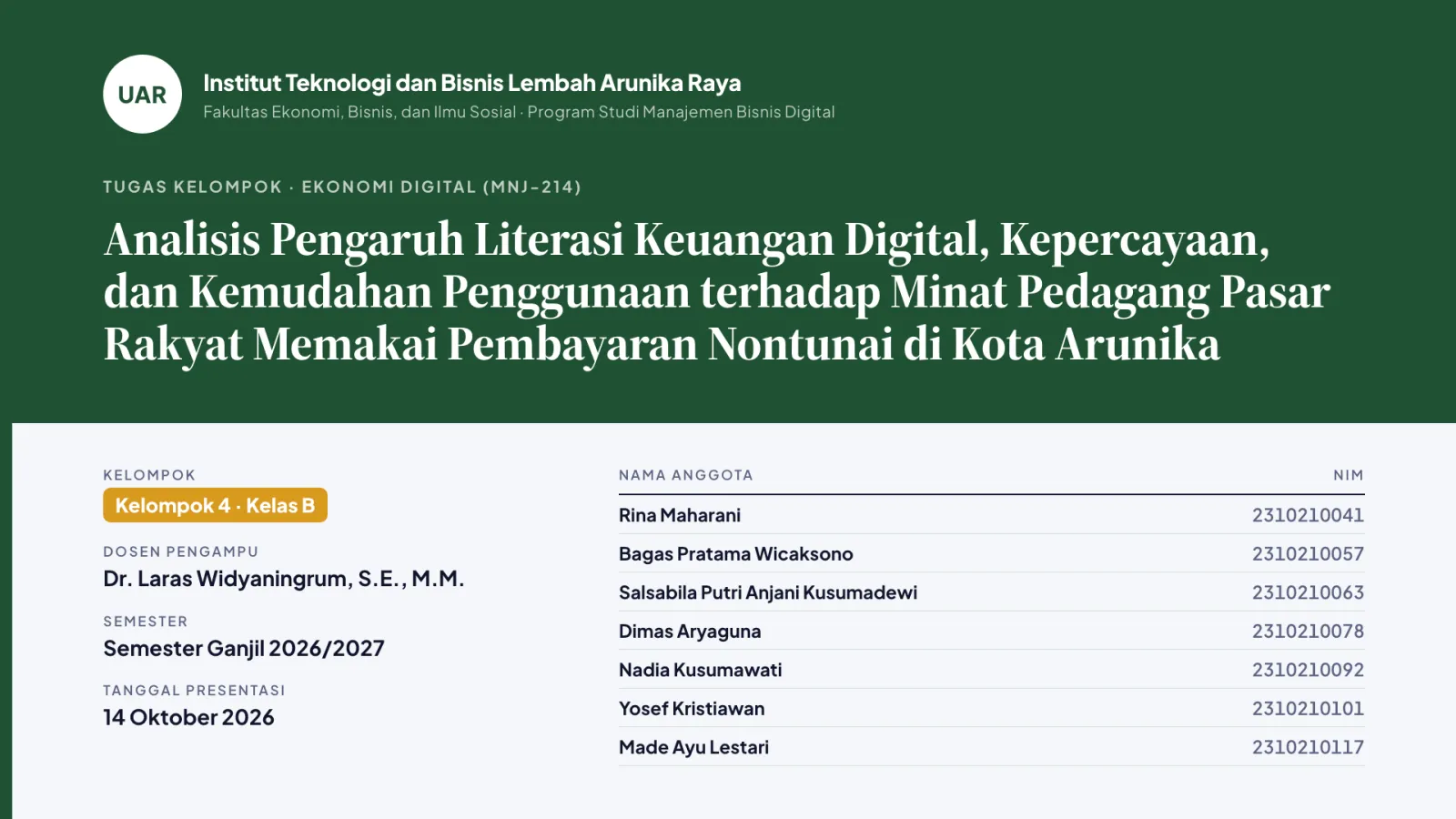
Cover: institution, course, lecturer, and member table with student IDs
SKILL.md contents
Premium subscribers can read, copy, and install this skill.
Unlock with Premium Sign inCollege Assignment Deck
Description
A 10-slide deck for a group assignment presentation at college: a cover with the institution, course, lecturer, and a member table with student IDs, then background, numbered research questions (RQ1, RQ2, ...), theory, one discussion slide per question with a chart or table, conclusions that answer each question, recommendations, and a reference list. Citations are written as [@key] in the text and become (Author, Year); the reference list is built automatically in APA 7 style. The presenter's name shows on every slide. One HTML file that saves straight to PDF.
Verified by SkillFlow
We checked every file in this skill automatically: no command that downloads and runs a program, no hidden code, no instruction telling your AI to ignore you.
- Loads from outside
- Fonts: Google Fonts
See the 5 files inside
skill.json10 KBSKILL.md10 KBprompt.md7 KBprompt.en.md7 KBfiles/deck.html48 KB
Checked 14 Nov 2026
Included in Basic and Pro
Basic copies the prompt. Pro also downloads the ZIP, sends to AI, installs into agents, and opens every category.
Get Pro Get Basic Already subscribed? Sign inWhat you get
- One-file 16:9 HTML deck, 10 slides: cover to references, with 3 discussion slides
- A cover with the institution logo or initials, course, lecturer, group, and a member table with student IDs
- [@key] citations become (Author, Year) automatically, including et al., page numbers, and 2023a/2023b
- An APA 7 reference list built from data: journal articles, books, institutional reports, theses, and web pages
- Donut, bar, horizontal bar, and line charts drawn from your numbers, plus a table with a highlighted row
- Each conclusion paired with the research question it answers, the presenter's name in every slide footer
- 3 palettes (indigo, campus green, maroon) + sans or serif headings, optional agenda and closing slides
- 1920x1080 PDF, one slide per page, via Print in Chrome
Good fit
- Undergraduate and diploma students presenting group assignments or papers
- Groups wanting conclusions that clearly answer each research question
- Students wanting citations and references formatted automatically
Not for
- It does not find sources or write the paper; data and references come from your group
- References follow APA 7; other styles need adjusting
- Not a thesis defence deck
About this skill
/presentasi-tugas-kuliah Make a group presentation for the Consumer Behaviour course at Cendekia Raya University, 5 members with student IDs, 2 research questions, and an APA reference list
Show more
A 10-slide deck for a group assignment presentation at college: a cover with the institution, course, lecturer, and a member table with student IDs, then background, numbered research questions (RQ1, RQ2, ...), theory, one discussion slide per question with a chart or table, conclusions that answer each question, recommendations, and a reference list. Citations are written as [@key] in the text and become (Author, Year); the reference list is built automatically in APA 7 style. The presenter's name shows on every slide. One HTML file that saves straight to PDF.
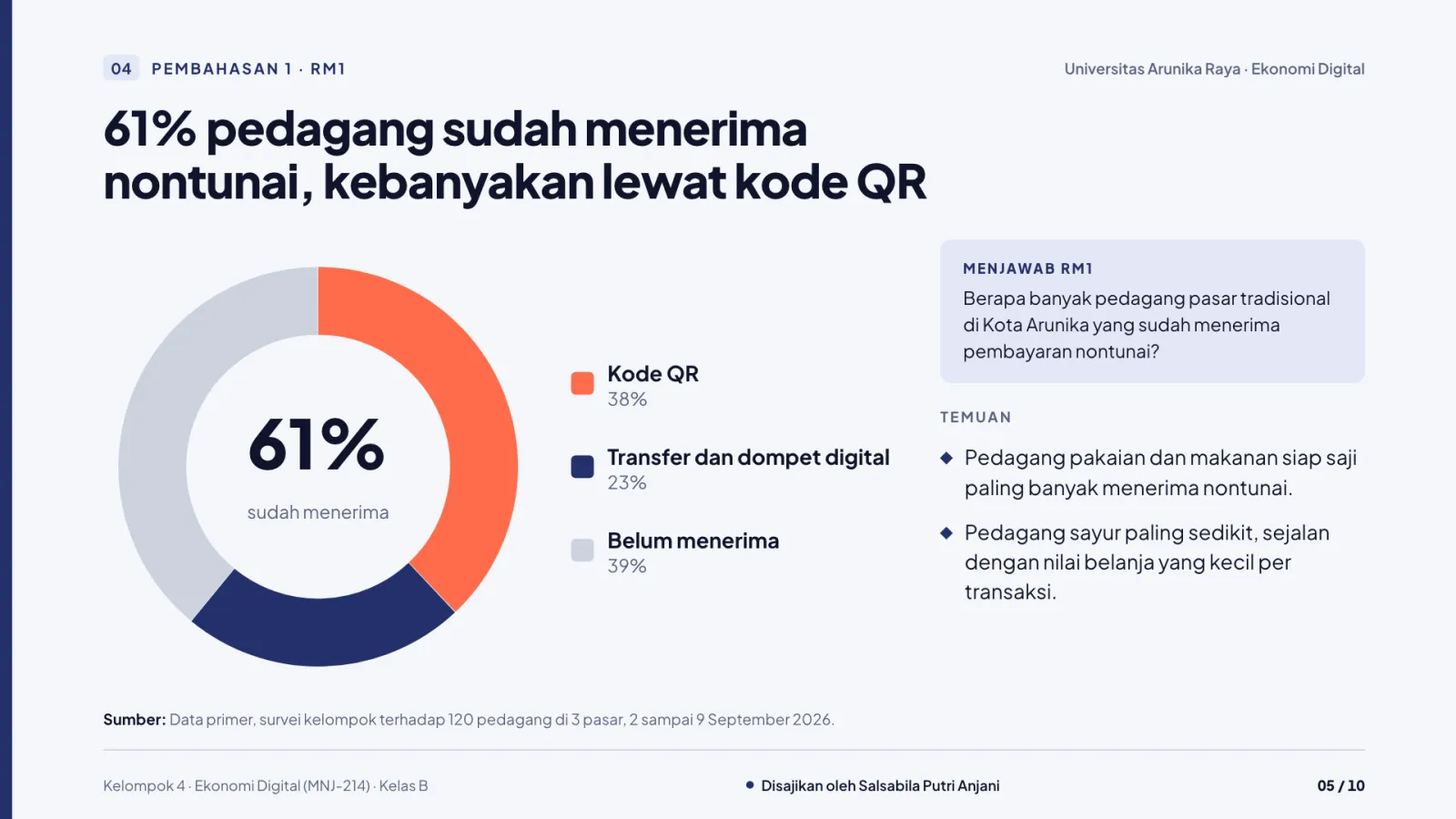
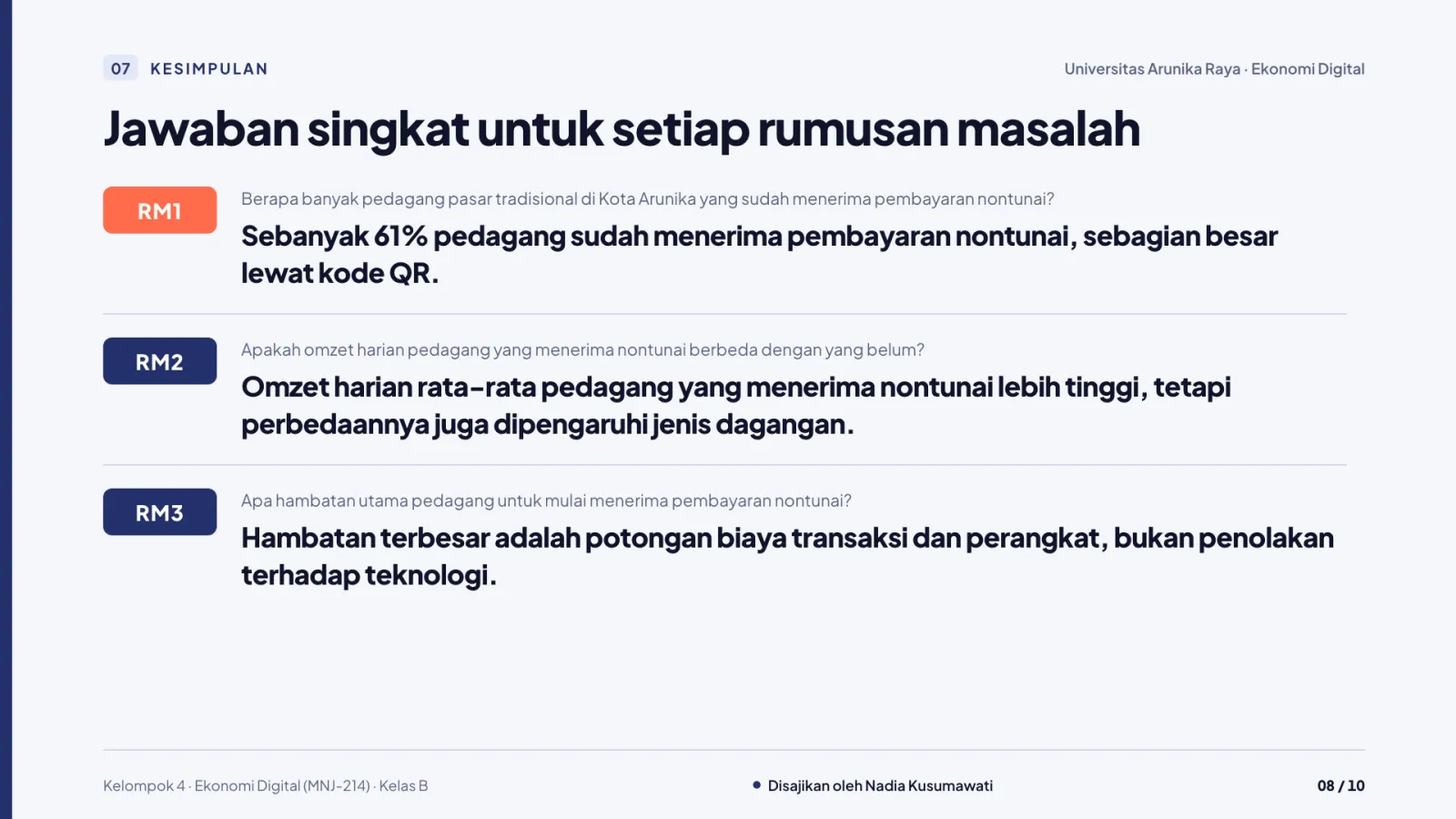
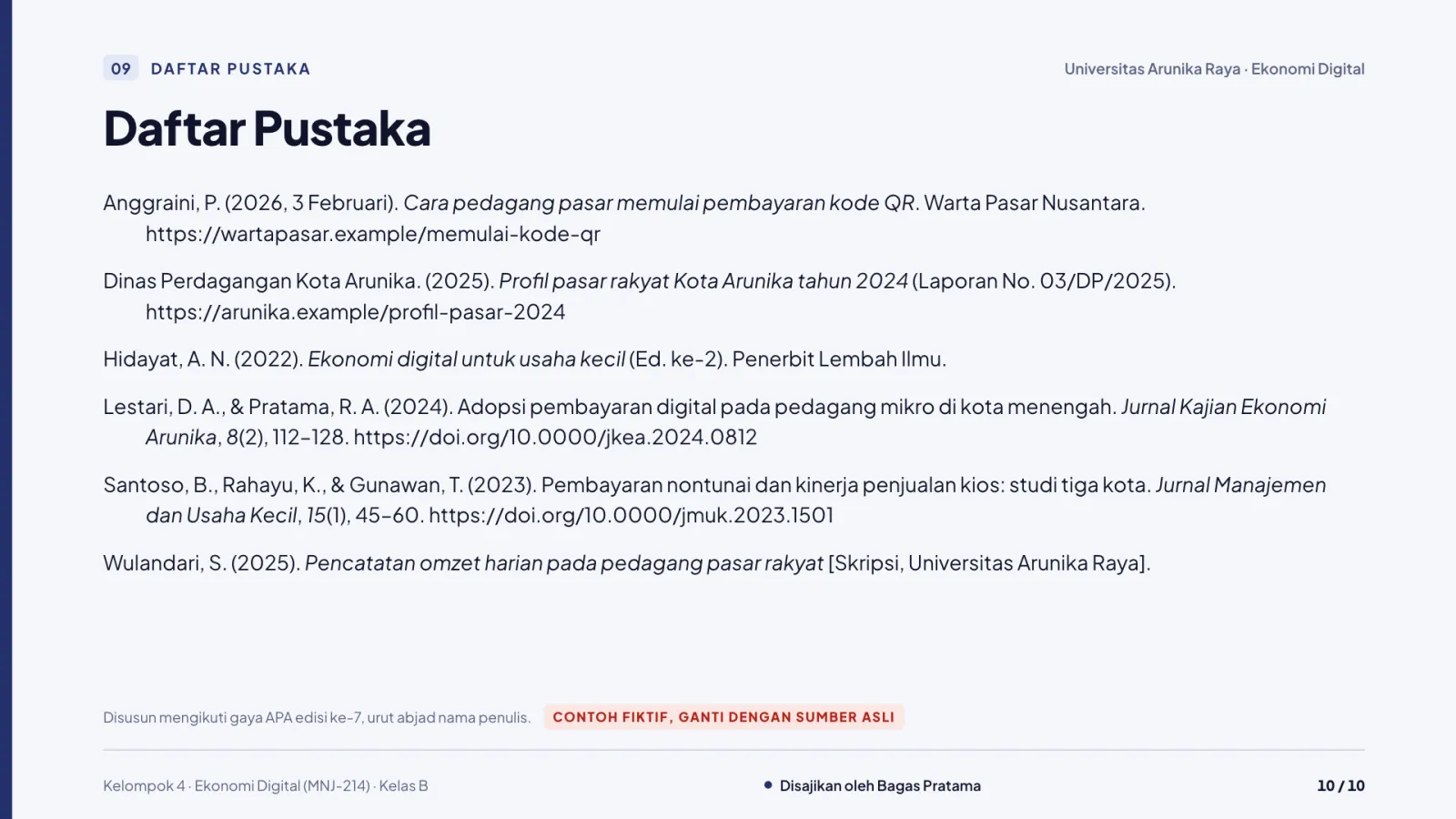
User reviews
FAQ
How do I cite sources?
Write [@key] in the text, for example [@wijaya2023], and it shows as (Wijaya, 2023). The template also handles et al., page numbers, and 2023a or 2023b.
Which source types does the reference list support?
Journals, books, institutional reports, theses, and web pages, all formatted automatically from the source data.
Which AI can I use it with?
Copy the prompt into a chat AI (ChatGPT, Claude, Gemini, DeepSeek); or download the ZIP and install it in an AI agent (Claude Code, Codex, Antigravity, Hermes Agent, Cursor, GitHub Copilot, Gemini CLI, OpenCode, Kimi Code, Trae), which then builds the files for you.
What is in the ZIP?
One folder named presentasi-tugas-kuliah with SKILL.md (the instructions an AI agent reads) and the prompt, 5 files in all. Extract it into your agent's skills folder, or install it with npx skillflow-ai add presentasi-tugas-kuliah. Pro only.
Is there a per-use fee or credits?
Not from SkillFlow. The skill runs on the AI you already use, so any cost follows that plan.
Which plan includes it?
Basic and Pro. Basic copies the prompt; Pro also downloads the ZIP, sends to AI, installs into agents and shares results by link.
Can I use my own colours and brand?
Yes. Pick a colour theme on this page, or fill in your brand profile once; both go into the prompt you copy and into the ZIP.
Can I share what I made?
Pro members can upload the result and get a page at share.skillflow.ai.id to send to anyone. The page carries a small "Made with SkillFlow AI" mark.
Is there a download limit?
Yes, per day: 50 skills on Pro, 10 on other plans. Downloading a skill again on the same day does not count.



