


Cover: organisation badge, reference number, handwritten theme, sticky notes for date, venue, and participants
SKILL.md contents
Premium subscribers can read, copy, and install this skill.
Unlock with Premium Sign inCampus Event Proposal
Description
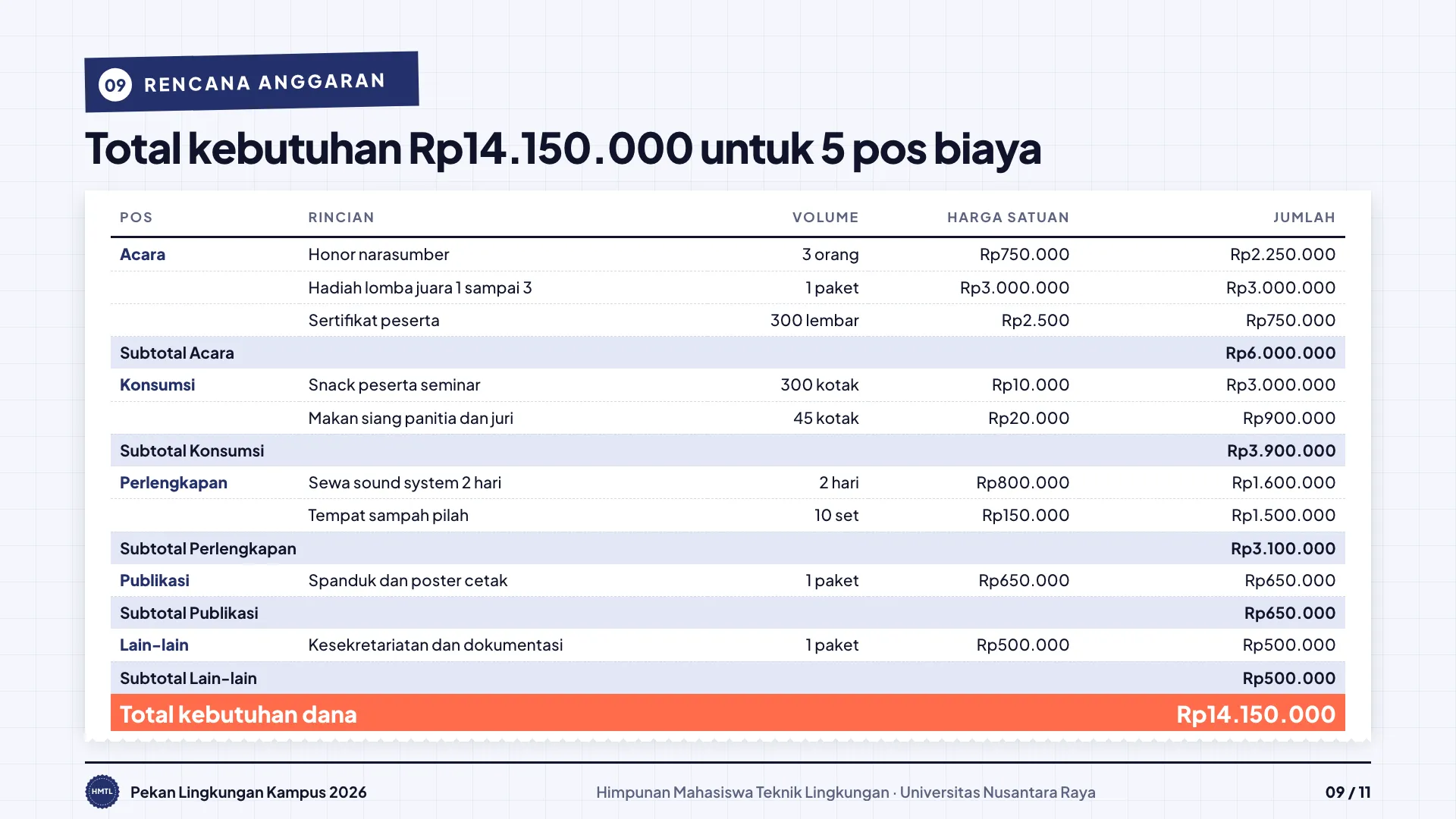
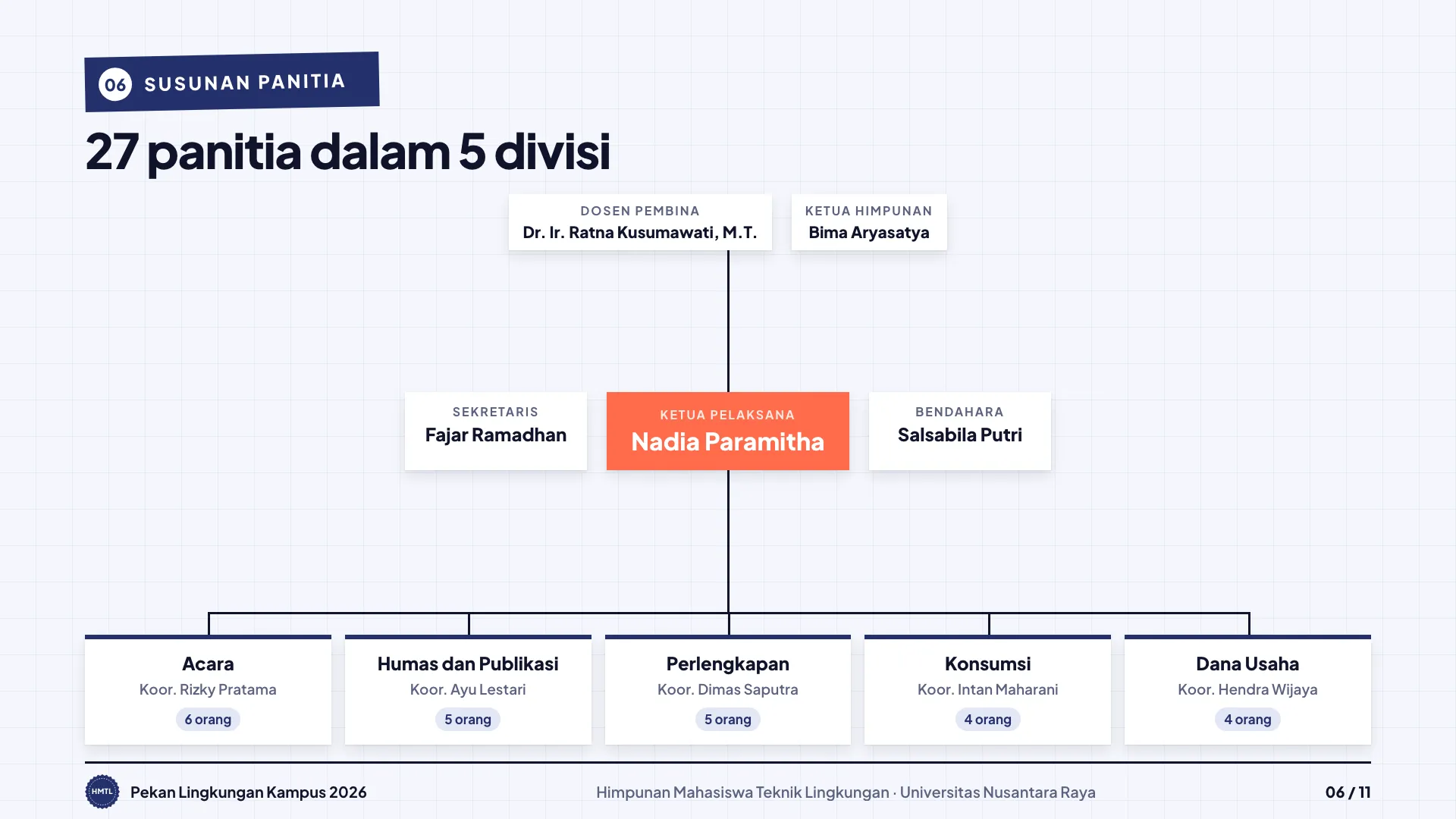
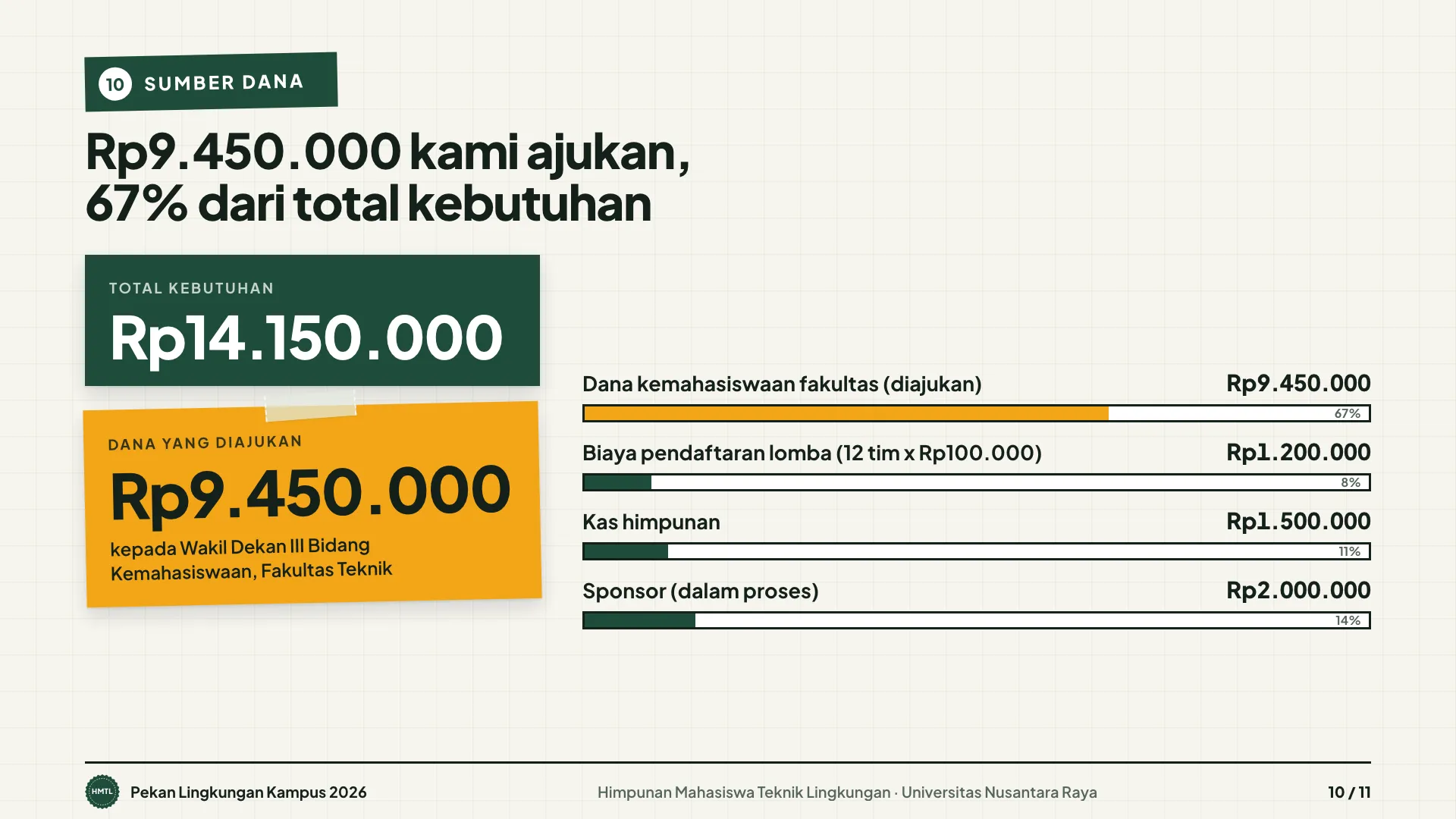
An 11-slide student event proposal deck for the faculty or university office, in a pop campus-noticeboard collage style: grid paper, torn strips, taped sticky notes, tickets, a calendar, and doodles. It follows the order campus reviewers expect: background with one fact, goals and indicators, activities, date, venue, participants, a committee chart, a D-minus prep timeline, run of show, budget, funding, and a sign-off page. Subtotals, totals, the requested amount, percentages, and committee size come from one data object.
Verified by SkillFlow
We checked every file in this skill automatically: no command that downloads and runs a program, no hidden code, no instruction telling your AI to ignore you.
- Loads from outside
- Fonts: Google Fonts
See the 5 files inside
skill.json12 KBSKILL.md7 KBprompt.md5 KBprompt.en.md5 KBfiles/deck.html56 KB
Checked 14 Nov 2026
Included in Basic and Pro
Basic copies the prompt. Pro also downloads the ZIP, sends to AI, installs into agents, and opens every category.
Get Pro Get Basic Already subscribed? Sign inWhat you get
- 11 slides 16:9: cover, background, goals, activities, participants, committee, preparation, run of show, budget, funding, sign-off
- Budget plan: line amounts, subtotals per category, and the total worked out automatically
- Amount requested from the campus = total minus other sources, with percentages
- A committee chart with members per division and the total committee size
- A preparation timeline with D-minus counts from the event date, the event day highlighted
- A signature page for 2 to 4 signers, attachments list, and a WhatsApp contact
- 3 palettes (indigo, turmeric, teal), ready to save as PDF from Chrome's Print
Good fit
- Student associations, councils, and clubs requesting event funds from the faculty or rectorate
- Committees wanting the budget and requested amount calculated neatly
- Student organisations wanting a lively proposal that's still auditable
Not for
- Not a post-event accountability report
- It follows a common proposal flow; adjust it if your campus requires a specific format
- It does not submit or send the proposal; you get the deck and PDF
About this skill
/proposal-kegiatan-kampus Make an event proposal for a Student Entrepreneurship Seminar by the Management Students Association of Bahari University, 200 participants, total cost Rp14,000,000, submitted to the faculty
Show more
An 11-slide student event proposal deck for the faculty or university office, in a pop campus-noticeboard collage style: grid paper, torn strips, taped sticky notes, tickets, a calendar, and doodles. It follows the order campus reviewers expect: background with one fact, goals and indicators, activities, date, venue, participants, a committee chart, a D-minus prep timeline, run of show, budget, funding, and a sign-off page. Subtotals, totals, the requested amount, percentages, and committee size come from one data object.
User reviews
FAQ
How is the requested amount calculated?
Total needs minus other funding such as sponsors or club funds, then shown with its percentage of the total.
What is the countdown schedule?
The preparation schedule counts back from the event date, for example D-30 for publicity, with the event day highlighted.
Which AI can I use it with?
Copy the prompt into a chat AI (ChatGPT, Claude, Gemini, DeepSeek); or download the ZIP and install it in an AI agent (Claude Code, Codex, Antigravity, Hermes Agent, Cursor, GitHub Copilot, Gemini CLI, OpenCode, Kimi Code, Trae), which then builds the files for you.
What is in the ZIP?
One folder named proposal-kegiatan-kampus with SKILL.md (the instructions an AI agent reads) and the prompt, 5 files in all. Extract it into your agent's skills folder, or install it with npx skillflow-ai add proposal-kegiatan-kampus. Pro only.
Is there a per-use fee or credits?
Not from SkillFlow. The skill runs on the AI you already use, so any cost follows that plan.
Which plan includes it?
Basic and Pro. Basic copies the prompt; Pro also downloads the ZIP, sends to AI, installs into agents and shares results by link.
Can I use my own colours and brand?
Yes. Pick a colour theme on this page, or fill in your brand profile once; both go into the prompt you copy and into the ZIP.
Can I share what I made?
Pro members can upload the result and get a page at share.skillflow.ai.id to send to anyone. The page carries a small "Made with SkillFlow AI" mark.
Is there a download limit?
Yes, per day: 50 skills on Pro, 10 on other plans. Downloading a skill again on the same day does not count.



