

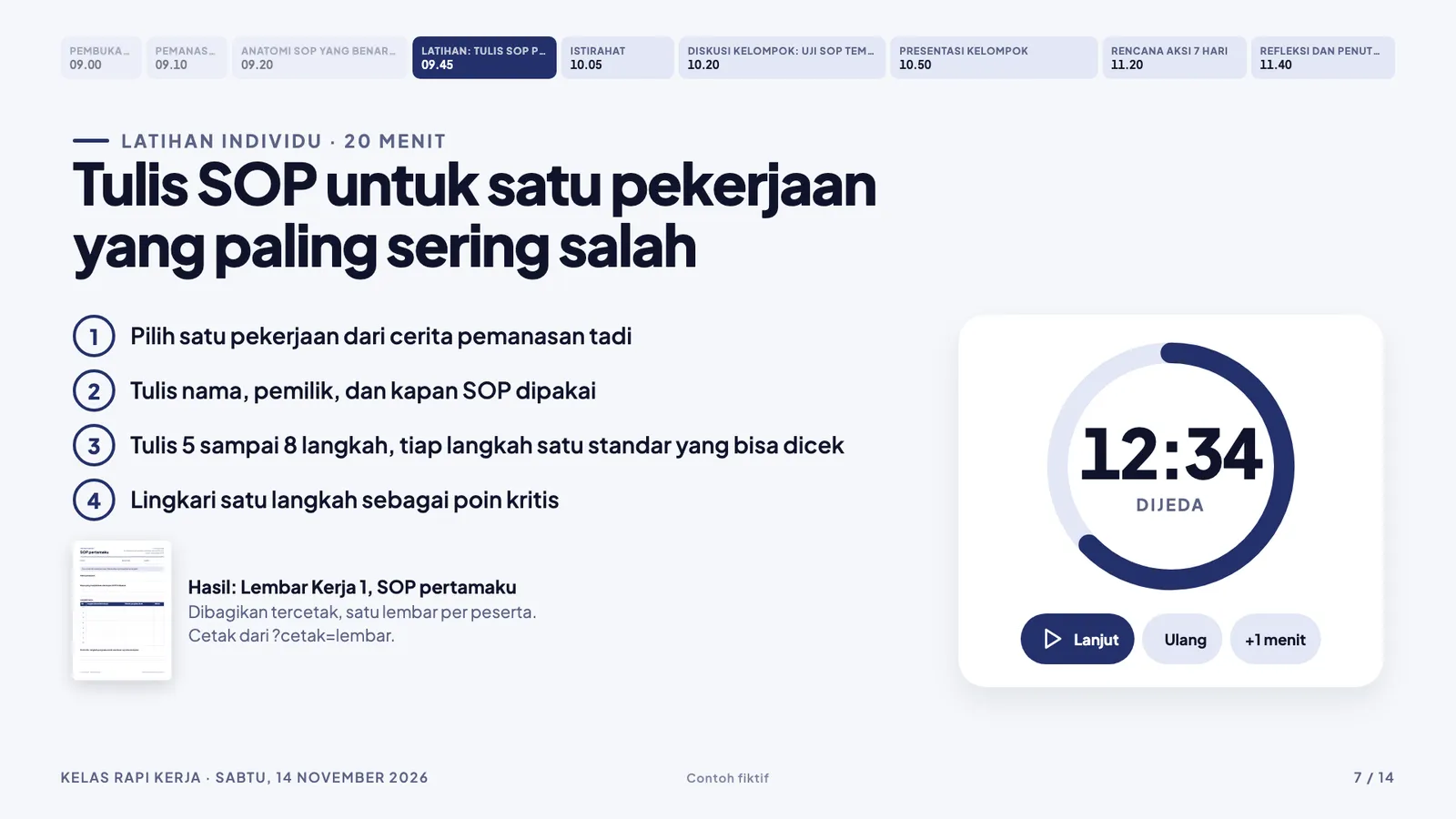
Solo practice with a timer paused at 12:34, the steps, and a worksheet preview
SKILL.md contents
Premium subscribers can read, copy, and install this skill.
Unlock with Premium Sign inInteractive Workshop Deck
Description
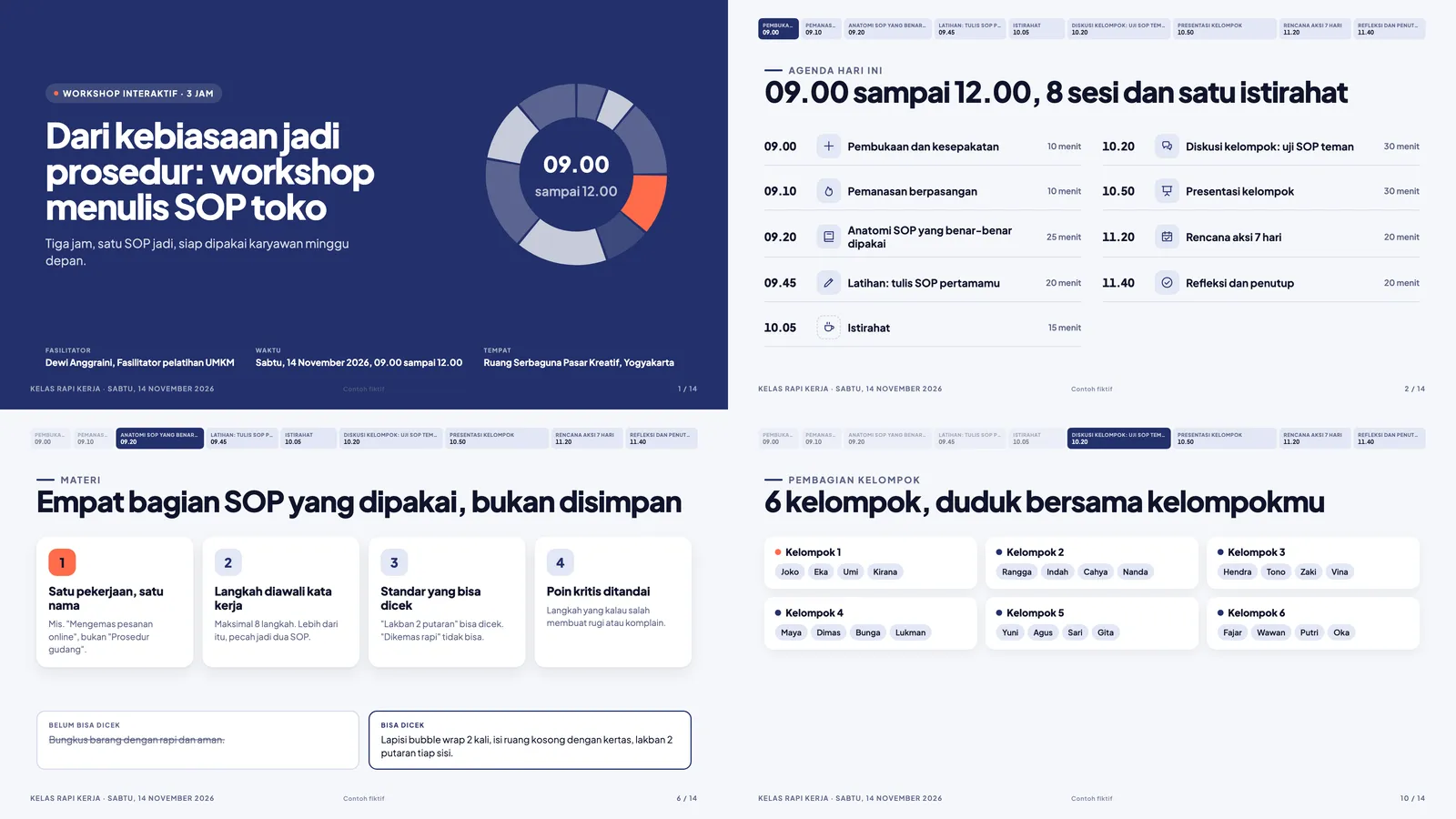
An in-person workshop deck for trainers and facilitators: a timed agenda bar on every slide, a round clock built from the agenda on the cover, group agreements, a warm-up, goals, content with a wrong and right example, solo practice, a break, group discussion with roles, automatic groups from a list of names, turn-based presentations, an action plan, and reflection. Timers on activity slides really run (start, pause, reset, add a minute, a sound when time is up) and stay visible when you change slides. A4 worksheets print from the same file.
Verified by SkillFlow
We checked every file in this skill automatically: no command that downloads and runs a program, no hidden code, no instruction telling your AI to ignore you.
- Loads from outside
- Fonts: Google Fonts
See the 5 files inside
skill.json10 KBSKILL.md7 KBprompt.md6 KBprompt.en.md6 KBfiles/workshop.html50 KB
Checked 14 Nov 2026
Included in Basic and Pro
Basic copies the prompt. Pro also downloads the ZIP, sends to AI, installs into agents, and opens every category.
Get Pro Get Basic Already subscribed? Sign inWhat you get
- One-file 16:9 HTML deck, 14 slides from the opening to the close, arrow-key navigation
- An agenda bar on every slide with each session's start time, worked out from the start time and durations
- Running timers on activity slides: start, pause, reset, add or remove minutes, a sound when time is up
- Automatic groups from a list of names (reshuffle with one key) or from the number of participants
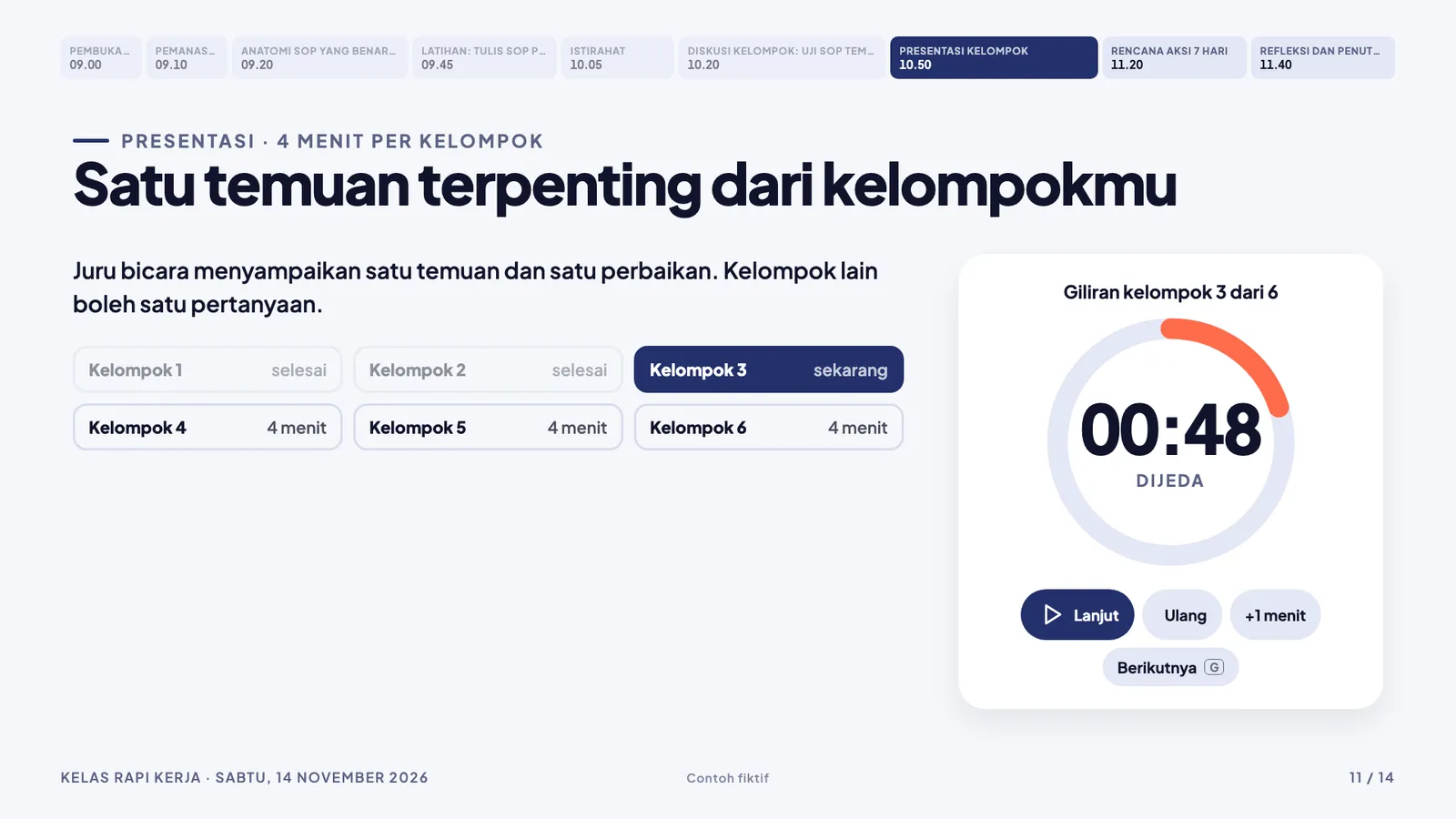
- Turn-based presentations: a timer per group and a next-group button
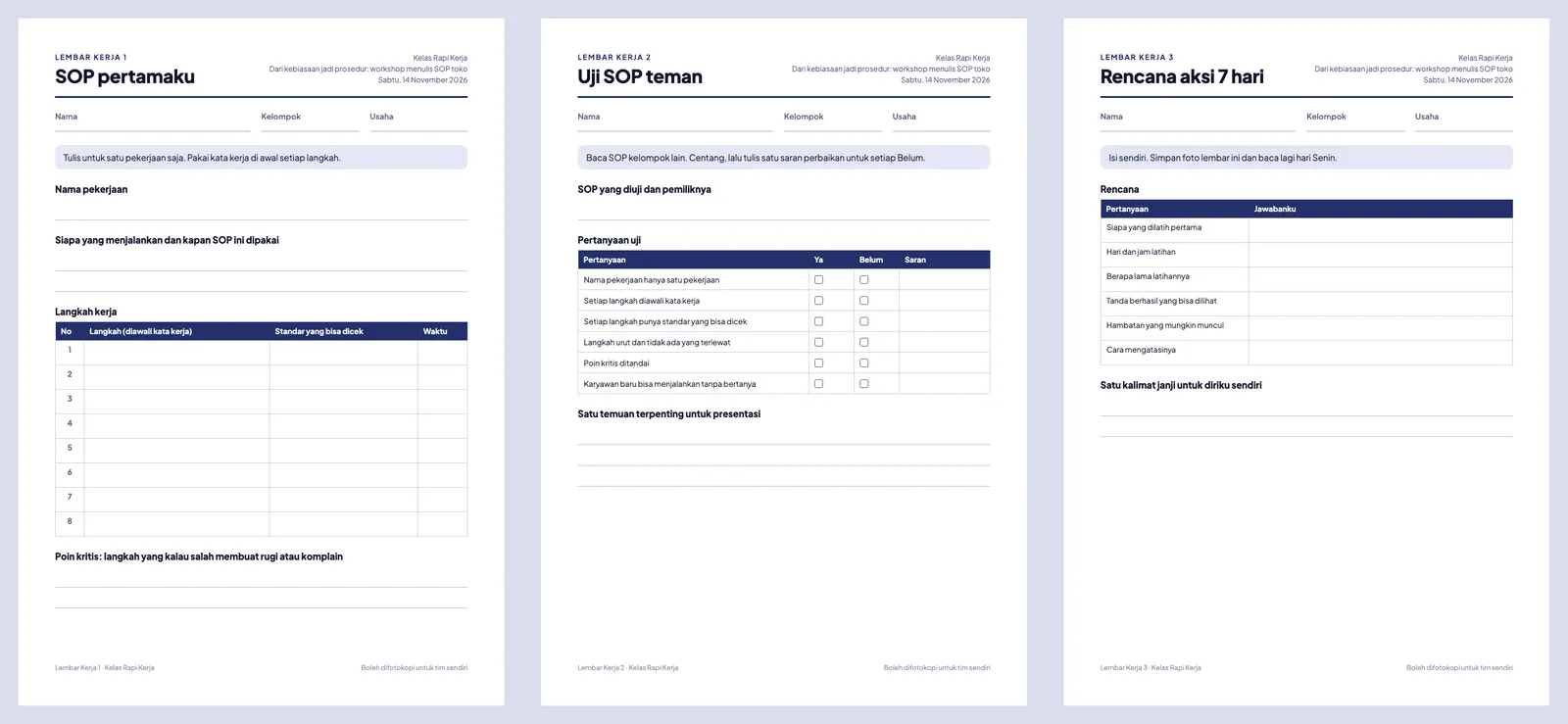
- 3 printable A4 worksheets (procedure, peer check, action plan) from the same object
- Facilitator notes per slide (N key), 3 colour themes, PDF via Print in Chrome
Good fit
- Trainers and facilitators running in-person workshops of 1 to 4 hours
- Training hosts wanting each session's timing under control
- Facilitators needing group splits and timers without another app
Not for
- Designed for in-person sessions, not online classes with participants on their own screens
- Core content and right or wrong examples come from you
- The timer sound needs speakers on the presenting laptop
About this skill
/workshop-interaktif Make a deck for a 3-hour Writing Shop SOPs workshop for 24 participants by Pelatihan Usaha Maju Bersama, starting at 9 am, with group discussion, presentations, and action plans
Show more
An in-person workshop deck for trainers and facilitators: a timed agenda bar on every slide, a round clock built from the agenda on the cover, group agreements, a warm-up, goals, content with a wrong and right example, solo practice, a break, group discussion with roles, automatic groups from a list of names, turn-based presentations, an action plan, and reflection. Timers on activity slides really run (start, pause, reset, add a minute, a sound when time is up) and stay visible when you change slides. A4 worksheets print from the same file.
User reviews
FAQ
How do I use the timer?
T starts or pauses, R restarts, and + and - change the minutes. A short sound plays when time is up, and the timer keeps running when you change slides.
How are groups split?
Automatically from the participant name list, reshuffled with one button. Without names, groups are split by participant count.
Where do I print worksheets from?
The same file. There are 3 A4 worksheets: SOP, peer check, and action plan.
Which AI can I use it with?
Copy the prompt into a chat AI (ChatGPT, Claude, Gemini, DeepSeek); or download the ZIP and install it in an AI agent (Claude Code, Codex, Antigravity, Hermes Agent, Cursor, GitHub Copilot, Gemini CLI, OpenCode, Kimi Code, Trae), which then builds the files for you.
What is in the ZIP?
One folder named workshop-interaktif with SKILL.md (the instructions an AI agent reads) and the prompt, 5 files in all. Extract it into your agent's skills folder, or install it with npx skillflow-ai add workshop-interaktif. Pro only.
Is there a per-use fee or credits?
Not from SkillFlow. The skill runs on the AI you already use, so any cost follows that plan.
Which plan includes it?
Basic and Pro. Basic copies the prompt; Pro also downloads the ZIP, sends to AI, installs into agents and shares results by link.
Can I use my own colours and brand?
Yes. Pick a colour theme on this page, or fill in your brand profile once; both go into the prompt you copy and into the ZIP.
Can I share what I made?
Pro members can upload the result and get a page at share.skillflow.ai.id to send to anyone. The page carries a small "Made with SkillFlow AI" mark.
Is there a download limit?
Yes, per day: 50 skills on Pro, 10 on other plans. Downloading a skill again on the same day does not count.



