

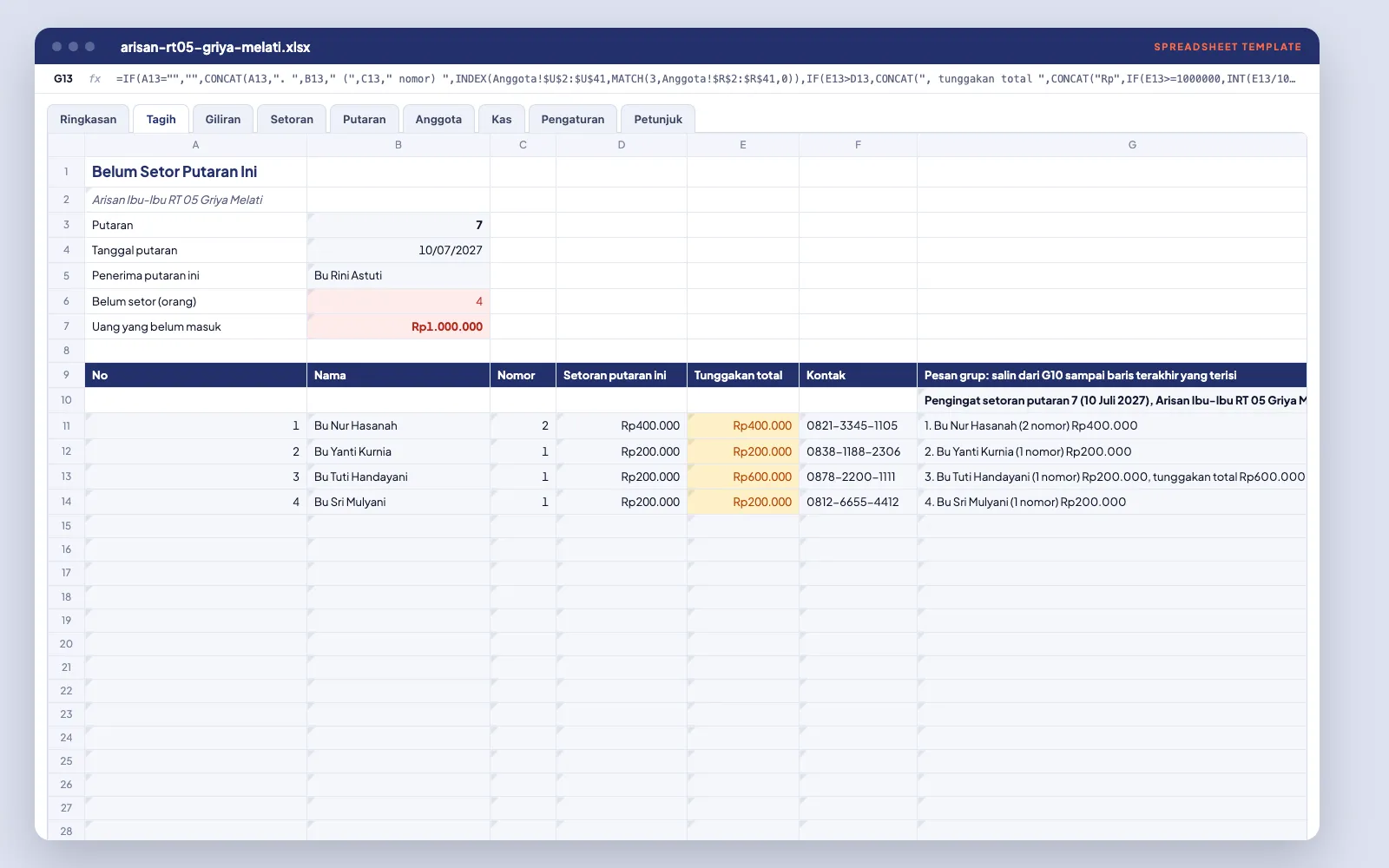
Unpaid sheet: 4 people have not paid round 7, a group message ready to copy with arrears
SKILL.md contents
Premium subscribers can read, copy, and install this skill.
Unlock with Premium Sign inRotating Savings and Group Dues
Description
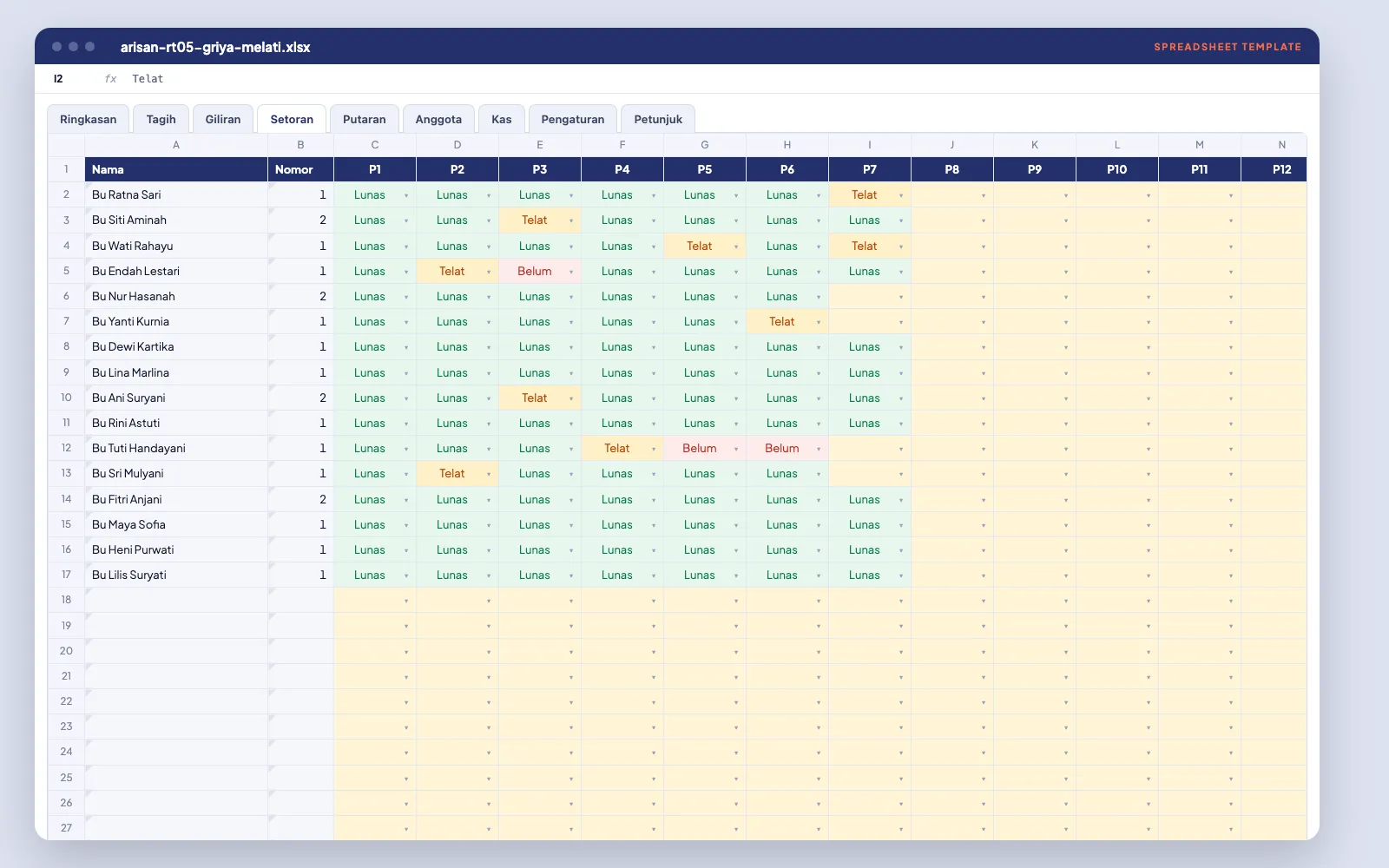
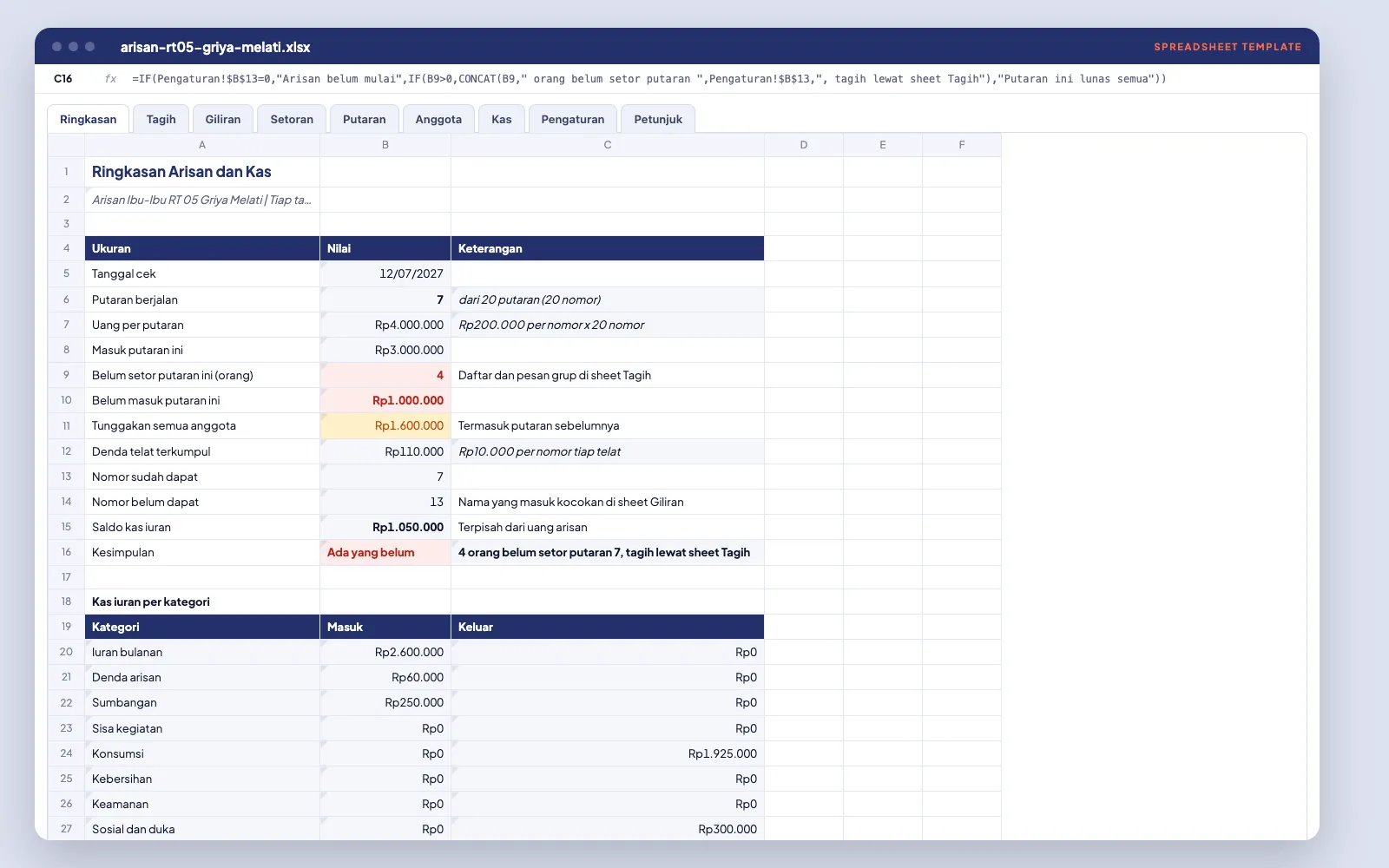
An Excel file for the treasurer of a rotating savings group, traders' association, study circle, or neighbourhood committee: members with their number of shares, contributions per round in a Paid, Late, Unpaid grid with an optional late fee, each round's recipient typed in from the draw (the file never draws names), who has and has not received yet, a per-member summary (total paid, arrears, fees, total received), a separate dues fund with balance and category totals, and this round's unpaid list with a message ready to paste into the group chat.
Verified by SkillFlow
We checked every file in this skill automatically: no command that downloads and runs a program, no hidden code, no instruction telling your AI to ignore you.
- Loads from outside
- Fonts: Google Fonts SkillFlow: directory.skillflow.ai.id
See the 6 files inside
skill.json12 KBSKILL.md10 KBprompt.md10 KBprompt.en.md10 KBfiles/contoh/paguyuban-pasar-30-nomor.html325 KBfiles/template.html315 KB
Checked 14 Nov 2026
Part of SkillFlow Pro
Pro opens every skill in every category: copy, ZIP, Send to AI, install, save, and request new skills.
Get Pro Already subscribed? Sign inWhat you get
- A 9-sheet .xlsx: Summary, Unpaid, Turns, Contributions, Rounds, Members, Fund, Settings, Guide
- A members x rounds contribution grid (Paid, Late, Unpaid) with money in and unpaid shares per round
- A per-member summary: total paid, amount due, arrears, late fees, received and not yet received, total received
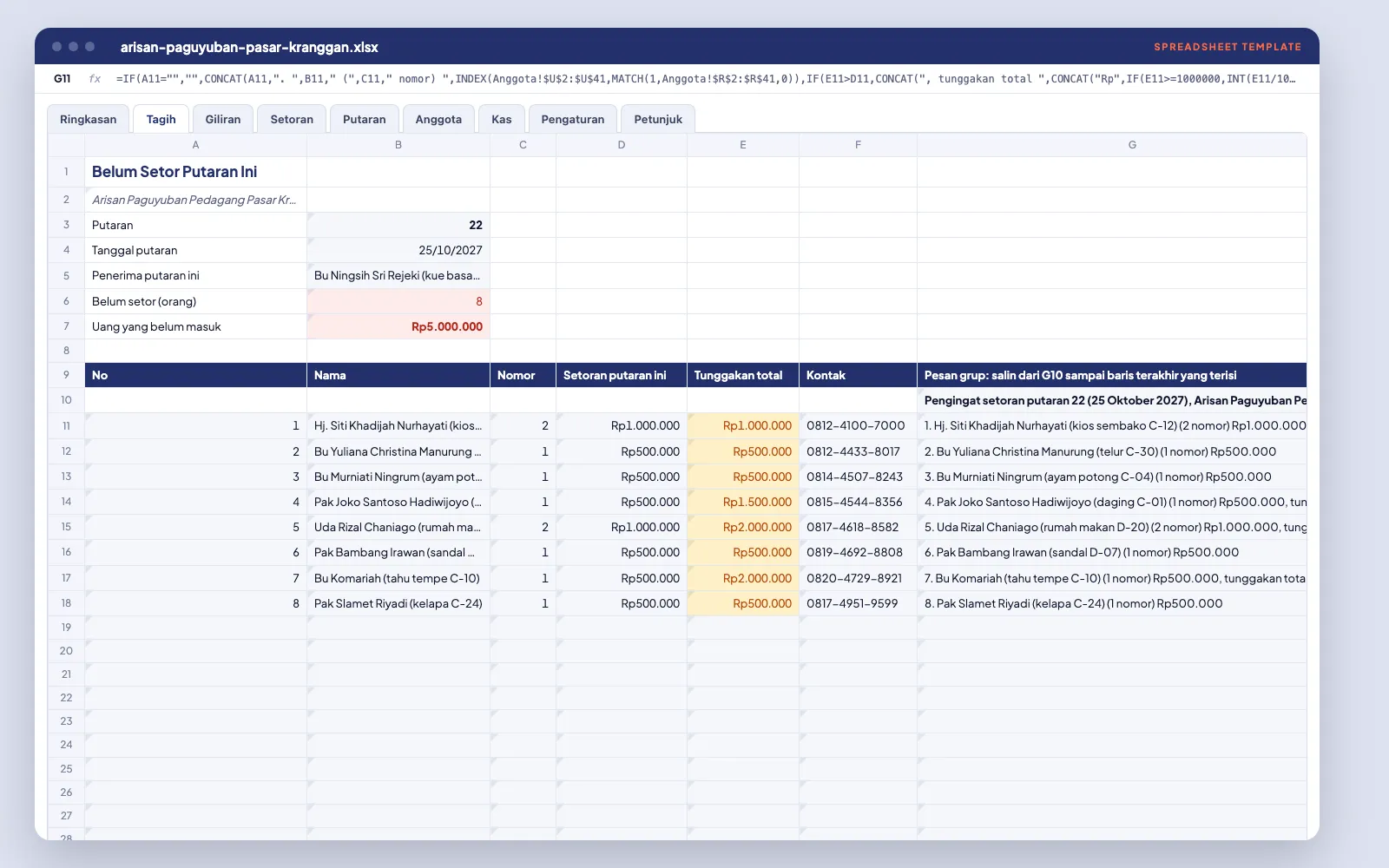
- This round's unpaid list with a group message ready to copy, arrears included
- The names going into the next draw; recipients are typed in by you, the file never draws names
- A separate dues fund with a running balance and category totals
Good fit
- Treasurers of neighbourhood, office, alumni, or family rotating savings groups
- Traders' associations, study circles, and communities with monthly dues
- Groups where some members hold more than one share
- Treasurers who chase payments in a group chat every month and want a tidy message
Not for
- It does not draw names or pick recipients; you type in the draw result
- Not a payment app and it sends no messages; you copy the message yourself
- It does not calculate interest, share auctions, or deductions; note them if your group uses them
- Not business bookkeeping; the fund here is only the group's dues fund
About this skill
/arisan-dan-iuran-kelompok Make an Excel file for our neighbourhood women's rotating savings: 16 members, some holding 2 shares, Rp200,000 per share on the 10th of each month, a Rp10,000 late fee, plus monthly dues, and a list of who has not paid this month to send to the group
Show more
An Excel file for the treasurer of a rotating savings group, traders' association, study circle, or neighbourhood committee: members with their number of shares, contributions per round in a Paid, Late, Unpaid grid with an optional late fee, each round's recipient typed in from the draw (the file never draws names), who has and has not received yet, a per-member summary (total paid, arrears, fees, total received), a separate dues fund with balance and category totals, and this round's unpaid list with a message ready to paste into the group chat.
User reviews
FAQ
Can this file draw who receives?
No, on purpose. The draw still happens together as usual, then the treasurer types the recipient on the Rounds sheet. The Turns sheet only shows who is still in the draw, and the Check column flags a name that is not registered or receives more than their shares.
What if a member holds 2 shares?
Write one row with 2 shares. Their contribution is counted double, they can be recorded twice as a recipient, and the group message names 2 shares with the amount.
Where does the group chat message come from?
From column G on the Unpaid sheet: an opening line with the round, date, and treasurer, then one line per unpaid person with the amount and arrears. Copy from G10 down to the last filled row. There is also a one-line version in I4.
Which AI can I use it with?
Copy the prompt into a chat AI (ChatGPT, Claude, Gemini, DeepSeek); or download the ZIP and install it in an AI agent (Claude Code, Codex, Antigravity, Hermes Agent, Cursor, GitHub Copilot, Gemini CLI, OpenCode, Kimi Code, Trae), which then builds the files for you.
What is in the ZIP?
One folder named arisan-dan-iuran-kelompok with SKILL.md (the instructions an AI agent reads) and the prompt, 6 files in all. Extract it into your agent's skills folder, or install it with npx skillflow-ai add arisan-dan-iuran-kelompok. Pro only.
Is there a per-use fee or credits?
Not from SkillFlow. The skill runs on the AI you already use, so any cost follows that plan.
Which plan includes it?
SkillFlow Pro. It opens every skill in every category.
Can I use my own colours and brand?
Yes. Pick a colour theme on this page, or fill in your brand profile once; both go into the prompt you copy and into the ZIP.
Can I share what I made?
Pro members can upload the result and get a page at share.skillflow.ai.id to send to anyone. The page carries a small "Made with SkillFlow AI" mark.
Is there a download limit?
Yes, per day: 50 skills on Pro, 10 on other plans. Downloading a skill again on the same day does not count.



