

Rendered sample video
SKILL.md contents
Register for free, then open this skill. Already registered? Sign in.
Get free access Sign inMonthly Revenue Story
Description
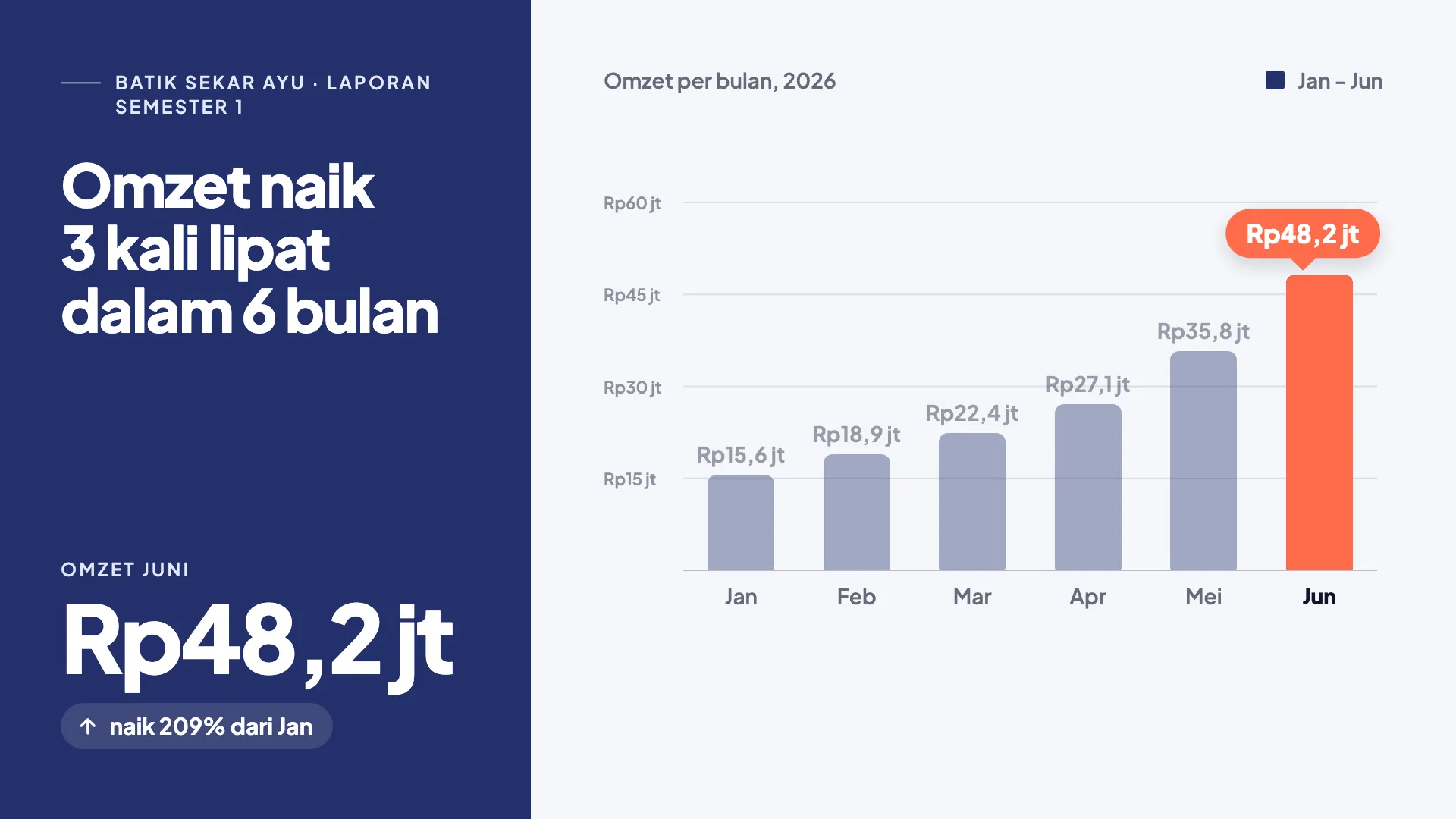
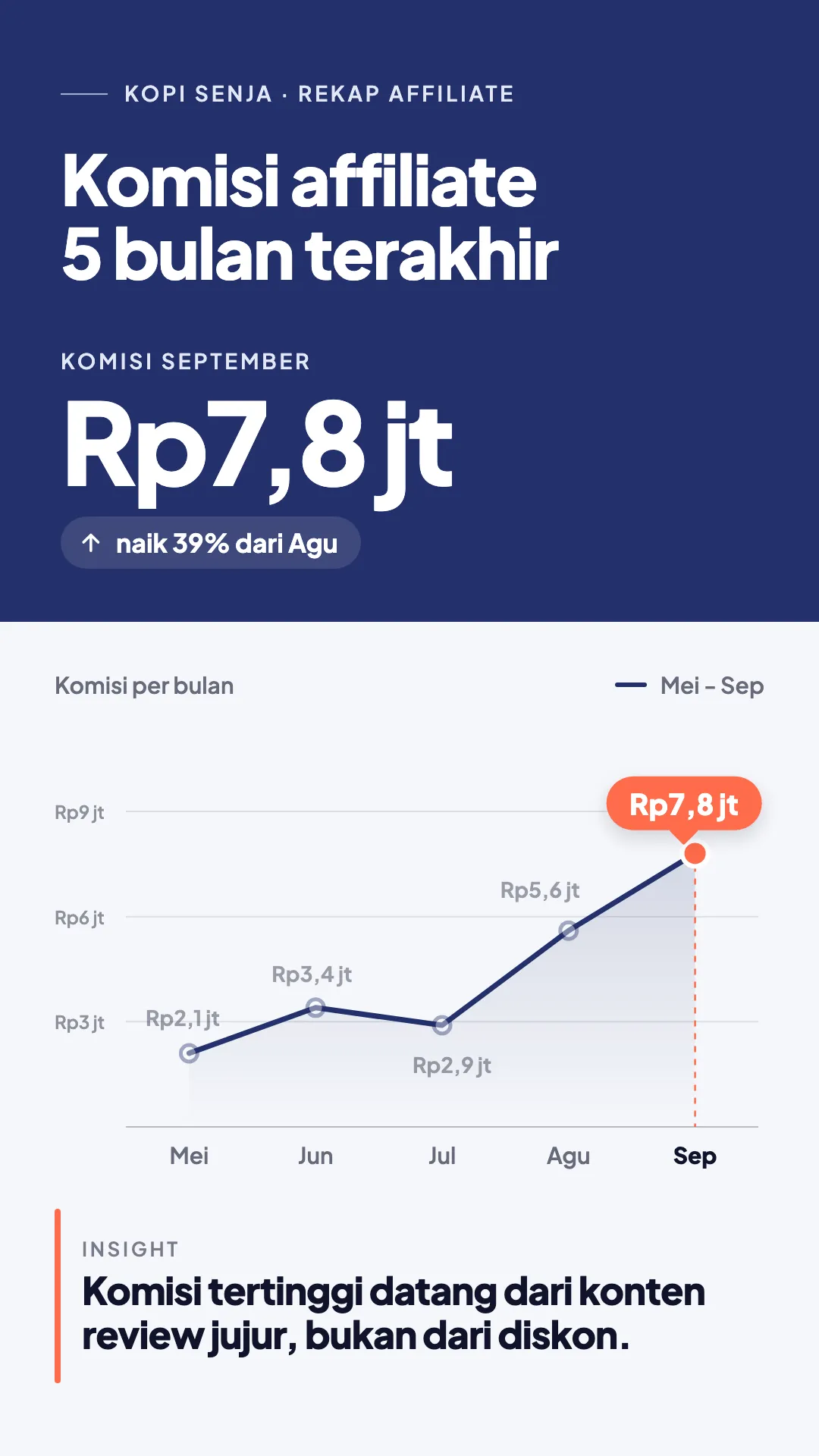
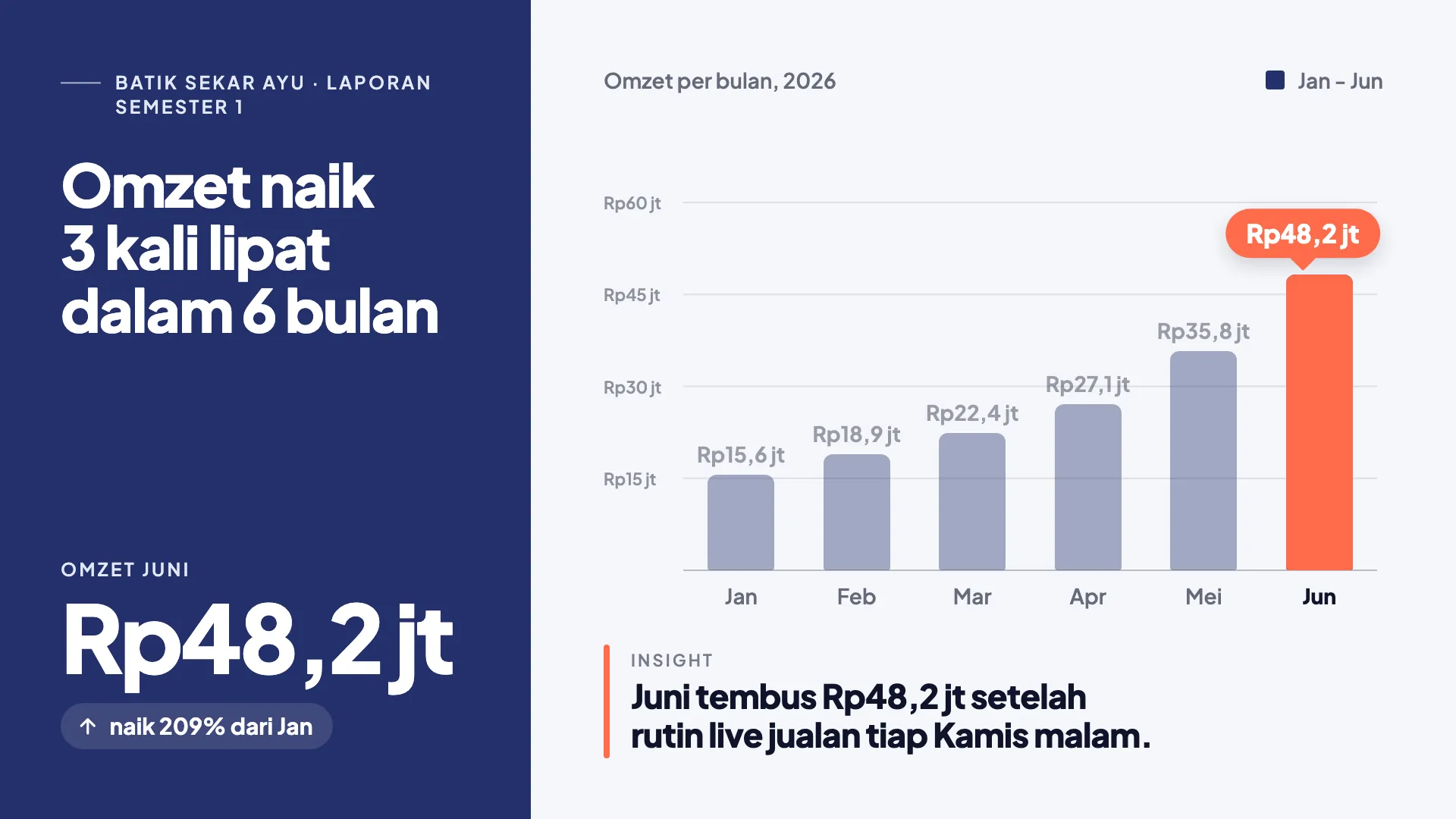
A short data video that turns monthly revenue numbers into a story: a bar or line chart grows, figures count up in compact money format, one month is highlighted in the accent colour with its percentage change, and one insight line closes it. Good for shop revenue reports, affiliate commission recaps, or a quick investor update. Data lives in one config object, in 16:9 and 9:16, rendered to MP4 with one command.
Verified by SkillFlow
We checked every file in this skill automatically: no command that downloads and runs a program, no hidden code, no instruction telling your AI to ignore you.
- Loads from outside
- Fonts: Google Fonts
See the 6 files inside
skill.json6 KBSKILL.md8 KBprompt.md6 KBprompt.en.md6 KBfiles/contoh-komisi-affiliate-9x16.html28 KBfiles/scene.html29 KB
Checked 14 Nov 2026
Get this skill for free
A free account opens every free skill. Premium unlocks everything.
Get free access I already have an accountWhat you get
- A data script: title, 3-12 data points, highlighted figure, insight line
- An animated HTML scene (bar or line) driven by one config object
- Compact money format (48.2K) or full figures, automatic up/down percentage
- MP4 1920x1080 (16:9) or 1080x1920 (9:16), 30 fps, 10-16 seconds
- 3 ready palettes, plus your own brand colors
Good fit
- Shop owners wanting to share revenue growth in an engaging way
- Affiliates recapping monthly commissions
- Founders sending short updates to investors or the team
Not for
- Needs an AI agent on your computer to render the MP4
- Figures must come from your books; it does not calculate revenue
- One data series only, not a comparison of many shops or categories
About this skill
/cerita-omzet-bulanan Make a revenue story video of Kirana Hijab Store's last 6 months, from Rp18 million to Rp48.2 million, highlighting October, with an insight line at the end
Show more
A short data video that turns monthly revenue numbers into a story: a bar or line chart grows, figures count up in compact money format, one month is highlighted in the accent colour with its percentage change, and one insight line closes it. Good for shop revenue reports, affiliate commission recaps, or a quick investor update. Data lives in one config object, in 16:9 and 9:16, rendered to MP4 with one command.
User reviews
FAQ
Which number formats can I use?
Short rupiah like Rp48.2 jt or full like Rp48,200,000. The rise or fall percentage is calculated automatically for the highlighted month.
Bar or line chart?
Both are available. Bars suit comparing months, lines suit showing a trend. Data can be 3 to 12 points.
Which AI can I use it with?
Copy the prompt into a chat AI (ChatGPT, Claude, Gemini, DeepSeek): you get an HTML file; open it in Chrome and press Download MP4 (silent video, a minute or two to render); or download the ZIP and install it in an AI agent (Claude Code, Codex, Antigravity, Hermes Agent, Cursor, GitHub Copilot, Gemini CLI, OpenCode, Kimi Code, Trae), which then builds the files for you.
What is in the ZIP?
One folder named cerita-omzet-bulanan with SKILL.md (the instructions an AI agent reads) and the prompt, 6 files in all. Extract it into your agent's skills folder, or install it with npx skillflow-ai add cerita-omzet-bulanan.
Is there a per-use fee or credits?
Not from SkillFlow. The skill runs on the AI you already use, so any cost follows that plan.
Is this skill free?
Yes. Create a free account, then press Open access.
Can I use my own colours and brand?
Yes. Pick a colour theme on this page, or fill in your brand profile once; both go into the prompt you copy and into the ZIP.
Can I share what I made?
Pro members can upload the result and get a page at share.skillflow.ai.id to send to anyone. The page carries a small "Made with SkillFlow AI" mark.
Is there a download limit?
Yes, per day: 50 skills on Pro, 10 on other plans. Downloading a skill again on the same day does not count.



