

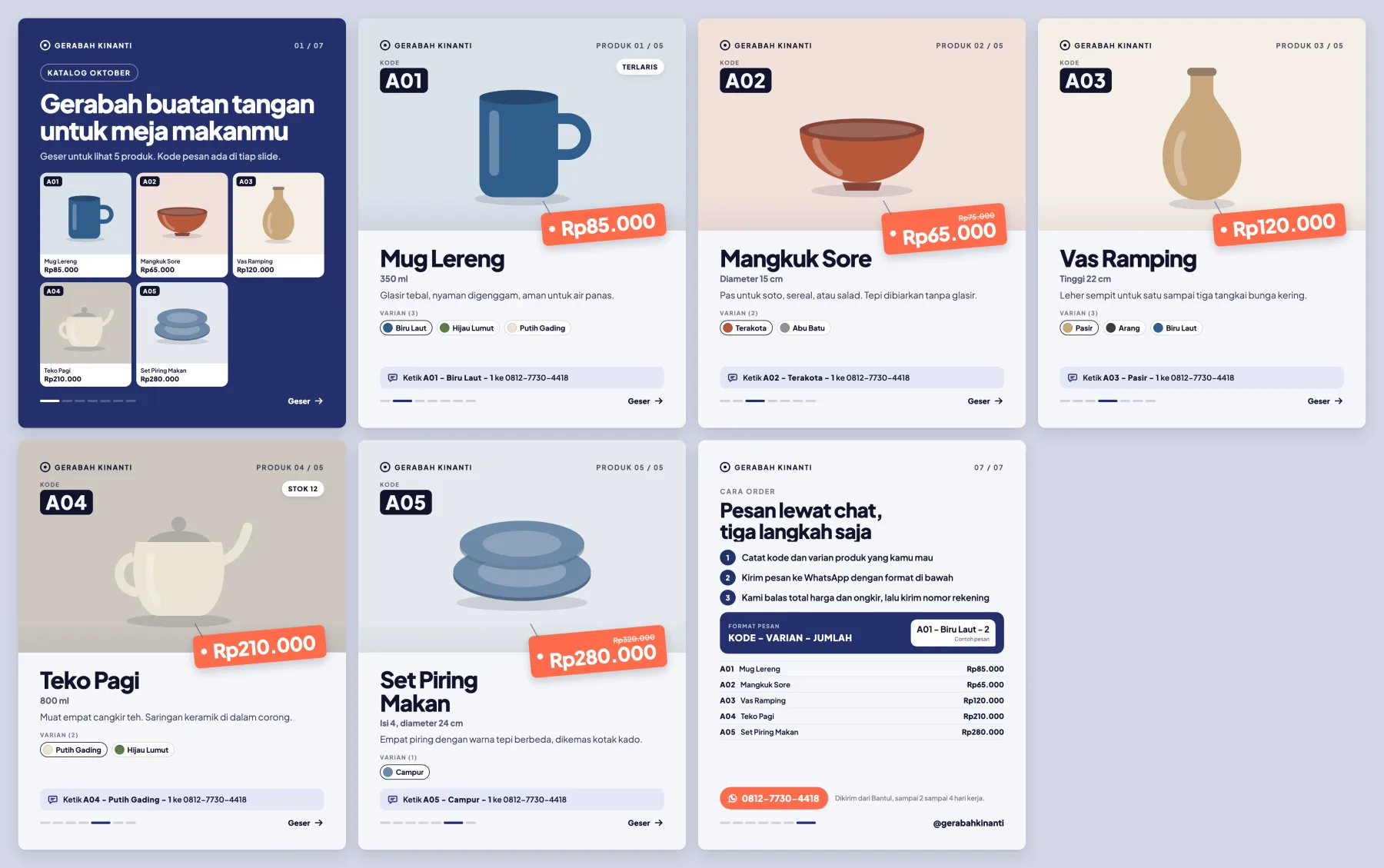
All seven slides on the combined sheet: cover, 5 products, and how to order
SKILL.md contents
Premium subscribers can read, copy, and install this skill.
Unlock with Premium Sign inSwipe Product Catalog
Description
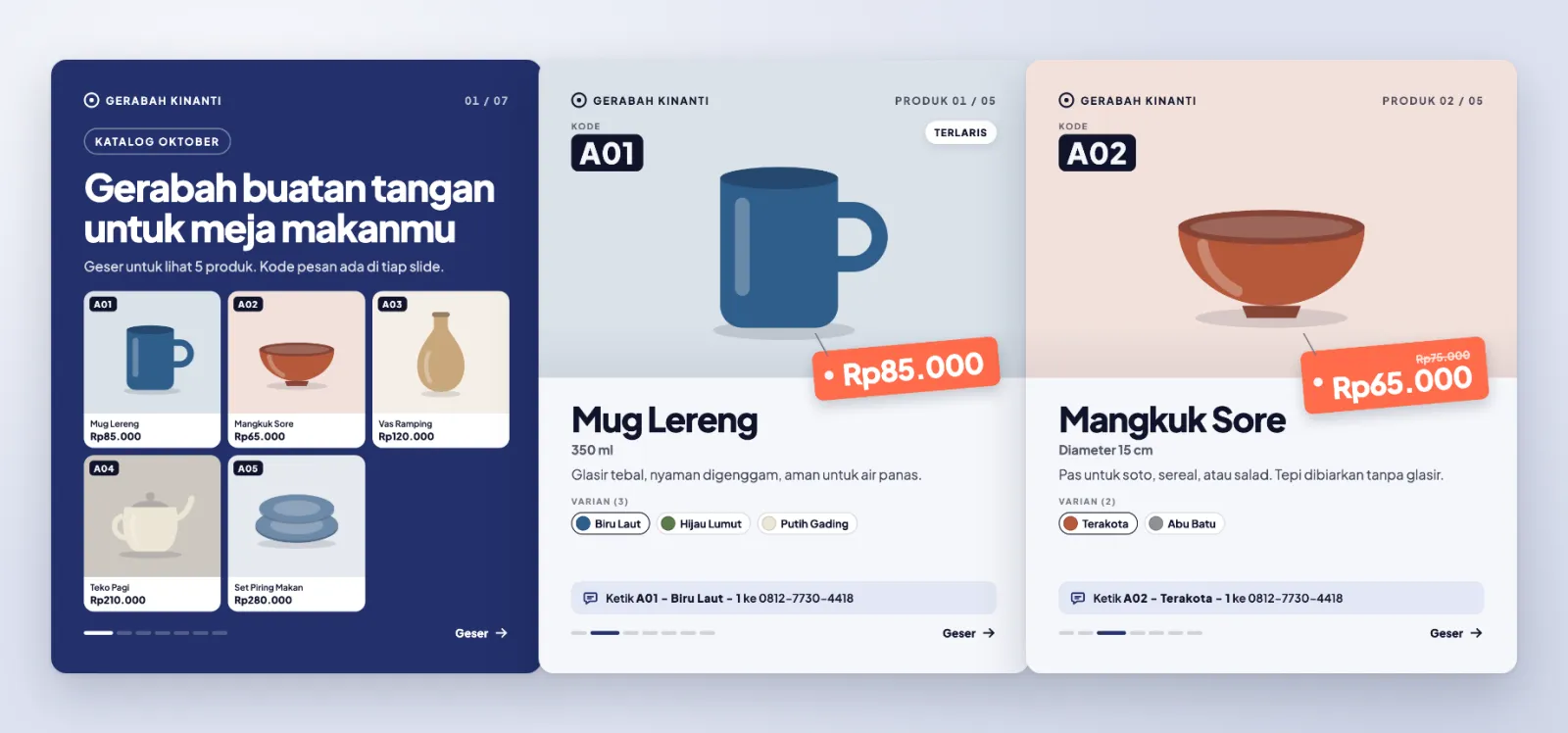
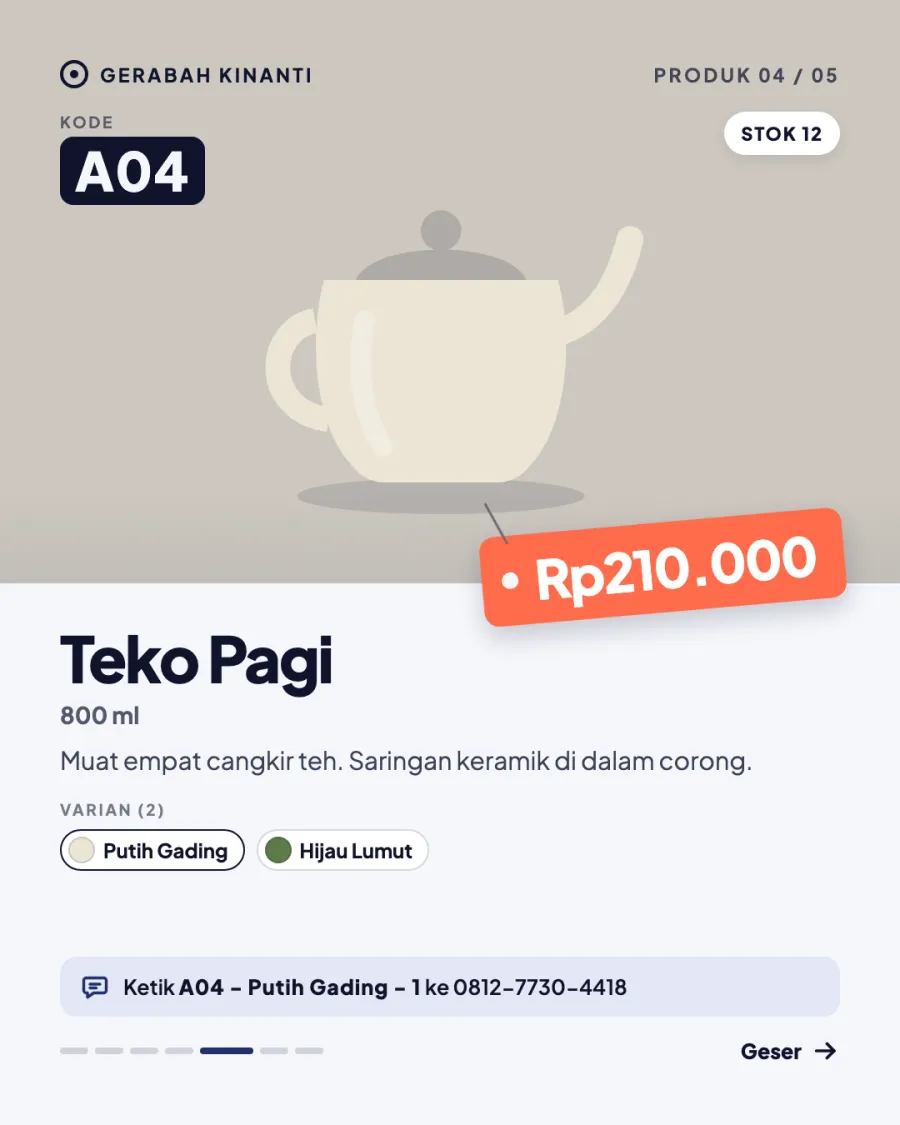
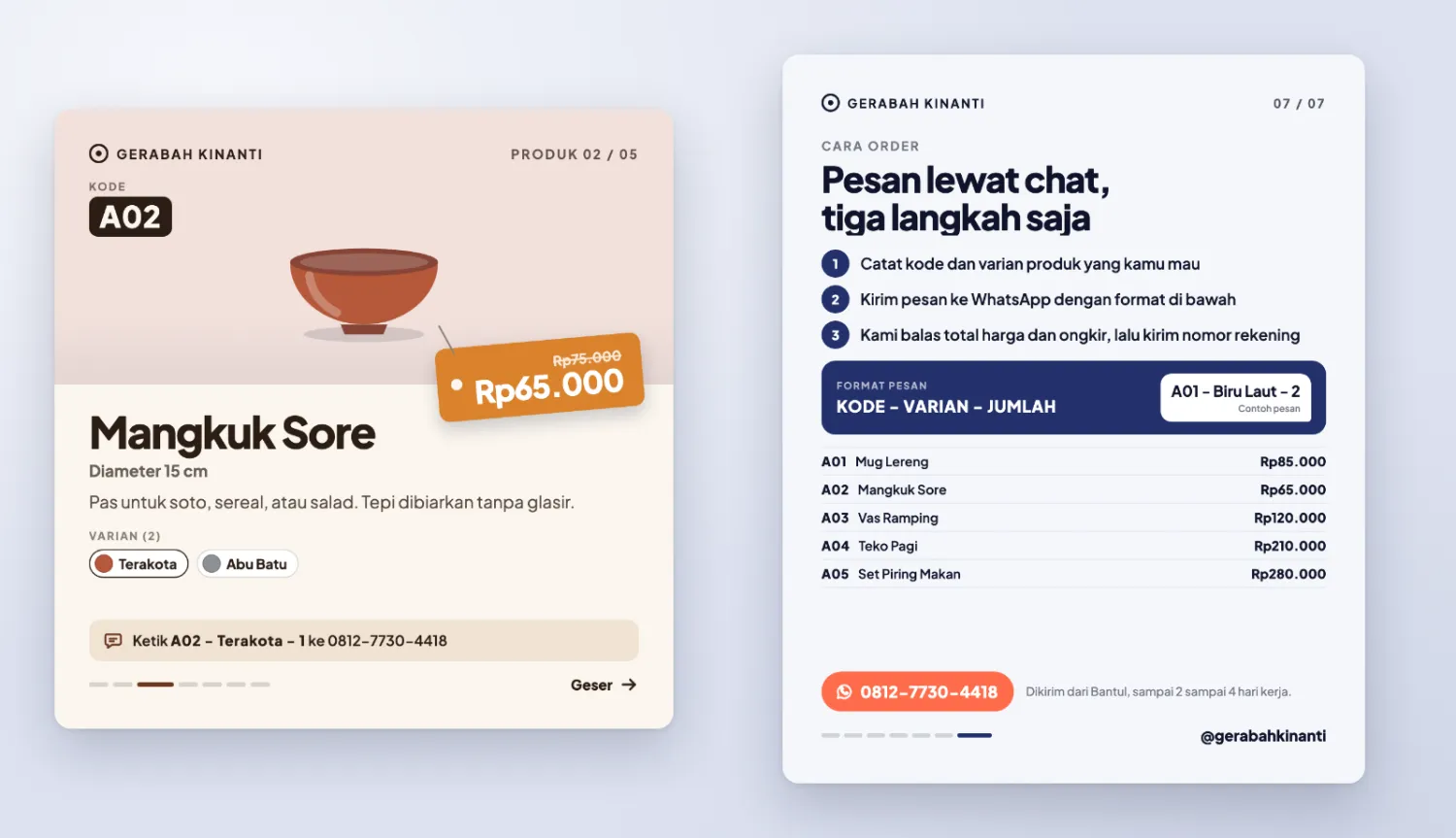
A sales catalog carousel at 1080x1350 (or 1080x1080) for online shops: a cover with the title and a grid of every product with its code and price, then one product per slide with a large photo (or a stand-in illustration coloured by its variant), a big product code, a hanging accent price tag with a crossed-out old price, the name, size, a short note, coloured variant chips, and a ready-to-type order message. The last slide holds a three-step how-to-order, the message format, a code and price list, and a WhatsApp button. 3 to 8 products, exported as PNGs from one HTML template.
Verified by SkillFlow
We checked every file in this skill automatically: no command that downloads and runs a program, no hidden code, no instruction telling your AI to ignore you.
- Loads from outside
- Fonts: Google Fonts
See the 5 files inside
skill.json8 KBSKILL.md7 KBprompt.md6 KBprompt.en.md6 KBfiles/carousel.html31 KB
Checked 14 Nov 2026
Part of SkillFlow Pro
Pro opens every skill in every category: copy, ZIP, Send to AI, install, save, and request new skills.
Get Pro Already subscribed? Sign inWhat you get
- A catalog script: cover, 3-8 products (code, name, size, note, variants, price), how to order
- An HTML template driven by one config object, with your own product photos or stand-in illustrations
- One PNG per slide at 1080x1350 (4:5) or 1080x1080 (1:1), plus a combined sheet of all slides
- An order code per product and one WhatsApp message format used on every slide
- 3 ready palettes (indigo, cream, charcoal) and 10 product illustration shapes
- A short caption for the post
Good fit
- Online shops and resellers posting weekly catalogues or new collections
- Pre-order sellers who need order codes so admins aren't overwhelmed by chats
- Seasonal sellers such as hampers or uniforms taking orders over WhatsApp
Not for
- It does not create real product photos; without yours, placeholder illustrations are shown
- Up to 8 products per carousel
- It does not record orders or stock; codes only help admins read chats
About this skill
/carousel-katalog-produk Make a catalogue carousel of 6 knitted bags from Kirana Knits with codes A01 to A06, prices, colour variants, and how to order over WhatsApp 0857...
Show more
A sales catalog carousel at 1080x1350 (or 1080x1080) for online shops: a cover with the title and a grid of every product with its code and price, then one product per slide with a large photo (or a stand-in illustration coloured by its variant), a big product code, a hanging accent price tag with a crossed-out old price, the name, size, a short note, coloured variant chips, and a ready-to-type order message. The last slide holds a three-step how-to-order, the message format, a code and price list, and a WhatsApp button. 3 to 8 products, exported as PNGs from one HTML template.
User reviews
FAQ
Why does each product have a code?
The same code appears on the cover, the product slide, the price list, and the sample message. Buyers just type the code and variant, and admins know exactly which item they mean.
I don't have product photos yet, what now?
The template uses a placeholder illustration coloured by the first variant. Once you have photos, add their paths and the illustration is replaced.
When does the crossed-out price appear?
Only if you fill in an old price for that product. Without one, the price tag shows normally.
Which AI can I use it with?
Copy the prompt into a chat AI (ChatGPT, Claude, Gemini, DeepSeek); or download the ZIP and install it in an AI agent (Claude Code, Codex, Antigravity, Hermes Agent, Cursor, GitHub Copilot, Gemini CLI, OpenCode, Kimi Code, Trae), which then builds the files for you.
What is in the ZIP?
One folder named carousel-katalog-produk with SKILL.md (the instructions an AI agent reads) and the prompt, 5 files in all. Extract it into your agent's skills folder, or install it with npx skillflow-ai add carousel-katalog-produk. Pro only.
Is there a per-use fee or credits?
Not from SkillFlow. The skill runs on the AI you already use, so any cost follows that plan.
Which plan includes it?
SkillFlow Pro. It opens every skill in every category.
Can I use my own colours and brand?
Yes. Pick a colour theme on this page, or fill in your brand profile once; both go into the prompt you copy and into the ZIP.
Can I share what I made?
Pro members can upload the result and get a page at share.skillflow.ai.id to send to anyone. The page carries a small "Made with SkillFlow AI" mark.
Is there a download limit?
Yes, per day: 50 skills on Pro, 10 on other plans. Downloading a skill again on the same day does not count.



