

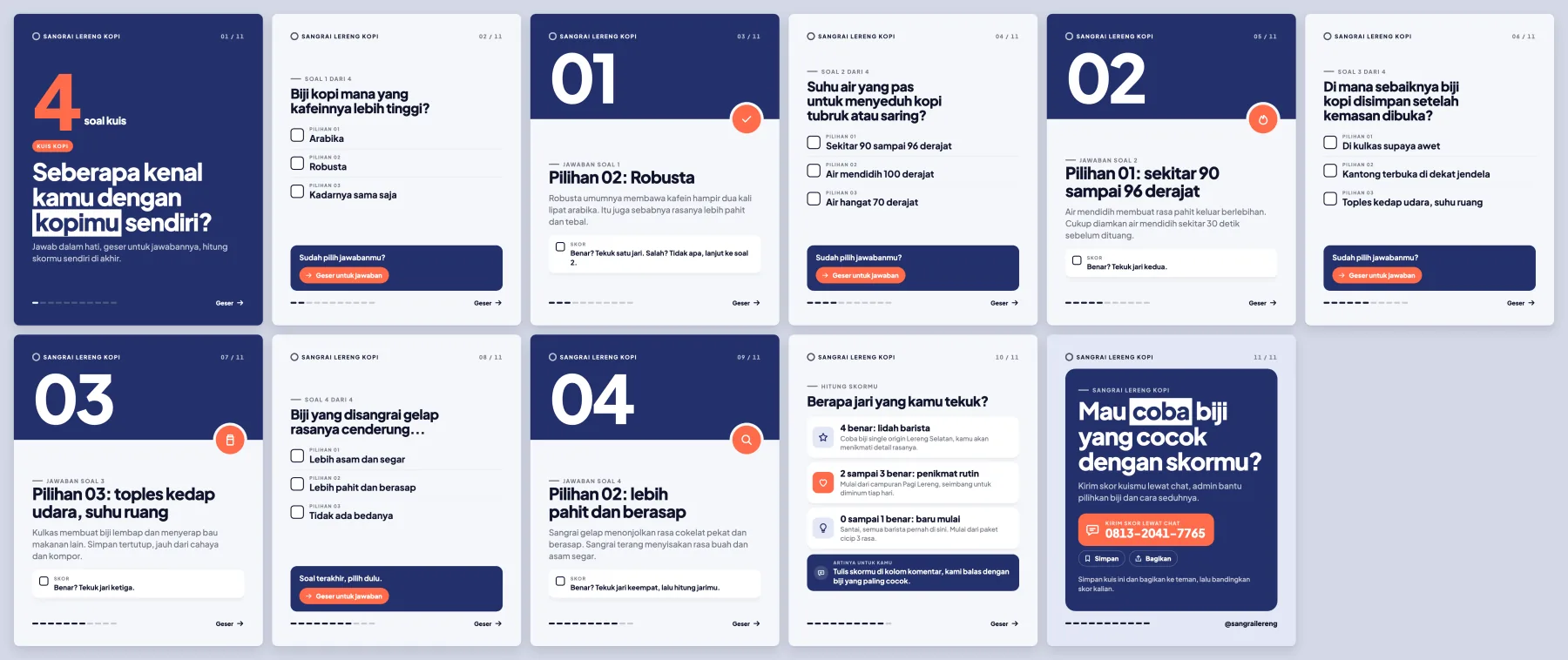
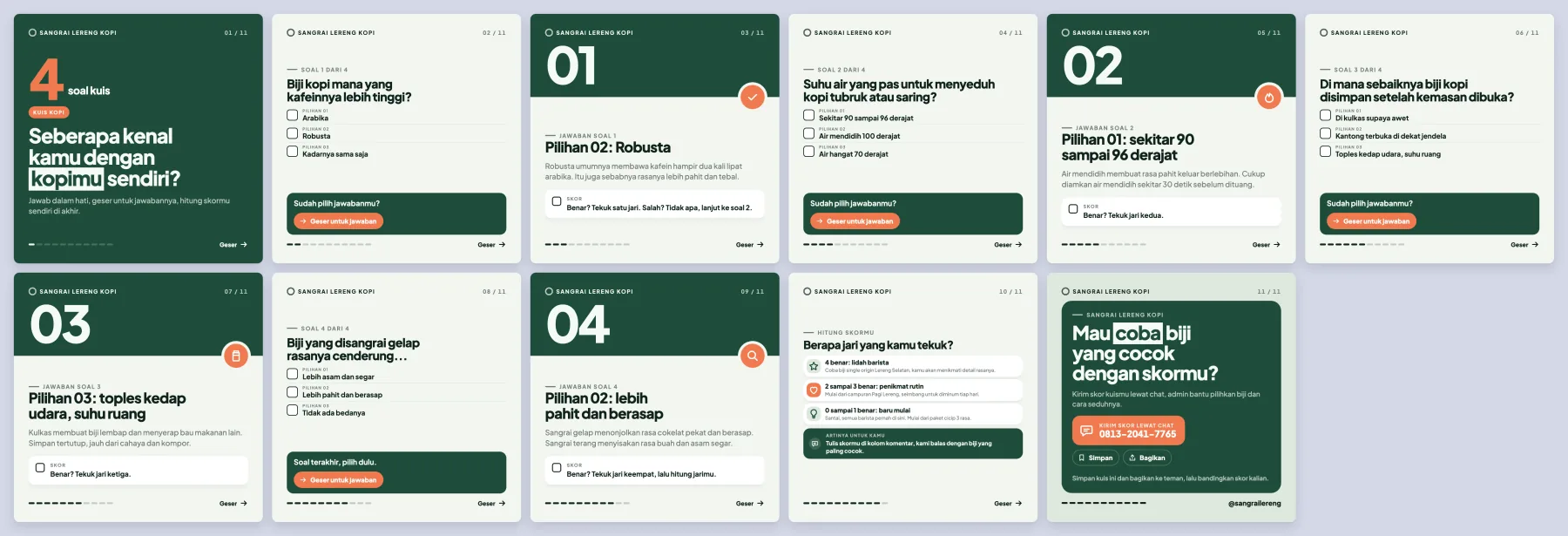
Eleven slides: a cover, four questions each followed by its answer, a score count, and the closing slide
SKILL.md contents
Premium subscribers can read, copy, and install this skill.
Unlock with Premium Sign inSwipe Quiz
Description
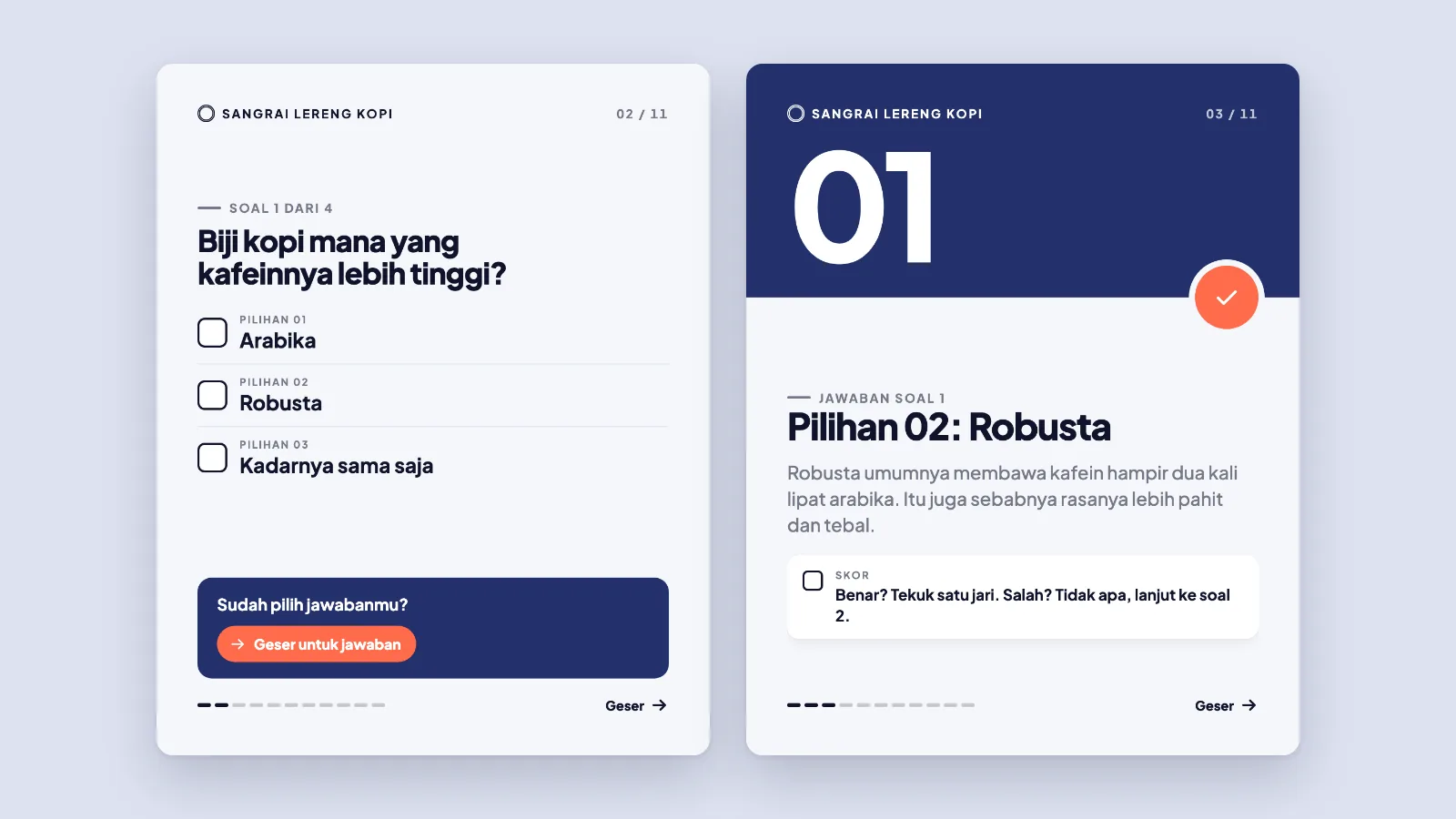
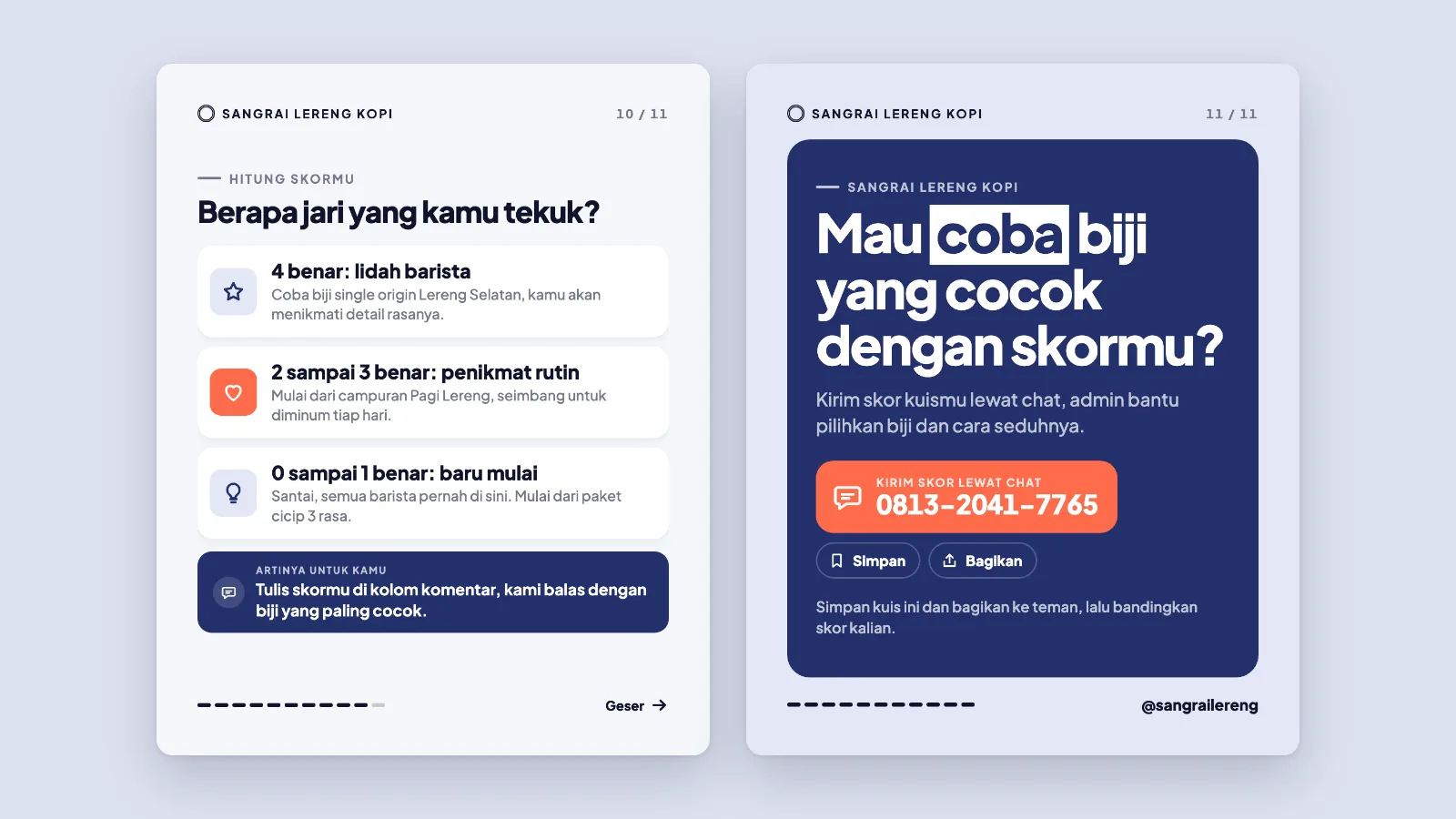
A quiz carousel readers play on their own: each multiple-choice question sits on its own slide with three empty option boxes to tick in their head, the answer only appears on the next slide with a short reason and how to add a point, then a score slide with a category name and suggestion for each score range that links the result to a product or service, and a closing slide inviting people to send their score by chat. 3 to 4 questions, 1080x1350 or 1080x1080, exported as PNG.
Verified by SkillFlow
We checked every file in this skill automatically: no command that downloads and runs a program, no hidden code, no instruction telling your AI to ignore you.
- Loads from outside
- Fonts: Google Fonts
See the 5 files inside
skill.json8 KBSKILL.md7 KBprompt.md3 KBprompt.en.md3 KBfiles/carousel.html384 KB
Checked 14 Nov 2026
Part of SkillFlow Pro
Pro opens every skill in every category: copy, ZIP, Send to AI, install, save, and request new skills.
Get Pro Already subscribed? Sign inWhat you get
- 3-4 multiple-choice questions from easy to hard with the right answer's position shuffled
- Question slides with option boxes and answer slides with a short reason, alternating
- A score slide with a category name and suggestion for each score range
- A one-config HTML template, PNG at 1080x1350 (4:5) or 1080x1080 (1:1), 4 palettes
- A caption that keeps the answers hidden and three comment replies, one per score range
Good fit
- Shops that want followers to learn about the product while playing
- Teachers and online classes that want a light check of what the audience understood
- Social media admins looking for posts that get comments and saves
- Brands that want to turn a quiz result into a product recommendation by chat
Not for
- Scores are not recorded anywhere; readers count them themselves, so it is not a formal test
- Not a personality quiz with branching answers
- It does not fact-check for you; health, legal, or money questions need checking with a source or an expert
- Not giveaway rules or a prize draw
About this skill
/carousel-kuis-geser Make a 4-question quiz carousel about coffee basics for my coffee bean shop's account, with the score linked to a bean recommendation
Show more
A quiz carousel readers play on their own: each multiple-choice question sits on its own slide with three empty option boxes to tick in their head, the answer only appears on the next slide with a short reason and how to add a point, then a score slide with a category name and suggestion for each score range that links the result to a product or service, and a closing slide inviting people to send their score by chat. 3 to 4 questions, 1080x1350 or 1080x1080, exported as PNG.
User reviews
FAQ
Why is the answer on the next slide?
So readers commit to a choice before they see the answer. That curiosity is what keeps people swiping to the last slide, and checking their own guess feels like playing rather than reading.
How do readers keep score?
Every answer slide says how to add a point, such as folding one finger when correct. On the score slide readers find their range and are invited to post the score in the comments or send it by chat.
How many questions work best?
Four questions, which makes 11 slides. More than that feels long and goes past the practical limit of 12 slides. Three questions suit heavier topics.
Which AI can I use it with?
Copy the prompt into a chat AI (ChatGPT, Claude, Gemini, DeepSeek); or download the ZIP and install it in an AI agent (Claude Code, Codex, Antigravity, Hermes Agent, Cursor, GitHub Copilot, Gemini CLI, OpenCode, Kimi Code, Trae), which then builds the files for you.
What is in the ZIP?
One folder named carousel-kuis-geser with SKILL.md (the instructions an AI agent reads) and the prompt, 5 files in all. Extract it into your agent's skills folder, or install it with npx skillflow-ai add carousel-kuis-geser. Pro only.
Is there a per-use fee or credits?
Not from SkillFlow. The skill runs on the AI you already use, so any cost follows that plan.
Which plan includes it?
SkillFlow Pro. It opens every skill in every category.
Can I use my own colours and brand?
Yes. Pick a colour theme on this page, or fill in your brand profile once; both go into the prompt you copy and into the ZIP.
Can I share what I made?
Pro members can upload the result and get a page at share.skillflow.ai.id to send to anyone. The page carries a small "Made with SkillFlow AI" mark.
Is there a download limit?
Yes, per day: 50 skills on Pro, 10 on other plans. Downloading a skill again on the same day does not count.



