

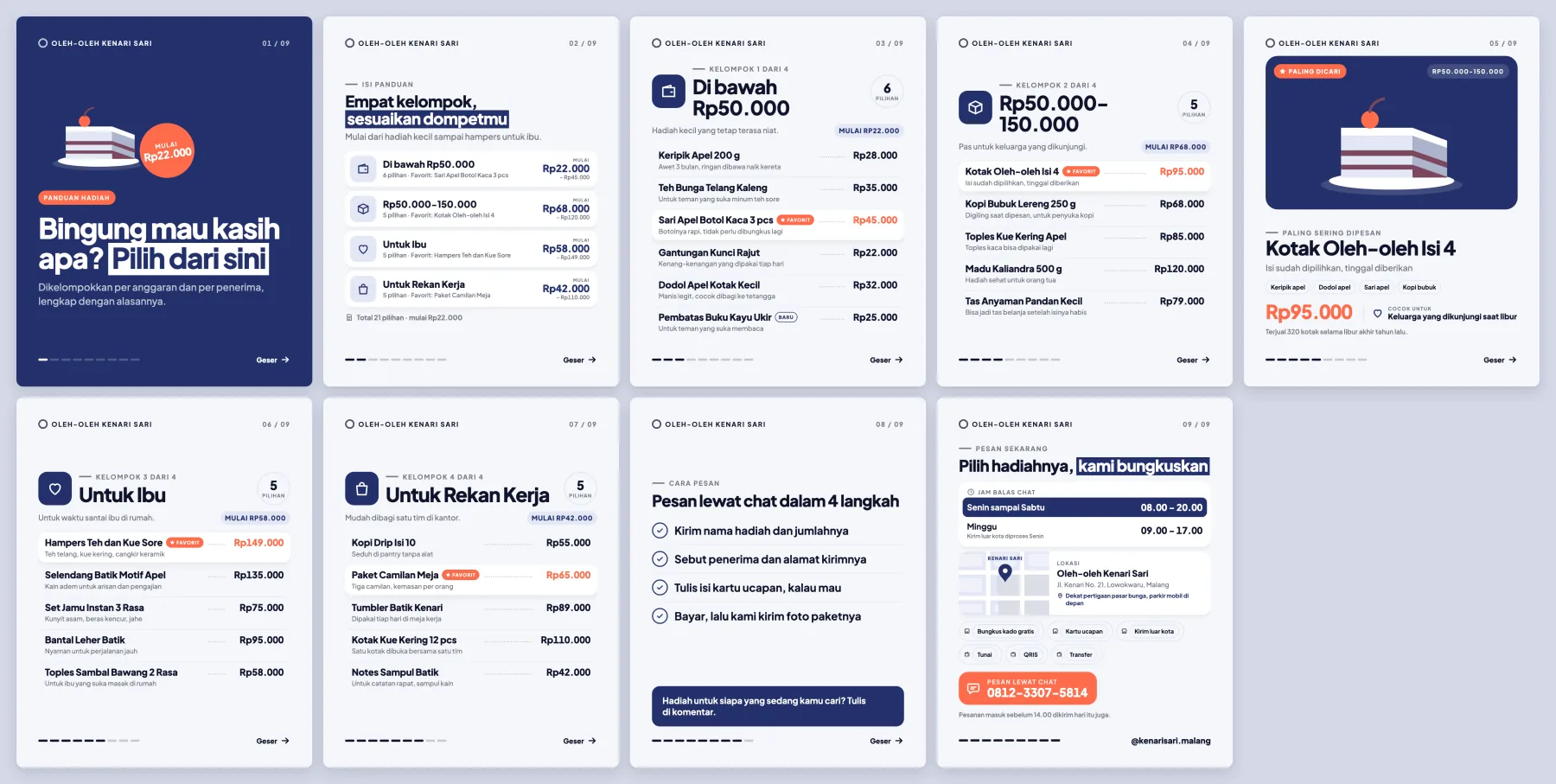
Nine slides: a cover, a group summary, one group per slide, the favourite gift, how to order, and the closing slide
SKILL.md contents
Premium subscribers can read, copy, and install this skill.
Unlock with Premium Sign inGift Guide Carousel
Description
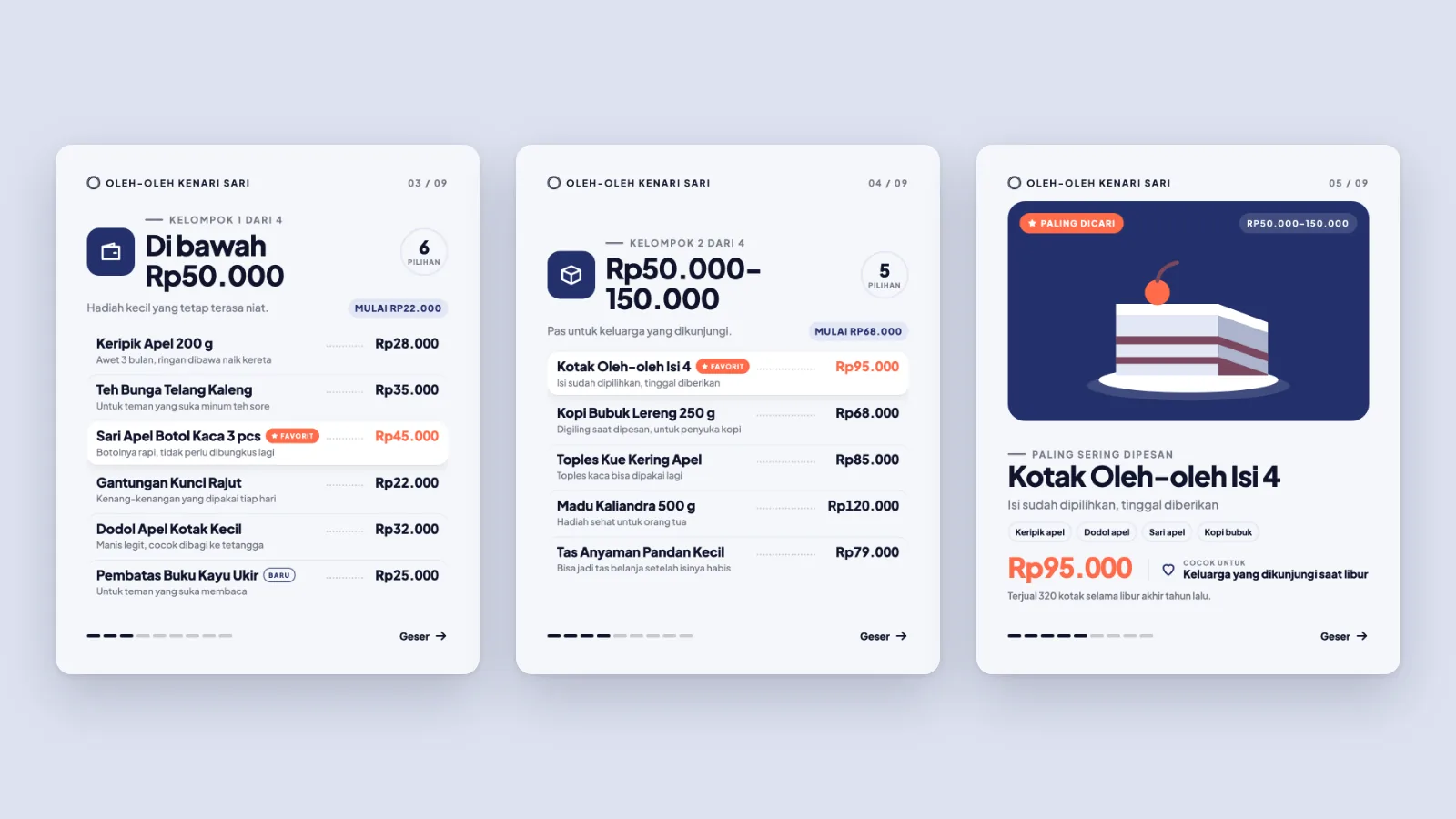
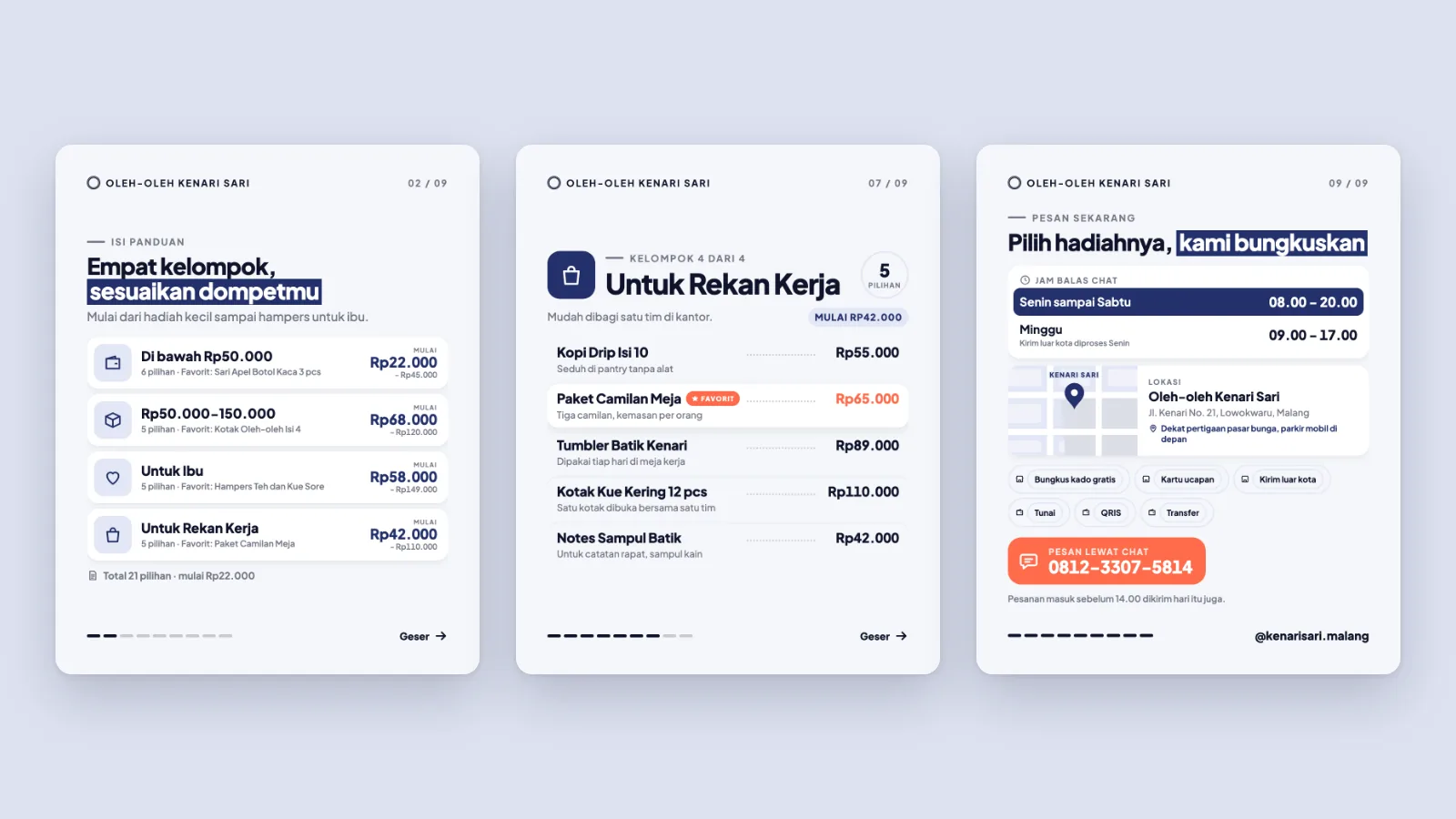
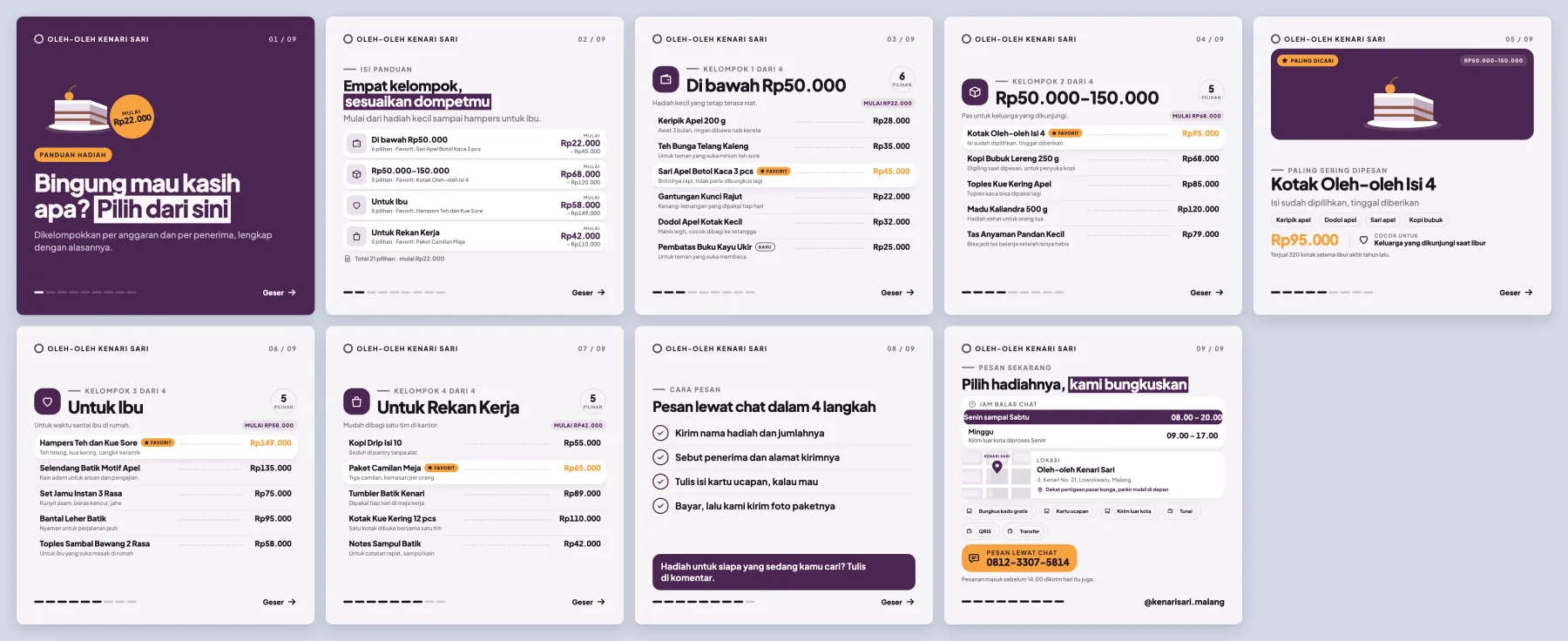
A gift guide carousel for souvenir shops, gift shops, and hamper sellers: gifts grouped by budget or by recipient (for mum, for coworkers), one group per slide with the name, price, and a short reason it fits. An illustrated cover with a lowest-price sticker, a group summary with automatic price ranges, the favourite gift shown large, steps to order in chat, and a closing slide with chat hours, location, gift-wrap services, and a chat button. 1080x1350 or 1080x1080.
Verified by SkillFlow
We checked every file in this skill automatically: no command that downloads and runs a program, no hidden code, no instruction telling your AI to ignore you.
- Loads from outside
- Fonts: Google Fonts
See the 5 files inside
skill.json10 KBSKILL.md7 KBprompt.md5 KBprompt.en.md5 KBfiles/carousel.html385 KB
Checked 14 Nov 2026
Part of SkillFlow Pro
Pro opens every skill in every category: copy, ZIP, Send to AI, install, save, and request new skills.
Get Pro Already subscribed? Sign inWhat you get
- A script: cover, summary, 3-5 gift groups, the favourite gift, how to order, closing
- Groups by budget or by recipient, each gift with its price and why it fits
- A one-data-object HTML template: lowest price, number of options, and price ranges calculated automatically
- A closing slide with chat hours, a location map, gift-wrap services, and a chat button
- One PNG per slide at 1080x1350 (4:5) or 1080x1080 (1:1), plus a combined sheet and 4 palettes
- A caption with the order cut-off and a call to chat
Good fit
- Souvenir shops, gift shops, and hamper sellers ahead of gifting season
- Sellers who often get asked what a certain budget can buy
- Shops that want buyers to choose before messaging the admin
Not for
- Not a discount promo; for bundle savings use the bundling promo carousel
- Not a full shop catalog with one large photo per product
- Prices and sales numbers must come from you; this skill does not invent them
- Up to 5 groups and 6 gifts per group
About this skill
/carousel-panduan-hadiah Make a Mother's Day gift guide carousel for Blue Ribbon Gift Shop, grouped by budget and for mum, with how to order on WhatsApp
Show more
A gift guide carousel for souvenir shops, gift shops, and hamper sellers: gifts grouped by budget or by recipient (for mum, for coworkers), one group per slide with the name, price, and a short reason it fits. An illustrated cover with a lowest-price sticker, a group summary with automatic price ranges, the favourite gift shown large, steps to order in chat, and a closing slide with chat hours, location, gift-wrap services, and a chat button. 1080x1350 or 1080x1080.
User reviews
FAQ
Should I group by budget or by recipient?
A mix usually works best: two budget groups for buyers who know their budget, two recipient groups for those who know the person. The summary on slide two helps them jump to their group.
If prices change, do I need to redesign?
No. Prices are written once in the gift data, and the lowest price on the cover and the ranges in the summary update when you export again.
Which AI can I use it with?
Copy the prompt into a chat AI (ChatGPT, Claude, Gemini, DeepSeek); or download the ZIP and install it in an AI agent (Claude Code, Codex, Antigravity, Hermes Agent, Cursor, GitHub Copilot, Gemini CLI, OpenCode, Kimi Code, Trae), which then builds the files for you.
What is in the ZIP?
One folder named carousel-panduan-hadiah with SKILL.md (the instructions an AI agent reads) and the prompt, 5 files in all. Extract it into your agent's skills folder, or install it with npx skillflow-ai add carousel-panduan-hadiah. Pro only.
Is there a per-use fee or credits?
Not from SkillFlow. The skill runs on the AI you already use, so any cost follows that plan.
Which plan includes it?
SkillFlow Pro. It opens every skill in every category.
Can I use my own colours and brand?
Yes. Pick a colour theme on this page, or fill in your brand profile once; both go into the prompt you copy and into the ZIP.
Can I share what I made?
Pro members can upload the result and get a page at share.skillflow.ai.id to send to anyone. The page carries a small "Made with SkillFlow AI" mark.
Is there a download limit?
Yes, per day: 50 skills on Pro, 10 on other plans. Downloading a skill again on the same day does not count.



