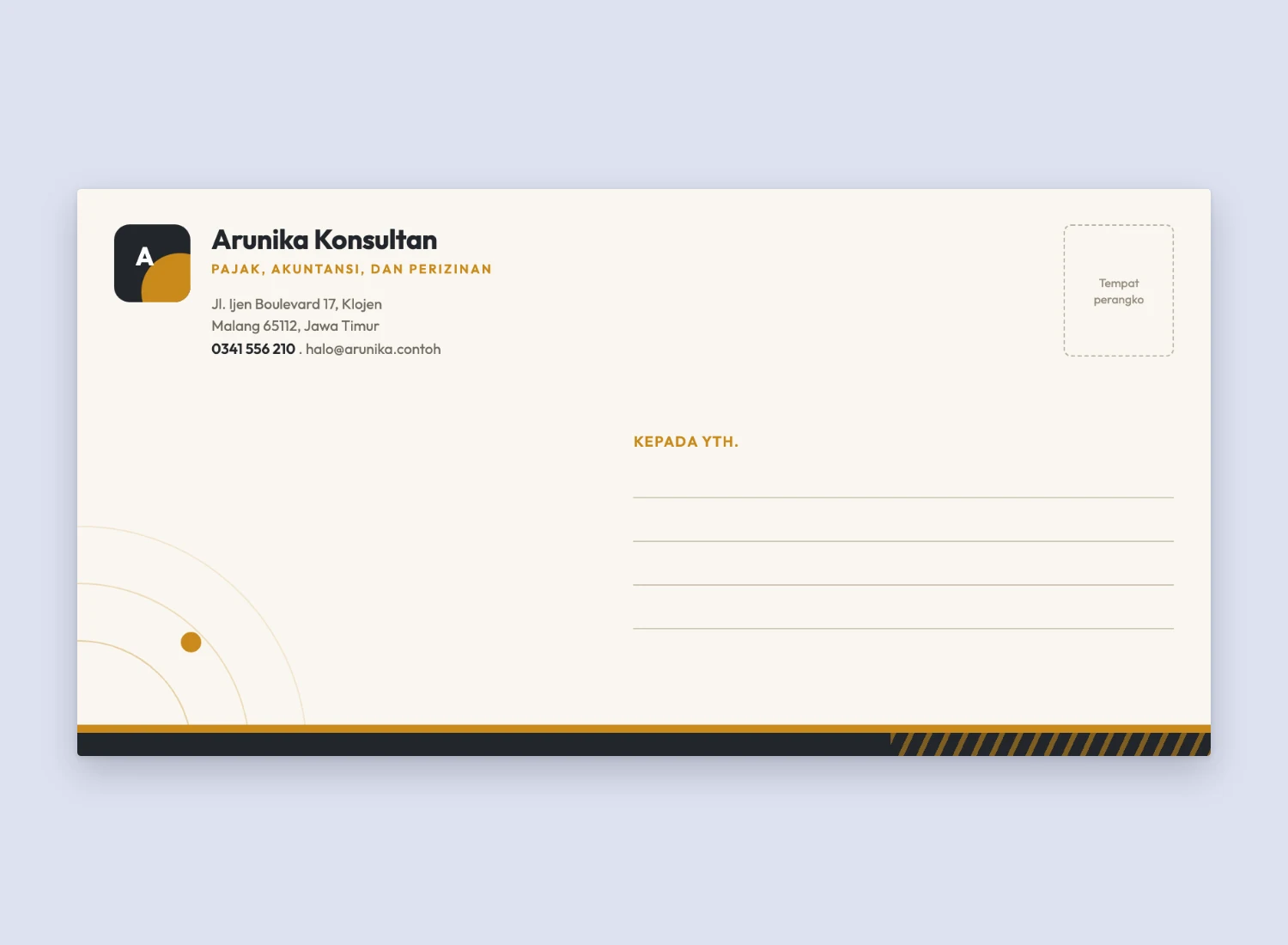
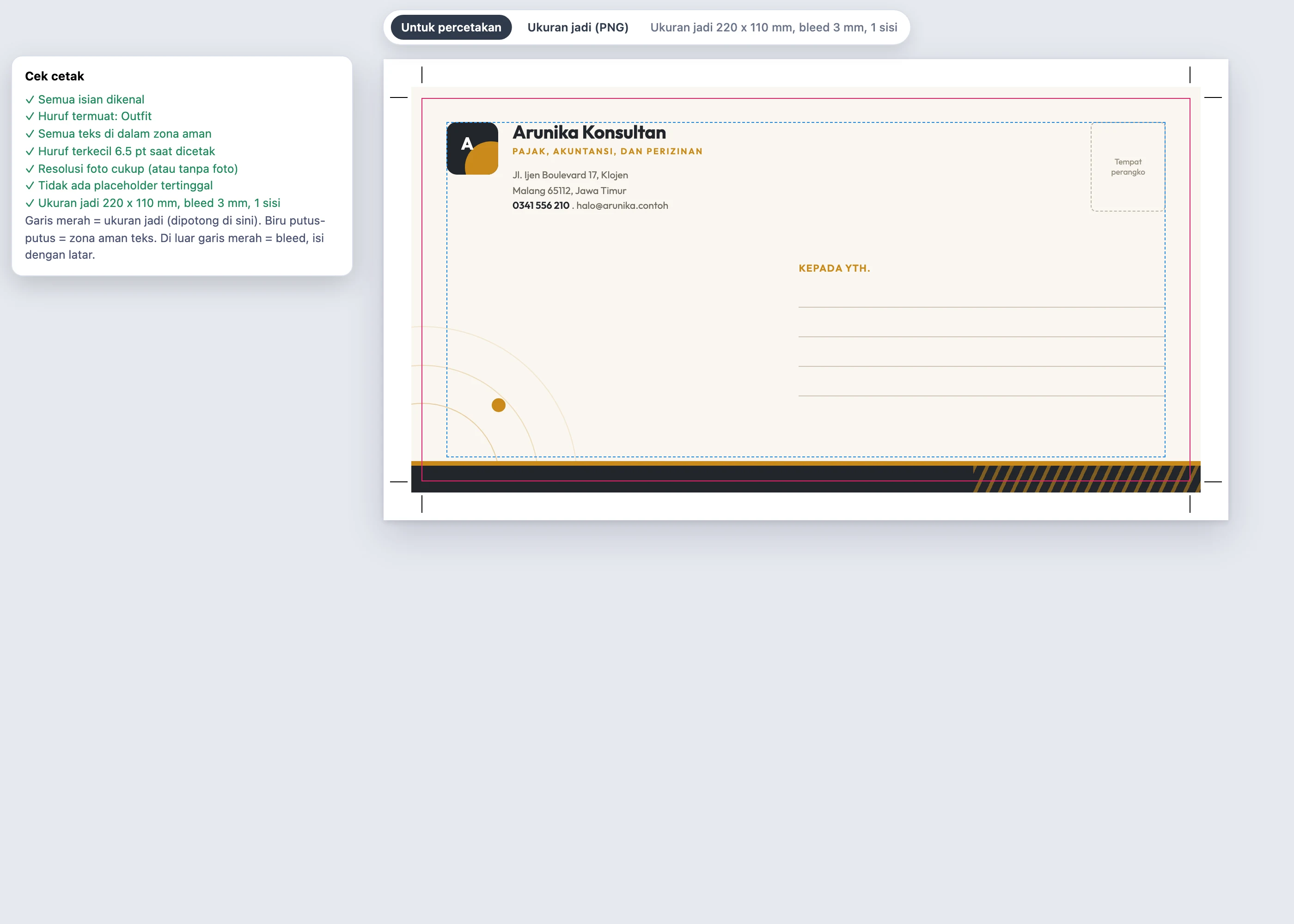
A 220 x 110 mm DL envelope: logo, name and address top left, a stamp spot and lines for the recipient
SKILL.md contents
Premium subscribers can read, copy, and install this skill.
Unlock with Premium Sign inBusiness Envelope
Description
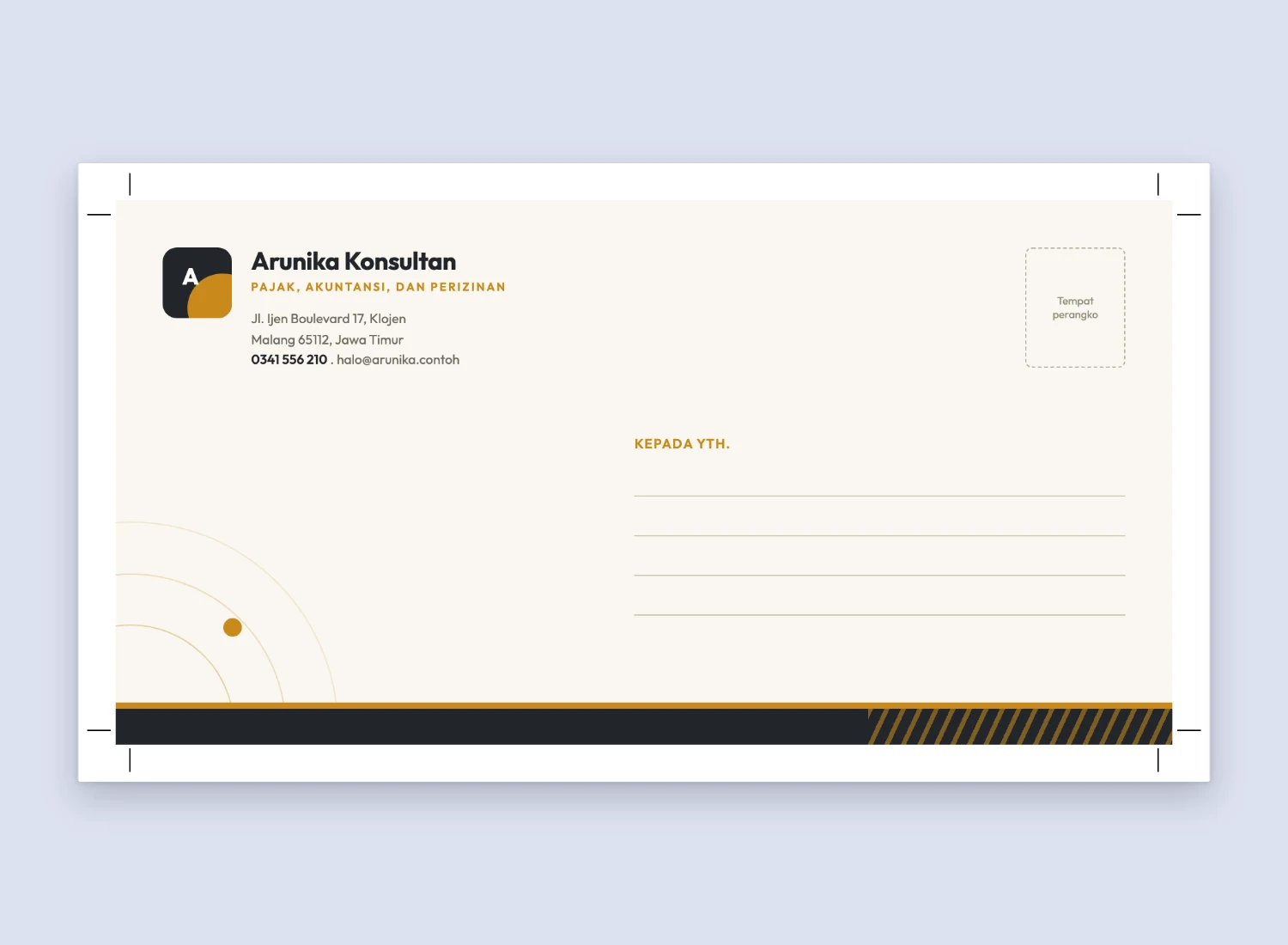
A print-ready 220 x 110 mm DL business envelope: logo or initials, business name and field, sender address and contacts top left, a stamp spot, recipient lines and a brand colour strip on the edge, with a 3 mm bleed and crop marks for the print shop.
Verified by SkillFlow
We checked every file in this skill automatically: no command that downloads and runs a program, no hidden code, no instruction telling your AI to ignore you.
- Loads from outside
- Fonts: Google Fonts SkillFlow: directory.skillflow.ai.id
See the 5 files inside
skill.json4 KBSKILL.md4 KBprompt.md5 KBprompt.en.md5 KBfiles/cetak.html27 KB
Checked 17 Nov 2026
Part of SkillFlow Pro
Pro opens every skill in every category: copy, ZIP, Send to AI, install, save, and request new skills.
Get Pro Already subscribed? Sign inWhat you get
- A branded 220 x 110 mm DL envelope
- Sender logo, name and address
- A stamp spot and recipient lines
- A print shop PDF with bleed and crop marks
- A layout for ready-made envelopes
Good fit
- Service offices sending letters and invoices
- New businesses completing their stationery
- Schools and foundations for formal invitations
Not for
- It does not design a new logo; it uses your logo file or initials
- It does not print each recipient address automatically
About this skill
/cetak-amplop Make a branded DL envelope for a tax consulting office: initials in a box, office name, what it does, an address in Malang, phone and email, charcoal and ochre
Show more
A print-ready 220 x 110 mm DL business envelope: logo or initials, business name and field, sender address and contacts top left, a stamp spot, recipient lines and a brand colour strip on the edge, with a 3 mm bleed and crop marks for the print shop.
User reviews
FAQ
Can I send this file straight to a print shop?
Yes. Choose For the print shop, then Print / Save as PDF: you get a vector PDF at the finished size plus a 3 mm bleed and crop marks. Tell the print shop the finished size and paper. For scaled banners, ask them to enlarge by the scale shown.
Which AI can I use it with?
Copy the prompt into a chat AI (ChatGPT, Claude, Gemini, DeepSeek); or download the ZIP and install it in an AI agent (Claude Code, Codex, Antigravity, Hermes Agent, Cursor, GitHub Copilot, Gemini CLI, OpenCode, Kimi Code, Trae), which then builds the files for you.
What is in the ZIP?
One folder named cetak-amplop with SKILL.md (the instructions an AI agent reads) and the prompt, 5 files in all. Extract it into your agent's skills folder, or install it with npx skillflow-ai add cetak-amplop. Pro only.
Is there a per-use fee or credits?
Not from SkillFlow. The skill runs on the AI you already use, so any cost follows that plan.
Which plan includes it?
SkillFlow Pro. It opens every skill in every category.
Can I use my own colours and brand?
Yes. Pick a colour theme on this page, or fill in your brand profile once; both go into the prompt you copy and into the ZIP.
Can I share what I made?
Pro members can upload the result and get a page at share.skillflow.ai.id to send to anyone. The page carries a small "Made with SkillFlow AI" mark.
Is there a download limit?
Yes, per day: 50 skills on Pro, 10 on other plans. Downloading a skill again on the same day does not count.