

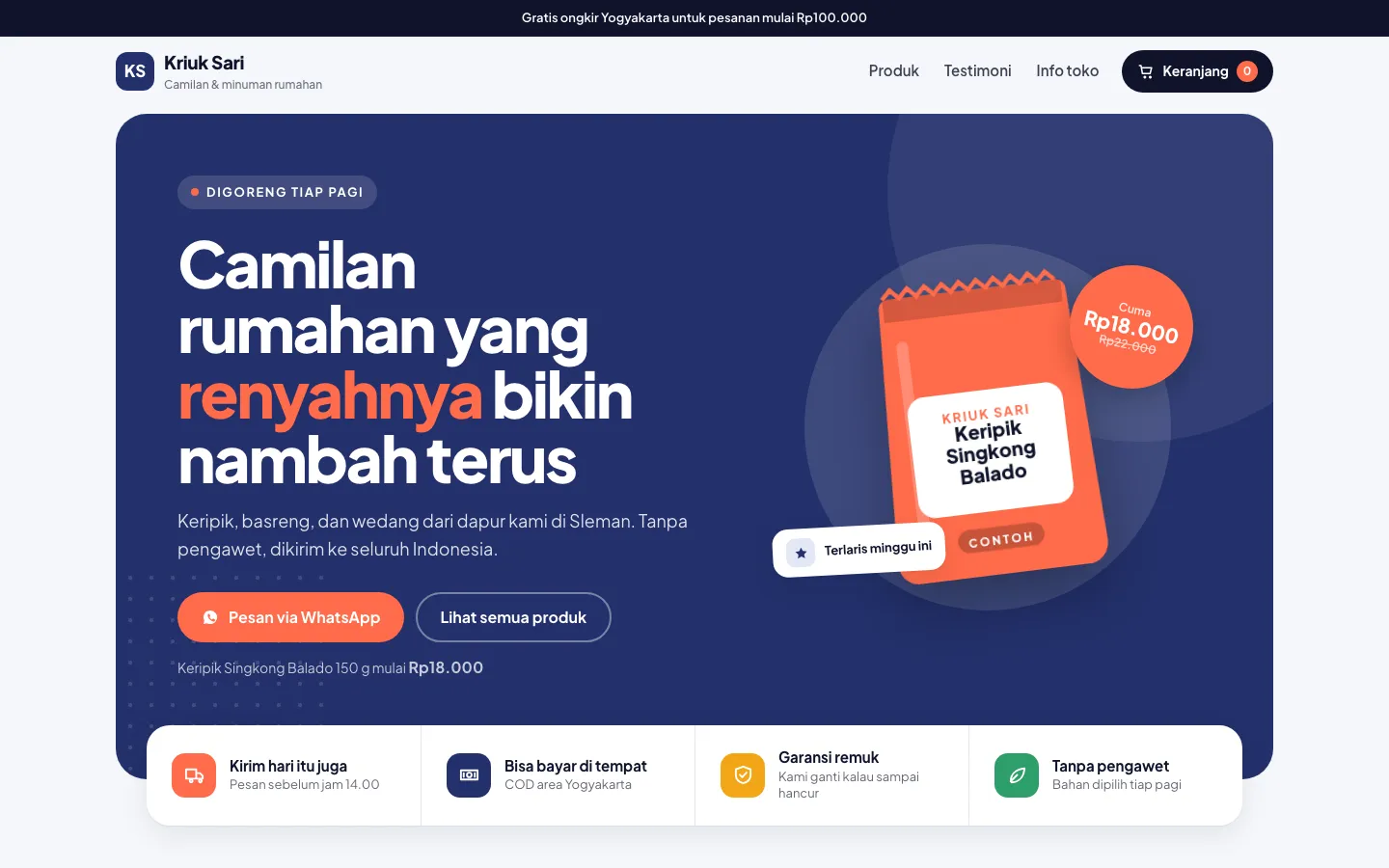
Desktop 1440: featured product hero, benefit bar, category chips
SKILL.md contents
Premium subscribers can read, copy, and install this skill.
Unlock with Premium Sign inColorful Small Shop Page
Description
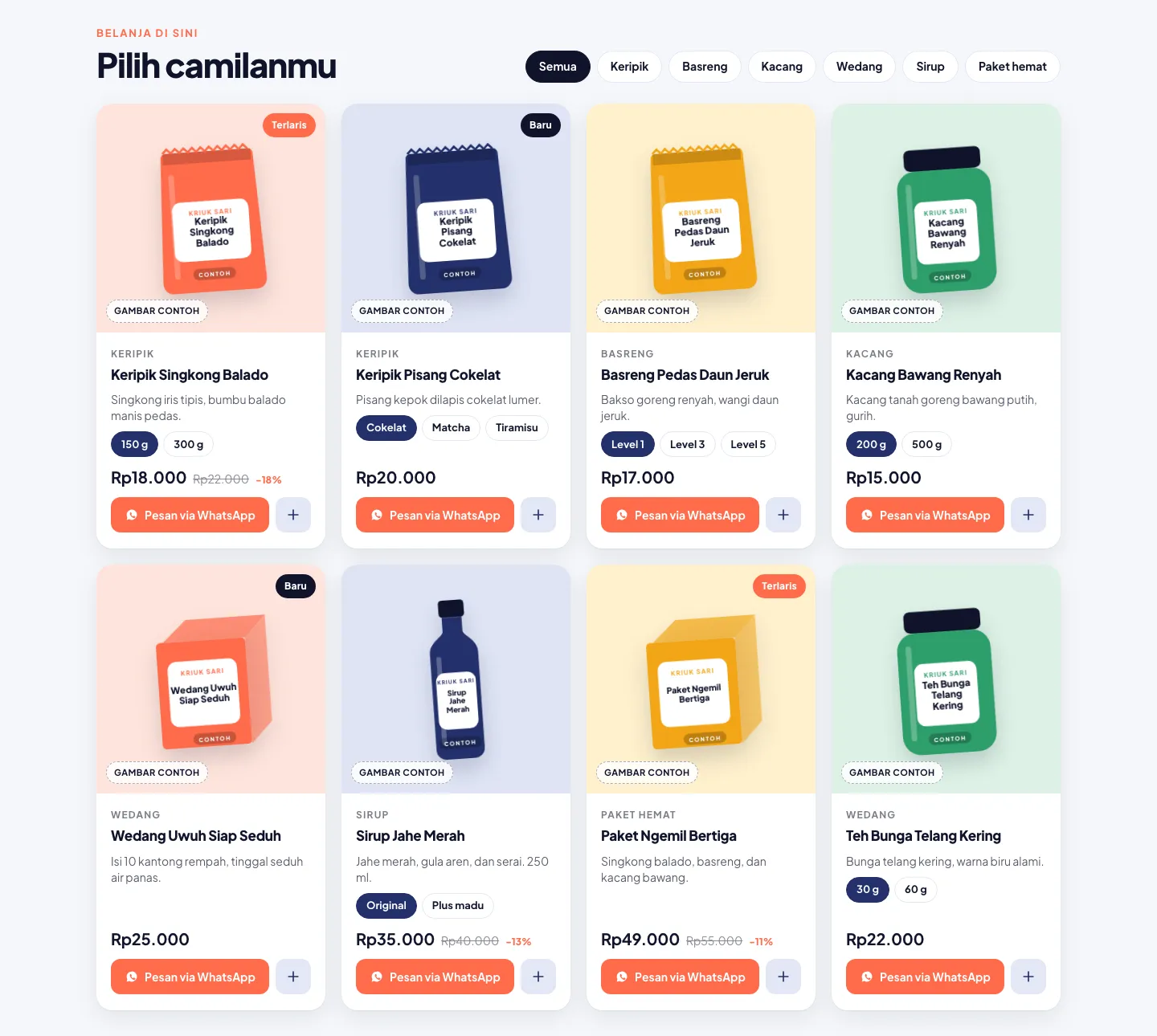
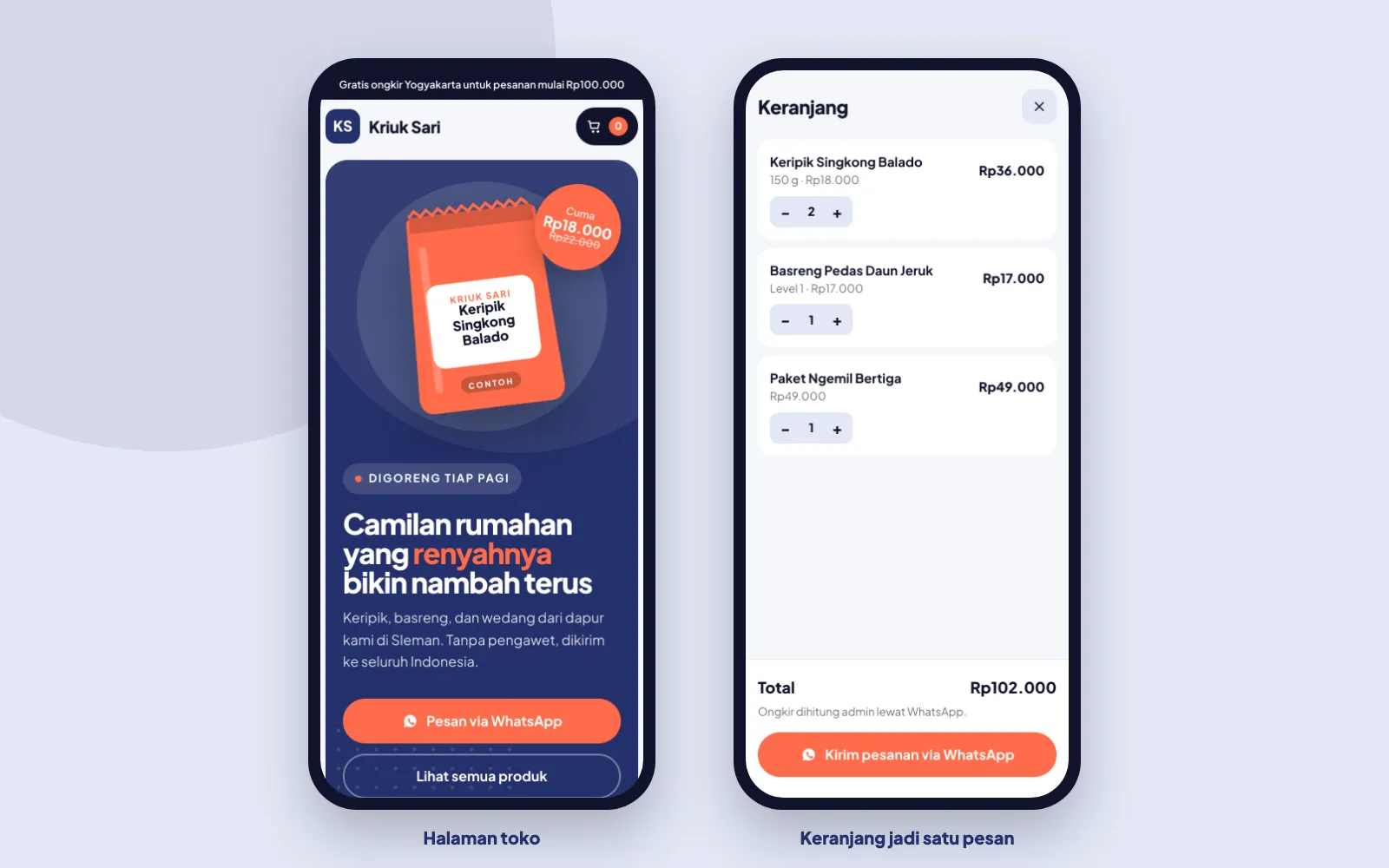
A one-file online shop page for small businesses: a saturated colour hero with a featured product, a moving row of category chips, a product grid with variants and strike-through prices, an Order via WhatsApp button that pre-fills the message, and a cart that sums several products into one chat. No marketplace and no complicated hosting: fill in one config object and upload.
Verified by SkillFlow
We checked every file in this skill automatically: no command that downloads and runs a program, no hidden code, no instruction telling your AI to ignore you.
- Loads from outside
- Fonts: Google Fonts
See the 5 files inside
skill.json10 KBSKILL.md7 KBprompt.md5 KBprompt.en.md5 KBfiles/toko.html50 KB
Checked 14 Nov 2026
Part of SkillFlow Pro
Pro opens every skill in every category: copy, ZIP, Send to AI, install, save, and request new skills.
Get Pro Already subscribed? Sign inWhat you get
- A responsive one-file HTML shop page (desktop and phone)
- An Order via WhatsApp button per product with a prefilled message (name, variant, price)
- An optional cart that turns several products into one WhatsApp message
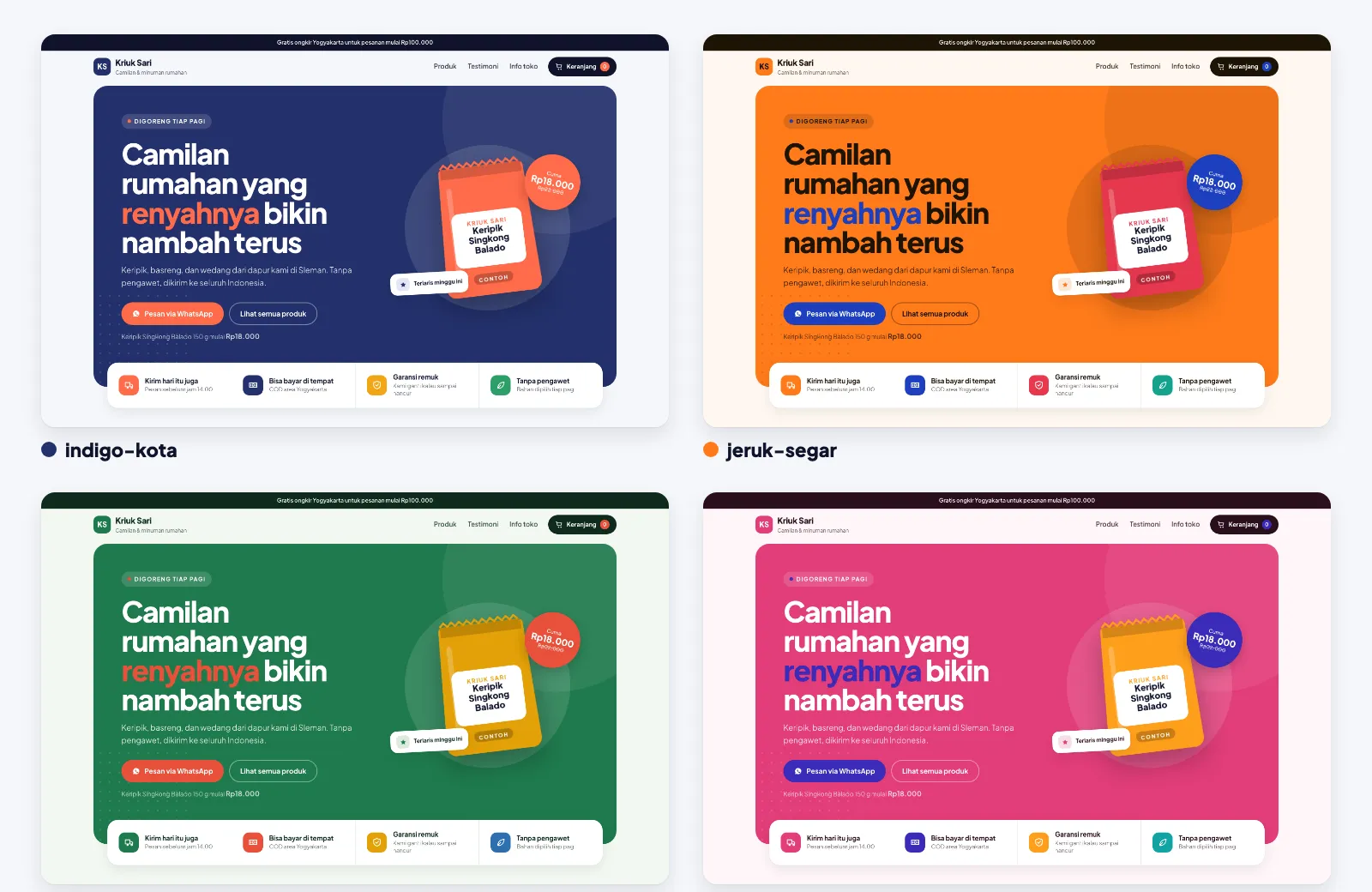
- 4 ready-made palettes, one of them Indigo Kota
- Automatic sample packaging art for products without a photo yet
- Benefit bar, testimonials, shop info + opening hours, and a payment footer
Good fit
- Snack, drink, cake, sauce, fashion, craft, or home skincare shops with a handful to a dozen plus products
- Sellers needing a shop link for an Instagram, TikTok, or WhatsApp Status bio
- Shops closing orders over chat, including cash on delivery
- Small businesses wanting a bright, lively look
Not for
- There is no checkout or online payment; every order goes through WhatsApp
- Not for real time stock or a long single product sales page
- Sample packaging marked SAMPLE must be replaced with real product photos before promoting
- It does not invent testimonials; without real ones that part is hidden
About this skill
/toko-umkm-warna-warni Build a shop page for our snack business, 10 products with flavour variants, cart on, WhatsApp ordering, same day shipping and cash on delivery benefits, fresh orange palette
Show more
A one-file online shop page for small businesses: a saturated colour hero with a featured product, a moving row of category chips, a product grid with variants and strike-through prices, an Order via WhatsApp button that pre-fills the message, and a cart that sums several products into one chat. No marketplace and no complicated hosting: fill in one config object and upload.
User reviews
FAQ
What is the difference with and without a cart?
With the cart, each card has an add button and a cart panel combines all items into one WhatsApp message. Without it, each product is ordered separately, which suits shops with only 2 or 3 products.
Can variants have different prices?
Yes. Write variants as a plain list when the price is the same, or as objects with a name, price, and crossed out price when each differs. The name, variant, and price go into the message.
What product photos should I use?
Square, clean background, at least 800 px, saved in an image folder next to the page. Without photos, sample pouch, bottle, jar, or box packaging is drawn automatically with a SAMPLE label.
Which AI can I use it with?
Copy the prompt into a chat AI (ChatGPT, Claude, Gemini, DeepSeek); or download the ZIP and install it in an AI agent (Claude Code, Codex, Antigravity, Hermes Agent, Cursor, GitHub Copilot, Gemini CLI, OpenCode, Kimi Code, Trae), which then builds the files for you.
What is in the ZIP?
One folder named toko-umkm-warna-warni with SKILL.md (the instructions an AI agent reads) and the prompt, 5 files in all. Extract it into your agent's skills folder, or install it with npx skillflow-ai add toko-umkm-warna-warni. Pro only.
Is there a per-use fee or credits?
Not from SkillFlow. The skill runs on the AI you already use, so any cost follows that plan.
Which plan includes it?
SkillFlow Pro. It opens every skill in every category.
Can I use my own colours and brand?
Yes. Pick a colour theme on this page, or fill in your brand profile once; both go into the prompt you copy and into the ZIP.
Can I share what I made?
Pro members can upload the result and get a page at share.skillflow.ai.id to send to anyone. The page carries a small "Made with SkillFlow AI" mark.
Is there a download limit?
Yes, per day: 50 skills on Pro, 10 on other plans. Downloading a skill again on the same day does not count.



