

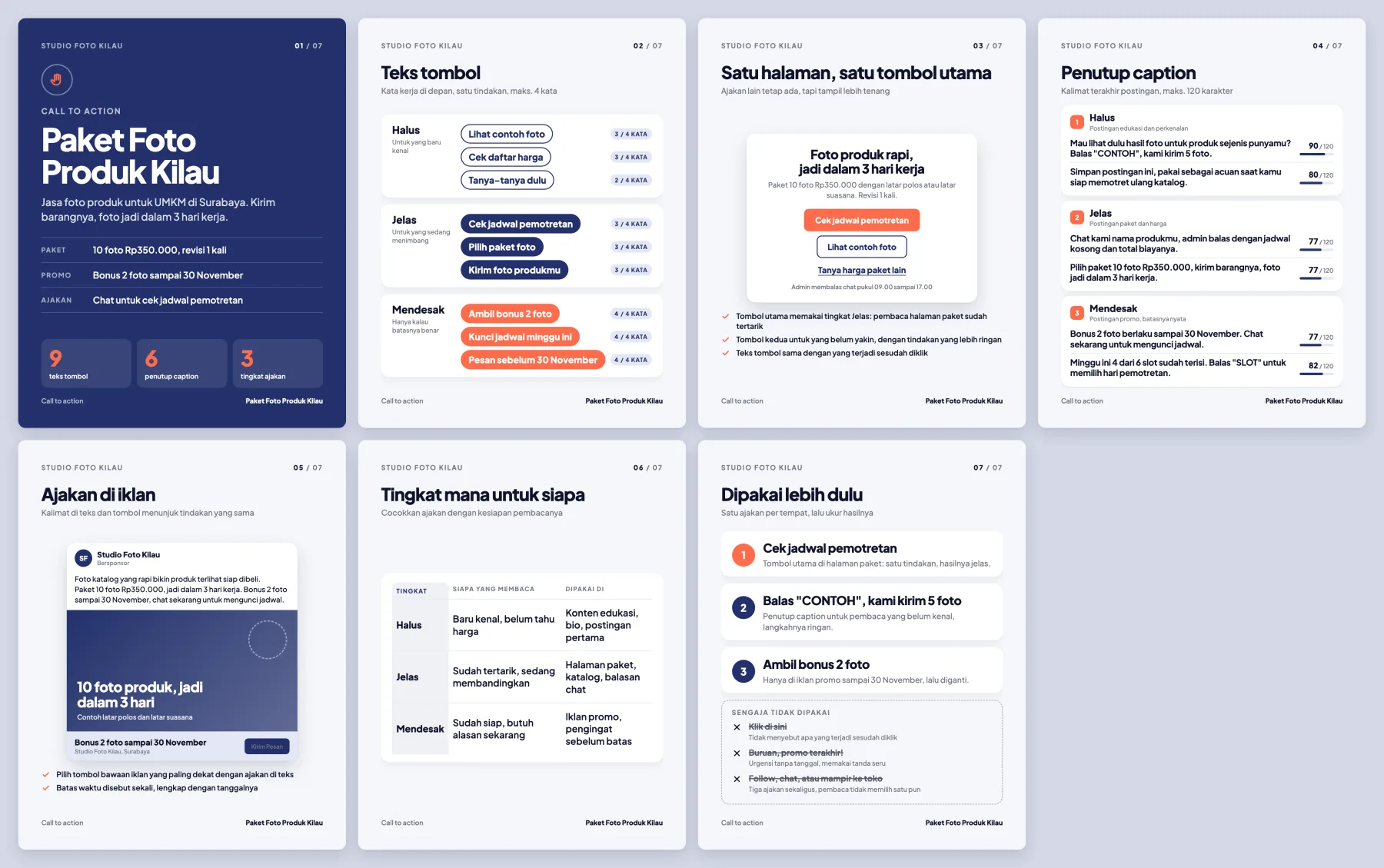
Seven result cards: brief cover, button text, buttons on a page, caption closers, ad, level table, and picks
SKILL.md contents
Premium subscribers can read, copy, and install this skill.
Unlock with Premium Sign inCall to Action
Description
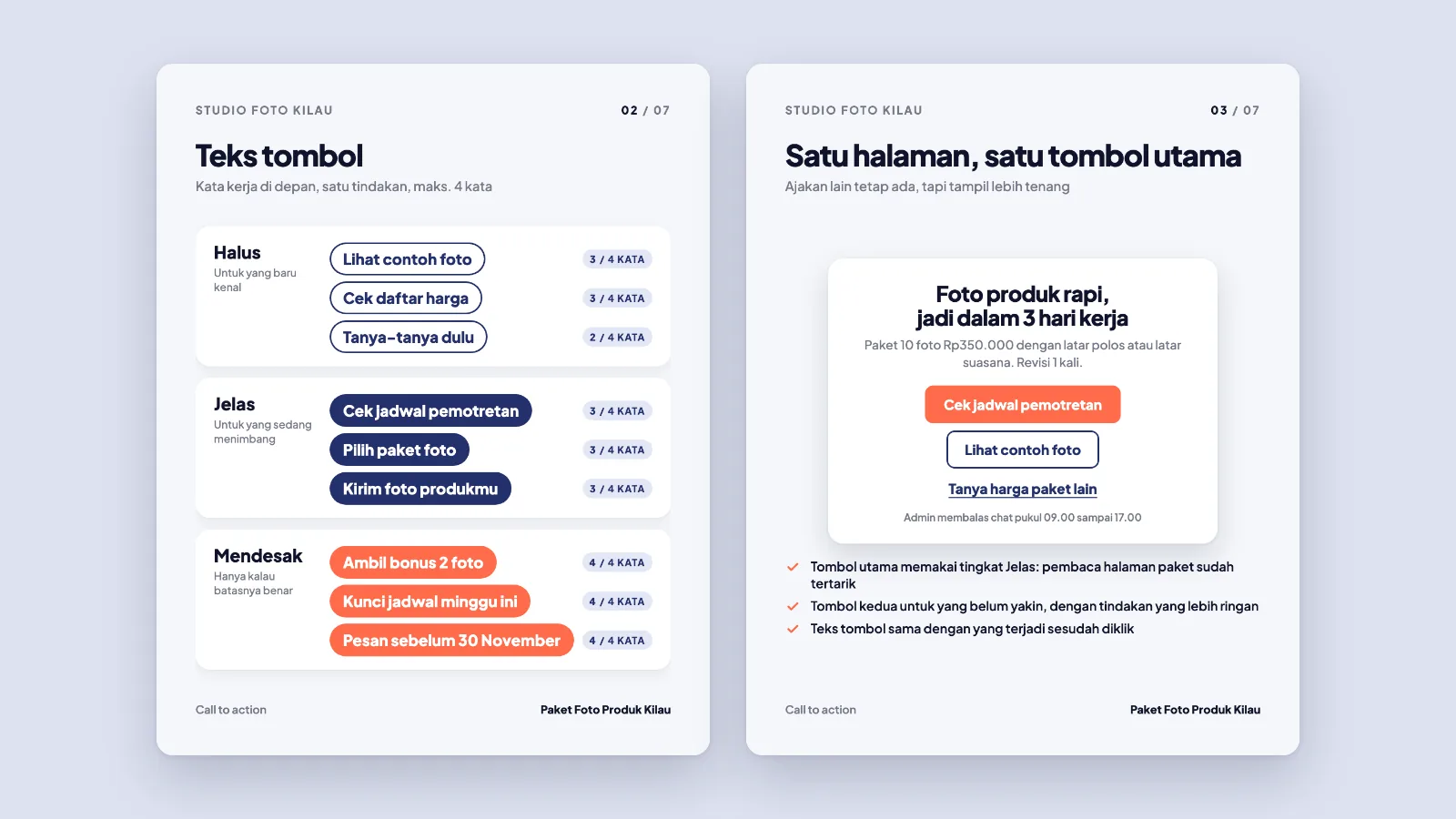
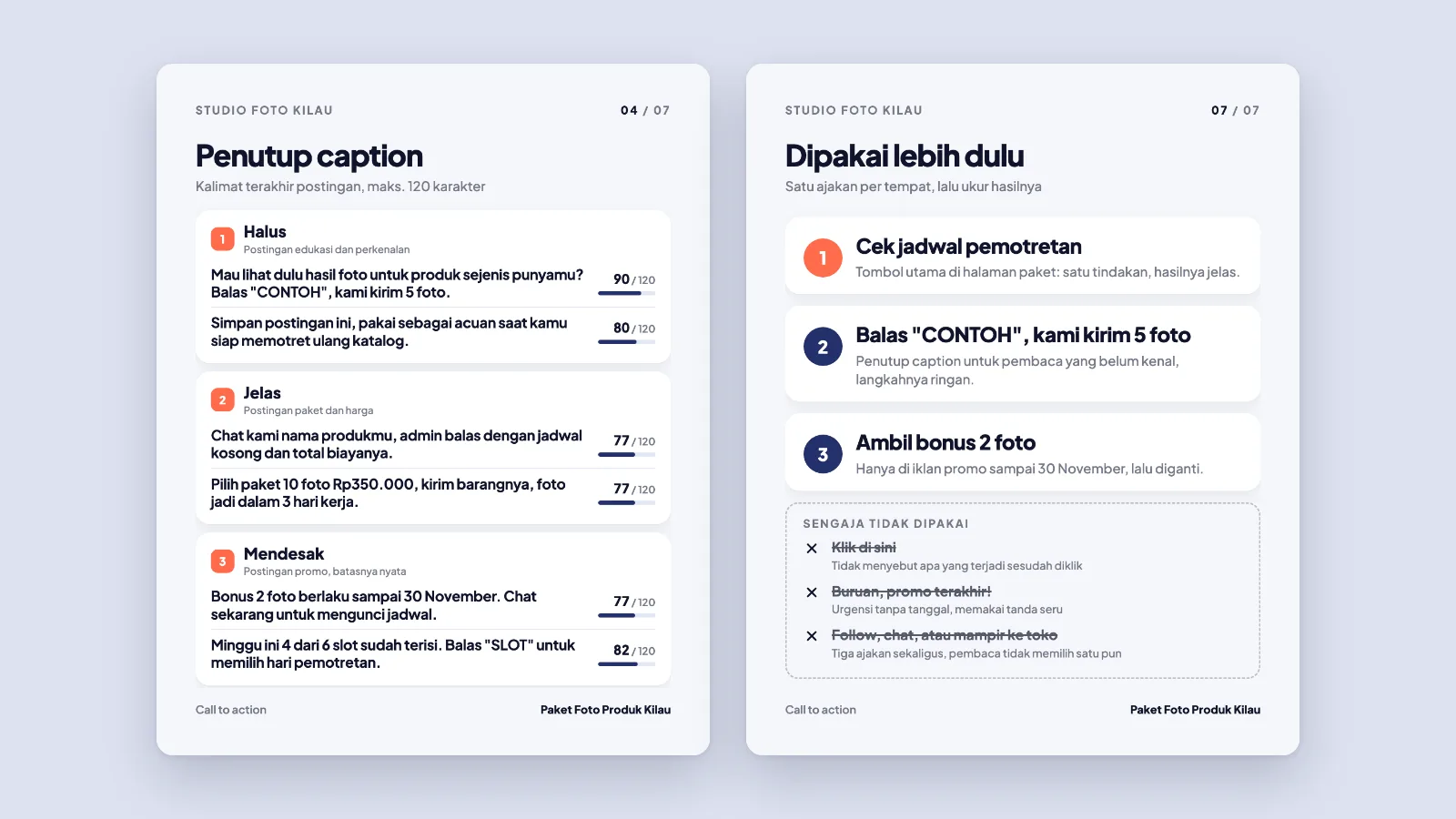
Calls to action for buttons, caption endings, and ads, arranged in three levels from gentle to urgent to match how ready the reader is. You get 9 short button texts with word counts, 6 caption closers with character counts, ad CTAs where the text and the button match, the primary and secondary button order on one page, a table of which level suits whom, and examples deliberately left out. The result can be rendered as visual cards to send to a client.
Verified by SkillFlow
We checked every file in this skill automatically: no command that downloads and runs a program, no hidden code, no instruction telling your AI to ignore you.
- Loads from outside
- Fonts: Google Fonts
See the 7 files inside
skill.json8 KBSKILL.md7 KBprompt.md3 KBprompt.en.md3 KBfiles/brief.md1 KBfiles/contoh-hasil.md3 KBfiles/kartu.html64 KB
Checked 14 Nov 2026
Part of SkillFlow Pro
Pro opens every skill in every category: copy, ZIP, Send to AI, install, save, and request new skills.
Get Pro Already subscribed? Sign inWhat you get
- 9 button texts (2-4 words) in three levels: gentle, clear, urgent
- 6 caption closers up to 120 characters, two per level
- Ad calls to action where the line in the text and the button match
- The order of the primary button, secondary button, and text link on one page
- A fill-in brief, a full worked example, a level table, and examples deliberately left out
- An HTML card template that counts words and characters by itself and exports to PNG
Good fit
- Owners whose buttons and captions only say "learn more"
- Advertisers who want the ad copy and button to match
- Sales page builders unsure which button is primary and which is secondary
Not for
- It does not add buttons to your site or ads; you get text
- Urgent CTAs are only used when there is a real reason such as a genuine deadline
- Not full sales copy; it focuses on the closing call to action
About this skill
/copy-call-to-action Write calls to action for Wening Bread Kitchen's online baking class: button text, caption closers, and ad CTAs from soft to urgent
Show more
Calls to action for buttons, caption endings, and ads, arranged in three levels from gentle to urgent to match how ready the reader is. You get 9 short button texts with word counts, 6 caption closers with character counts, ad CTAs where the text and the button match, the primary and secondary button order on one page, a table of which level suits whom, and examples deliberately left out. The result can be rendered as visual cards to send to a client.
User reviews
FAQ
What are the three CTA levels?
Soft for people who just met you, clear for those weighing it up, and urgent for those ready to buy. Asking a newcomer to pay straight away usually drives them off.
How long should button text be?
Two to four words starting with a verb, such as "Join the class now". Caption closers stay under 120 characters.
Which AI can I use it with?
Copy the prompt into a chat AI (ChatGPT, Claude, Gemini, DeepSeek); or download the ZIP and install it in an AI agent (Claude Code, Codex, Antigravity, Hermes Agent, Cursor, GitHub Copilot, Gemini CLI, OpenCode, Kimi Code, Trae), which then builds the files for you.
What is in the ZIP?
One folder named copy-call-to-action with SKILL.md (the instructions an AI agent reads) and the prompt, 7 files in all. Extract it into your agent's skills folder, or install it with npx skillflow-ai add copy-call-to-action. Pro only.
Is there a per-use fee or credits?
Not from SkillFlow. The skill runs on the AI you already use, so any cost follows that plan.
Which plan includes it?
SkillFlow Pro. It opens every skill in every category.
Can it use my brand details?
Yes. Fill in your brand profile once (name, product, price, contact) and it goes into every prompt you copy.
Can I share what I made?
Pro members can upload the result and get a page at share.skillflow.ai.id to send to anyone. The page carries a small "Made with SkillFlow AI" mark.
Is there a download limit?
Yes, per day: 50 skills on Pro, 10 on other plans. Downloading a skill again on the same day does not count.



