

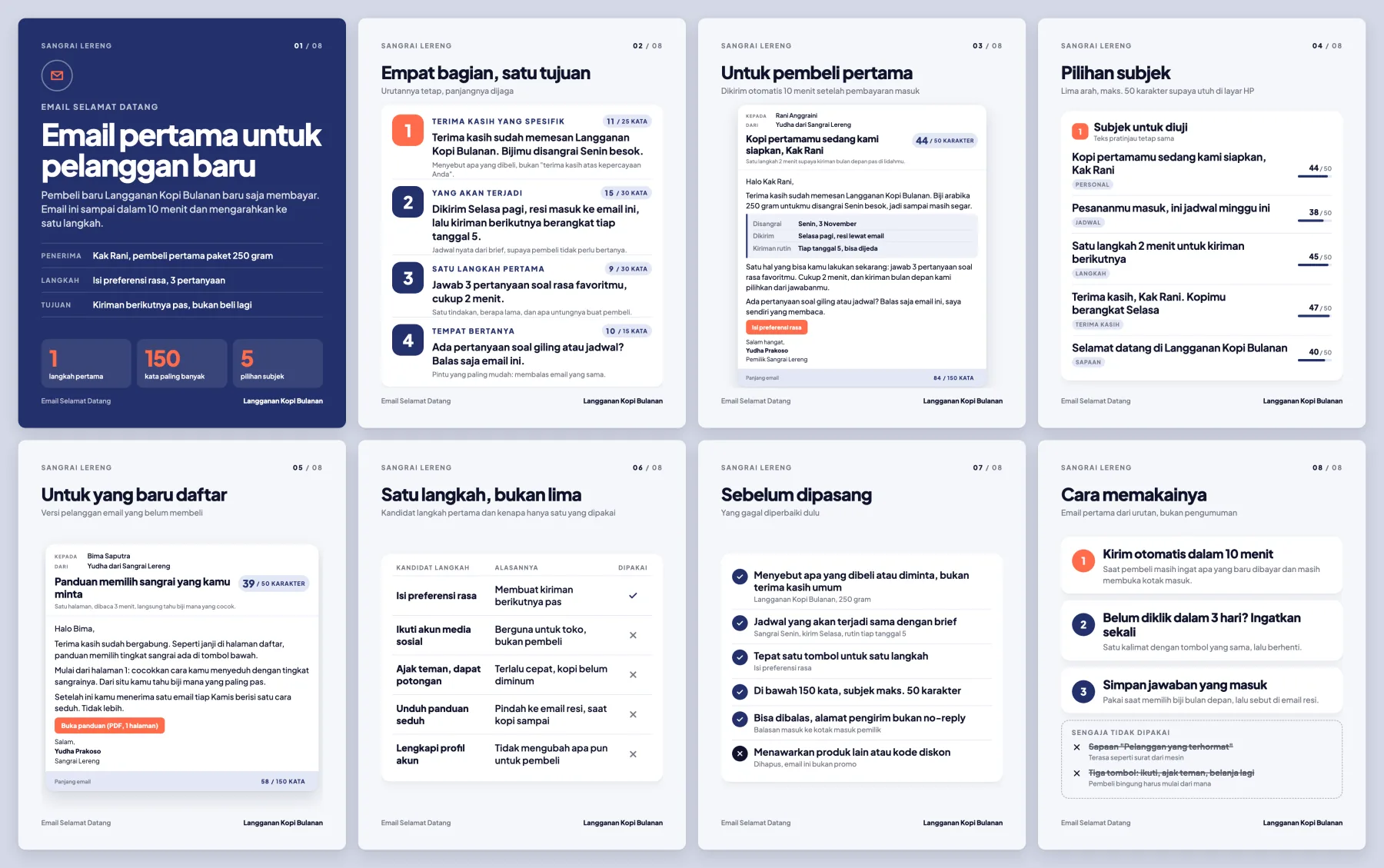
Eight cards: brief, four body parts, the first-buyer email, subjects, a sign-up version, one step, check, how to use
SKILL.md contents
Premium subscribers can read, copy, and install this skill.
Unlock with Premium Sign inWelcome Email for New Customers
Description
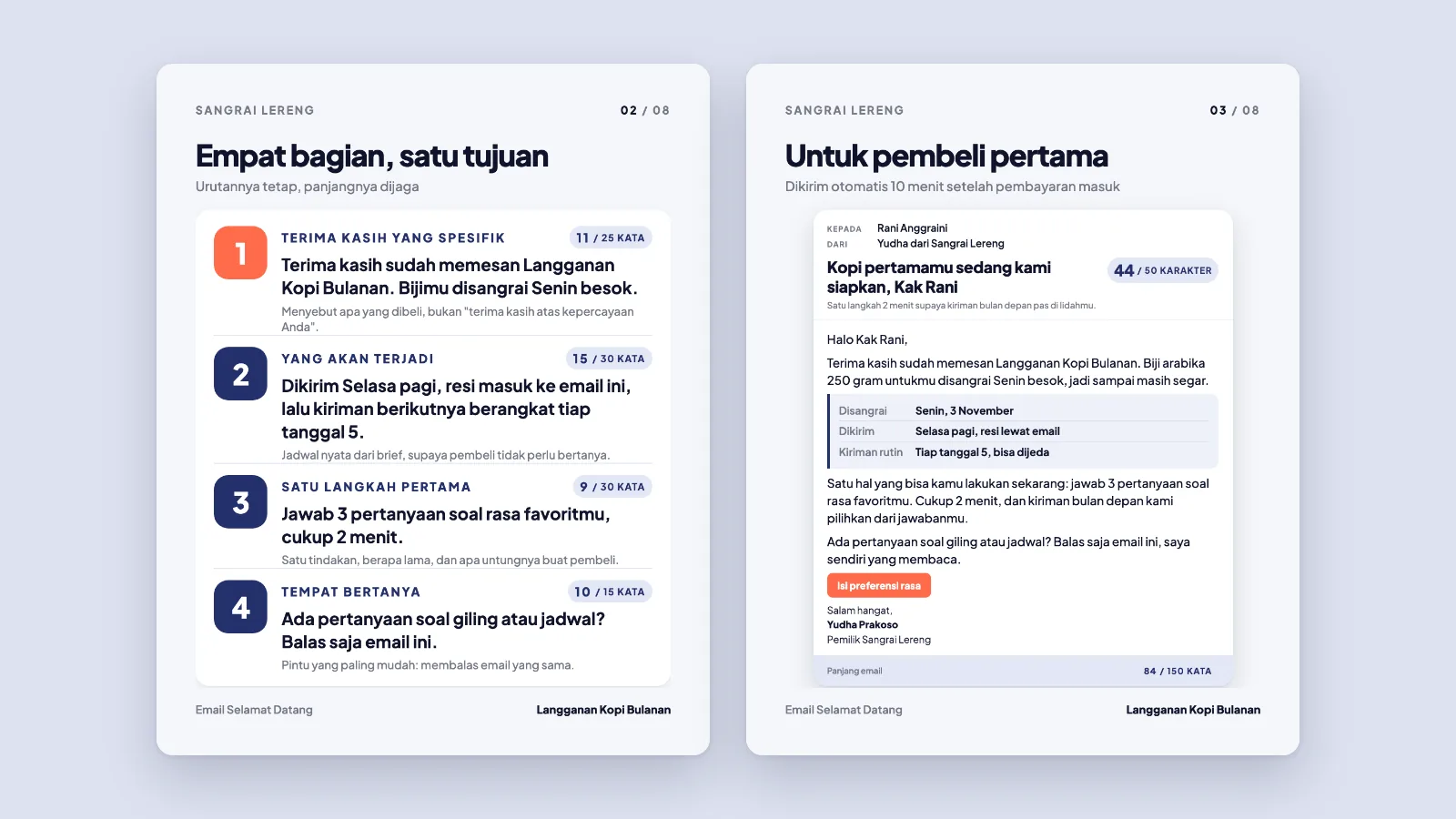
The first email for a new buyer or subscriber that does not sell again: a thank-you that names what they bought, a real schedule of what happens next, exactly one next step with one button, and an invitation to simply reply. Under 150 words with a subject of up to 50 characters and a preview text. Comes with five subject options, a version for subscribers who have not bought, a table of candidate steps with the reasons the others were dropped, a check before switching it on, how to use it, and visual cards with an inbox mockup.
Verified by SkillFlow
We checked every file in this skill automatically: no command that downloads and runs a program, no hidden code, no instruction telling your AI to ignore you.
- Loads from outside
- Fonts: Google Fonts
See the 7 files inside
skill.json9 KBSKILL.md8 KBprompt.md3 KBprompt.en.md4 KBfiles/brief.md2 KBfiles/contoh-hasil.md5 KBfiles/kartu.html65 KB
Checked 14 Nov 2026
Part of SkillFlow Pro
Pro opens every skill in every category: copy, ZIP, Send to AI, install, save, and request new skills.
Get Pro Already subscribed? Sign inWhat you get
- A main email ready to copy in four parts, under 150 words, with a word count
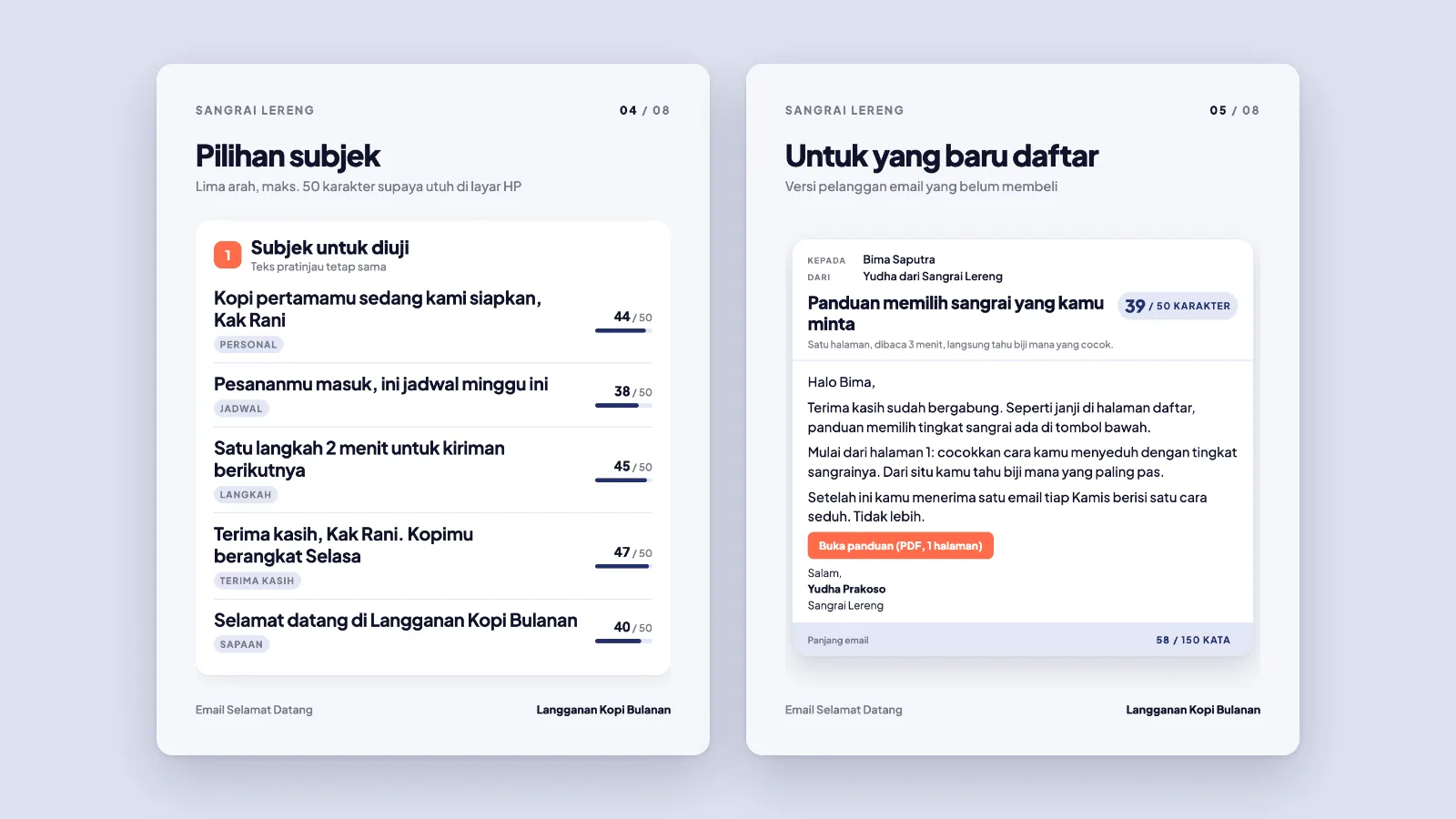
- A subject of up to 50 characters, preview text, and five subject options in different directions
- A second version for another type of recipient, by default subscribers who have not bought
- A table of candidate steps: one used, the rest postponed with the reason
- A check before switching it on, how to use it, and examples deliberately left out
- A fill-in brief, a complete sample result, and an HTML card template with an inbox mockup
Good fit
- Online shops and subscriptions that send an automatic email after payment
- Online classes, services, or apps that want new customers to start using what they bought
- Email list owners receiving new sign-ups from a free guide
- Businesses replacing a stiff confirmation email with one from a real person
Not for
- Not a long sequence from day 1 to day 7; you get one email plus a second version
- Not a promo, shipping, or invoice email
- It does not set up automation in your email service; you paste the text yourself
- It does not create bonuses, schedules, or communities that are not in your brief
About this skill
/copy-email-selamat-datang Write a welcome email for first-time buyers of our monthly coffee subscription that points them to fill in their taste preferences before next month's delivery
Show more
The first email for a new buyer or subscriber that does not sell again: a thank-you that names what they bought, a real schedule of what happens next, exactly one next step with one button, and an invitation to simply reply. Under 150 words with a subject of up to 50 characters and a preview text. Comes with five subject options, a version for subscribers who have not bought, a table of candidate steps with the reasons the others were dropped, a check before switching it on, how to use it, and visual cards with an inbox mockup.
User reviews
FAQ
Why only one step and one button?
Someone who just bought is waiting for news, so this email gets opened the most. One clear step gets done more often than three asks at once. The other steps are still listed in the candidate table and moved to later emails.
Can I slip in a discount code or another product?
Not by default. This email's job is to make the first purchase feel right, and a promo here makes it read like an ad. The next offer fits better in an email after the item has arrived or been used.
What changes between buyers and free subscribers?
Buyers get a delivery or access schedule, subscribers get a promise of how often emails arrive. The step differs too: buyers use what they bought, subscribers open what they asked for. This skill gives you both.
Which AI can I use it with?
Copy the prompt into a chat AI (ChatGPT, Claude, Gemini, DeepSeek); or download the ZIP and install it in an AI agent (Claude Code, Codex, Antigravity, Hermes Agent, Cursor, GitHub Copilot, Gemini CLI, OpenCode, Kimi Code, Trae), which then builds the files for you.
What is in the ZIP?
One folder named copy-email-selamat-datang with SKILL.md (the instructions an AI agent reads) and the prompt, 7 files in all. Extract it into your agent's skills folder, or install it with npx skillflow-ai add copy-email-selamat-datang. Pro only.
Is there a per-use fee or credits?
Not from SkillFlow. The skill runs on the AI you already use, so any cost follows that plan.
Which plan includes it?
SkillFlow Pro. It opens every skill in every category.
Can it use my brand details?
Yes. Fill in your brand profile once (name, product, price, contact) and it goes into every prompt you copy.
Can I share what I made?
Pro members can upload the result and get a page at share.skillflow.ai.id to send to anyone. The page carries a small "Made with SkillFlow AI" mark.
Is there a download limit?
Yes, per day: 50 skills on Pro, 10 on other plans. Downloading a skill again on the same day does not count.



