

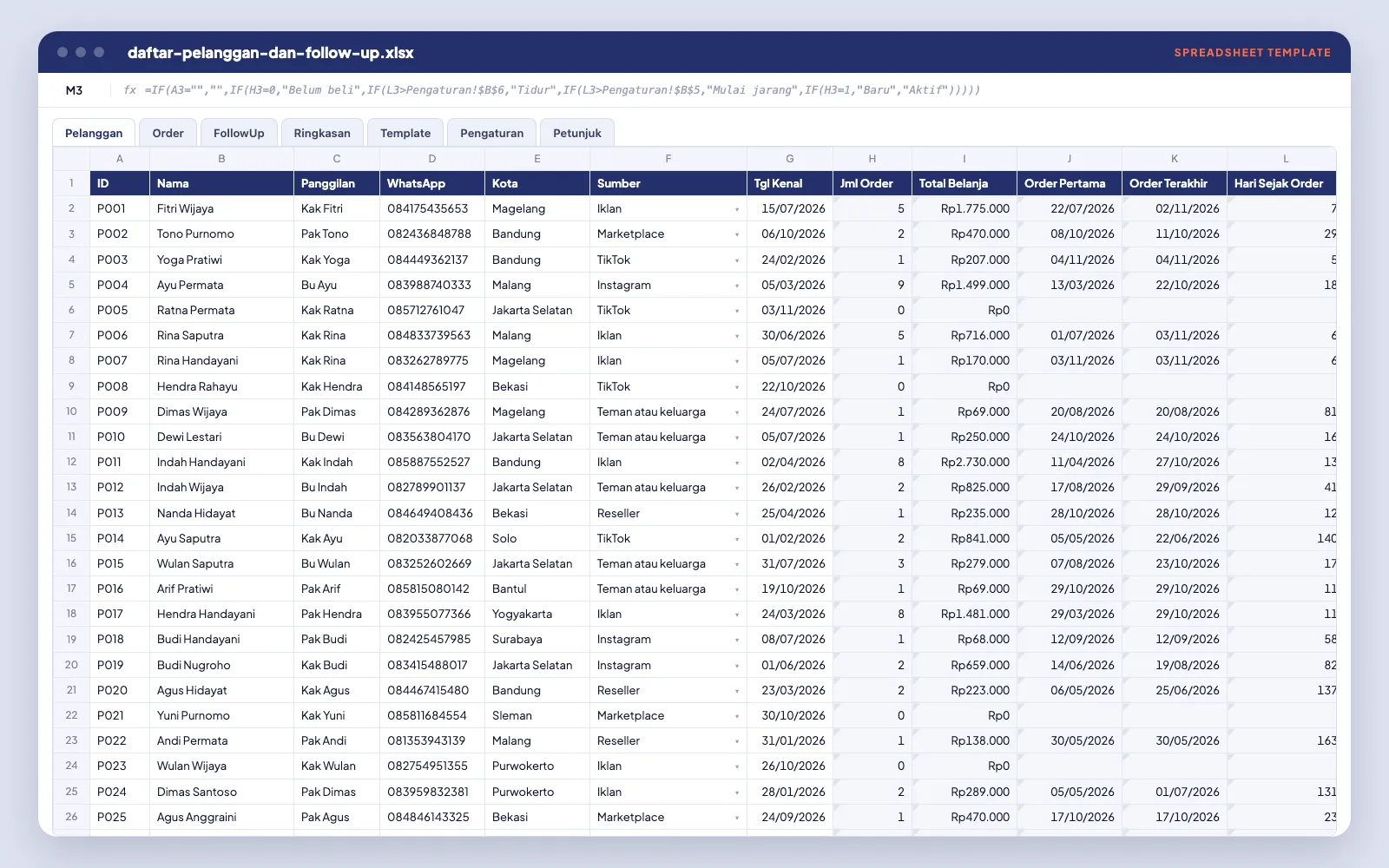
Customers sheet: order count, total spent, last order, days since order, and highlighted segment
SKILL.md contents
Premium subscribers can read, copy, and install this skill.
Unlock with Premium Sign inCustomer List and Follow-Up Tracker
Description
A simple Excel CRM for small online shops and service businesses: customer details with a source dropdown, order history on its own sheet, total spent, order count, last order, days since the last order, a new, active, slipping, or dormant segment with adjustable day limits, the next follow-up date, follow-up status, a list of who to contact this week, and a WhatsApp message per segment already using each customer's greeting. Opens in Excel, Numbers or Google Sheets.
Verified by SkillFlow
We checked every file in this skill automatically: no command that downloads and runs a program, no hidden code, no instruction telling your AI to ignore you.
- Loads from outside
- Fonts: Google Fonts SkillFlow: directory.skillflow.ai.id
See the 5 files inside
skill.json11 KBSKILL.md10 KBprompt.md9 KBprompt.en.md9 KBfiles/template.html688 KB
Checked 14 Nov 2026
Part of SkillFlow Pro
Pro opens every skill in every category: copy, ZIP, Send to AI, install, save, and request new skills.
Get Pro Already subscribed? Sign inWhat you get
- An .xlsx file with Customers, Orders, FollowUp, Summary, Templates, Settings and Guide sheets
- Per customer: order count, total spent, first and last order, days since order with DAYS, highlighted segment
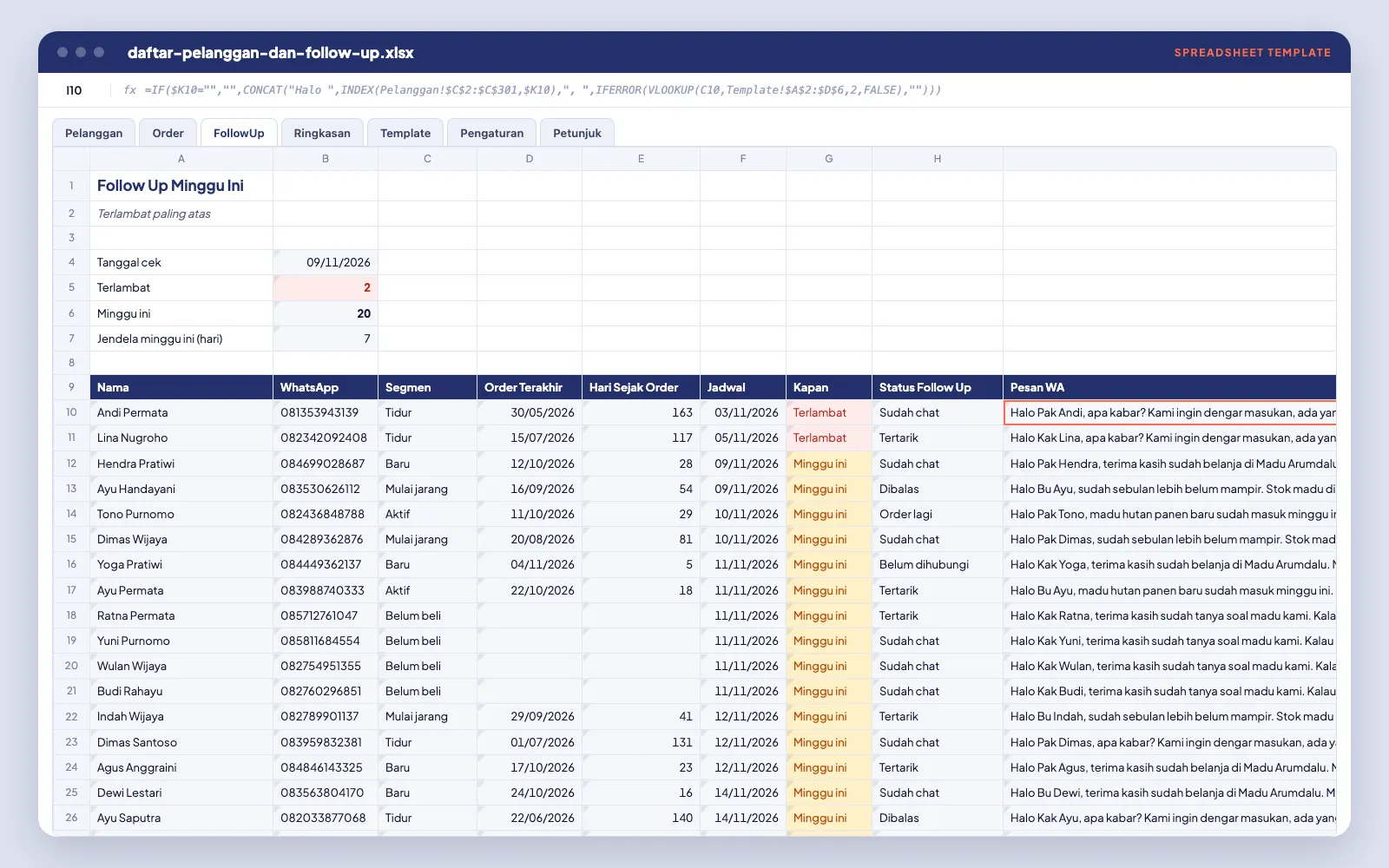
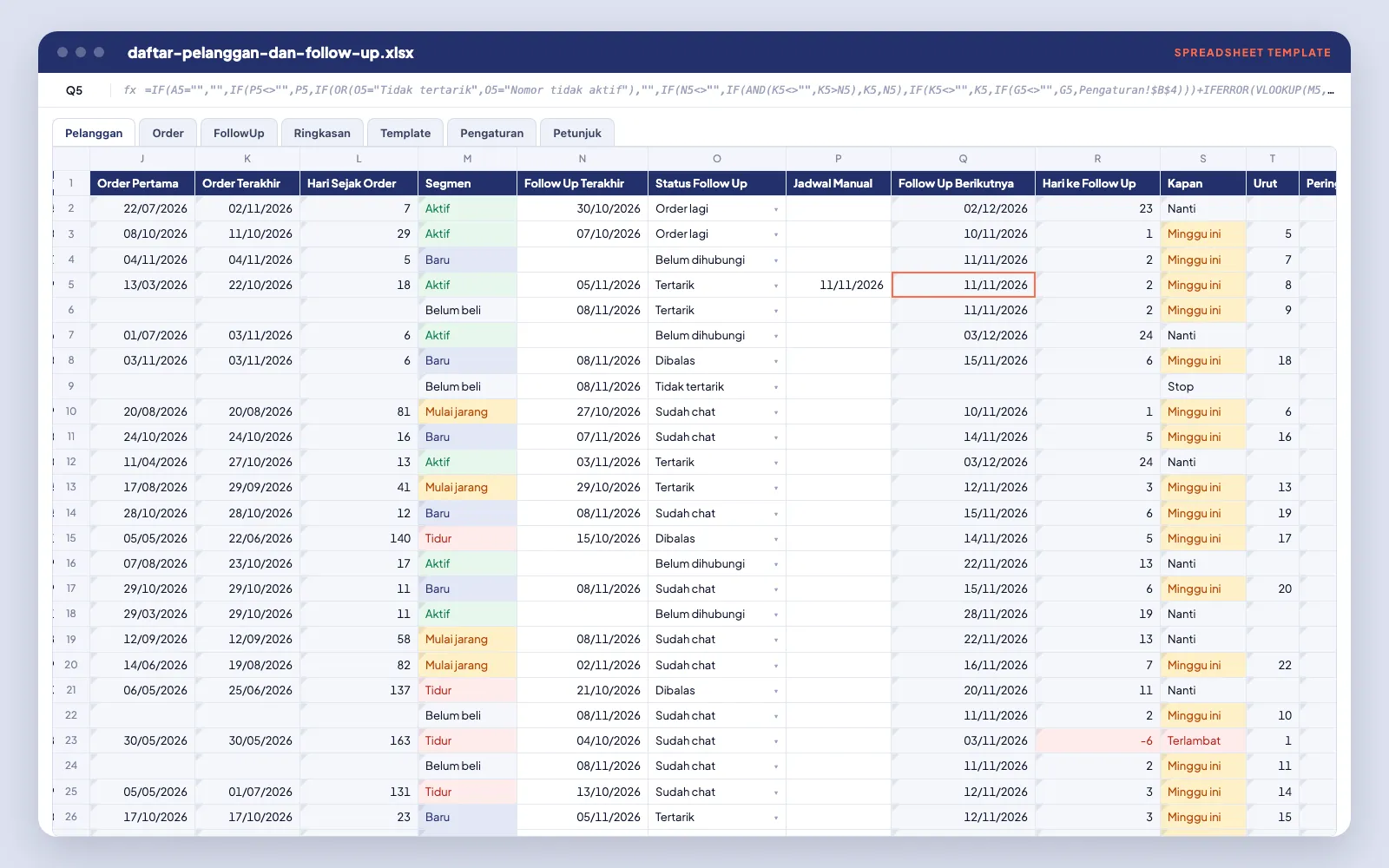
- Next follow-up date from a gap per segment, follow-up status from a dropdown, Overdue and This week highlighted
- FollowUp sheet: 30 customers to contact this week, most overdue first, with a ready-to-copy WhatsApp message
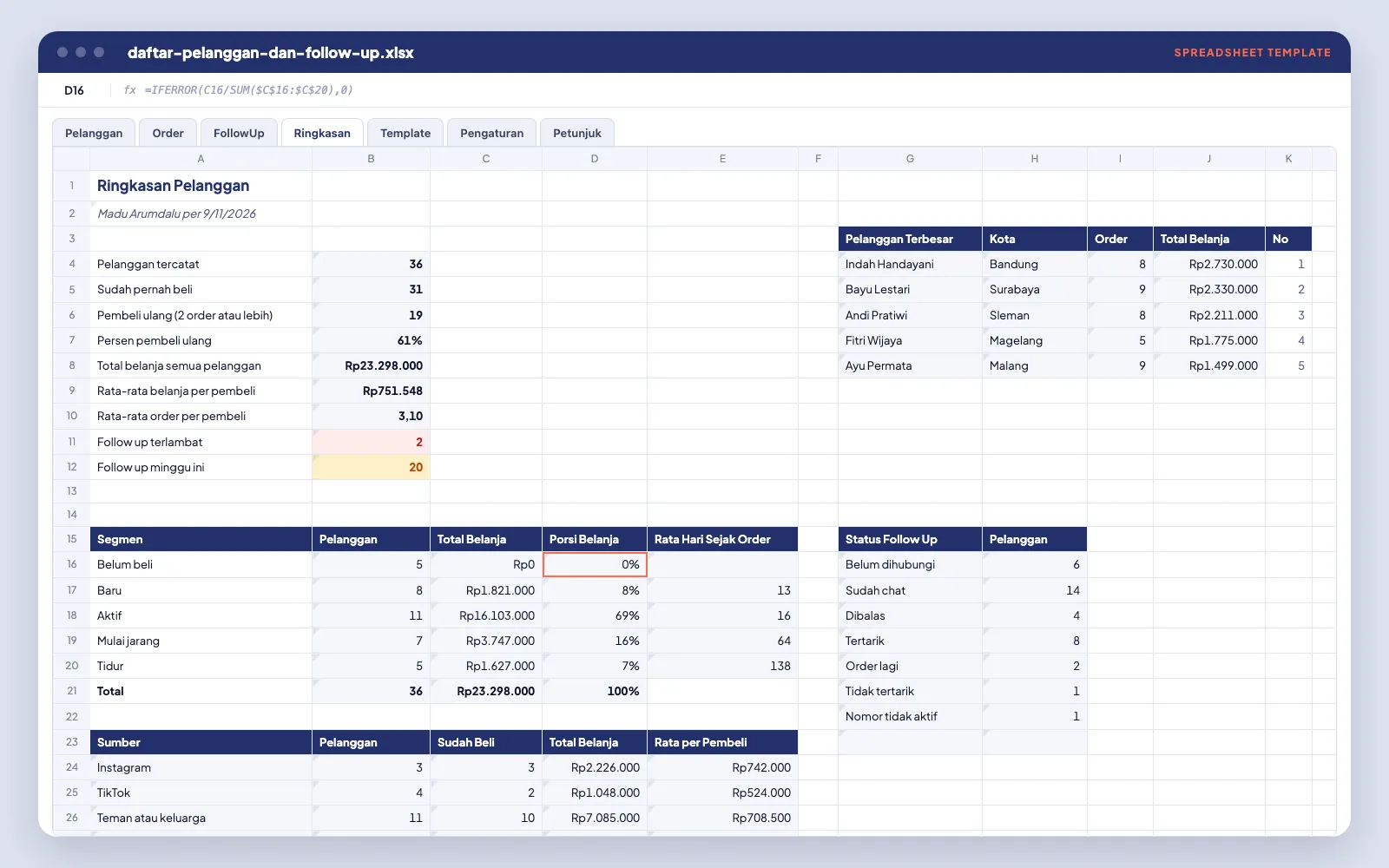
- Summary: repeat buyers, average spend, tables per segment, source and status, and the 5 biggest spenders
- An HTML template with a sheet preview and a Download Excel button
Good fit
- Online sellers who sell through chat and want past customers to buy again
- Small service businesses (laundry, salon, catering, repairs) tracking regular customers
- Sales admins who need a weekly follow-up list without a paid CRM app
Not for
- It does not send WhatsApp messages itself; messages are copied and sent by hand
- Not connected to an online store, point of sale, or marketplace; orders are typed or pasted in
- Not a receivables or invoice tracker; there are no payment due dates
- Not a monthly cohort retention analysis
About this skill
/daftar-pelanggan-dan-follow-up Make an Excel customer list for my online honey shop. I have 36 customers and their order history. I want to see who has not ordered for a while and who I should message this week, with sample WhatsApp messages.
Show more
A simple Excel CRM for small online shops and service businesses: customer details with a source dropdown, order history on its own sheet, total spent, order count, last order, days since the last order, a new, active, slipping, or dormant segment with adjustable day limits, the next follow-up date, follow-up status, a list of who to contact this week, and a WhatsApp message per segment already using each customer's greeting. Opens in Excel, Numbers or Google Sheets.
User reviews
FAQ
How is the follow-up date worked out?
From the later of the last order and the last follow-up, plus the day gap for that customer's segment on the Templates sheet. If you fill in a manual date, that date is used. The status Not interested or Number inactive stops the schedule.
Why are orders logged by ID instead of name?
So two customers with the same name are not mixed up and a typo does not split someone's history. The name on the Orders sheet fills in from the ID, and the Check column flags IDs that do not exist.
Can I change the segment day limits and the messages?
Yes. The active and dormant limits are on the Settings sheet, the messages and follow-up gaps per segment are on the Templates sheet. Every sheet follows right away.
Which AI can I use it with?
Copy the prompt into a chat AI (ChatGPT, Claude, Gemini, DeepSeek); or download the ZIP and install it in an AI agent (Claude Code, Codex, Antigravity, Hermes Agent, Cursor, GitHub Copilot, Gemini CLI, OpenCode, Kimi Code, Trae), which then builds the files for you.
What is in the ZIP?
One folder named daftar-pelanggan-dan-follow-up with SKILL.md (the instructions an AI agent reads) and the prompt, 5 files in all. Extract it into your agent's skills folder, or install it with npx skillflow-ai add daftar-pelanggan-dan-follow-up. Pro only.
Is there a per-use fee or credits?
Not from SkillFlow. The skill runs on the AI you already use, so any cost follows that plan.
Which plan includes it?
SkillFlow Pro. It opens every skill in every category.
Can I use my own colours and brand?
Yes. Pick a colour theme on this page, or fill in your brand profile once; both go into the prompt you copy and into the ZIP.
Can I share what I made?
Pro members can upload the result and get a page at share.skillflow.ai.id to send to anyone. The page carries a small "Made with SkillFlow AI" mark.
Is there a download limit?
Yes, per day: 50 skills on Pro, 10 on other plans. Downloading a skill again on the same day does not count.



