

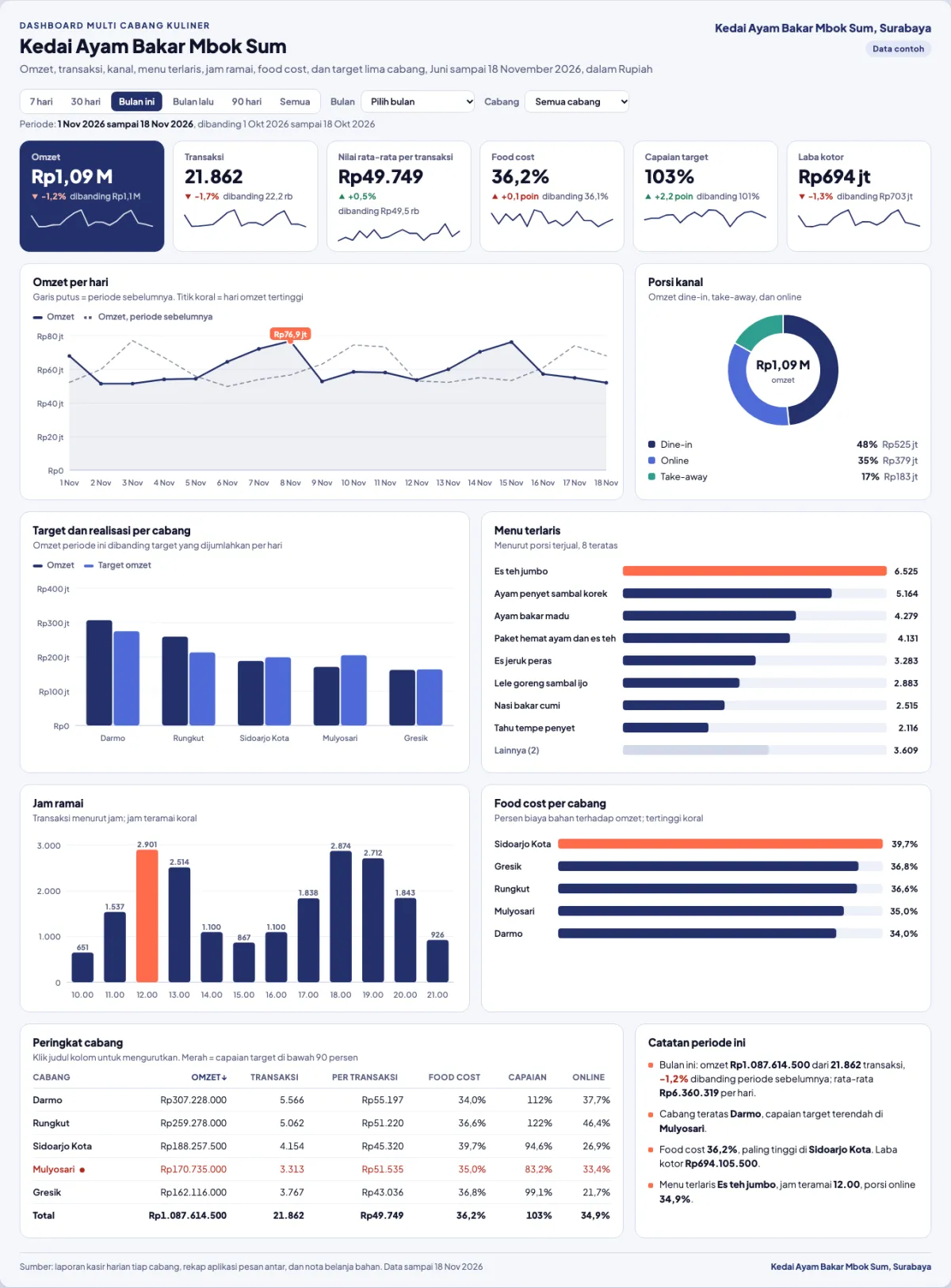
This month, five outlets: sales, food cost, target per outlet, top items, busy hours, and ranking
SKILL.md contents
Premium subscribers can read, copy, and install this skill.
Unlock with Premium Sign inMulti-Outlet F&B Dashboard
Description
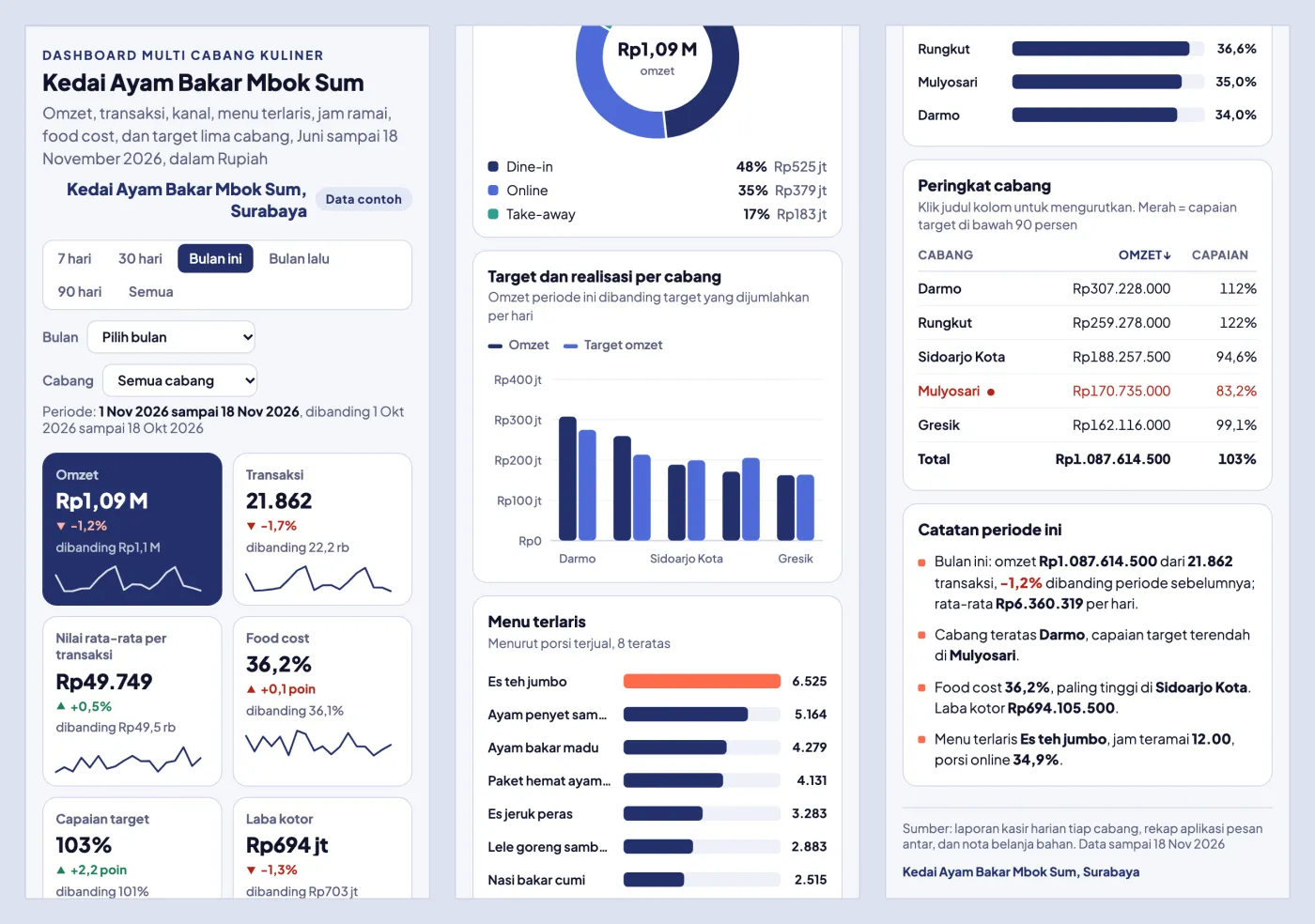
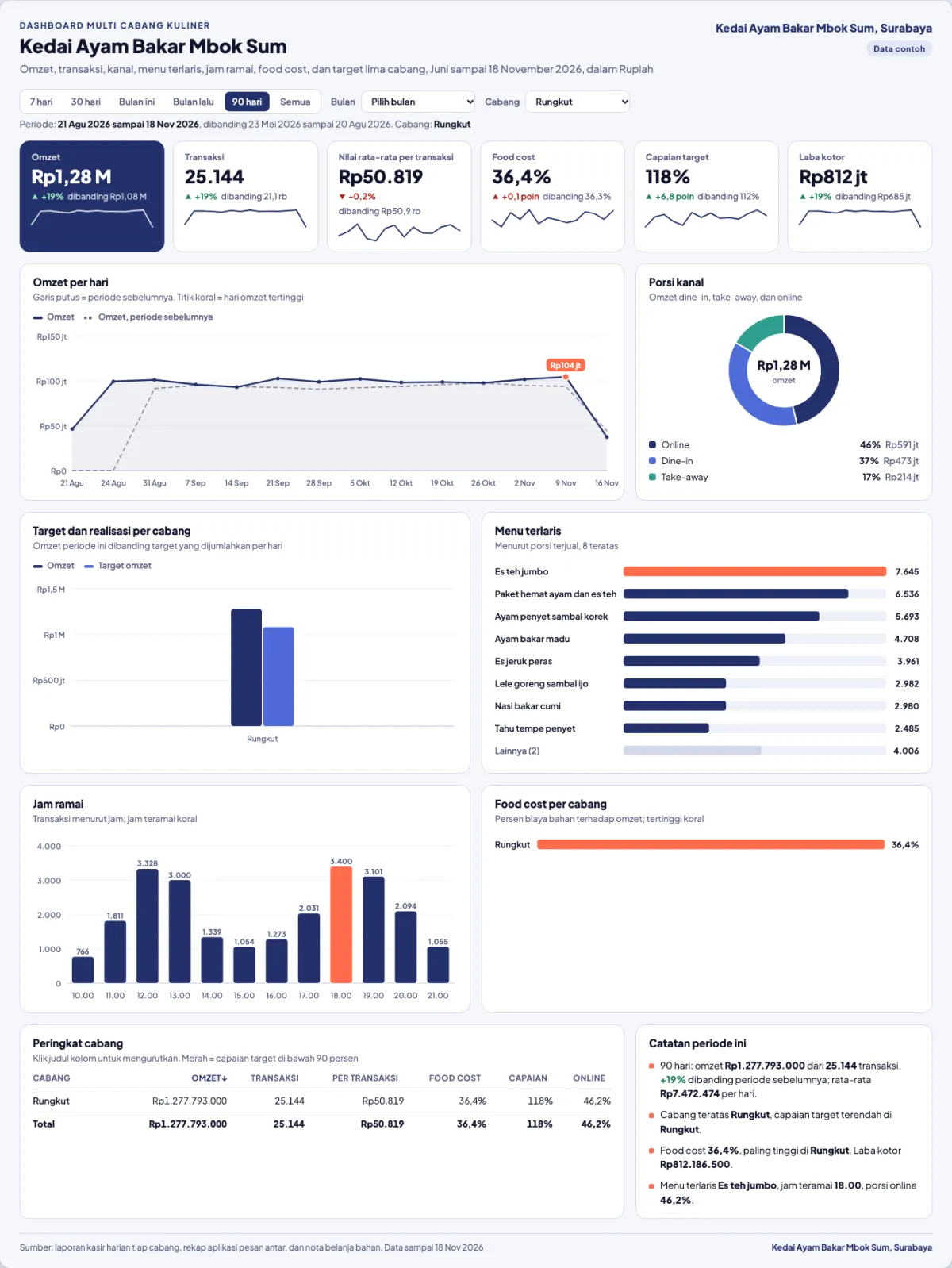
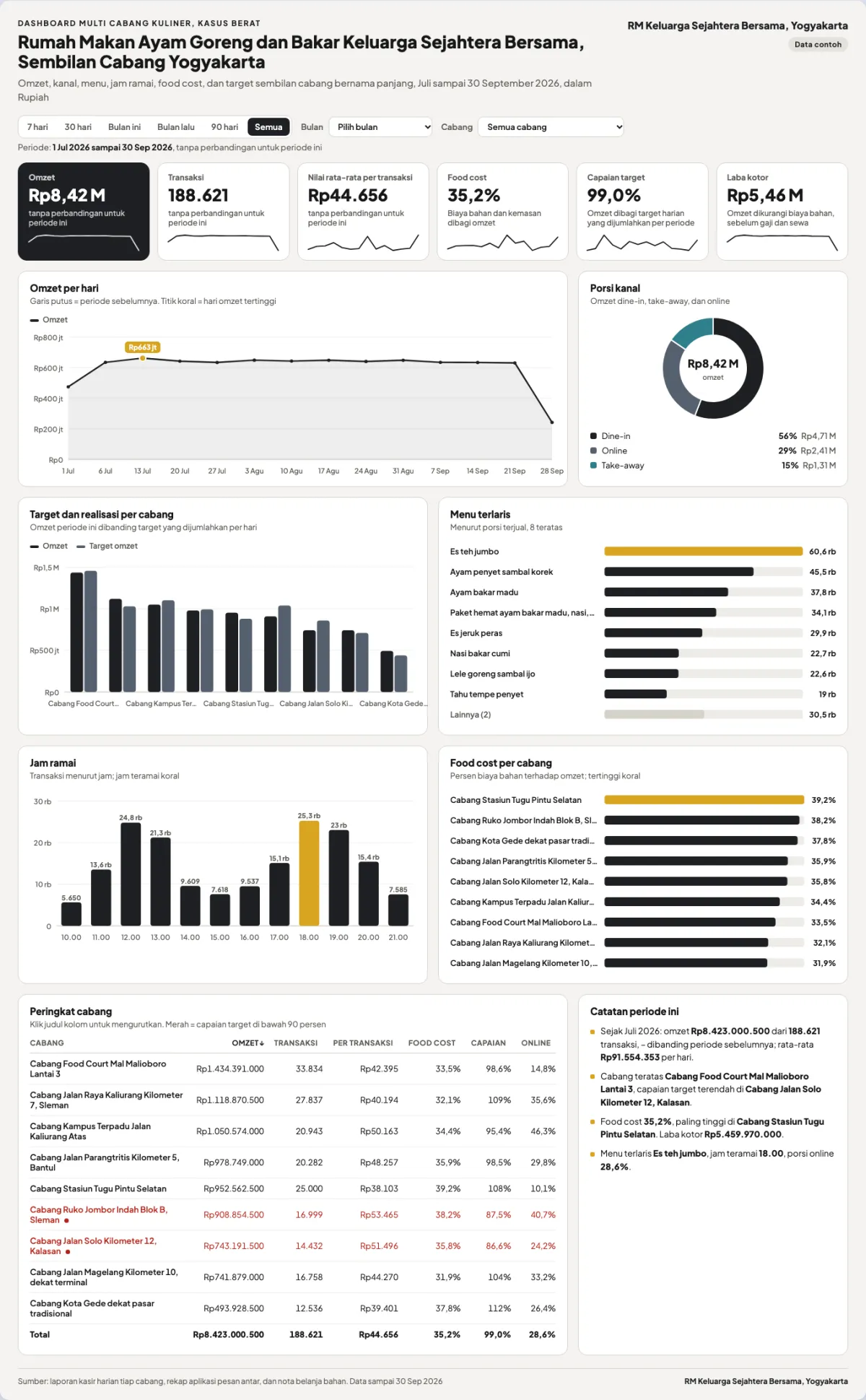
A one-screen dashboard for food and beverage businesses with several outlets: sales per outlet, transactions and average transaction value, dine-in, takeaway, and delivery shares, food cost percent per outlet, gross profit, target versus actual per outlet, top menu items, busy hours, daily sales trend, and an outlet ranking table. Period and outlet filters recalculate every number; download PDF, Excel, and PNG.
Verified by SkillFlow
We checked every file in this skill automatically: no command that downloads and runs a program, no hidden code, no instruction telling your AI to ignore you.
- Loads from outside
- Fonts: Google Fonts SkillFlow: directory.skillflow.ai.id
See the 6 files inside
skill.json10 KBSKILL.md7 KBprompt.md7 KBprompt.en.md7 KBfiles/contoh/sembilan-cabang.html720 KBfiles/dashboard.html549 KB
Checked 14 Nov 2026
Part of SkillFlow Pro
Pro opens every skill in every category: copy, ZIP, Send to AI, install, save, and request new skills.
Get Pro Already subscribed? Sign inWhat you get
- A one-screen HTML dashboard, responsive on desktop and phone, no libraries
- KPIs for sales, transactions, value per transaction, food cost, target achievement, and gross profit
- Daily sales trend and dine-in, takeaway, and delivery shares
- Target versus actual per outlet, top menu items, busy hours, and food cost per outlet
- An outlet ranking table with below-target outlets highlighted
- Period and outlet filters, Download PDF, Excel, and PNG buttons for the chosen view
Good fit
- Eateries, restaurants, cafes, or drink kiosks with 2 to 10 outlets
- Owners comparing outlets and setting outlet manager bonuses from target achievement
- Spotting outlets whose food cost is rising from waste or uneven portions
- Planning crew numbers for each outlet's busy hours
Not for
- Gross profit is only sales minus ingredient cost; wages, rent, and app commissions are not counted
- It does not track ingredient stock or per-item recipes
- It does not pull data from the till automatically; you fill in or paste the reports
- For catering orders with deposits and delivery dates, use the Catering Orders Dashboard
About this skill
/dashboard-cabang-kuliner Make a dashboard for my 5 grilled chicken outlets: sales and target per outlet this month, food cost per outlet, the delivery share, top menu items, and the busiest hours.
Show more
A one-screen dashboard for food and beverage businesses with several outlets: sales per outlet, transactions and average transaction value, dine-in, takeaway, and delivery shares, food cost percent per outlet, gross profit, target versus actual per outlet, top menu items, busy hours, daily sales trend, and an outlet ranking table. Period and outlet filters recalculate every number; download PDF, Excel, and PNG.
User reviews
FAQ
How is target achievement worked out when I pick 7 days?
The monthly target is split into daily targets, then added up for the days in the chosen period. So 7 days of sales are compared with the target for those 7 days, not the whole month.
What food cost counts as healthy?
It depends on the menu and selling prices, so the dashboard uses no fixed benchmark. The most useful view is comparing outlets with the same menu: an outlet well above the others is worth checking for portions and waste.
Do I have to provide menu and hourly data?
No. If your till does not give per-item or per-hour reports, leave them out; the top items and busy hours cards are dropped and the rest still runs from the daily till reports.
Which AI can I use it with?
Copy the prompt into a chat AI (ChatGPT, Claude, Gemini, DeepSeek); or download the ZIP and install it in an AI agent (Claude Code, Codex, Antigravity, Hermes Agent, Cursor, GitHub Copilot, Gemini CLI, OpenCode, Kimi Code, Trae), which then builds the files for you.
What is in the ZIP?
One folder named dashboard-cabang-kuliner with SKILL.md (the instructions an AI agent reads) and the prompt, 6 files in all. Extract it into your agent's skills folder, or install it with npx skillflow-ai add dashboard-cabang-kuliner. Pro only.
Is there a per-use fee or credits?
Not from SkillFlow. The skill runs on the AI you already use, so any cost follows that plan.
Which plan includes it?
SkillFlow Pro. It opens every skill in every category.
Can I use my own colours and brand?
Yes. Pick a colour theme on this page, or fill in your brand profile once; both go into the prompt you copy and into the ZIP.
Can I share what I made?
Pro members can upload the result and get a page at share.skillflow.ai.id to send to anyone. The page carries a small "Made with SkillFlow AI" mark.
Is there a download limit?
Yes, per day: 50 skills on Pro, 10 on other plans. Downloading a skill again on the same day does not count.



