

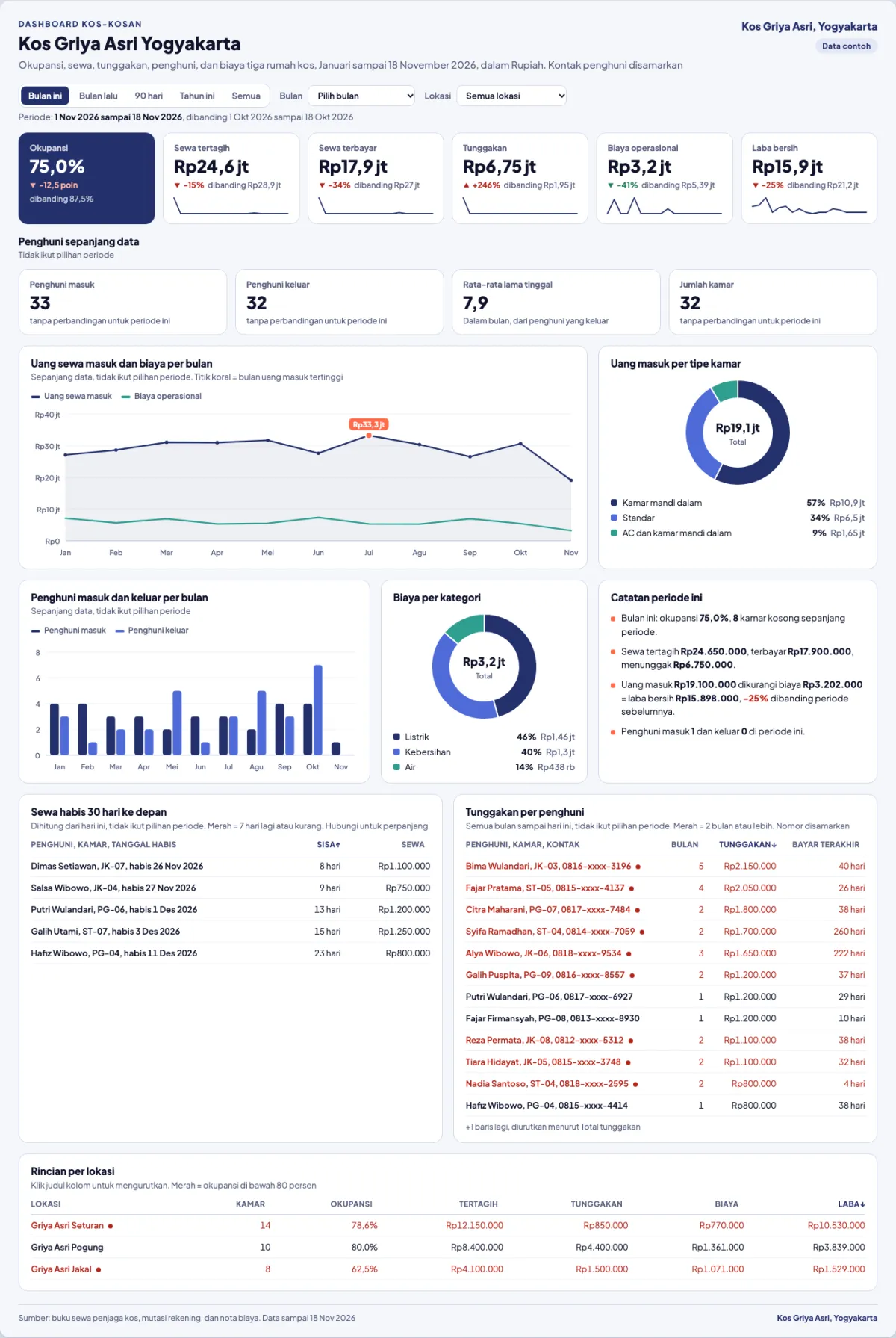
Three boarding houses, November: occupancy, rent, arrears, profit, leases ending, and arrears per tenant
SKILL.md contents
Premium subscribers can read, copy, and install this skill.
Unlock with Premium Sign inBoarding House Dashboard
Description
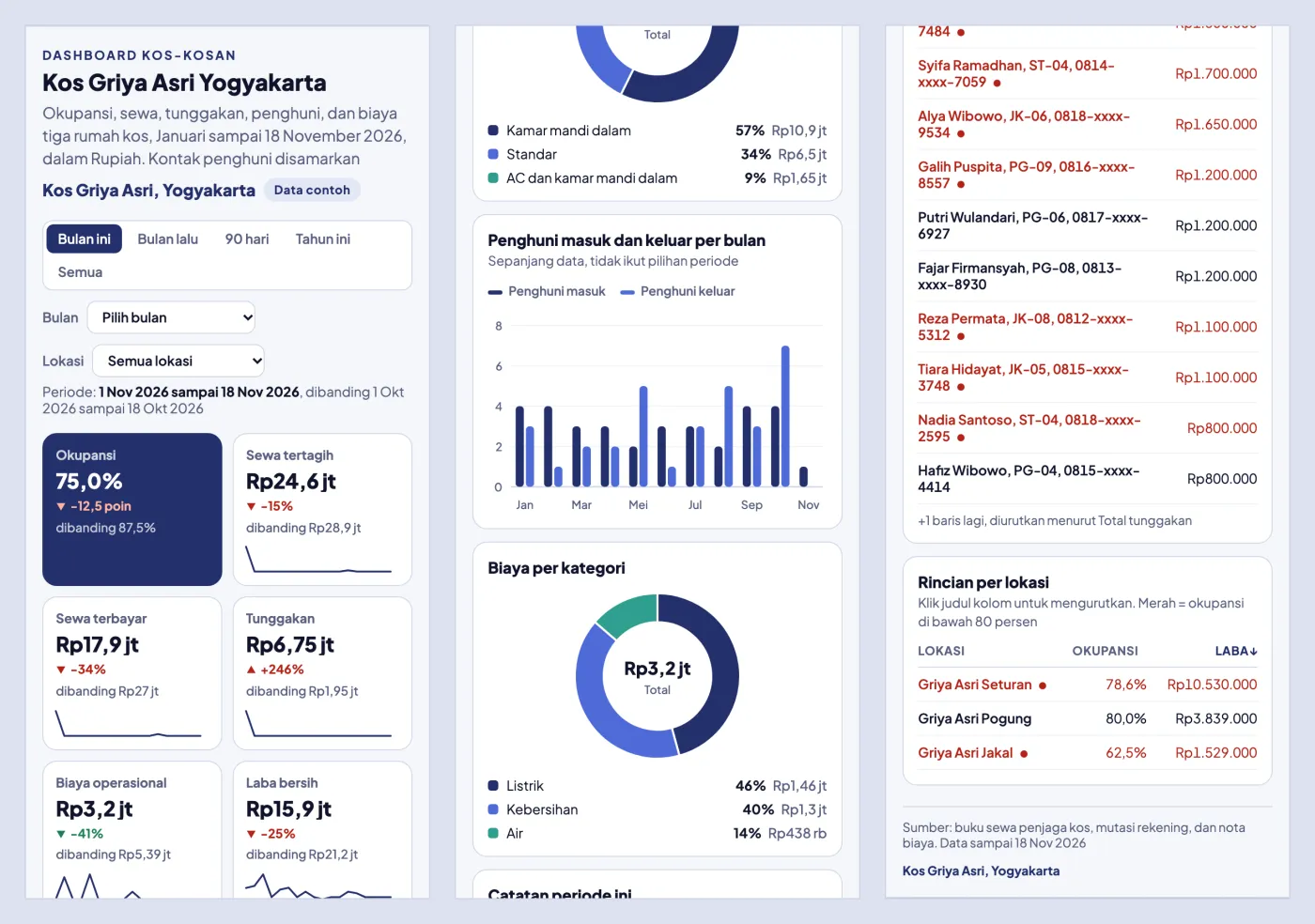
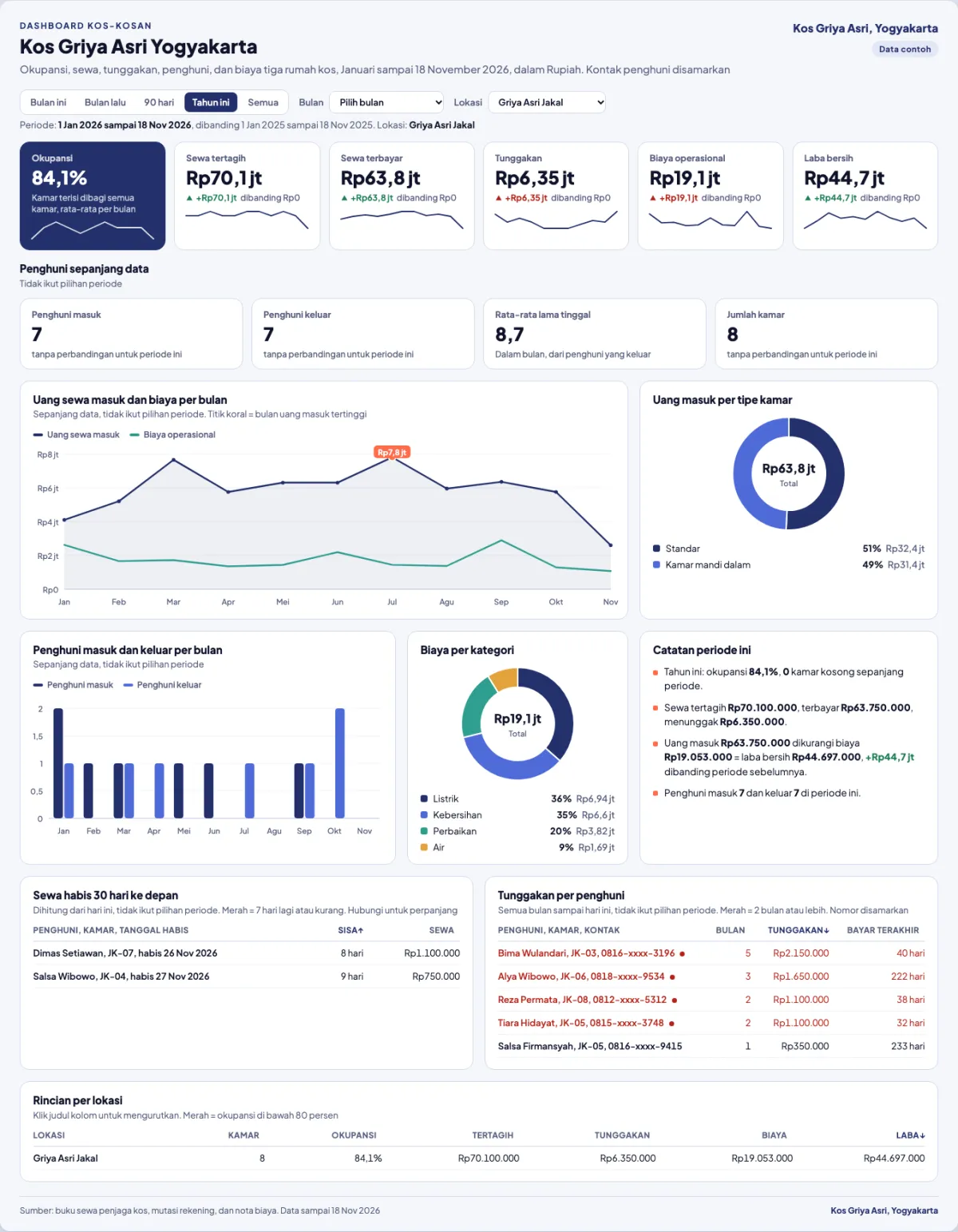
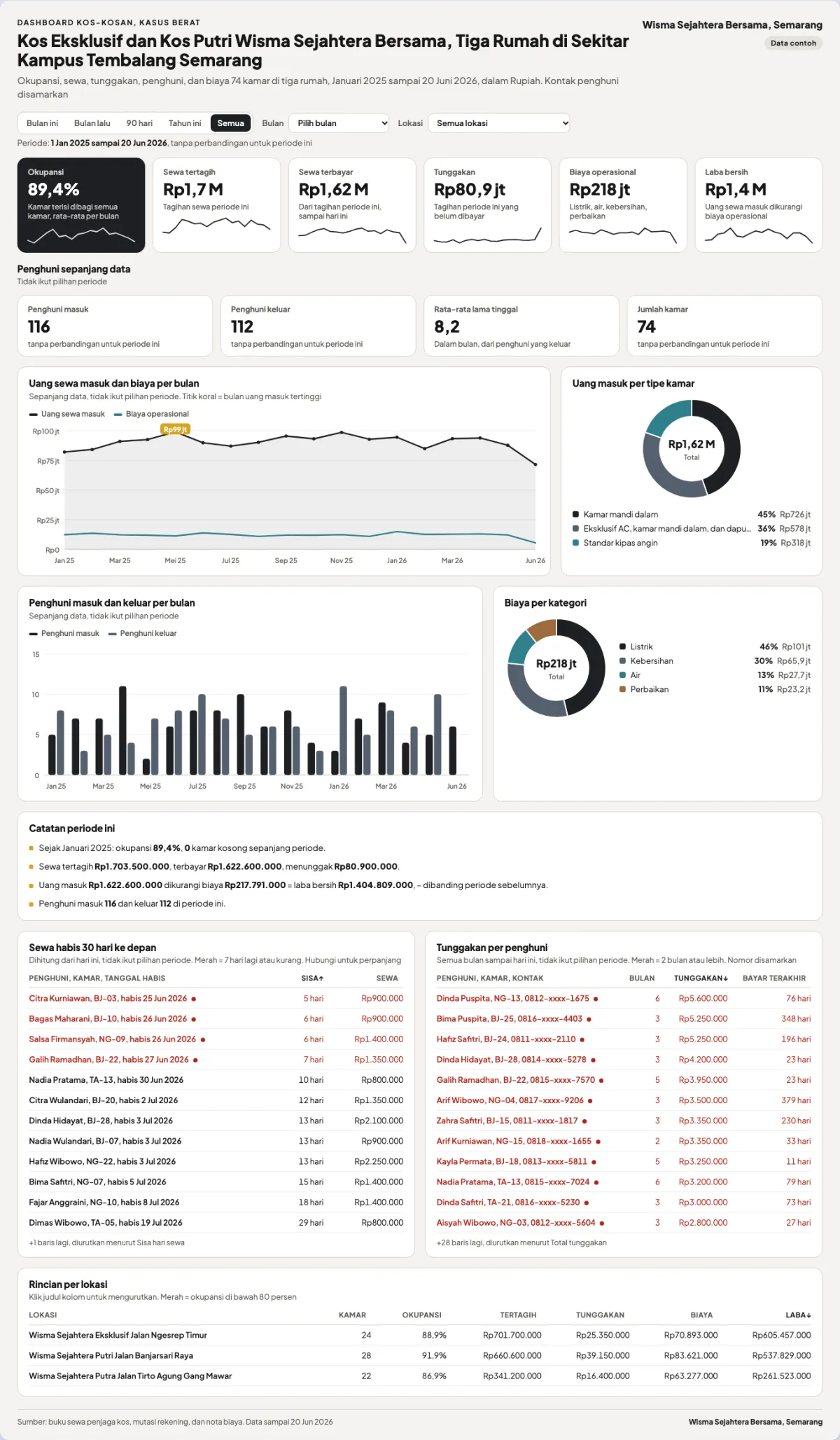
A one-screen dashboard for owners of 1 to 3 boarding houses: occupied vs empty rooms, rent billed vs paid, arrears, electricity, water, cleaning and repair costs, net profit, tenants moving in and out per month, average length of stay, money received per room type, a table of leases ending in the next 30 days, arrears per tenant with masked contacts, and a per location breakdown. Month and location filters recalculate every number; download PDF, Excel and PNG.
Verified by SkillFlow
We checked every file in this skill automatically: no command that downloads and runs a program, no hidden code, no instruction telling your AI to ignore you.
- Loads from outside
- Fonts: Google Fonts SkillFlow: directory.skillflow.ai.id
See the 6 files inside
skill.json11 KBSKILL.md9 KBprompt.md8 KBprompt.en.md8 KBfiles/contoh/tiga-rumah-74-kamar.html937 KBfiles/dashboard.html256 KB
Checked 14 Nov 2026
Part of SkillFlow Pro
Pro opens every skill in every category: copy, ZIP, Send to AI, install, save, and request new skills.
Get Pro Already subscribed? Sign inWhat you get
- A one-screen HTML dashboard, responsive on desktop and phone, no libraries
- KPIs for occupancy, rent billed, paid, arrears, running costs, and net profit
- Tenants moving in and out and average length of stay, plus money received per room type
- Tables of leases ending in the next 30 days and arrears per tenant, contacts masked
- Month and location filters that recalculate every card, chart, and table
- Download PDF, Excel, and PNG buttons for the chosen view
Good fit
- Owners of 1 to 3 boarding houses who want occupancy, arrears, and profit each month on one screen
- Caretakers or managers reporting to the owner every month
- The start of the month: picking who to chase for rent and who to offer a lease renewal
Not for
- It does not send bills or reminders to tenants; the dashboard only reads your records
- Not a marketing page for prospective tenants
- Not tax bookkeeping or an official financial statement, and it stores no tenant ID data
- Days left on a lease count from the last data date, so the data needs refreshing every month
About this skill
/dashboard-kos-kosan Make a boarding house dashboard for my 2 houses with 24 rooms, including tenants in arrears and leases ending next month
Show more
A one-screen dashboard for owners of 1 to 3 boarding houses: occupied vs empty rooms, rent billed vs paid, arrears, electricity, water, cleaning and repair costs, net profit, tenants moving in and out per month, average length of stay, money received per room type, a table of leases ending in the next 30 days, arrears per tenant with masked contacts, and a per location breakdown. Month and location filters recalculate every number; download PDF, Excel and PNG.
User reviews
FAQ
How is occupancy worked out when I choose a whole year?
Every month each room is recorded as occupied or empty. The yearly occupancy is the average over those months, not just today's state.
Are tenants' phone numbers shown in full?
No. Numbers are masked in the middle, for example 0816-xxxx-3196, because the dashboard can be printed and shared. The full numbers stay in your own records.
Do tenants who moved out but still owe rent show up?
Yes. The arrears table counts every month up to today, including tenants who have left, so old debts do not drop out of sight.
Which AI can I use it with?
Copy the prompt into a chat AI (ChatGPT, Claude, Gemini, DeepSeek); or download the ZIP and install it in an AI agent (Claude Code, Codex, Antigravity, Hermes Agent, Cursor, GitHub Copilot, Gemini CLI, OpenCode, Kimi Code, Trae), which then builds the files for you.
What is in the ZIP?
One folder named dashboard-kos-kosan with SKILL.md (the instructions an AI agent reads) and the prompt, 6 files in all. Extract it into your agent's skills folder, or install it with npx skillflow-ai add dashboard-kos-kosan. Pro only.
Is there a per-use fee or credits?
Not from SkillFlow. The skill runs on the AI you already use, so any cost follows that plan.
Which plan includes it?
SkillFlow Pro. It opens every skill in every category.
Can I use my own colours and brand?
Yes. Pick a colour theme on this page, or fill in your brand profile once; both go into the prompt you copy and into the ZIP.
Can I share what I made?
Pro members can upload the result and get a page at share.skillflow.ai.id to send to anyone. The page carries a small "Made with SkillFlow AI" mark.
Is there a download limit?
Yes, per day: 50 skills on Pro, 10 on other plans. Downloading a skill again on the same day does not count.



