

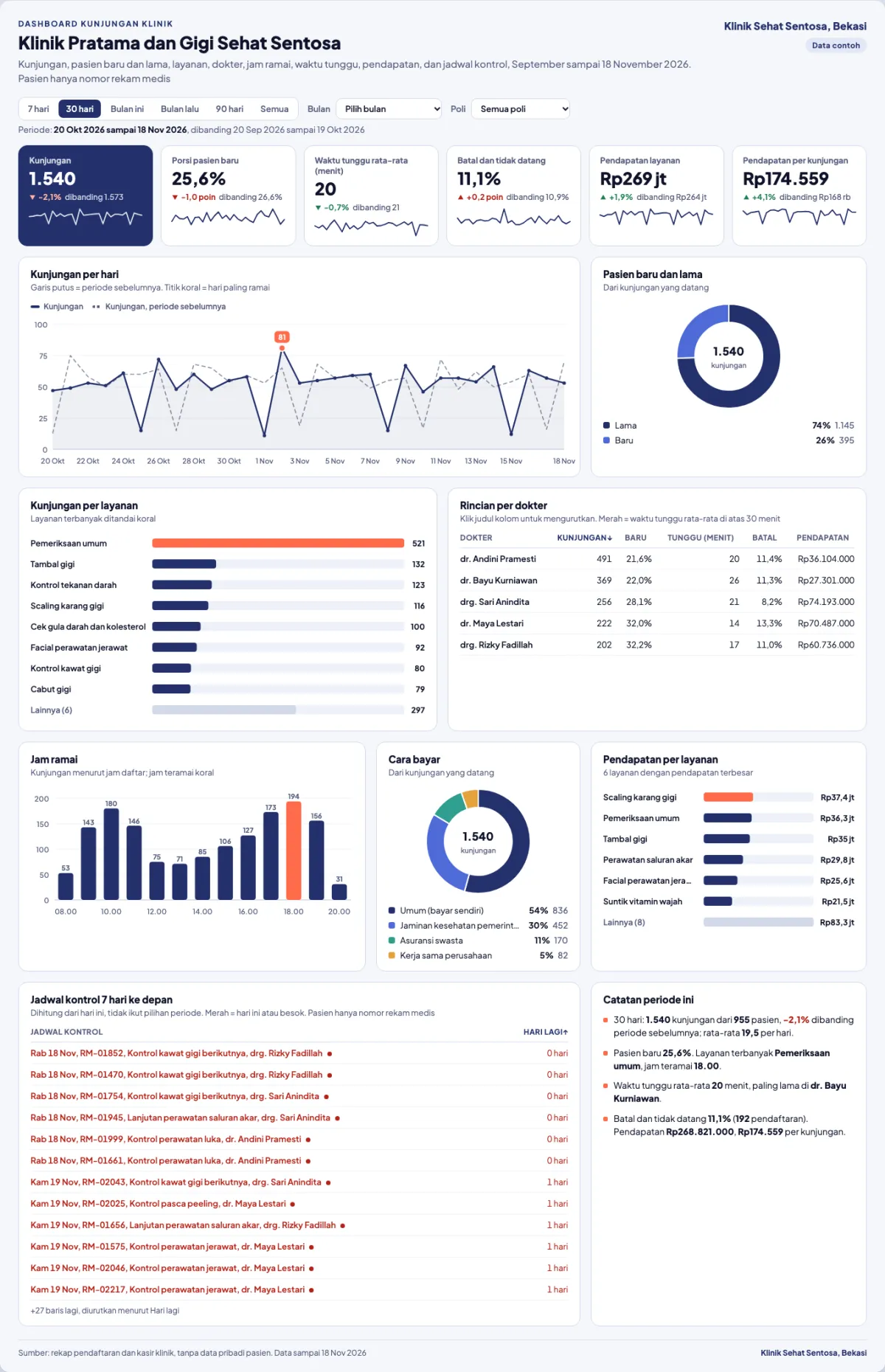
Last 30 days: visits, new patients, waiting time, cancellations, revenue, doctors, busy hours, and follow-ups
SKILL.md contents
Premium subscribers can read, copy, and install this skill.
Unlock with Premium Sign inClinic Visits Dashboard
Description
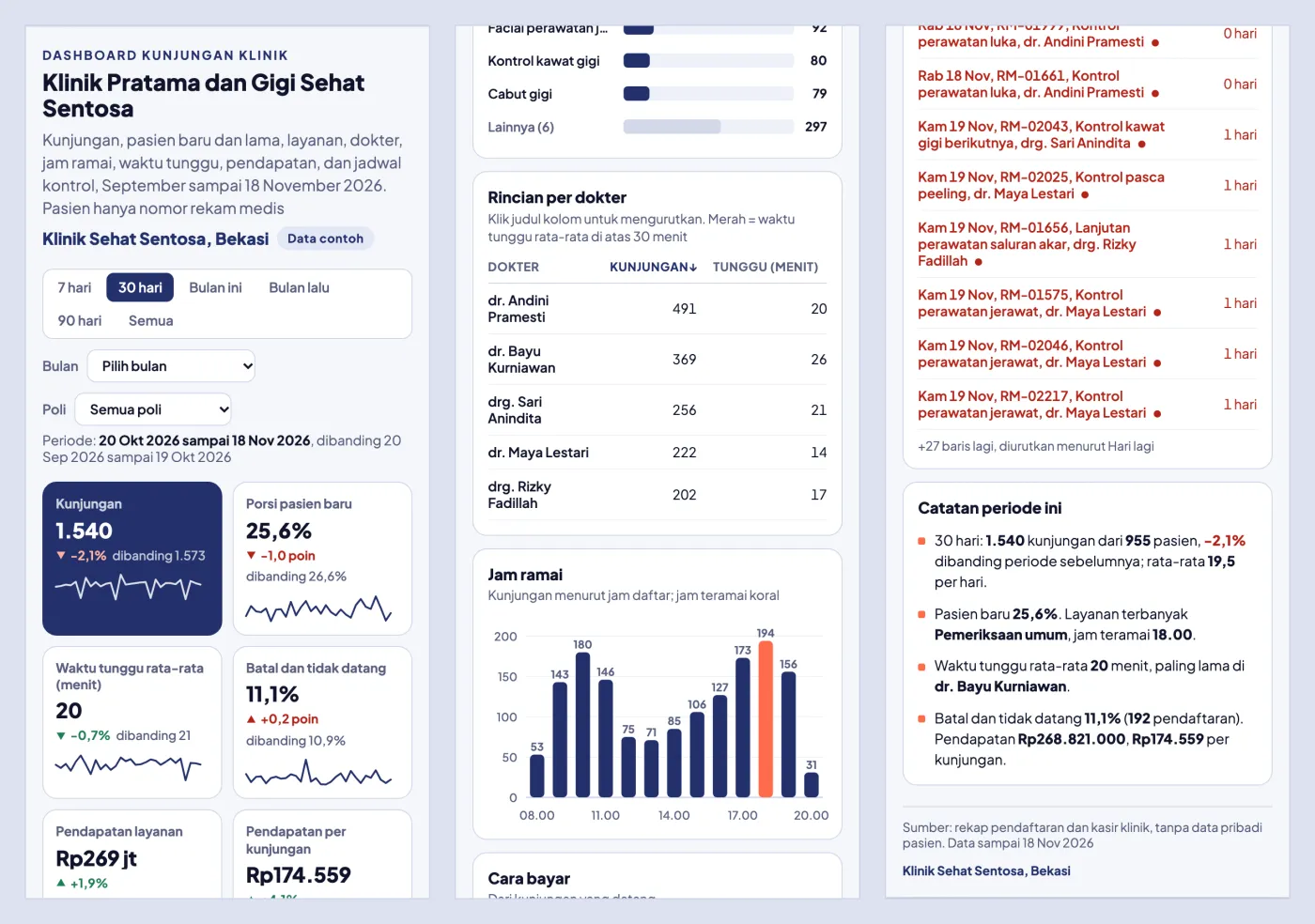
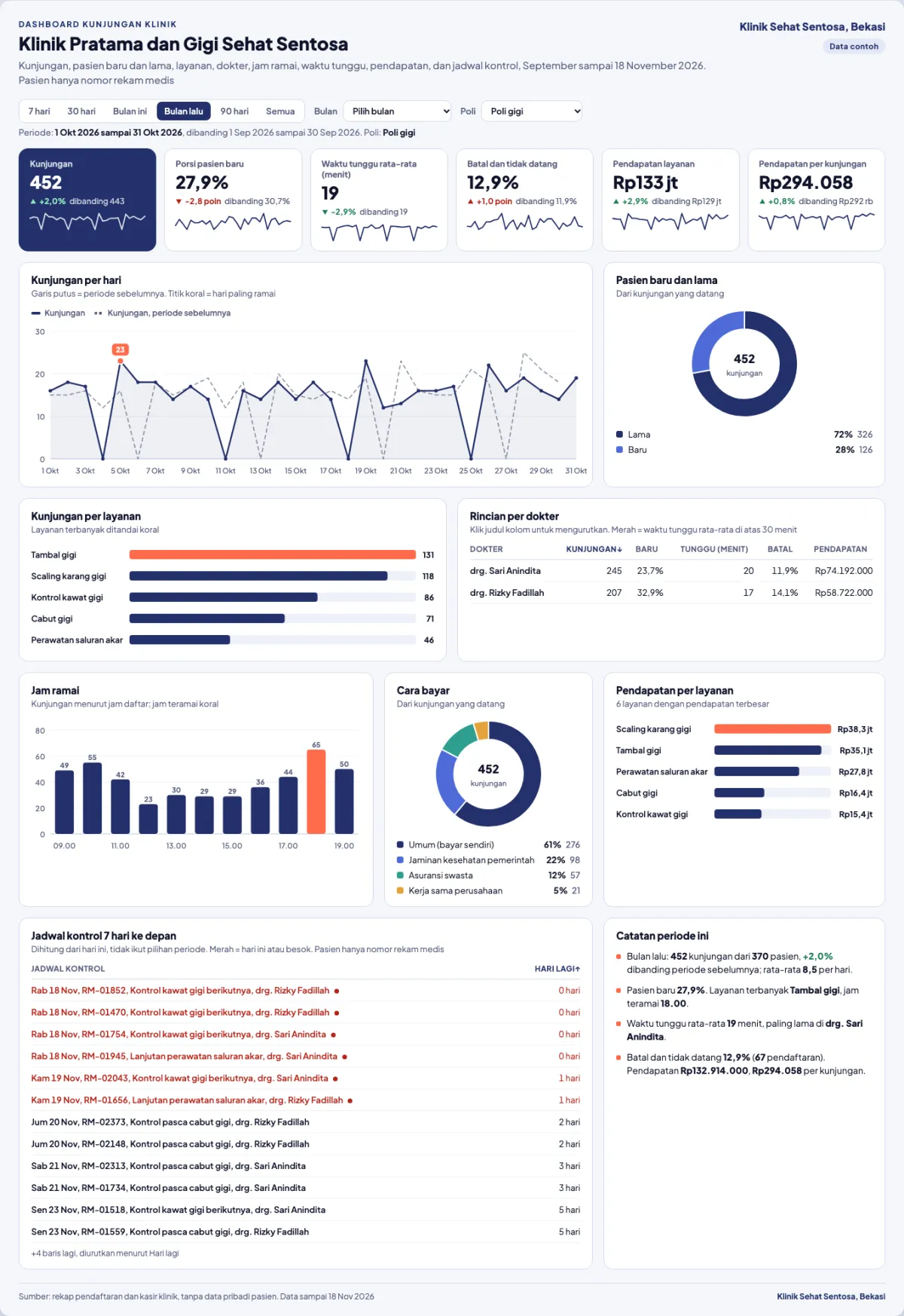
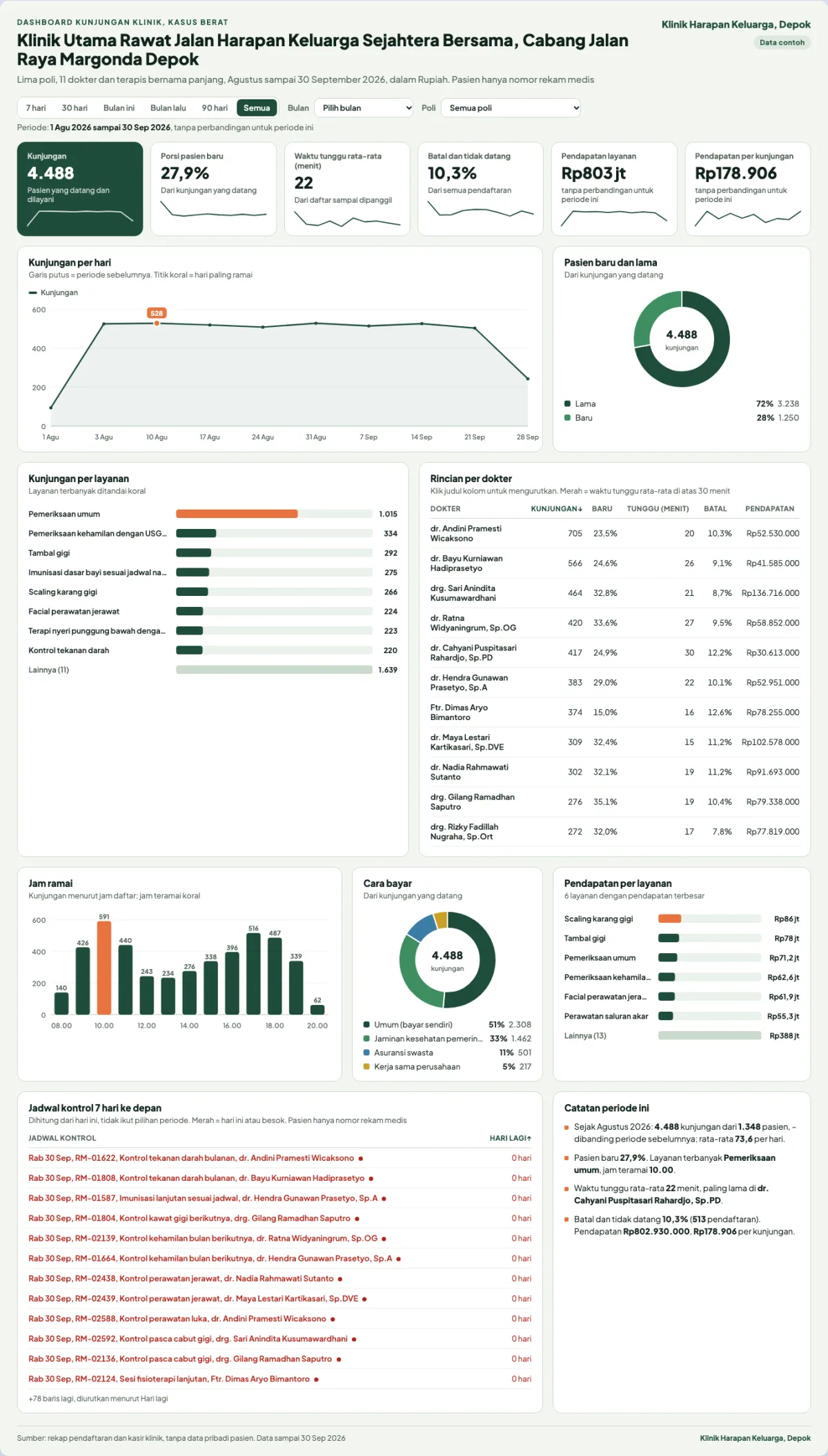
A one-screen dashboard for general, dental, aesthetic, or veterinary clinics: visits per day, new and returning patients, visits per service and per doctor, busy hours, average waiting time, revenue per service, self-pay, insurance, and public cover, cancellation and no-show rate, and follow-ups for the next 7 days with patients shown only as record numbers. Period and department filters recalculate every number; download PDF, Excel, and PNG.
Verified by SkillFlow
We checked every file in this skill automatically: no command that downloads and runs a program, no hidden code, no instruction telling your AI to ignore you.
- Loads from outside
- Fonts: Google Fonts SkillFlow: directory.skillflow.ai.id
See the 6 files inside
skill.json11 KBSKILL.md8 KBprompt.md7 KBprompt.en.md7 KBfiles/contoh/lima-poli-11-dokter.html1.1 MBfiles/dashboard.html868 KB
Checked 14 Nov 2026
Part of SkillFlow Pro
Pro opens every skill in every category: copy, ZIP, Send to AI, install, save, and request new skills.
Get Pro Already subscribed? Sign inWhat you get
- A one-screen HTML dashboard, responsive on desktop and phone, no libraries
- KPIs for visits, new patients, waiting time, cancellations and no-shows, total and per-visit revenue
- Visits per service, a per-doctor breakdown, busy hours, and payment types
- Revenue per service and automatic notes that follow the filters
- A 7-day follow-up table with record numbers and no personal patient data
- Period and department filters, Download PDF, Excel, and PNG buttons for the chosen view
Good fit
- General, dental, aesthetic, mother and child, physiotherapy, or veterinary clinics with several departments
- Clinic managers planning doctor and staff rosters around busy hours
- Monthly owner and doctor meetings on visits, waiting time, and revenue
- Front desk staff who remind patients of follow-ups by WhatsApp
Not for
- Not a medical record: it stores no diagnoses, prescriptions, or personal patient data
- It does not handle insurance or public health cover claims
- It does not send follow-up reminders; staff read the list and contact patients
- For salons, barbershops, or studios with booking slots, use the Service Booking Dashboard
About this skill
/dashboard-kunjungan-klinik Make a visits dashboard for my general and dental clinic: patients per day, which doctor is busiest, when the queue peaks, how long patients wait, and who has a follow-up this week.
Show more
A one-screen dashboard for general, dental, aesthetic, or veterinary clinics: visits per day, new and returning patients, visits per service and per doctor, busy hours, average waiting time, revenue per service, self-pay, insurance, and public cover, cancellation and no-show rate, and follow-ups for the next 7 days with patients shown only as record numbers. Period and department filters recalculate every number; download PDF, Excel, and PNG.
User reviews
FAQ
Do patient names appear on the dashboard?
No. Patients appear only as record numbers, and names, ID numbers, addresses, phone numbers, and diagnoses are removed when the data is cleaned. The dashboard can be printed and shared in meetings without exposing personal data.
How are new and returning patients decided?
A new patient is the first visit of a record number at the clinic. If your registration system already marks new or returning, that mark is used.
Where is waiting time measured from?
From check-in until the patient is called into the room, in minutes, for attended visits only. If the clinic does not record call times yet, fill it from staff estimates or leave it blank and drop the waiting time card.
Which AI can I use it with?
Copy the prompt into a chat AI (ChatGPT, Claude, Gemini, DeepSeek); or download the ZIP and install it in an AI agent (Claude Code, Codex, Antigravity, Hermes Agent, Cursor, GitHub Copilot, Gemini CLI, OpenCode, Kimi Code, Trae), which then builds the files for you.
What is in the ZIP?
One folder named dashboard-kunjungan-klinik with SKILL.md (the instructions an AI agent reads) and the prompt, 6 files in all. Extract it into your agent's skills folder, or install it with npx skillflow-ai add dashboard-kunjungan-klinik. Pro only.
Is there a per-use fee or credits?
Not from SkillFlow. The skill runs on the AI you already use, so any cost follows that plan.
Which plan includes it?
SkillFlow Pro. It opens every skill in every category.
Can I use my own colours and brand?
Yes. Pick a colour theme on this page, or fill in your brand profile once; both go into the prompt you copy and into the ZIP.
Can I share what I made?
Pro members can upload the result and get a page at share.skillflow.ai.id to send to anyone. The page carries a small "Made with SkillFlow AI" mark.
Is there a download limit?
Yes, per day: 50 skills on Pro, 10 on other plans. Downloading a skill again on the same day does not count.



