

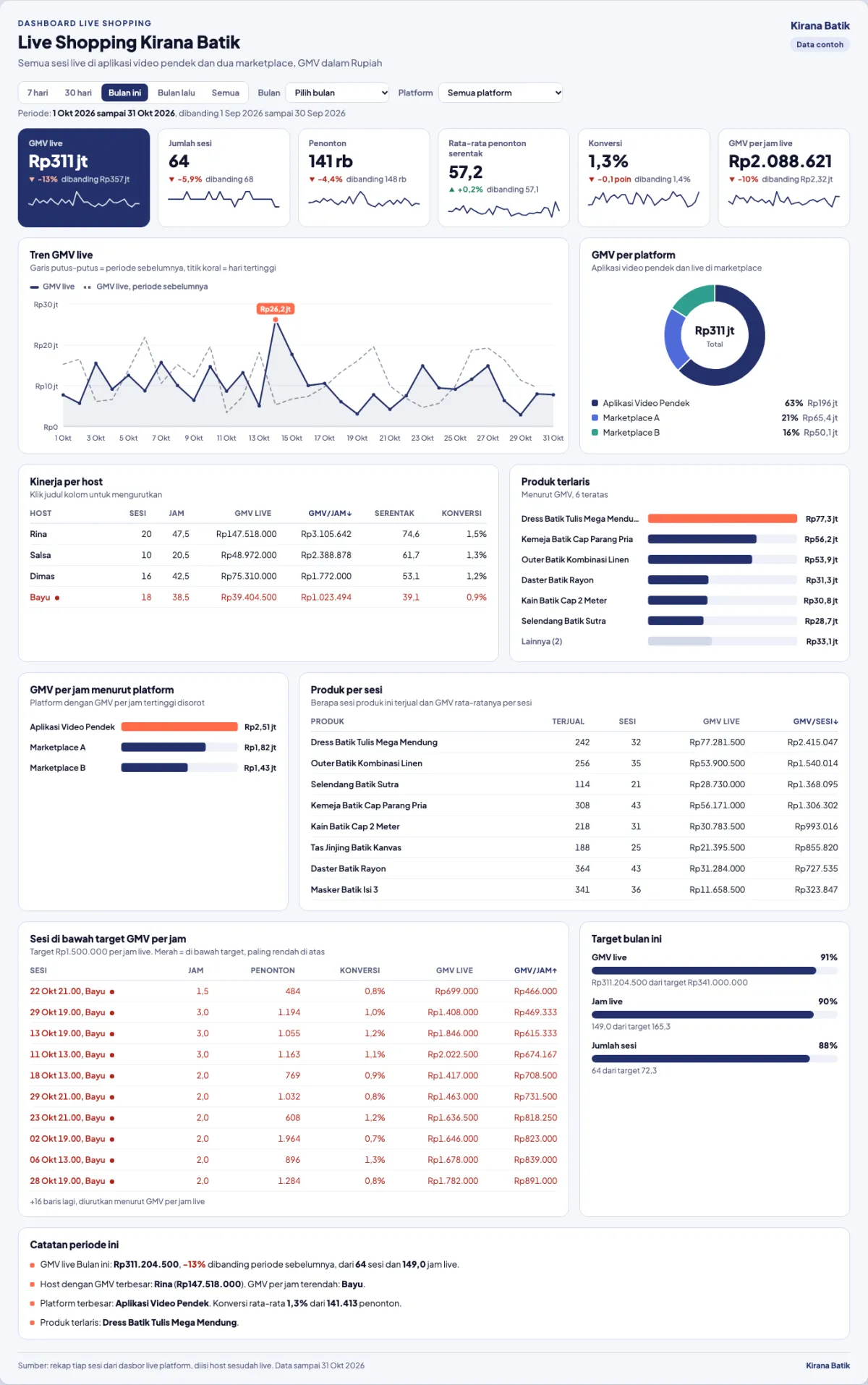
This month: live KPIs, GMV trend, host performance, products, and sessions below target
SKILL.md contents
Premium subscribers can read, copy, and install this skill.
Unlock with Premium Sign inLive Selling Dashboard
Description
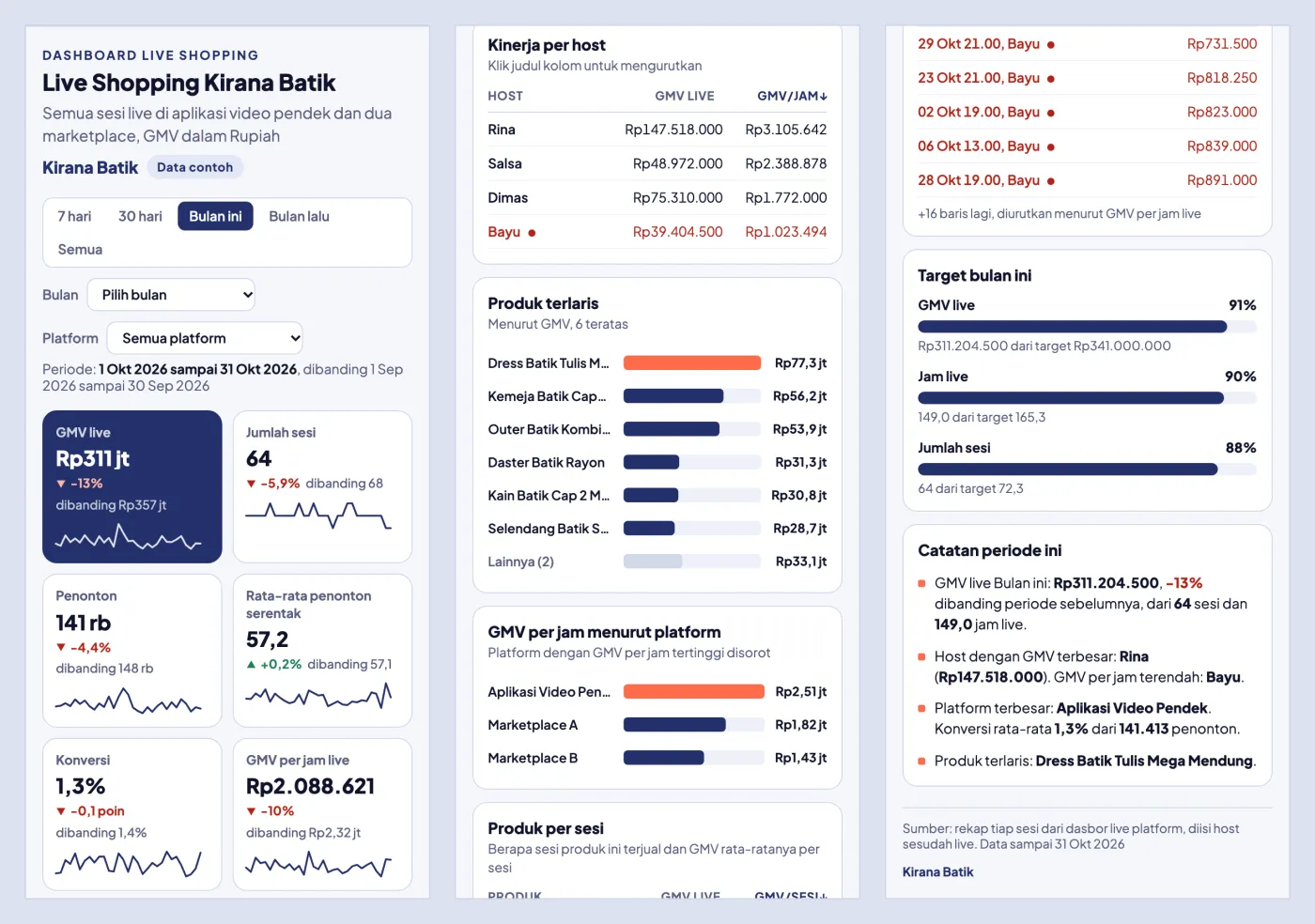
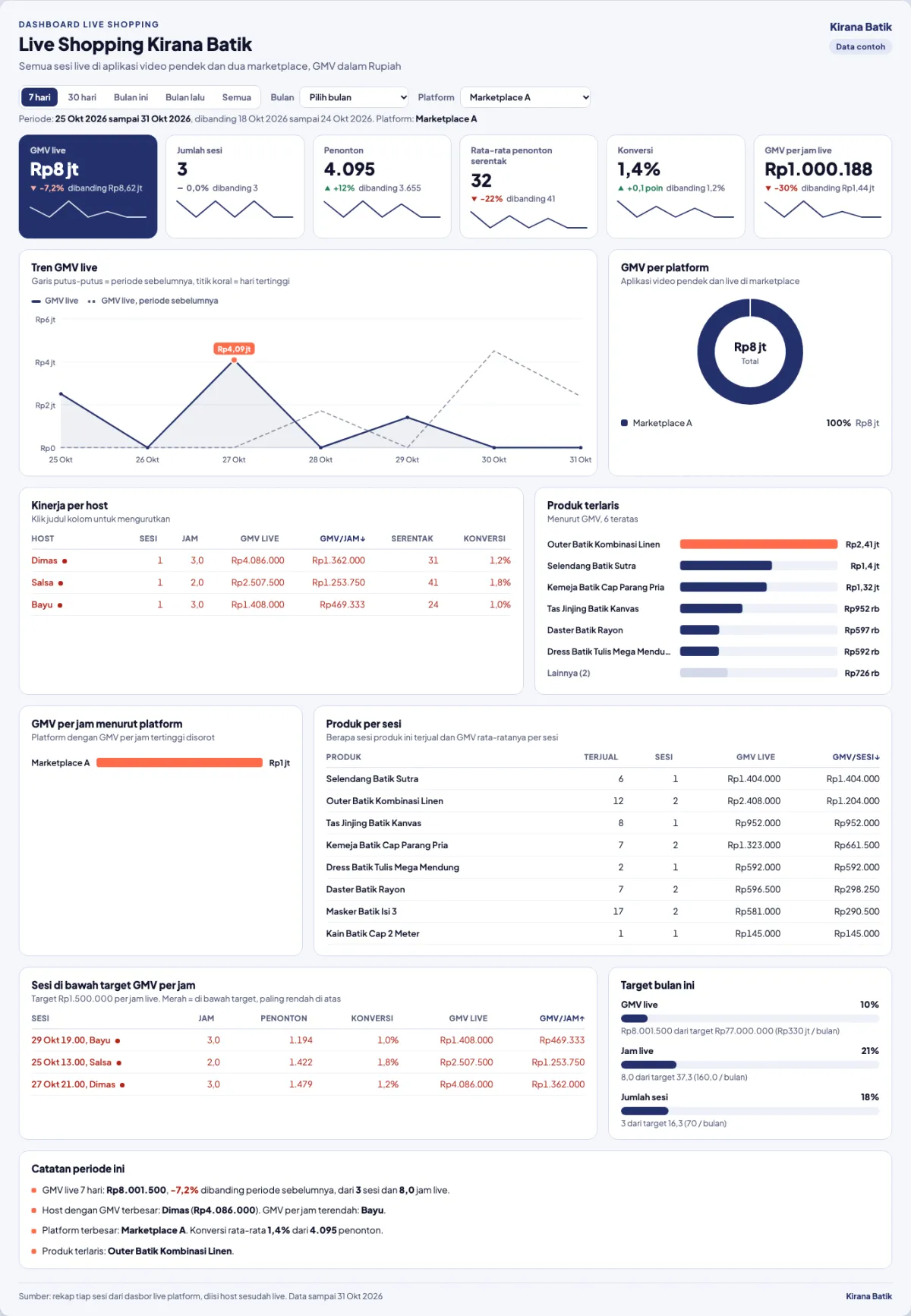
A one-screen dashboard for brands, shops, and agencies that go live regularly with several hosts: live GMV, sessions, viewers, average concurrent viewers, conversion, and GMV per live hour against the previous period, a daily GMV trend, performance per host, GMV per platform (short-video app and marketplace live streams), best-selling products and products per session, a table of sessions below the GMV per hour target in red, monthly target progress, and automatic notes. Period and platform filters recalculate every number, and the chosen view downloads as PDF, PNG, or Excel.
Verified by SkillFlow
We checked every file in this skill automatically: no command that downloads and runs a program, no hidden code, no instruction telling your AI to ignore you.
- Loads from outside
- Fonts: Google Fonts SkillFlow: directory.skillflow.ai.id
See the 6 files inside
skill.json10 KBSKILL.md10 KBprompt.md7 KBprompt.en.md7 KBfiles/contoh/agensi-live-9-host.html1.1 MBfiles/dashboard.html187 KB
Checked 14 Nov 2026
Part of SkillFlow Pro
Pro opens every skill in every category: copy, ZIP, Send to AI, install, save, and request new skills.
Get Pro Already subscribed? Sign inWhat you get
- Six KPIs: live GMV, sessions, viewers, concurrent viewers, conversion, GMV per hour, with up/down arrows
- Period filter (7 days, 30 days, this month, last month, all, or a chosen month) and a platform filter
- GMV trend, GMV per platform, GMV per hour by platform, and a per-host performance table
- Best-selling products and products per session (sessions sold in, GMV per session)
- A table of sessions below the GMV per hour target (red), monthly target progress, and automatic notes
- Download PDF, PNG, and Excel of the chosen view; reads cleanly on a phone
Good fit
- Brands and shops that go live every day with several hosts
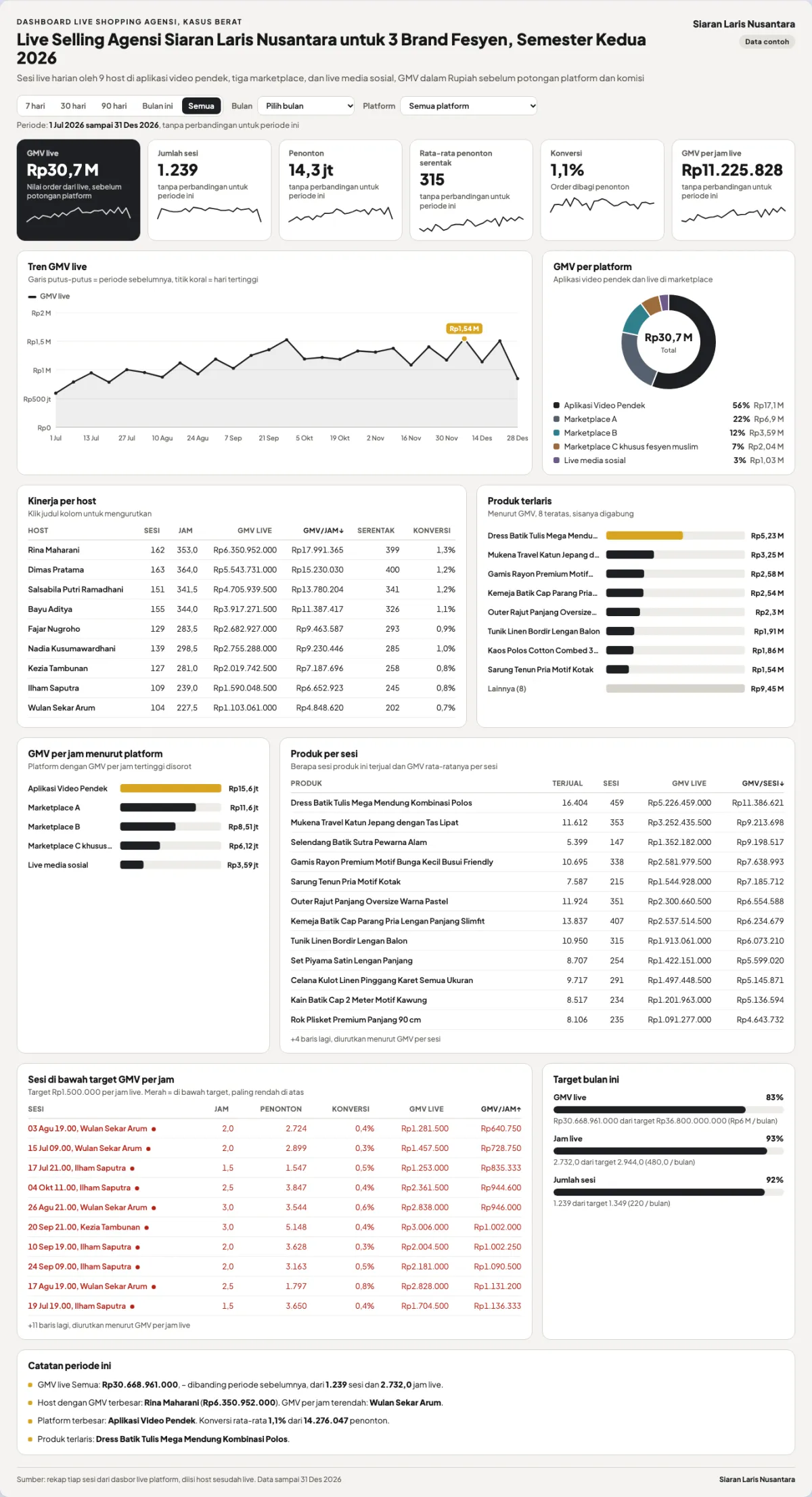
- Live selling agencies reporting host and platform performance to clients
- Teams deciding the live schedule from GMV per hour, not from viewer counts
Not for
- Not connected to platforms automatically; the session recap is pasted from a spreadsheet or live dashboard export
- Not an on-screen overlay for use during the stream
- GMV here is before platform fees and host commission, so it is not profit
About this skill
/dashboard-live-shopping Build a live selling dashboard from this month's live session recap of my hijab shop, 3 hosts on a short-video app and one marketplace, target GMV per hour 2,000,000
Show more
A one-screen dashboard for brands, shops, and agencies that go live regularly with several hosts: live GMV, sessions, viewers, average concurrent viewers, conversion, and GMV per live hour against the previous period, a daily GMV trend, performance per host, GMV per platform (short-video app and marketplace live streams), best-selling products and products per session, a table of sessions below the GMV per hour target in red, monthly target progress, and automatic notes. Period and platform filters recalculate every number, and the chosen view downloads as PDF, PNG, or Excel.
User reviews
FAQ
Why are there two kinds of rows in the data?
One row per session holds duration and viewers, one row per product holds orders and GMV. That way viewers are never counted twice, and best sellers can still be worked out per session.
Where do I change the GMV per hour target?
In the DASHBOARD object, in the condition of the host table, the below-target sessions table, and that table's note. Change all three to the same number.
My data only has totals per session, no product breakdown. Does it still work?
Yes. Fill one row per session with all the numbers, then remove the two product widgets. The KPIs, trend, hosts, platforms, and sessions table still work.
Which AI can I use it with?
Copy the prompt into a chat AI (ChatGPT, Claude, Gemini, DeepSeek); or download the ZIP and install it in an AI agent (Claude Code, Codex, Antigravity, Hermes Agent, Cursor, GitHub Copilot, Gemini CLI, OpenCode, Kimi Code, Trae), which then builds the files for you.
What is in the ZIP?
One folder named dashboard-live-shopping with SKILL.md (the instructions an AI agent reads) and the prompt, 6 files in all. Extract it into your agent's skills folder, or install it with npx skillflow-ai add dashboard-live-shopping. Pro only.
Is there a per-use fee or credits?
Not from SkillFlow. The skill runs on the AI you already use, so any cost follows that plan.
Which plan includes it?
SkillFlow Pro. It opens every skill in every category.
Can I use my own colours and brand?
Yes. Pick a colour theme on this page, or fill in your brand profile once; both go into the prompt you copy and into the ZIP.
Can I share what I made?
Pro members can upload the result and get a page at share.skillflow.ai.id to send to anyone. The page carries a small "Made with SkillFlow AI" mark.
Is there a download limit?
Yes, per day: 50 skills on Pro, 10 on other plans. Downloading a skill again on the same day does not count.



