

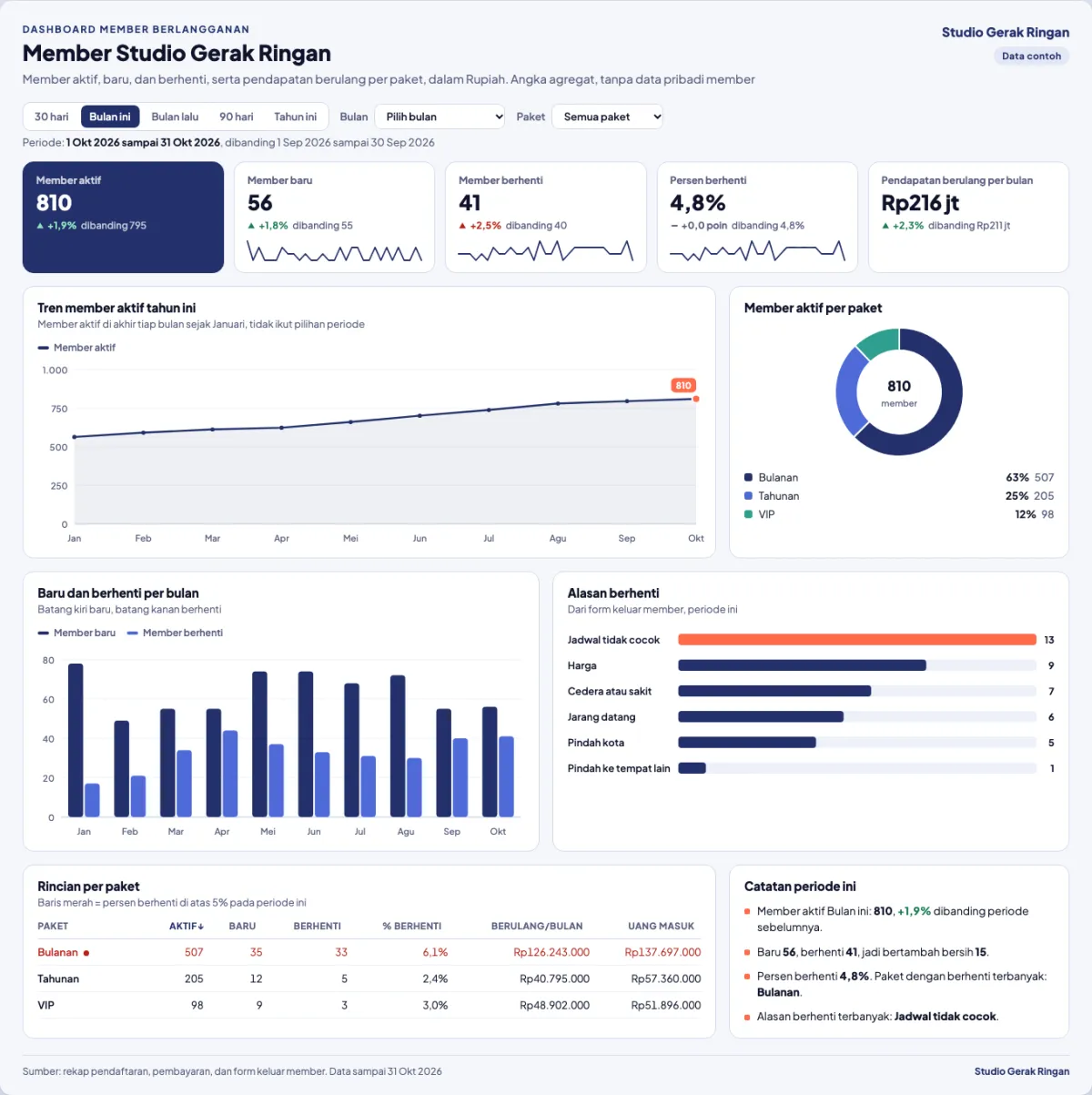
This month: member KPIs, active member trend, per plan, new and cancelled, reasons, plan table
SKILL.md contents
Premium subscribers can read, copy, and install this skill.
Unlock with Premium Sign inSubscription Membership Dashboard
Description
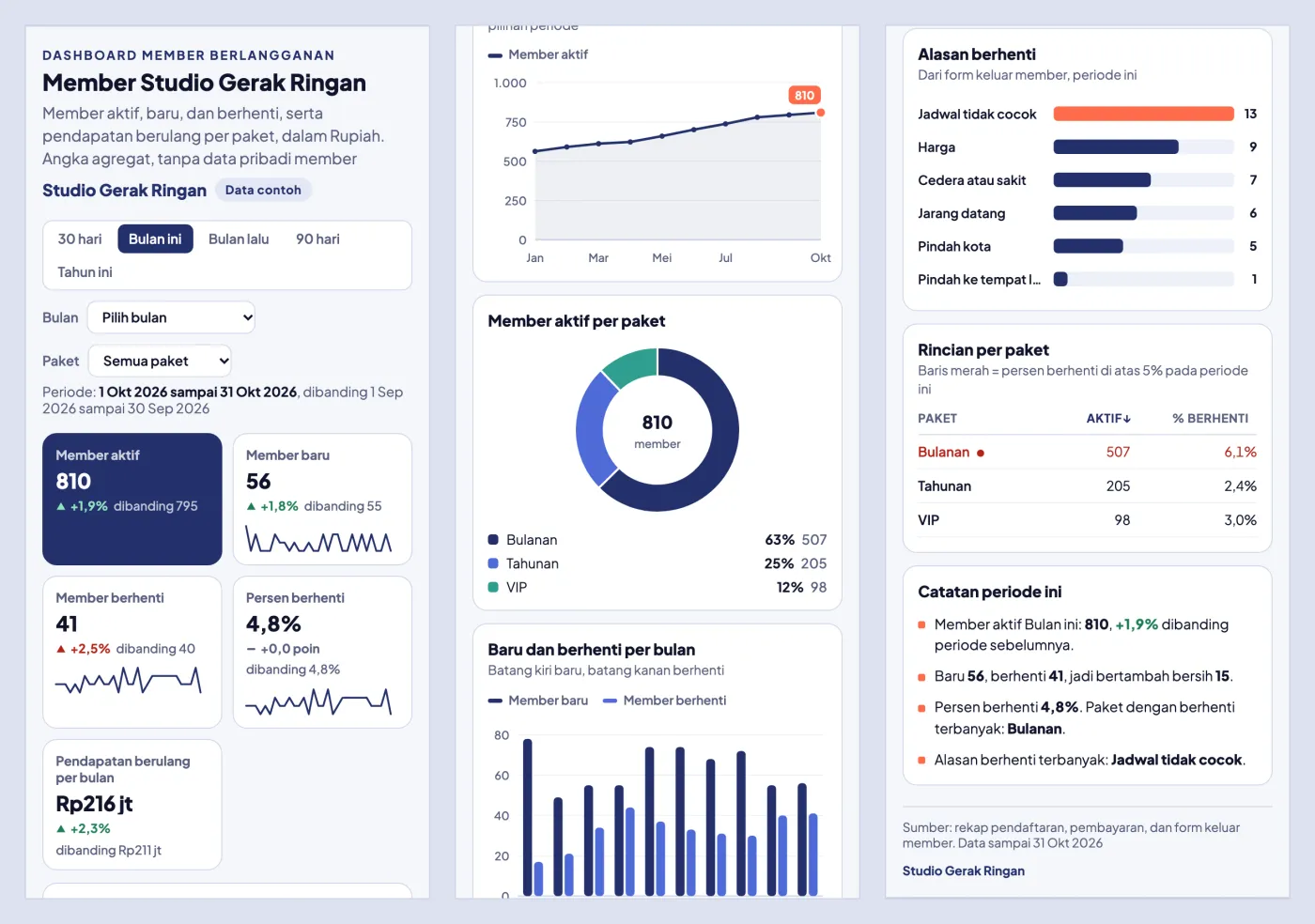
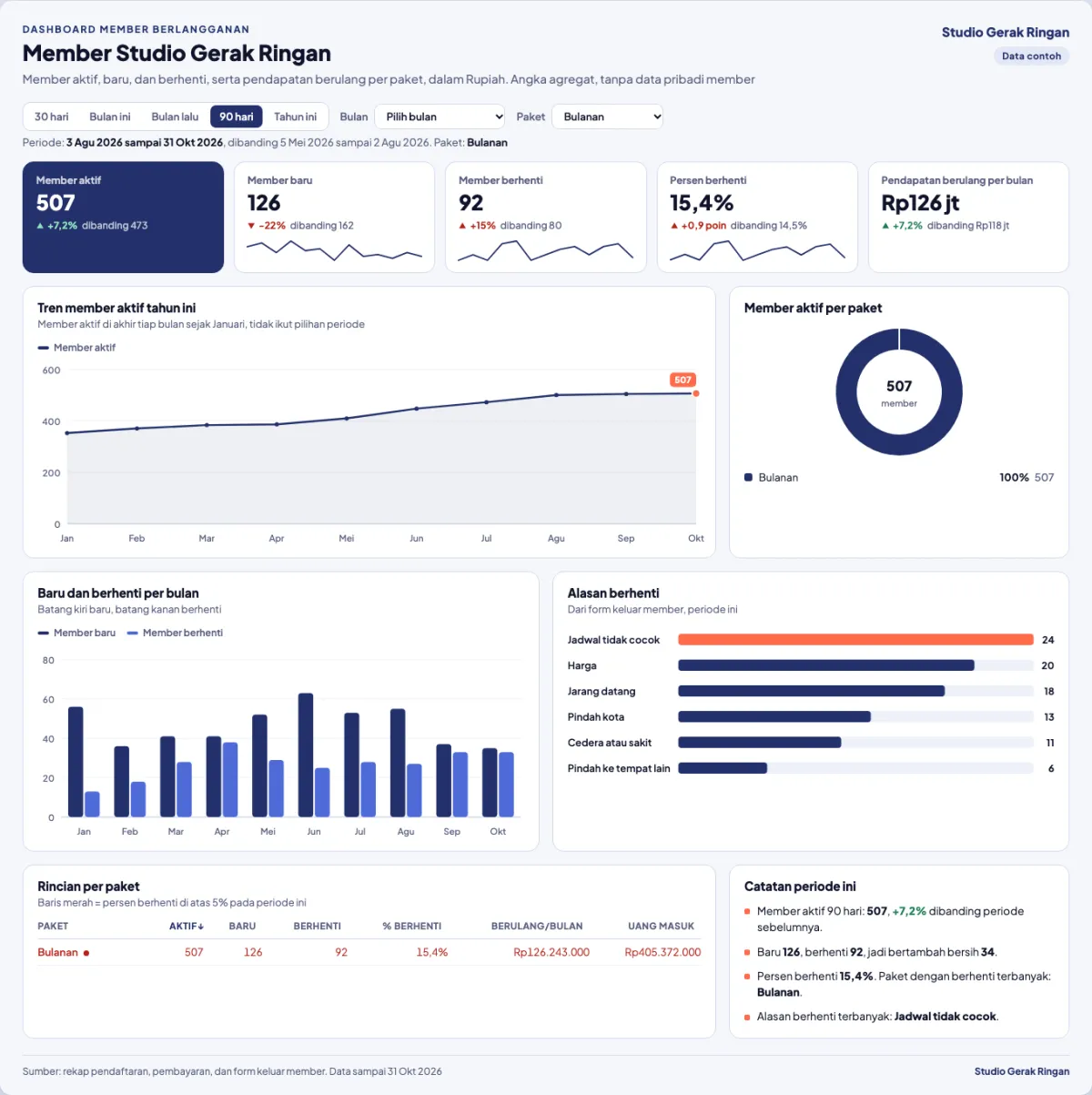
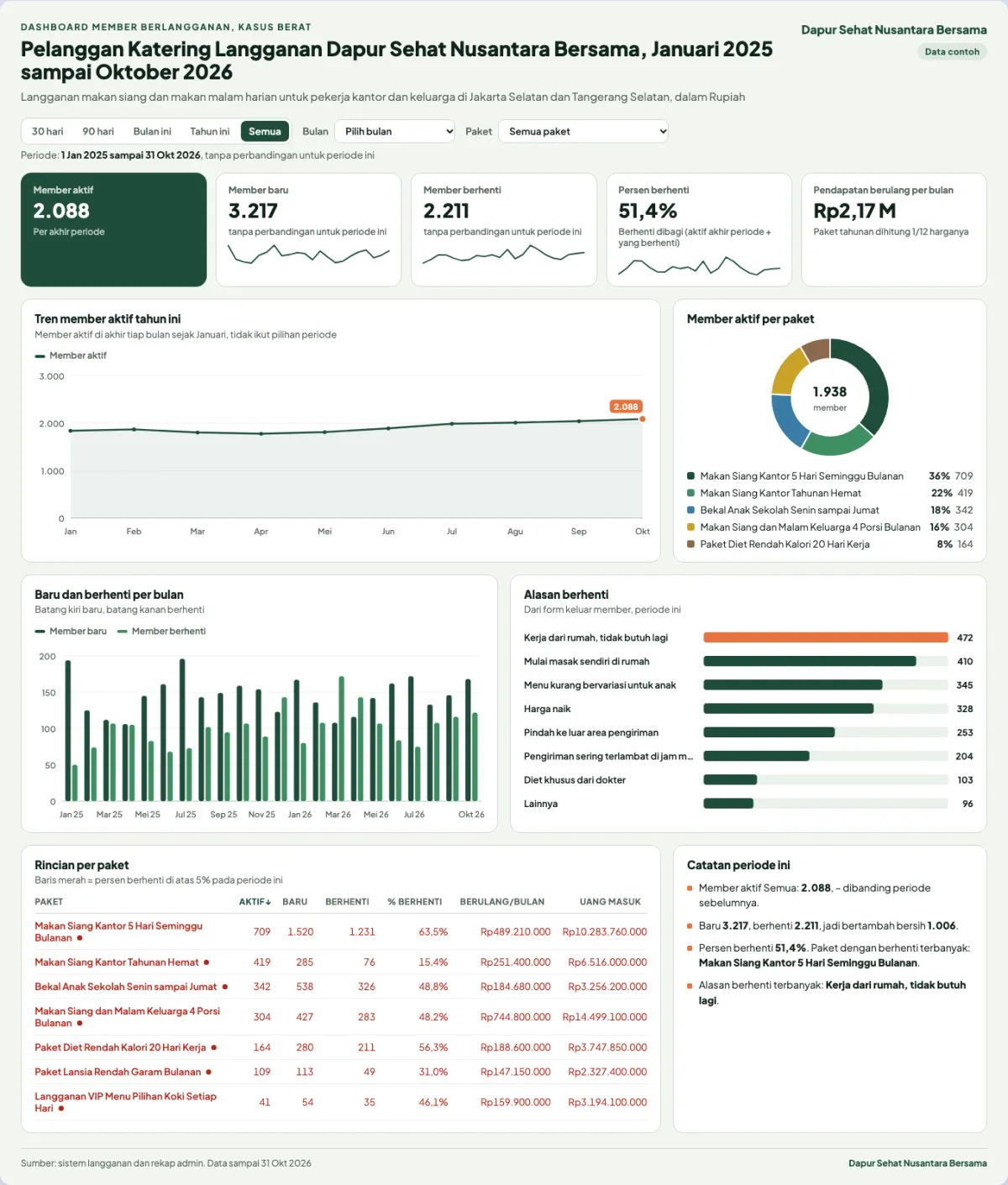
A one-screen dashboard for paid communities, subscription classes, gyms, and meal subscriptions, filtered by period and by plan (monthly, yearly, VIP): KPIs for active, new, and cancelled members, the cancellation rate, and monthly recurring revenue against the previous period, an active member trend for the year, active members per plan, new and cancelled per month, cancellation reasons, a per-plan table with red rows when the cancellation rate passes a threshold, and automatic notes. Aggregated data with no personal member details. Download the current view as PDF, PNG, or Excel.
Verified by SkillFlow
We checked every file in this skill automatically: no command that downloads and runs a program, no hidden code, no instruction telling your AI to ignore you.
- Loads from outside
- Fonts: Google Fonts SkillFlow: directory.skillflow.ai.id
See the 6 files inside
skill.json10 KBSKILL.md10 KBprompt.md7 KBprompt.en.md7 KBfiles/contoh/katering-banyak-paket.html937 KBfiles/dashboard.html157 KB
Checked 14 Nov 2026
Part of SkillFlow Pro
Pro opens every skill in every category: copy, ZIP, Send to AI, install, save, and request new skills.
Get Pro Already subscribed? Sign inWhat you get
- A one-screen HTML dashboard with a period filter (including a month picker) and a plan filter
- KPIs for active, new, and cancelled members, cancellation rate, and monthly recurring revenue with comparisons
- An active member trend for the year, active members per plan, new and cancelled per month, cancellation reasons
- A per-plan table with red rows when the cancellation rate is above the threshold
- Automatic notes recalculated on every filter
- PDF, PNG, and Excel downloads of the current view
Good fit
- Owners of paid communities, subscription classes, gyms, or meal subscriptions
- Admins reporting member growth and recurring revenue per plan to the owner
- Businesses that want to know which plan loses the most members and why
Not for
- Not a member list by name; the dashboard is deliberately aggregated with no personal data
- Not a cohort analysis; for retention by join month use a customer retention chart
- It does not connect to a payment system; you paste or update the data yourself
- The cancellation rate uses one simple definition, not a specific accounting standard
About this skill
/dashboard-member-berlangganan Make a dashboard for my gym members with monthly, yearly, and VIP plans: active members, cancellations, cancellation rate, and monthly recurring revenue, flagging plans with cancellations above 5 percent
Show more
A one-screen dashboard for paid communities, subscription classes, gyms, and meal subscriptions, filtered by period and by plan (monthly, yearly, VIP): KPIs for active, new, and cancelled members, the cancellation rate, and monthly recurring revenue against the previous period, an active member trend for the year, active members per plan, new and cancelled per month, cancellation reasons, a per-plan table with red rows when the cancellation rate passes a threshold, and automatic notes. Aggregated data with no personal member details. Download the current view as PDF, PNG, or Excel.
User reviews
FAQ
My data is per member with names and numbers. Can I use it?
Yes, but names, numbers, and emails are removed first and the data is summarised by date and plan. The dashboard file and its downloads hold no personal member data.
Why is recurring revenue different from cash received?
Recurring revenue counts the monthly price of every active member, with yearly plans at 1/12 of their price. Cash received is what was actually paid in the period, so a yearly plan lands all at once in the month it is paid.
Can I change the red-row threshold?
Yes. Change the number in the per-plan table highlight setting, for example 0.08 for 8 percent, and update the note under the table title to match.
Which AI can I use it with?
Copy the prompt into a chat AI (ChatGPT, Claude, Gemini, DeepSeek); or download the ZIP and install it in an AI agent (Claude Code, Codex, Antigravity, Hermes Agent, Cursor, GitHub Copilot, Gemini CLI, OpenCode, Kimi Code, Trae), which then builds the files for you.
What is in the ZIP?
One folder named dashboard-member-berlangganan with SKILL.md (the instructions an AI agent reads) and the prompt, 6 files in all. Extract it into your agent's skills folder, or install it with npx skillflow-ai add dashboard-member-berlangganan. Pro only.
Is there a per-use fee or credits?
Not from SkillFlow. The skill runs on the AI you already use, so any cost follows that plan.
Which plan includes it?
SkillFlow Pro. It opens every skill in every category.
Can I use my own colours and brand?
Yes. Pick a colour theme on this page, or fill in your brand profile once; both go into the prompt you copy and into the ZIP.
Can I share what I made?
Pro members can upload the result and get a page at share.skillflow.ai.id to send to anyone. The page carries a small "Made with SkillFlow AI" mark.
Is there a download limit?
Yes, per day: 50 skills on Pro, 10 on other plans. Downloading a skill again on the same day does not count.



