

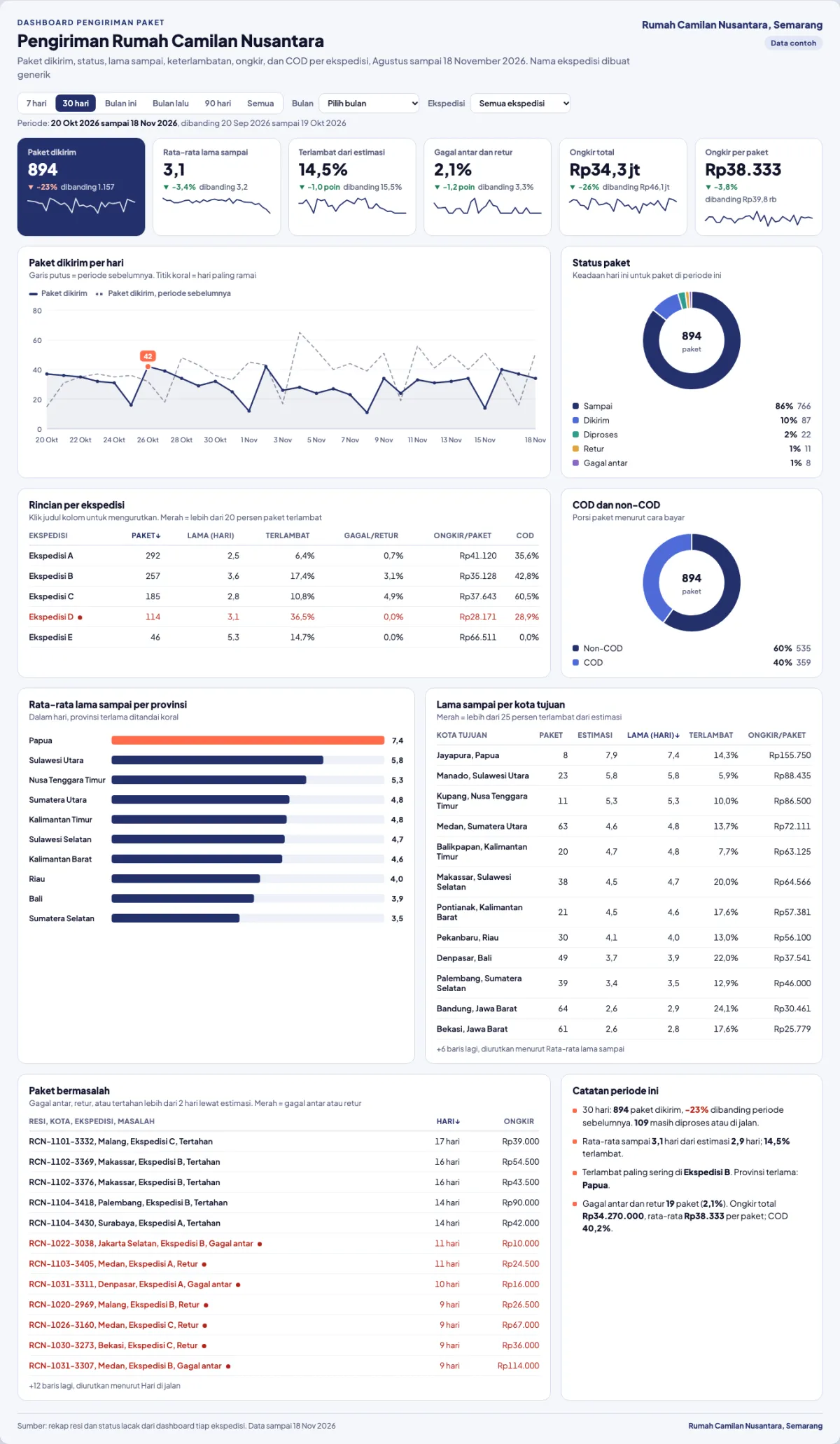
Last 30 days: parcels, delivery time, late rate, failures, shipping cost, per-courier breakdown, and problem parcels
SKILL.md contents
Premium subscribers can read, copy, and install this skill.
Unlock with Premium Sign inParcel Shipping Dashboard
Description
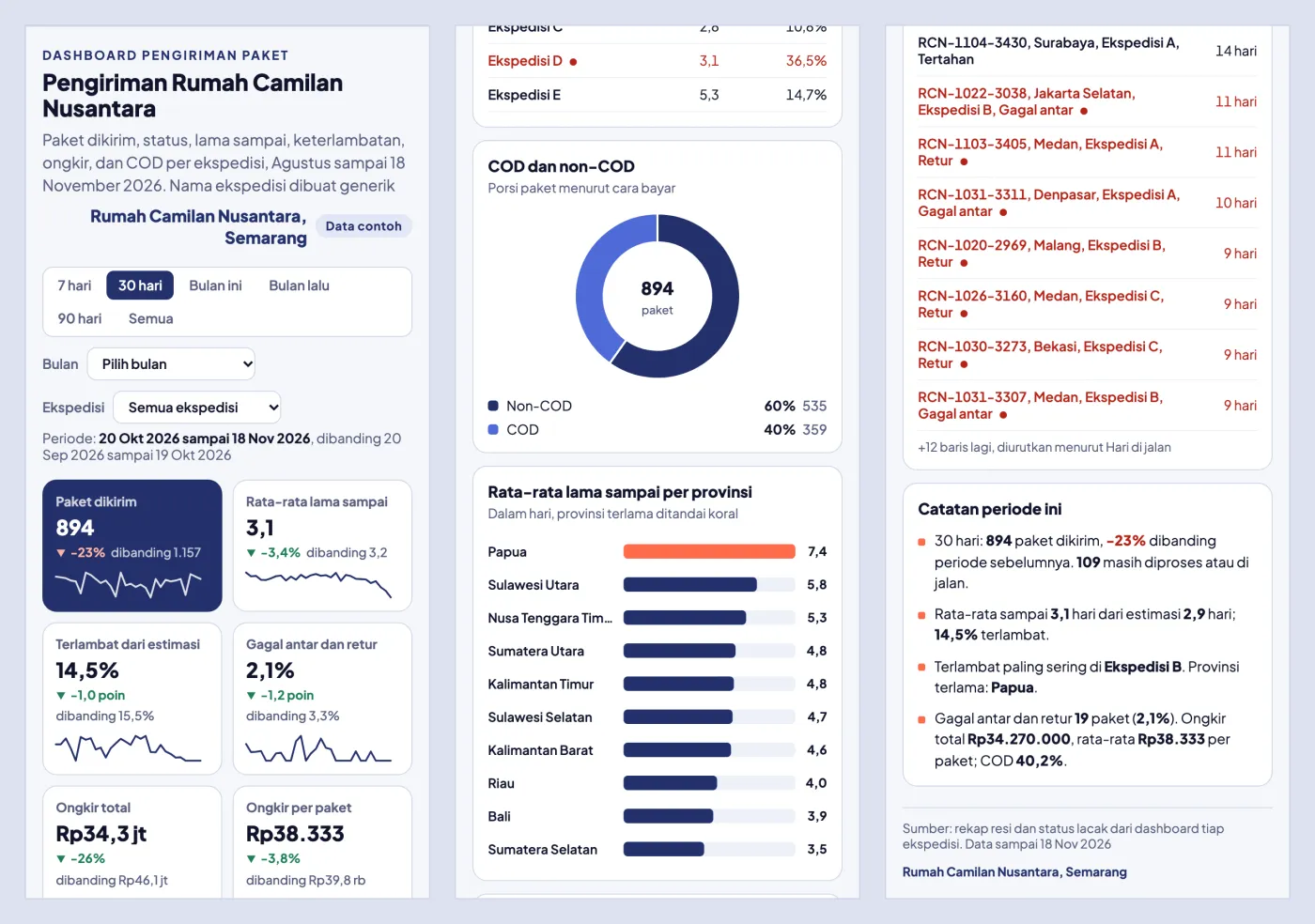
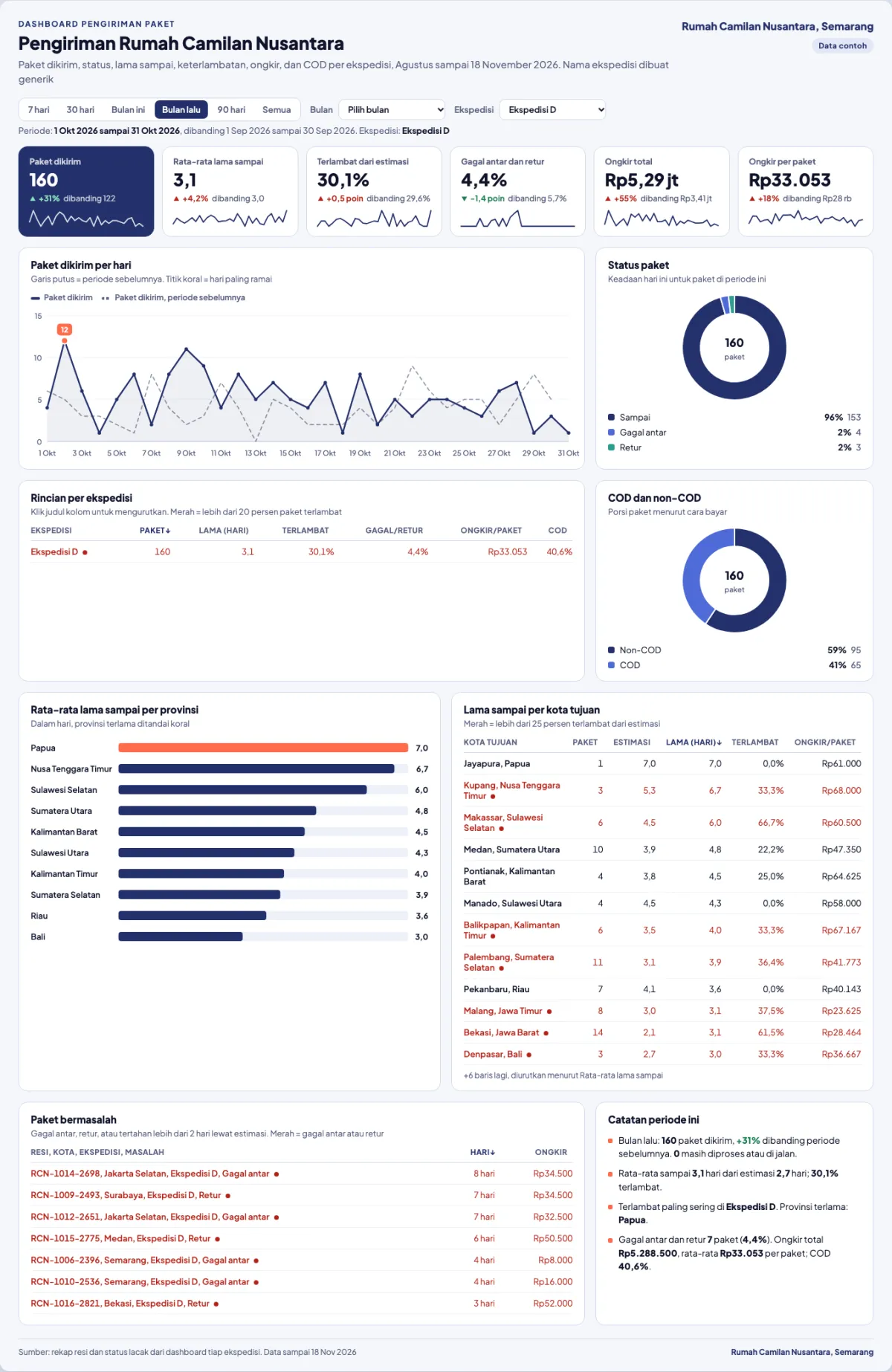
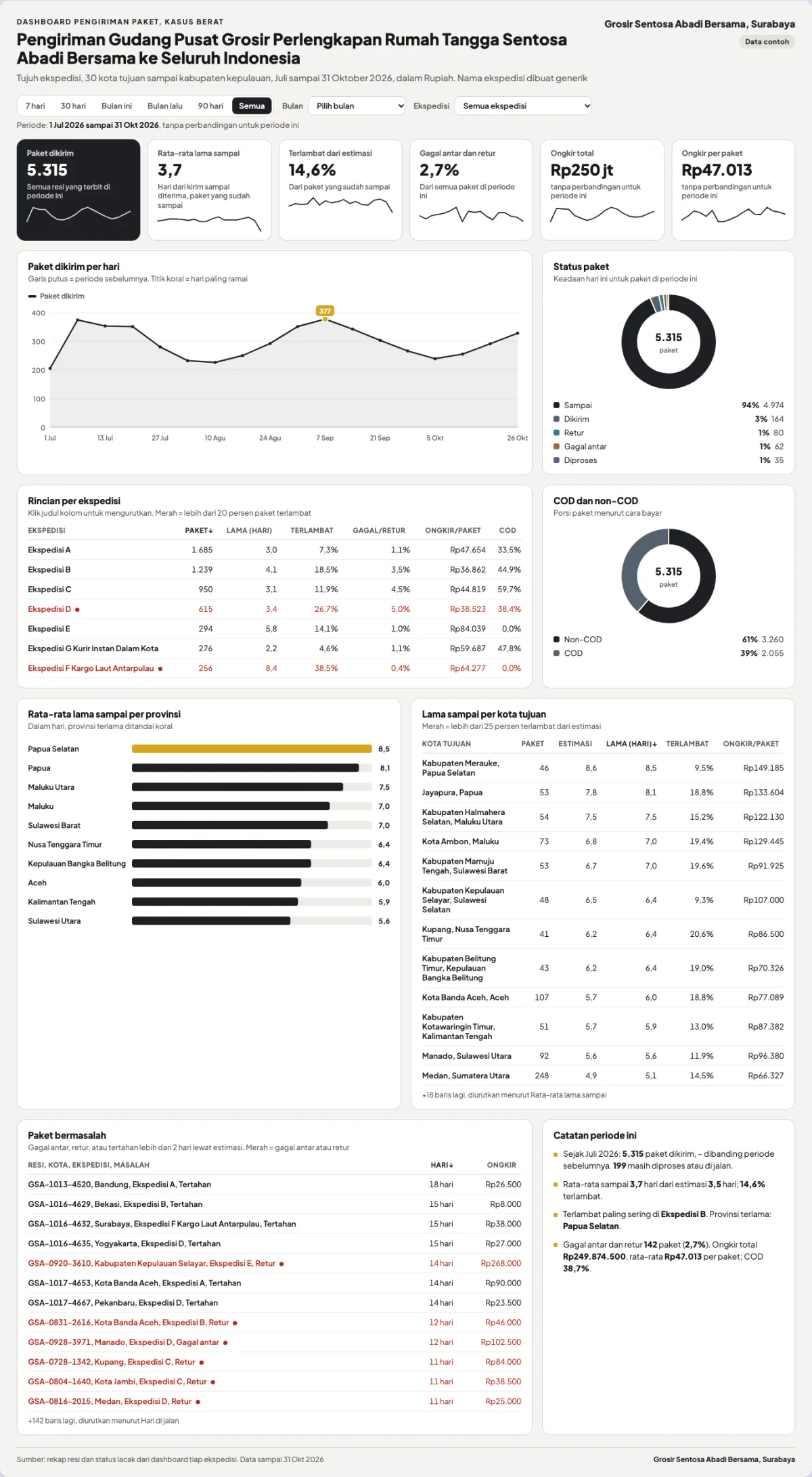
A one-screen dashboard for online shops shipping with several couriers: parcels shipped per day, status processing, in transit, delivered, failed, and returned, average delivery time against the estimate, late rate, total and per-parcel shipping cost, COD share, a per-courier breakdown, delivery time per region and city, and a problem parcels table. Period and courier filters recalculate every number; download PDF, Excel, and PNG.
Verified by SkillFlow
We checked every file in this skill automatically: no command that downloads and runs a program, no hidden code, no instruction telling your AI to ignore you.
- Loads from outside
- Fonts: Google Fonts SkillFlow: directory.skillflow.ai.id
See the 6 files inside
skill.json10 KBSKILL.md8 KBprompt.md7 KBprompt.en.md7 KBfiles/contoh/tujuh-ekspedisi-30-kota.html872 KBfiles/dashboard.html630 KB
Checked 14 Nov 2026
Part of SkillFlow Pro
Pro opens every skill in every category: copy, ZIP, Send to AI, install, save, and request new skills.
Get Pro Already subscribed? Sign inWhat you get
- A one-screen HTML dashboard, responsive on desktop and phone, no libraries
- KPIs for parcels shipped, delivery time, late rate, failed and returned, total and per-parcel shipping
- Parcels per day, parcel status, and the COD versus prepaid share
- A per-courier breakdown and delivery time per region and destination city
- A problem parcels table: failed, returned, and stuck past the estimate
- Period and courier filters, Download PDF, Excel, and PNG buttons for the chosen view
Good fit
- Online shops sending tens to hundreds of parcels a day through several couriers
- Warehouse admins chasing failed and stuck parcels every morning
- Owners who want to pick the main courier per region from data rather than gut feeling
- Shops that rely heavily on cash on delivery and want to see its share
Not for
- It does not track parcels live; the dashboard reads the records you pull from each courier
- Parcel status is the state when the data was pulled, so the records need refreshing each time
- It does not quote shipping before sending or compare couriers' official rates
- It stores no buyer names, addresses, or phone numbers
About this skill
/dashboard-pengiriman-paket Make a shipping dashboard for my snack shop from 3 months of shipment records: which courier is late most often, which regions take longest, the shipping cost per parcel, and which parcels failed delivery.
Show more
A one-screen dashboard for online shops shipping with several couriers: parcels shipped per day, status processing, in transit, delivered, failed, and returned, average delivery time against the estimate, late rate, total and per-parcel shipping cost, COD share, a per-courier breakdown, delivery time per region and city, and a problem parcels table. Period and courier filters recalculate every number; download PDF, Excel, and PNG.
User reviews
FAQ
What is the late rate based on?
Only on delivered parcels: parcels that took longer than the service estimate divided by all delivered parcels in the period. Parcels still in transit are not judged yet, except those stuck more than 2 days past the estimate, which show up in the problem table.
Can I hide the courier names?
Yes. The template sample uses Courier A to E. For your own use, write the couriers you actually use; when sharing outside, switch to letters so the focus stays on the numbers.
Where does the data come from?
From the shipment export you can download from each courier's dashboard or your order management app: ship date, tracking number, destination, latest status, delivery date, fee, and COD. One row per parcel.
Which AI can I use it with?
Copy the prompt into a chat AI (ChatGPT, Claude, Gemini, DeepSeek); or download the ZIP and install it in an AI agent (Claude Code, Codex, Antigravity, Hermes Agent, Cursor, GitHub Copilot, Gemini CLI, OpenCode, Kimi Code, Trae), which then builds the files for you.
What is in the ZIP?
One folder named dashboard-pengiriman-paket with SKILL.md (the instructions an AI agent reads) and the prompt, 6 files in all. Extract it into your agent's skills folder, or install it with npx skillflow-ai add dashboard-pengiriman-paket. Pro only.
Is there a per-use fee or credits?
Not from SkillFlow. The skill runs on the AI you already use, so any cost follows that plan.
Which plan includes it?
SkillFlow Pro. It opens every skill in every category.
Can I use my own colours and brand?
Yes. Pick a colour theme on this page, or fill in your brand profile once; both go into the prompt you copy and into the ZIP.
Can I share what I made?
Pro members can upload the result and get a page at share.skillflow.ai.id to send to anyone. The page carries a small "Made with SkillFlow AI" mark.
Is there a download limit?
Yes, per day: 50 skills on Pro, 10 on other plans. Downloading a skill again on the same day does not count.



