

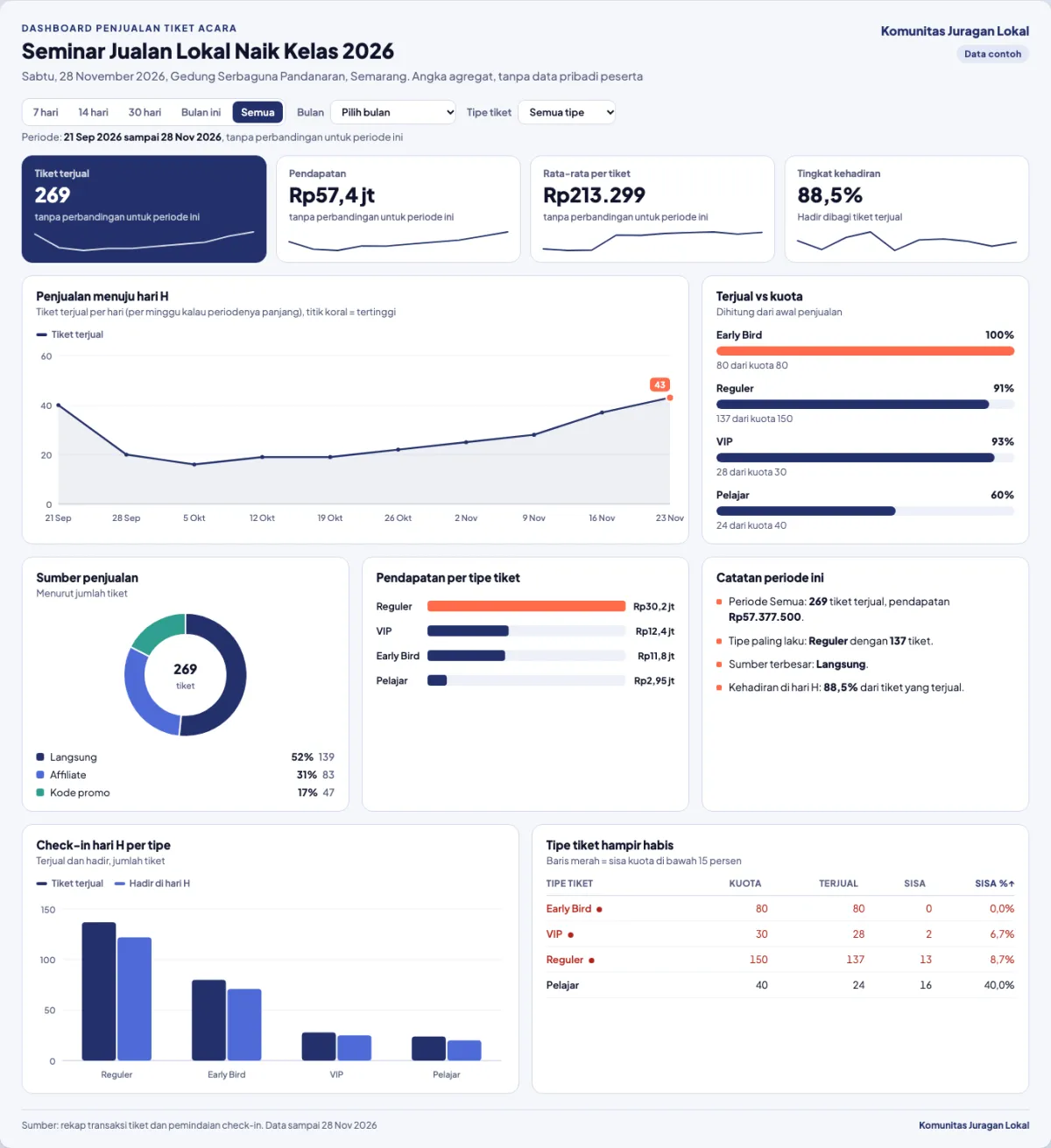
A 269-ticket seminar: KPIs, sales to the event day, sold vs capacity, sources, check-in, types almost sold out
SKILL.md contents
Premium subscribers can read, copy, and install this skill.
Unlock with Premium Sign inEvent Ticket Sales Dashboard
Description
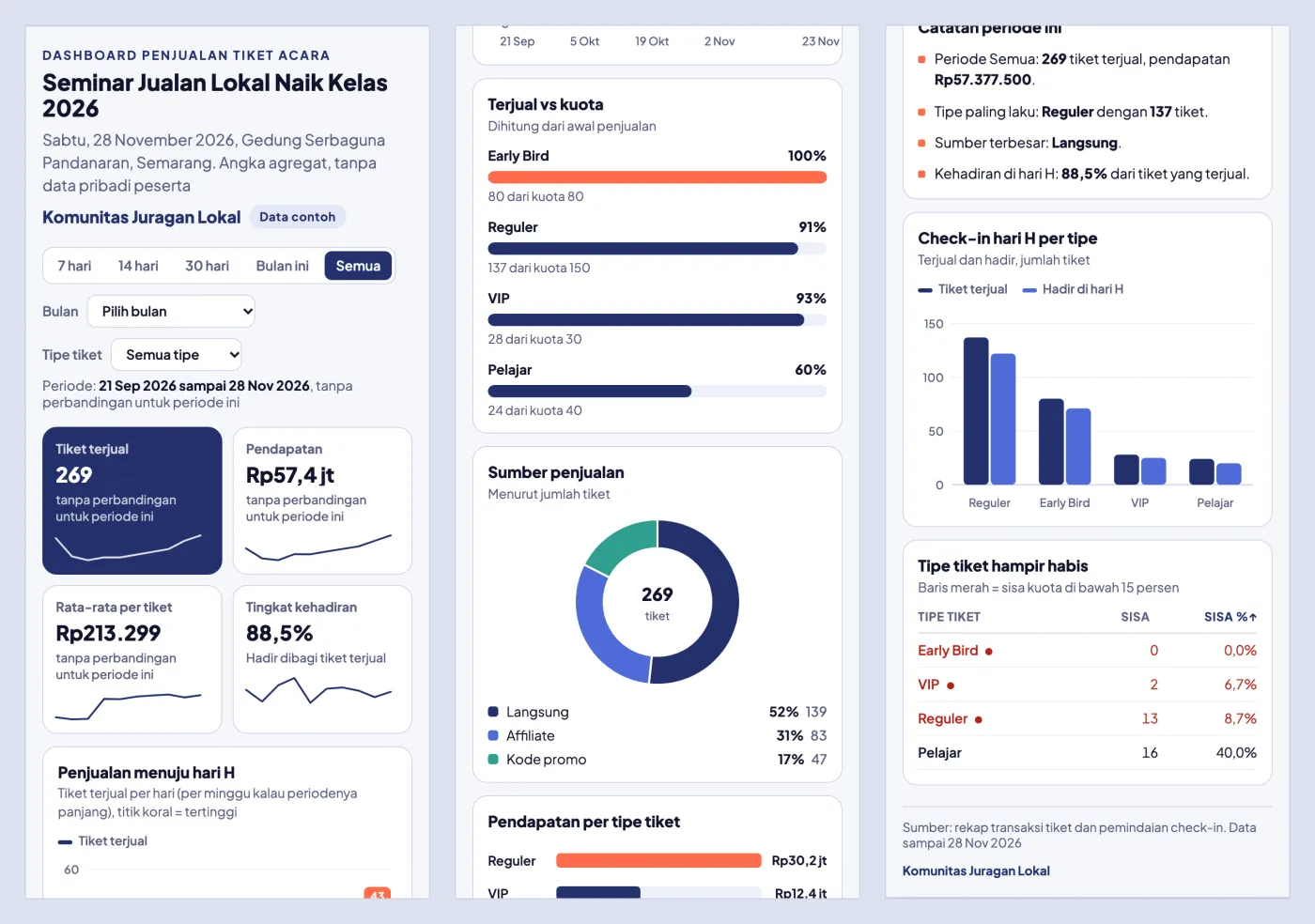
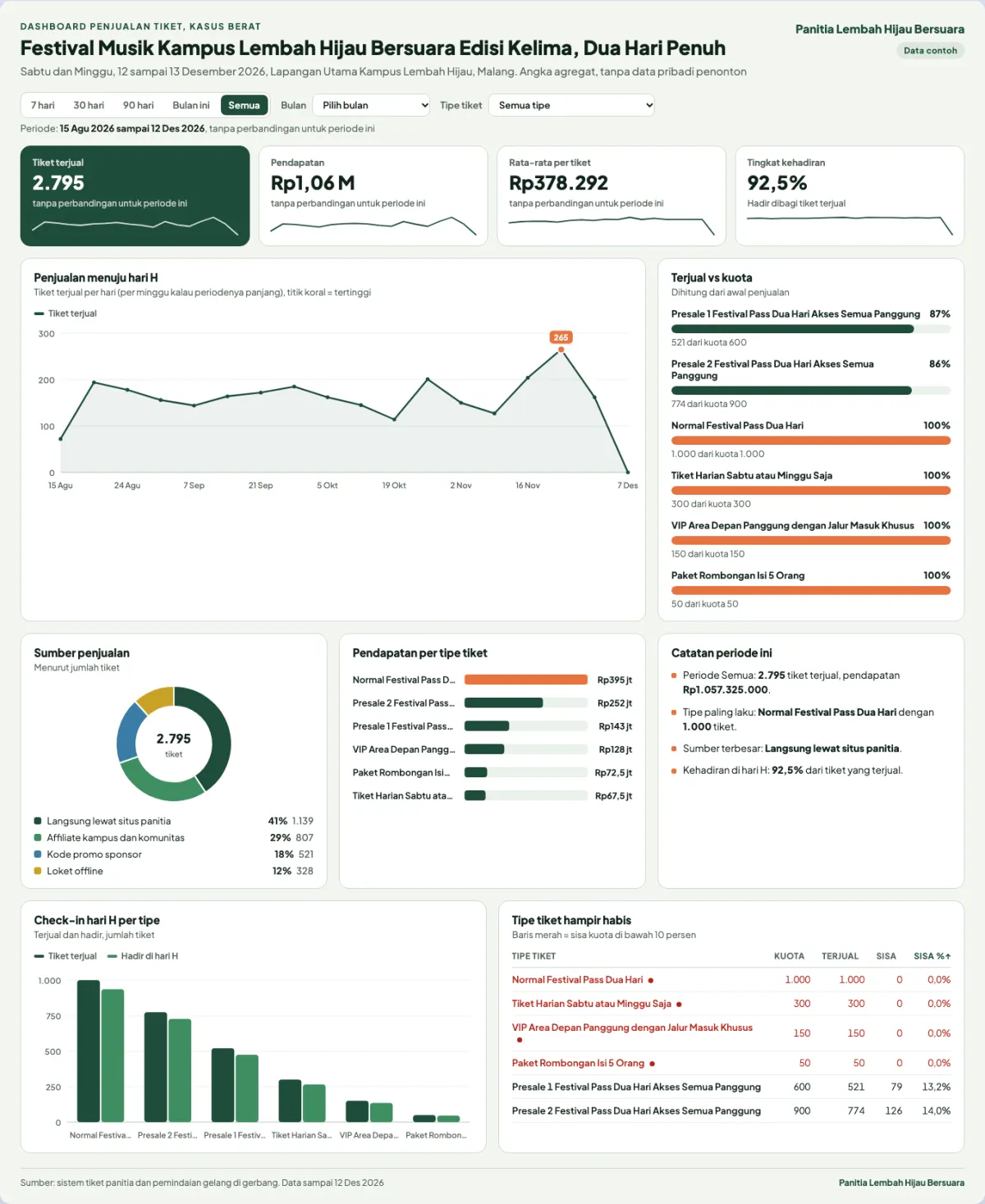
A one-screen dashboard for organisers of seminars, workshops, small concerts, and community events: tickets sold, revenue, attendance rate, daily sales leading up to the event, sold vs capacity per ticket type (early bird, regular, VIP), sales sources (affiliate, promo code, direct), check-in on the day, and a table of types almost sold out that highlights capacity left below a threshold. Period and type filters recalculate everything from aggregate numbers with no personal attendee data, then download as PDF, PNG, or Excel.
Verified by SkillFlow
We checked every file in this skill automatically: no command that downloads and runs a program, no hidden code, no instruction telling your AI to ignore you.
- Loads from outside
- Fonts: Google Fonts SkillFlow: directory.skillflow.ai.id
See the 6 files inside
skill.json9 KBSKILL.md10 KBprompt.md6 KBprompt.en.md6 KBfiles/contoh/festival-musik-banyak-tipe.html273 KBfiles/dashboard.html74 KB
Checked 14 Nov 2026
Part of SkillFlow Pro
Pro opens every skill in every category: copy, ZIP, Send to AI, install, save, and request new skills.
Get Pro Already subscribed? Sign inWhat you get
- Four KPIs (tickets sold, revenue, average per ticket, attendance rate) with up/down arrows and small lines
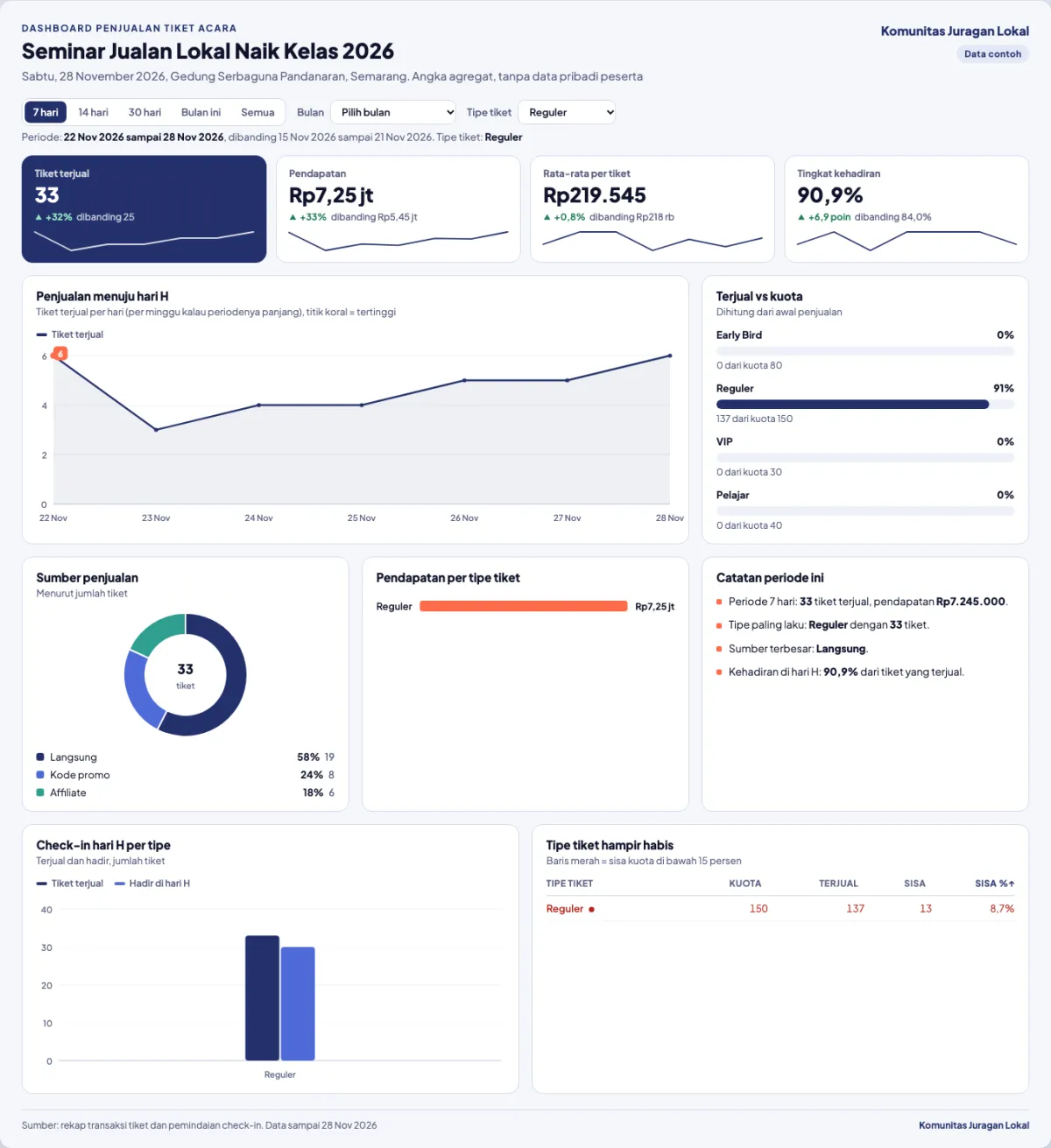
- Period filter (7, 14, 30 days, this month, all, or a chosen month) and a ticket type filter
- A daily sales chart leading up to the event and sold vs capacity progress per ticket type
- Sales sources, revenue per type, and check-in on the day (attended vs sold)
- A table of ticket types almost sold out highlighting capacity left below a threshold, plus automatic notes
- PDF, PNG, and Excel download of the chosen view; works on phones; no personal attendee data
Good fit
- Organisers of seminars, workshops, and in-person classes tracking ticket sales before the event
- Community event or small concert committees reporting to sponsors and board members
- Ticket sellers deciding when to close early bird or which type is almost sold out
Not for
- Not a ticketing system or check-in scanner; the data comes from your ticketing tool
- It does not show a named attendee list; aggregate numbers only
- It does not connect to a ticketing platform automatically; paste the data again to update
- It does not calculate event costs or profit; use an event budget for that
About this skill
/dashboard-penjualan-tiket-acara Make a ticket sales dashboard for our seminar on 28 November with Early Bird, Regular, VIP, and Student tickets, showing capacity left, affiliate and promo code sources, and attendance on the day
Show more
A one-screen dashboard for organisers of seminars, workshops, small concerts, and community events: tickets sold, revenue, attendance rate, daily sales leading up to the event, sold vs capacity per ticket type (early bird, regular, VIP), sales sources (affiliate, promo code, direct), check-in on the day, and a table of types almost sold out that highlights capacity left below a threshold. Period and type filters recalculate everything from aggregate numbers with no personal attendee data, then download as PDF, PNG, or Excel.
User reviews
FAQ
How is capacity left counted when I pick the last 7 days?
Capacity left and the progress bars always count from the start of sales to the end of the chosen period, so they stay correct for short periods. The KPI cards and daily chart follow the chosen period.
My data has attendee names and phone numbers. Is that safe?
Name, email, and phone columns are dropped when the data is tidied. The dashboard only uses date, type, source, ticket count, amount, and number checked in, so the file and its Excel export are safe to share with sponsors.
Which AI can I use it with?
Copy the prompt into a chat AI (ChatGPT, Claude, Gemini, DeepSeek); or download the ZIP and install it in an AI agent (Claude Code, Codex, Antigravity, Hermes Agent, Cursor, GitHub Copilot, Gemini CLI, OpenCode, Kimi Code, Trae), which then builds the files for you.
What is in the ZIP?
One folder named dashboard-penjualan-tiket-acara with SKILL.md (the instructions an AI agent reads) and the prompt, 6 files in all. Extract it into your agent's skills folder, or install it with npx skillflow-ai add dashboard-penjualan-tiket-acara. Pro only.
Is there a per-use fee or credits?
Not from SkillFlow. The skill runs on the AI you already use, so any cost follows that plan.
Which plan includes it?
SkillFlow Pro. It opens every skill in every category.
Can I use my own colours and brand?
Yes. Pick a colour theme on this page, or fill in your brand profile once; both go into the prompt you copy and into the ZIP.
Can I share what I made?
Pro members can upload the result and get a page at share.skillflow.ai.id to send to anyone. The page carries a small "Made with SkillFlow AI" mark.
Is there a download limit?
Yes, per day: 50 skills on Pro, 10 on other plans. Downloading a skill again on the same day does not count.



