

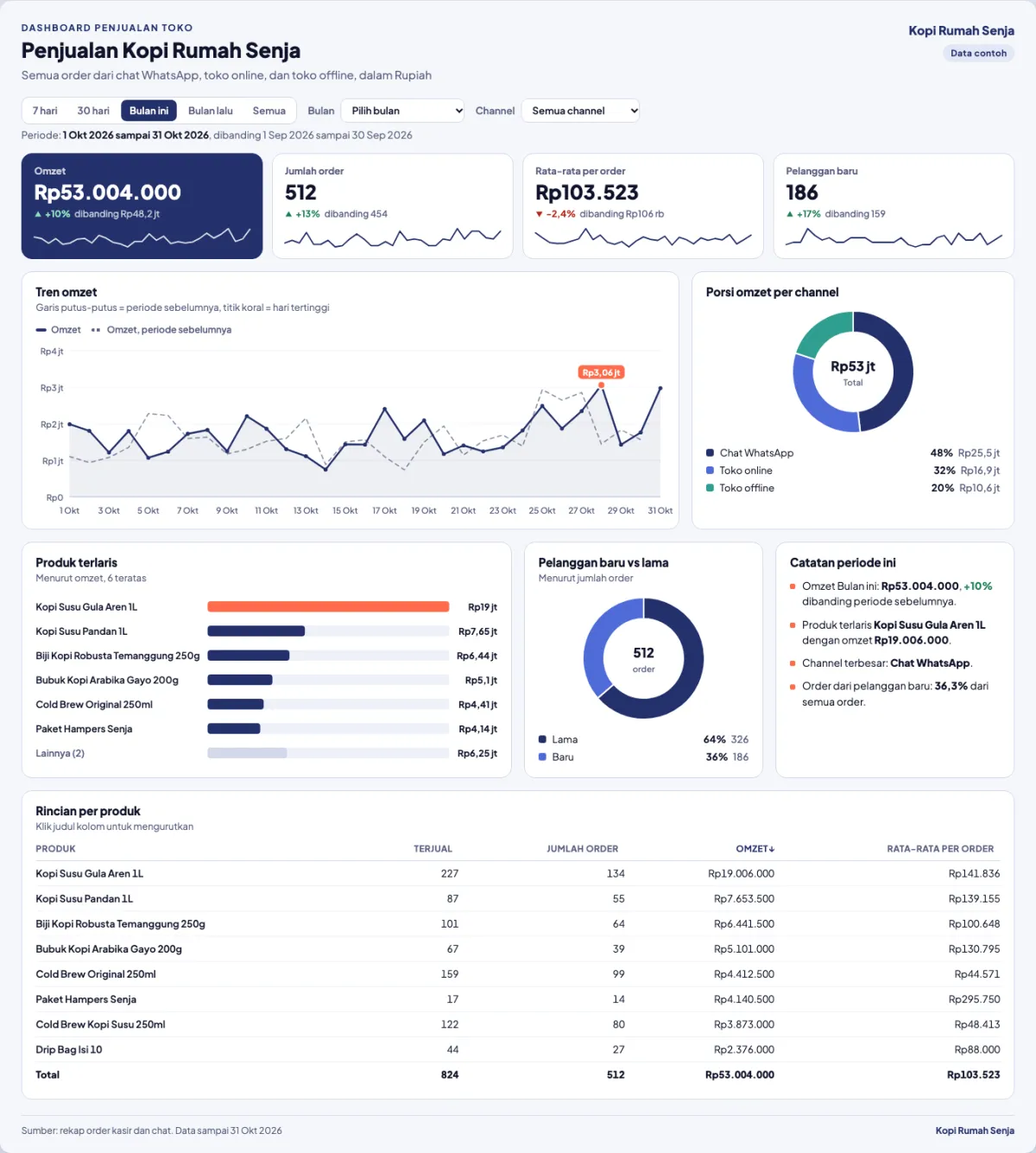
This month: KPIs, revenue trend, channels, best sellers, product table
SKILL.md contents
Premium subscribers can read, copy, and install this skill.
Unlock with Premium Sign inShop Sales Dashboard
Description
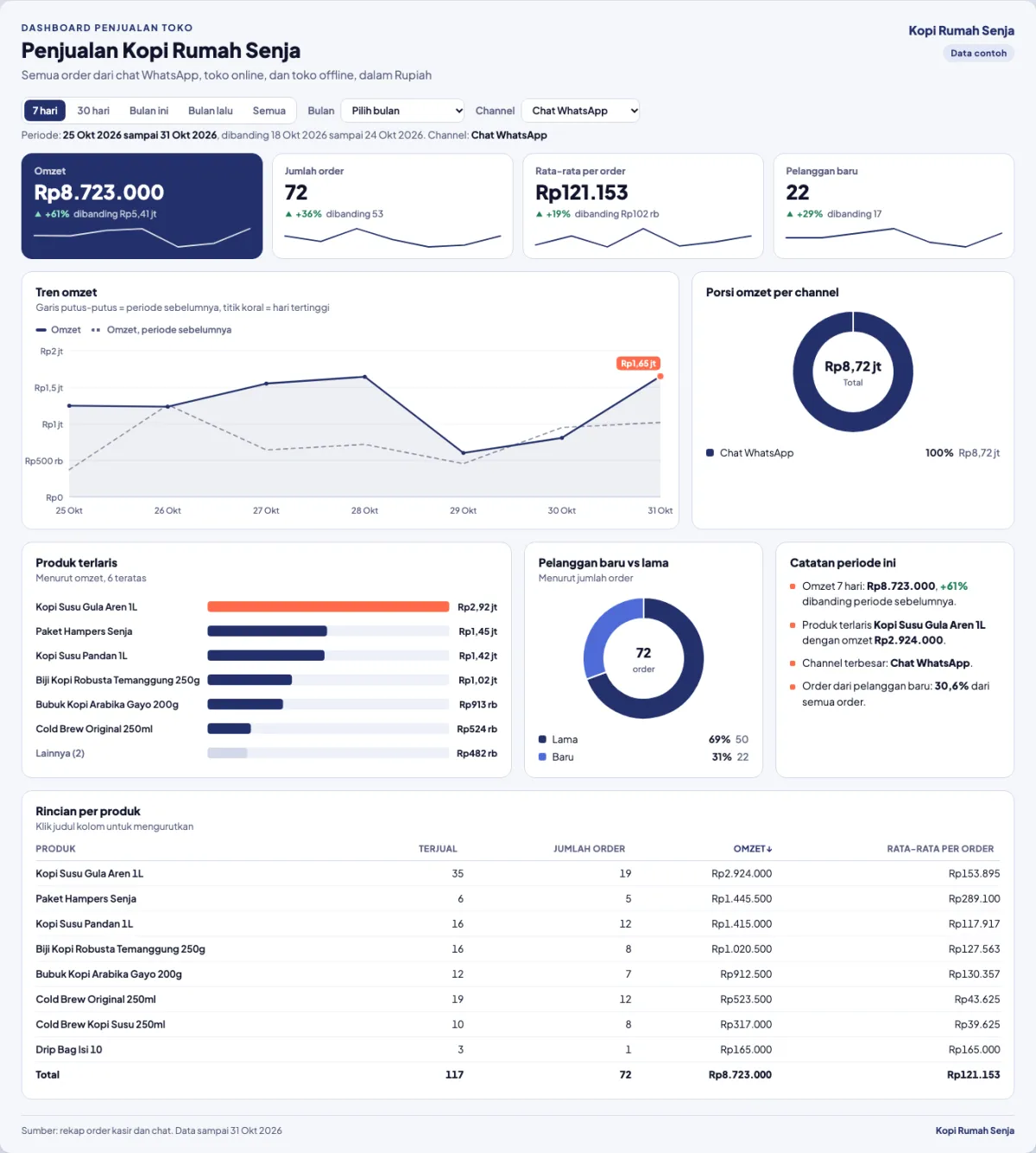
A shop sales dashboard on one filterable screen: revenue, order count, average order value, and new customers with up or down arrows against the previous period, a daily revenue trend, best sellers, channel share (chat, online store, walk-in), new vs returning customers, automatic notes, and a per-product table. Pick 7 days, 30 days, this month, last month, or a given month, then filter by channel: every number is recalculated in the browser. The chosen view downloads as PDF, PNG, or an Excel file with the data.
Verified by SkillFlow
We checked every file in this skill automatically: no command that downloads and runs a program, no hidden code, no instruction telling your AI to ignore you.
- Loads from outside
- Fonts: Google Fonts SkillFlow: directory.skillflow.ai.id
See the 6 files inside
skill.json8 KBSKILL.md8 KBprompt.md5 KBprompt.en.md5 KBfiles/contoh/distributor-banyak-produk.html734 KBfiles/dashboard.html173 KB
Checked 14 Nov 2026
Part of SkillFlow Pro
Pro opens every skill in every category: copy, ZIP, Send to AI, install, save, and request new skills.
Get Pro Already subscribed? Sign inWhat you get
- Four KPIs (revenue, orders, average order value, new customers) with up/down arrows and sparklines
- Period filter (7 days, 30 days, this month, last month, all, or pick a month) and a channel filter
- A revenue trend chart with the previous period line and the best day marked
- Best sellers, revenue share per channel, and new vs returning customers
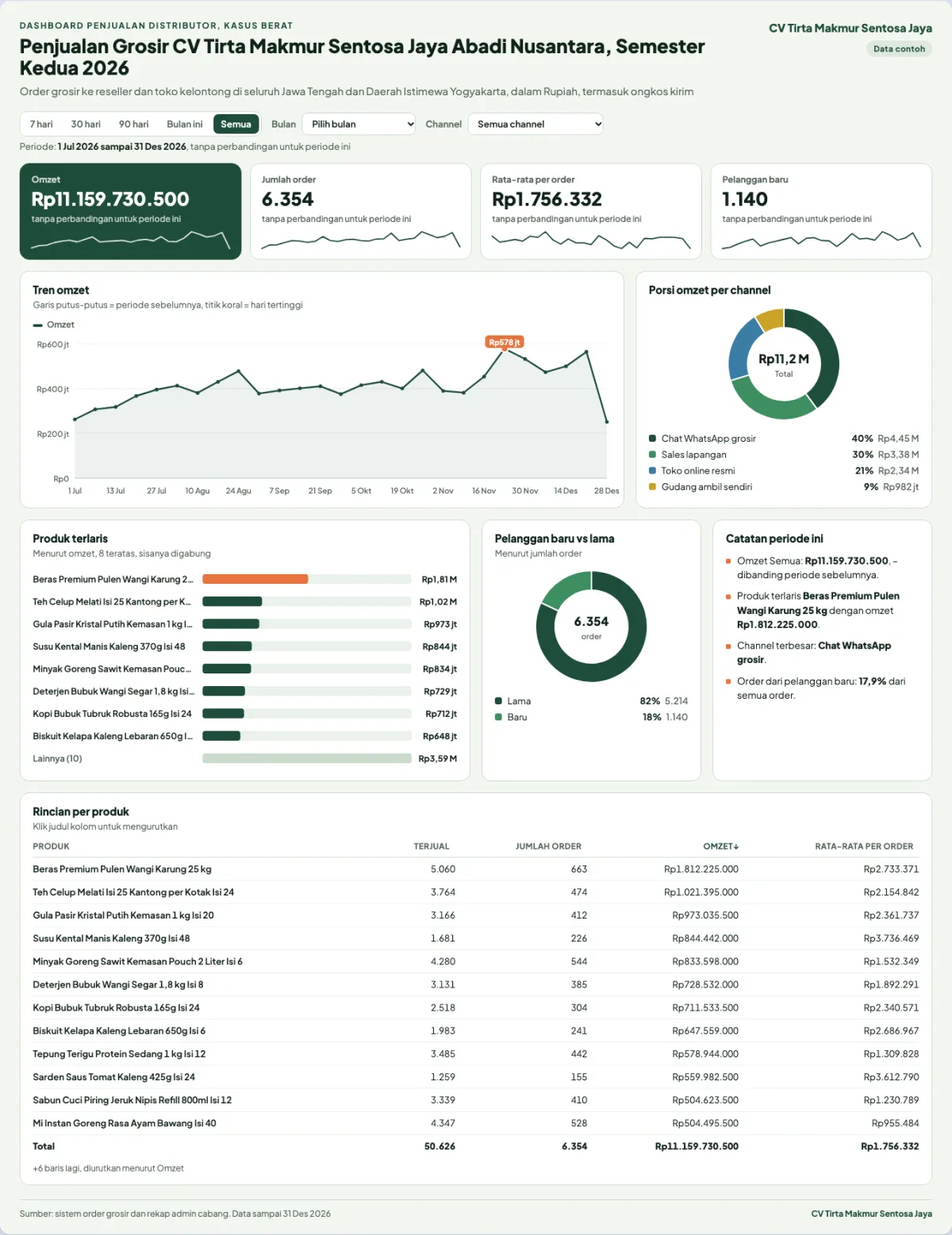
- Automatic notes and a sortable per-product table with a total row
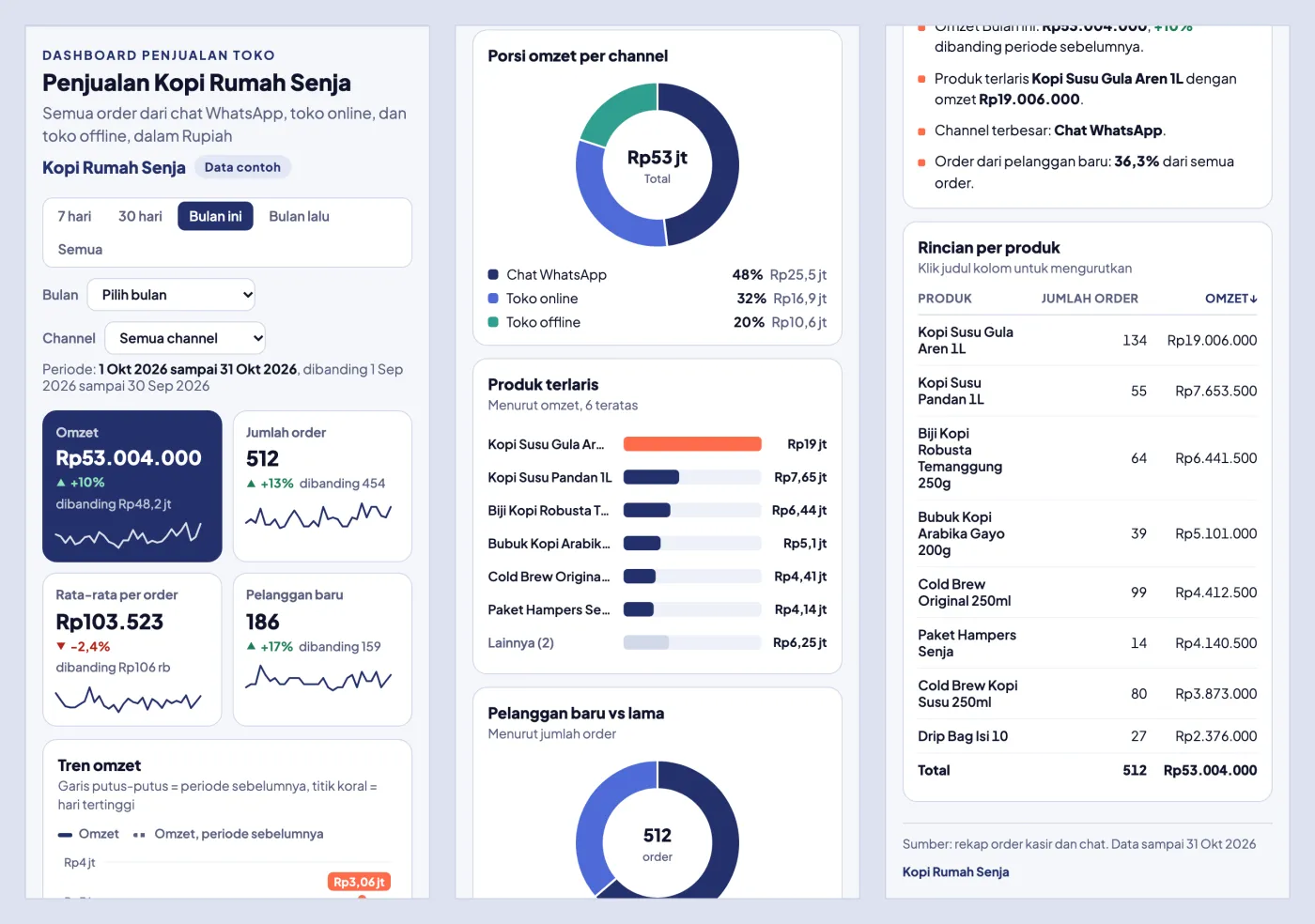
- Download PDF, PNG, and Excel (summary, each chart, and the filtered data); reads well on a phone
Good fit
- Shop owners who want this week's and this month's revenue on one screen
- Admins reporting sales per channel to the owner or team
- Sellers who want to know which products and channels earn the most
Not for
- It does not connect to your till or marketplace; you paste or export the data
- It stores nothing on a server; update the file when new orders come in
- Not a profit and loss report; costs and profit live in the Small Business Finance Dashboard
About this skill
/dashboard-penjualan-toko Make a sales dashboard for my coffee shop. Here are 3 months of orders from my spreadsheet: date, product, channel (chat, online store, walk-in), new or returning customer, quantity, and total.
Show more
A shop sales dashboard on one filterable screen: revenue, order count, average order value, and new customers with up or down arrows against the previous period, a daily revenue trend, best sellers, channel share (chat, online store, walk-in), new vs returning customers, automatic notes, and a per-product table. Pick 7 days, 30 days, this month, last month, or a given month, then filter by channel: every number is recalculated in the browser. The chosen view downloads as PDF, PNG, or an Excel file with the data.
User reviews
FAQ
How is this different from the Monthly Sales Chart?
The monthly sales chart is one static chart for a report. This dashboard is one interactive screen: pick a period and channel, every card, chart, and table follows, and that view can be downloaded.
What data does it need?
One row per order (or per day per product): date, product, channel, new or returning customer, quantity, and total. Missing columns are fine; the widgets that use them are dropped.
What is in the Excel file?
A Summary sheet (period, filter, KPIs with previous figures), one sheet per chart and table, a Data sheet with the filtered orders, plus a sheet with the dashboard picture.
Which AI can I use it with?
Copy the prompt into a chat AI (ChatGPT, Claude, Gemini, DeepSeek); or download the ZIP and install it in an AI agent (Claude Code, Codex, Antigravity, Hermes Agent, Cursor, GitHub Copilot, Gemini CLI, OpenCode, Kimi Code, Trae), which then builds the files for you.
What is in the ZIP?
One folder named dashboard-penjualan-toko with SKILL.md (the instructions an AI agent reads) and the prompt, 6 files in all. Extract it into your agent's skills folder, or install it with npx skillflow-ai add dashboard-penjualan-toko. Pro only.
Is there a per-use fee or credits?
Not from SkillFlow. The skill runs on the AI you already use, so any cost follows that plan.
Which plan includes it?
SkillFlow Pro. It opens every skill in every category.
Can I use my own colours and brand?
Yes. Pick a colour theme on this page, or fill in your brand profile once; both go into the prompt you copy and into the ZIP.
Can I share what I made?
Pro members can upload the result and get a page at share.skillflow.ai.id to send to anyone. The page carries a small "Made with SkillFlow AI" mark.
Is there a download limit?
Yes, per day: 50 skills on Pro, 10 on other plans. Downloading a skill again on the same day does not count.



