

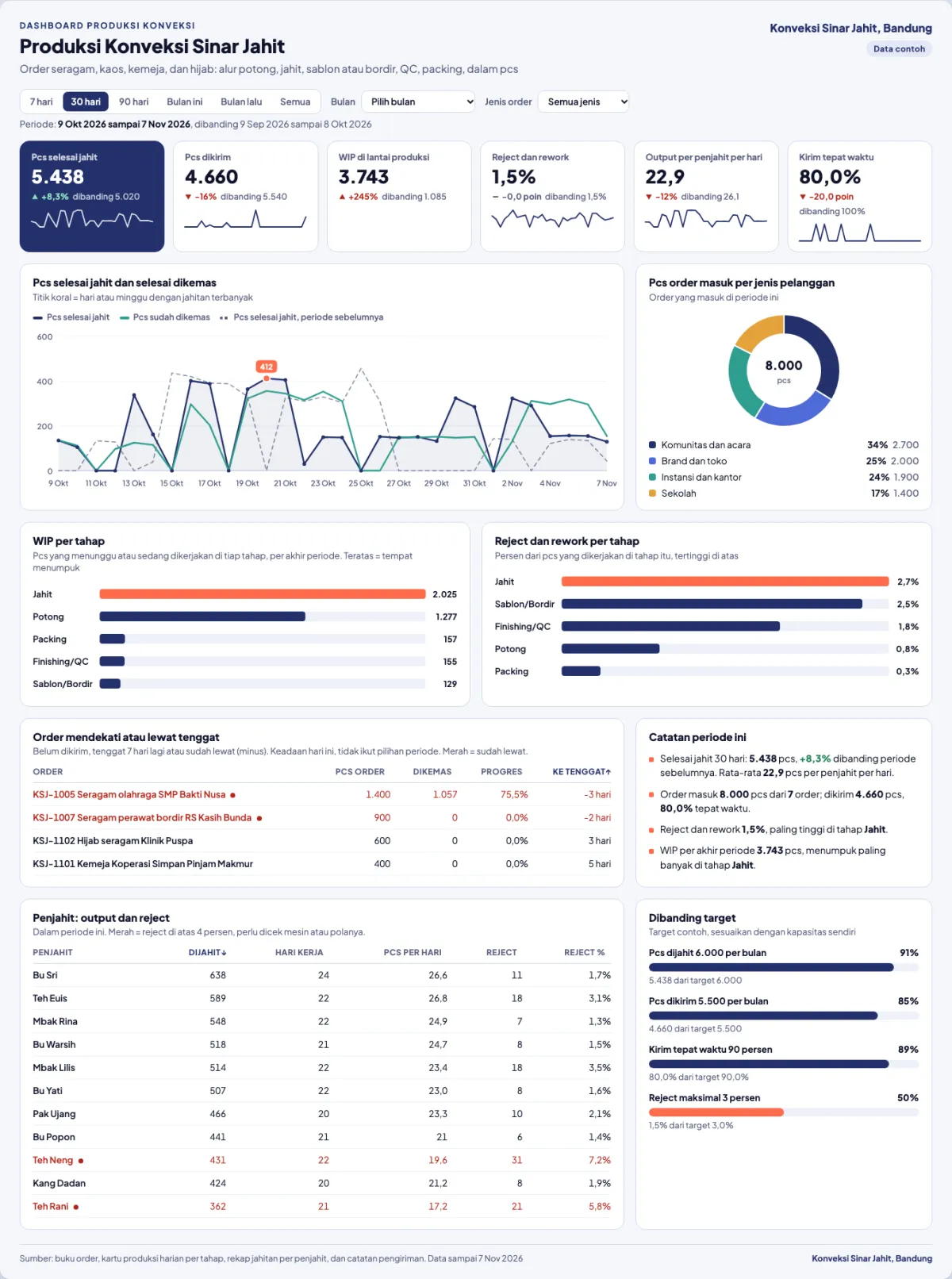
A workshop with 11 tailors, last 30 days: work piles up at sewing, 2 orders past their deadline
SKILL.md contents
Premium subscribers can read, copy, and install this skill.
Unlock with Premium Sign inGarment Production Dashboard
Description
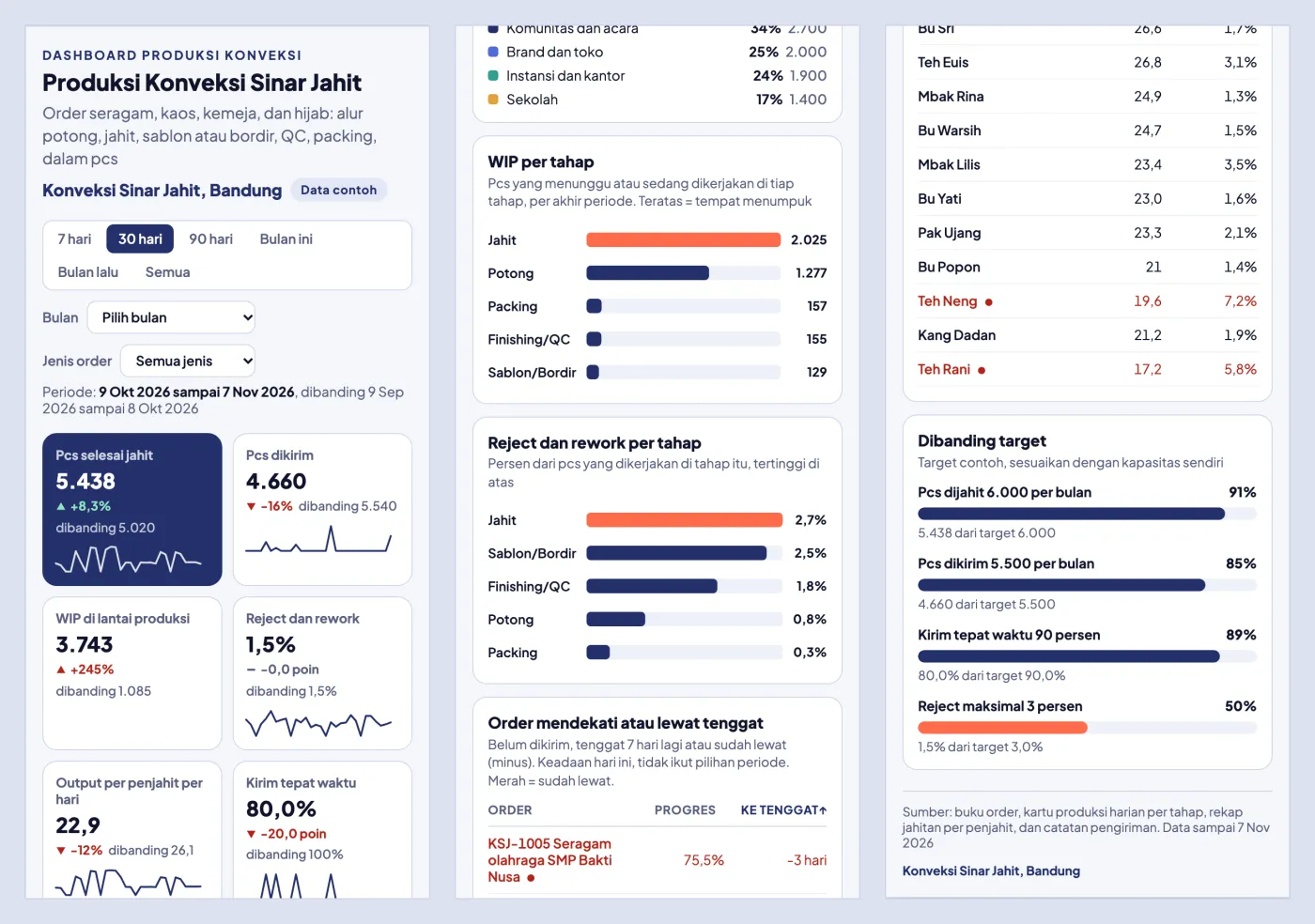
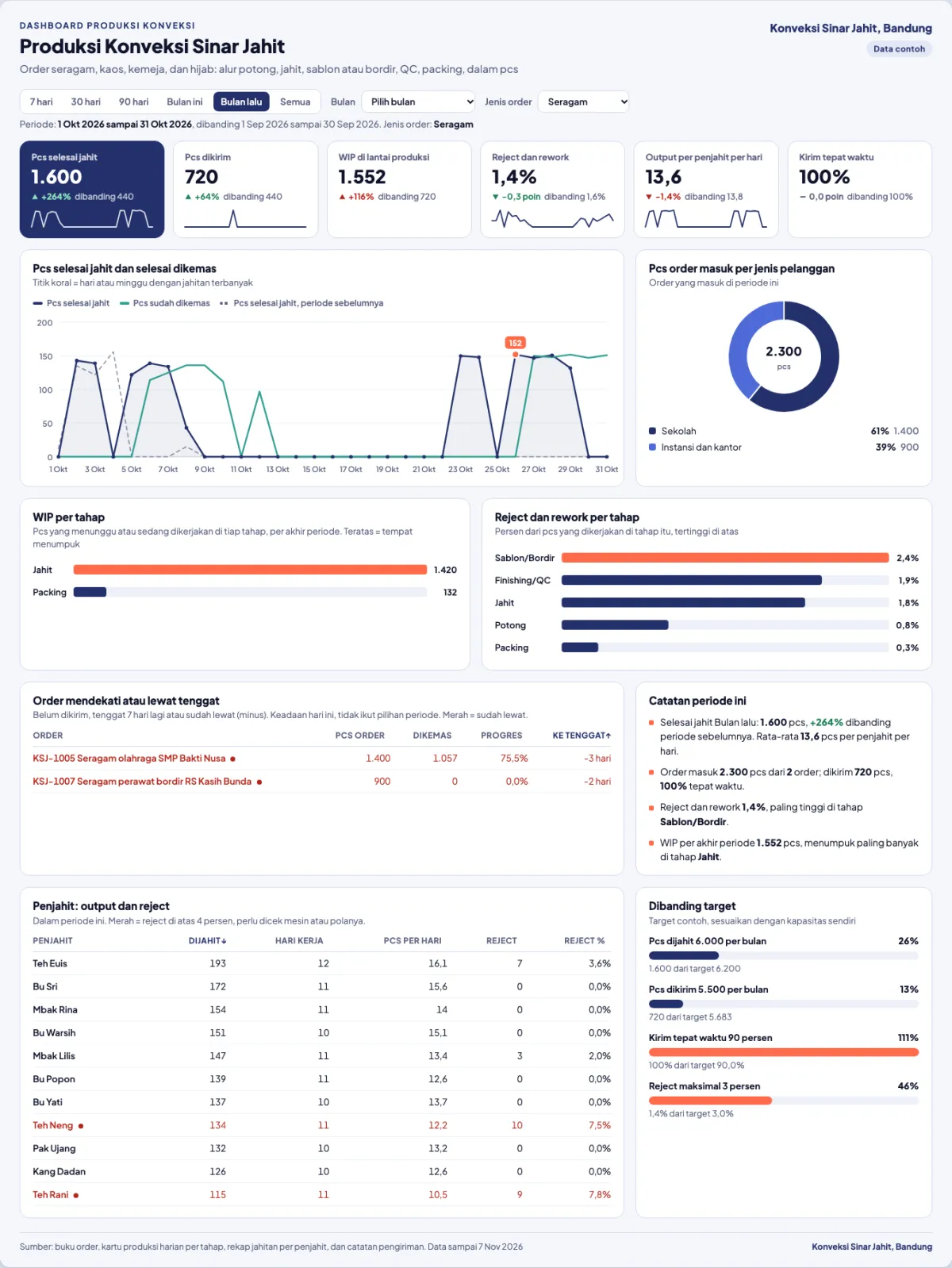
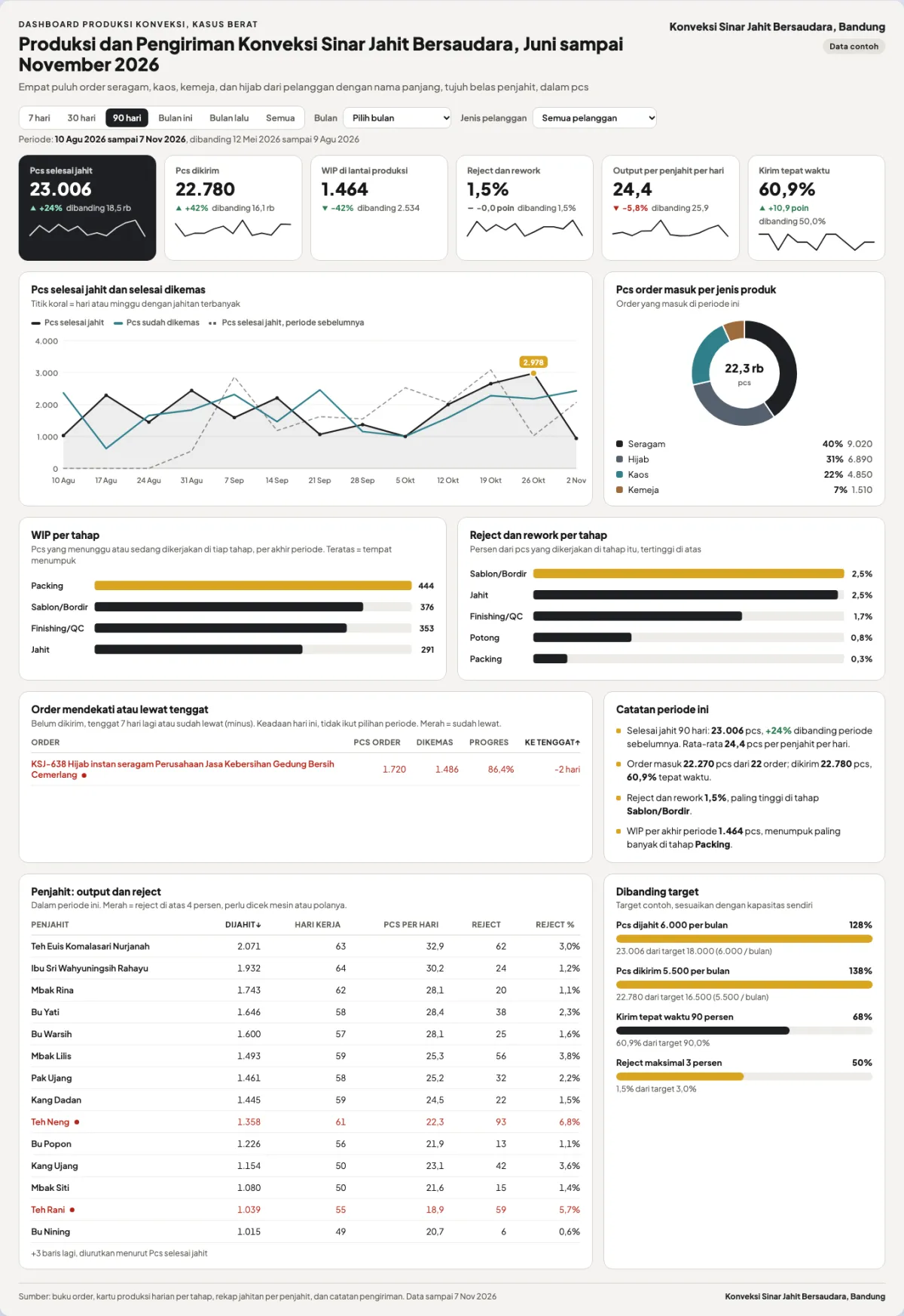
A one-screen production dashboard for garment workshops (responsive HTML, no libraries): pieces sewn and shipped, work in progress, reject percent, output per tailor per day, on-time shipping, work in progress and rejects per stage (cutting to packing), a red table of orders due soon or overdue, and a tailor table, with period and order type filters that recalculate everything, plus PDF, Excel, and PNG downloads.
Verified by SkillFlow
We checked every file in this skill automatically: no command that downloads and runs a program, no hidden code, no instruction telling your AI to ignore you.
- Loads from outside
- Fonts: Google Fonts SkillFlow: directory.skillflow.ai.id
See the 6 files inside
skill.json12 KBSKILL.md10 KBprompt.md8 KBprompt.en.md8 KBfiles/contoh/konveksi-40-order.html915 KBfiles/dashboard.html320 KB
Checked 14 Nov 2026
Part of SkillFlow Pro
Pro opens every skill in every category: copy, ZIP, Send to AI, install, save, and request new skills.
Get Pro Already subscribed? Sign inWhat you get
- A one-screen HTML dashboard: KPIs for pieces sewn, shipped, work in progress, rejects, output per tailor per day, on time
- Work in progress per stage to see where pieces pile up, plus rejects per stage
- A table of orders due soon or overdue with progress and days to deadline, overdue rows in red
- A tailor table: pieces sewn, working days, pieces per day, rejects; rejects above 4 percent in red
- Period and order type filters that recalculate every card, chart, table, and note
- Download PDF, Excel (filtered data), and PNG buttons for the current view
Good fit
- Uniform, t-shirt, shirt, or hijab workshops with 5 to 40 tailors who record daily output
- Production leads who meet weekly about late orders and stuck stages
- Owners who want to judge piece-rate tailors' output and rejects from the same data
- Sewing businesses taking large orders from schools, offices, and brands at once
Not for
- It does not plan fabric and trims before production; that is the Production Material Planner
- It does not calculate piece-rate wages or cost per piece
- It does not schedule machines or tailors by the hour; it reads output already recorded
- It does not read handwritten production cards; the data must be typed into a list first
About this skill
/dashboard-produksi-konveksi Build a production dashboard for my garment workshop: how many pieces were sewn and shipped, which stage things pile up at, rejects per tailor, and which uniform orders are past their deadline.
Show more
A one-screen production dashboard for garment workshops (responsive HTML, no libraries): pieces sewn and shipped, work in progress, reject percent, output per tailor per day, on-time shipping, work in progress and rejects per stage (cutting to packing), a red table of orders due soon or overdue, and a tailor table, with period and order type filters that recalculate everything, plus PDF, Excel, and PNG downloads.
User reviews
FAQ
How is work in progress per stage worked out?
From the Queue rows: a received order adds to the first stage's queue, pieces finished at one stage leave that stage and join the next, and packed pieces leave the queue. It is summed from the start of the data to the end of the period, so even for last month you see the position at the end of that month.
What is output per tailor per day divided by?
By tailor working days, the number of date and tailor pairs recorded as sewing. A tailor who takes a day off does not drag the average down, and a tailor who works on two orders in one day still counts as one day.
Why does the deadline table not change with the period?
It shows today's position: unshipped orders whose deadline is 7 days away or already past. What needs chasing does not depend on the period you are viewing, but the table still follows the order type filter.
Which AI can I use it with?
Copy the prompt into a chat AI (ChatGPT, Claude, Gemini, DeepSeek); or download the ZIP and install it in an AI agent (Claude Code, Codex, Antigravity, Hermes Agent, Cursor, GitHub Copilot, Gemini CLI, OpenCode, Kimi Code, Trae), which then builds the files for you.
What is in the ZIP?
One folder named dashboard-produksi-konveksi with SKILL.md (the instructions an AI agent reads) and the prompt, 6 files in all. Extract it into your agent's skills folder, or install it with npx skillflow-ai add dashboard-produksi-konveksi. Pro only.
Is there a per-use fee or credits?
Not from SkillFlow. The skill runs on the AI you already use, so any cost follows that plan.
Which plan includes it?
SkillFlow Pro. It opens every skill in every category.
Can I use my own colours and brand?
Yes. Pick a colour theme on this page, or fill in your brand profile once; both go into the prompt you copy and into the ZIP.
Can I share what I made?
Pro members can upload the result and get a page at share.skillflow.ai.id to send to anyone. The page carries a small "Made with SkillFlow AI" mark.
Is there a download limit?
Yes, per day: 50 skills on Pro, 10 on other plans. Downloading a skill again on the same day does not count.



