

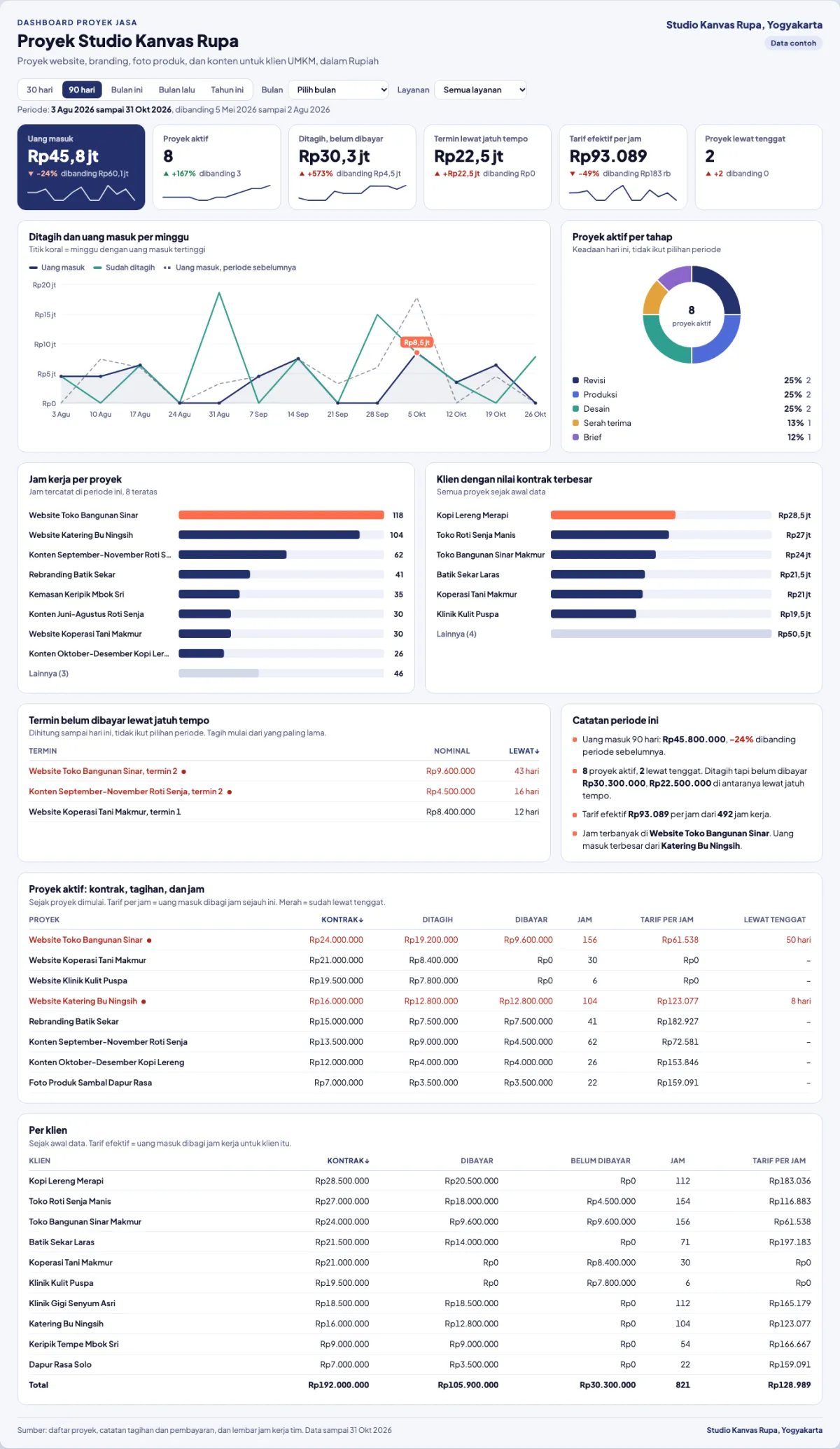
A design and web studio, 90 days: money received, unpaid invoices, instalments past due, and active projects
SKILL.md contents
Premium subscribers can read, copy, and install this skill.
Unlock with Premium Sign inService Projects Dashboard
Description
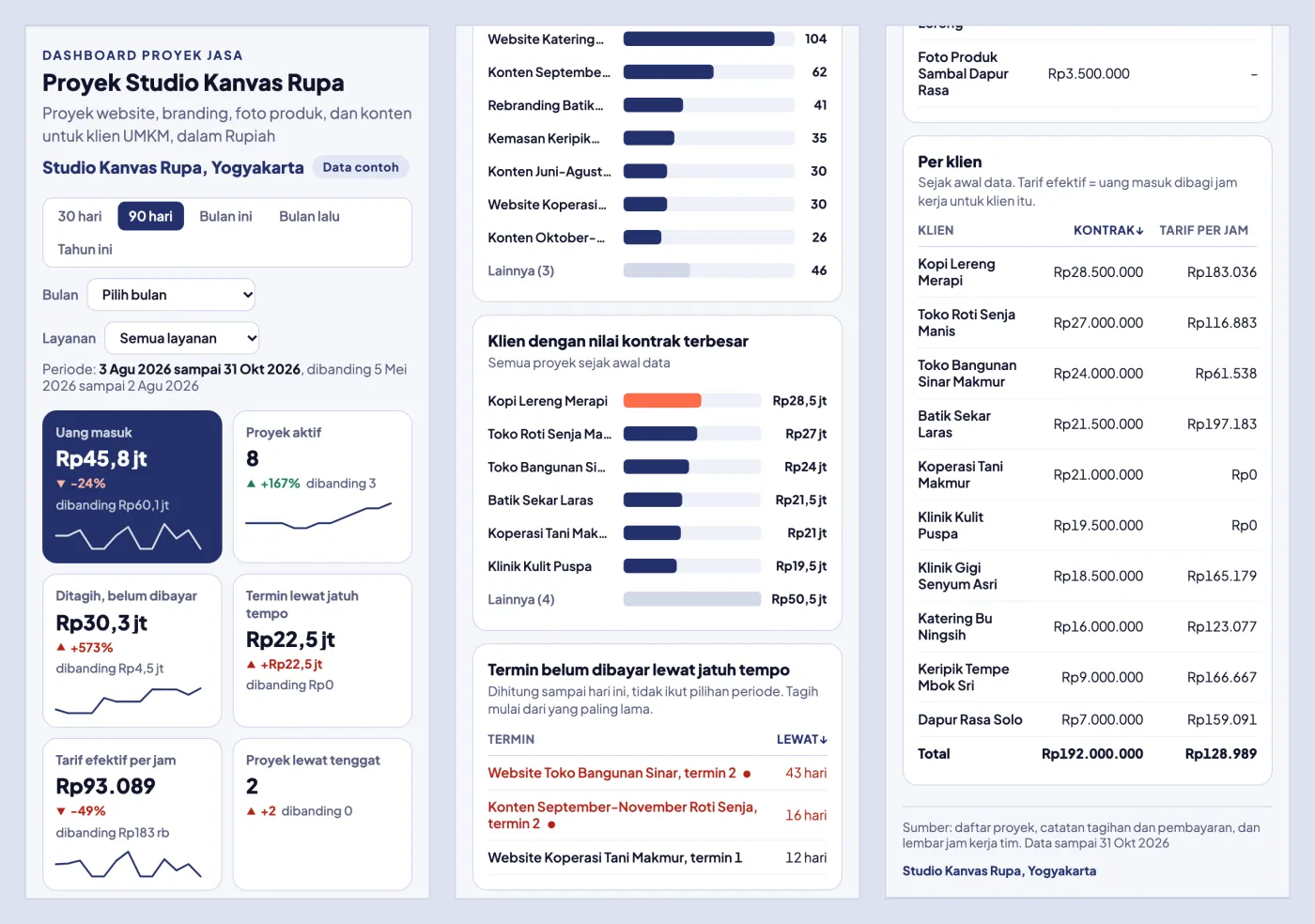
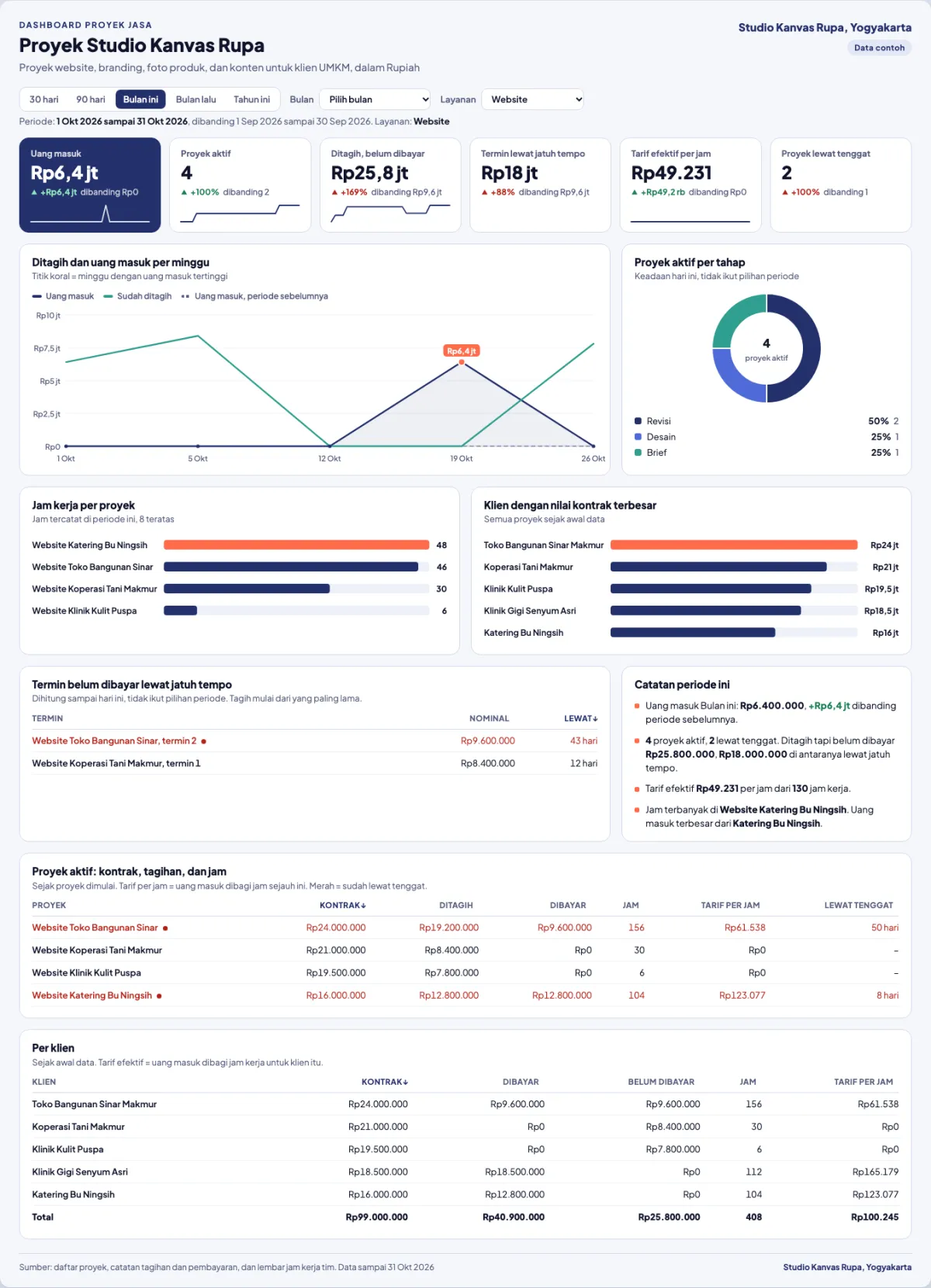
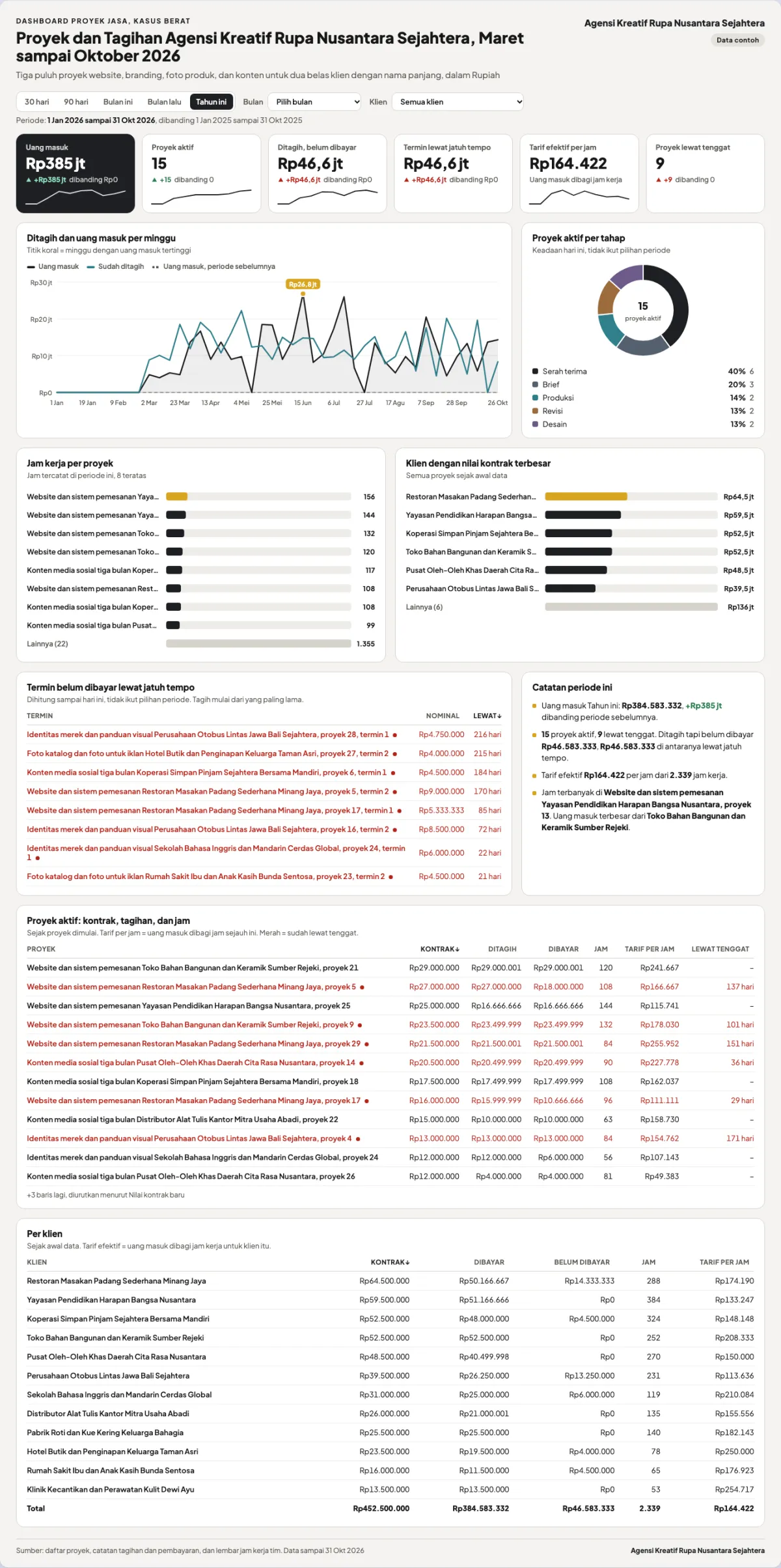
A one-screen dashboard for freelancers and small agencies built from projects, instalments, and hours worked: money received, active projects, unpaid invoices, instalments past due, effective hourly rate, and projects past deadline, then invoiced vs received trends, active projects by stage, hours per project, top clients, and a red-highlighted table of instalments to chase this week. Period and service or client filters recalculate everything in the browser, and that view downloads as PDF, Excel, or PNG.
Verified by SkillFlow
We checked every file in this skill automatically: no command that downloads and runs a program, no hidden code, no instruction telling your AI to ignore you.
- Loads from outside
- Fonts: Google Fonts SkillFlow: directory.skillflow.ai.id
See the 6 files inside
skill.json12 KBSKILL.md12 KBprompt.md8 KBprompt.en.md8 KBfiles/contoh/agensi-30-proyek.html215 KBfiles/dashboard.html93 KB
Checked 14 Nov 2026
Part of SkillFlow Pro
Pro opens every skill in every category: copy, ZIP, Send to AI, install, save, and request new skills.
Get Pro Already subscribed? Sign inWhat you get
- Six KPIs: money received, active projects, invoiced but unpaid, instalments past due, hourly rate, projects past deadline
- Weekly invoiced and received trend, active projects by stage donut
- Hours per project and clients with the largest contract value
- A table of unpaid instalments past due, sorted from the oldest, highlighted red
- Active project and per-client tables: contract, invoiced, paid, hours, hourly rate
- Period and service or client filters, download PDF, Excel, and PNG of the chosen view
Good fit
- Design, web, photo, video, or content freelancers paid per project in instalments
- Small agencies with a weekly meeting on invoices, late projects, and top clients
- Consultants who want their real hourly rate once every hour worked is counted
- Studio owners who need a list of instalments to chase this week
Not for
- It does not create or send invoices, and it does not remind clients by email or chat
- It does not track time; the dashboard reads the hours you already logged
- Not a profit and loss report: operating costs and team salaries are not counted
- Not connected to bank accounts or project management apps; you paste the data
About this skill
/dashboard-proyek-jasa Build a projects dashboard for my design studio: 14 website, branding, photo, and content projects with instalments and weekly hours; show invoices past due and my real hourly rate.
Show more
A one-screen dashboard for freelancers and small agencies built from projects, instalments, and hours worked: money received, active projects, unpaid invoices, instalments past due, effective hourly rate, and projects past deadline, then invoiced vs received trends, active projects by stage, hours per project, top clients, and a red-highlighted table of instalments to chase this week. Period and service or client filters recalculate everything in the browser, and that view downloads as PDF, Excel, or PNG.
User reviews
FAQ
Why can my effective hourly rate be far below the rate I quote?
The effective rate divides money actually received by every hour worked, including revisions and meetings not billed separately. Projects whose hours balloon or instalments still unpaid pull it down straight away, and the active projects table shows which project is responsible.
What is the difference between invoiced but unpaid and instalments past due?
Invoiced but unpaid covers every invoice sent whose money has not arrived, including those still within the payment window. Instalments past due are only the ones whose due date has passed; those are in the red table and need chasing.
What if I do not log my hours?
The dashboard still works for projects, invoices, and deadlines. The hourly rate KPI, the hours per project chart, and the hour columns in the tables are removed, because the effective rate cannot be calculated without hours, and the skill does not guess them.
Which AI can I use it with?
Copy the prompt into a chat AI (ChatGPT, Claude, Gemini, DeepSeek); or download the ZIP and install it in an AI agent (Claude Code, Codex, Antigravity, Hermes Agent, Cursor, GitHub Copilot, Gemini CLI, OpenCode, Kimi Code, Trae), which then builds the files for you.
What is in the ZIP?
One folder named dashboard-proyek-jasa with SKILL.md (the instructions an AI agent reads) and the prompt, 6 files in all. Extract it into your agent's skills folder, or install it with npx skillflow-ai add dashboard-proyek-jasa. Pro only.
Is there a per-use fee or credits?
Not from SkillFlow. The skill runs on the AI you already use, so any cost follows that plan.
Which plan includes it?
SkillFlow Pro. It opens every skill in every category.
Can I use my own colours and brand?
Yes. Pick a colour theme on this page, or fill in your brand profile once; both go into the prompt you copy and into the ZIP.
Can I share what I made?
Pro members can upload the result and get a page at share.skillflow.ai.id to send to anyone. The page carries a small "Made with SkillFlow AI" mark.
Is there a download limit?
Yes, per day: 50 skills on Pro, 10 on other plans. Downloading a skill again on the same day does not count.



