

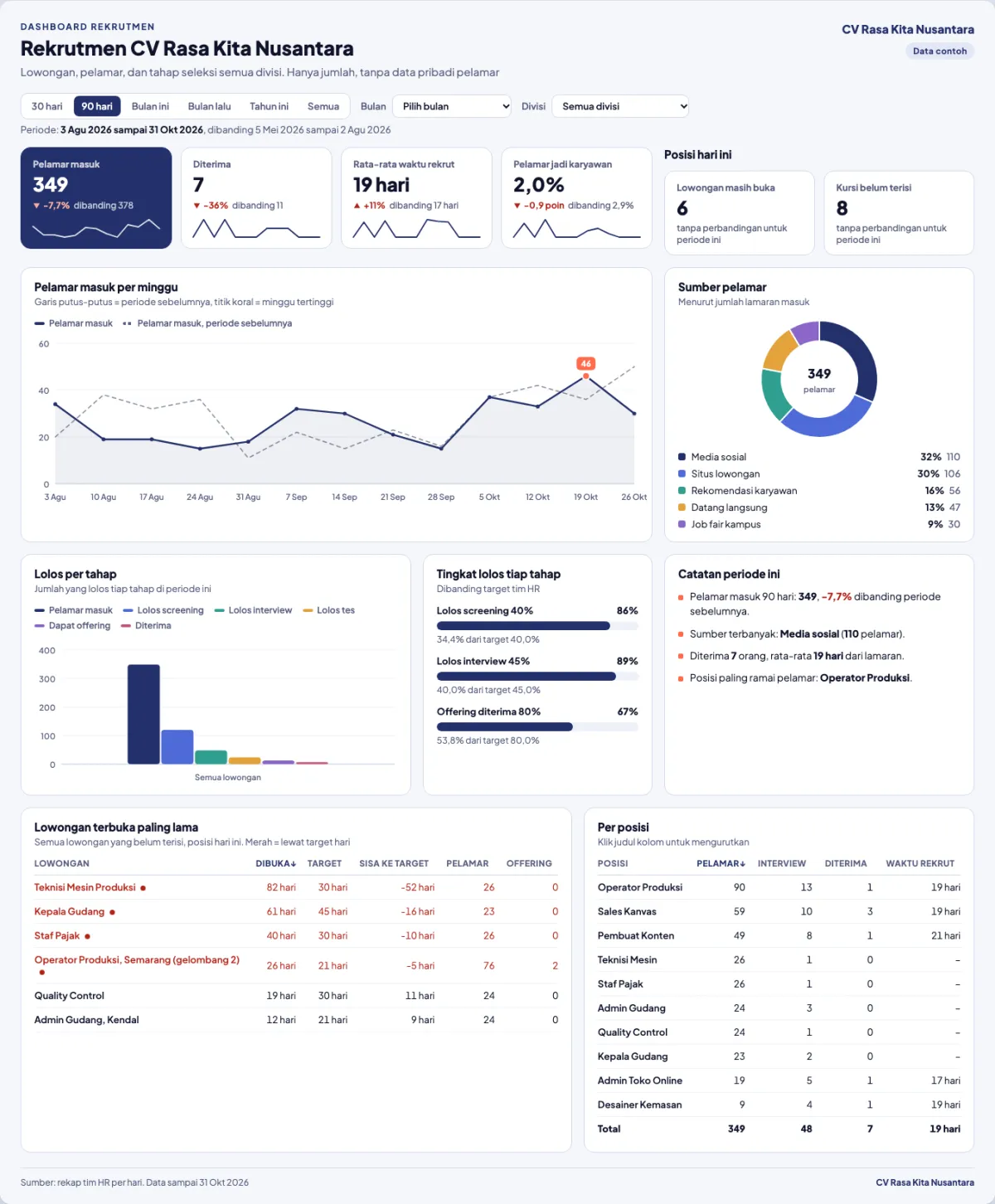
Last 90 days: KPIs, weekly applicants, sources, passes per stage, vacancies past target, and the per-role table
SKILL.md contents
Premium subscribers can read, copy, and install this skill.
Unlock with Premium Sign inRecruitment Dashboard
Description
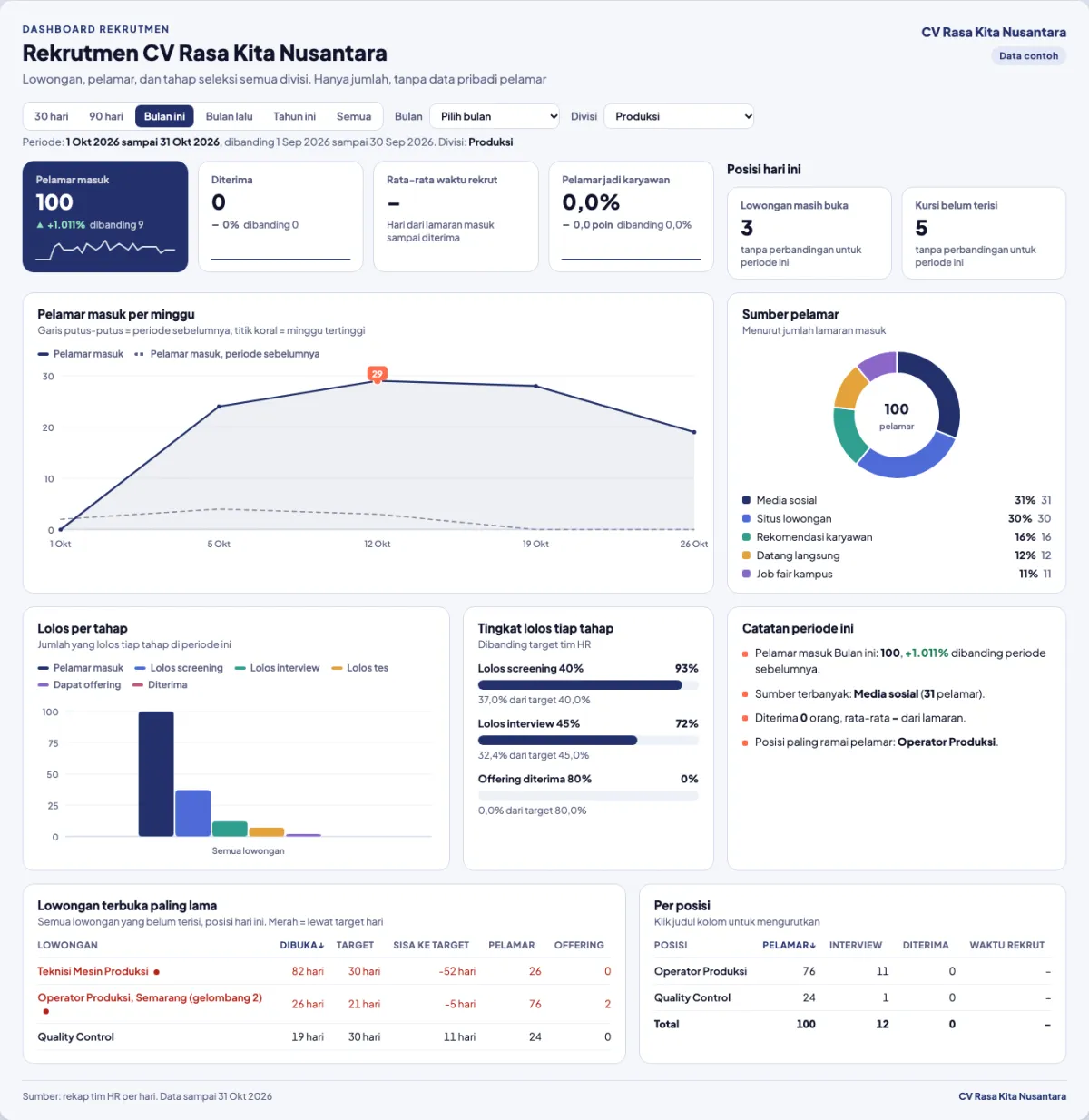
A one-screen recruitment dashboard for small businesses and small HR teams, calculated from counts with no personal applicant data: applicants, hires, average time from application to hire, and applicant to hire rate with a previous-period comparison, vacancies still open and seats not filled, weekly applicant trend, applicant sources, how many passed each stage from screening to hire, pass rates against targets, automatic notes, a table of the longest-open vacancies highlighted red past their target days, and a per-role table. Period and department filters, downloads as PDF, Excel, and PNG.
Verified by SkillFlow
We checked every file in this skill automatically: no command that downloads and runs a program, no hidden code, no instruction telling your AI to ignore you.
- Loads from outside
- Fonts: Google Fonts SkillFlow: directory.skillflow.ai.id
See the 6 files inside
skill.json10 KBSKILL.md10 KBprompt.md7 KBprompt.en.md6 KBfiles/contoh/enam-divisi-36-lowongan.html568 KBfiles/dashboard.html195 KB
Checked 14 Nov 2026
Part of SkillFlow Pro
Pro opens every skill in every category: copy, ZIP, Send to AI, install, save, and request new skills.
Get Pro Already subscribed? Sign inWhat you get
- A one-screen HTML dashboard from one DASHBOARD object, sample data of 16 vacancies over 6 months
- Applicant, hire, time to hire, and conversion KPIs with a previous-period comparison, plus today's vacancy position
- Weekly applicant trend, a source donut, bars per stage, and pass rate progress against targets
- A longest-open vacancy table highlighted red past target, and a sortable per-role table
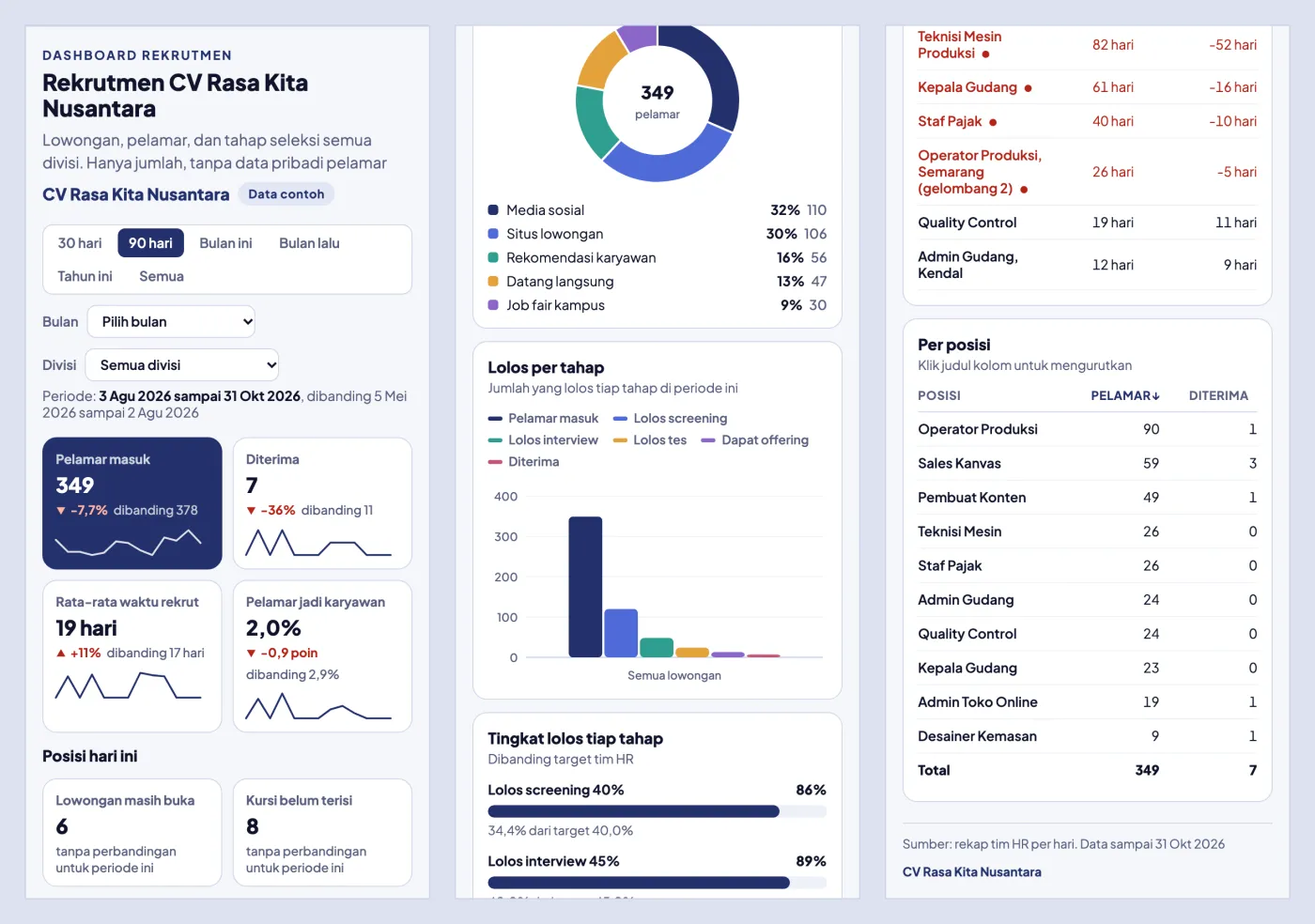
- Period and department filters, a one-column phone layout
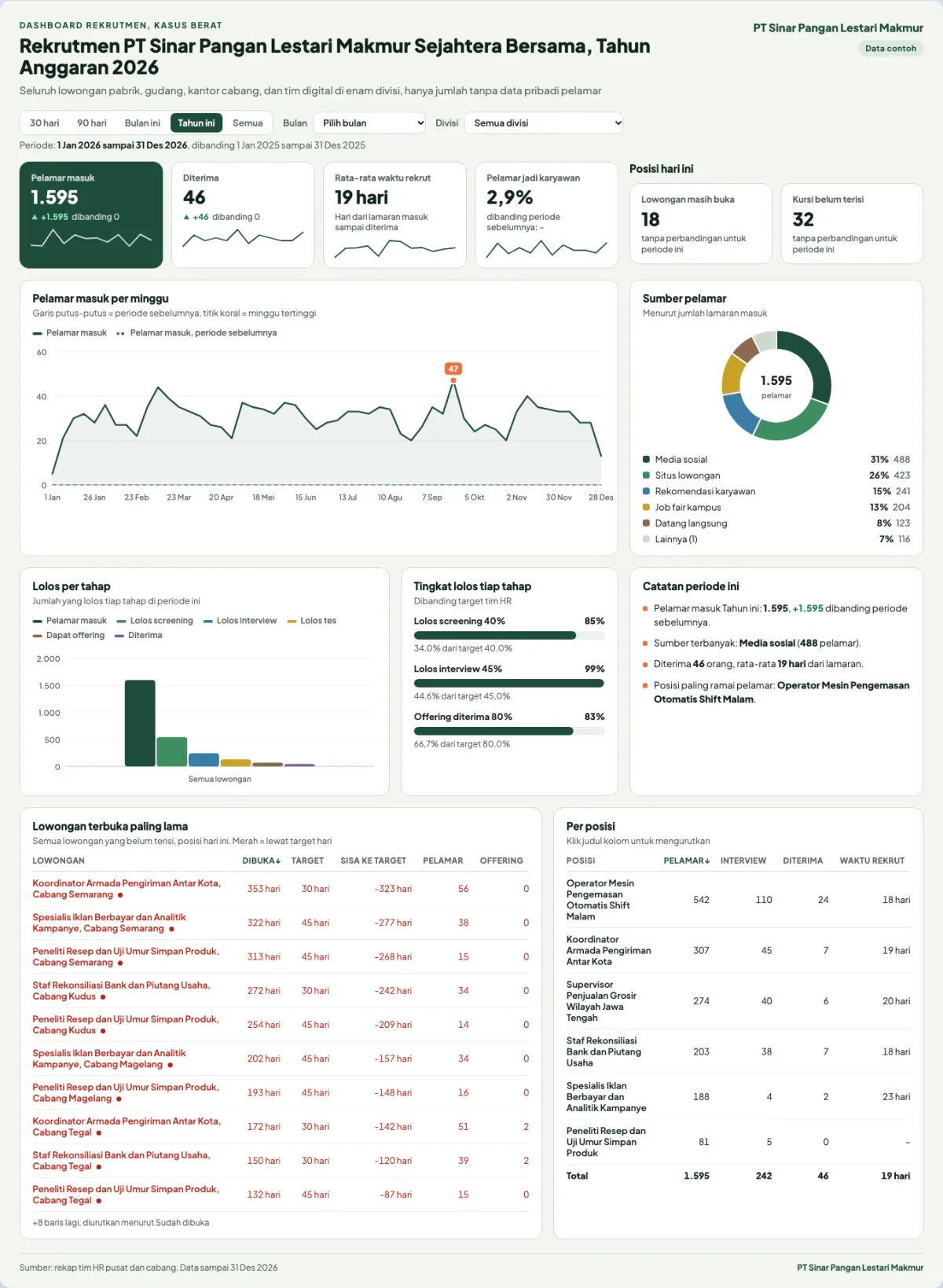
- PDF, Excel (filtered data), and PNG downloads, plus a heavy 36-vacancy example
Good fit
- Small business owners or one or two HR staff running several vacancies at once
- A monthly recruitment report for the owner or department heads
- Seeing which applicant sources and selection stages matter most
Not for
- Not an applicant database: it stores no names, contacts, CVs, or individual test scores
- Not connected to job sites or application forms; the data is pasted from your records
- Not an interview scheduler or payroll system
- To announce a vacancy to candidates, use a job vacancy poster or carousel
About this skill
/dashboard-rekrutmen Make a recruitment dashboard for our bakery business: 16 vacancies across 5 departments, showing weekly applicants, passes per stage, time to hire, and vacancies past target
Show more
A one-screen recruitment dashboard for small businesses and small HR teams, calculated from counts with no personal applicant data: applicants, hires, average time from application to hire, and applicant to hire rate with a previous-period comparison, vacancies still open and seats not filled, weekly applicant trend, applicant sources, how many passed each stage from screening to hire, pass rates against targets, automatic notes, a table of the longest-open vacancies highlighted red past their target days, and a per-role table. Period and department filters, downloads as PDF, Excel, and PNG.
User reviews
FAQ
What data do I need?
Two lists: vacancies (name, role, department, date opened, target days, seats, status) and daily or weekly counts (applicants, passes per stage, hires, total days to hire). No applicant names needed.
Why does the vacancy table not change with the period?
That table and the Today card always show the current state on purpose: which vacancies are still open and for how many days. The other cards follow the chosen period.
Which AI can I use it with?
Copy the prompt into a chat AI (ChatGPT, Claude, Gemini, DeepSeek); or download the ZIP and install it in an AI agent (Claude Code, Codex, Antigravity, Hermes Agent, Cursor, GitHub Copilot, Gemini CLI, OpenCode, Kimi Code, Trae), which then builds the files for you.
What is in the ZIP?
One folder named dashboard-rekrutmen with SKILL.md (the instructions an AI agent reads) and the prompt, 6 files in all. Extract it into your agent's skills folder, or install it with npx skillflow-ai add dashboard-rekrutmen. Pro only.
Is there a per-use fee or credits?
Not from SkillFlow. The skill runs on the AI you already use, so any cost follows that plan.
Which plan includes it?
SkillFlow Pro. It opens every skill in every category.
Can I use my own colours and brand?
Yes. Pick a colour theme on this page, or fill in your brand profile once; both go into the prompt you copy and into the ZIP.
Can I share what I made?
Pro members can upload the result and get a page at share.skillflow.ai.id to send to anyone. The page carries a small "Made with SkillFlow AI" mark.
Is there a download limit?
Yes, per day: 50 skills on Pro, 10 on other plans. Downloading a skill again on the same day does not count.



