

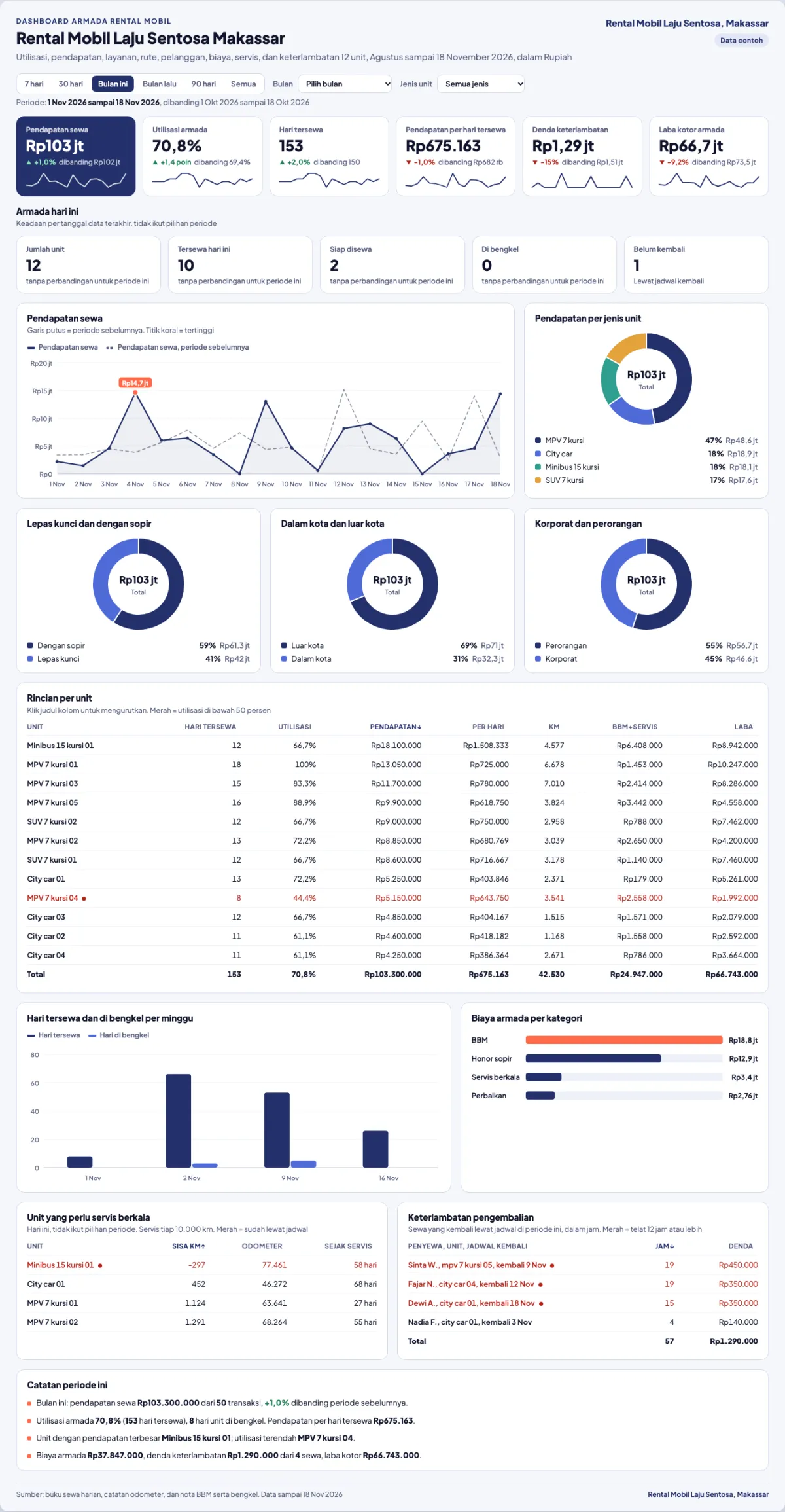
A 12-vehicle rental, November: utilisation, revenue per vehicle, service, route, customers, servicing, late returns
SKILL.md contents
Premium subscribers can read, copy, and install this skill.
Unlock with Premium Sign inCar Rental Fleet Dashboard
Description
A one-screen fleet dashboard for a car rental business: each vehicle's utilisation from rented days, revenue per vehicle and per rented day, the split between self-drive and with driver, in town and out of town, corporate and individual, vehicles in the workshop, mileage and fuel and service costs per vehicle, gross profit, late returns and their fees, and a table of vehicles due for regular service. Period and vehicle type filters recalculate every number; download PDF, Excel, and PNG.
Verified by SkillFlow
We checked every file in this skill automatically: no command that downloads and runs a program, no hidden code, no instruction telling your AI to ignore you.
- Loads from outside
- Fonts: Google Fonts SkillFlow: directory.skillflow.ai.id
See the 6 files inside
skill.json12 KBSKILL.md9 KBprompt.md8 KBprompt.en.md8 KBfiles/contoh/dua-puluh-dua-unit-kasus-berat.html1.1 MBfiles/dashboard.html332 KB
Checked 14 Nov 2026
Part of SkillFlow Pro
Pro opens every skill in every category: copy, ZIP, Send to AI, install, save, and request new skills.
Get Pro Already subscribed? Sign inWhat you get
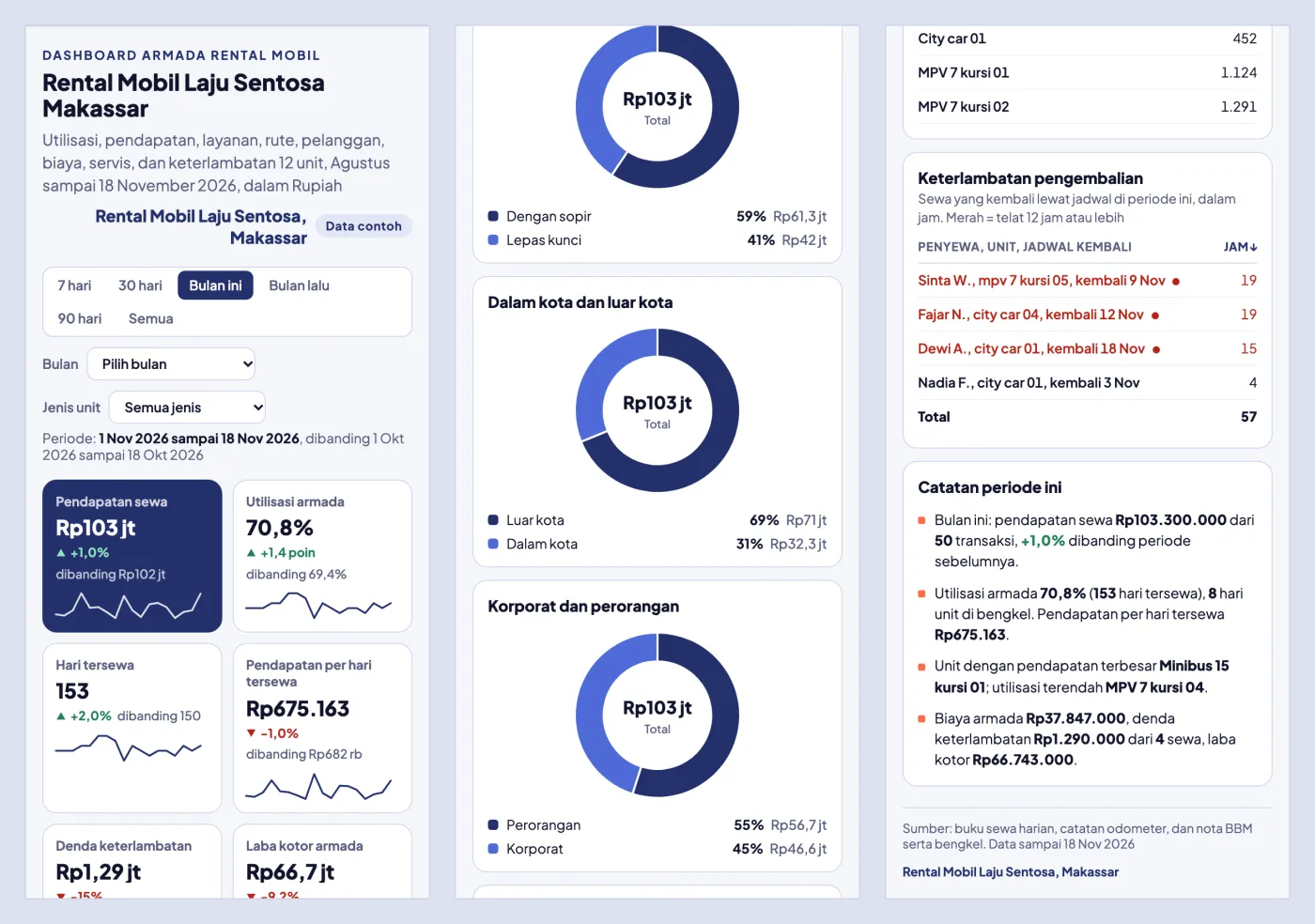
- A one-screen HTML dashboard, responsive on desktop and phone, no libraries
- KPIs for rental revenue, fleet utilisation, rented days, revenue per rented day, late fees, and gross profit
- A fleet today row: rented, ready to rent, in the workshop, and not back yet
- Donuts for self-drive against with driver, in town against out of town, corporate against individual
- Tables per vehicle, vehicles due for regular service, and late returns
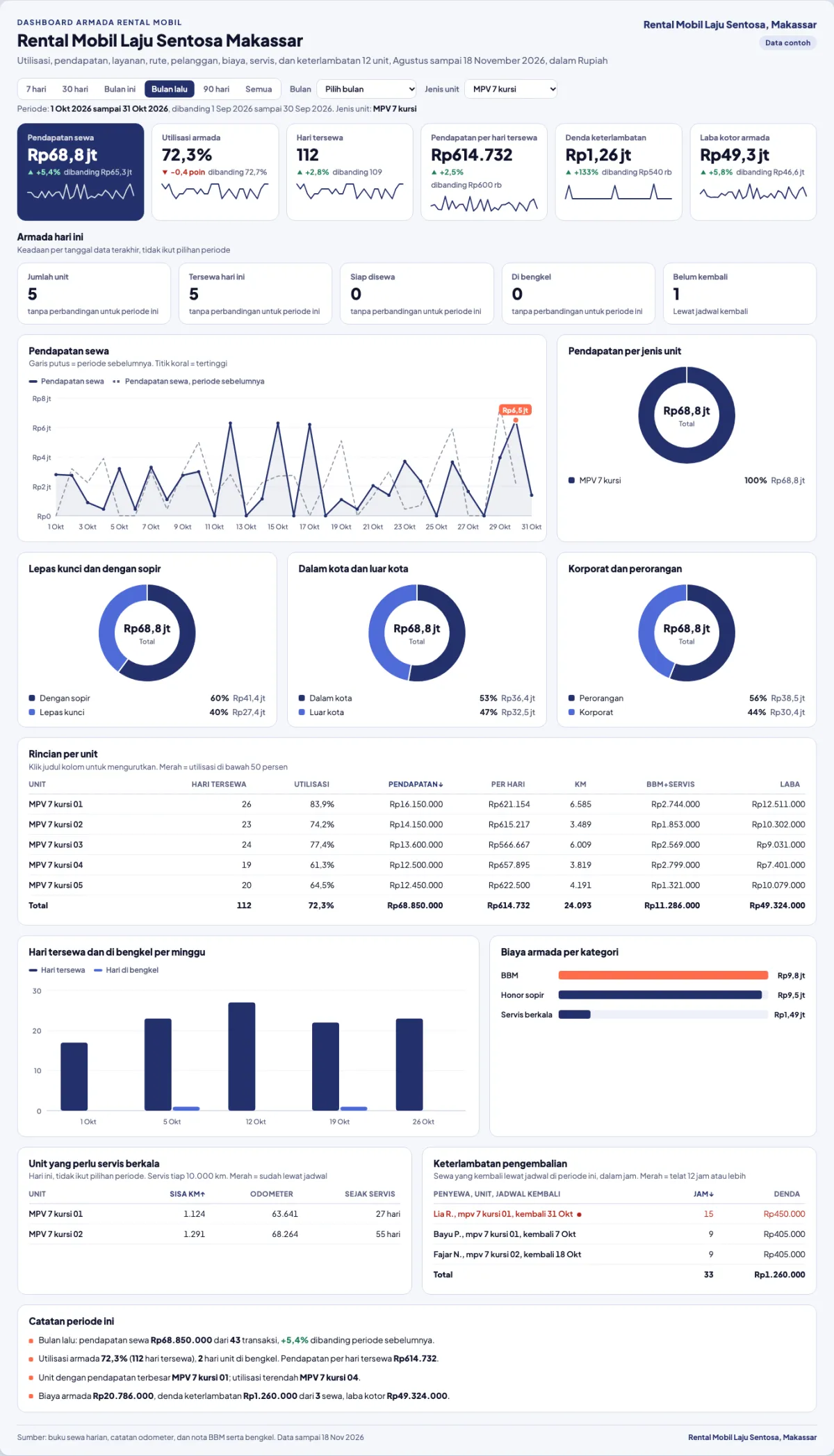
- Period and vehicle type filters, plus Download PDF, Excel, and PNG buttons for the current view
Good fit
- Car rental owners with 5 to 40 vehicles who want to see which vehicles earn and which sit idle
- Pool managers who plan regular servicing and watch vehicles in the workshop
- Monthly reviews deciding whether to add, sell, or shift a vehicle type
Not for
- Not a sales page or booking form for renters
- Not a booking system; it does not prevent clashes or send confirmations
- It does not track where cars are; today's state is read from the records you fill in
- Not an official financial statement; gross profit is before instalments, tax, or insurance
About this skill
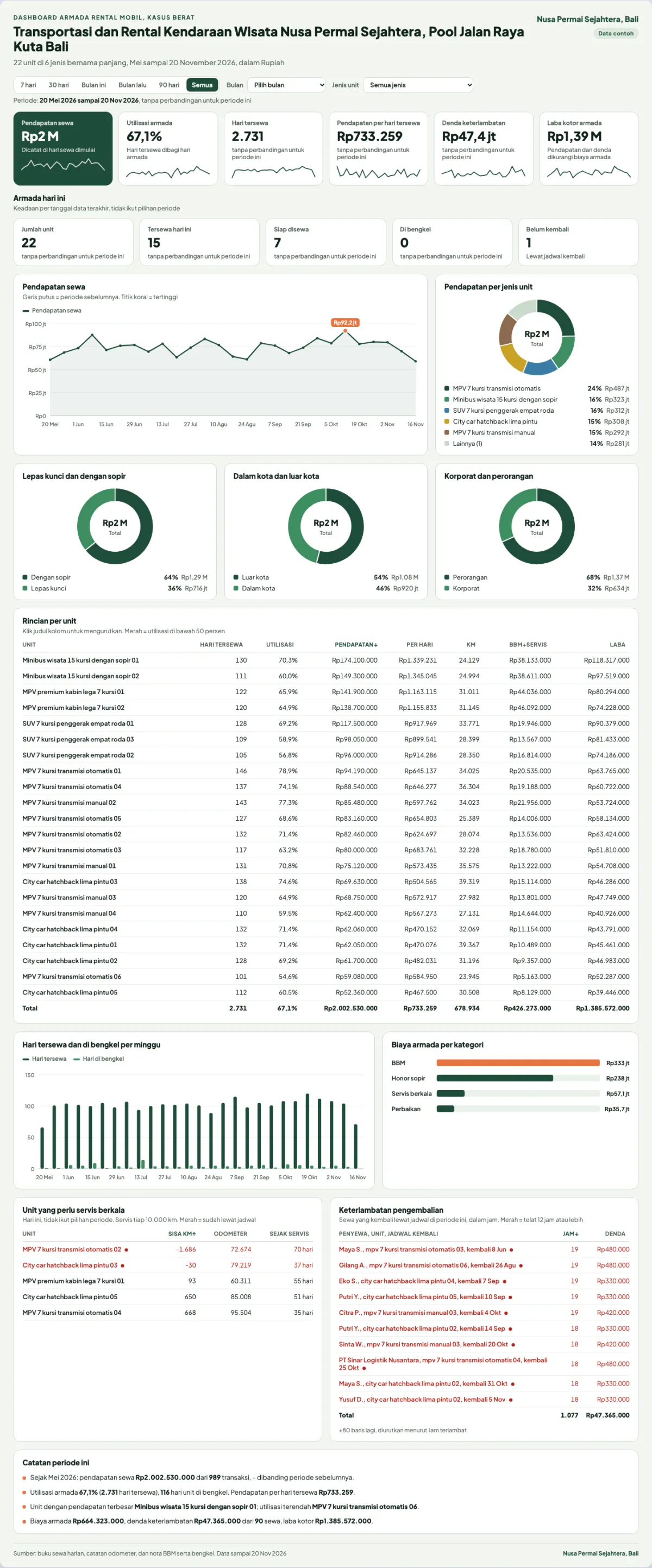
/dashboard-rental-mobil Make a fleet dashboard for my 12-car rental: utilisation per car, revenue per vehicle, self-drive against with driver, late return fees, and cars due for a service
Show more
A one-screen fleet dashboard for a car rental business: each vehicle's utilisation from rented days, revenue per vehicle and per rented day, the split between self-drive and with driver, in town and out of town, corporate and individual, vehicles in the workshop, mileage and fuel and service costs per vehicle, gross profit, late returns and their fees, and a table of vehicles due for regular service. Period and vehicle type filters recalculate every number; download PDF, Excel, and PNG.
User reviews
FAQ
What is utilisation based on?
Every vehicle gets one row per day: rented, available, or in the workshop. Utilisation = rented days divided by all fleet days in the period, so workshop days pull it down too.
Which date does a 4-day rental's revenue go to?
The day the rental starts, as in the rental book. That is why the daily revenue line can jump around, while rented days are counted day by day.
Are number plates and renters' phone numbers shown?
No. Vehicles are written generically, such as 7-seat MPV 03, and individual renters as a first name and initial. The dashboard can be printed and shared with the team.
Which AI can I use it with?
Copy the prompt into a chat AI (ChatGPT, Claude, Gemini, DeepSeek); or download the ZIP and install it in an AI agent (Claude Code, Codex, Antigravity, Hermes Agent, Cursor, GitHub Copilot, Gemini CLI, OpenCode, Kimi Code, Trae), which then builds the files for you.
What is in the ZIP?
One folder named dashboard-rental-mobil with SKILL.md (the instructions an AI agent reads) and the prompt, 6 files in all. Extract it into your agent's skills folder, or install it with npx skillflow-ai add dashboard-rental-mobil. Pro only.
Is there a per-use fee or credits?
Not from SkillFlow. The skill runs on the AI you already use, so any cost follows that plan.
Which plan includes it?
SkillFlow Pro. It opens every skill in every category.
Can I use my own colours and brand?
Yes. Pick a colour theme on this page, or fill in your brand profile once; both go into the prompt you copy and into the ZIP.
Can I share what I made?
Pro members can upload the result and get a page at share.skillflow.ai.id to send to anyone. The page carries a small "Made with SkillFlow AI" mark.
Is there a download limit?
Yes, per day: 50 skills on Pro, 10 on other plans. Downloading a skill again on the same day does not count.



