

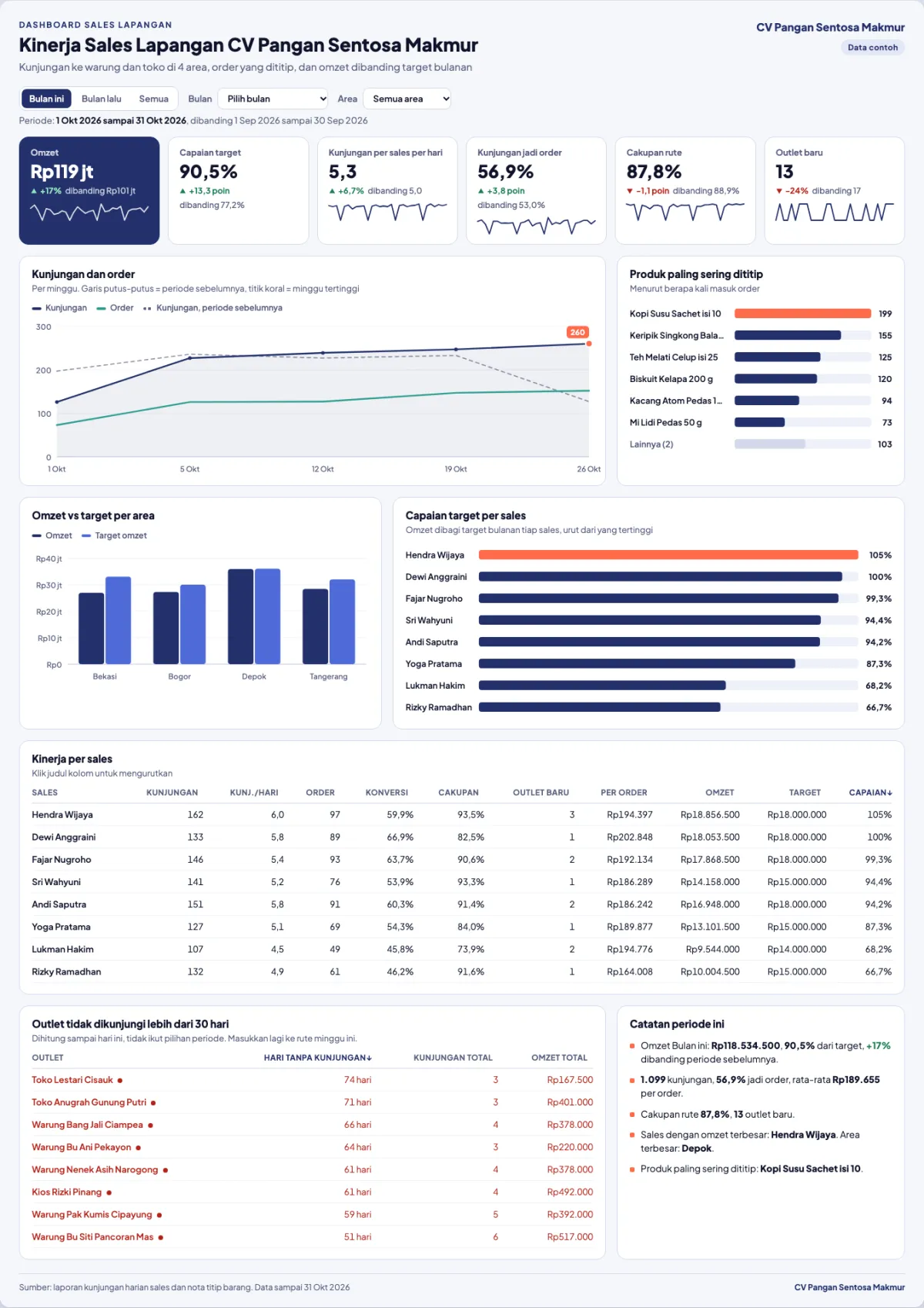
This month: 90.5% target achievement, conversion, route coverage, achievement per rep, and neglected outlets
SKILL.md contents
Premium subscribers can read, copy, and install this skill.
Unlock with Premium Sign inField Sales Dashboard
Description
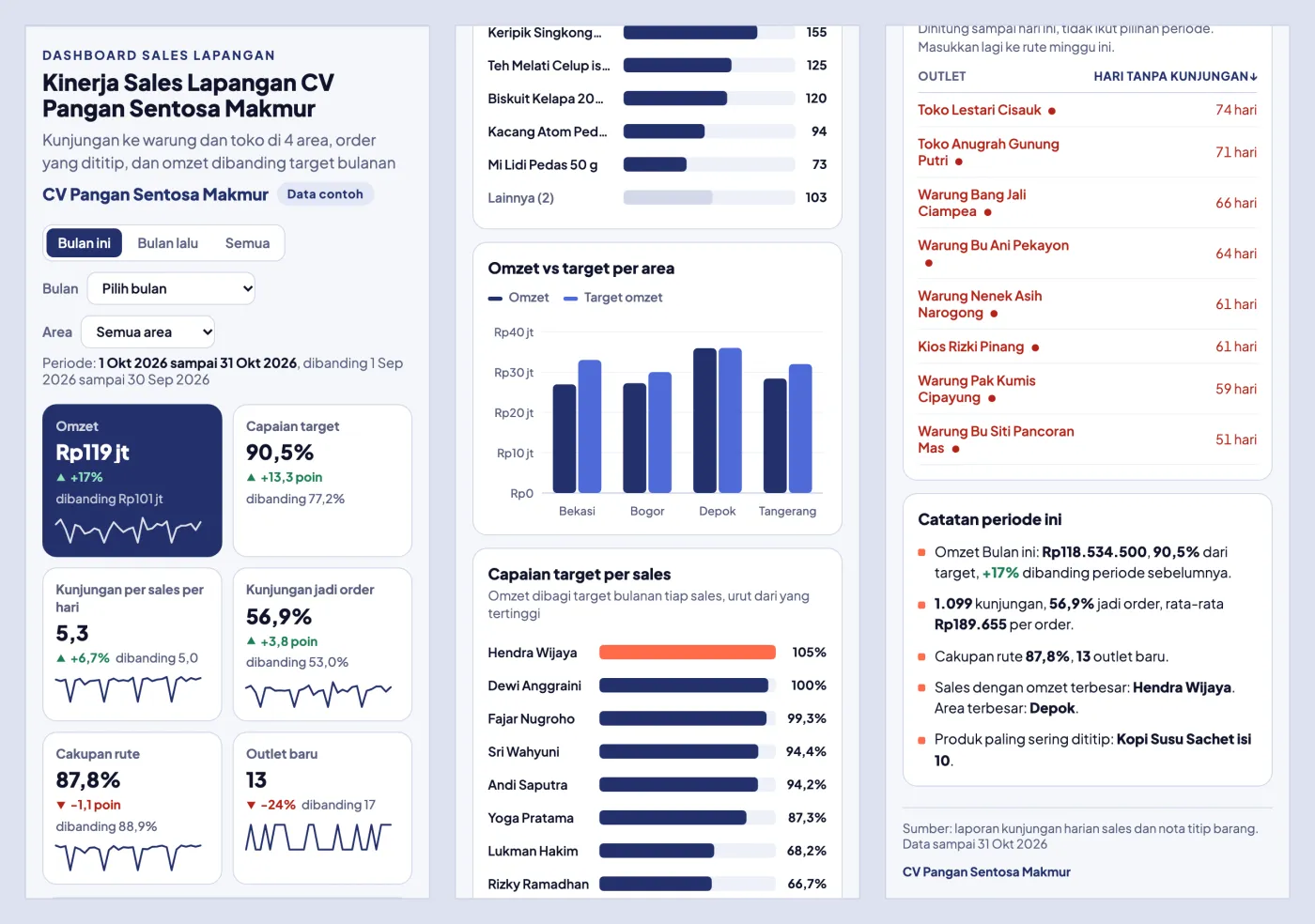
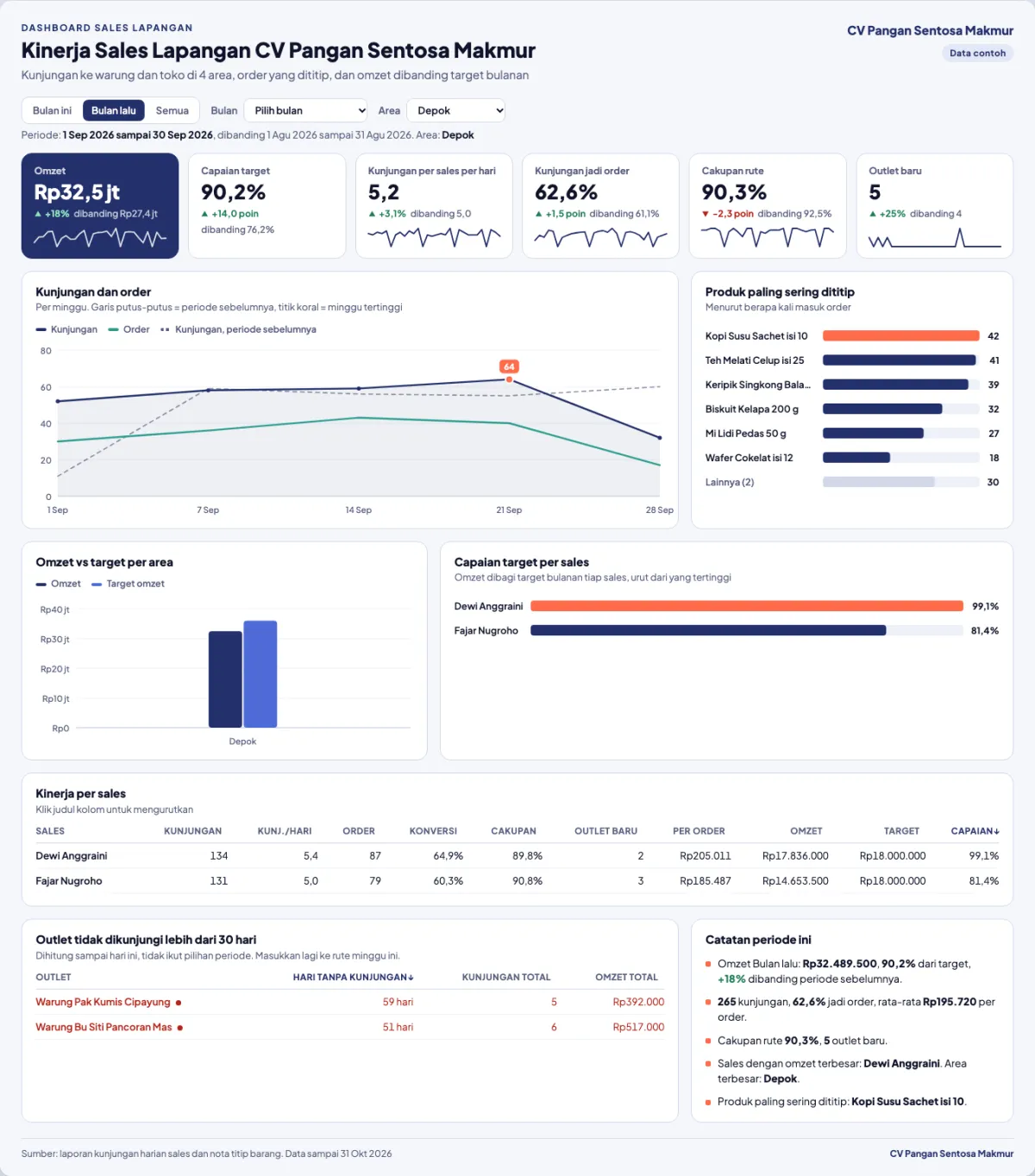
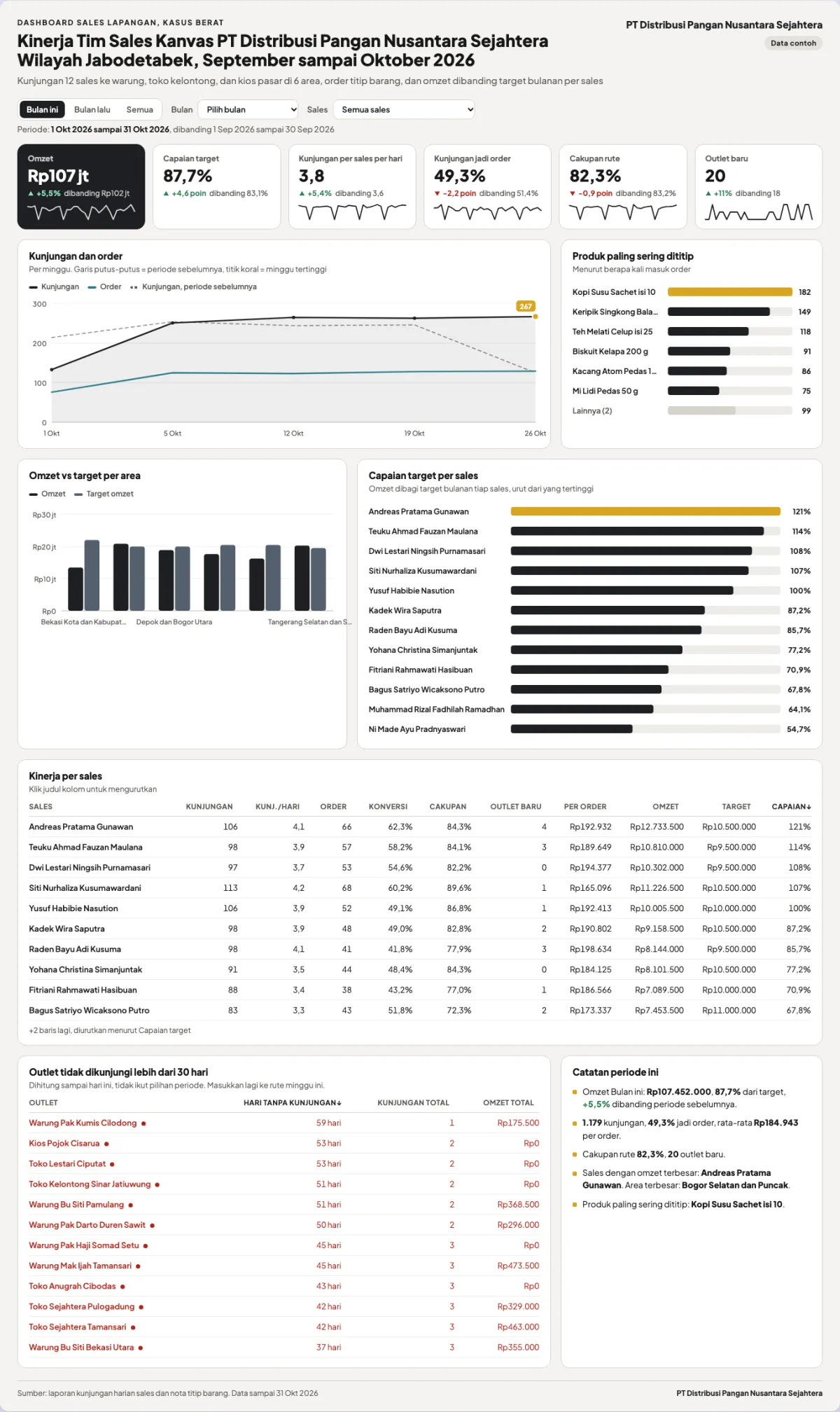
A one-screen field sales dashboard built from the daily visit reports of reps calling on small shops: sales and target achievement, visits per rep per day, visits turned into orders, scheduled route coverage, new outlets, average order value, sales vs target per area, achievement per rep, the products most often consigned, a per-rep performance table, and outlets not visited for more than 30 days highlighted in red. Period and area or rep filters recalculate every number, then the chosen view downloads as PDF, Excel, or PNG.
Verified by SkillFlow
We checked every file in this skill automatically: no command that downloads and runs a program, no hidden code, no instruction telling your AI to ignore you.
- Loads from outside
- Fonts: Google Fonts SkillFlow: directory.skillflow.ai.id
See the 6 files inside
skill.json11 KBSKILL.md9 KBprompt.md7 KBprompt.en.md7 KBfiles/contoh/distributor-12-sales-6-area.html913 KBfiles/dashboard.html1003 KB
Checked 14 Nov 2026
Part of SkillFlow Pro
Pro opens every skill in every category: copy, ZIP, Send to AI, install, save, and request new skills.
Get Pro Already subscribed? Sign inWhat you get
- A responsive HTML dashboard with one DASHBOARD object, from visit, consignment, and monthly target data
- 6 KPIs: sales, target achievement, visits per rep per day, visit-to-order conversion, route coverage, new outlets
- Weekly visits and orders trend, most consigned products, sales vs target per area, achievement per rep
- A sortable per-rep performance table, including average order value
- A table of outlets not visited for more than 30 days, highlighted in red
- Period and area or rep filters, Download PDF, Excel, and PNG buttons for the chosen view
Good fit
- Snack, beverage, grocery, or cosmetics distributors with 3 to 20 van sales reps
- Sales supervisors who meet weekly and want to know whose route has gaps
- Owners who want target achievement per area and per rep without manual recaps
- Distribution consultants preparing field team performance reports for clients
Not for
- It does not calculate rep commissions, incentives, or pay
- Not an attendance app or GPS tracker; it reads the visit reports you already have
- It does not manage warehouse stock or collect outlet receivables
- The agent template uses one dimension filter (area or rep); both at once only in the chat AI version
About this skill
/dashboard-sales-lapangan Build a field sales dashboard from the visit reports of our 8 van sales reps in Bekasi, Depok, Bogor, and Tangerang: target achievement, visit conversion, route coverage, and shops not visited for a long time
Show more
A one-screen field sales dashboard built from the daily visit reports of reps calling on small shops: sales and target achievement, visits per rep per day, visits turned into orders, scheduled route coverage, new outlets, average order value, sales vs target per area, achievement per rep, the products most often consigned, a per-rep performance table, and outlets not visited for more than 30 days highlighted in red. Period and area or rep filters recalculate every number, then the chosen view downloads as PDF, Excel, or PNG.
User reviews
FAQ
How is route coverage calculated?
Scheduled visits actually made divided by all scheduled visits in the period. So missed visits still need to be recorded (result Missed), or the route schedule pasted in so the missed ones can be found. Introductory visits to new outlets are left out because they are off route.
How is this different from the Reseller Performance Dashboard and Sales Targets and Commission?
The reseller dashboard reads orders that resellers send themselves. This dashboard reads rep visits to outlets: made or missed, turned into an order or not. The targets and commission spreadsheet works out commission from sales; this dashboard does not.
Why are the periods whole months only?
Targets are set per month. A 30-day period can hold two targets or none, which makes achievement misleading. This month against last month up to the same date is still available.
Which AI can I use it with?
Copy the prompt into a chat AI (ChatGPT, Claude, Gemini, DeepSeek); or download the ZIP and install it in an AI agent (Claude Code, Codex, Antigravity, Hermes Agent, Cursor, GitHub Copilot, Gemini CLI, OpenCode, Kimi Code, Trae), which then builds the files for you.
What is in the ZIP?
One folder named dashboard-sales-lapangan with SKILL.md (the instructions an AI agent reads) and the prompt, 6 files in all. Extract it into your agent's skills folder, or install it with npx skillflow-ai add dashboard-sales-lapangan. Pro only.
Is there a per-use fee or credits?
Not from SkillFlow. The skill runs on the AI you already use, so any cost follows that plan.
Which plan includes it?
SkillFlow Pro. It opens every skill in every category.
Can I use my own colours and brand?
Yes. Pick a colour theme on this page, or fill in your brand profile once; both go into the prompt you copy and into the ZIP.
Can I share what I made?
Pro members can upload the result and get a page at share.skillflow.ai.id to send to anyone. The page carries a small "Made with SkillFlow AI" mark.
Is there a download limit?
Yes, per day: 50 skills on Pro, 10 on other plans. Downloading a skill again on the same day does not count.



