

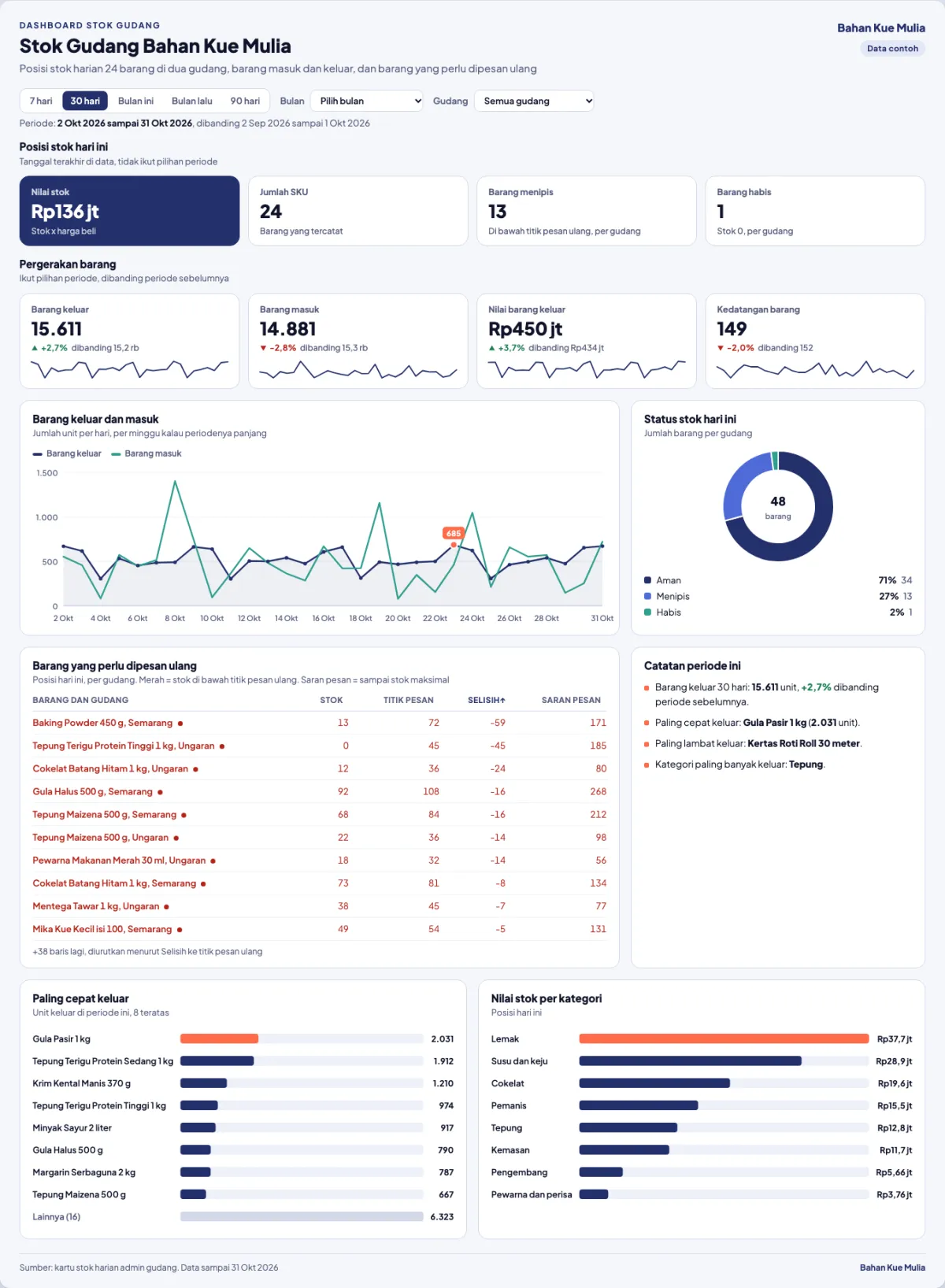
30 days: today's stock position, goods movement, stock status, and the per warehouse reorder table
SKILL.md contents
Premium subscribers can read, copy, and install this skill.
Unlock with Premium Sign inWarehouse Stock Dashboard
Description
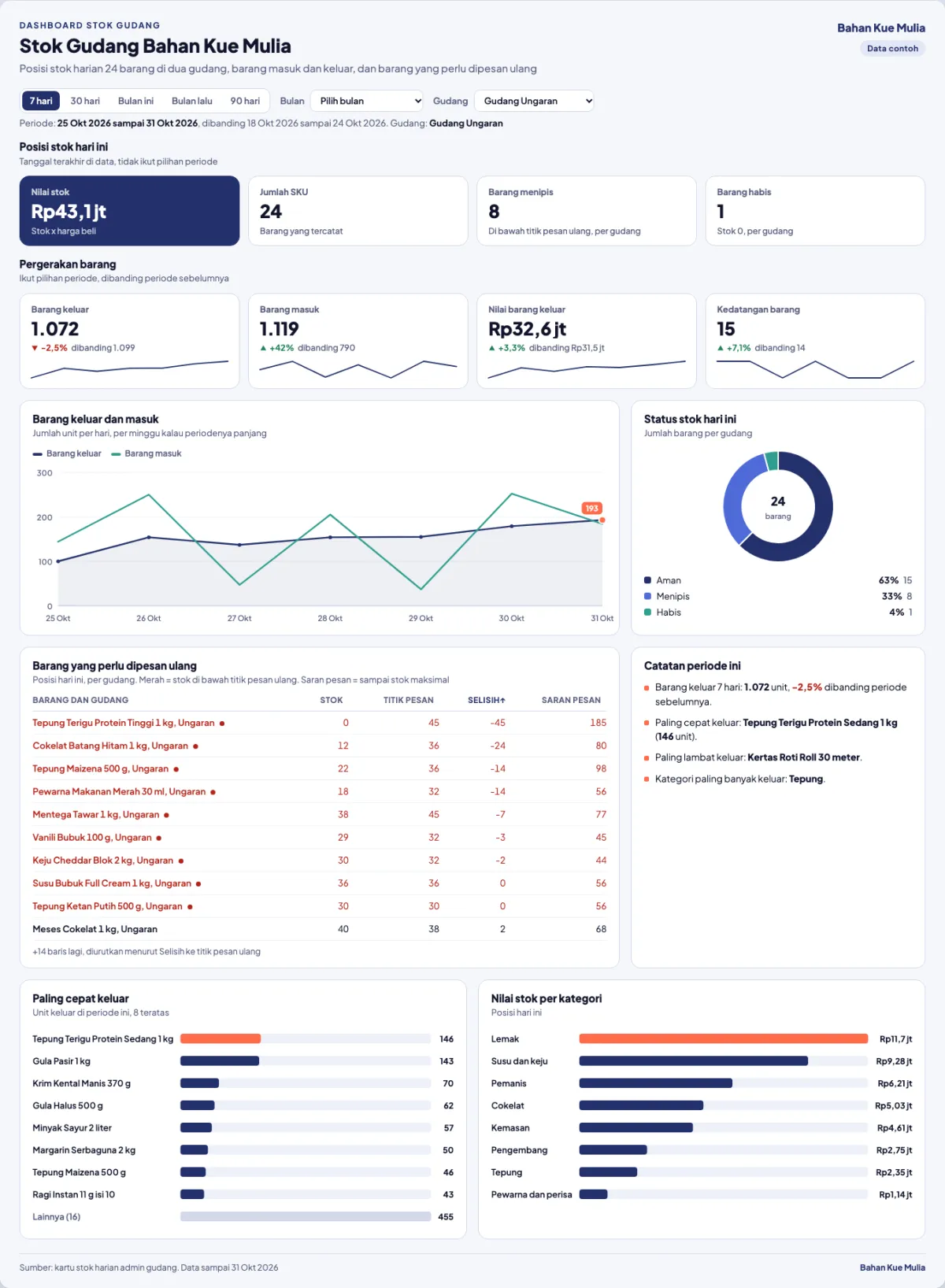
A one-screen warehouse stock dashboard that filters by period and by warehouse: stock value, SKU count, low and out-of-stock items below the reorder point, goods in and out per day or week, the fastest moving products, stock value per category, and a per warehouse reorder table with a suggested order quantity, red rows for items already below the reorder point. The selected view downloads as PDF, PNG, or Excel.
Verified by SkillFlow
We checked every file in this skill automatically: no command that downloads and runs a program, no hidden code, no instruction telling your AI to ignore you.
- Loads from outside
- Fonts: Google Fonts SkillFlow: directory.skillflow.ai.id
See the 6 files inside
skill.json9 KBSKILL.md6 KBprompt.md6 KBprompt.en.md6 KBfiles/contoh/distributor-3-gudang.html1.0 MBfiles/dashboard.html789 KB
Checked 14 Nov 2026
Part of SkillFlow Pro
Pro opens every skill in every category: copy, ZIP, Send to AI, install, save, and request new skills.
Get Pro Already subscribed? Sign inWhat you get
- Today's stock position: stock value, SKU count, low stock items, out-of-stock items
- Period movement: goods out, goods in, value out, and deliveries compared with the previous period
- A chart of goods out and in per day or week, plus a stock status donut
- A per warehouse reorder table with the gap and suggested order, red rows below the reorder point
- Fastest moving items, stock value per category, and automatic notes
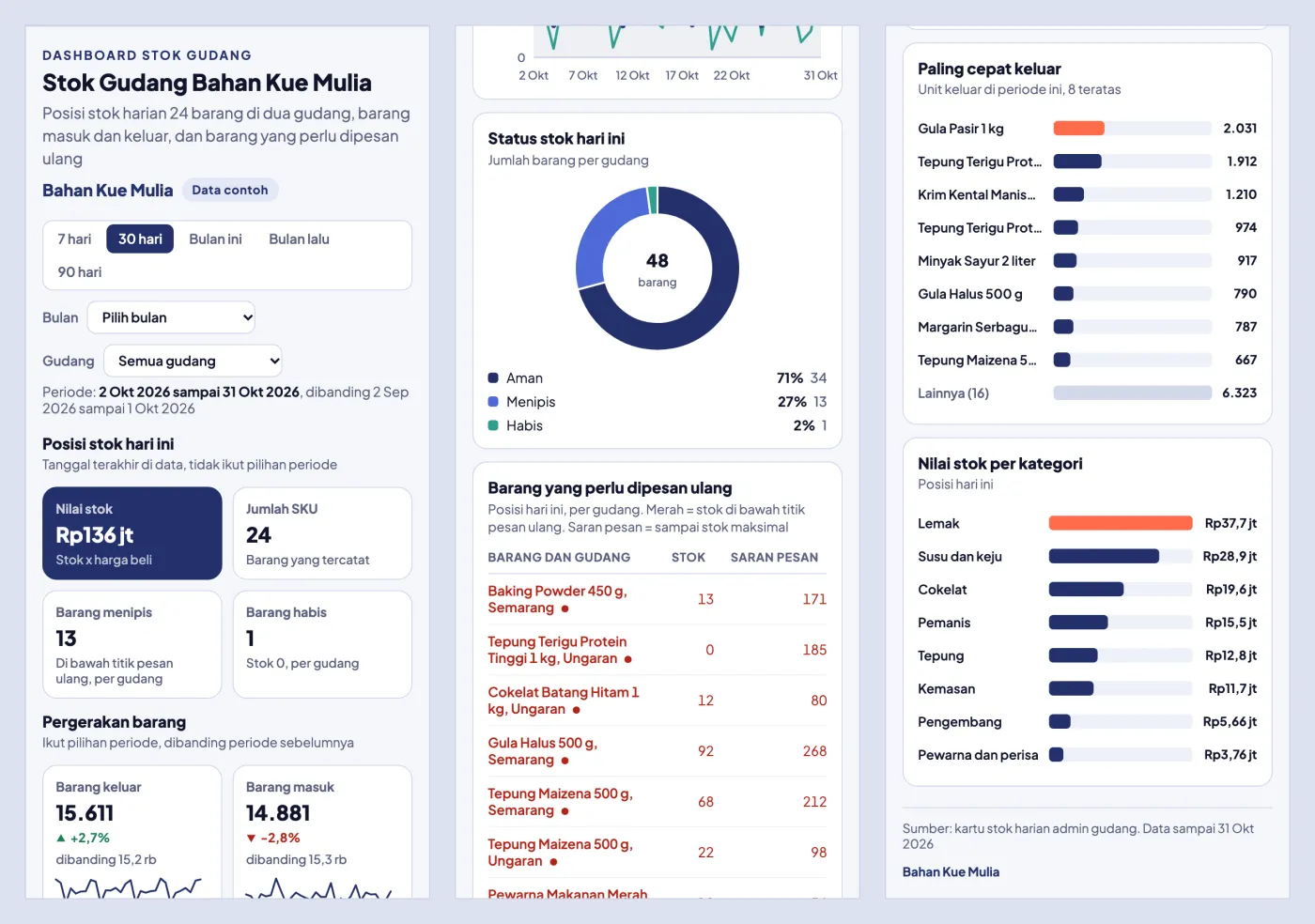
- Period and warehouse filters, PDF, PNG, and Excel downloads; tidy on a phone
Good fit
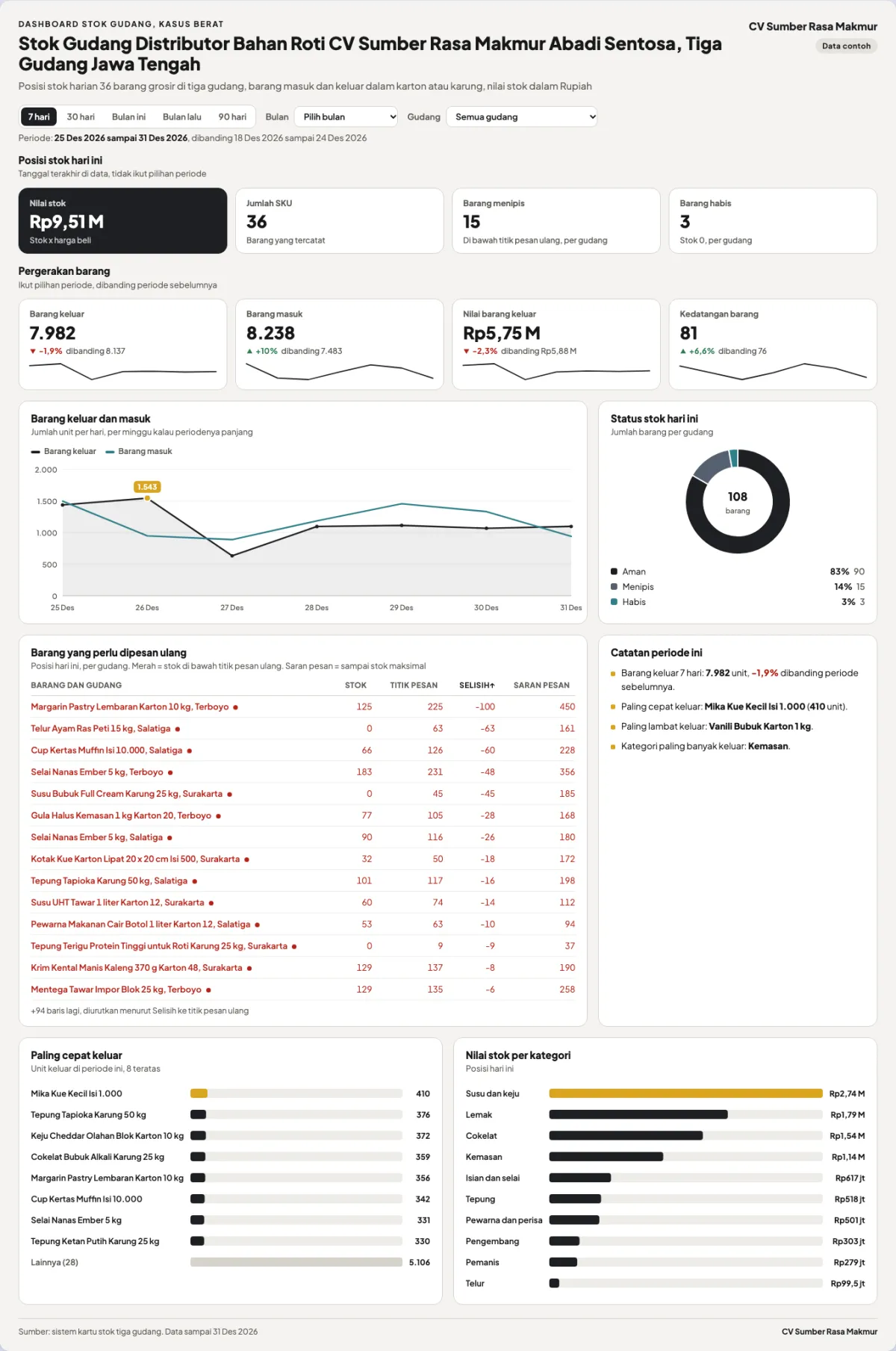
- Wholesalers and distributors who record daily stock in a spreadsheet
- Owners with several warehouses or branches who want a quick look at stock
- Warehouse admins reporting low stock and purchase plans to the owner
Not for
- It does not connect to a till or warehouse system; you paste data from your records
- Stock position is always the last date in the data, not the end of the selected period
- Not a workbook for recording stock transactions; use a stock and restock spreadsheet for that
About this skill
/dashboard-stok-gudang Make a warehouse stock dashboard from the daily stock cards of Mulia Baking Supplies, two warehouses, showing items to reorder and the fastest moving products over the last 30 days
Show more
A one-screen warehouse stock dashboard that filters by period and by warehouse: stock value, SKU count, low and out-of-stock items below the reorder point, goods in and out per day or week, the fastest moving products, stock value per category, and a per warehouse reorder table with a suggested order quantity, red rows for items already below the reorder point. The selected view downloads as PDF, PNG, or Excel.
User reviews
FAQ
What data does it need?
One row per item per warehouse per day: date, item, category, warehouse, quantity in, quantity out, end of day stock, reorder point, maximum stock, and purchase cost. If you only have in and out transactions, ask the agent to calculate the daily closing stock first.
Why is the reorder table per warehouse?
Plenty of stock in one warehouse does not help another that has run out. So each row is one item in one warehouse, matching the low stock count above it.
Which AI can I use it with?
Copy the prompt into a chat AI (ChatGPT, Claude, Gemini, DeepSeek); or download the ZIP and install it in an AI agent (Claude Code, Codex, Antigravity, Hermes Agent, Cursor, GitHub Copilot, Gemini CLI, OpenCode, Kimi Code, Trae), which then builds the files for you.
What is in the ZIP?
One folder named dashboard-stok-gudang with SKILL.md (the instructions an AI agent reads) and the prompt, 6 files in all. Extract it into your agent's skills folder, or install it with npx skillflow-ai add dashboard-stok-gudang. Pro only.
Is there a per-use fee or credits?
Not from SkillFlow. The skill runs on the AI you already use, so any cost follows that plan.
Which plan includes it?
SkillFlow Pro. It opens every skill in every category.
Can I use my own colours and brand?
Yes. Pick a colour theme on this page, or fill in your brand profile once; both go into the prompt you copy and into the ZIP.
Can I share what I made?
Pro members can upload the result and get a page at share.skillflow.ai.id to send to anyone. The page carries a small "Made with SkillFlow AI" mark.
Is there a download limit?
Yes, per day: 50 skills on Pro, 10 on other plans. Downloading a skill again on the same day does not count.



