

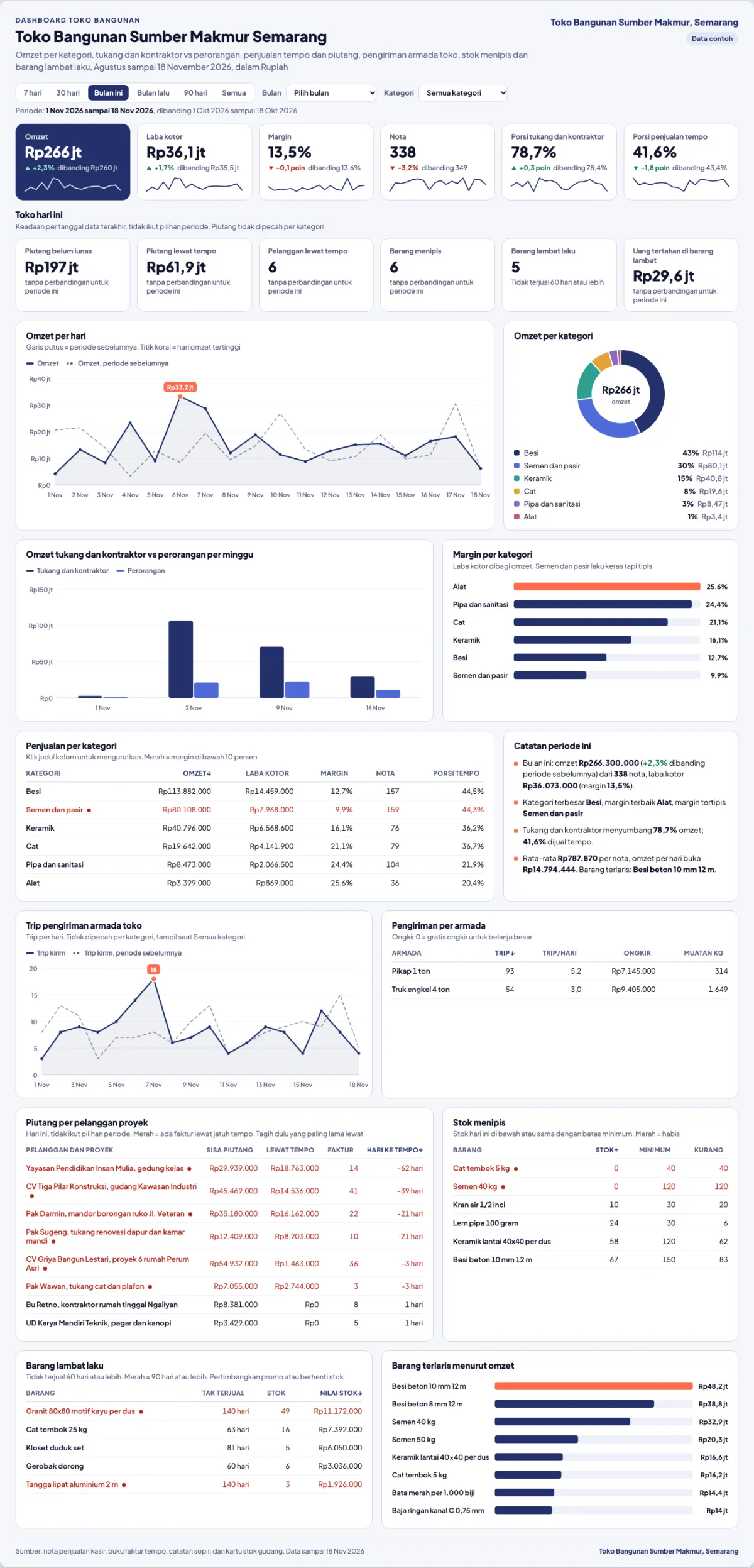
A 6-category building supply store, November: margin per category, project receivables, vehicles, low stock, slow movers
SKILL.md contents
Premium subscribers can read, copy, and install this skill.
Unlock with Premium Sign inBuilding Supply Store Dashboard
Description
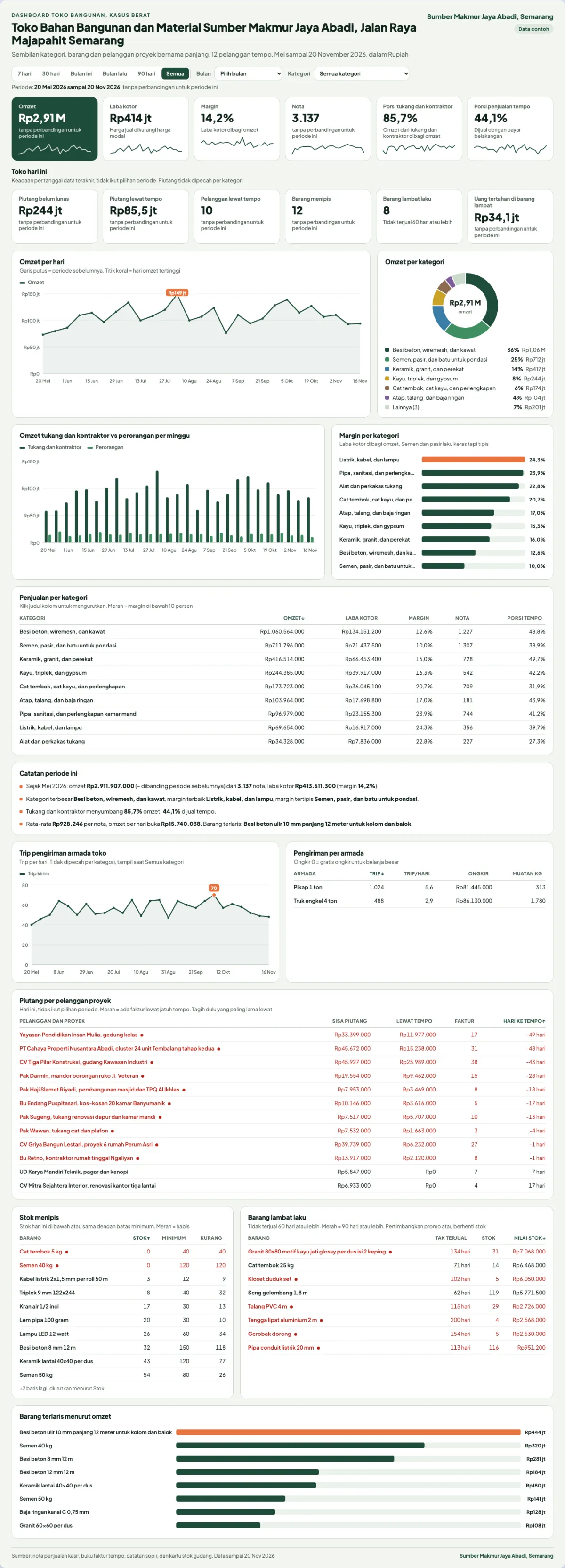
A one-screen building supply store dashboard from sales notes, credit invoices, the driver log, and stock cards: daily revenue, profit and margin per category (cement and sand, steel, paint, tiles, pipes, tools), builder and contractor vs walk-in share, credit sales share, project receivables with overdue ones in red, vehicle trips with fees and loads, low stock, and slow movers. Period and category filters recalculate every number, then download PDF, Excel, or PNG.
Verified by SkillFlow
We checked every file in this skill automatically: no command that downloads and runs a program, no hidden code, no instruction telling your AI to ignore you.
- Loads from outside
- Fonts: Google Fonts SkillFlow: directory.skillflow.ai.id
See the 6 files inside
skill.json12 KBSKILL.md10 KBprompt.md9 KBprompt.en.md9 KBfiles/contoh/sembilan-kategori-kasus-berat.html1.5 MBfiles/dashboard.html916 KB
Checked 14 Nov 2026
Part of SkillFlow Pro
Pro opens every skill in every category: copy, ZIP, Send to AI, install, save, and request new skills.
Get Pro Already subscribed? Sign inWhat you get
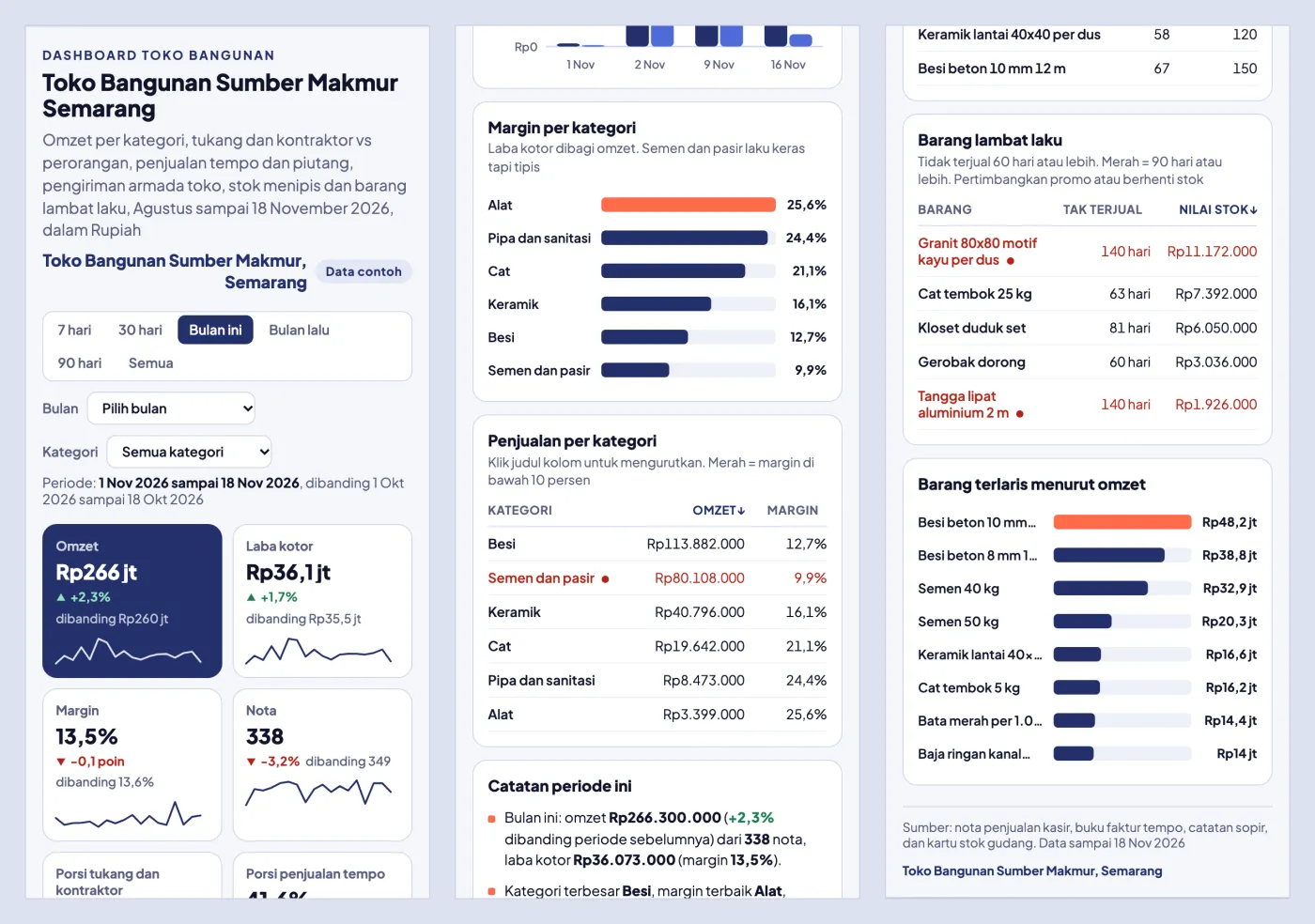
- A one-screen HTML dashboard, responsive on desktop and phone, no libraries
- KPIs for revenue, gross profit, margin, notes, builder and contractor share, and credit sales share
- A store today row: receivables unpaid and overdue, low stock items, slow movers, money tied up
- Tables per category, per vehicle, receivables per project customer, low stock, and slow movers
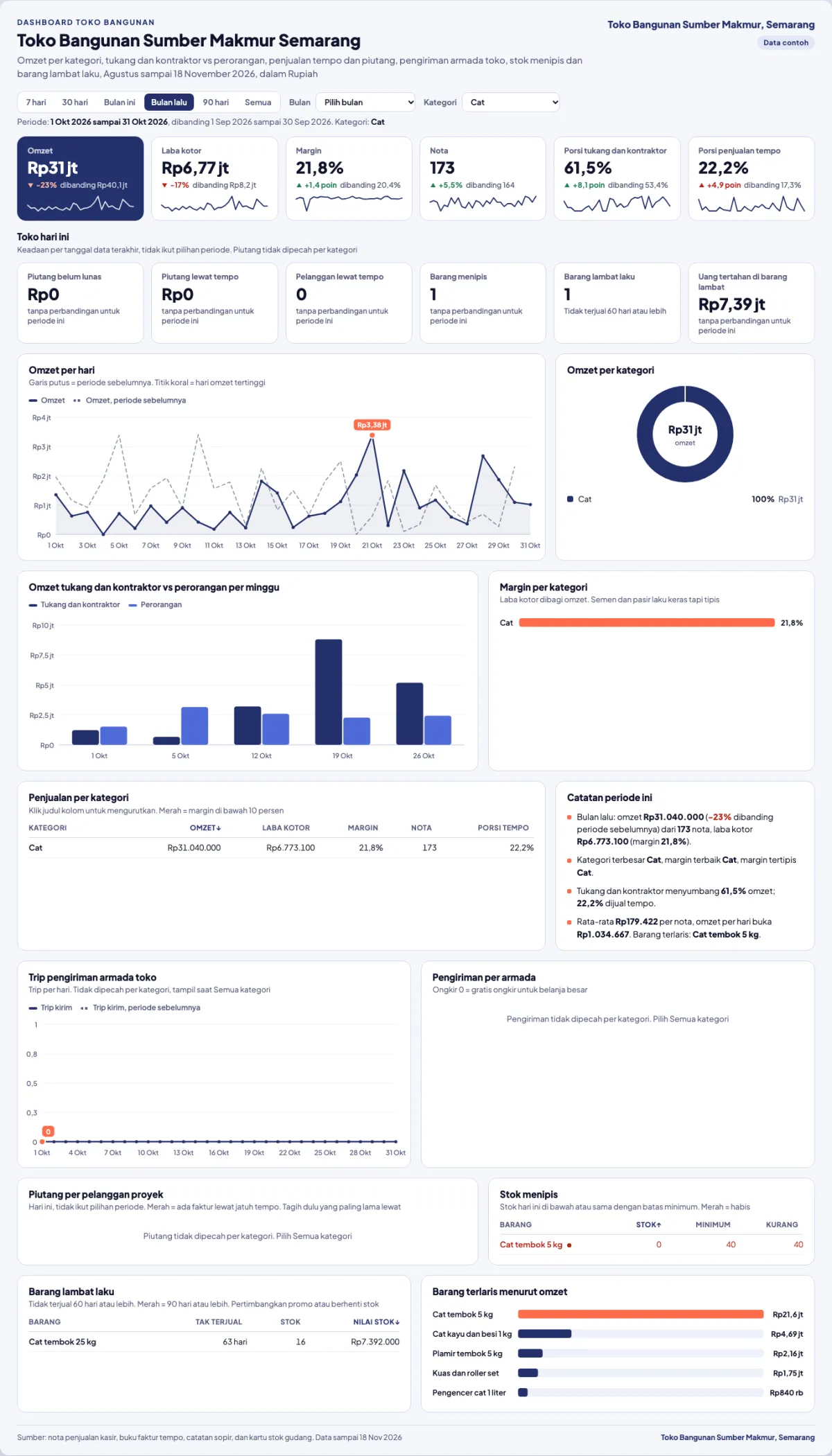
- Period and category filters that recalculate every card, chart, and table
- Download PDF, Excel, and PNG buttons for the current view
Good fit
- Building supply and materials store owners who want revenue and margin per category every week
- Billing staff who need the list of project customers past their due date
- Warehouse heads deciding which items to reorder and which to put on promotion
Not for
- Not a till or an invoicing app; the dashboard reads the notes you already keep
- It does not chase customers or send reminders; the receivables list is for you to follow up
- It does not plan vehicle routes or schedules; it only counts trips, fees, and loads
- Not tax bookkeeping; gross profit here is only selling price minus cost price
About this skill
/dashboard-toko-bangunan Make a dashboard for my building supply store: revenue and margin per category, how much builders and contractors buy, project receivables past their due date, vehicle trips, and slow-moving items
Show more
A one-screen building supply store dashboard from sales notes, credit invoices, the driver log, and stock cards: daily revenue, profit and margin per category (cement and sand, steel, paint, tiles, pipes, tools), builder and contractor vs walk-in share, credit sales share, project receivables with overdue ones in red, vehicle trips with fees and loads, low stock, and slow movers. Period and category filters recalculate every number, then download PDF, Excel, or PNG.
User reviews
FAQ
Why are the receivables and delivery tables empty when I pick one category?
One credit invoice or one trip usually holds items from several categories, so neither is split by category. Choose All categories to see them; the sales, margin, and stock cards still follow the chosen category.
How are slow movers worked out?
From the last date the item was sold up to today. Items at 60 days or more go into the table and 90 days or more turn red. Their stock value uses the cost price, so you can see how much money is sitting on the shelf.
Is it safe to share with staff?
The dashboard shows cost prices, profit, and project customer names. Share it only with people allowed to see them, or make a copy without the profit and margin cards.
Which AI can I use it with?
Copy the prompt into a chat AI (ChatGPT, Claude, Gemini, DeepSeek); or download the ZIP and install it in an AI agent (Claude Code, Codex, Antigravity, Hermes Agent, Cursor, GitHub Copilot, Gemini CLI, OpenCode, Kimi Code, Trae), which then builds the files for you.
What is in the ZIP?
One folder named dashboard-toko-bangunan with SKILL.md (the instructions an AI agent reads) and the prompt, 6 files in all. Extract it into your agent's skills folder, or install it with npx skillflow-ai add dashboard-toko-bangunan. Pro only.
Is there a per-use fee or credits?
Not from SkillFlow. The skill runs on the AI you already use, so any cost follows that plan.
Which plan includes it?
SkillFlow Pro. It opens every skill in every category.
Can I use my own colours and brand?
Yes. Pick a colour theme on this page, or fill in your brand profile once; both go into the prompt you copy and into the ZIP.
Can I share what I made?
Pro members can upload the result and get a page at share.skillflow.ai.id to send to anyone. The page carries a small "Made with SkillFlow AI" mark.
Is there a download limit?
Yes, per day: 50 skills on Pro, 10 on other plans. Downloading a skill again on the same day does not count.



