

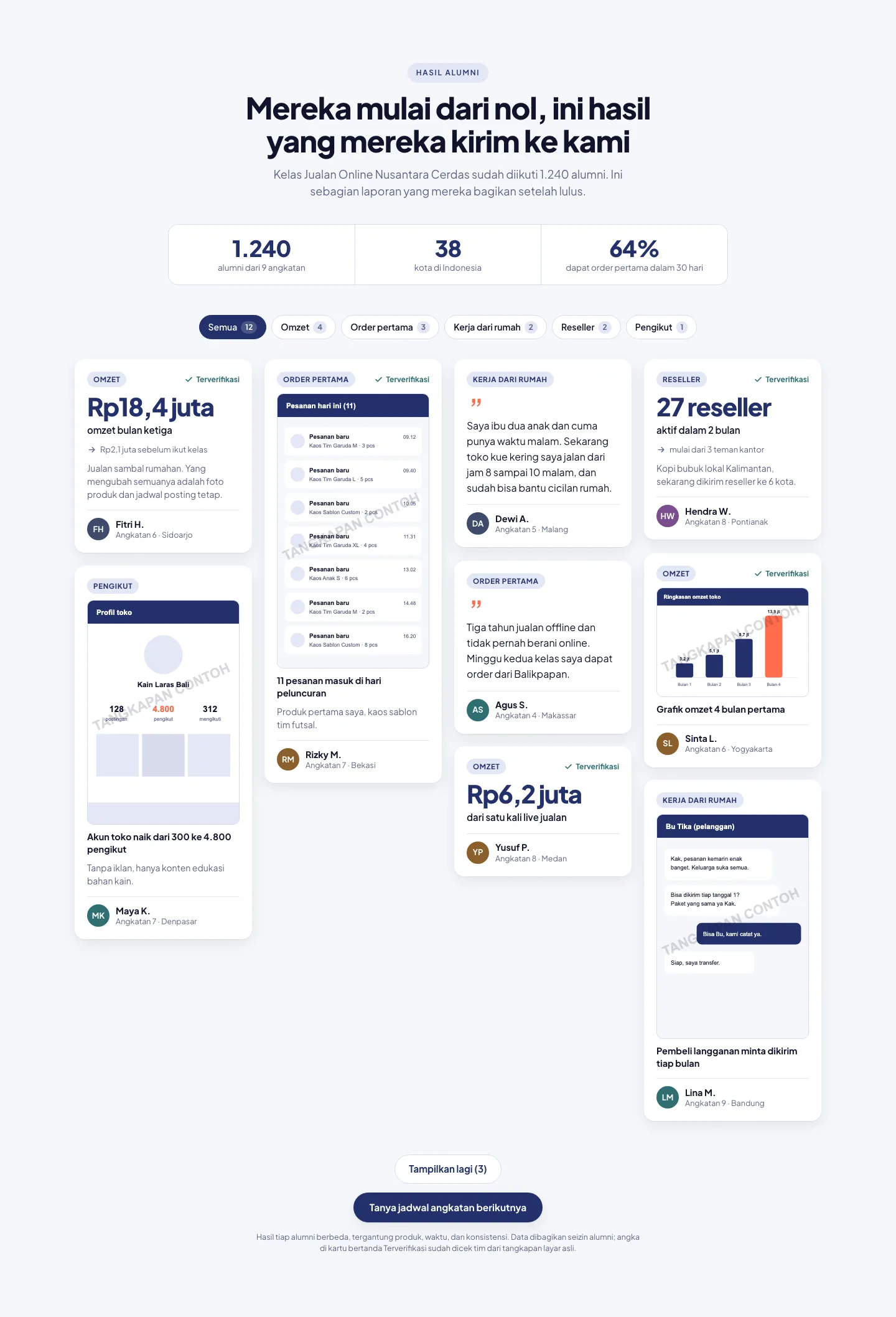
A four column masonry wall: number, screenshot, and story cards, with category filters
SKILL.md contents
Premium subscribers can read, copy, and install this skill.
Unlock with Premium Sign inAlumni Results Wall (Section)
Description
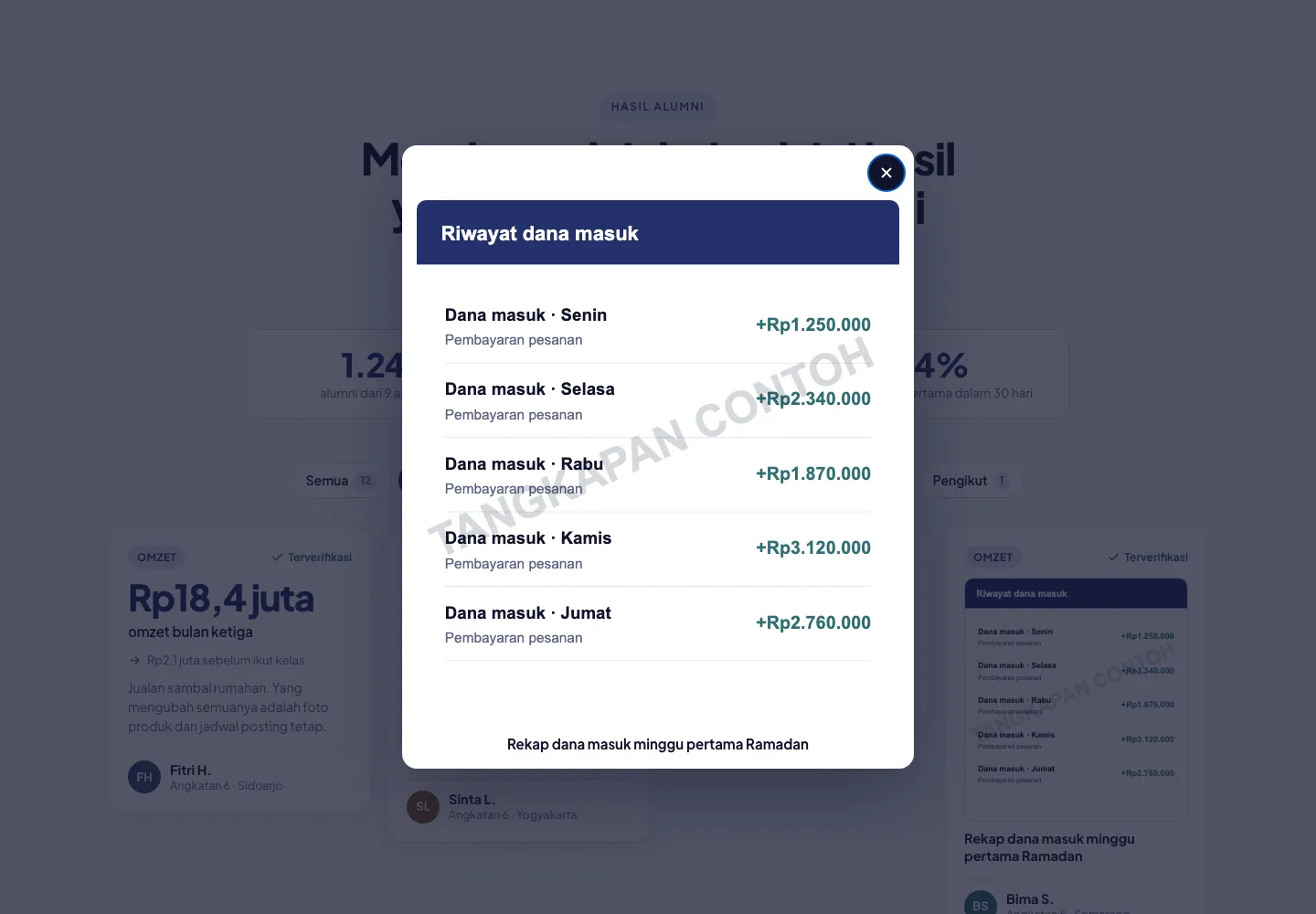
A results proof section for online courses and mentoring: masonry cards holding result numbers with the starting point, enlargeable screenshots, and short stories. Each card carries a masked name, cohort, city, category, and a Verified badge for checked proof. With a programme stats strip, category filters, a show-more button, a WhatsApp CTA, and a note that results differ per person. Sample screenshots are drawn by the template. One HTML file with scoped CSS.
Verified by SkillFlow
We checked every file in this skill automatically: no command that downloads and runs a program, no hidden code, no instruction telling your AI to ignore you.
- Loads from outside
- Fonts: Google Fonts
See the 5 files inside
skill.json10 KBSKILL.md7 KBprompt.md4 KBprompt.en.md4 KBfiles/bukti-alumni.html27 KB
Checked 14 Nov 2026
Part of SkillFlow Pro
Pro opens every skill in every category: copy, ZIP, Send to AI, install, save, and request new skills.
Get Pro Already subscribed? Sign inWhat you get
- A single-file HTML alumni proof section, CSS scoped so it is safe to paste into other pages
- 3 card types: a result number with the starting point, an enlargeable screenshot, a short story
- Masonry that keeps left-to-right order, category filters with counts, a show-more button
- Masked names, cohort, city, category, a Verified badge, a programme stats strip
- 5 sample screenshots drawn by the template, a WhatsApp CTA, a note that results differ per person
Good fit
- Sales pages for online courses, bootcamps, business mentoring, or paid communities
- Teachers with student result screenshots scattered across group chats
- New cohort sign up pages that need proof, not promises
- Programmes that want to show the starting point next to each result
Not for
- It does not create fake proof; every result must be real and approved by the alumni
- It does not blur screenshot contents; you must censor personal data in images first
- The Verified badge is only for proof your team has checked
- Not a documentation photo gallery or video testimonials
About this skill
/dinding-bukti-alumni Build an alumni results wall section for our online selling course, 18 alumni results as numbers, screenshots, and stories, category filters, real programme stats, and a WhatsApp button
Show more
A results proof section for online courses and mentoring: masonry cards holding result numbers with the starting point, enlargeable screenshots, and short stories. Each card carries a masked name, cohort, city, category, and a Verified badge for checked proof. With a programme stats strip, category filters, a show-more button, a WhatsApp CTA, and a note that results differ per person. Sample screenshots are drawn by the template. One HTML file with scoped CSS.
User reviews
FAQ
Which card type should each alumni get?
Pick the strongest: a number card for a clear result like 18.4 million with the starting point, a screenshot card for a readable image that can be enlarged, or a quote card for a story in the alumni's own words.
Are alumni names shown in full?
By default the last name becomes an initial, along with cohort and city. Data inside screenshots, such as buyer names, phone numbers, and account numbers, must still be censored before upload.
How many cards show at first?
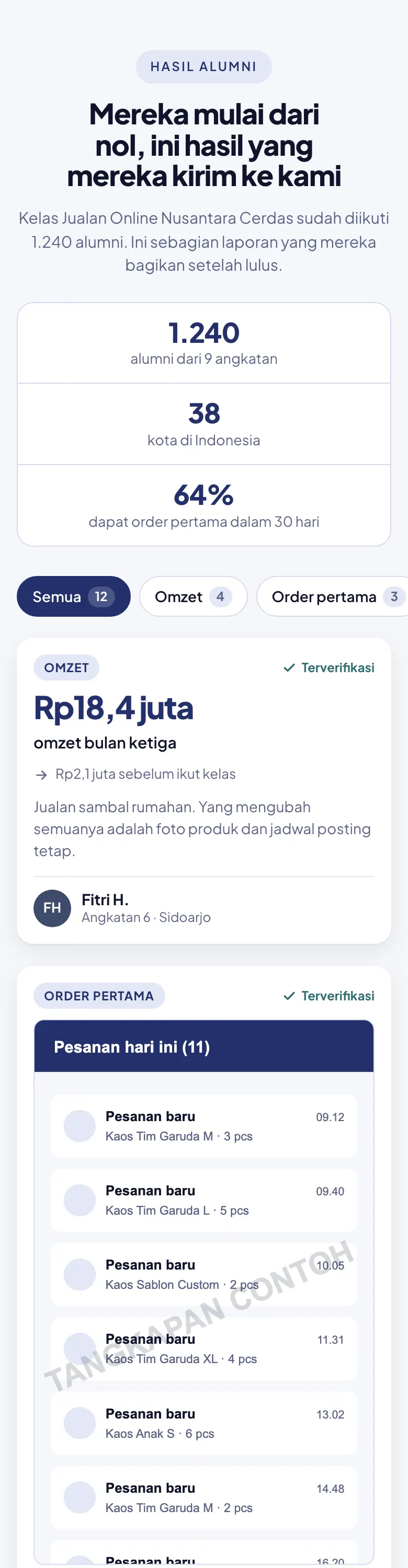
The initial count is adjustable and capped at 5 on phones. The rest appear via a Show more button, and the category filter shows a count per category.
Which AI can I use it with?
Copy the prompt into a chat AI (ChatGPT, Claude, Gemini, DeepSeek); or download the ZIP and install it in an AI agent (Claude Code, Codex, Antigravity, Hermes Agent, Cursor, GitHub Copilot, Gemini CLI, OpenCode, Kimi Code, Trae), which then builds the files for you.
What is in the ZIP?
One folder named dinding-bukti-alumni with SKILL.md (the instructions an AI agent reads) and the prompt, 5 files in all. Extract it into your agent's skills folder, or install it with npx skillflow-ai add dinding-bukti-alumni. Pro only.
Is there a per-use fee or credits?
Not from SkillFlow. The skill runs on the AI you already use, so any cost follows that plan.
Which plan includes it?
SkillFlow Pro. It opens every skill in every category.
Can I use my own colours and brand?
Yes. Pick a colour theme on this page, or fill in your brand profile once; both go into the prompt you copy and into the ZIP.
Can I share what I made?
Pro members can upload the result and get a page at share.skillflow.ai.id to send to anyone. The page carries a small "Made with SkillFlow AI" mark.
Is there a download limit?
Yes, per day: 50 skills on Pro, 10 on other plans. Downloading a skill again on the same day does not count.



