

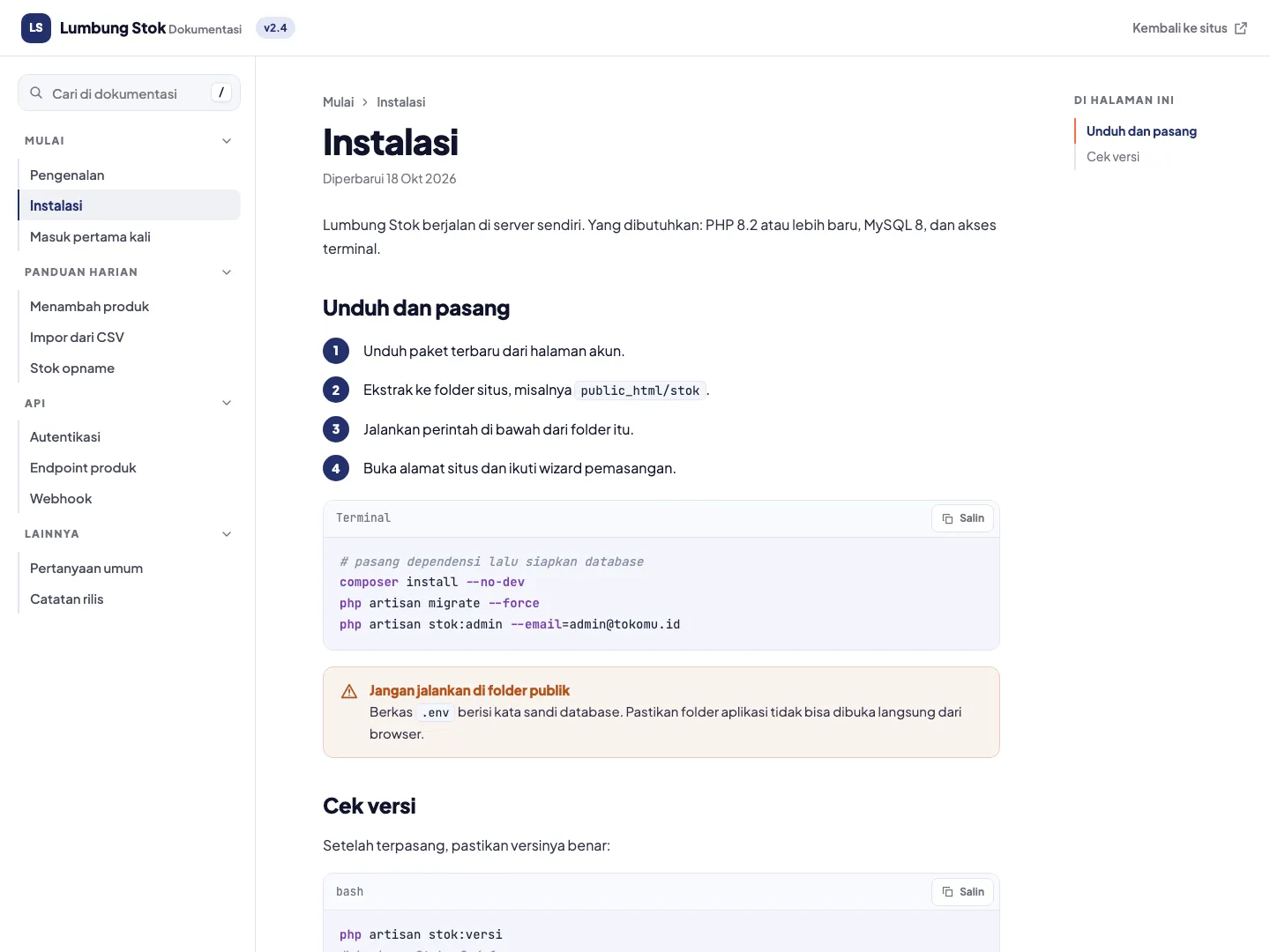
Wide screen: chapter sidebar, numbered steps, a code block, a caution box, and On this page
SKILL.md contents
Premium subscribers can read, copy, and install this skill.
Unlock with Premium Sign inProduct Documentation
Description
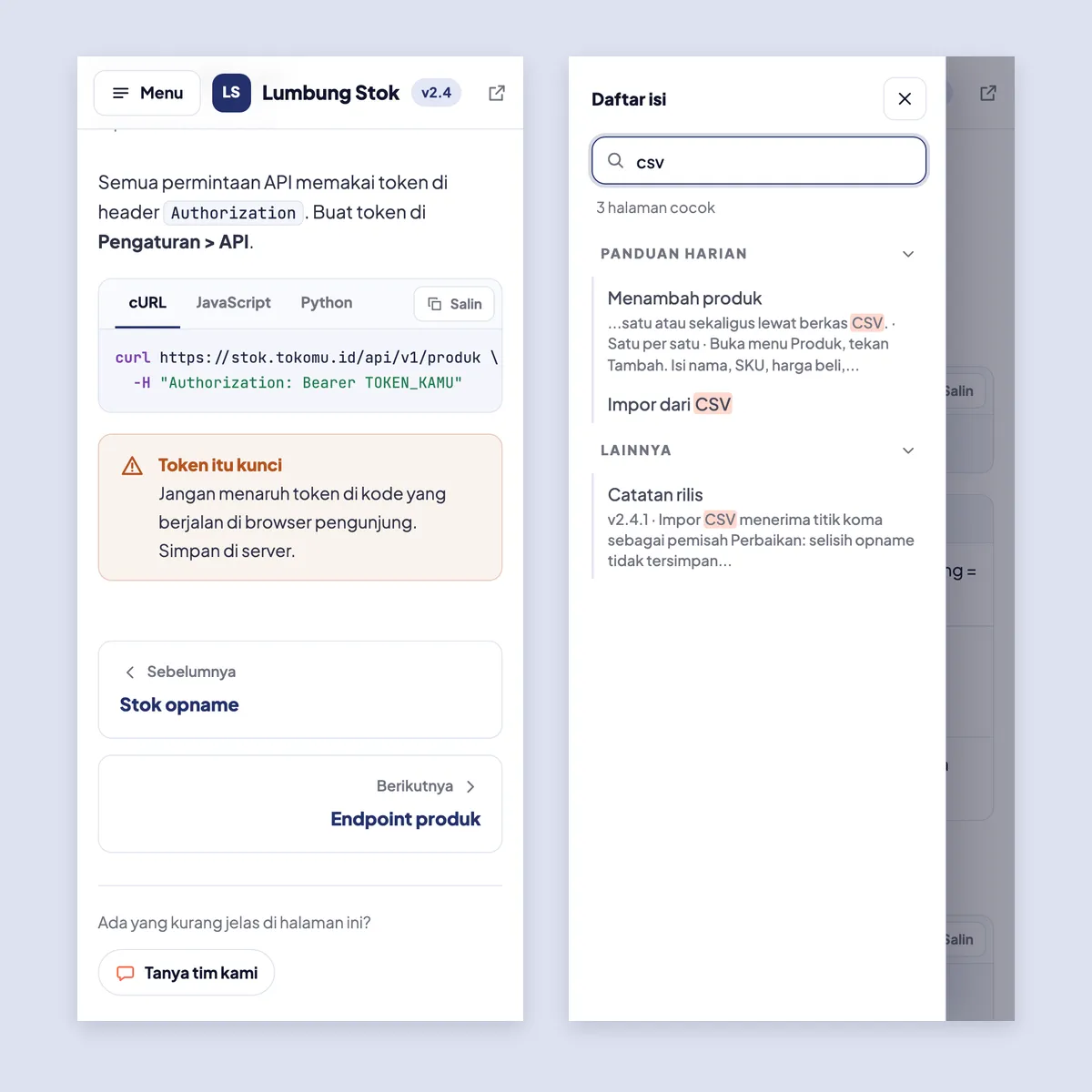
A light, app-style documentation page for digital products, apps, plugins, or APIs: a collapsible chapter sidebar, a search that really filters the page list and highlights matches, numbered steps, code blocks with a copy button and language tabs (cURL, JavaScript, Python), code colouring, info, tip, caution, and important callouts, parameter tables, keyboard keys, an On this page list that follows your reading position, and previous and next links. On phones the sidebar becomes a drawer. Every page and subheading has its own address. One HTML file with no library.
Verified by SkillFlow
We checked every file in this skill automatically: no command that downloads and runs a program, no hidden code, no instruction telling your AI to ignore you.
- Loads from outside
- Fonts: Google Fonts Other: stok.tokomu.id
See the 5 files inside
skill.json9 KBSKILL.md6 KBprompt.md4 KBprompt.en.md4 KBfiles/docs.html42 KB
Checked 14 Nov 2026
Part of SkillFlow Pro
Pro opens every skill in every category: copy, ZIP, Send to AI, install, save, and request new skills.
Get Pro Already subscribed? Sign inWhat you get
- One HTML file, no library, set from one config object (product, chapters, pages, content blocks)
- Page content from data blocks: subheadings, paragraphs, steps, bullets, code, code tabs, callouts, tables, screenshot slots
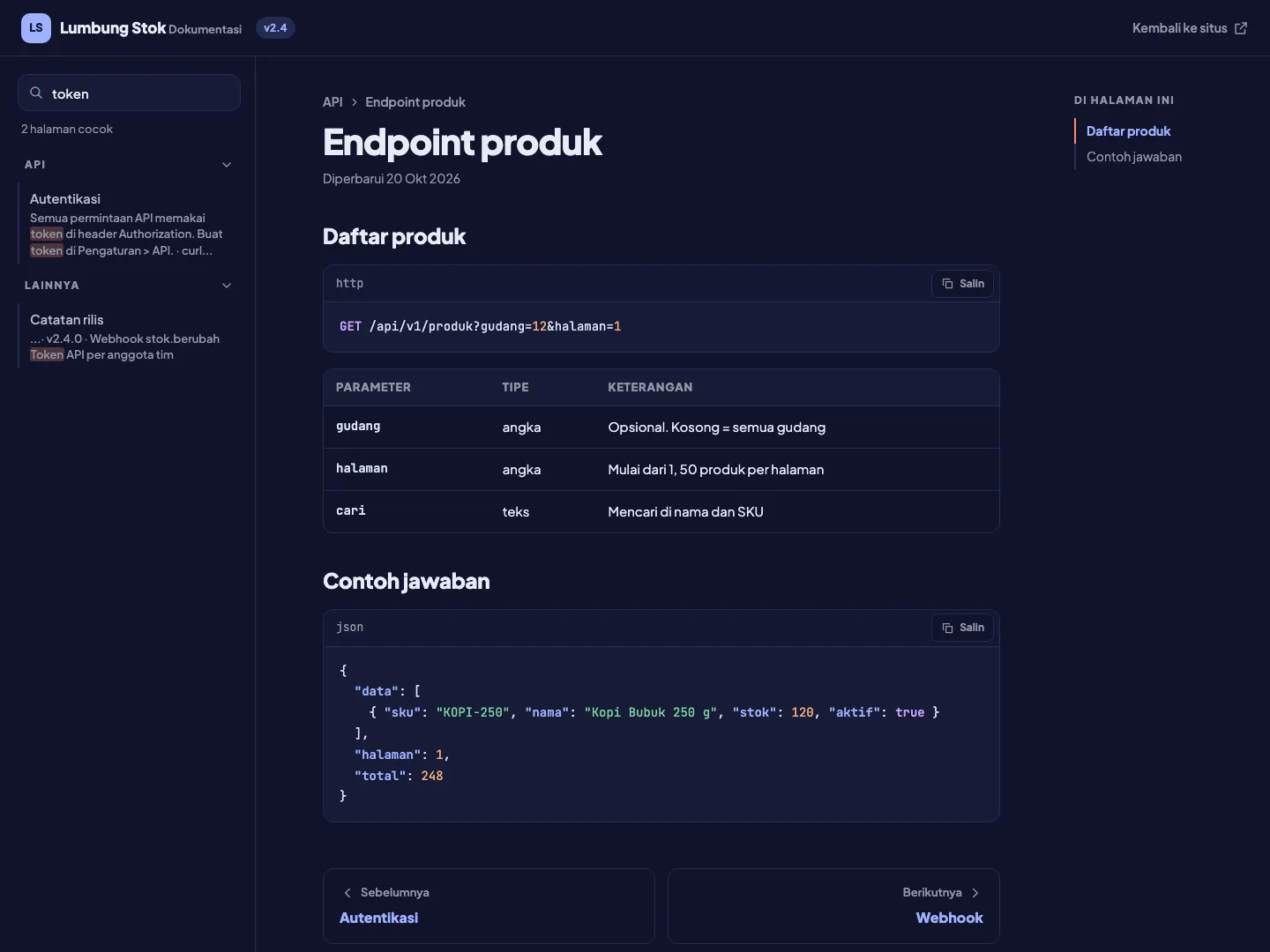
- Client-side search that filters the sidebar, highlights words, shows a snippet, with arrow keys and Enter
- Code blocks with colouring, a Copy button (with a fallback for older browsers), and multi-language tabs
- Addresses per page and subheading (#/instalasi/cek-versi), an On this page list that lights up as you read
- On phones the sidebar becomes a drawer (Menu button, dark backdrop, Esc closes), no sideways scroll; 3 palettes (indigo, forest, night)
Good fit
- Makers of apps, plugins, templates, or APIs who need install and usage guides
- Digital products wanting tidy docs without building a separate documentation site
- Small teams writing step-by-step guides by chapter with code samples
Not for
- Not a customer help centre with synonyms and a support chat flow; use the help centre skill for that
- Search matches words and word starts, not meaning
- There is no version switcher that changes the content; the version label is only a marker
- Content lives in one file; docs with hundreds of pages should be split
About this skill
/dokumentasi-produk Build a documentation page for our stock app: chapters for Getting started, Daily guides, API, and More, with cURL, JavaScript, and Python code samples, caution notes, and search
Show more
A light, app-style documentation page for digital products, apps, plugins, or APIs: a collapsible chapter sidebar, a search that really filters the page list and highlights matches, numbered steps, code blocks with a copy button and language tabs (cURL, JavaScript, Python), code colouring, info, tip, caution, and important callouts, parameter tables, keyboard keys, an On this page list that follows your reading position, and previous and next links. On phones the sidebar becomes a drawer. Every page and subheading has its own address. One HTML file with no library.
User reviews
FAQ
Where does the search look?
In page titles, subheadings, and all content including code and tables. Pages containing every word come first; if none do, partial matches are shown with a note. Press / to start, arrows to choose, Enter to open.
Can I link straight to one section?
Yes. Every page has an address #/page-id, and every subheading #/page-id/subheading. Hover a subheading to grab its link.
Which code languages are coloured?
bash, js, json, python, and http get colours for comments, strings, numbers, and keywords. Plain text stays uncoloured. A code tab block can hold several languages for the same example.
Which AI can I use it with?
Copy the prompt into a chat AI (ChatGPT, Claude, Gemini, DeepSeek); or download the ZIP and install it in an AI agent (Claude Code, Codex, Antigravity, Hermes Agent, Cursor, GitHub Copilot, Gemini CLI, OpenCode, Kimi Code, Trae), which then builds the files for you.
What is in the ZIP?
One folder named dokumentasi-produk with SKILL.md (the instructions an AI agent reads) and the prompt, 5 files in all. Extract it into your agent's skills folder, or install it with npx skillflow-ai add dokumentasi-produk. Pro only.
Is there a per-use fee or credits?
Not from SkillFlow. The skill runs on the AI you already use, so any cost follows that plan.
Which plan includes it?
SkillFlow Pro. It opens every skill in every category.
Can I use my own colours and brand?
Yes. Pick a colour theme on this page, or fill in your brand profile once; both go into the prompt you copy and into the ZIP.
Can I share what I made?
Pro members can upload the result and get a page at share.skillflow.ai.id to send to anyone. The page carries a small "Made with SkillFlow AI" mark.
Is there a download limit?
Yes, per day: 50 skills on Pro, 10 on other plans. Downloading a skill again on the same day does not count.



