

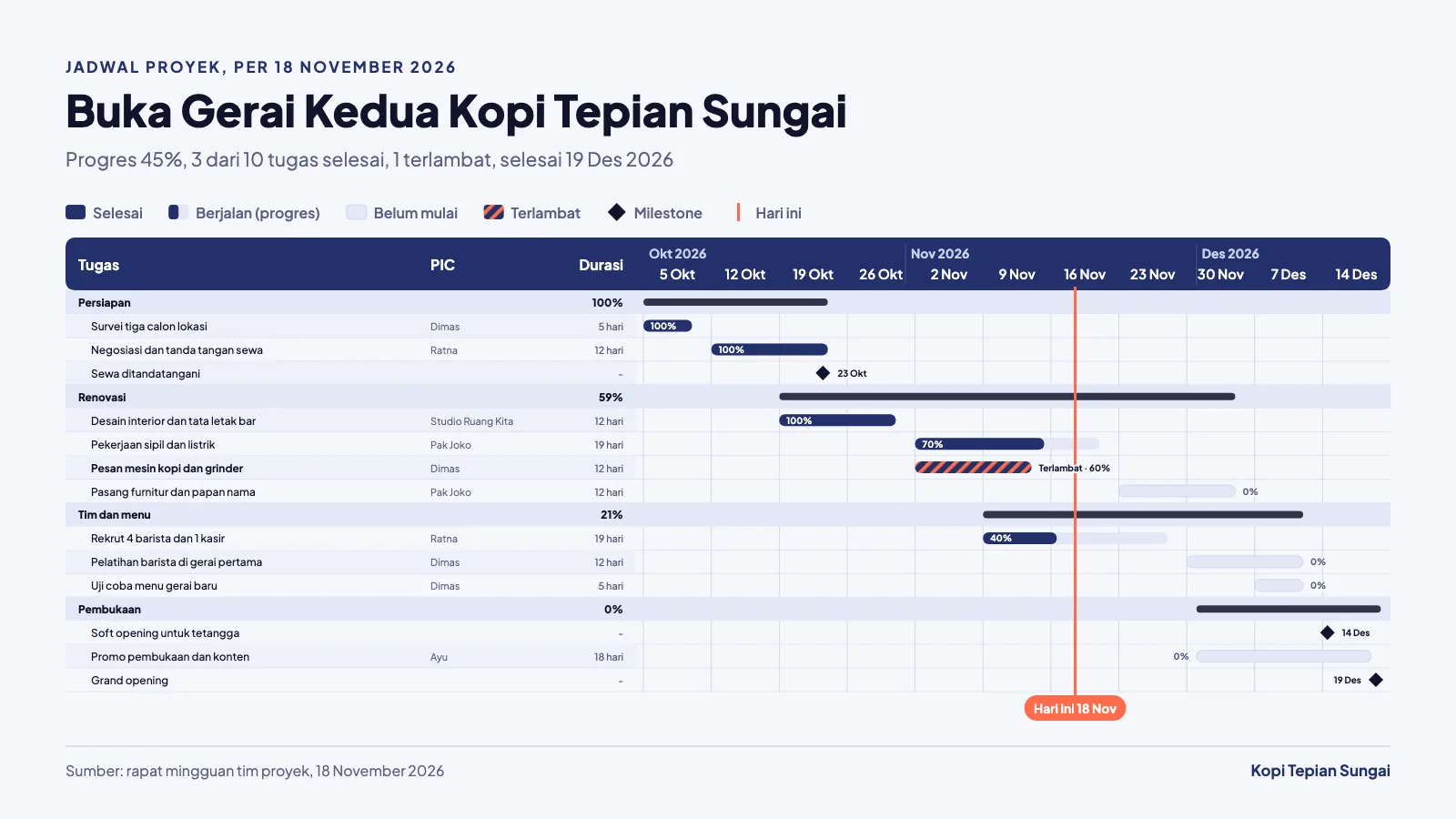
Opening a second outlet: 4 stages, milestones, today line, one late task
SKILL.md contents
Premium subscribers can read, copy, and install this skill.
Unlock with Premium Sign inProject Gantt Chart
Description
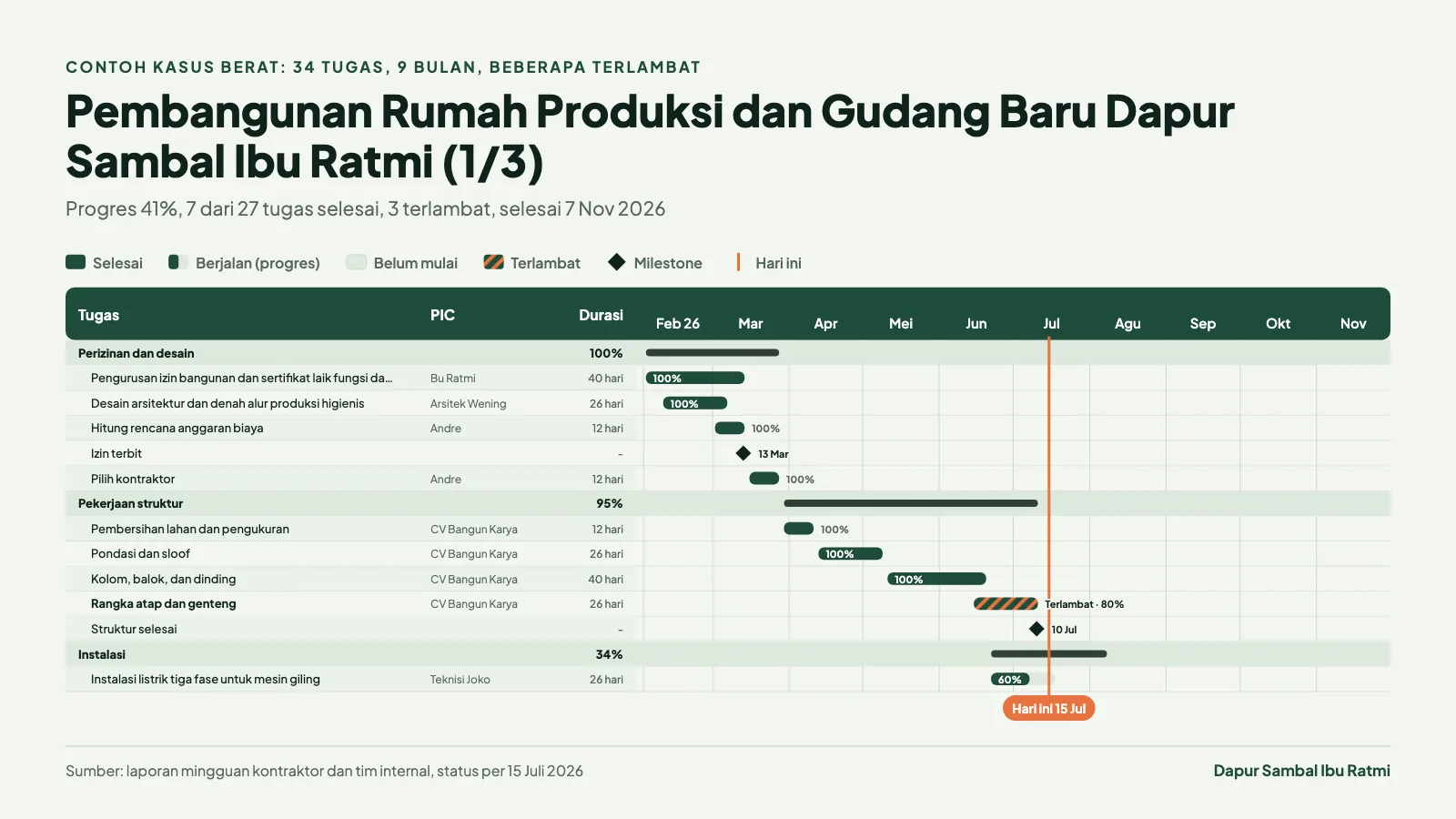
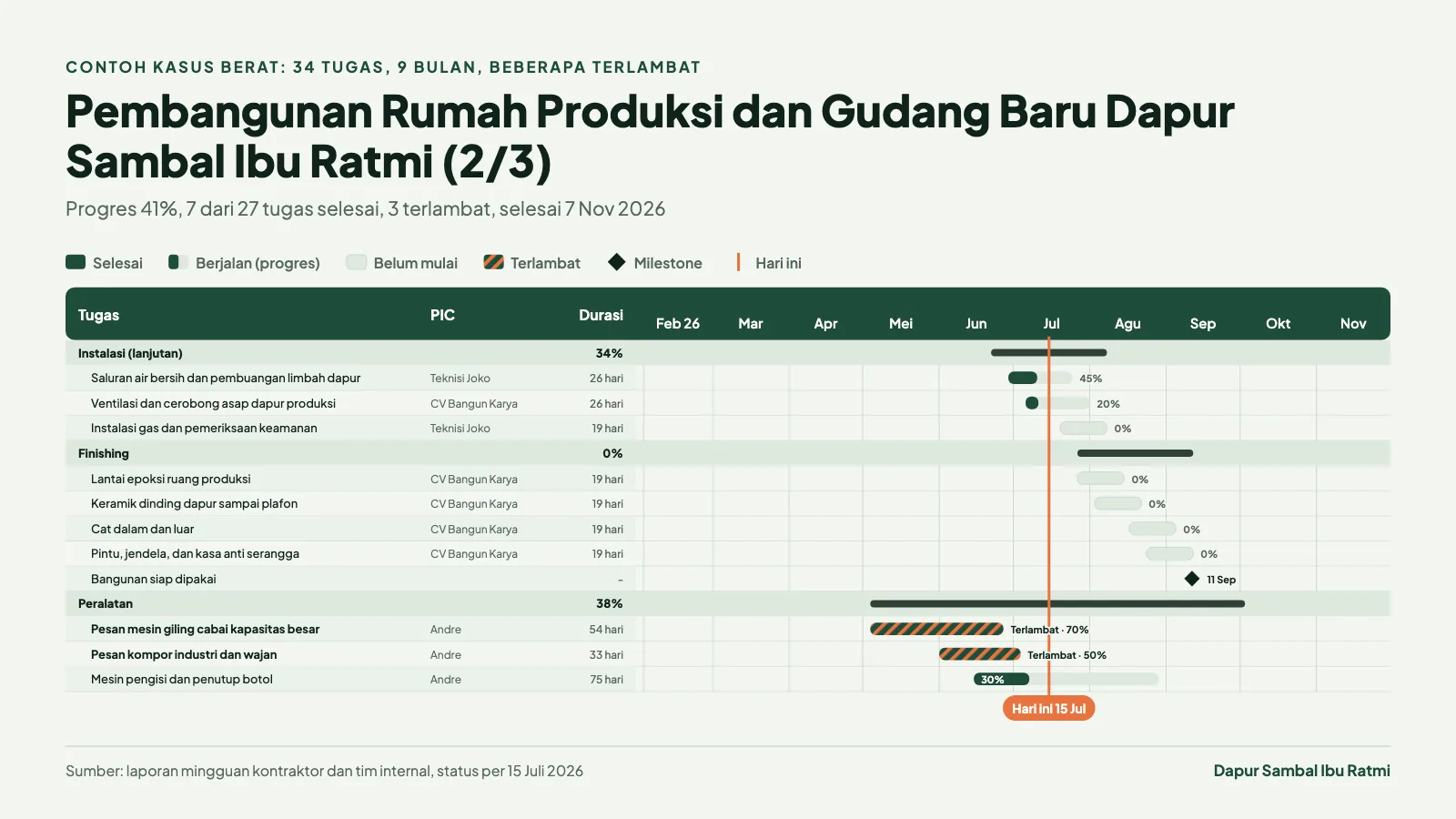
A one-page Gantt chart from tasks with start and end dates, grouped by stage. Duration, working days, status (done, in progress, late, not started), stage progress, and project progress are worked out for you. It has diamond milestones, a today line, hatched late bars, and a day, week, or month axis picked from the project length. Long projects are split evenly over several pages with the stage heading repeated. Downloadable as PDF, PNG, Word, or an Excel schedule.
Verified by SkillFlow
We checked every file in this skill automatically: no command that downloads and runs a program, no hidden code, no instruction telling your AI to ignore you.
- Loads from outside
- Fonts: Google Fonts SkillFlow: directory.skillflow.ai.id
See the 6 files inside
skill.json8 KBSKILL.md5 KBprompt.md5 KBprompt.en.md5 KBfiles/contoh/proyek-34-tugas.html34 KBfiles/diagram.html33 KB
Checked 14 Nov 2026
Part of SkillFlow Pro
Pro opens every skill in every category: copy, ZIP, Send to AI, install, save, and request new skills.
Get Pro Already subscribed? Sign inWhat you get
- A Gantt chart by stage from start and end dates, duration and working days worked out
- Automatic status: done, in progress with progress, hatched late, not started
- Diamond milestones, a today line, stage progress and project progress
- A day, week, or month axis picked from the project length
- Long projects split evenly over several pages, stage headings repeated
- Download PDF, PNG, Word, and Excel with the full schedule and status
Good fit
- Owners tracking a renovation, new branch, or launch
- Freelancers and agencies attaching a schedule to weekly client reports
- Teachers and committees planning months-long activities
Not for
- It does not reschedule from durations and predecessors; you enter start and end dates
- No critical path or slack calculation; use a project timeline deck for that
- Not a project management tool that updates itself or is shared with the team
About this skill
/jadwal-proyek-gantt Make a Gantt chart for opening my coffee shop's second outlet, as of 18 November: preparation, renovation, team and menu, opening. Dates and progress for each task are pasted below.
Show more
A one-page Gantt chart from tasks with start and end dates, grouped by stage. Duration, working days, status (done, in progress, late, not started), stage progress, and project progress are worked out for you. It has diamond milestones, a today line, hatched late bars, and a day, week, or month axis picked from the project length. Long projects are split evenly over several pages with the stage heading repeated. Downloadable as PDF, PNG, Word, or an Excel schedule.
User reviews
FAQ
When is a task counted as late?
When today is past its end date and progress is below 100. Its bar is hatched and the label says Late with the progress percent.
What if there are a lot of tasks?
The template works out how many rows fit and splits the tasks evenly over several pages. A page that starts mid-stage gets the stage row marked as continued.
How is duration worked out?
Duration is the number of calendar days from start to end, both included. Working days (Monday to Friday) are counted separately and included in the Excel file.
Which AI can I use it with?
Copy the prompt into a chat AI (ChatGPT, Claude, Gemini, DeepSeek); or download the ZIP and install it in an AI agent (Claude Code, Codex, Antigravity, Hermes Agent, Cursor, GitHub Copilot, Gemini CLI, OpenCode, Kimi Code, Trae), which then builds the files for you.
What is in the ZIP?
One folder named jadwal-proyek-gantt with SKILL.md (the instructions an AI agent reads) and the prompt, 6 files in all. Extract it into your agent's skills folder, or install it with npx skillflow-ai add jadwal-proyek-gantt. Pro only.
Is there a per-use fee or credits?
Not from SkillFlow. The skill runs on the AI you already use, so any cost follows that plan.
Which plan includes it?
SkillFlow Pro. It opens every skill in every category.
Can I use my own colours and brand?
Yes. Pick a colour theme on this page, or fill in your brand profile once; both go into the prompt you copy and into the ZIP.
Can I share what I made?
Pro members can upload the result and get a page at share.skillflow.ai.id to send to anyone. The page carries a small "Made with SkillFlow AI" mark.
Is there a download limit?
Yes, per day: 50 skills on Pro, 10 on other plans. Downloading a skill again on the same day does not count.



