

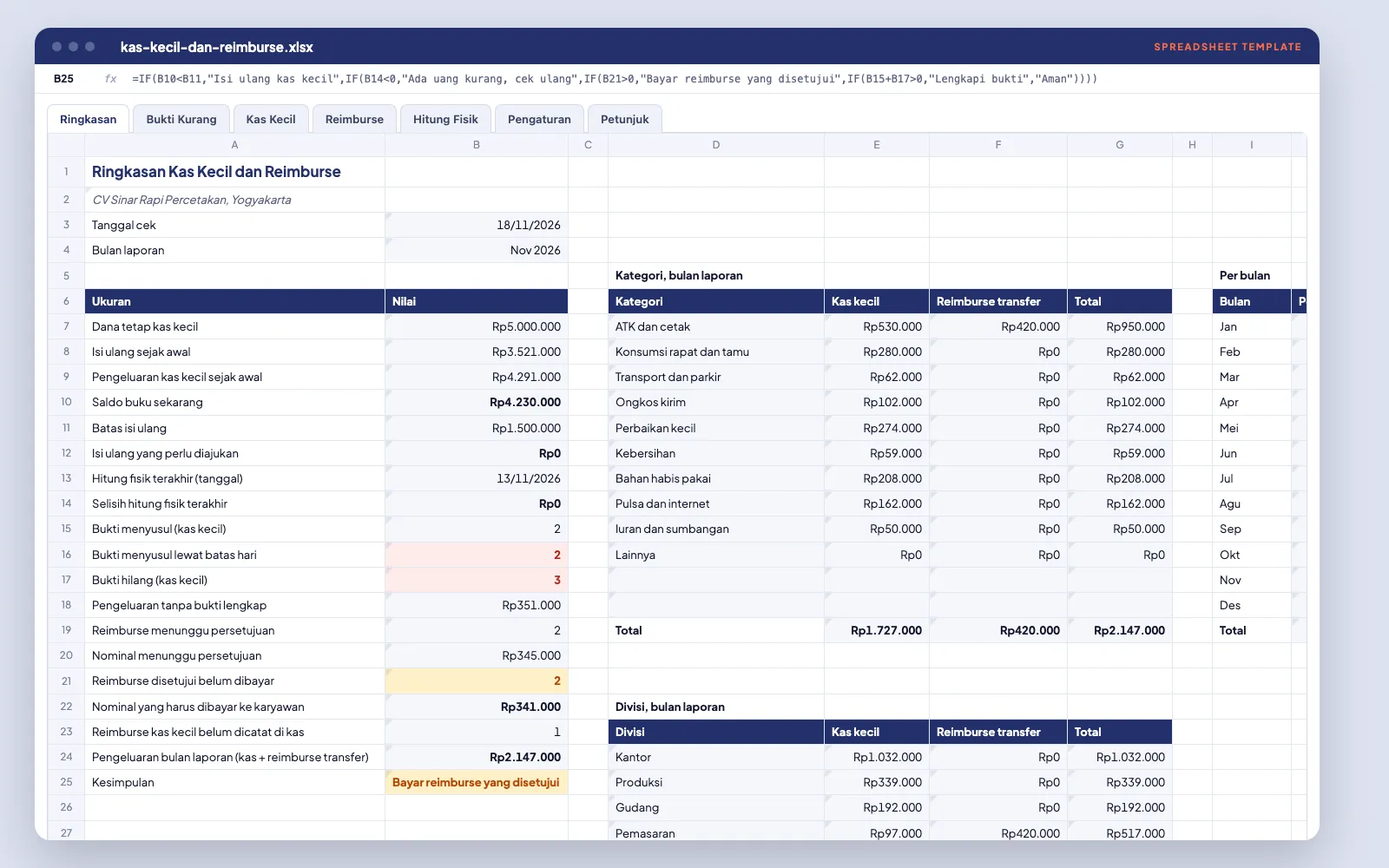
A small print shop summary: a Rp4.23M balance, missing receipts, unpaid claims, category and department totals
SKILL.md contents
Premium subscribers can read, copy, and install this skill.
Unlock with Premium Sign inPetty Cash and Reimbursement
Description
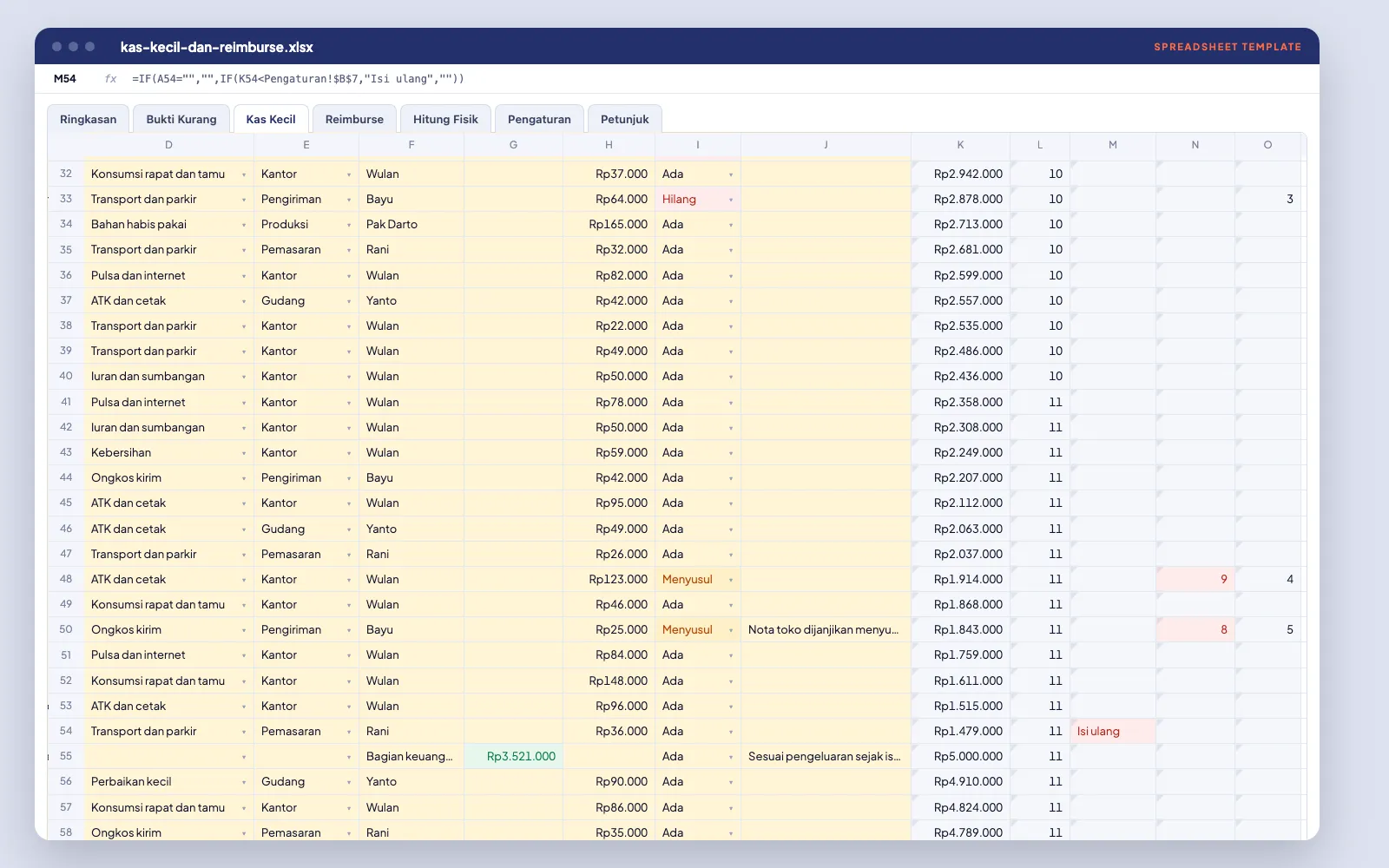
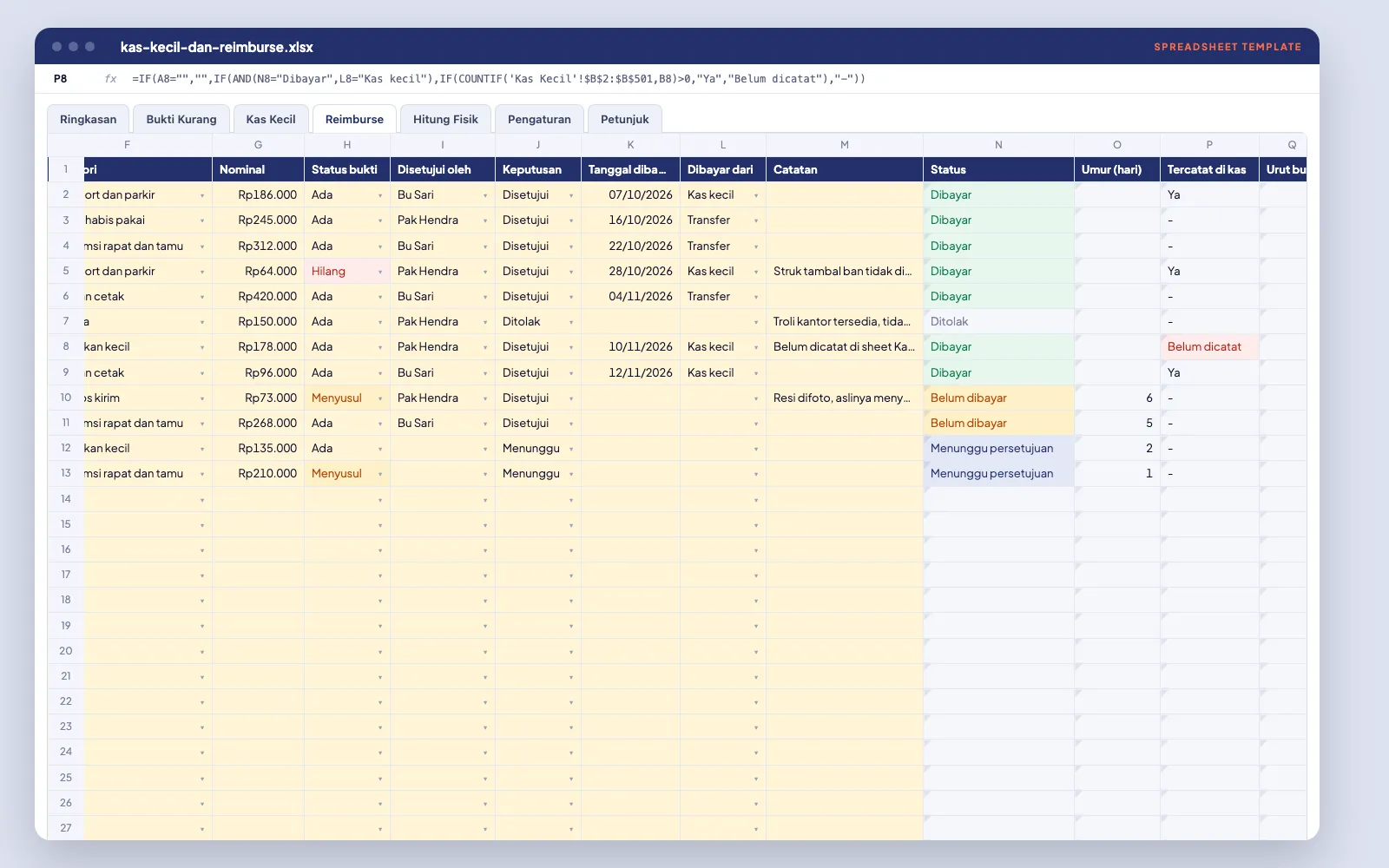
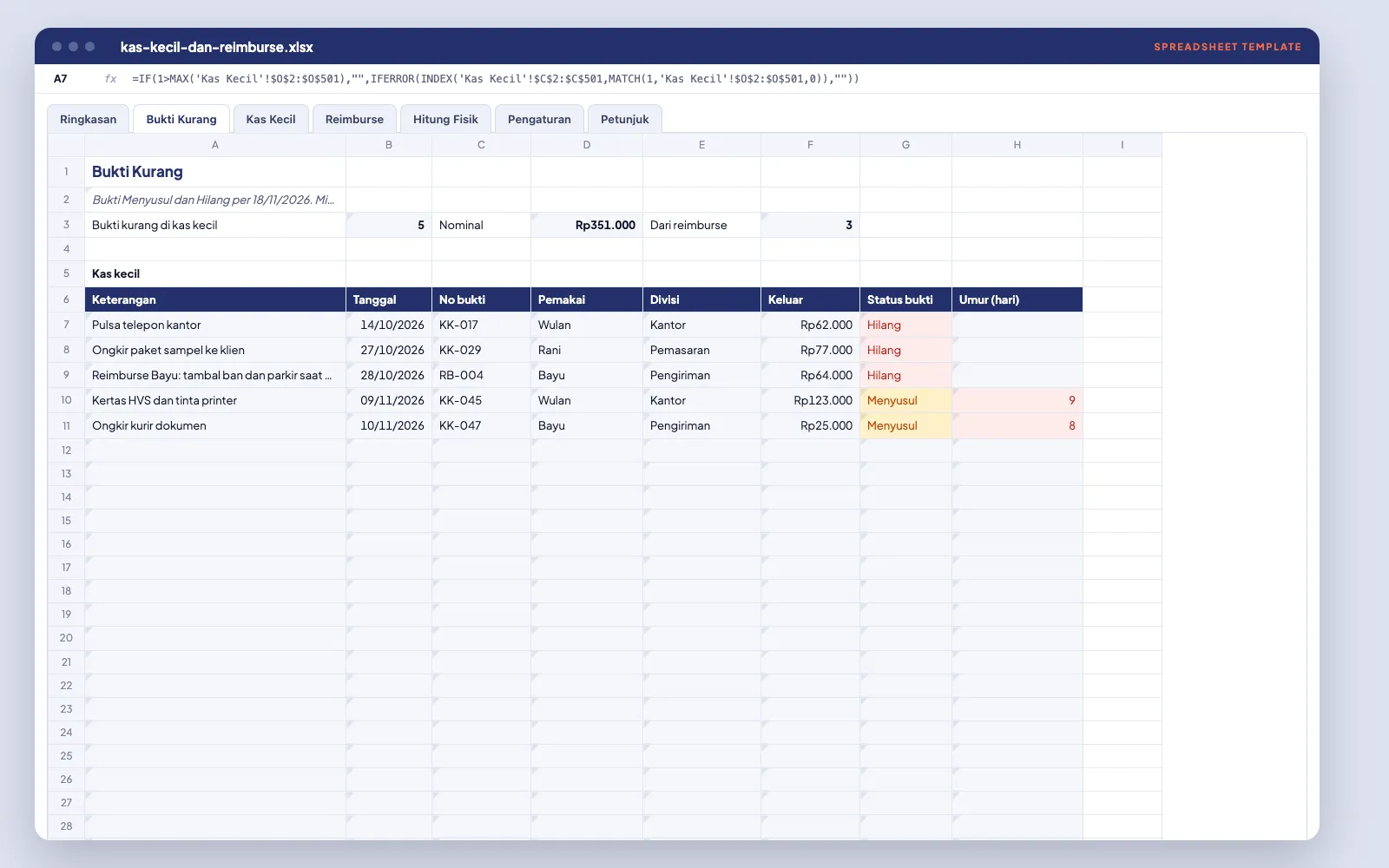
An Excel petty cash file with a fixed float for offices and small businesses: spending with receipt numbers by category and department, receipt status There, To follow, or Lost, a running balance with a top-up warning and amount, employee reimbursement claims with approval and payment status, a physical cash count against the book balance, summaries by category, department, and month, and a list of missing receipts. Opens in Excel, Numbers, or Google Sheets.
Verified by SkillFlow
We checked every file in this skill automatically: no command that downloads and runs a program, no hidden code, no instruction telling your AI to ignore you.
- Loads from outside
- Fonts: Google Fonts SkillFlow: directory.skillflow.ai.id
See the 6 files inside
skill.json13 KBSKILL.md10 KBprompt.md11 KBprompt.en.md11 KBfiles/contoh/pabrik-8-divisi-4-bulan.html673 KBfiles/template.html647 KB
Checked 14 Nov 2026
Part of SkillFlow Pro
Pro opens every skill in every category: copy, ZIP, Send to AI, install, save, and request new skills.
Get Pro Already subscribed? Sign inWhat you get
- An .xlsx file with Summary, Missing Receipts, Petty Cash, Claims, Cash Count, Settings, and Guide sheets
- A running book balance, a top-up warning, and the top-up amount to request
- Employee claims: decision, approver, payment status, age, and a check that petty cash payments were logged
- A cash count against the book balance with a Matches, Short, or Over difference
- Summaries by category, department, and month without counting claims twice
- A list of To follow and Lost receipts with their age, plus an HTML template with a Download Excel button
Good fit
- Office or shop admins who hold cash for small daily spending
- Businesses with several departments that want to know where small cash goes and who spends it
- Owners who approve staff reimbursements and want to see which ones are still unpaid
Not for
- Not a ledger for all business money; sales and big purchases belong in your main cash book
- It does not transfer money or notify employees; statuses are filled in by hand
- It does not store receipt photos; the receipt column only records whether one exists
- Not a tax report or full accounting books
About this skill
/kas-kecil-dan-reimburse Make an Excel petty cash file for my office with a fixed float of Rp5 million, topped up when the balance falls below Rp1.5 million, with employee reimbursement claims that need approval and a list of receipts not yet handed in
Show more
An Excel petty cash file with a fixed float for offices and small businesses: spending with receipt numbers by category and department, receipt status There, To follow, or Lost, a running balance with a top-up warning and amount, employee reimbursement claims with approval and payment status, a physical cash count against the book balance, summaries by category, department, and month, and a list of missing receipts. Opens in Excel, Numbers, or Google Sheets.
User reviews
FAQ
What is a fixed float (imprest) system?
Petty cash is always topped up back to the same amount, for example Rp5 million. The top-up = the float minus the balance, so it equals the spending since the last top-up and is easy to match against receipts.
Are claims paid from petty cash counted twice?
No. A claim paid from petty cash is logged as one Out row in the Petty Cash sheet with the claim number as its receipt number, and the summaries only add claims paid by transfer. The Logged in petty cash column reminds you if you forget.
What if the cash in the drawer does not match the book balance?
Enter the count in the Cash Count sheet; the difference and status are worked out for you. The book balance is never changed. If the money is really gone, log one Out row described as a cash difference with a written report.
Which AI can I use it with?
Copy the prompt into a chat AI (ChatGPT, Claude, Gemini, DeepSeek); or download the ZIP and install it in an AI agent (Claude Code, Codex, Antigravity, Hermes Agent, Cursor, GitHub Copilot, Gemini CLI, OpenCode, Kimi Code, Trae), which then builds the files for you.
What is in the ZIP?
One folder named kas-kecil-dan-reimburse with SKILL.md (the instructions an AI agent reads) and the prompt, 6 files in all. Extract it into your agent's skills folder, or install it with npx skillflow-ai add kas-kecil-dan-reimburse. Pro only.
Is there a per-use fee or credits?
Not from SkillFlow. The skill runs on the AI you already use, so any cost follows that plan.
Which plan includes it?
SkillFlow Pro. It opens every skill in every category.
Can I use my own colours and brand?
Yes. Pick a colour theme on this page, or fill in your brand profile once; both go into the prompt you copy and into the ZIP.
Can I share what I made?
Pro members can upload the result and get a page at share.skillflow.ai.id to send to anyone. The page carries a small "Made with SkillFlow AI" mark.
Is there a download limit?
Yes, per day: 50 skills on Pro, 10 on other plans. Downloading a skill again on the same day does not count.



