

Rendered sample video
SKILL.md contents
Premium subscribers can read, copy, and install this skill.
Unlock with Premium Sign inWord Struck and Replaced
Description
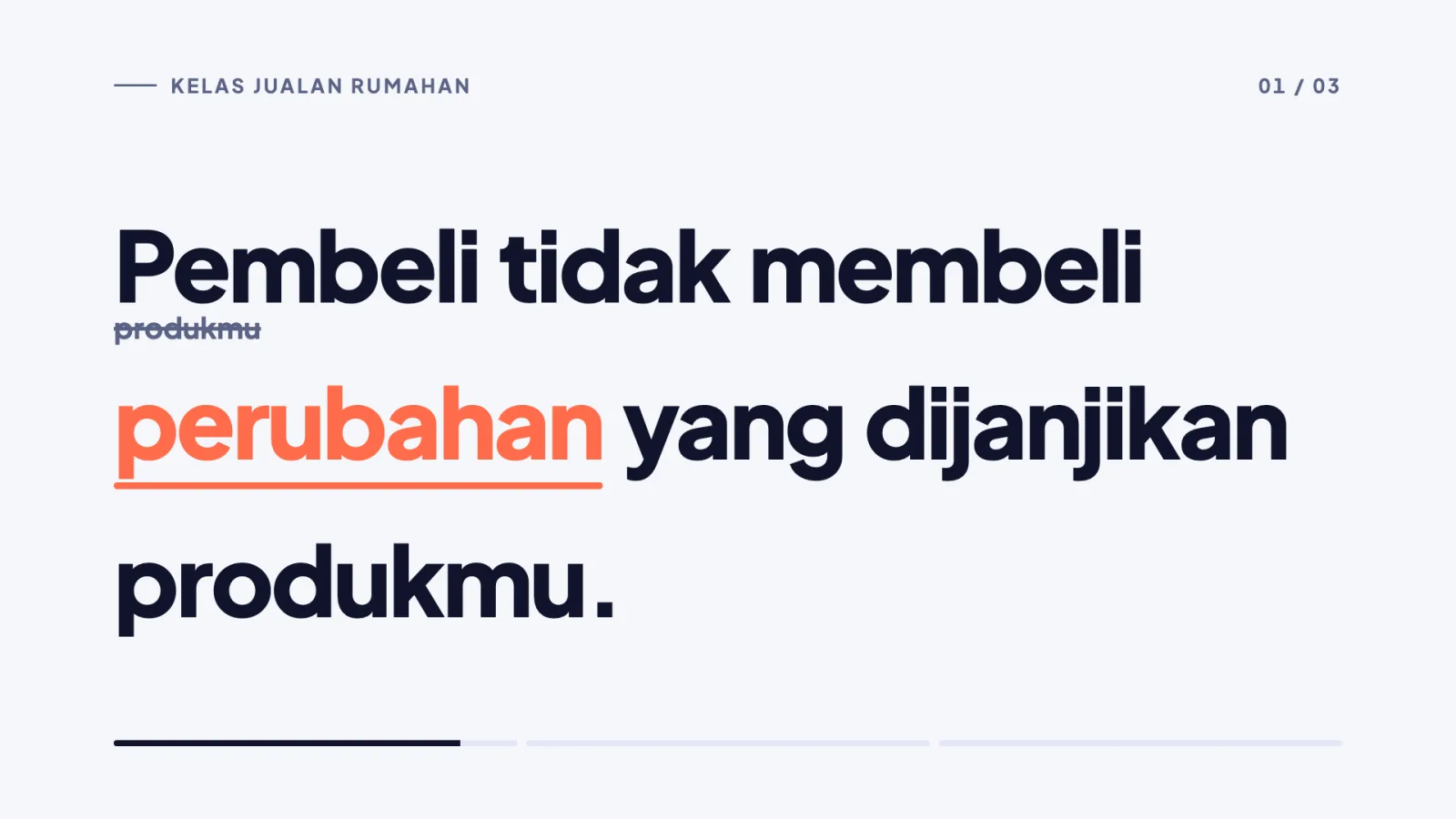
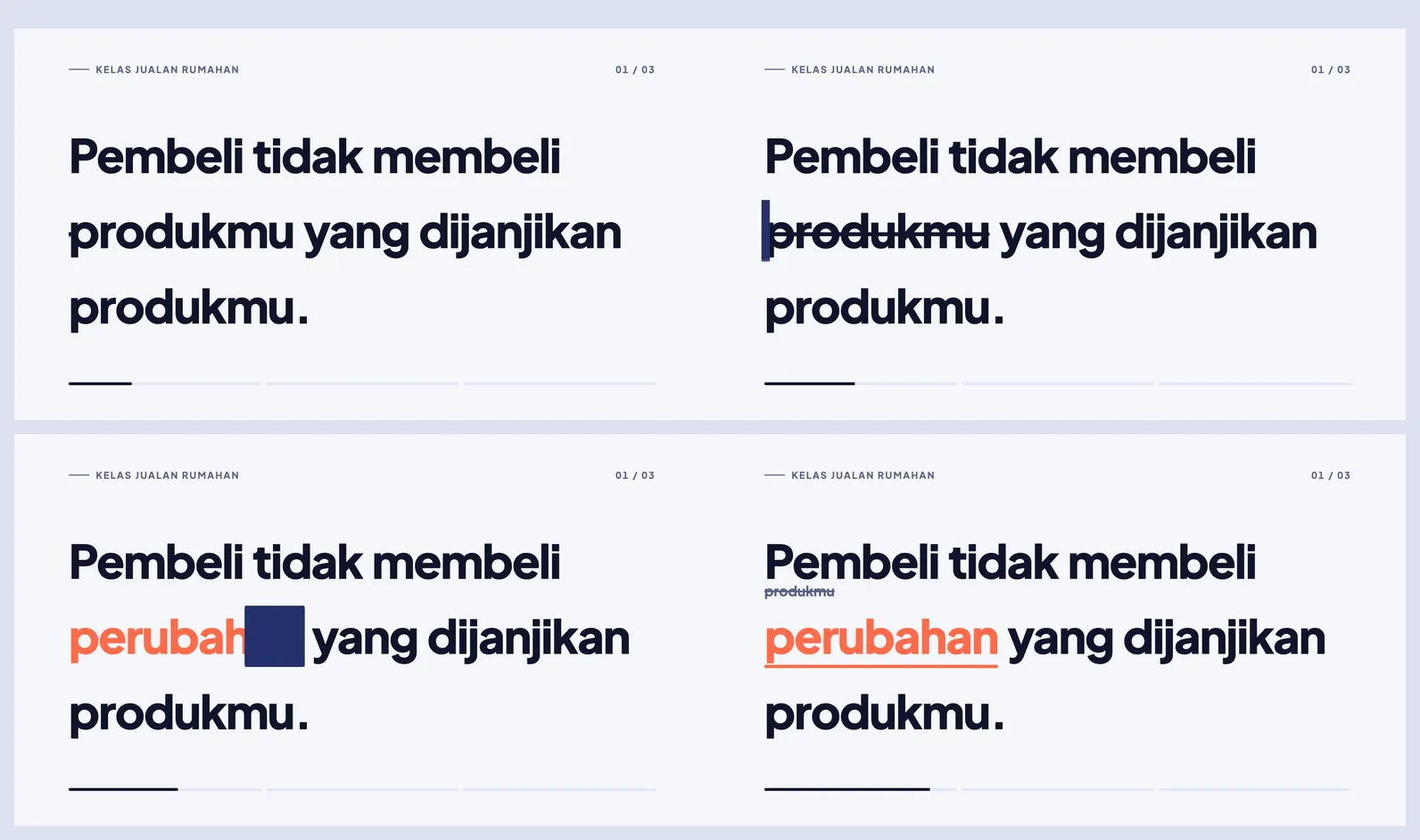
A kinetic type clip for statements that land: a large sentence appears word by word, one word in it is struck through by a line that draws itself, then swept by a colour block and replaced by a new underlined accent word, while the old word stays visible small and struck above it. One to three sentences written with an [old|new] marker, closed by a call-to-action panel and handle. 16:9, 9:16, and 1:1, 7 to 22 seconds worked out from sentence length, rendered to MP4 with one command.
Verified by SkillFlow
We checked every file in this skill automatically: no command that downloads and runs a program, no hidden code, no instruction telling your AI to ignore you.
- Loads from outside
- Fonts: Google Fonts
See the 5 files inside
skill.json8 KBSKILL.md6 KBprompt.md4 KBprompt.en.md4 KBfiles/scene.html15 KB
Checked 14 Nov 2026
Part of SkillFlow Pro
Pro opens every skill in every category: copy, ZIP, Send to AI, install, save, and request new skills.
Get Pro Already subscribed? Sign inWhat you get
- A script of 1-3 sentences with one word struck and its replacement, plus a closing line
- An animated HTML scene driven by one config object, just write [old|new] inside the sentence
- A self-drawing strike, a block wipe, the word width adjusting, an accent underline, the old word kept small and struck
- Type sized as large as possible without clipping, lines before the replaced word stay put
- MP4 1920x1080 (16:9), 1080x1920 (9:16), or 1080x1080 (1:1), 30 fps, 7-22 seconds
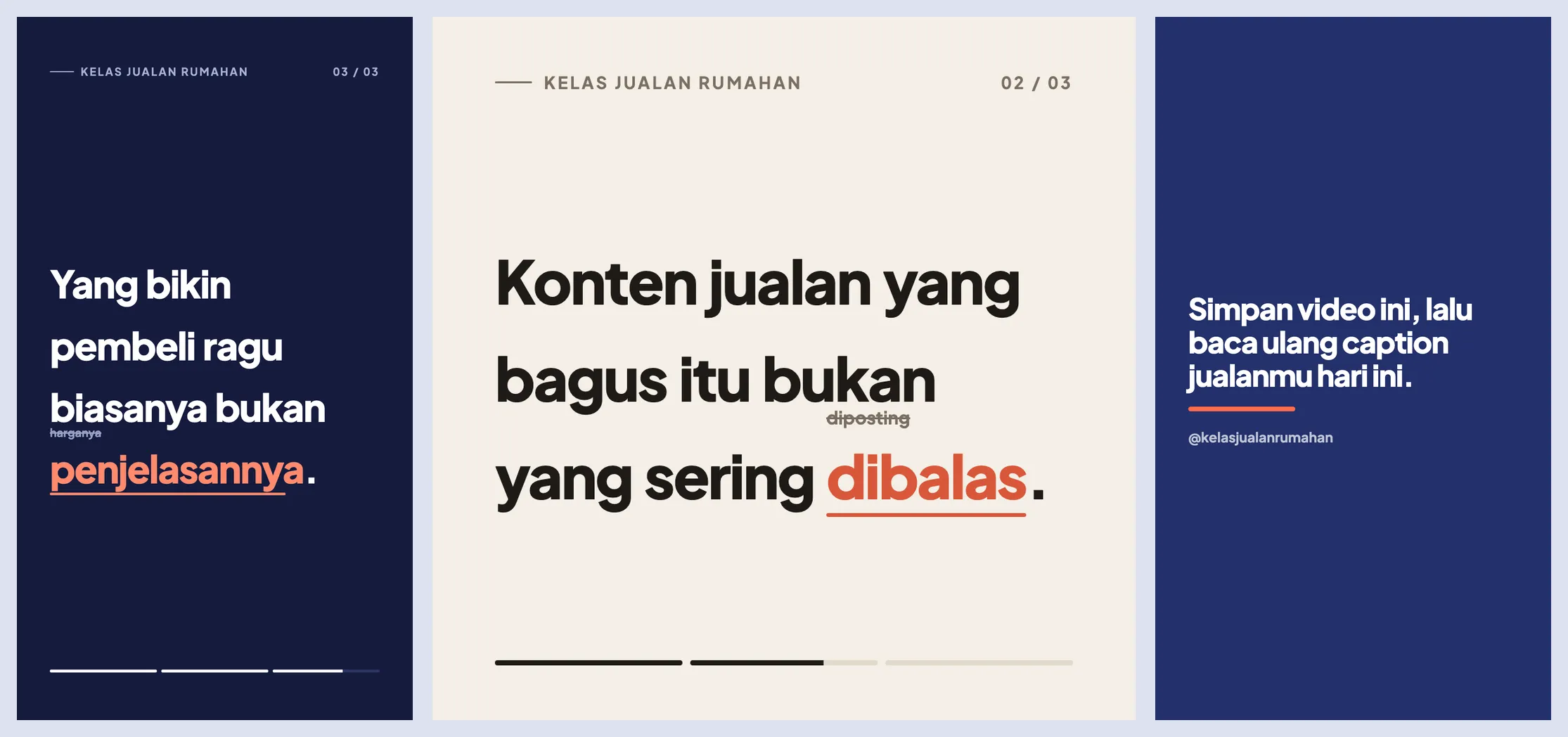
- 3 ready palettes (city indigo, night, paper), plus your own brand colours
Good fit
- Teachers, coaches, and consultants with a line that flips a common belief
- Creators who want a Reels opener with no face and no voice recording
- Shops that want to correct one buyer assumption in a single sentence
- Class material or talks that need weight on one key word
Not for
- One sentence can only replace one word or short phrase; for a list of myths and facts use the Myth vs Fact video
- Not subtitles for a talking video; use Subtitles with Highlighted Words for that
- It does not add voice or music by itself; music is attached at render time from your own file
- Sentences over about 14 words or a new phrase over 3 words make the type smaller
About this skill
/kata-dicoret-diganti Make a big-type Reels clip: Buyers do not buy your product, with the word product struck and replaced by the change it promises, closing with a save-this-video call to action
Show more
A kinetic type clip for statements that land: a large sentence appears word by word, one word in it is struck through by a line that draws itself, then swept by a colour block and replaced by a new underlined accent word, while the old word stays visible small and struck above it. One to three sentences written with an [old|new] marker, closed by a call-to-action panel and handle. 16:9, 9:16, and 1:1, 7 to 22 seconds worked out from sentence length, rendered to MP4 with one command.
User reviews
FAQ
How do I mark the struck word and its replacement?
Write the sentence normally, then replace the word to strike with [old|new], for example 'What makes buyers hesitate is usually not [the price|the explanation].' One marker per sentence. A sentence without a marker still shows, just without the strike.
Can I remove the small old word above?
Yes, set ghost: false. Without it, line spacing tightens and the type can be slightly larger. With it, viewers who only see the last frame still know what was corrected.
Which AI can I use it with?
Copy the prompt into a chat AI (ChatGPT, Claude, Gemini, DeepSeek): you get an HTML file; open it in Chrome and press Download MP4 (silent video, a minute or two to render); or download the ZIP and install it in an AI agent (Claude Code, Codex, Antigravity, Hermes Agent, Cursor, GitHub Copilot, Gemini CLI, OpenCode, Kimi Code, Trae), which then builds the files for you.
What is in the ZIP?
One folder named kata-dicoret-diganti with SKILL.md (the instructions an AI agent reads) and the prompt, 5 files in all. Extract it into your agent's skills folder, or install it with npx skillflow-ai add kata-dicoret-diganti. Pro only.
Is there a per-use fee or credits?
Not from SkillFlow. The skill runs on the AI you already use, so any cost follows that plan.
Which plan includes it?
SkillFlow Pro. It opens every skill in every category.
Can I use my own colours and brand?
Yes. Pick a colour theme on this page, or fill in your brand profile once; both go into the prompt you copy and into the ZIP.
Can I share what I made?
Pro members can upload the result and get a page at share.skillflow.ai.id to send to anyone. The page carries a small "Made with SkillFlow AI" mark.
Is there a download limit?
Yes, per day: 50 skills on Pro, 10 on other plans. Downloading a skill again on the same day does not count.



