

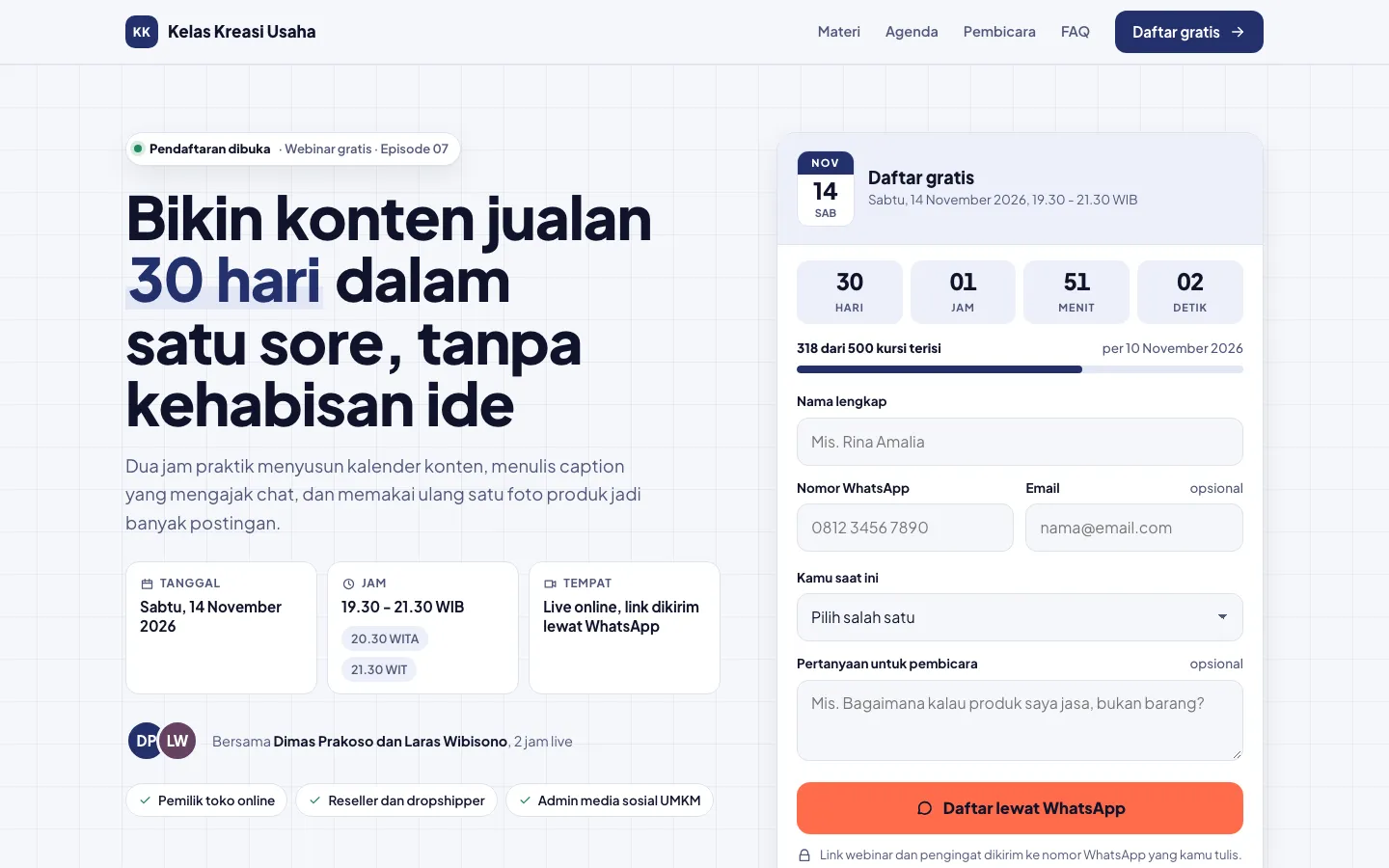
Hero with event facts and the sign-up card: countdown, seats filled, and the form
SKILL.md contents
Premium subscribers can read, copy, and install this skill.
Unlock with Premium Sign inFree Webinar Landing
Description
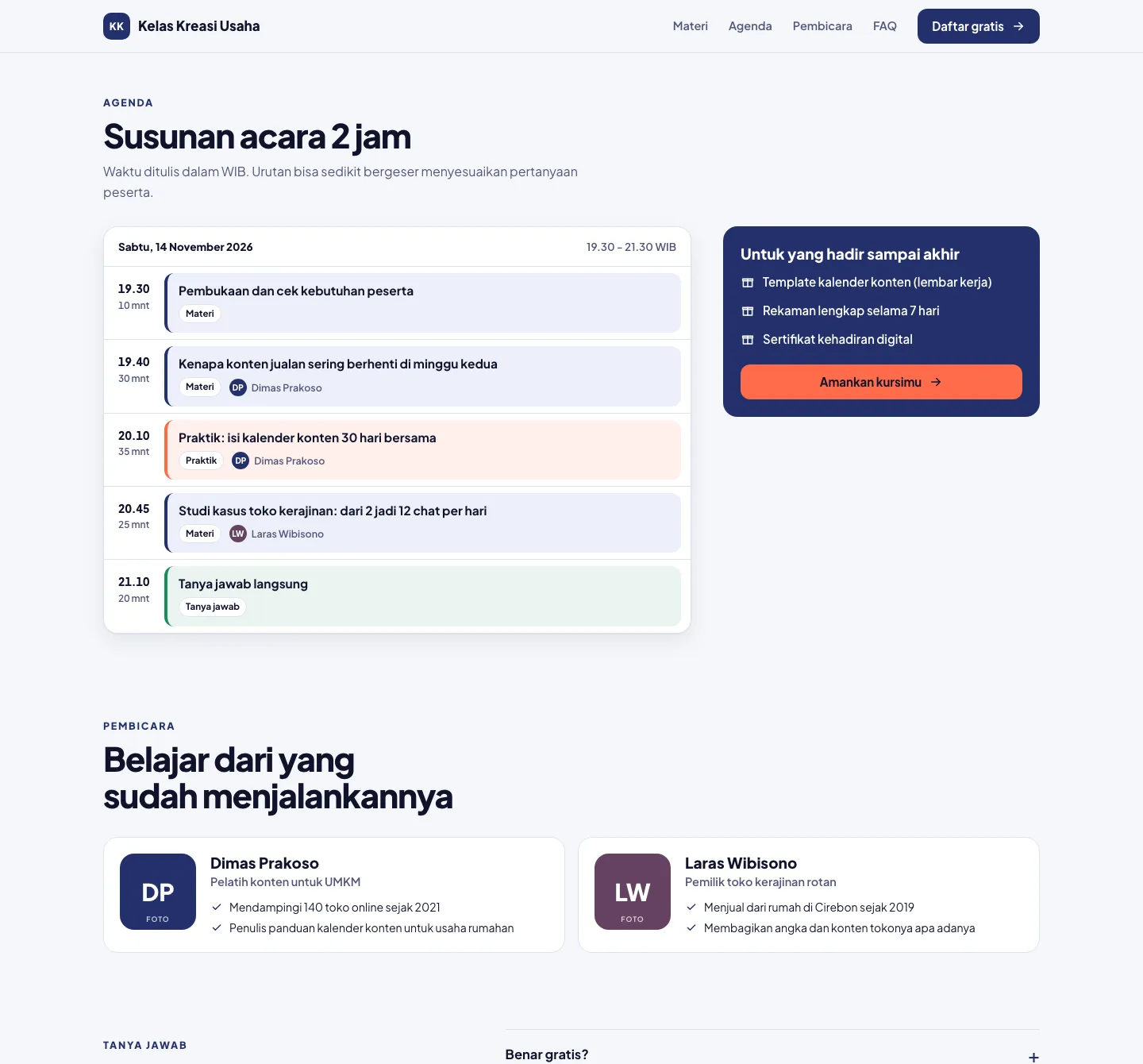
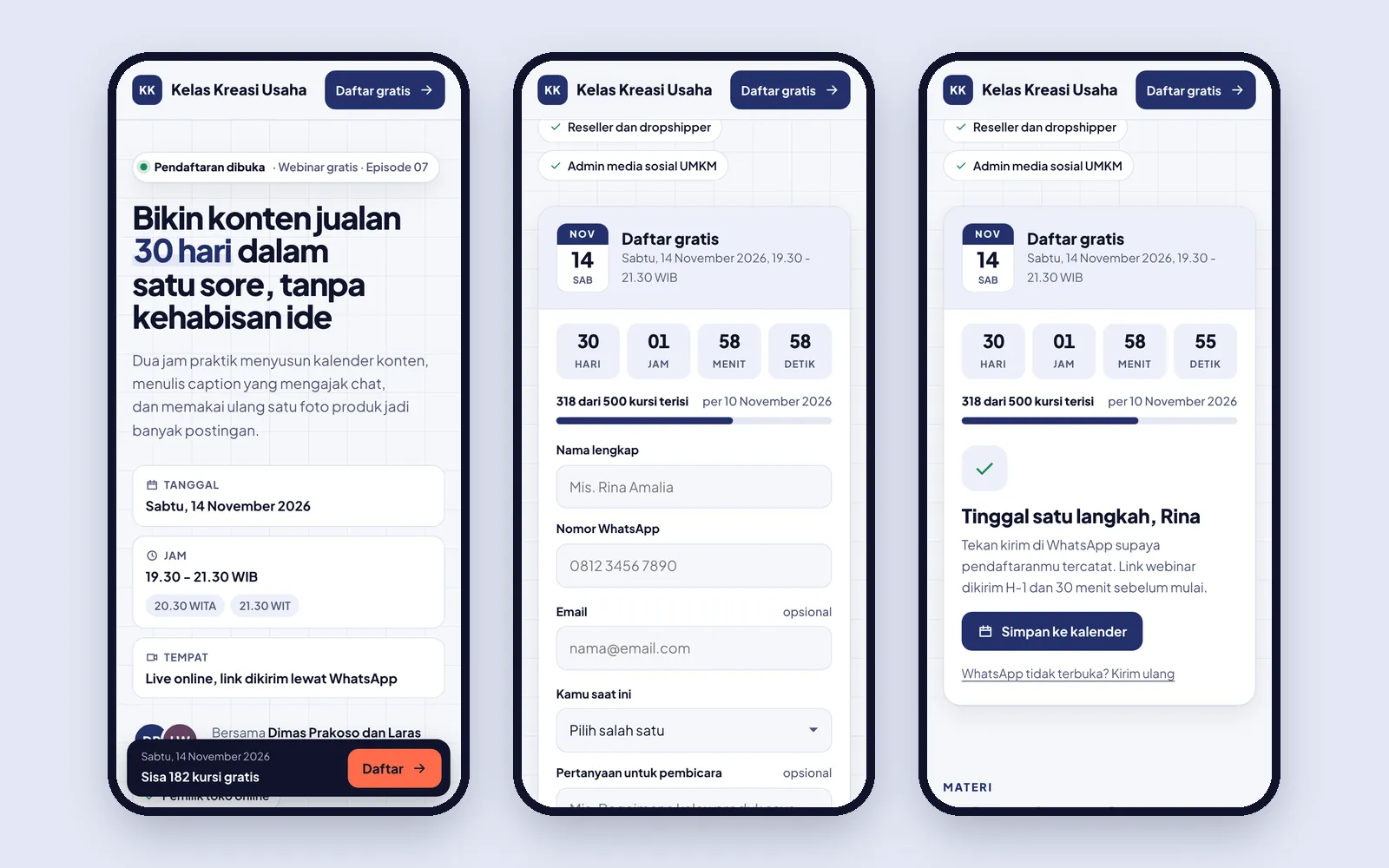
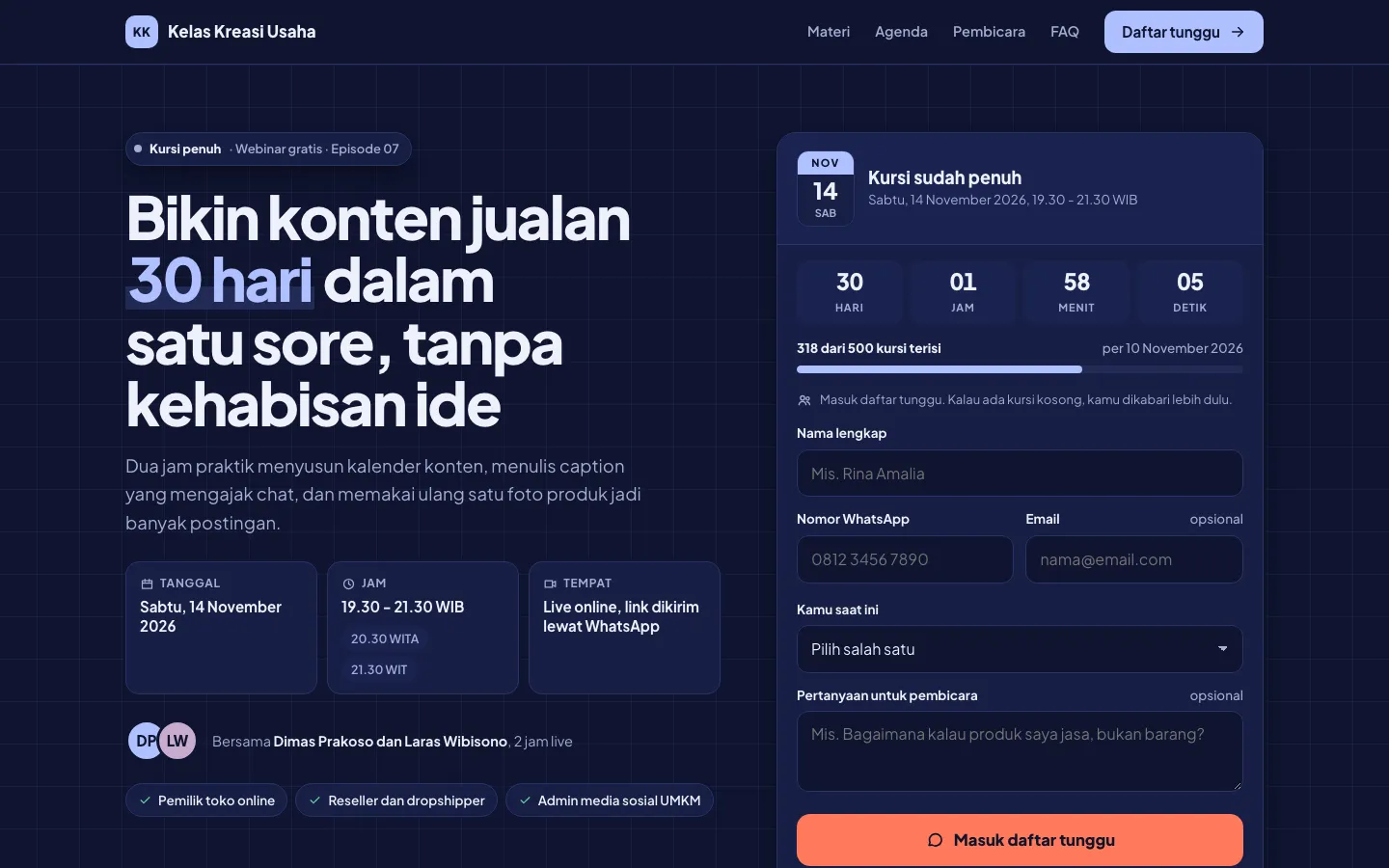
A bright, app-style sign-up page for a free webinar or live class: an outcome headline, date and time facts with converted time zones, a sign-up card with a calendar date tile, a countdown, a seats-filled bar, and a form that forwards the registration to the admin's WhatsApp chat. It also has outcomes, an agenda styled like a calendar schedule, speakers, attendance bonuses, FAQ, and a sign-up bar on phones. The page switches itself to full (waitlist), live now, and ended (request the recording) modes.
Verified by SkillFlow
We checked every file in this skill automatically: no command that downloads and runs a program, no hidden code, no instruction telling your AI to ignore you.
- Loads from outside
- Fonts: Google Fonts
See the 5 files inside
skill.json12 KBSKILL.md8 KBprompt.md6 KBprompt.en.md6 KBfiles/webinar.html45 KB
Checked 14 Nov 2026
Part of SkillFlow Pro
Pro opens every skill in every category: copy, ZIP, Send to AI, install, save, and request new skills.
Get Pro Already subscribed? Sign inWhat you get
- A one-file HTML landing page, responsive on desktop and phone, no build step, all content from one config object
- A sign-up card: calendar date tile, countdown, seats-filled bar, and a form for name, WhatsApp, email, role, question
- Registrations forwarded to the admin's WhatsApp as a tidy message, plus an optional webhook to a spreadsheet or CRM
- Automatic status from time and quota: open, full (waitlist), live (join link), ended (request the recording)
- An agenda styled like a calendar schedule by session type, speaker cards, attendance bonuses, and FAQ
- Times converted across three time zones and an add-to-calendar (.ics) button after signing up
- 3 palettes (city, ocean, night) and a floating sign-up bar on phones
Good fit
- Hosts of free webinars, free live classes, online workshops, or Q&A sessions
- Teachers running an intro class before a paid course
- Communities, campuses, or organisations needing quick WhatsApp registration
- Organisers who also want attendee data in a spreadsheet or CRM via webhook
Not for
- Not for selling paid courses or giving away ebooks
- Not a social media webinar poster
- It does not send reminders or the webinar link automatically; the admin sends them from WhatsApp
- Seats filled are updated by hand and must be real numbers
About this skill
/landing-webinar-gratis Build a free webinar landing page on selling with short videos, Saturday 14 November at 7.30 PM, 2 speakers, a 90 minute agenda, 300 seats, and name plus WhatsApp sign ups forwarded to the admin
Show more
A bright, app-style sign-up page for a free webinar or live class: an outcome headline, date and time facts with converted time zones, a sign-up card with a calendar date tile, a countdown, a seats-filled bar, and a form that forwards the registration to the admin's WhatsApp chat. It also has outcomes, an agenda styled like a calendar schedule, speakers, attendance bonuses, FAQ, and a sign-up bar on phones. The page switches itself to full (waitlist), live now, and ended (request the recording) modes.
User reviews
FAQ
Does the registration status change by itself?
Yes, based on time and quota: open, full with a waiting list, live with a join button, and finished with a request the recording prompt. The join now button only appears while the event runs.
Can attendees in other time zones see the time?
Times are converted to WIB, WITA, and WIT from a start time written with its zone, such as +07:00 for WIB. After registering, attendees can save the event to their calendar with an .ics file.
How does the webhook work?
If you set an https address, form data is posted there before WhatsApp opens, for example to a spreadsheet or CRM. The response is not read, so test it first with one entry.
Which AI can I use it with?
Copy the prompt into a chat AI (ChatGPT, Claude, Gemini, DeepSeek); or download the ZIP and install it in an AI agent (Claude Code, Codex, Antigravity, Hermes Agent, Cursor, GitHub Copilot, Gemini CLI, OpenCode, Kimi Code, Trae), which then builds the files for you.
What is in the ZIP?
One folder named landing-webinar-gratis with SKILL.md (the instructions an AI agent reads) and the prompt, 5 files in all. Extract it into your agent's skills folder, or install it with npx skillflow-ai add landing-webinar-gratis. Pro only.
Is there a per-use fee or credits?
Not from SkillFlow. The skill runs on the AI you already use, so any cost follows that plan.
Which plan includes it?
SkillFlow Pro. It opens every skill in every category.
Can I use my own colours and brand?
Yes. Pick a colour theme on this page, or fill in your brand profile once; both go into the prompt you copy and into the ZIP.
Can I share what I made?
Pro members can upload the result and get a page at share.skillflow.ai.id to send to anyone. The page carries a small "Made with SkillFlow AI" mark.
Is there a download limit?
Yes, per day: 50 skills on Pro, 10 on other plans. Downloading a skill again on the same day does not count.



