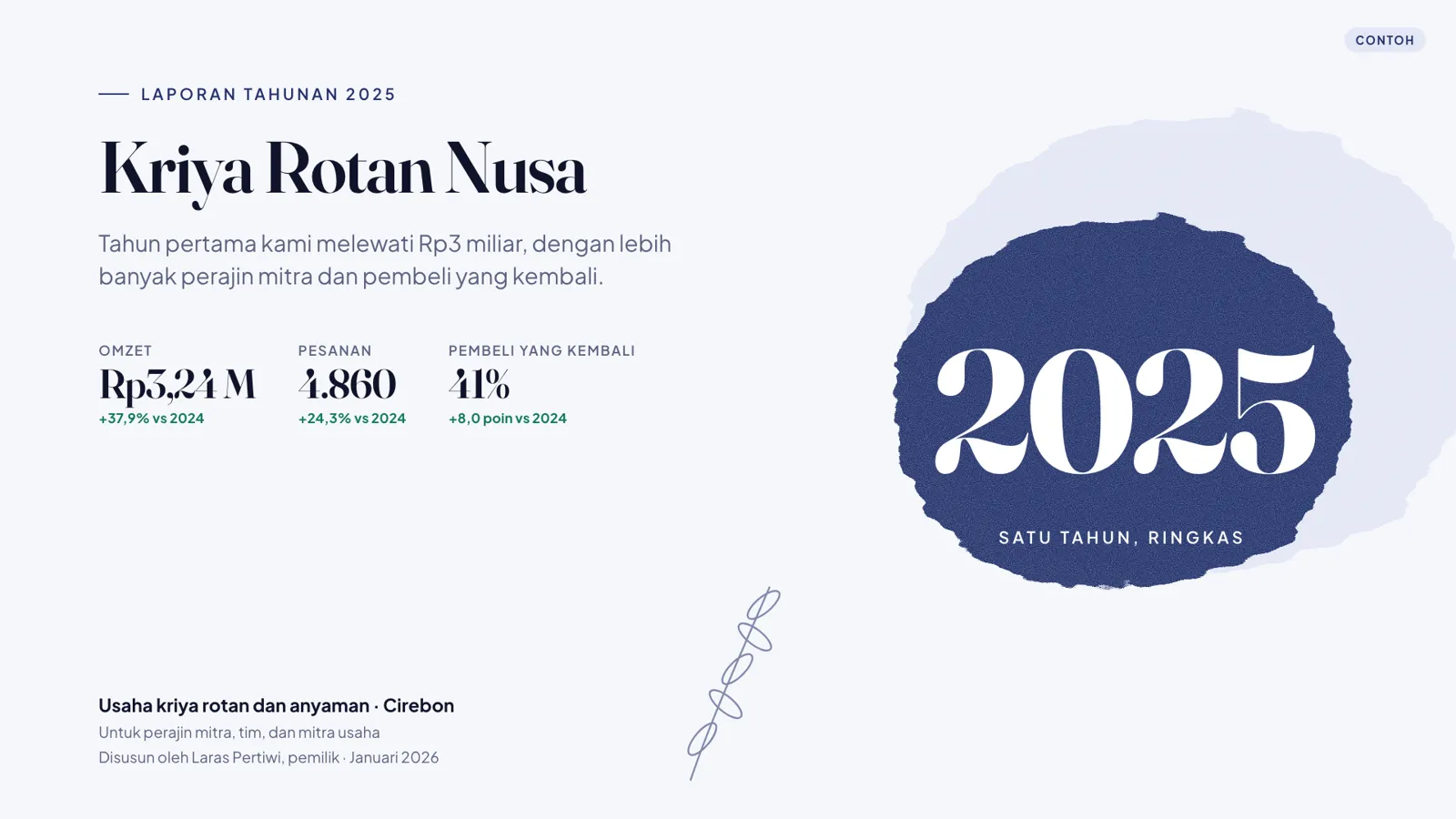
Cover: business name, the year in one line, three headline numbers, and the year on a brush stroke
SKILL.md contents
Premium subscribers can read, copy, and install this skill.
Unlock with Premium Sign inConcise Annual Report
Description
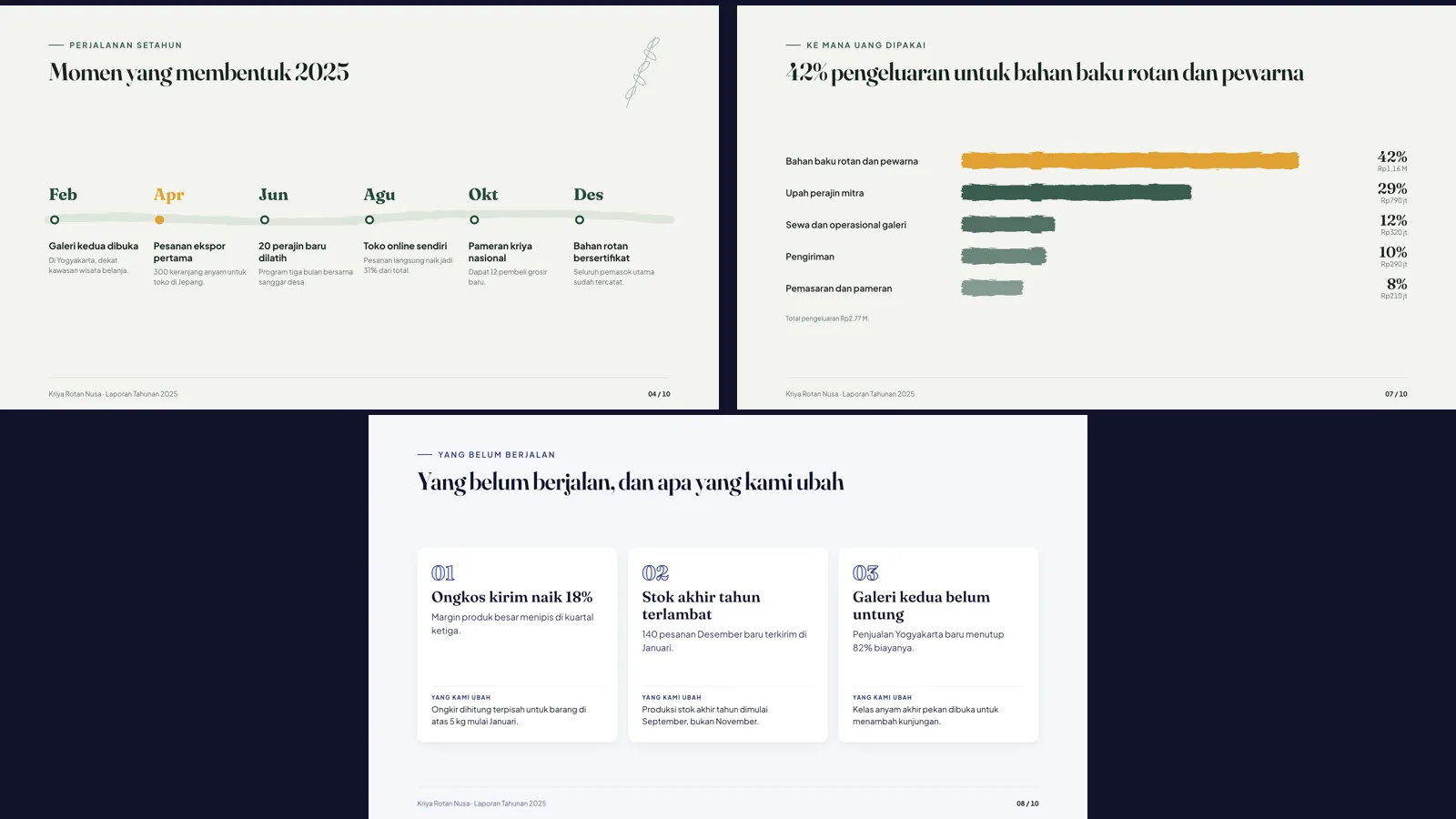
A calm, painterly editorial annual report deck for small businesses, cooperatives, communities, or foundations: a brush stroke cover, the owner's message, the year in numbers vs last year, the year's journey by month, key stories with a number and a quote, quarterly finances (revenue, costs, profit, margin), where the money went, what did not work, next year's plan, and a closing page. Changes, profit, margin, and some titles are worked out from one data object. One HTML file, straight to PDF.
Verified by SkillFlow
We checked every file in this skill automatically: no command that downloads and runs a program, no hidden code, no instruction telling your AI to ignore you.
- Loads from outside
- Fonts: Google Fonts
See the 5 files inside
skill.json12 KBSKILL.md6 KBprompt.md5 KBprompt.en.md5 KBfiles/deck.html38 KB
Checked 14 Nov 2026
Included in Basic and Pro
Basic copies the prompt. Pro also downloads the ZIP, sends to AI, installs into agents, and opens every category.
Get Pro Get Basic Already subscribed? Sign inWhat you get
- A 10-slide 16:9 deck: cover, owner's message, numbers, journey, stories, finances, spending, challenges, plan, closing
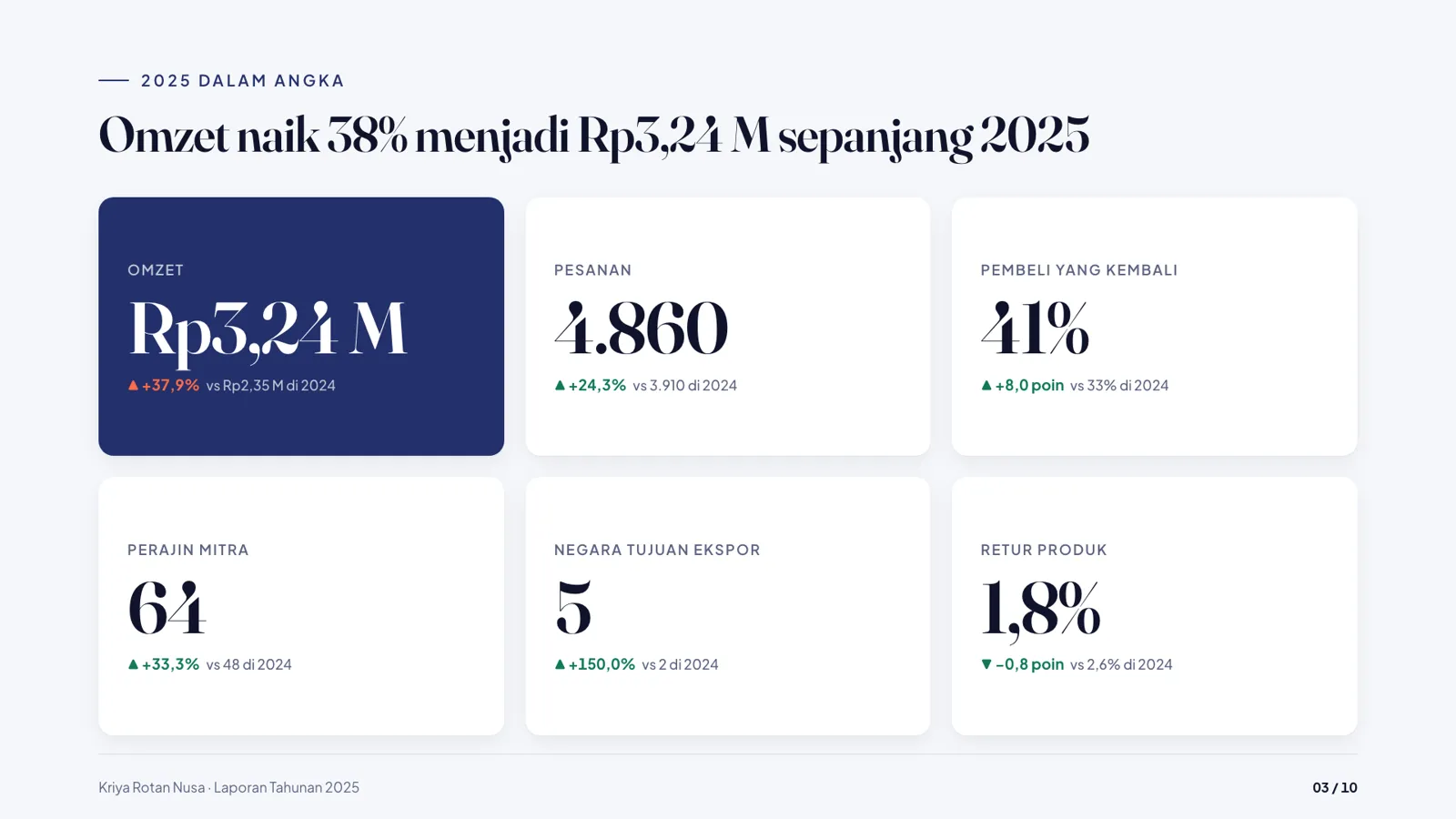
- Year-in-numbers cards with change from last year (percent or points), lower-is-better figures inverted automatically
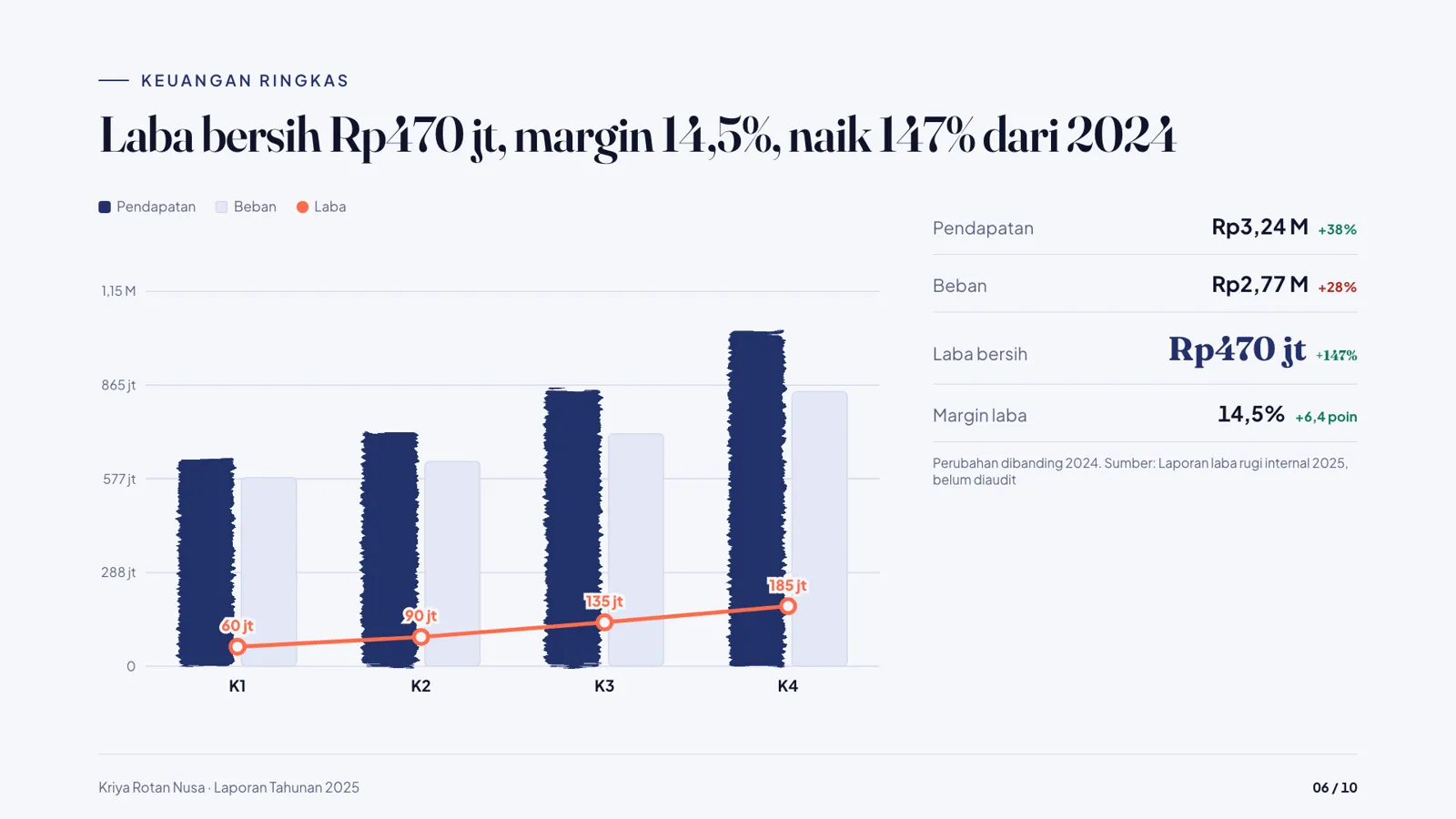
- A quarterly revenue and cost chart with a profit line, plus a net profit and margin summary vs last year
- Brush stroke bars showing where the money went, shares worked out from the total
- A timeline of 4-8 moments by month (sorted automatically) and 2-3 stories with a big number and a quote
- Slide titles written as conclusions from the numbers, editable; brush strokes and leaf sprigs drawn in SVG
- 3 palettes: city indigo, cream paper, forest; one slide per page PDF via Print in Chrome
Good fit
- Small businesses, cooperatives, communities, and foundations reporting to members, donors, or partners
- Owners wanting to tell the story of a year honestly, not as a sales pitch
- Boards wanting simple finances non-accountants can follow
Not for
- Not an official financial statement or audit
- Figures come from your data; it does not do bookkeeping
- A concise 10 slides, not a thick annual report
About this skill
/laporan-tahunan-ringkas Make a 2026 annual report for Tani Makmur Sejahtera Farmers Cooperative: the year in numbers, month by month, quarterly finances, what didn't work, and plans for 2027
Show more
A calm, painterly editorial annual report deck for small businesses, cooperatives, communities, or foundations: a brush stroke cover, the owner's message, the year in numbers vs last year, the year's journey by month, key stories with a number and a quote, quarterly finances (revenue, costs, profit, margin), where the money went, what did not work, next year's plan, and a closing page. Changes, profit, margin, and some titles are worked out from one data object. One HTML file, straight to PDF.
User reviews
FAQ
What is calculated automatically?
Year-on-year change, profit, margin, spending percentages, month order on the timeline, and the titles of the numbers, finance, and spending slides.
Why is there a what didn't work slide?
A report with only wins is hard to trust. That slide covers what didn't work and the fix, which makes readers more confident in next year's plan.
Which AI can I use it with?
Copy the prompt into a chat AI (ChatGPT, Claude, Gemini, DeepSeek); or download the ZIP and install it in an AI agent (Claude Code, Codex, Antigravity, Hermes Agent, Cursor, GitHub Copilot, Gemini CLI, OpenCode, Kimi Code, Trae), which then builds the files for you.
What is in the ZIP?
One folder named laporan-tahunan-ringkas with SKILL.md (the instructions an AI agent reads) and the prompt, 5 files in all. Extract it into your agent's skills folder, or install it with npx skillflow-ai add laporan-tahunan-ringkas. Pro only.
Is there a per-use fee or credits?
Not from SkillFlow. The skill runs on the AI you already use, so any cost follows that plan.
Which plan includes it?
Basic and Pro. Basic copies the prompt; Pro also downloads the ZIP, sends to AI, installs into agents and shares results by link.
Can I use my own colours and brand?
Yes. Pick a colour theme on this page, or fill in your brand profile once; both go into the prompt you copy and into the ZIP.
Can I share what I made?
Pro members can upload the result and get a page at share.skillflow.ai.id to send to anyone. The page carries a small "Made with SkillFlow AI" mark.
Is there a download limit?
Yes, per day: 50 skills on Pro, 10 on other plans. Downloading a skill again on the same day does not count.