

Rendered sample video
SKILL.md contents
Premium subscribers can read, copy, and install this skill.
Unlock with Premium Sign inStream Starting Screen
Description
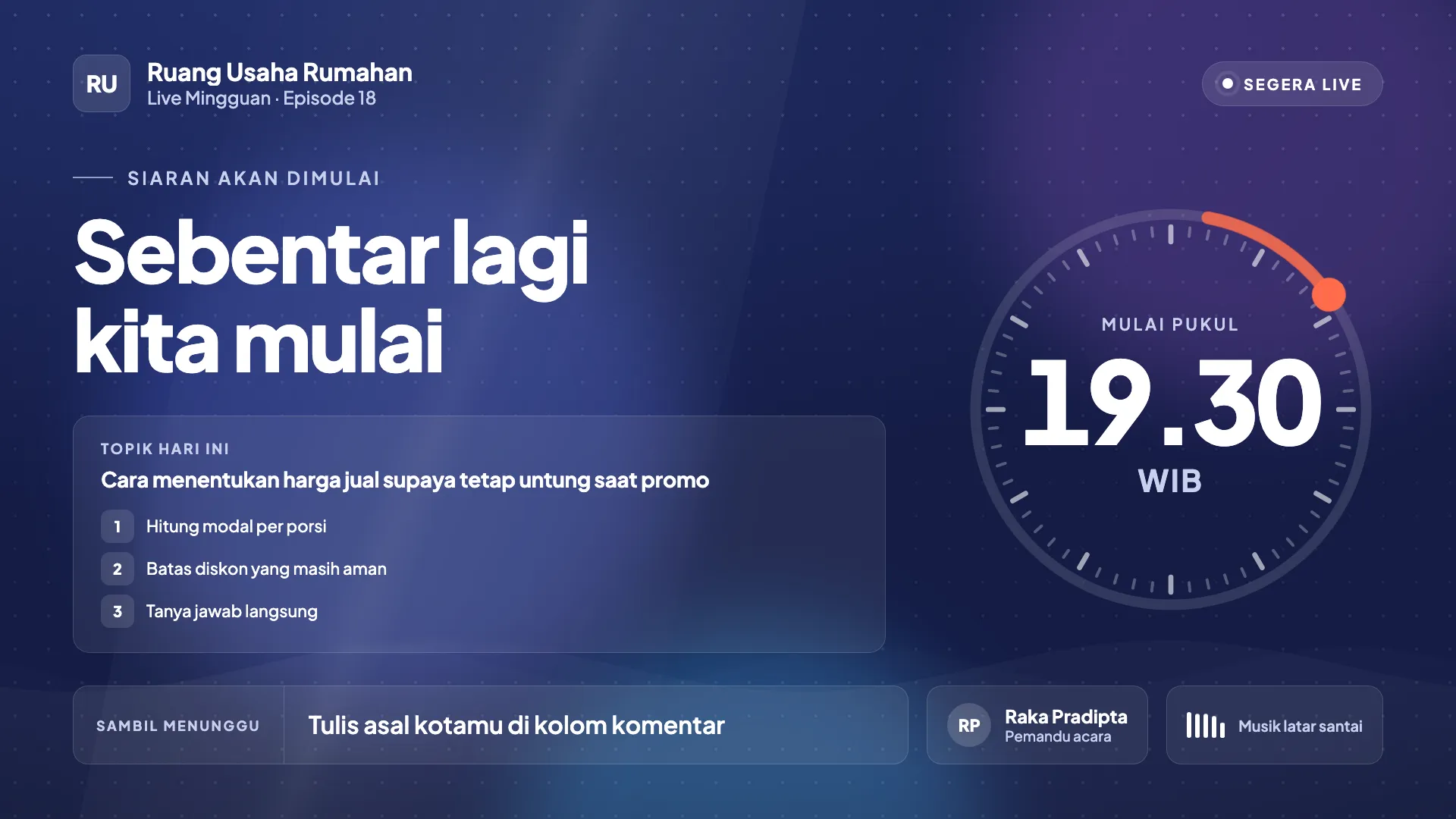
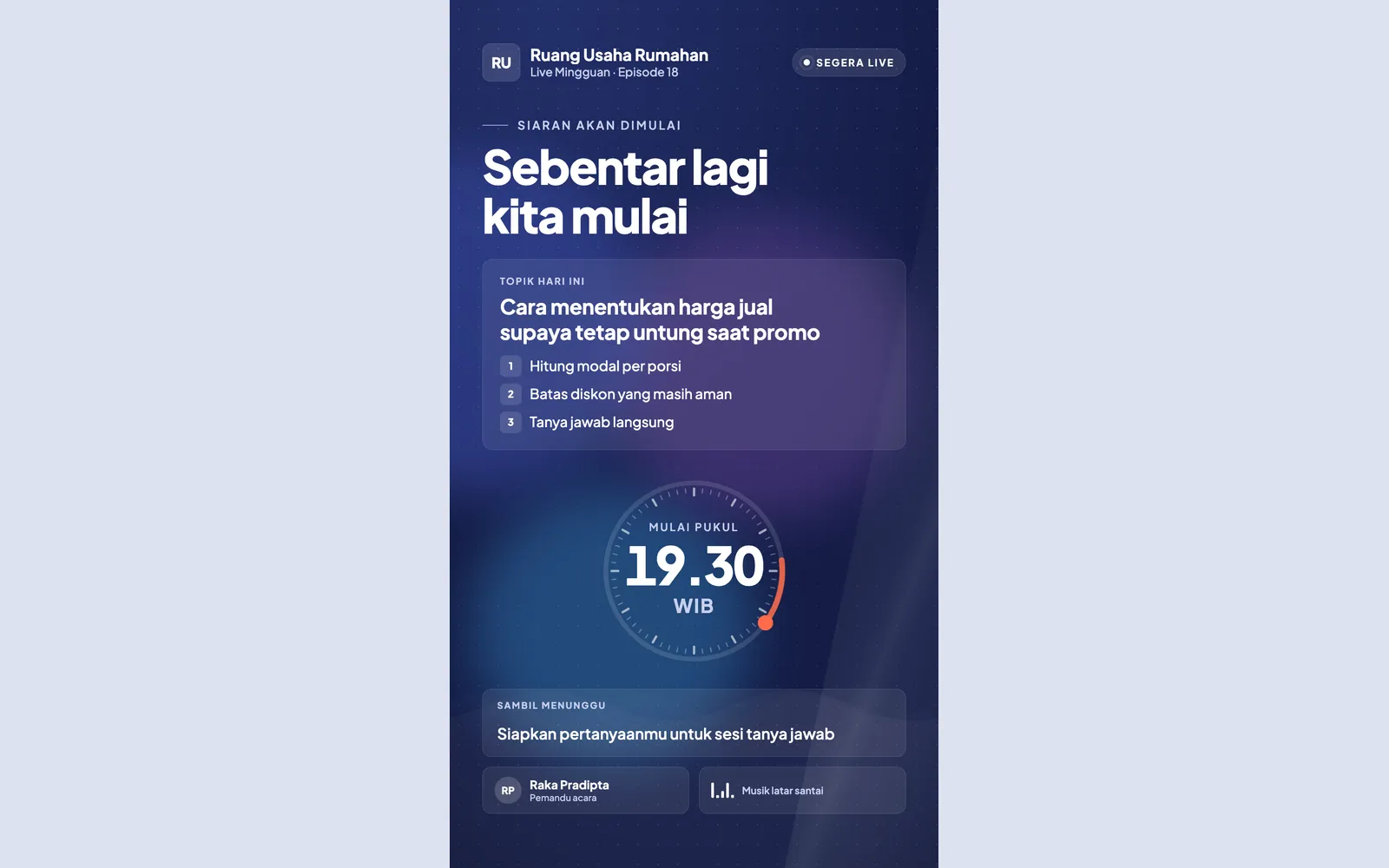
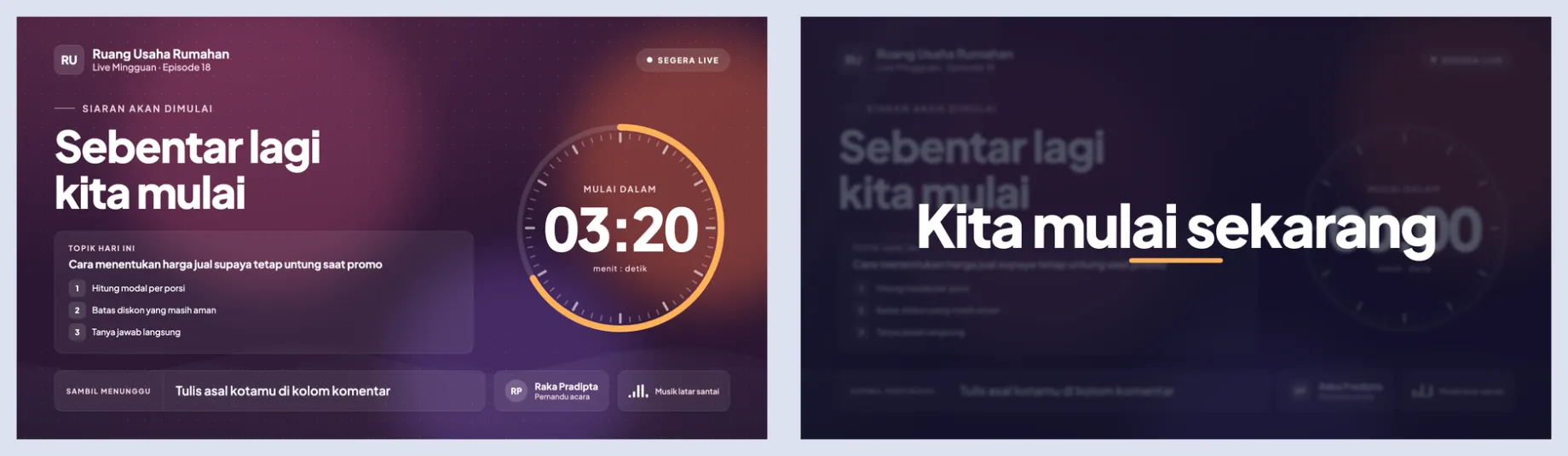
A waiting screen that runs before a live stream, podcast, or webinar starts: show name, a calm "We're starting soon" heading, a today's-topic card with talking points, the start time inside a clock ring with a sweeping hand, rotating calls to action, host and background-music chips, all over slowly drifting light. Loop mode renders a video whose last frame meets its first, countdown mode renders a mm:ss countdown to zero ending on "We're starting now", and live mode runs directly as a browser source. 16:9 and 9:16.
Verified by SkillFlow
We checked every file in this skill automatically: no command that downloads and runs a program, no hidden code, no instruction telling your AI to ignore you.
- Loads from outside
- Fonts: Google Fonts
See the 5 files inside
skill.json8 KBSKILL.md8 KBprompt.md6 KBprompt.en.md6 KBfiles/layar-tunggu.html27 KB
Checked 14 Nov 2026
Part of SkillFlow Pro
Pro opens every skill in every category: copy, ZIP, Send to AI, install, save, and request new skills.
Get Pro Already subscribed? Sign inWhat you get
- Screen copy: show name, heading, topic + 0-4 points, start time, host, 1-4 rotating calls to action
- An HTML template driven by one config object, 3 palettes
- A seamless loop MP4 of 10-60 seconds, 1920x1080 or 1080x1920, 30 fps
- A countdown MP4 from 10 seconds to 15 minutes, ending on a 3-second "starting now"
- Live mode for a browser source: a real countdown to the start time
Good fit
- Live sellers, video podcasters, and webinar hosts who need a pre-show screen
- Live classes, online study circles, and community streams that want early viewers to stay
- Operators showing the screen through streaming software with a browser source
- Hosts who want viewers to prepare questions while waiting
Not for
- Not a transparent overlay on a stream that is already running
- Not a reminder sent by chat
- In loop mode the clock shows the start time, not a running countdown
- It does not play music by itself; music comes from your streaming software or is added at render
About this skill
/layar-tunggu-siaran Make a starting soon screen for our Monday night live sale, starting 7.30 PM, topic new dress collection, 3 things to do while waiting, a 20 second loop in 9:16
Show more
A waiting screen that runs before a live stream, podcast, or webinar starts: show name, a calm "We're starting soon" heading, a today's-topic card with talking points, the start time inside a clock ring with a sweeping hand, rotating calls to action, host and background-music chips, all over slowly drifting light. Loop mode renders a video whose last frame meets its first, countdown mode renders a mm:ss countdown to zero ending on "We're starting now", and live mode runs directly as a browser source. 16:9 and 9:16.
User reviews
FAQ
Why does the loop video not count down?
A running number cannot return to its start without jumping, so a seamless loop shows the start time. For a running number, use countdown mode played once, or live mode.
How long can the countdown video be?
10 seconds to 15 minutes, ending with a 3 second we are starting now card. Play it that many minutes before the start, then switch to the camera.
What goes in the call to action lines?
1 to 4 lines, each a single action of about 10 words, such as type your city in the comments. They rotate evenly within one loop.
Which AI can I use it with?
Copy the prompt into a chat AI (ChatGPT, Claude, Gemini, DeepSeek): you get an HTML file; open it in Chrome and press Download MP4 (silent video, a minute or two to render); or download the ZIP and install it in an AI agent (Claude Code, Codex, Antigravity, Hermes Agent, Cursor, GitHub Copilot, Gemini CLI, OpenCode, Kimi Code, Trae), which then builds the files for you.
What is in the ZIP?
One folder named layar-tunggu-siaran with SKILL.md (the instructions an AI agent reads) and the prompt, 5 files in all. Extract it into your agent's skills folder, or install it with npx skillflow-ai add layar-tunggu-siaran. Pro only.
Is there a per-use fee or credits?
Not from SkillFlow. The skill runs on the AI you already use, so any cost follows that plan.
Which plan includes it?
SkillFlow Pro. It opens every skill in every category.
Can I use my own colours and brand?
Yes. Pick a colour theme on this page, or fill in your brand profile once; both go into the prompt you copy and into the ZIP.
Can I share what I made?
Pro members can upload the result and get a page at share.skillflow.ai.id to send to anyone. The page carries a small "Made with SkillFlow AI" mark.
Is there a download limit?
Yes, per day: 50 skills on Pro, 10 on other plans. Downloading a skill again on the same day does not count.



