

Rendered sample video
SKILL.md contents
Premium subscribers can read, copy, and install this skill.
Unlock with Premium Sign inProblem to Solution for Launch Videos
Description
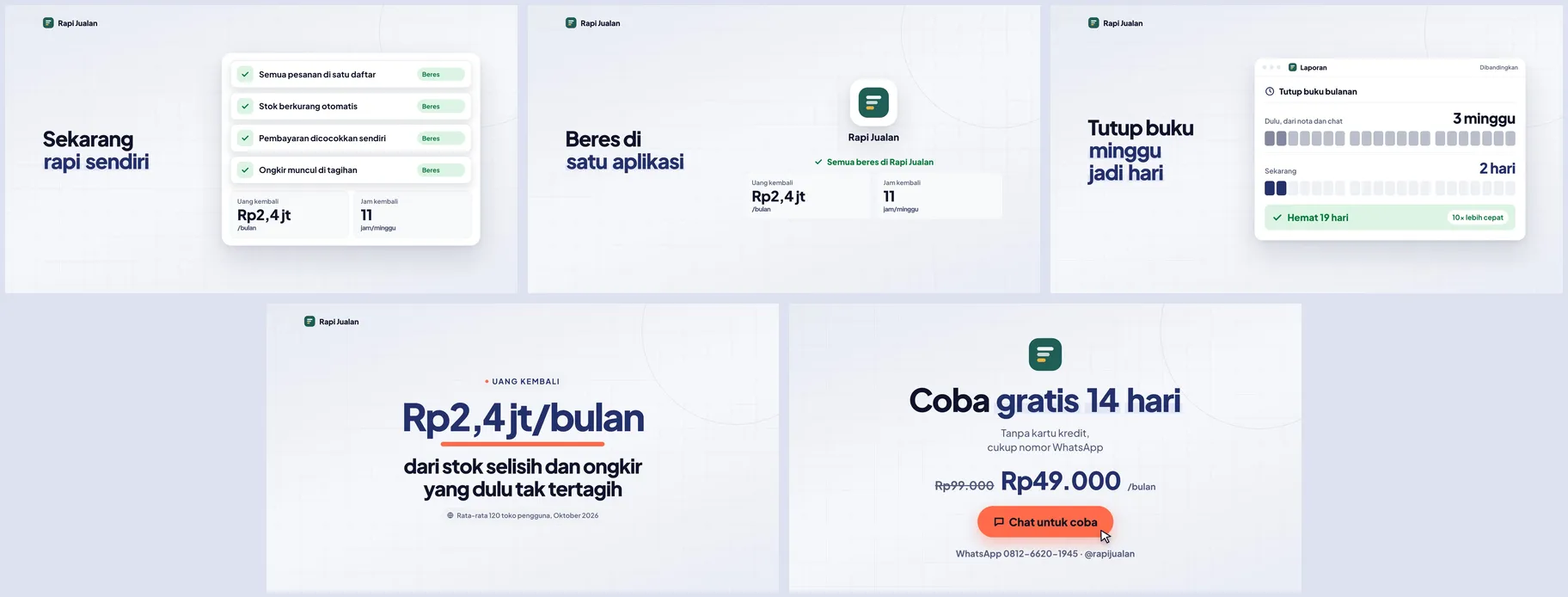
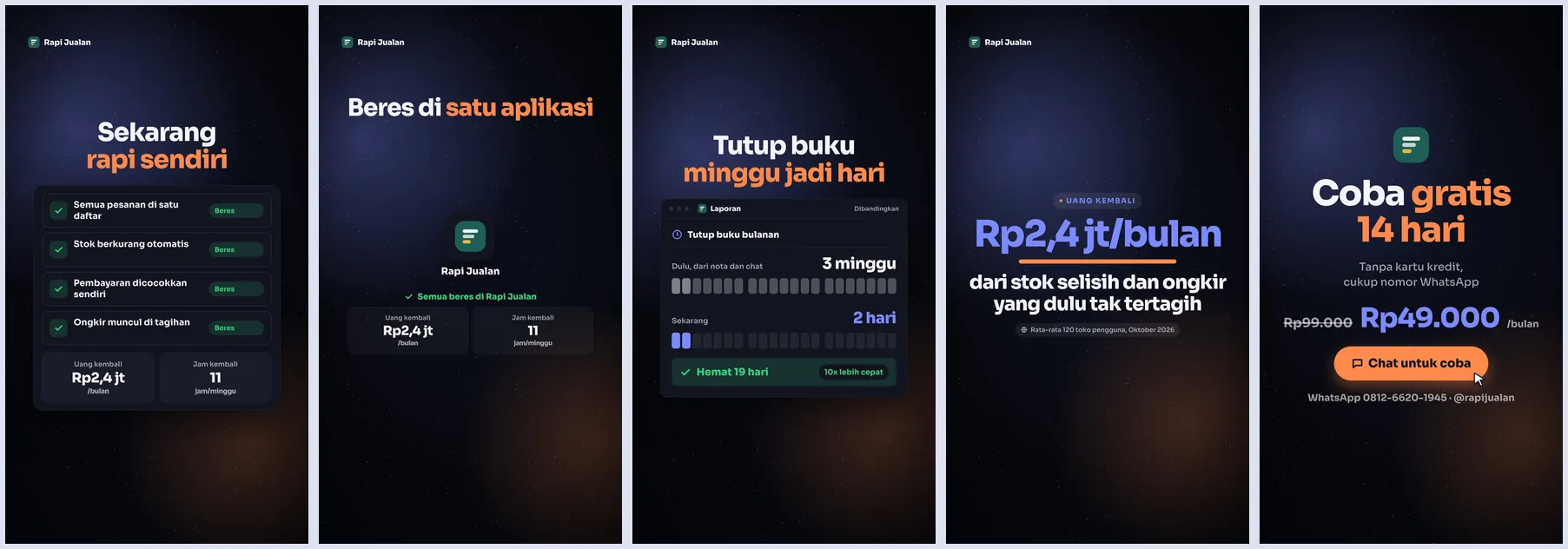
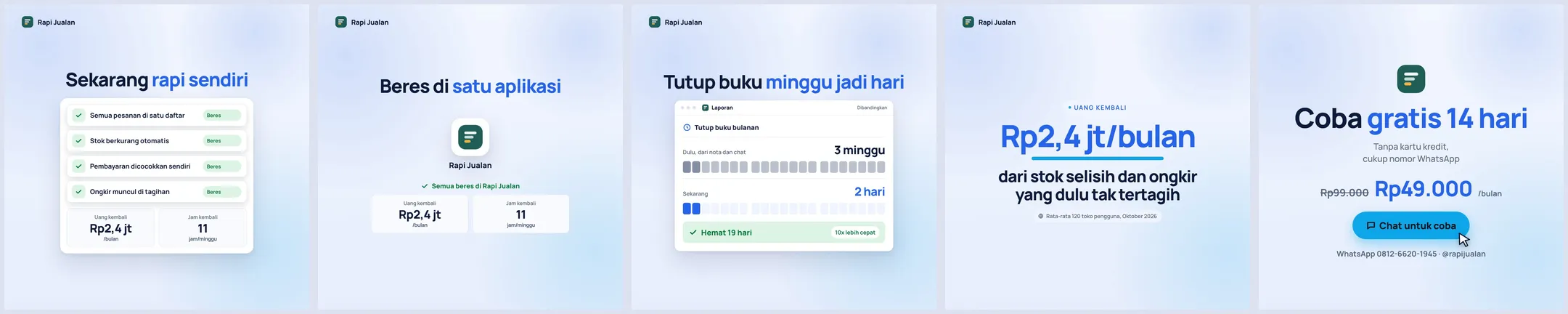
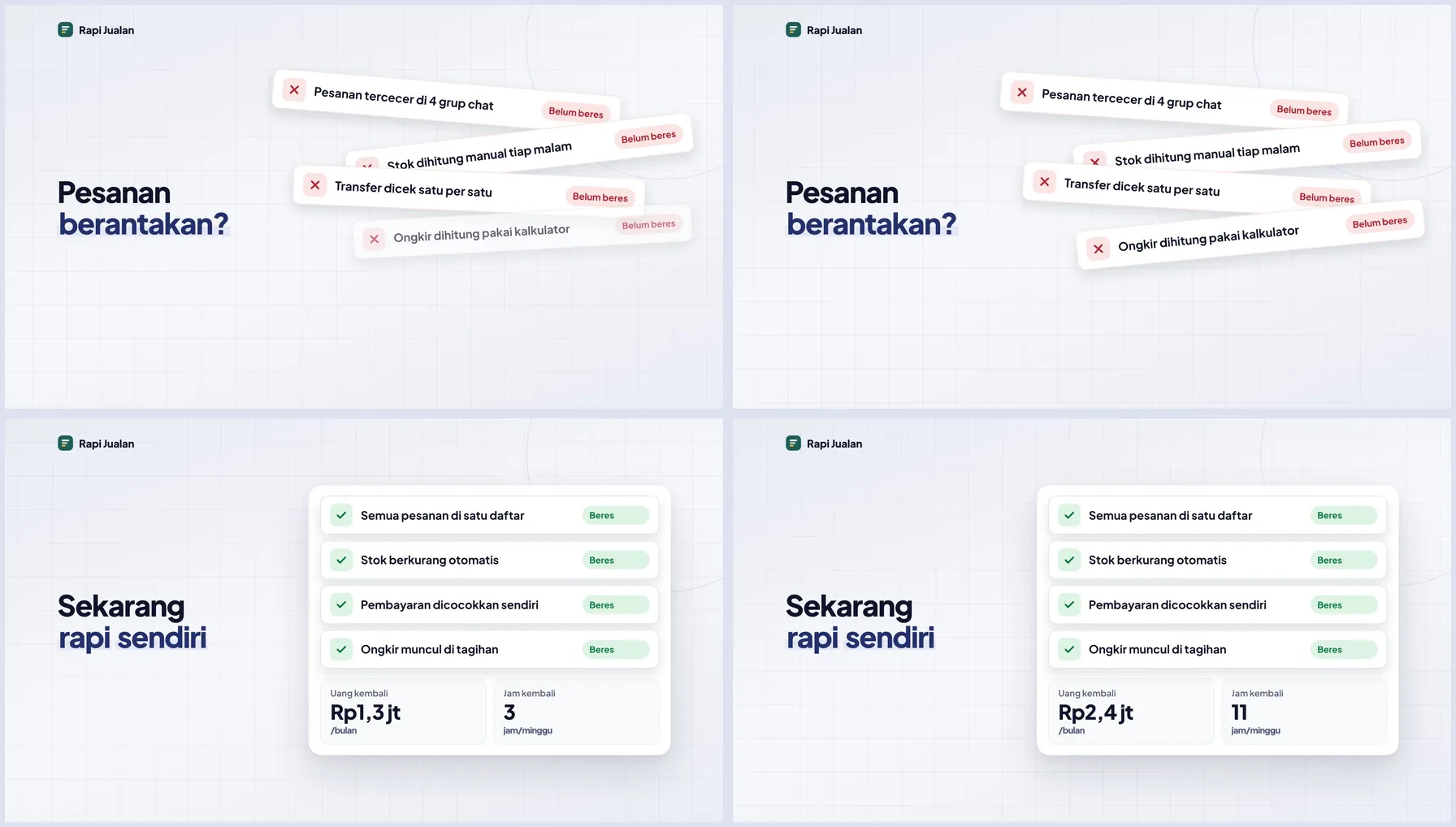
8-10 second problem to solution clips for app, digital product, or service ads: customer problem cards appear messy and tilted, then line up and turn into their solutions, or get absorbed into your product logo, the headline changes from problem to result, then the money and hours won back count up. Plus a "weeks into days" time comparison, one big result number, and a closing call to action. Scenes chain into a 30-45 second video. 16:9, 9:16, 1:1 MP4, three themes, your own logo and colours.
Verified by SkillFlow
We checked every file in this skill automatically: no command that downloads and runs a program, no hidden code, no instruction telling your AI to ignore you.
Good to know: Starts programs on the computer (files/alat/motion-mix.mjs), Starts programs on the computer (files/alat/motion-render.mjs), Starts programs on the computer (files/alat/motion-sfx.mjs) . These are tools that run on your own computer when you ask your agent to use them.
- Loads from outside
- Fonts: Google Fonts
See the 12 files inside
skill.json10 KBSKILL.md8 KBprompt.md3 KBprompt.en.md3 KBfiles/alat/kit-lib.mjs7 KBfiles/alat/launch-check.mjs8 KBfiles/alat/motion-mix.mjs8 KBfiles/alat/motion-render.mjs9 KBfiles/alat/motion-sfx.mjs2 KBfiles/alat/package.json1 KBfiles/contoh/logo-rapi.svg1 KBfiles/video.html175 KB
Checked 14 Nov 2026
Part of SkillFlow Pro
Pro opens every skill in every category: copy, ZIP, Send to AI, install, save, and request new skills.
Get Pro Already subscribed? Sign inWhat you get
- A scene plan (style, before and after headline, problems and solutions, seconds), shown before rendering
- 16:9 1920x1080, 9:16 1080x1920, and/or 1:1 1080x1080 MP4, 30 fps
- Messy problem cards that line up into solutions, or get absorbed into the product logo
- Money and hours won back counting up, per month or per week
- A time comparison, one result number with its source, and a closing call to action with price and button
- Home-made sound effects, a single clip or a 30-45 second chain
Good fit
- Founders of apps or systems for small businesses that solve everyday hassles
- Digital product sellers (templates, courses) answering one clear problem
- Service providers (admin, bookkeeping, design) taking work off the customer's hands
- An ad opening that names the viewer's problem straight away
Not for
- It does not invent problems, results, or testimonials: if a result has no basis, the scene runs without numbers
- Not a big-type hard-cut ad without an interface (use the Problem to Solution Ad skill)
- Not before and after photos of a service result (use the Service Before and After skill)
- It does not run in an ordinary web chat: it needs an agent that can run programs on your computer
About this skill
/masalah-solusi-launch Make a 9:16 ad for my shop app: orders scattered across group chats, stock counted by hand, transfers checked one by one, then everything tidy and the owner saving 11 hours a week
Show more
8-10 second problem to solution clips for app, digital product, or service ads: customer problem cards appear messy and tilted, then line up and turn into their solutions, or get absorbed into your product logo, the headline changes from problem to result, then the money and hours won back count up. Plus a "weeks into days" time comparison, one big result number, and a closing call to action. Scenes chain into a 30-45 second video. 16:9, 9:16, 1:1 MP4, three themes, your own logo and colours.
User reviews
FAQ
How is this different from the Problem to Solution Ad skill?
That skill is a big-type ad with hard cuts per frame. This one shows the problems as messy cards that get tidied or absorbed into your product, the headline changes, and the result is counted in money and hours, so viewers watch the change happen.
When should I use rapi and when sapu?
Rapi when each problem has a solution you can name one by one (up to 5). Sapu when you want to show many small chores (up to 6) all handled by one product; solutions per problem are not written, the logo and the results are shown instead.
How long does rendering take?
A five-scene 44-second chain takes about 20-25 seconds per format on a fast computer, including sound effects; an ordinary laptop can take 3-5 times longer. It needs Node, Chrome, and ffmpeg, plus internet while rendering for the fonts.
Which AI can I use it with?
Download the ZIP and install it in an AI agent (Claude Code, Codex, Antigravity, Hermes Agent, Cursor, GitHub Copilot, Gemini CLI, OpenCode, Kimi Code, Trae), which then builds the files for you.
What is in the ZIP?
One folder named masalah-solusi-launch with SKILL.md (the instructions an AI agent reads) and the prompt, 12 files in all. Extract it into your agent's skills folder, or install it with npx skillflow-ai add masalah-solusi-launch. Pro only.
Is there a per-use fee or credits?
Not from SkillFlow. The skill runs on the AI you already use (and, if you use an AI voice instead of your own recording, the voice service you pick), so any cost follows that plan.
Which plan includes it?
SkillFlow Pro. It opens every skill in every category.
Can I use my own colours and brand?
Yes. Pick a colour theme on this page, or fill in your brand profile once; both go into the prompt you copy and into the ZIP.
Can I share what I made?
Pro members can upload the result and get a page at share.skillflow.ai.id to send to anyone. The page carries a small "Made with SkillFlow AI" mark.
Is there a download limit?
Yes, per day: 50 skills on Pro, 10 on other plans. Downloading a skill again on the same day does not count.



