

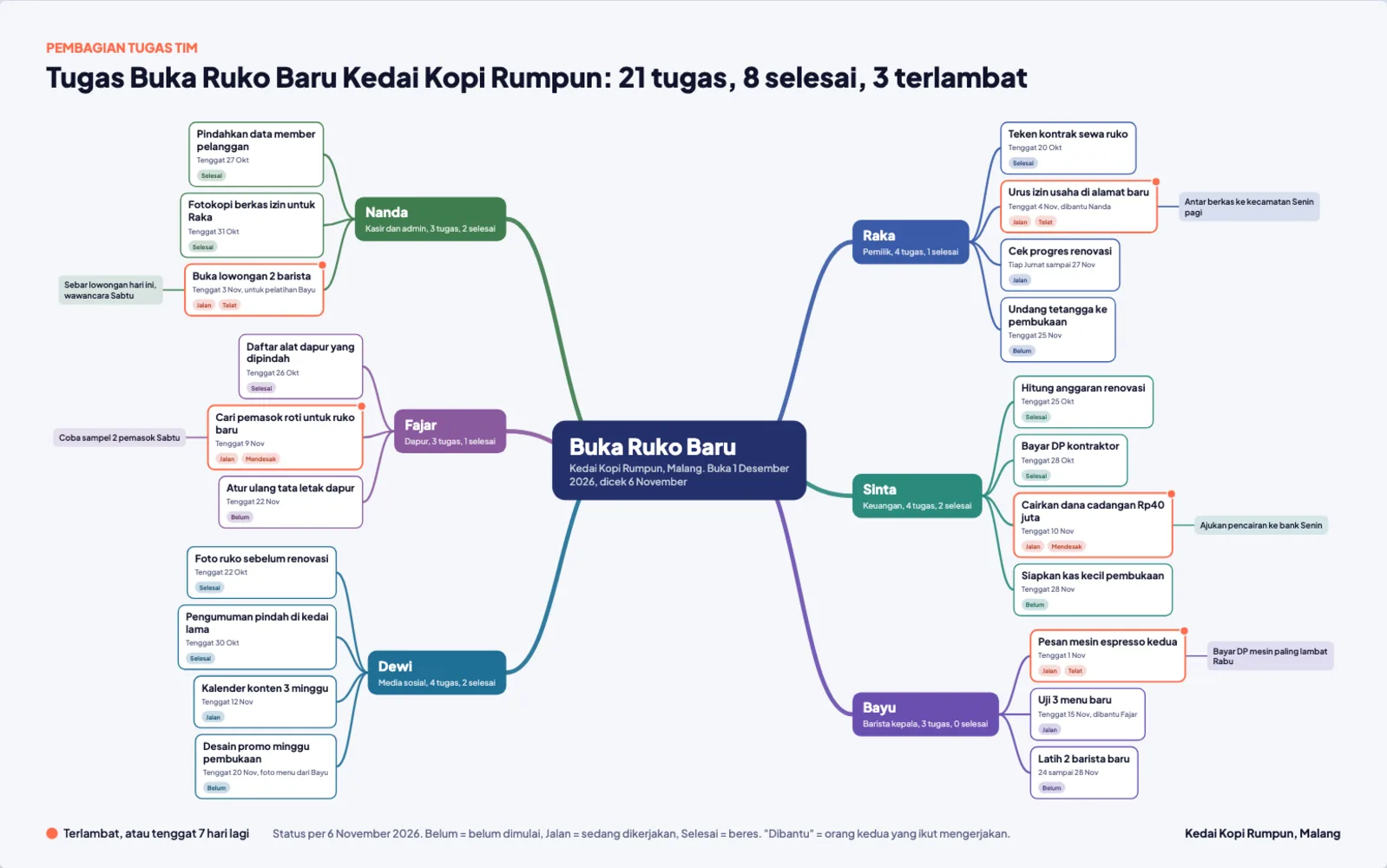
A coffee shop moving to a new site: 6 people, 21 tasks with deadlines and status, 5 late or urgent tasks
SKILL.md contents
Premium subscribers can read, copy, and install this skill.
Unlock with Premium Sign inTeam Task Split Mind Map
Description
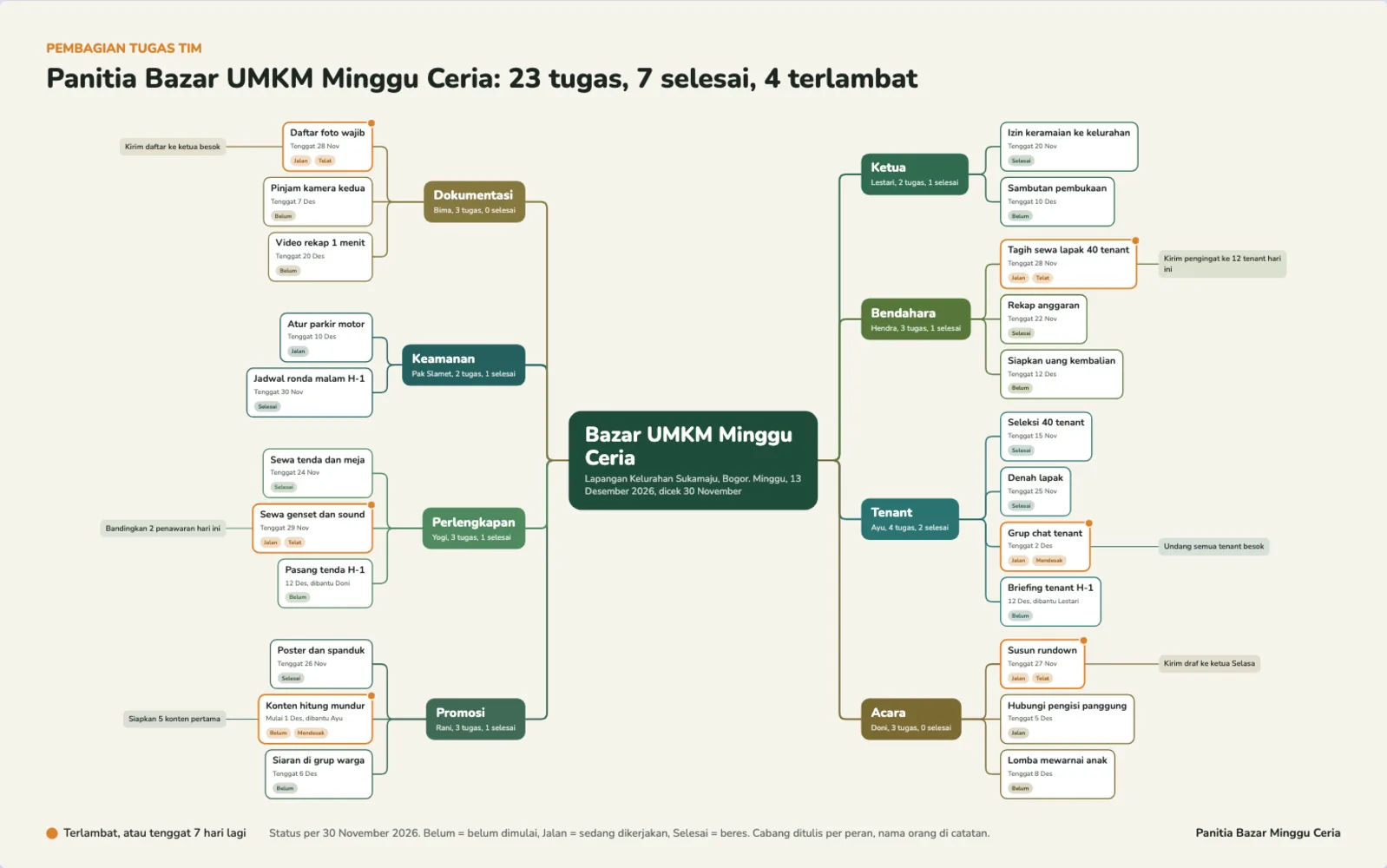
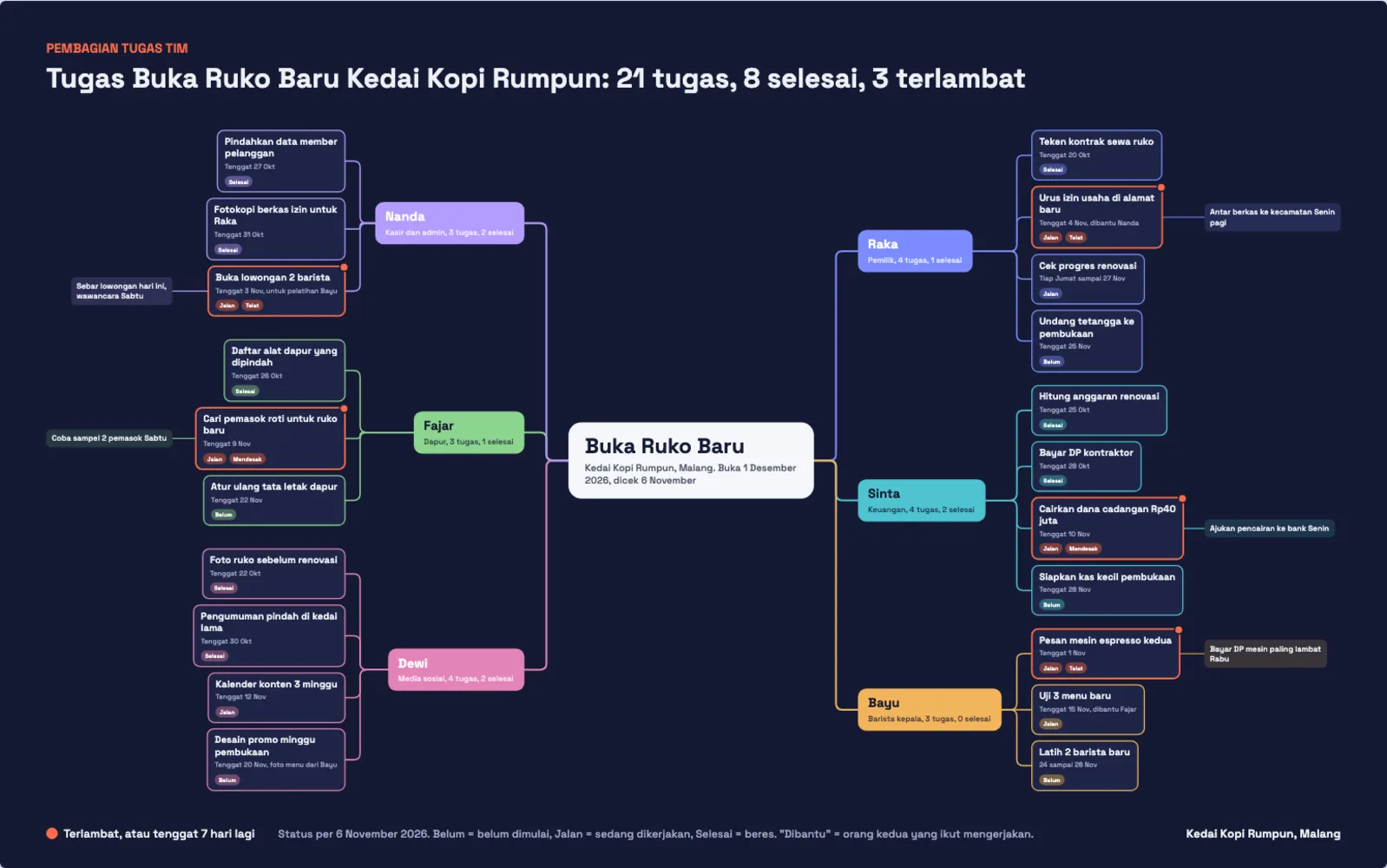
A one-page mind map that answers who is doing what: the project or business in the centre, one branch per team member or role, tasks as leaves with a deadline and a To do, Doing, or Done status, a note of who is helping whom, and a coral mark on late or urgent tasks with the next step. Task and done counts appear on each branch and in the title. Download as PDF and PNG for team meetings.
Verified by SkillFlow
We checked every file in this skill automatically: no command that downloads and runs a program, no hidden code, no instruction telling your AI to ignore you.
- Loads from outside
- Fonts: Google Fonts SkillFlow: directory.skillflow.ai.id
See the 6 files inside
skill.json9 KBSKILL.md10 KBprompt.md5 KBprompt.en.md5 KBfiles/contoh/panitia-bazar-8-cabang.html29 KBfiles/mindmap.html29 KB
Checked 14 Nov 2026
Part of SkillFlow Pro
Pro opens every skill in every category: copy, ZIP, Send to AI, install, save, and request new skills.
Get Pro Already subscribed? Sign inWhat you get
- A task split map: the project in the centre, one branch per person or role, tasks as leaves
- A deadline and a helped-by note on each task, with a To do, Doing, or Done status tag
- Late and urgent tasks marked in coral with a dated next step
- Task and done counts per person, plus the total and late count in the title
- A one-object MINDMAP HTML template, 3 palettes, landscape or portrait, curved or right-angle lines
- Download PDF and PNG straight from the page
Good fit
- Small businesses running a big project: a new branch, a move, a renovation, a launch
- Event committees, communities, and school organisations splitting work across many people
- Team leads who want one picture for the weekly meeting: who is busy, whose tasks are late
Not for
- Not project management software: no automatic reminders, working hours, or task dependencies
- To split work by time phase use the event plan or launch plan mind map
- Late status is based on the check date you give, so the map needs refreshing each week
About this skill
/mind-map-pembagian-tugas-tim Map how our team splits the work for moving to a new shop, 6 people with their tasks and deadlines, and mark what is already late as of today
Show more
A one-page mind map that answers who is doing what: the project or business in the centre, one branch per team member or role, tasks as leaves with a deadline and a To do, Doing, or Done status, a note of who is helping whom, and a coral mark on late or urgent tasks with the next step. Task and done counts appear on each branch and in the title. Download as PDF and PNG for team meetings.
User reviews
FAQ
What if two people share a task?
The task is written once under the person responsible, and the second person goes in the note as helped by Name. That way it is still clear whom to ask if the task stalls.
Our team has more than 8 people. Will it work?
One map holds up to 8 branches. Group people by role (Kitchen, Cashier, Promotion) with their names in the branch note, or split into two maps per division in one file.
What is the difference between Late and Urgent?
Late means the task is unfinished and its deadline has passed the check date. Urgent means the deadline is still ahead but only a few days away, 7 by default. Both get a next step.
Which AI can I use it with?
Copy the prompt into a chat AI (ChatGPT, Claude, Gemini, DeepSeek); or download the ZIP and install it in an AI agent (Claude Code, Codex, Antigravity, Hermes Agent, Cursor, GitHub Copilot, Gemini CLI, OpenCode, Kimi Code, Trae), which then builds the files for you.
What is in the ZIP?
One folder named mind-map-pembagian-tugas-tim with SKILL.md (the instructions an AI agent reads) and the prompt, 6 files in all. Extract it into your agent's skills folder, or install it with npx skillflow-ai add mind-map-pembagian-tugas-tim. Pro only.
Is there a per-use fee or credits?
Not from SkillFlow. The skill runs on the AI you already use, so any cost follows that plan.
Which plan includes it?
SkillFlow Pro. It opens every skill in every category.
Can I use my own colours and brand?
Yes. Pick a colour theme on this page, or fill in your brand profile once; both go into the prompt you copy and into the ZIP.
Can I share what I made?
Pro members can upload the result and get a page at share.skillflow.ai.id to send to anyone. The page carries a small "Made with SkillFlow AI" mark.
Is there a download limit?
Yes, per day: 50 skills on Pro, 10 on other plans. Downloading a skill again on the same day does not count.



