

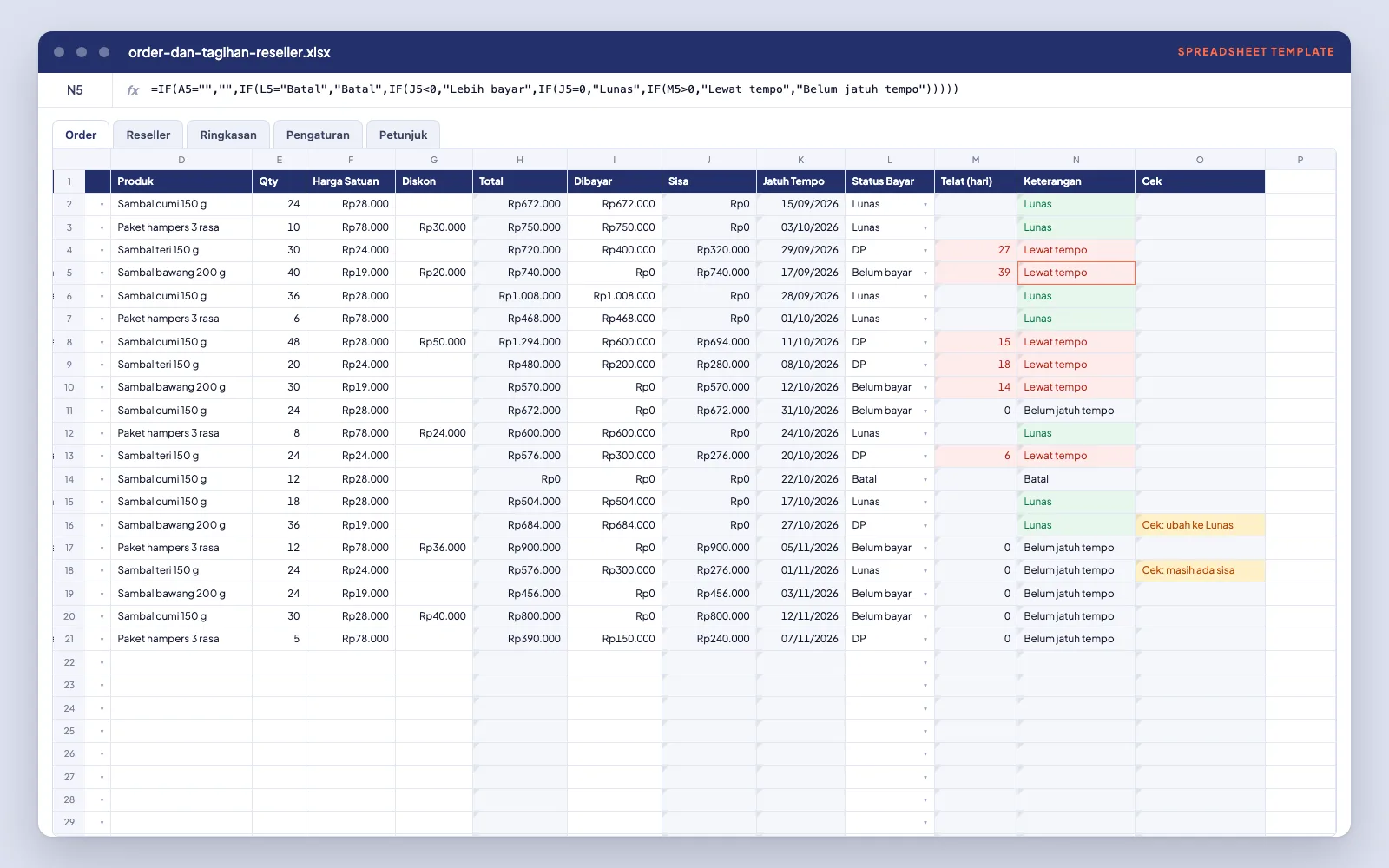
Orders sheet: balance due, due date, days late, overdue highlighted, Check column
SKILL.md contents
Premium subscribers can read, copy, and install this skill.
Unlock with Premium Sign inReseller Orders and Balances
Description
An Excel orders and receivables file for businesses selling through resellers: an order list with reseller and payment status dropdowns, total, paid, balance due, due date from each reseller's terms, days overdue, overdue orders highlighted red, a flag for mismatched statuses, a per-reseller recap with SUMIF, and receivables aging. Opens in Excel, Numbers or Google Sheets.
Verified by SkillFlow
We checked every file in this skill automatically: no command that downloads and runs a program, no hidden code, no instruction telling your AI to ignore you.
- Loads from outside
- Fonts: Google Fonts SkillFlow: directory.skillflow.ai.id
See the 6 files inside
skill.json8 KBSKILL.md7 KBprompt.md6 KBprompt.en.md6 KBfiles/contoh/15-reseller-160-order.html349 KBfiles/template.html342 KB
Checked 14 Nov 2026
Part of SkillFlow Pro
Pro opens every skill in every category: copy, ZIP, Send to AI, install, save, and request new skills.
Get Pro Already subscribed? Sign inWhat you get
- An .xlsx file with Orders, Resellers, Summary, Settings and Guide sheets
- Total, balance due and due date from each reseller's terms calculated automatically
- Payment status dropdown (Unpaid, Deposit, Paid, Cancelled) and a Check column for mismatched statuses
- Days overdue as of a check date, overdue orders highlighted red
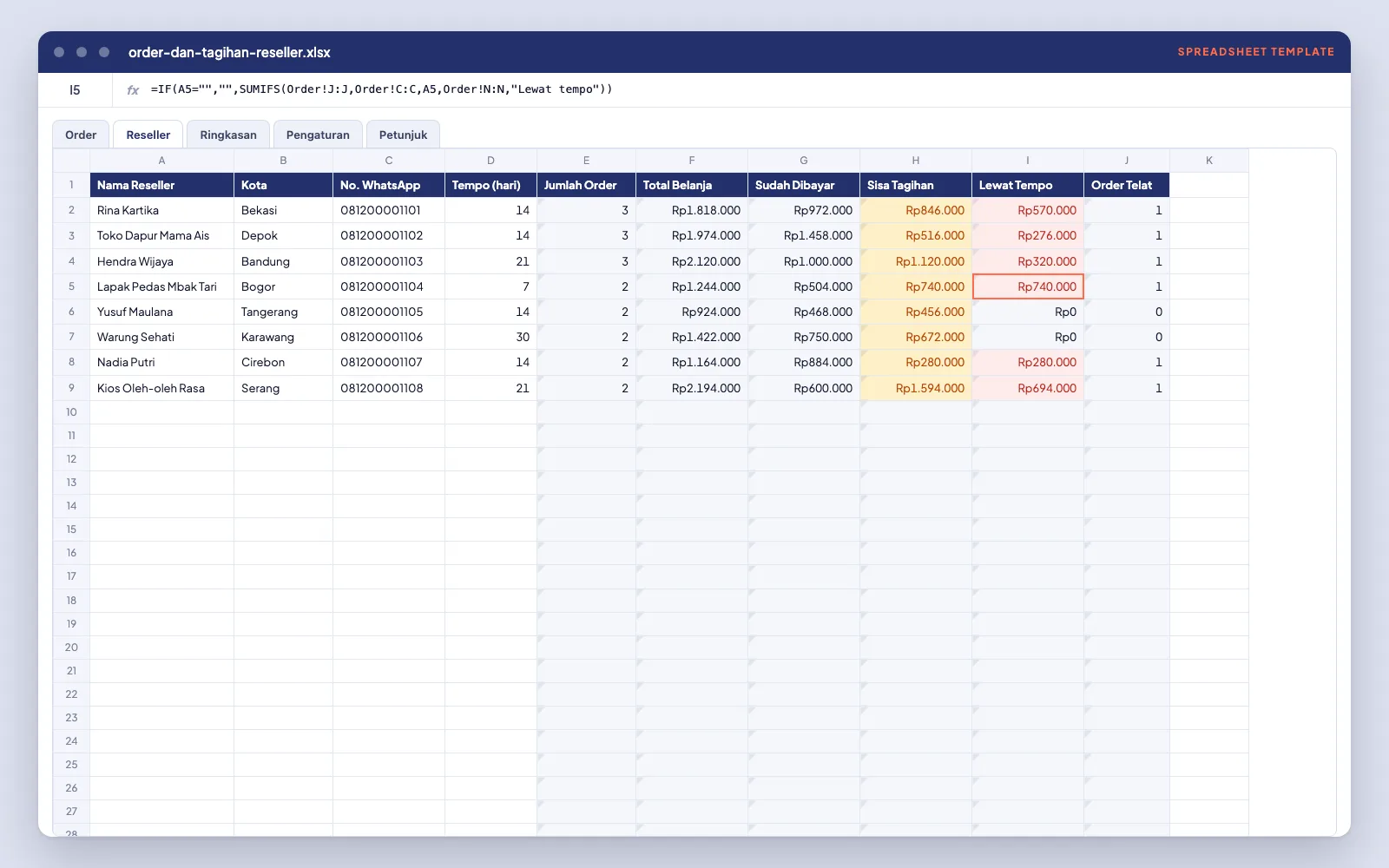
- Per-reseller recap: order count, total purchases, paid, balance, overdue
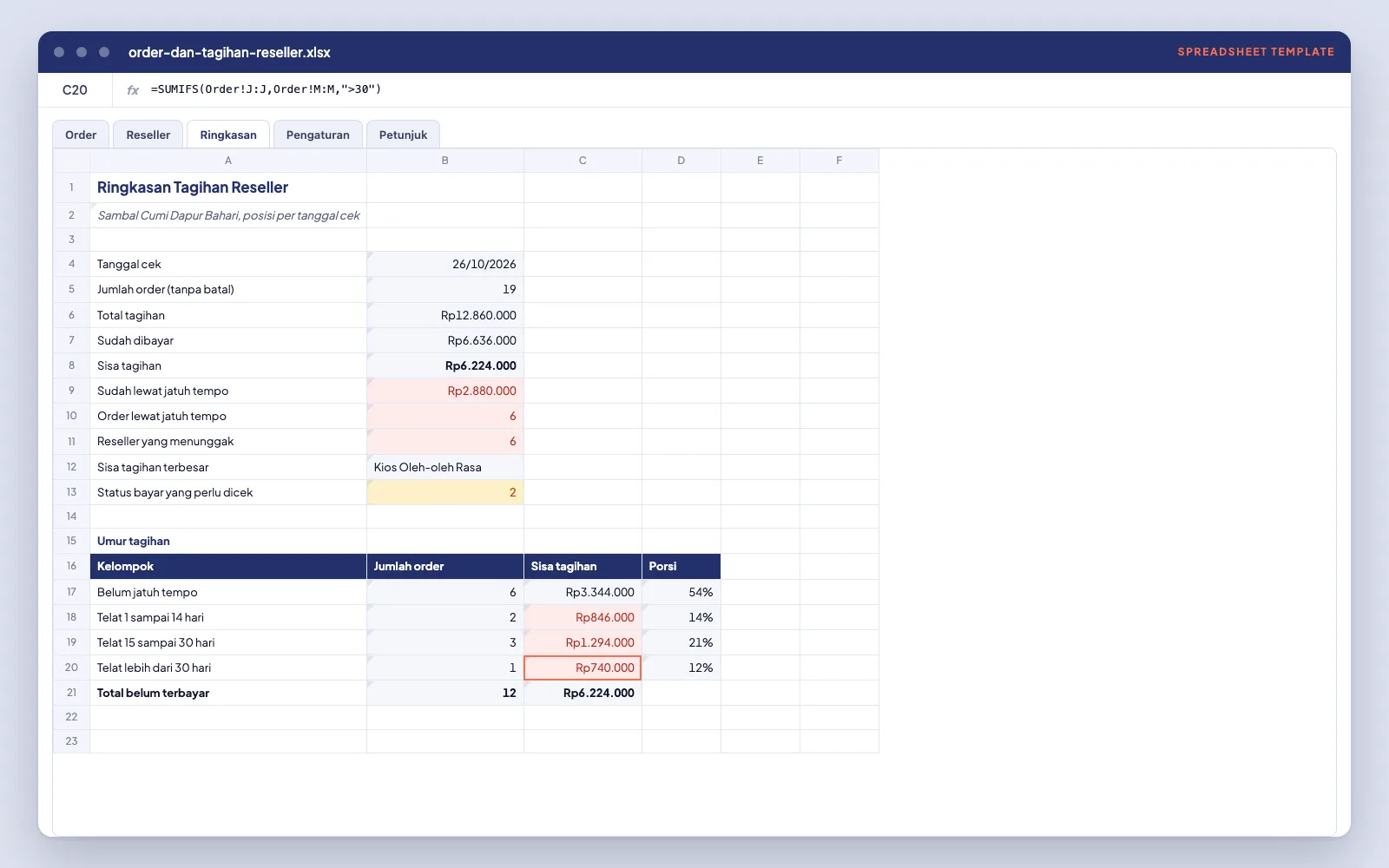
- Summary and aging: not yet due, 1-14, 15-30 and over 30 days late
- An HTML template with a sheet preview and a Download Excel button
Good fit
- Food, cosmetics or fashion makers selling through resellers on payment terms
- Sales admins who chase resellers over WhatsApp
- Wholesalers who want receivables aging before extending more credit
Not for
- It does not issue tax invoices or calculate tax
- It does not send reminders; you still chase payments yourself
- Not a multi-level agent or commission system
About this skill
/order-dan-tagihan-reseller Make an Excel orders and balances file for my 12 snack resellers with 14-day terms, so I can see who is overdue.
Show more
An Excel orders and receivables file for businesses selling through resellers: an order list with reseller and payment status dropdowns, total, paid, balance due, due date from each reseller's terms, days overdue, overdue orders highlighted red, a flag for mismatched statuses, a per-reseller recap with SUMIF, and receivables aging. Opens in Excel, Numbers or Google Sheets.
User reviews
FAQ
Why is there a check date on the Settings sheet?
Days overdue are counted from that date. It defaults to today (TODAY), and you can type another date to see balances as of that day.
What is the Check column for?
It flags a payment status that does not match the numbers, for example marked Paid while a balance remains, or fully paid while the status still says Deposit.
Does it work in Google Sheets?
Yes. It uses SUMIF, SUMIFS, COUNTIFS, VLOOKUP and TODAY, which calculate the same in Excel, Numbers and Google Sheets.
Which AI can I use it with?
Copy the prompt into a chat AI (ChatGPT, Claude, Gemini, DeepSeek); or download the ZIP and install it in an AI agent (Claude Code, Codex, Antigravity, Hermes Agent, Cursor, GitHub Copilot, Gemini CLI, OpenCode, Kimi Code, Trae), which then builds the files for you.
What is in the ZIP?
One folder named order-dan-tagihan-reseller with SKILL.md (the instructions an AI agent reads) and the prompt, 6 files in all. Extract it into your agent's skills folder, or install it with npx skillflow-ai add order-dan-tagihan-reseller. Pro only.
Is there a per-use fee or credits?
Not from SkillFlow. The skill runs on the AI you already use, so any cost follows that plan.
Which plan includes it?
SkillFlow Pro. It opens every skill in every category.
Can I use my own colours and brand?
Yes. Pick a colour theme on this page, or fill in your brand profile once; both go into the prompt you copy and into the ZIP.
Can I share what I made?
Pro members can upload the result and get a page at share.skillflow.ai.id to send to anyone. The page carries a small "Made with SkillFlow AI" mark.
Is there a download limit?
Yes, per day: 50 skills on Pro, 10 on other plans. Downloading a skill again on the same day does not count.



