

Rendered sample video
SKILL.md contents
Premium subscribers can read, copy, and install this skill.
Unlock with Premium Sign inCourse Chapter Bumper
Description
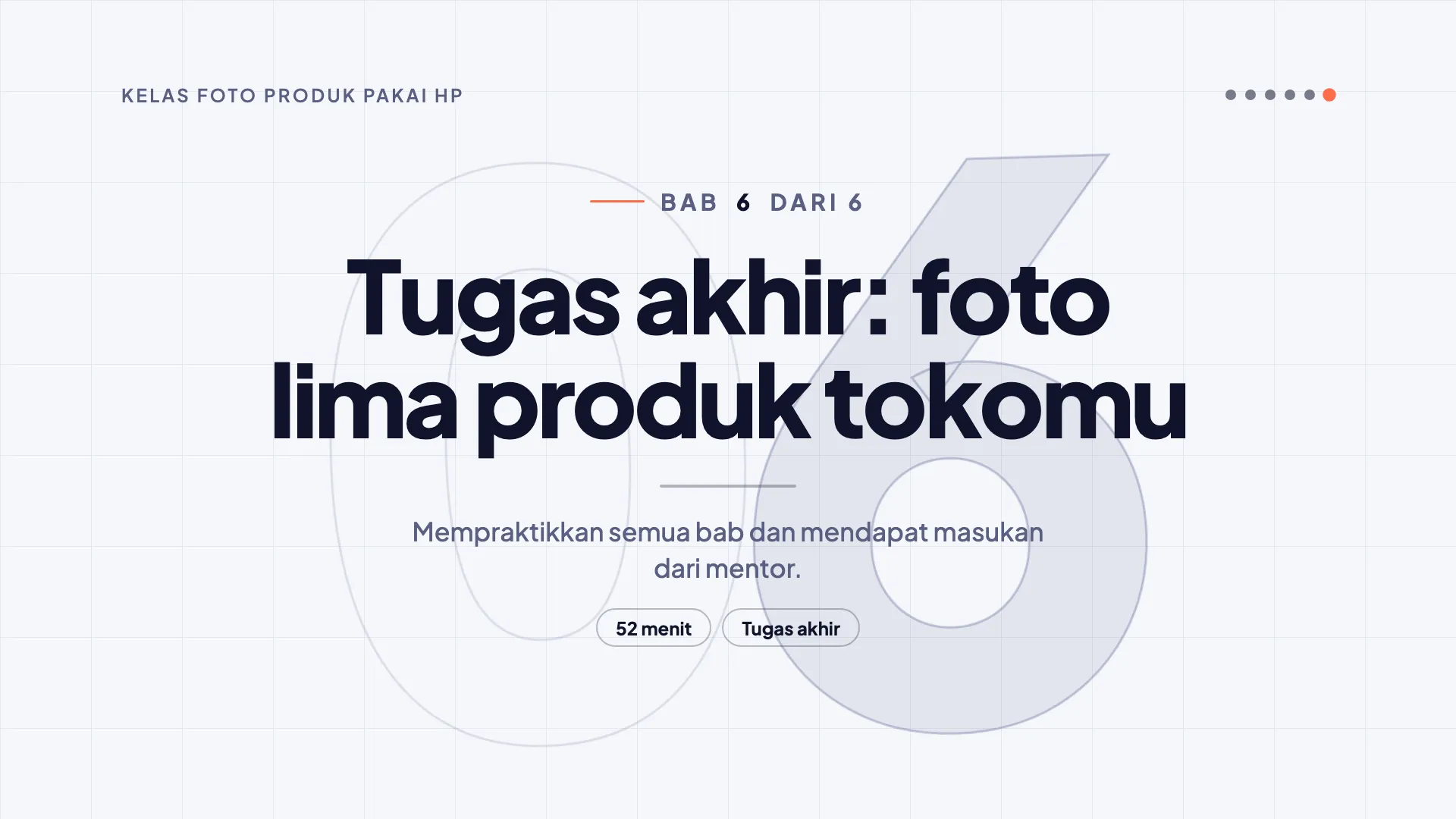
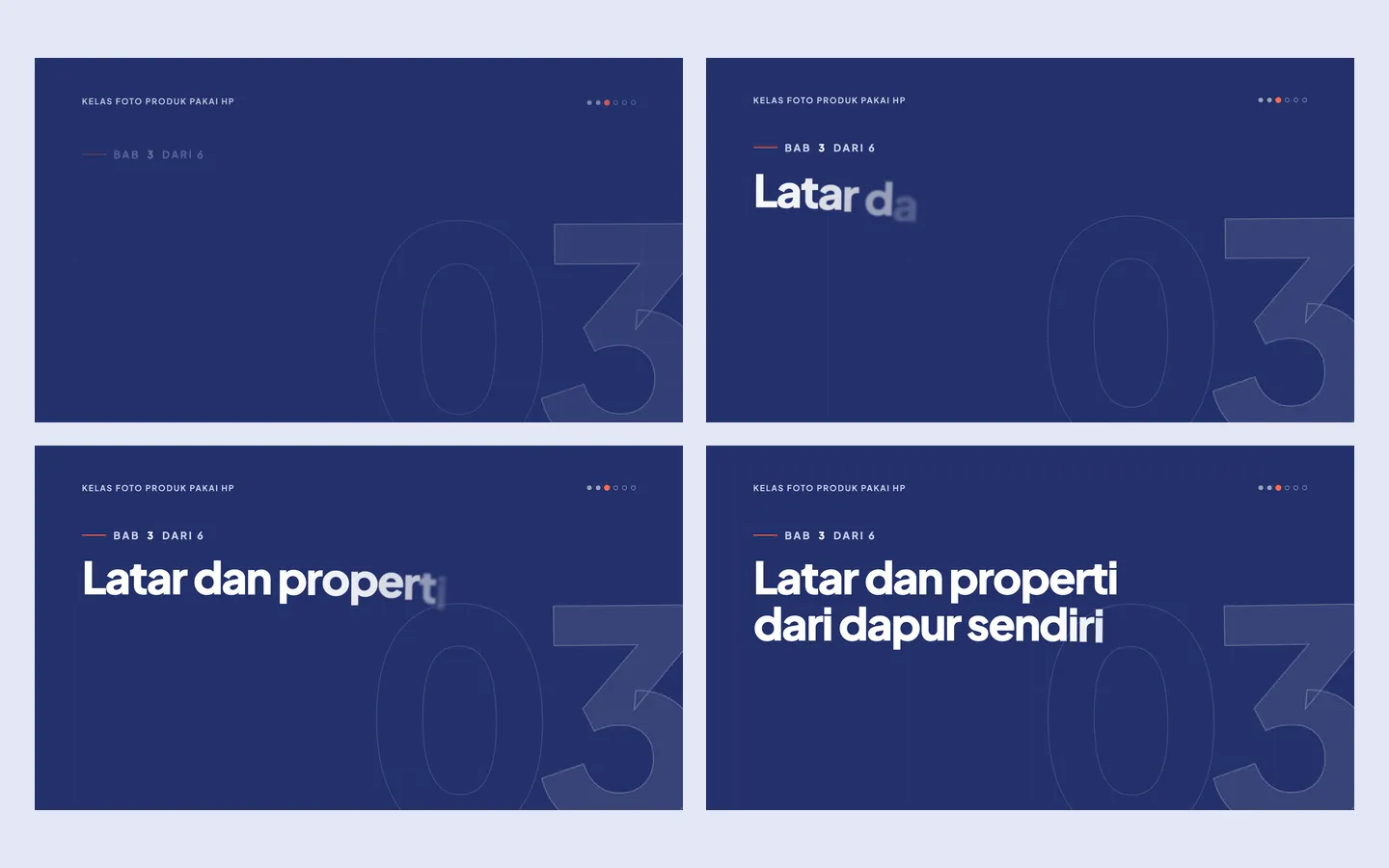
A 5 to 8 second bumper that opens each chapter or module of a video course: a giant faint chapter number rises slowly behind, a "Chapter 3 of 6" label with progress dots, the chapter title builds letter by letter, a rule draws in, one line on what the chapter covers and length chips appear, then everything lifts out so you can cut straight to the lesson. Write the full chapter list once in one file, then render each chapter with one command. 16:9 and 9:16, two layouts, three palettes.
Verified by SkillFlow
We checked every file in this skill automatically: no command that downloads and runs a program, no hidden code, no instruction telling your AI to ignore you.
- Loads from outside
- Fonts: Google Fonts
See the 5 files inside
skill.json8 KBSKILL.md6 KBprompt.md5 KBprompt.en.md5 KBfiles/pembatas-bab.html14 KB
Checked 14 Nov 2026
Part of SkillFlow Pro
Pro opens every skill in every category: copy, ZIP, Send to AI, install, save, and request new skills.
Get Pro Already subscribed? Sign inWhat you get
- The chapter list written once (title, summary, length), then ?bab=N picks the chapter to render
- A giant faint chapter number, a Chapter N of total label, and course progress dots
- The chapter title builds letter by letter, words never split, long titles shrink automatically
- An automatic exit in the last 0.8 seconds so it cuts cleanly to the lesson
- MP4 1920x1080 (16:9) or 1080x1920 (9:16), 30 fps, 5-8 seconds
- 2 layouts (number to the side, number centred) and 3 palettes (indigo, light, sage)
Good fit
- Course makers whose videos are split by chapter, module, meeting, session, or episode
- Teachers cutting webinar or live class recordings into parts
- Educational series creators on social media who want an ordered look
- Editors who want ready to drop bumpers without extra transitions
Not for
- Not an ad or a course promo
- Not a long video title that needs explaining; the bumper runs 5 to 8 seconds
- It does not join the bumper to your lesson videos; you attach it while editing
- It does not create the course material itself
About this skill
/pembatas-bab-kursus Make chapter bumpers for all 6 chapters of my office spreadsheet course, each with a title, duration, and one line summary, side layout, 16:9, rendering every chapter

Show more
A 5 to 8 second bumper that opens each chapter or module of a video course: a giant faint chapter number rises slowly behind, a "Chapter 3 of 6" label with progress dots, the chapter title builds letter by letter, a rule draws in, one line on what the chapter covers and length chips appear, then everything lifts out so you can cut straight to the lesson. Write the full chapter list once in one file, then render each chapter with one command. 16:9 and 9:16, two layouts, three palettes.

User reviews
FAQ
Is there one file per chapter?
No, one file covers every chapter. The chapter list is written once, then the chapter to render is picked by its number. All chapters can be rendered with one command loop.
Can the word Chapter be changed?
Yes, for example Module, Meeting, Session, or Episode. The progress dots follow the number of chapters in the list.
My chapter title is long, will it fit?
3 to 8 words fits best. Over 9 words triggers a warning and shrinks automatically, and words are never cut in the middle.
Which AI can I use it with?
Copy the prompt into a chat AI (ChatGPT, Claude, Gemini, DeepSeek): you get an HTML file; open it in Chrome and press Download MP4 (silent video, a minute or two to render); or download the ZIP and install it in an AI agent (Claude Code, Codex, Antigravity, Hermes Agent, Cursor, GitHub Copilot, Gemini CLI, OpenCode, Kimi Code, Trae), which then builds the files for you.
What is in the ZIP?
One folder named pembatas-bab-kursus with SKILL.md (the instructions an AI agent reads) and the prompt, 5 files in all. Extract it into your agent's skills folder, or install it with npx skillflow-ai add pembatas-bab-kursus. Pro only.
Is there a per-use fee or credits?
Not from SkillFlow. The skill runs on the AI you already use, so any cost follows that plan.
Which plan includes it?
SkillFlow Pro. It opens every skill in every category.
Can I use my own colours and brand?
Yes. Pick a colour theme on this page, or fill in your brand profile once; both go into the prompt you copy and into the ZIP.
Can I share what I made?
Pro members can upload the result and get a page at share.skillflow.ai.id to send to anyone. The page carries a small "Made with SkillFlow AI" mark.
Is there a download limit?
Yes, per day: 50 skills on Pro, 10 on other plans. Downloading a skill again on the same day does not count.



