

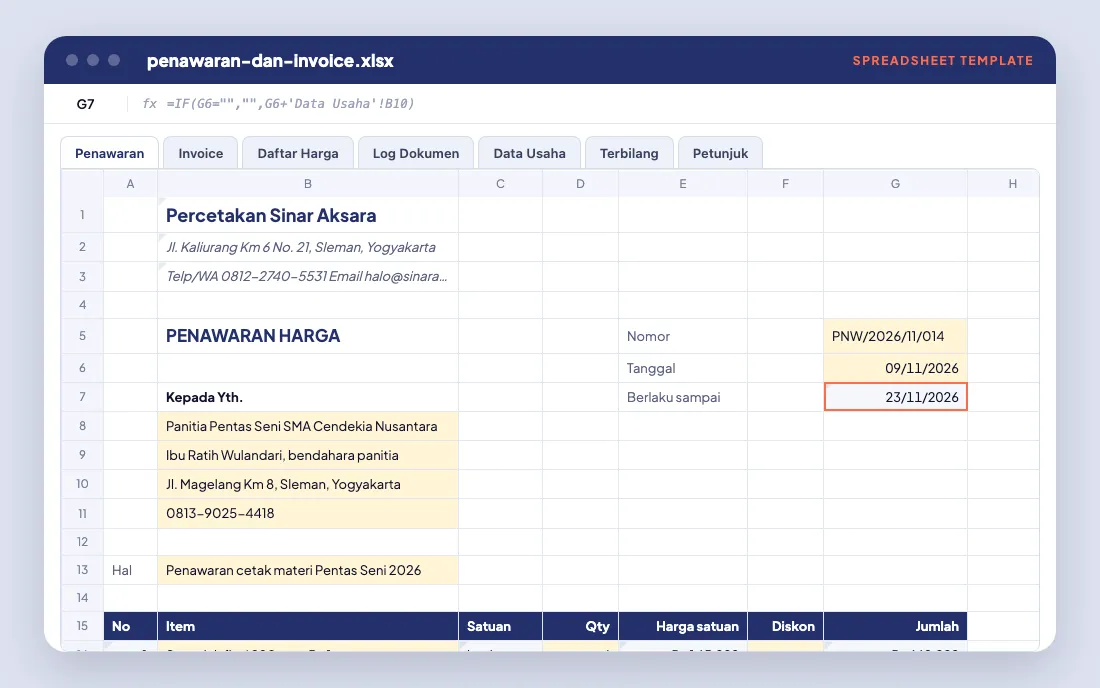
A print shop quotation for a school committee: items from the price list, line discounts, valid until
SKILL.md contents
Premium subscribers can read, copy, and install this skill.
Unlock with Premium Sign inQuotation and Invoice
Description
One Excel file for small businesses that quote and then bill: business details and bank account, a price list, a print-ready quotation with items from a dropdown, a discount per line, an extra discount, optional tax at an adjustable rate, shipping, and a validity date, an invoice that takes everything from the quotation with a due date, deposit, and balance due, the amount in words built with formulas, and a document number log. Opens in Excel, Numbers, or Google Sheets.
Verified by SkillFlow
We checked every file in this skill automatically: no command that downloads and runs a program, no hidden code, no instruction telling your AI to ignore you.
- Loads from outside
- Fonts: Google Fonts SkillFlow: directory.skillflow.ai.id
See the 6 files inside
skill.json12 KBSKILL.md9 KBprompt.md10 KBprompt.en.md10 KBfiles/contoh/konveksi-20-item-miliaran.html125 KBfiles/template.html122 KB
Checked 14 Nov 2026
Part of SkillFlow Pro
Pro opens every skill in every category: copy, ZIP, Send to AI, install, save, and request new skills.
Get Pro Already subscribed? Sign inWhat you get
- An .xlsx file with Quotation, Invoice, Price List, Document Log, Business Details, Amount in Words, and Guide sheets
- A one-page A4 quotation: items from the price list, line and extra discounts, optional tax, shipping, total
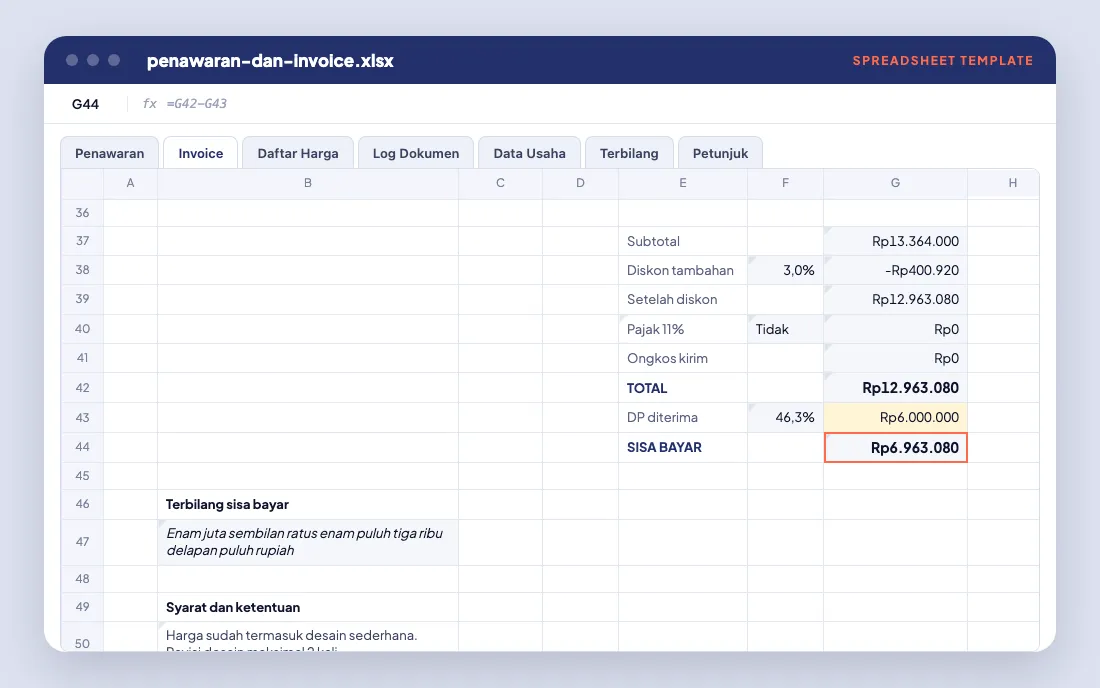
- An invoice filled from the quotation with a due date, deposit, balance due, and status
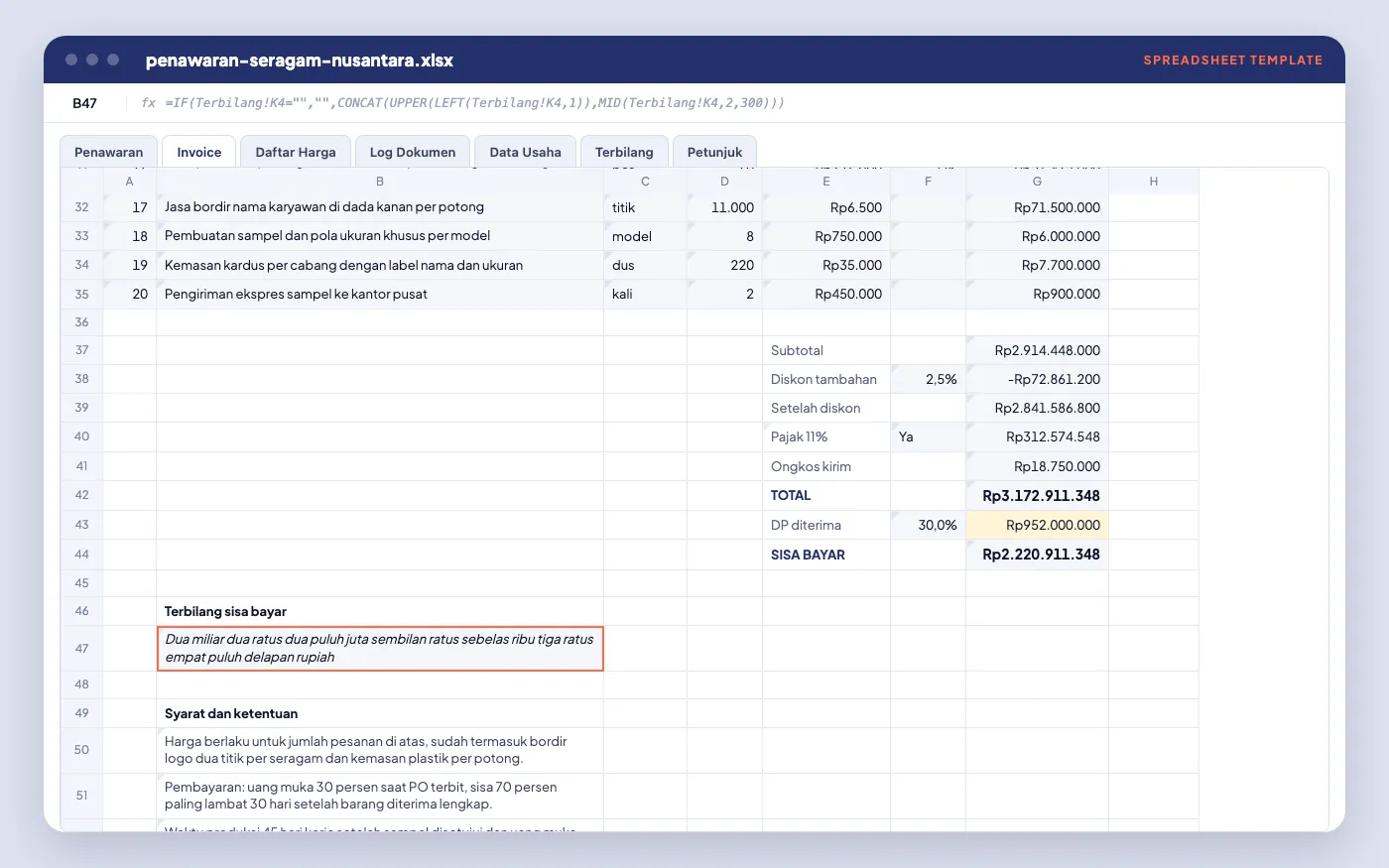
- The amount in words built with formulas, for the total and the balance due
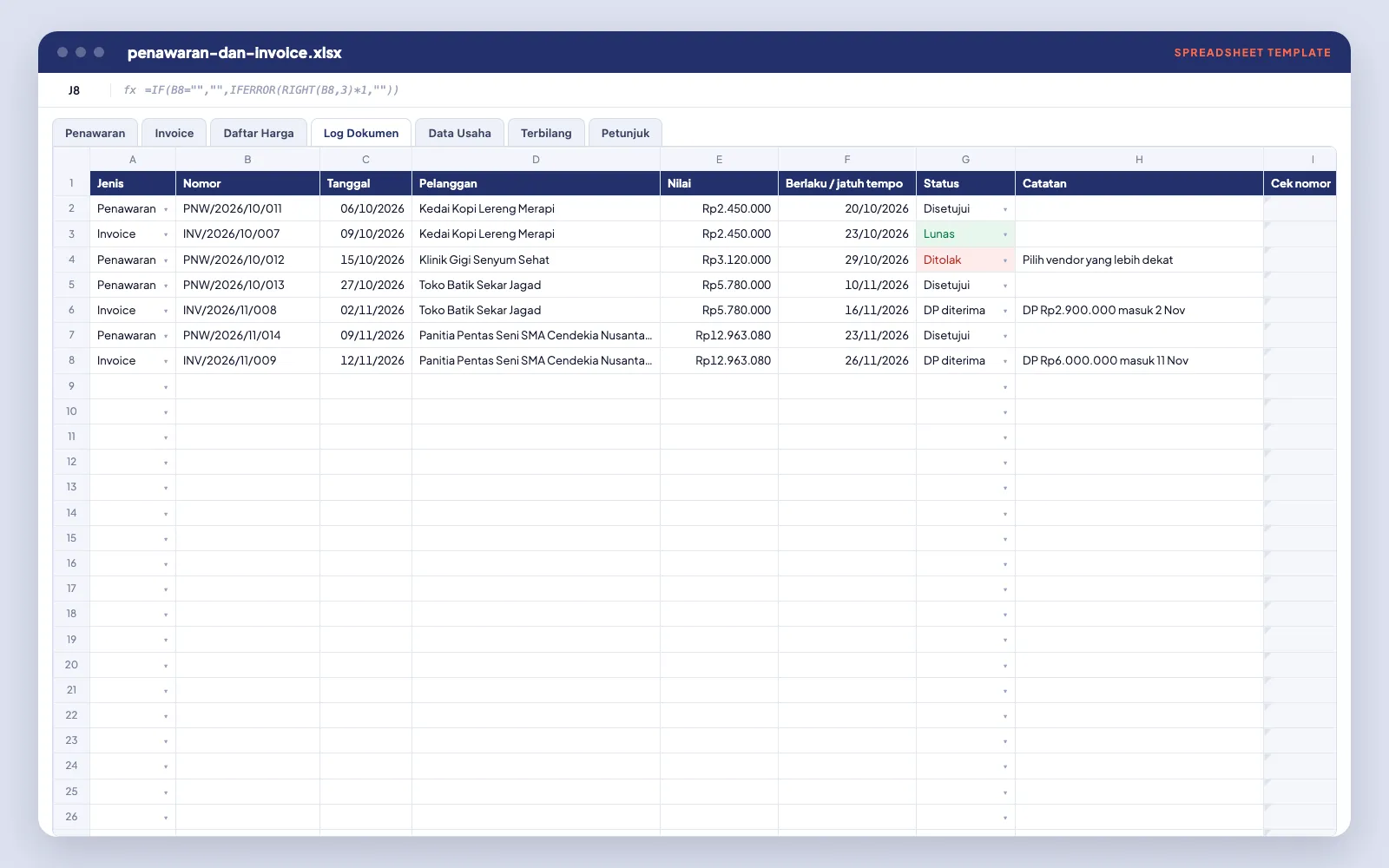
- A document number log with the next number suggested and duplicate numbers flagged
- An HTML template with a sheet preview and a Download Excel button
Good fit
- Print shops, garment makers, caterers, and event vendors that send a quotation before an order
- Freelancers and service businesses that bill a deposit and then the balance
- Businesses that keep making mistakes by retyping invoices from quotations
- Customers such as institutions or schools that ask for documents with the amount in words
Not for
- Not an official tax invoice; the tax rate in the file is only a sample and must match your tax status
- One file holds one active quotation; many open bills are tracked in the Accounts Receivable Aging skill
- It does not send documents to customers; print or save as PDF yourself
- The print area is set once in Excel when the file comes from the HTML page
About this skill
/penawaran-harga-dan-invoice Make a quotation and invoice template for my print shop: a price list for banners, flyers, and t-shirts, a quotation that turns straight into an invoice with a deposit, and the amount in words.
Show more
One Excel file for small businesses that quote and then bill: business details and bank account, a price list, a print-ready quotation with items from a dropdown, a discount per line, an extra discount, optional tax at an adjustable rate, shipping, and a validity date, an invoice that takes everything from the quotation with a due date, deposit, and balance due, the amount in words built with formulas, and a document number log. Opens in Excel, Numbers, or Google Sheets.
User reviews
FAQ
How is the amount in words made without a special function?
The helper sheet splits the number into thousands groups (billions, millions, thousands, units), turns each 0 to 999 group into words with a list of words for one to nineteen, then joins them. It updates when the total changes and works in Excel, Numbers, and Google Sheets up to hundreds of billions.
Once a quotation is accepted, what do I type on the Invoice?
Only the invoice number, date, and deposit received. Customer, items, discounts, tax, and shipping come from the Quotation sheet, so the invoice total always matches the quotation.
How do I make the next quotation?
Log the quotation you sent in the Document Log, then replace the Quotation sheet with the new customer and items. The next number suggestion in Business Details rises by itself from the largest number in the log. To keep every document, save a new file per customer.
Which AI can I use it with?
Copy the prompt into a chat AI (ChatGPT, Claude, Gemini, DeepSeek); or download the ZIP and install it in an AI agent (Claude Code, Codex, Antigravity, Hermes Agent, Cursor, GitHub Copilot, Gemini CLI, OpenCode, Kimi Code, Trae), which then builds the files for you.
What is in the ZIP?
One folder named penawaran-harga-dan-invoice with SKILL.md (the instructions an AI agent reads) and the prompt, 6 files in all. Extract it into your agent's skills folder, or install it with npx skillflow-ai add penawaran-harga-dan-invoice. Pro only.
Is there a per-use fee or credits?
Not from SkillFlow. The skill runs on the AI you already use, so any cost follows that plan.
Which plan includes it?
SkillFlow Pro. It opens every skill in every category.
Can I use my own colours and brand?
Yes. Pick a colour theme on this page, or fill in your brand profile once; both go into the prompt you copy and into the ZIP.
Can I share what I made?
Pro members can upload the result and get a page at share.skillflow.ai.id to send to anyone. The page carries a small "Made with SkillFlow AI" mark.
Is there a download limit?
Yes, per day: 50 skills on Pro, 10 on other plans. Downloading a skill again on the same day does not count.



